









More Than an Ordinary Alarm Clock
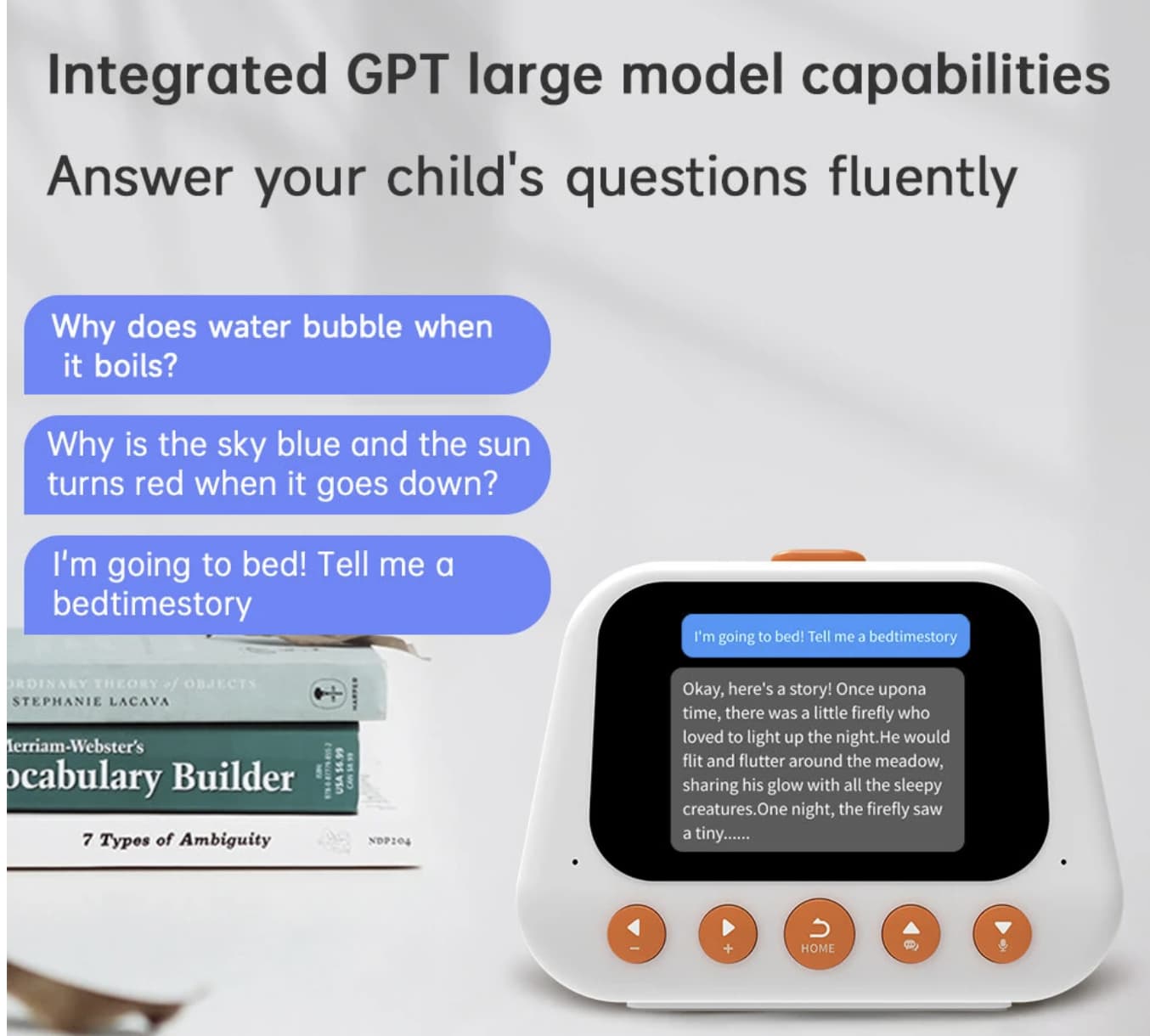
A traditional alarm clock has one main job: wake you up at the right time. The Smart AI Alarm Clock with GPT large-model voice assistance aims to do more by combining alarms, voice interaction, reminders, and productivity tools in a compact desktop device.
According to the Banggood product listing, the clock features a 2.8-inch screen, Wi-Fi connectivity, voice control, support for up to 50 alarm reminders, and several time-management functions. It also advertises multilingual support and AI-assisted interaction.
The idea is straightforward: instead of reaching for a smartphone every time you need to set a reminder or start a timer, you can use a dedicated device on your bedside table or desk. Whether that makes everyday life easier depends on how responsive the voice assistant is, which languages it supports in practice, and how well its software handles your usual tasks.
How the Smart AI Alarm Clock Can Help With Daily Tasks
A Small Screen for Alarms and Reminders
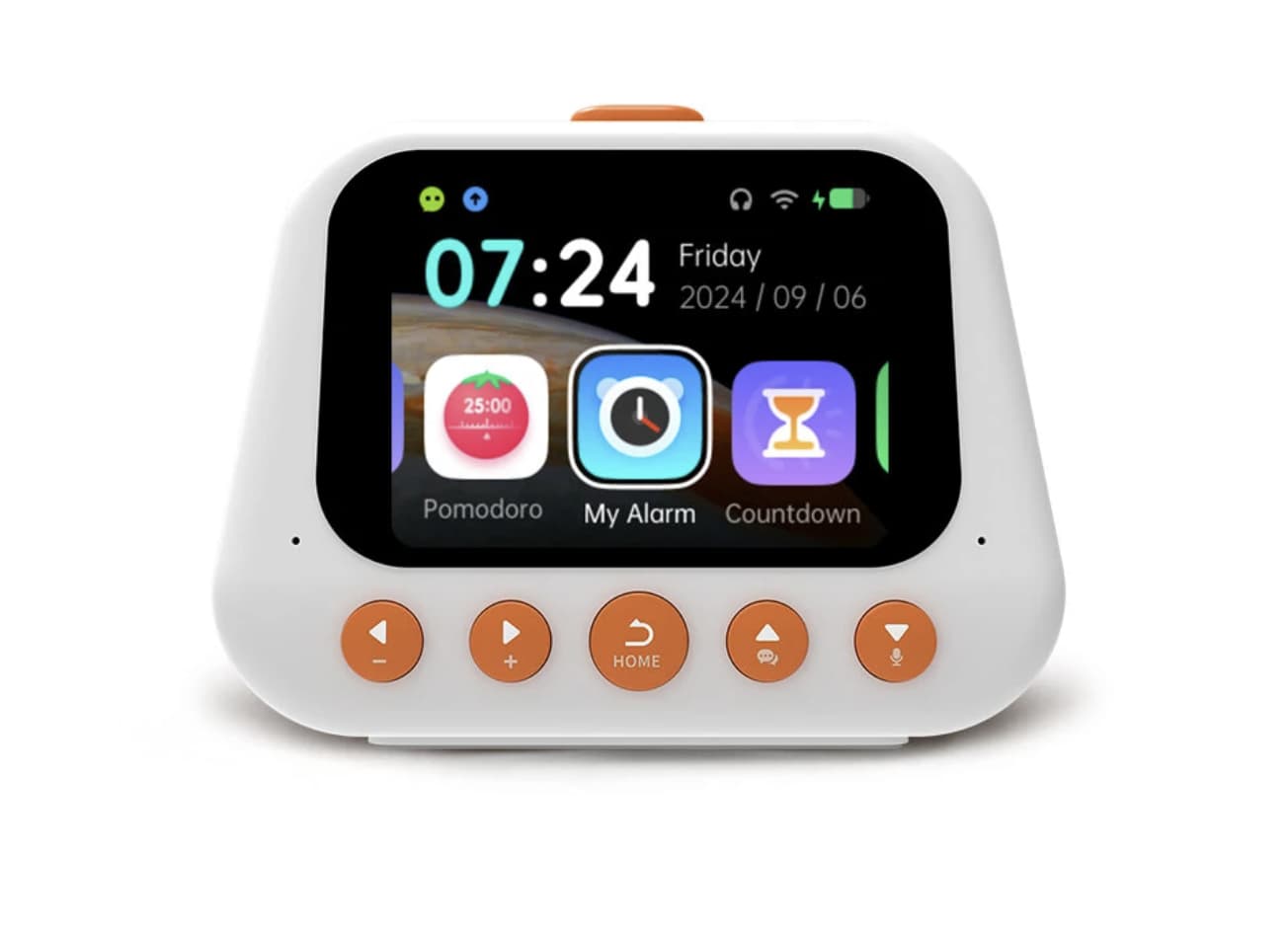
The 2.8-inch display gives the clock a dedicated place to show information and access its functions. Its advertised capacity of up to 50 alarm reminders could be useful for people with different schedules throughout the week.
You might set reminders for waking up, starting work, taking a study break, or preparing for an appointment. Multiple alarms are especially helpful when your routine changes from one day to another.
However, buyers should check whether the device supports recurring schedules, custom reminder names, and easy editing directly on the clock. These details can make a bigger difference in everyday use than the number of alarms alone.
GPT Voice Assistance for Questions and Interaction
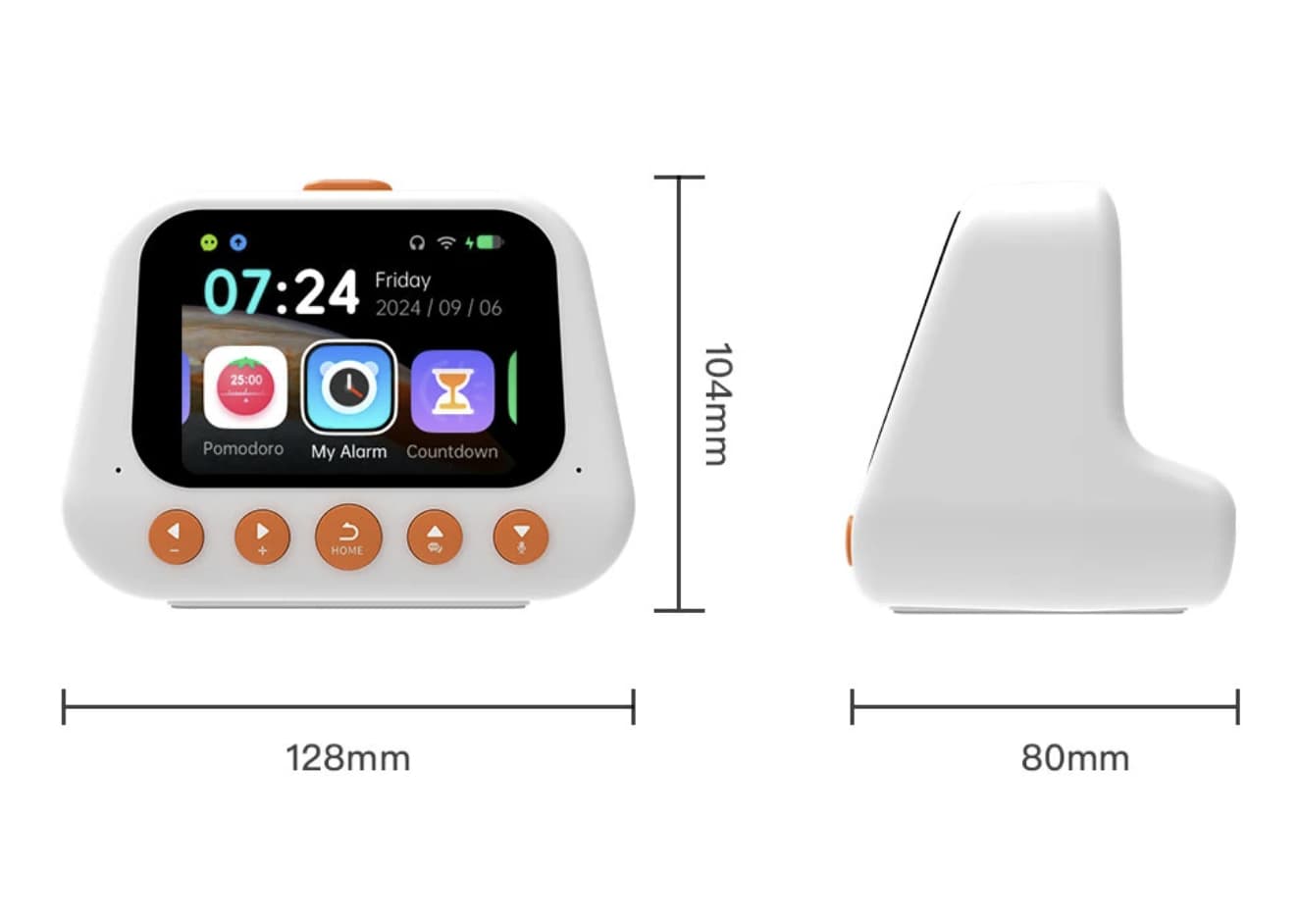
The product’s main selling point is its advertised large-language-model voice assistant. Instead of treating the clock purely as a timekeeping device, the idea is to offer spoken interaction through a connected device.
Potential uses include asking questions, exploring information, or interacting with the assistant without typing on a phone. This could be useful at a desk, in a bedroom, or in a study area.
There is an important distinction between an AI label and a fully capable AI experience. The listing does not establish which language model powers the clock, whether an account is required, or whether AI functions involve subscription fees. Buyers should confirm these details before expecting the same capabilities as a general-purpose AI chatbot.
Pomodoro Timer for Study and Work
The built-in Pomodoro timer is one of the more practical features for students and people who work at a computer.
The Pomodoro technique divides work into focused periods followed by short breaks. A common routine uses 25 minutes of work and five minutes of rest, although the intervals can be adjusted to suit different tasks.
Having a timer on the desk means you can start a session without opening another application. Combined with alarm reminders and a stopwatch, the clock could serve as a simple time-management tool for studying, reading, writing, or household tasks.
Before purchasing, check whether the Pomodoro function supports customizable intervals and automatic transitions between work and break periods.
Countdown and Stopwatch Functions
Countdown timers are useful for cooking, exercise, short breaks, and other tasks with a clear time limit. A stopwatch serves a different purpose by measuring elapsed time rather than counting down from a preset value.
Including both functions makes the device more versatile than a basic alarm clock. These tools may be particularly useful on a desk where you want quick access to timing functions without keeping a smartphone nearby.
Multilingual Support and Wi-Fi Connectivity
The product title advertises multilingual support and Wi-Fi connectivity. These features are relevant to buyers who prefer voice interaction or want to use the device in a language other than English.
However, language support can refer to different things: the interface language, speech recognition, spoken responses, or the language capabilities of the AI model. They are not necessarily identical.
Before ordering, confirm that your preferred language works for both voice input and spoken responses. You should also check whether an internet connection is required for AI conversations, reminders, or other features.
Smart AI Alarm Clock Specifications
| Feature | Advertised details |
|---|---|
| Display | 2.8-inch screen |
| Connectivity | Wi-Fi |
| Voice assistant | GPT / large-model AI assistant |
| Alarm management | Up to 50 alarm reminders |
| Productivity tools | Pomodoro timer |
| Timekeeping tools | Stopwatch and countdown |
| Language support | Multilingual |
| Intended use | Bedside, desk, study, and daily scheduling |
Specifications are based on the product title and available seller information. Detailed hardware specifications, battery capacity, charging method, and supported AI services should be confirmed with the seller before purchase.
What to Consider Before Buying
The Smart AI Alarm Clock may suit users who want voice assistance and basic productivity functions in a separate device. There are still several practical questions worth checking before placing an order.
-
AI service requirements: Confirm which model or service is used, whether it requires an account, and if any functions incur recurring fees.
-
Internet dependency: Find out which functions work offline. A conventional alarm should ideally remain dependable even if Wi-Fi is temporarily unavailable.
-
Language compatibility: Verify support for your preferred spoken language, not just the menu interface.
-
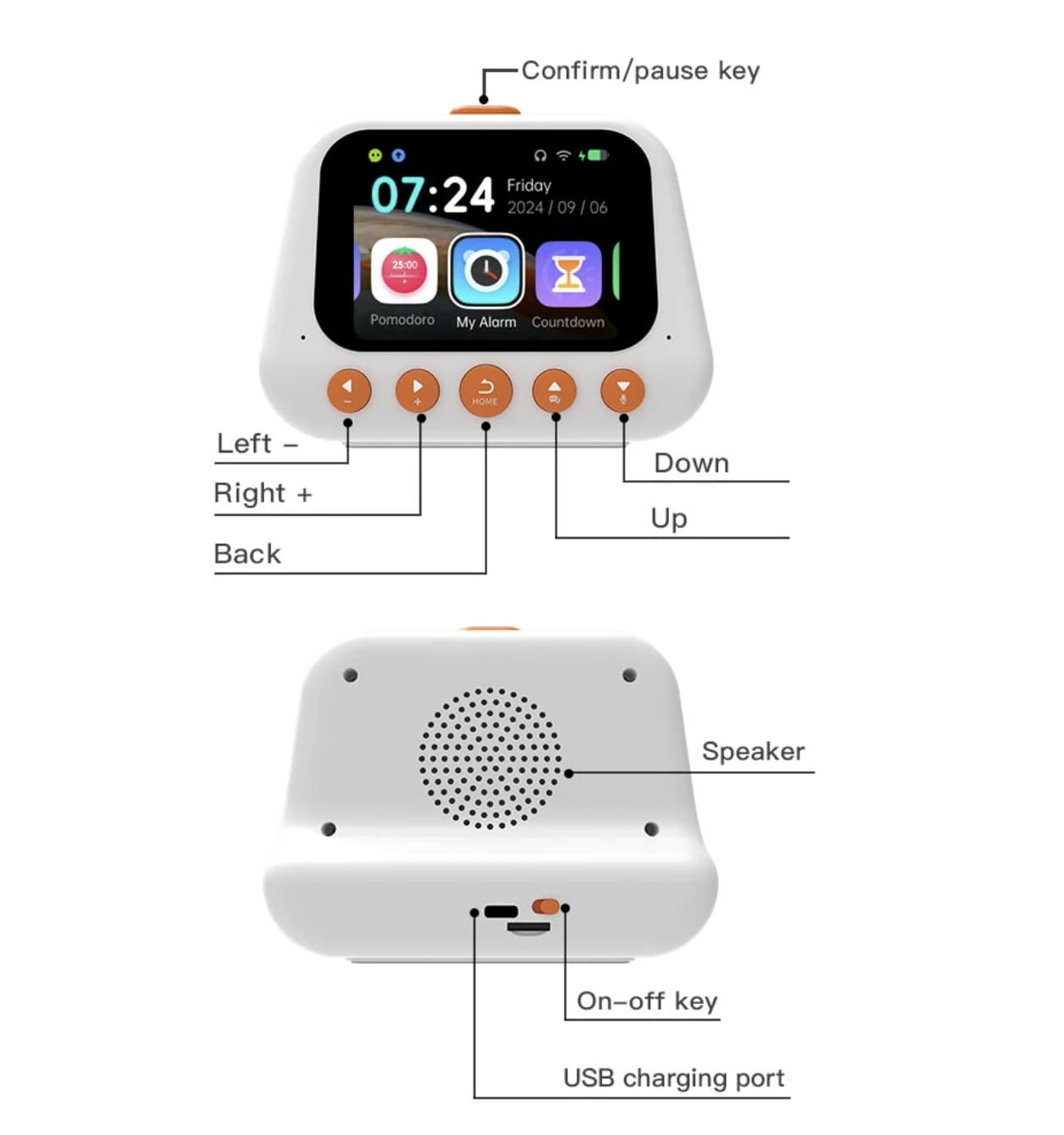
Display readability: A 2.8-inch screen is compact, so check whether the time, reminders, and menus are easy to read from your normal seating or sleeping position.
-
Power and battery: Check whether the clock has a built-in battery or needs continuous USB power, along with the charging requirements.
-
Privacy: Because voice interaction may involve a microphone and online AI processing, review the available privacy information and microphone controls.
These considerations matter because a smart clock needs to be reliable at its core. AI features can add convenience, but they should not make setting a simple alarm unnecessarily complicated.
Smart AI Alarm Clock vs. a Traditional Alarm Clock
| Category | Smart AI alarm clock | Traditional alarm clock |
|---|---|---|
| Voice interaction | Advertised AI voice assistant | Usually limited or unavailable |
| Multiple reminders | Up to 50 advertised alarms | Depends on the model |
| Productivity tools | Pomodoro, stopwatch, countdown | Varies by model |
| Internet connectivity | Wi-Fi advertised | Often unnecessary |
| Setup | May require network or account configuration | Usually simpler |
| Long-term usability | May depend on software and online services | Generally less dependent on cloud services |
The smart model is more appealing if you want voice interaction and multiple time-management tools. A traditional clock may be a better choice if your priority is simple, dependable timekeeping without internet requirements.
Is the Smart AI Alarm Clock Worth Buying?
The Smart AI Alarm Clock with a 2.8-inch screen offers an interesting combination of timekeeping, voice assistance, reminders, and productivity tools. Its strongest potential use is as a small desktop assistant that keeps everyday scheduling functions separate from the distractions of a smartphone.
Students may appreciate the Pomodoro timer, while busy users may find multiple alarms and countdown functions useful. People interested in AI voice interaction may also enjoy having a dedicated device for spoken questions.
The main uncertainty is how well the AI features work in practice. The current Banggood listing shows no customer reviews, so there is not enough independent feedback to assess voice-recognition accuracy, response speed, software stability, or long-term reliability.
Final verdict:
This smart alarm clock is worth considering if you want a compact device for reminders, focused work, and AI voice interaction. Before buying, confirm the AI service, supported languages, power requirements, and offline alarm behavior. Those details will determine whether it is a useful everyday assistant or simply a feature-rich clock.