









A security camera can only show what its lens can see. When a person moves out of frame, a fixed camera may leave you with a blind spot until you reposition it or install another device. The JOOAN W8U takes a different approach by combining a fixed lens with a remotely controlled pan-and-tilt lens in one camera housing.
Listed with two 3MP lenses, dual-band Wi-Fi, color night vision, motion tracking, and two-way audio, the W8U is designed for homeowners who want to monitor more than one part of their property without immediately buying a multi-camera system.
Its appeal lies in how these functions work together. The fixed lens can maintain an overview while the movable lens offers a way to inspect activity from another angle. Add smartphone alerts and remote communication, and the camera becomes more than a device for recording video.
Here is what to know about the JOOAN W8U, where its feature set may be useful, and which details deserve attention before you buy.
JOOAN W8U Specifications at a Glance
- Product type: Dual-lens Wi-Fi PTZ security camera
- Image sensors: Two lenses rated at 3MP each in the product listing
- Lens arrangement: One fixed lens and one motorized pan-and-tilt lens
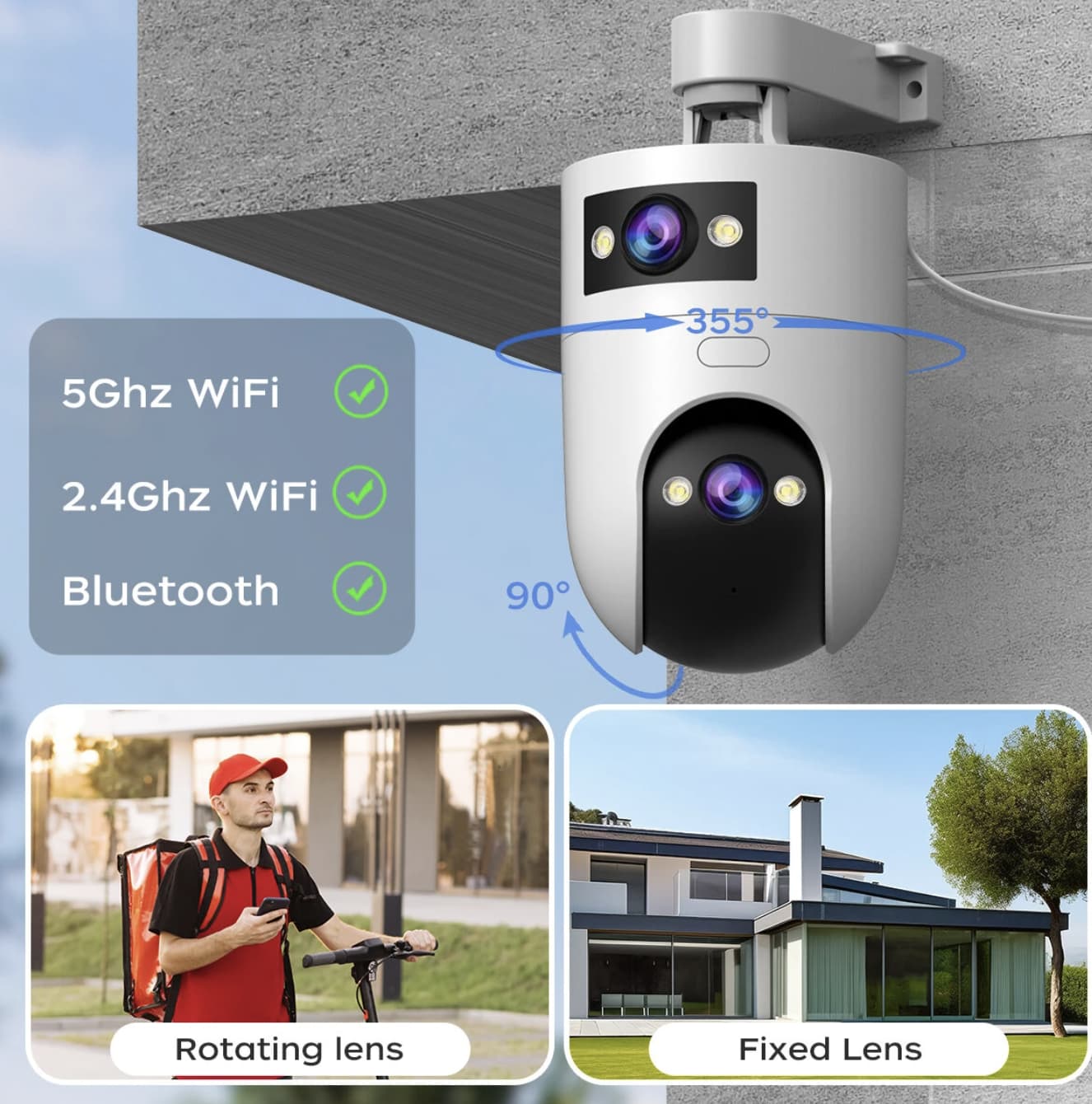
- Pan and tilt: Up to 355° horizontal and 90° vertical movement for the PTZ lens
- Wireless connectivity: 2.4GHz and 5GHz Wi-Fi, plus Bluetooth pairing support
- Night vision: Infrared, full-color, and smart-color modes
- Detection features: Motion detection, automatic tracking, sound-and-light alarm, and app notifications
- Audio: Two-way communication and a one-key call function
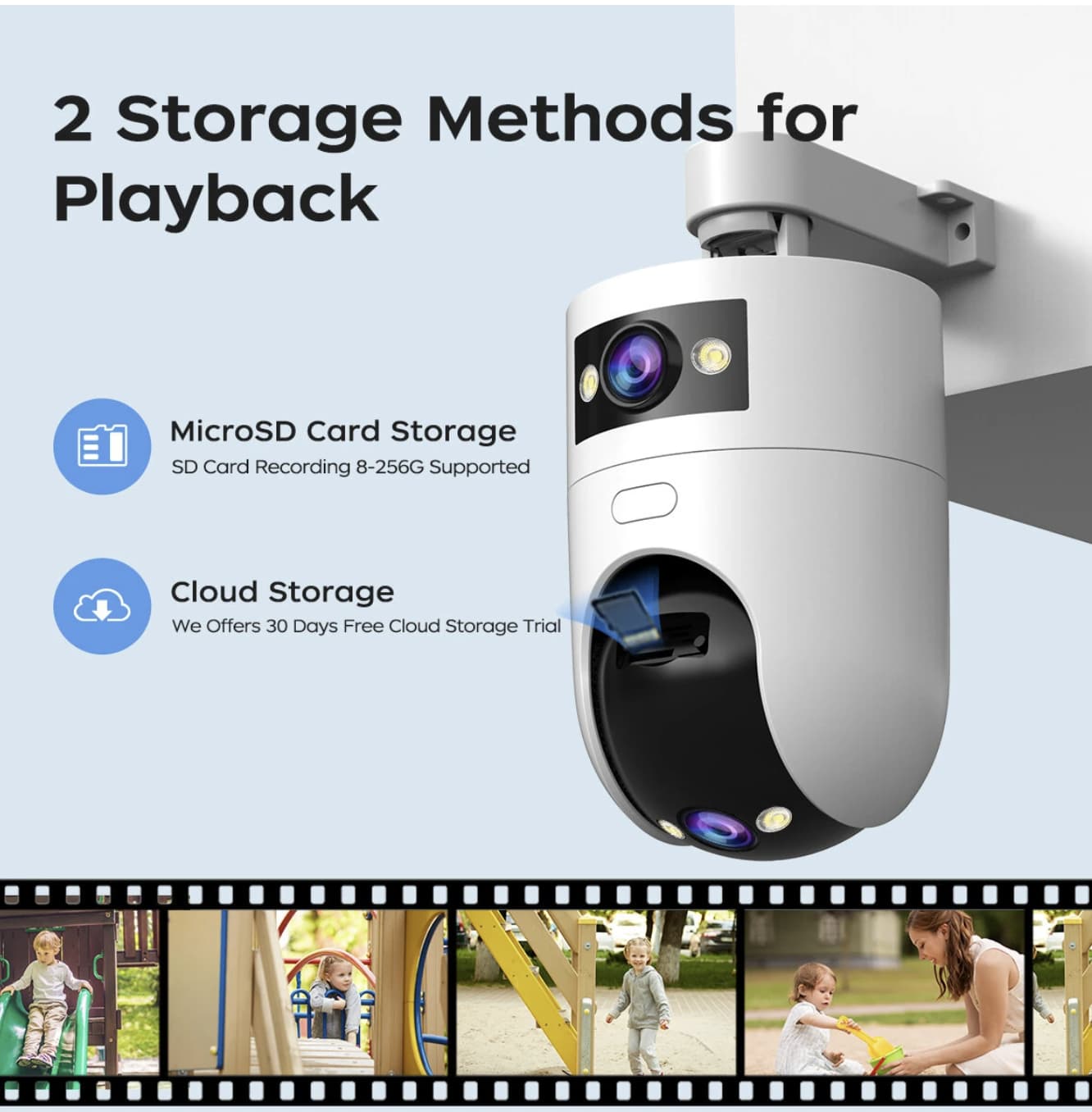
- Storage: Compatible microSD card listed at 8GB–256GB, plus cloud storage options
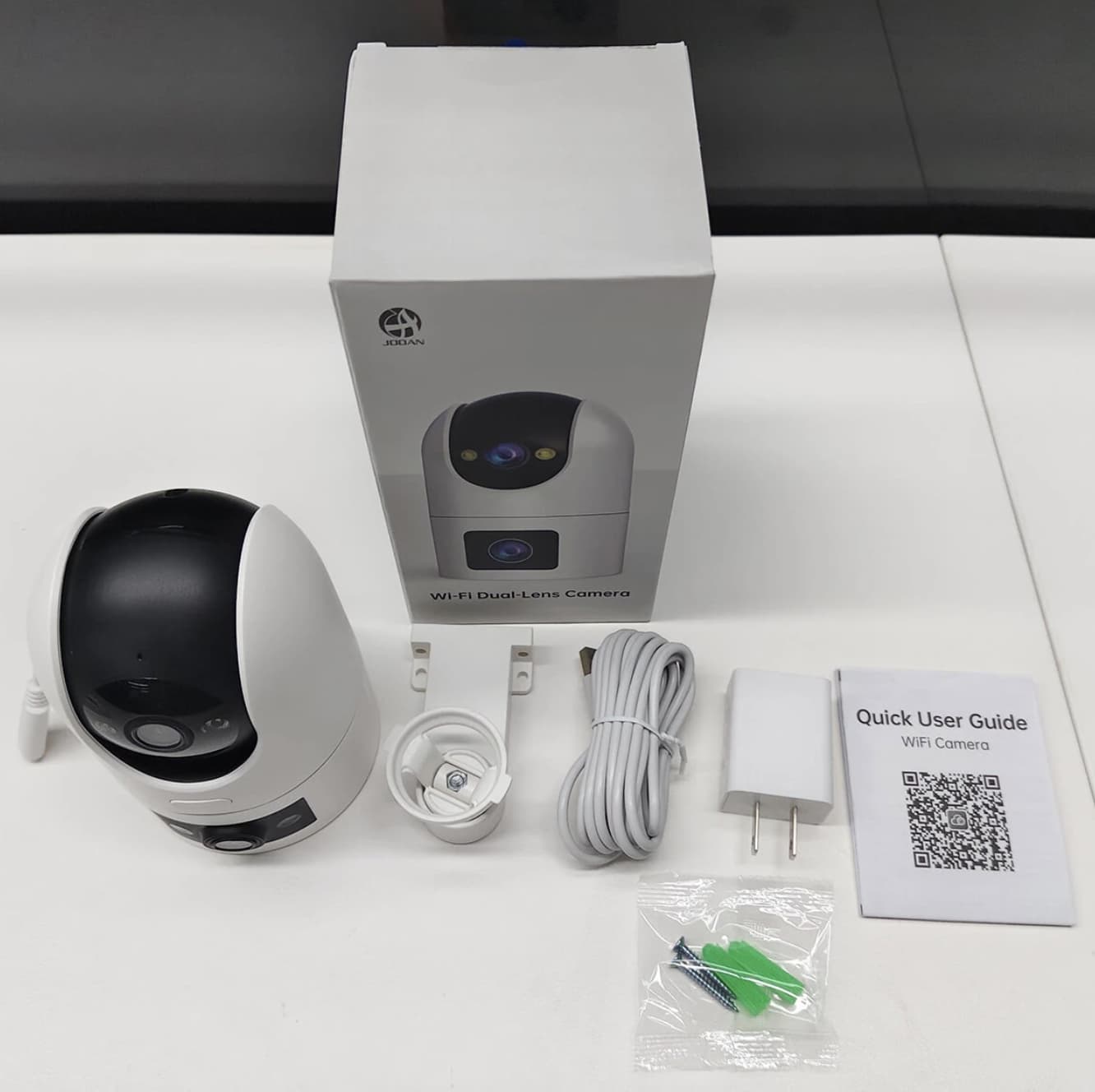
- Power connection: USB Type-C cable
- Installation: Indoor or outdoor use, according to the product listing
These are advertised specifications rather than independently verified test results. Check the current seller listing for the exact package, regional compatibility, and any changes to supported features.
Why the Dual-Lens Design Matters
The defining feature of the JOOAN W8U is its combination of a fixed camera and a rotating PTZ camera. PTZ stands for pan, tilt, and zoom, although the advertised functions and degree of optical or digital zoom should be checked separately.
A conventional fixed camera provides a consistent view of one location. That can work well for a doorway or a narrow corridor, but a single viewing angle may not cover a wider entrance, driveway, or garden.
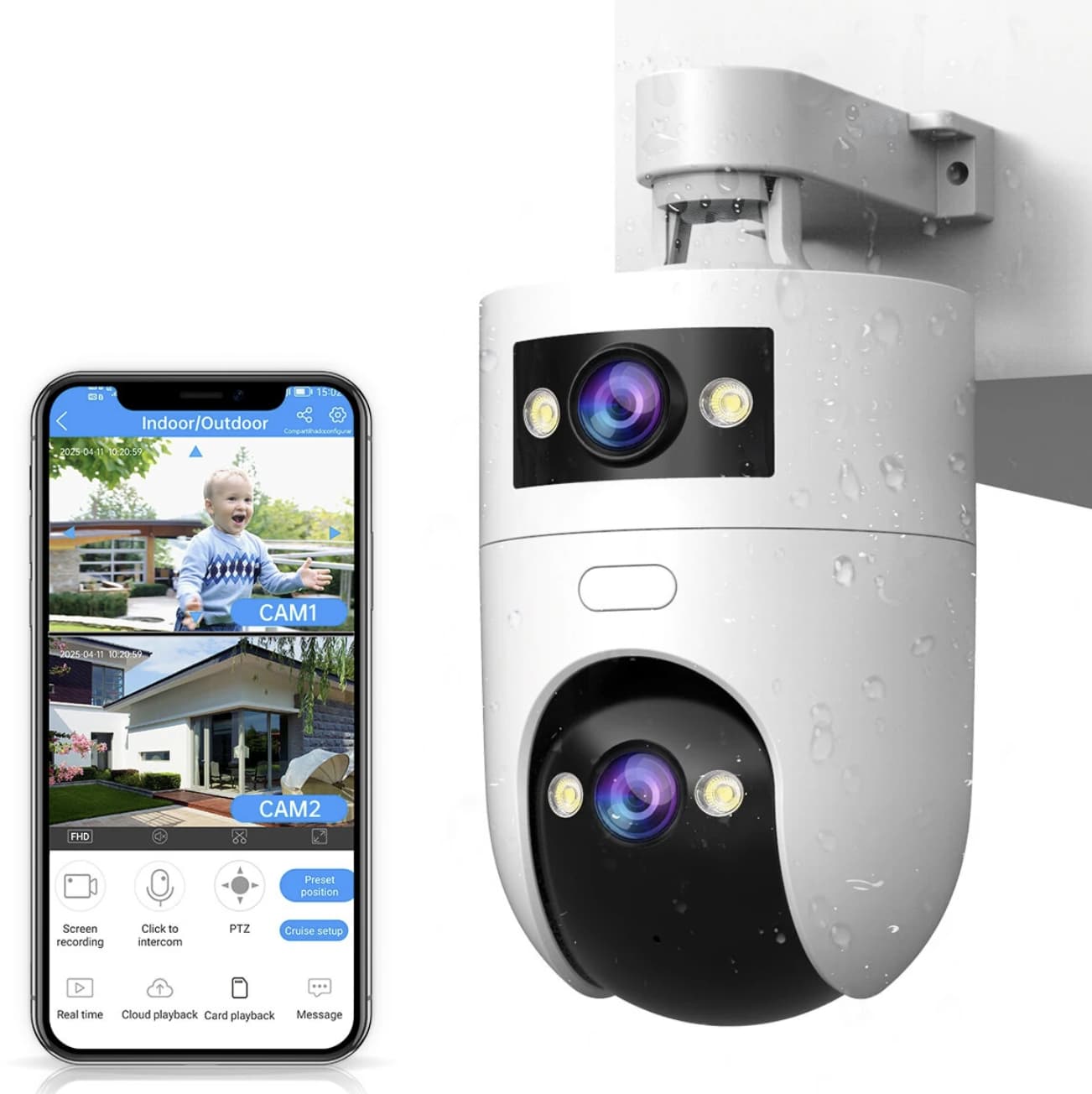
The W8U’s two-lens arrangement is intended to reduce that compromise. The fixed lens can keep one area in view while the motorized lens can be directed toward activity elsewhere. This may be useful when monitoring a gate and the area beside it, or keeping an overview while checking a person approaching a particular spot.
There is an important distinction between wider coverage and complete coverage. Two lenses do not automatically eliminate every blind spot, and the camera’s actual field of view depends on its installation position and the surrounding obstacles. Before mounting it, identify the areas that matter most and confirm that both views can cover them as intended.
If you are comparing dual-lens outdoor surveillance systems, our Srihome SH048 dual-lens security camera review looks at another design that combines a fixed camera with a PTZ lens for flexible monitoring.
PTZ Control and Automatic Tracking
The W8U’s movable lens is listed as supporting up to 355 degrees of horizontal rotation and 90 degrees of vertical movement. Through the compatible app, users can adjust its direction remotely instead of physically moving the camera.
This flexibility is useful when activity occurs outside the original viewing angle. For example, if a delivery arrives at the side of a building rather than directly in front of the entrance, the rotating lens can be redirected to inspect that area.
The product also advertises automatic tracking. When the system detects movement, the PTZ lens is designed to follow the moving subject. This can help maintain a view of activity as someone crosses the monitored space.
However, automatic tracking should not be confused with guaranteed identification. Performance may depend on lighting, movement speed, obstructions, detection sensitivity, and the camera’s software. A passing animal, changing shadows, or other movement may also trigger alerts depending on the settings.
For better results, install the camera where the important viewing areas are reasonably unobstructed and adjust the detection settings after setup.
For another approach to monitoring multiple outdoor areas, read our Srihome SH063 dual-lens outdoor security camera review, which covers PTZ control, human tracking, night vision, and two-way audio.
3MP + 3MP Imaging: What the Resolution Means
The product listing describes the W8U as a 3MP + 3MP dual-lens camera. That specification refers to the stated resolution of the two camera lenses; it should not automatically be interpreted as a single 6MP image from either lens.
For everyday monitoring, resolution is only one part of image quality. Lighting, lens quality, image compression, network stability, and the distance between the camera and the subject all affect the usable detail in a recording.
A camera might show that someone has entered a driveway without necessarily capturing enough detail to identify a face clearly at a distance. If identification is a priority, think carefully about the camera’s position and the distance to the expected activity rather than choosing a model by megapixel count alone.
The dual-lens design is arguably more significant for this model than the headline resolution. Its value comes from having a fixed view and a separately movable view in one device.
Three Night-Vision Modes for Different Conditions
Outdoor activity does not stop when daylight disappears. The W8U advertises three night-vision modes: infrared, full-color, and smart-color night vision.
Infrared night vision is intended for low-light monitoring without relying on visible white illumination. Depending on the camera’s implementation and the scene, the image may appear in monochrome.
Full-color night vision uses visible illumination or other low-light imaging techniques to produce a color image in darker conditions. This can make clothing colors and surrounding objects easier to distinguish, but results depend on available light and the camera’s illumination system.
Smart-color night vision is intended to adapt to changing lighting conditions. The precise switching behavior can depend on the camera’s software and settings.
These modes provide flexibility for different locations. Infrared may be preferable when visible light is undesirable, while color modes may help when a more informative view is needed. If the camera is installed near a bedroom window, a neighbor’s property, or a shared path, consider how visible lighting could affect other people.
The listing does not establish real-world night image quality under every condition, so treat the advertised modes as available functions rather than a guarantee of clear identification at long distances.
Motion Alerts, Sound-and-Light Alarms, and Remote Access
The W8U is designed to respond to detected movement with app notifications and an advertised sound-and-light alarm. This combination gives users more than a recording to check later: it can also provide an immediate indication that activity has occurred.
For example, an alert may prompt you to open the camera app and review the live view when someone approaches an entrance. The built-in alarm may provide a further deterrent, although no camera alarm can guarantee that an intruder will leave.
Sensitivity settings are important. If the camera monitors a busy street, tree branches, or a space with frequent animal movement, excessive notifications can quickly become frustrating. Adjusting detection sensitivity and the monitored area, where supported, can help reduce unnecessary alerts.
Remote viewing also depends on a functioning power supply, network connection, and compatible app. A camera that loses power or connectivity may not deliver alerts as expected, so it should not be treated as a replacement for every other form of home security.
Two-Way Audio and the One-Key Call Feature
The W8U also supports two-way audio, allowing a user to listen through the camera and speak through its built-in speaker. The advertised one-key call function adds a way to initiate communication.
This feature may be useful for speaking to a visitor at the entrance, giving a delivery driver basic instructions, or checking in with a family member in a monitored area. It can also help you communicate without walking directly to the camera’s location.
Audio performance depends on microphone placement, speaker volume, background noise, and network latency. Two-way audio is best regarded as a convenient communication feature rather than a guaranteed intercom-quality connection.
Privacy deserves consideration here as well. Tell household members and visitors when audio or video monitoring is in use where required, and check local laws before recording conversations or monitoring shared spaces.
Wi-Fi, Storage, and Setup Considerations
The product listing advertises both 2.4GHz and 5GHz Wi-Fi support, along with Bluetooth-assisted pairing. Dual-band compatibility can provide more flexibility when connecting the camera to a home network, although the best choice depends on router coverage and the camera’s location.
In general, 2.4GHz Wi-Fi often reaches farther and passes through obstacles more effectively, while 5GHz can offer higher available bandwidth over shorter distances. Actual performance varies with the router, walls, interference, and network congestion. Bluetooth pairing is a setup aid; it should not be confused with the Wi-Fi connection used for ongoing network access.
For recordings, the listing describes microSD support from 8GB to 256GB and cloud storage with a 30-day free-trial offer. The exact cloud terms, ongoing fees, recording options, and regional availability should be verified before purchase. Do not assume that cloud recording remains free after the trial period.
If you plan to use a memory card, confirm the supported card type and capacity in the manual. Also check whether continuous recording, motion-triggered recording, playback, and remote downloads are available under your chosen setup.
The camera uses a Type-C power connection and is listed with a 3-meter power cable. It should therefore be planned as a powered installation, not treated as a battery-powered camera. Before mounting it outdoors, confirm that the power adapter, cable connections, and outlet location can be protected appropriately from moisture.
Can the JOOAN W8U Be Used Outdoors?
The listing describes the W8U as suitable for indoor and outdoor use with a waterproof design. That makes it a candidate for monitoring locations such as a porch, garage entrance, covered patio, or garden-facing wall.
Still, outdoor suitability is not a reason to ignore installation details. Confirm the exact weather-resistance rating in the current product documentation, position the unit according to the manufacturer’s instructions, and protect its power connection from exposure.
Avoid placing the camera where foliage blocks the lenses, direct lighting overwhelms the image, or the motorized lens cannot turn freely. A carefully chosen position can improve useful coverage more than simply mounting the device at the highest possible point.
Also consider privacy boundaries. Aim the camera toward your own property wherever possible, avoid unnecessary capture of neighbors’ windows or private areas, and follow applicable rules for video and audio monitoring.
Who Should Consider the JOOAN W8U?
The W8U may be worth considering for several types of users:
- Homeowners who need flexible coverage: The fixed lens and rotating lens offer a way to monitor an overview and inspect another angle from one camera housing.
- People monitoring entrances or driveways: PTZ control and motion alerts can help them check activity without constantly watching a live feed.
- Users who want remote communication: Two-way audio may be useful for talking to visitors or family members.
- Households that want night monitoring: The three advertised night-vision modes offer options for different lighting conditions.
- Buyers who prefer app-based control: Wi-Fi connectivity, smartphone notifications, and remote viewing make the system suitable for a connected-home setup.
It may be less appropriate if you need a completely wireless, battery-powered camera, guaranteed identification at long distances, or a professional multi-camera recording system with specific network protocols and advanced storage requirements.
What to Verify Before Ordering
Before choosing the W8U, check these practical points on the current product page or in the manual:
- Actual image output: Confirm the supported resolution for each lens and the available recording settings.
- Weather protection: Verify the exact IP rating rather than relying only on the word “waterproof.”
- Storage costs: Check whether a microSD card is included and what happens when the cloud trial expires.
- Wi-Fi compatibility: Confirm that your network and the camera’s setup method are compatible.
- Power installation: Make sure the supplied cable can reach a suitable outlet and that outdoor connections can be protected.
- Detection behavior: Review the available motion sensitivity, tracking, and notification settings.
- App and privacy requirements: Check the supported app, account requirements, and any cloud-storage permissions before installation.
These details help determine whether the camera will suit your property rather than simply whether its headline specifications look appealing.
Final Verdict: A Flexible Dual-Lens Option for Everyday Monitoring
The JOOAN W8U IP camera‘s most interesting feature is the combination of a fixed lens and a rotating PTZ lens. Instead of asking one camera angle to do everything, it offers a stationary view alongside a movable one, with motion tracking, multiple night-vision modes, alerts, and two-way audio adding further flexibility.
Its appeal is practical rather than revolutionary. It may help users monitor more than one direction, check activity remotely, and communicate through the camera without installing a separate device for every task.
The important caveats are just as clear: advertised megapixels do not guarantee identification-quality footage, tracking can be affected by the environment, cloud storage may involve ongoing costs, and the powered installation requires planning.
For shoppers looking for a dual-lens Wi-Fi security camera with PTZ control, the JOOAN W8U is worth investigating. Review the latest listing and verify the storage, weather-resistance, and network details before deciding whether it matches your home-monitoring needs.