









Gaming mice have become increasingly specialized. For competitive players, a few milliseconds of input delay, the weight of the mouse and the consistency of sensor tracking can influence how comfortable and responsive a setup feels. The ATTACK SHARK F1 AIR gaming mouse targets this audience with an unusually lightweight design and hardware usually associated with performance-focused gaming peripherals.
Weighing approximately 39g, the F1 AIR combines a PixArt PAW3955MAX sensor, a Nordic 54L15 MCU and dual 8000Hz polling support. It also offers three connection methods, adjustable lift-off distance and Omron optical switches rated for up to 100 million clicks.
These specifications make it an interesting option for gamers who prioritize quick movements and precise input. But beyond the headline numbers, how useful are its features in everyday gaming?
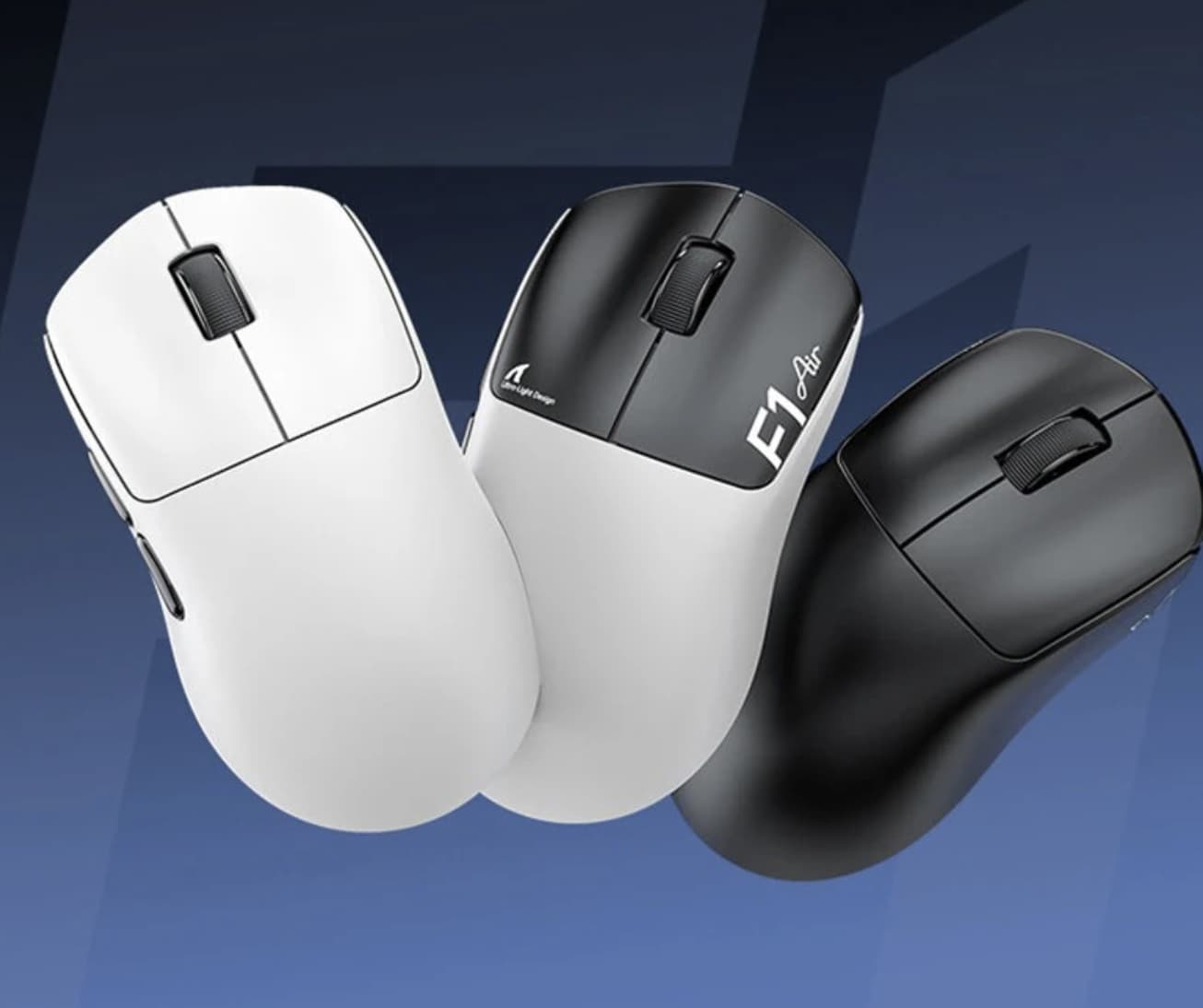
ATTACK SHARK F1 AIR: Main Specifications
| Feature | Specification |
|---|---|
| Product | ATTACK SHARK F1 AIR |
| Mouse type | Wireless gaming mouse |
| Weight | Approximately 39g ±3g |
| Sensor | PixArt PAW3955MAX |
| Maximum DPI | 60,000 |
| Processor | Nordic 54L15 |
| Maximum polling rate | 8000Hz wired and 2.4GHz wireless |
| Connectivity | USB-C wired, 2.4GHz wireless, Bluetooth 5.2 |
| Optical switches | Omron, rated for 100 million clicks |
| Scroll wheel encoder | TTC Gold |
| Maximum tracking speed | 850 IPS |
| Maximum acceleration | 75G |
| Sensor scanning rate | Up to 20,000 FPS |
| Adjustable LOD | 0.7 / 0.9 / 1.2 / 1.4 / 1.6mm |
| Battery capacity | 250mAh |
| Dimensions | 116.1 × 61.6 × 38mm |
| Software | Web driver and downloadable software |
| Charging interface | USB-C |
Specifications are based on manufacturer information. Actual performance and battery life depend on settings, hardware and usage conditions.
1. A 39g Body Designed for Fast and Effortless Movement
The first thing that makes the ATTACK SHARK F1 AIR stand out is its weight.
At approximately 39g, with a stated tolerance of ±3g, it belongs to the ultra-lightweight category of gaming mice. This design focuses on reducing the physical effort required to move, lift and reposition the mouse.
For FPS players, this can be particularly useful. Games involving frequent flick shots, rapid target switching and large mouse movements often require repeated repositioning. A lighter mouse can make these movements feel less demanding, especially during longer gaming sessions.
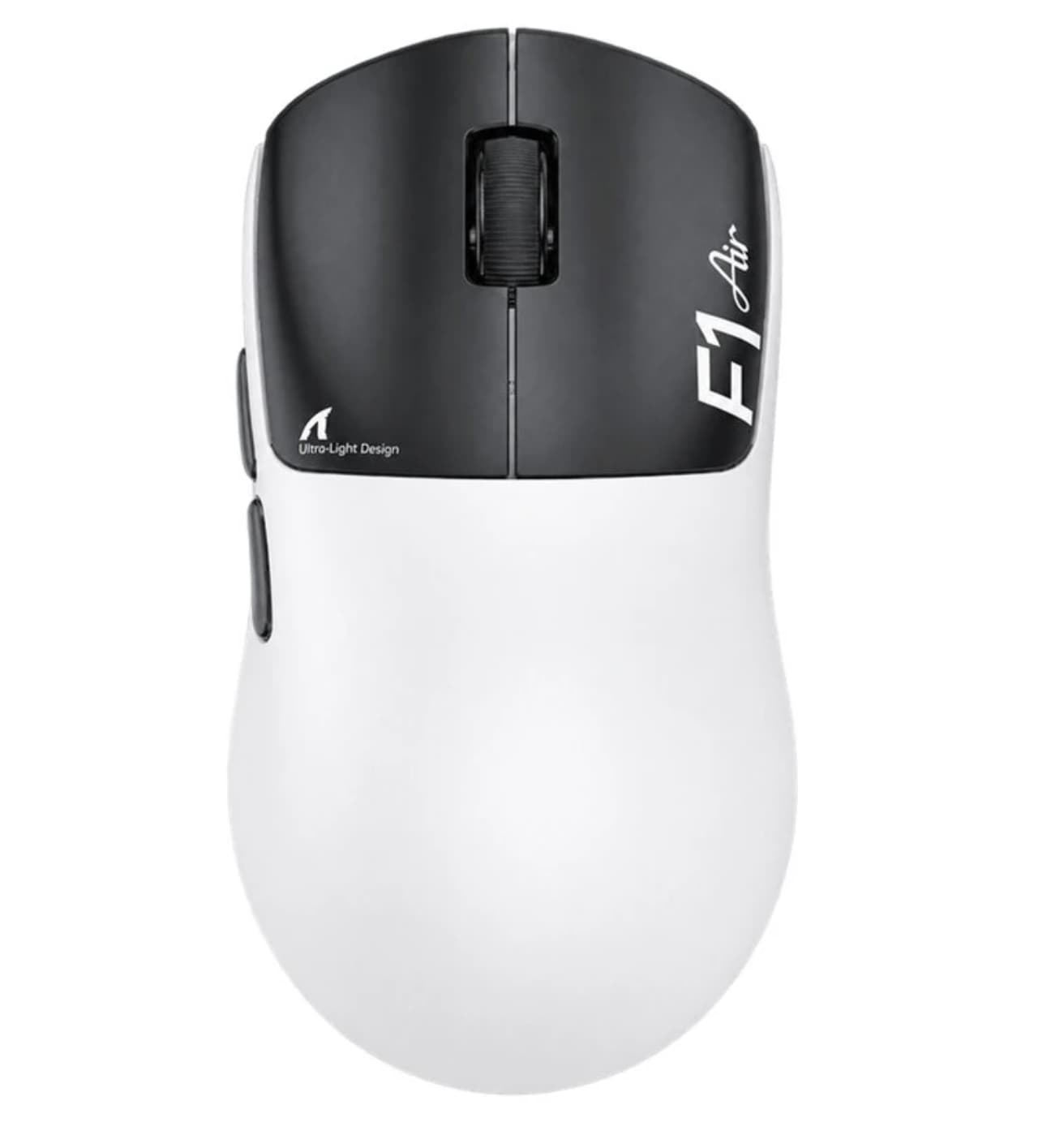
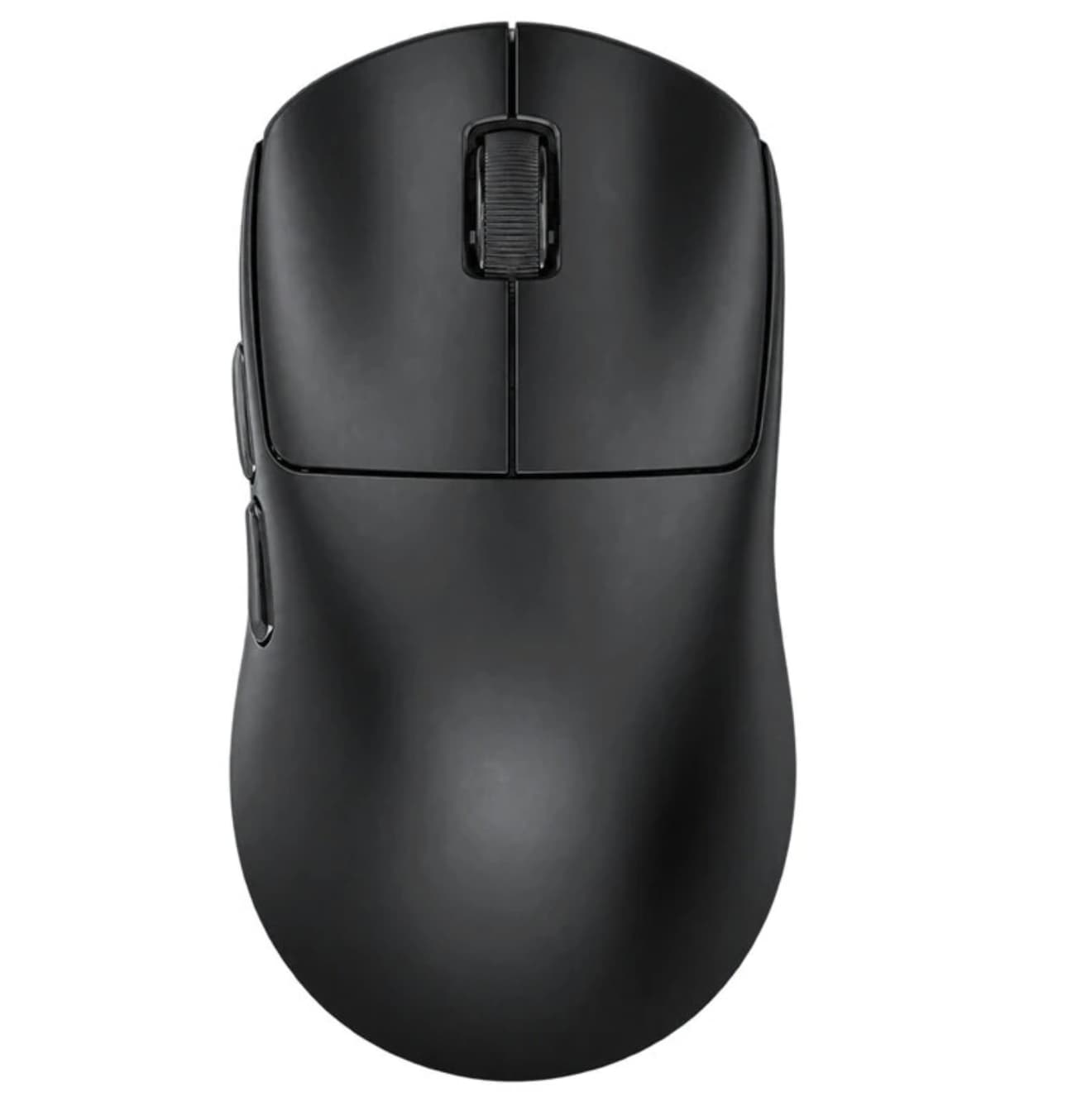
The F1 AIR measures 116.1 × 61.6 × 38mm, giving it a relatively compact footprint. ATTACK SHARK positions its shape toward users with small-to-medium hands.
This is an important consideration before purchasing. Players with larger hands or those who prefer a palm grip may find the compact dimensions less suitable than a larger ergonomic mouse.
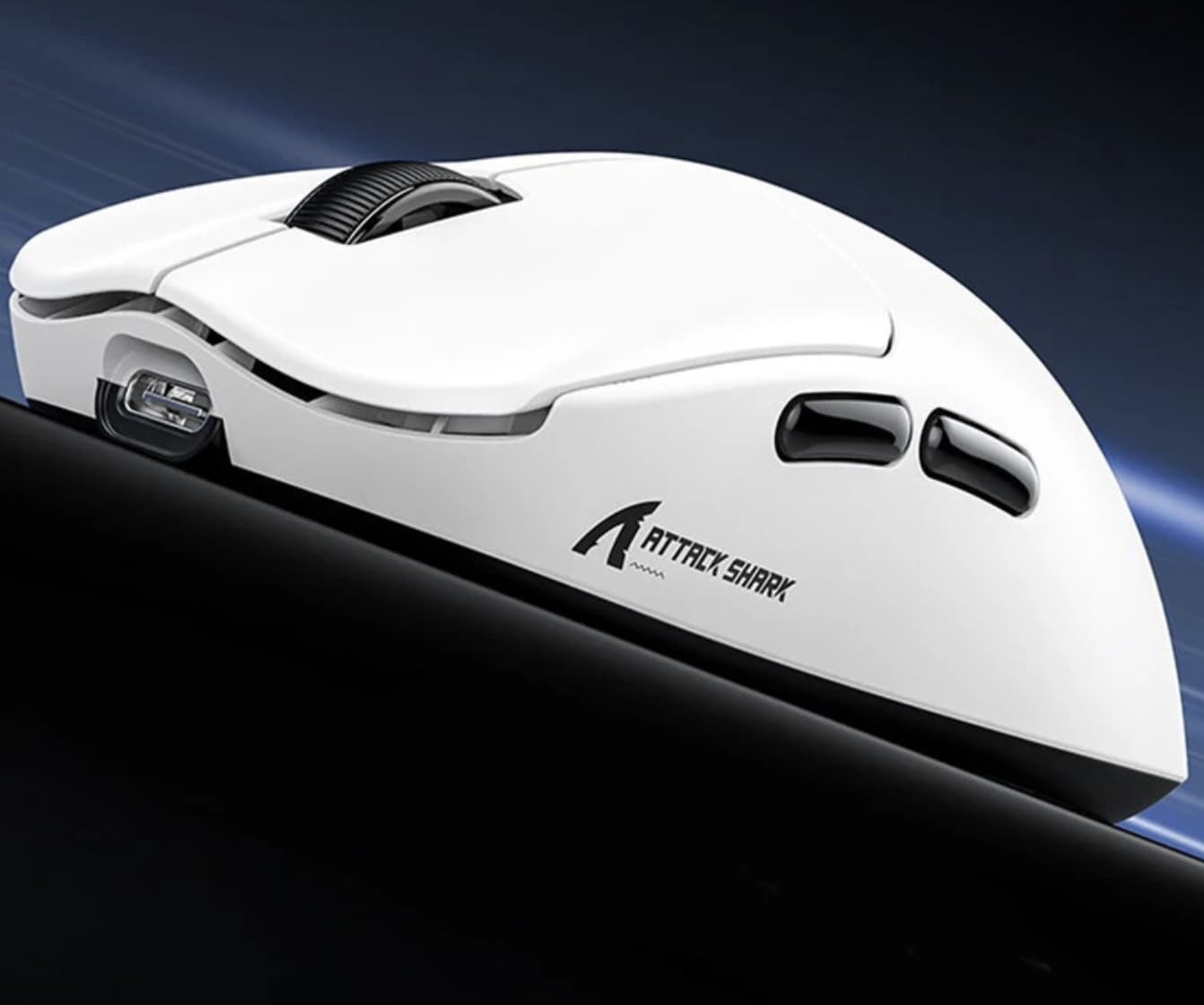
The exterior uses a glass-feel ice coating designed to provide a smooth, cool-touch surface. Rather than relying on a heavily textured shell, the finish aims to create a clean and comfortable contact area.
Its 39g construction is therefore not just a specification for marketing purposes. It directly influences how the mouse feels during fast movements, although personal grip style and hand size will determine whether the design is comfortable.
2. PAW3955MAX Sensor: Precision Beyond High DPI Numbers
The F1 AIR uses the PixArt PAW3955MAX optical sensor, one of its most important hardware features.
The sensor supports sensitivity settings up to 60,000 DPI, with adjustments available in single-DPI increments. This gives users considerable flexibility when configuring their preferred sensitivity.
However, maximum DPI should not be confused with actual aiming accuracy. Most competitive players use much lower sensitivity settings. Tracking consistency, predictable movement and the ability to maintain control are generally more important than reaching the highest possible DPI value.
ATTACK SHARK also lists a maximum tracking speed of 850 IPS and acceleration support of up to 75G.
These figures describe the sensor’s ability to handle rapid movement and sudden directional changes. They are particularly relevant to players who frequently perform fast flicks or reposition the mouse aggressively.
Another feature is the advertised 20,000 FPS sensor scanning capability. A higher scanning rate allows the sensor to capture movement information more frequently, although the practical advantage depends on the complete hardware and software configuration.
For everyday users, the important point is that the F1 AIR combines a high-end sensor platform with a lightweight physical design, rather than relying on DPI numbers alone.
If you are comparing flagship optical sensors in lightweight gaming mice, our AKKONest PAW3950 gaming mouse review provides another useful reference.
3. Dual 8000Hz Polling for Faster Input Reporting
High polling rates are becoming a major selling point in premium gaming mice, and the F1 AIR supports up to 8000Hz in both wired and 2.4GHz wireless modes.
Polling rate determines how frequently a mouse reports its position to a connected computer.
For comparison:
- 1000Hz: one report every 1 millisecond.
- 4000Hz: one report every 0.25 milliseconds.
- 8000Hz: one report every 0.125 milliseconds.
Moving from 1000Hz to 8000Hz increases the frequency of input reporting. This can provide more frequent position updates and smoother cursor movement under suitable conditions.
The F1 AIR’s dual 8K implementation is particularly interesting because users do not have to rely exclusively on a wired connection to access the highest advertised polling rate.
It also comes with an 8K receiver, which is part of the wireless configuration.
Nevertheless, 8000Hz is not automatically better for every player. To take advantage of the higher reporting frequency, users should consider their monitor refresh rate, game performance and system resources. Higher polling settings can also increase power consumption.
For many casual gamers, 1000Hz or 2000Hz may already provide a satisfactory experience. Competitive players with high-refresh-rate displays are more likely to appreciate the additional headroom.
For another performance-focused wireless mouse featuring an 8K polling rate and lightweight construction, check out our ATK Blazing Sky X1 V2 review.
4. Nordic 54L15 MCU and 0.168ms Advertised Click Latency
Behind the sensor is the Nordic 54L15 microcontroller.
The MCU processes input information and helps coordinate communication between the mouse, sensor and connected device. It plays an important role in maintaining responsive operation, particularly when the mouse is running at higher polling rates.
ATTACK SHARK advertises click latency as low as 0.168ms when using the SHARK 8K receiver.
This figure is attractive for players who value fast click registration. However, it should be understood as a manufacturer-listed specification rather than a guarantee of total system latency. Actual response time can vary with connection conditions, firmware, computer hardware and testing methodology.
The combination of the Nordic processor and high polling support gives the F1 AIR a hardware foundation aimed at competitive gaming.
5. Three Connection Modes for Different Setups
Wireless flexibility is another important part of the F1 AIR’s design.
The mouse supports three connection options:
2.4GHz wireless: This is the primary choice for competitive gaming. It works with the included 8K receiver and supports up to 8000Hz polling.
Bluetooth 5.2: Bluetooth provides a convenient option for laptops, office computers and other compatible devices. It is more suitable for general productivity and everyday use than maximum-speed competitive gaming.
USB-C wired: The wired mode allows users to operate the mouse while connected through its USB-C cable. It also supports the advertised 8000Hz polling rate.
This arrangement makes the F1 AIR useful beyond a single gaming PC. Users can switch between a desktop gaming setup and a Bluetooth-compatible device without relying on just one connection method.
The three-mode configuration is particularly convenient for people who use the same mouse for gaming, work and travel.
6. Omron Optical Switches Rated for 100 Million Clicks
The main buttons use Omron optical microswitches with a rated lifespan of up to 100 million clicks.
Optical switches detect button activation through a light-based mechanism rather than relying entirely on traditional mechanical electrical contacts.
One potential advantage is reduced dependence on conventional metal contact behavior, which can help address certain problems associated with mechanical switch wear.
The F1 AIR is also equipped with a TTC Gold scroll wheel encoder. This component handles scrolling input and contributes to the tactile feel of the wheel.
For competitive games, the main buttons are especially important because players may perform hundreds or thousands of clicks during extended sessions.
The high rated switch lifespan is reassuring, although actual durability depends on usage, manufacturing consistency and environmental conditions.
7. Adjustable Lift-Off Distance for More Personalized Control
The F1 AIR offers five lift-off distance settings:
- 0.7mm
- 0.9mm
- 1.2mm
- 1.4mm
- 1.6mm
Lift-off distance, commonly shortened to LOD, describes how high the mouse can be lifted before its sensor stops tracking movement.
This matters when repositioning the mouse during low-sensitivity gaming.
For example, a player who frequently lifts the mouse to move it back toward the center of a mousepad may prefer a lower LOD. This can help prevent unwanted cursor movement while the mouse is being repositioned.
Other users may prefer a slightly higher setting depending on their mousepad and personal habits.
Having five adjustment levels provides more control than a fixed LOD configuration and makes the F1 AIR easier to adapt to different playing styles.
8. Battery Capacity and Long-Term Wireless Use
Despite its extremely light construction, the F1 AIR includes a 250mAh high-density battery.
ATTACK SHARK advertises up to 720 hours of battery life. However, this figure is measured at a 1000Hz polling rate under controlled conditions.
It should not be interpreted as the expected runtime when using 8000Hz wireless polling. Higher reporting rates, lighting or other active settings can affect power consumption, and actual battery life will vary with usage.
This is an important trade-off to understand.
The F1 AIR prioritizes low weight while still offering wireless functionality, so its compact battery is part of the overall design strategy. Players who want to maximize battery endurance should consider using a lower polling rate when the highest performance setting is unnecessary.
Charging is handled through USB-C, making it easy to use a compatible cable rather than relying on a proprietary charging connection.
9. Software Customization and Included Accessories
ATTACK SHARK provides both a web-based driver and downloadable desktop software for configuring the F1 AIR.
This allows users to adjust mouse settings without being limited to factory defaults. Depending on the available software options, users can personalize sensitivity and other performance-related parameters.
The five-level LOD adjustment also gives users additional control over sensor behavior.
The manufacturer’s listed package contents include:
- 1 × ATTACK SHARK F1 AIR gaming mouse
- 1 × 8K wireless receiver
- 1 × 8K USB-C cable
- 1 × Grip tape set
The included grip tape is useful for players who prefer additional surface traction, especially during fast movements or longer gaming sessions.
Who Should Consider the ATTACK SHARK F1 AIR?
The F1 AIR is not designed to be a universal mouse for every type of computer user. Its compact shape, extremely low weight and high polling rate point toward a more performance-oriented audience.
It may be worth considering for:
- Competitive FPS players: The lightweight body and high polling support are designed for fast aiming and frequent repositioning.
- Small-to-medium hand users: Its compact dimensions may provide a more manageable fit.
- Wireless gaming enthusiasts: Tri-mode connectivity offers flexibility between gaming and productivity devices.
- Players who like customization: Adjustable LOD and software controls provide additional tuning options.
- Gamers who prefer lightweight peripherals: Its approximately 39g weight is a major attraction.
On the other hand, users who prefer heavy ergonomic mice, large palm-grip designs or long battery life at maximum polling rates may want to compare alternatives before making a decision.
Final Verdict: Is the ATTACK SHARK F1 AIR Worth Buying?
ATTACK SHARK F1 AIR takes a focused approach to gaming mouse design. Instead of adding unnecessary features, it concentrates on low weight, high-speed tracking and responsive input.
Its 39g body is the headline attraction, while the PAW3955MAX sensor and Nordic 54L15 MCU provide the technical foundation for competitive performance. Dual 8000Hz polling in wired and wireless modes, tri-mode connectivity and Omron optical switches further strengthen its specification sheet.
There are some practical considerations. Its compact dimensions may not suit larger hands, and the advertised 720-hour battery life applies to 1000Hz operation rather than maximum polling. Additionally, not every player will benefit noticeably from 8000Hz polling.
Overall, the ATTACK SHARK F1 AIR is an interesting choice for gamers who prioritize lightweight handling, precise sensor tracking and flexible connectivity. If those are the features you value most, it deserves a place on your shortlist.