









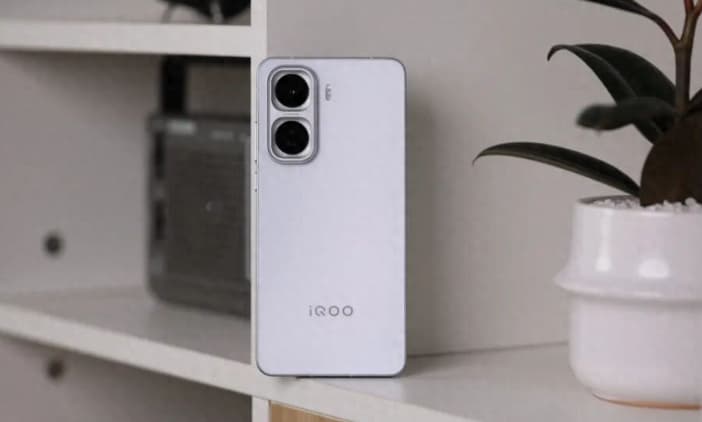
In the field of smartphone photography, the macro mode has become a core tool for exploring the microscopic world. iQOO Neo11, with its 2.5cm ultra-close-up focusing capability and multi-mode macro system, provides users with a complete creative chain from flower textures to insect compound eyes. This article will systematically analyze its activation method, parameter settings, and application techniques in various scenarios.
1. Dual-path rapid activation of macro mode
The macro function of iQOO Neo11 is deeply integrated into the camera system and offers two efficient invocation methods:
Menu path: After opening the camera, click the “More” button (the icon with three horizontal lines) on the top right corner. In the pop-up menu, select the “Super Macro” or “Macro” mode. In some system versions, this option may be hidden within the secondary menu of “Professional Mode” or “Scene Mode”. Users can quickly locate it by swiping the screen or clicking the “Scene” label.
2. Camera Lens Switching: On the bottom of the camera main interface, swipe left or right on the lens switching button (the two circular icons). Keep swiping until the interface displays “Macro” or “Close-up”. After clicking, the lens will automatically adjust its focal length, and in the center of the screen, a distance indication (such as “2.5cm – 10cm”) will be displayed. At this time, you need to keep the phone and the subject within the optimal focusing range.
II. Three Micro-Mode Settings Adapt to Different Scenarios
The iQOO Neo11 offers three macro shooting modes, allowing users to choose the one that suits the subject and the ambient light conditions flexibly:
Super Macro Mode: Designed for close-up photography, it is perfect for capturing details such as floral textures and insect compound eyes. Once activated, the camera automatically switches to a 2.5 cm focusing distance, resulting in a natural background blur and a prominent depth of field effect. It is recommended to keep a distance of 2 to 5 centimeters during shooting, and adjust the angle through real-time preview on the screen.
2. AI Macro Recognition: In the normal shooting mode, after pressing the ‘AI’ button on the top left corner, the system will automatically identify macro scenes such as flowers and green leaves, and a ‘Macro’ prompt will pop up at the bottom of the interface. At this point, there is no need to manually switch the mode; simply keep the lens at a distance within the recognition range from the object.
3. Manual adjustment in professional mode: Users seeking higher image quality can enter the “Professional Mode” and achieve precise control by manually adjusting parameters. For instance, set the focusing mode to “MF” (Manual Focus), and adjust the focal length value by sliding the screen or pressing buttons until the image clearly displays the details of the subject.
III. Core Parameter Settings and Light Control
The success or failure of macro photography often depends on the handling of details. The following parameter settings can significantly improve the image quality:
Shutter Speed (ISO): Set to 50-100 when there is sufficient light to reduce noise; when the light is dim, you can increase it to 200, but it should be used with a tripod. For example, when shooting dewdrops at night, you can turn on the circular supplementary light and lower the ISO to 80, preserving the transparent texture of the dewdrops.
2. Shutter speed: It is recommended to set it above 1/250 second to prevent hand shake. When shooting insects in motion (such as flying bees), you can shorten the shutter time to 1/500 second or faster, and capture the dynamic moments through the continuous shooting function.
3. White Balance (WB): Just select “Auto” mode. If the subject’s color is too cool (such as metal) or too warm (such as fallen leaves), you can manually adjust to “Cloudy” or “Tungsten Light” mode to correct the color temperature.
4. Exposure Mode: The “Matrix Metering” mode is recommended for most scenarios; when shooting objects with high brightness (such as jewelry), switch to “Spot Metering” to avoid overexposure.
In terms of light control, avoid shooting with backlight. Opt for side light or soft light conditions instead.
For example, when shooting flower petals, let the light shine at a 45-degree angle to make the texture more distinct. If there is insufficient light, use white paper to reflect light for supplementary illumination, or turn on the LED light of your mobile phone and add a soft light cover.
IV. Stability Control and Dynamic Capture Techniques
When shooting handheld, hold the phone firmly with both hands and keep your elbows close to your body to reduce shaking. If possible, use a tripod or phone stand to secure the equipment. The X-axis linear motor and electronic image stabilization feature of the iQOO Neo11 can mitigate the impact of hand shaking to a certain extent. When shooting dynamic subjects (such as insects flying), turn on the “Motion” scene mode. The camera will automatically increase the shutter speed and enable continuous shooting. Predict the movement trajectory of the subject, press and hold the shutter button continuously, and select the image with the most accurate focus later.
V. Post-processing to Enhance Detail Texture
After the shooting is completed, basic adjustments can be made through the built-in editing function of the album: increase the contrast to +15 to enhance the sense of depth, and slightly adjust the saturation (+5 to -5) to avoid distortion. For more professional processing, you can import Snapseed or Lightroom Mobile. Use the “Local Adjustments” tool to brighten the brightness of the main subject, precisely adjust the colors using the “Brush” tool, or add a vignette to highlight the central area. For subjects with complex textures (such as insect scales), you can appropriately increase the “Structure” parameter (+10 to +15) to enhance the detail texture.
From hardware configuration to software algorithms, from operational logic to creative expression, the macro function of iQOO Neo11 offers users a complete creative chain. Whether it’s capturing the beauty of nature or exploring the hidden structures of everyday objects, once these skills are mastered, everyone can open the door to the microscopic world through the mobile phone lens.