









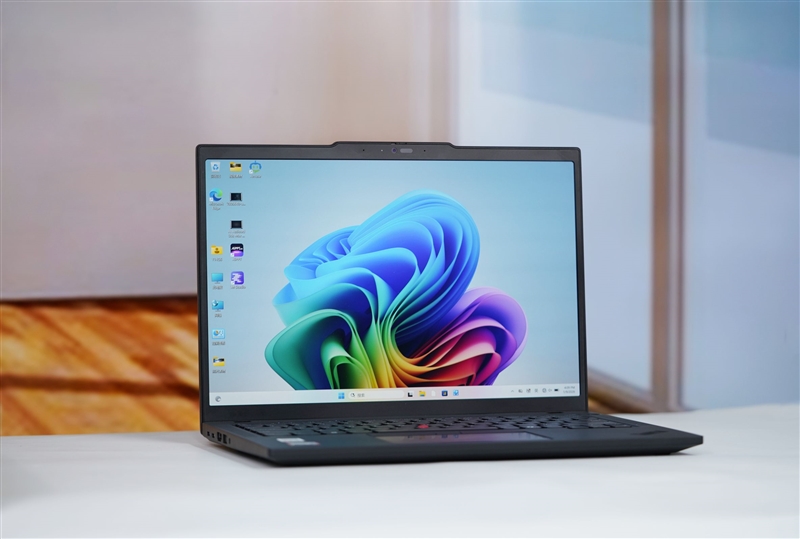
ThinkPad defines the business laptop standard through efficiency, stability, and reliability, qualities that justify its premium positioning. The Lenovo ThinkPad T14 Gen6 (T14 AI Gen 6) brings AMD’s Ryzen AI PRO 300 series to this proven platform.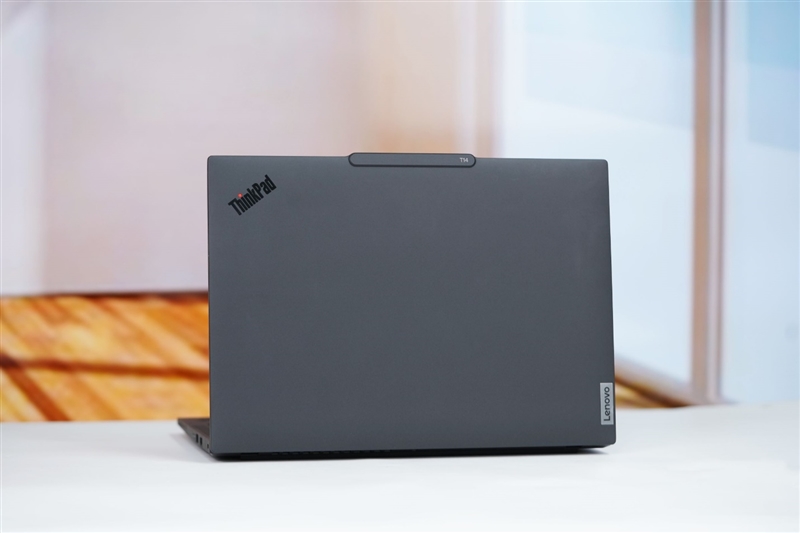
The T14 Gen6 runs on AMD Ryzen AI 7 PRO 350:
- 8 cores, 16 threads with 5GHz max boost clock
- Integrated NPU delivering 50 TOPS for AI workloads
- Radeon 860M graphics (AMD RDNA 3.5 architecture)
- 28W TDP for energy-efficient operation
Lenovo includes 32GB DDR5-5600 dual-channel memory as standard, a significant value proposition given current RAM prices. This capacity supports local deployment of larger AI models while maximizing NPU utilization.
The 14-inch OLED touchscreen delivers:
- 2880 x 1800 resolution (16:10 aspect ratio)
- 120Hz refresh rate
- 100% DCI-P3 color gamut coverage
- 500 nits peak brightness for outdoor visibility
At 21.5mm thick and 1.35kg, the T14 Gen6 maintains portability without sacrificing durability. The glass carbon fiber composite shell provides structural integrity while keeping weight down.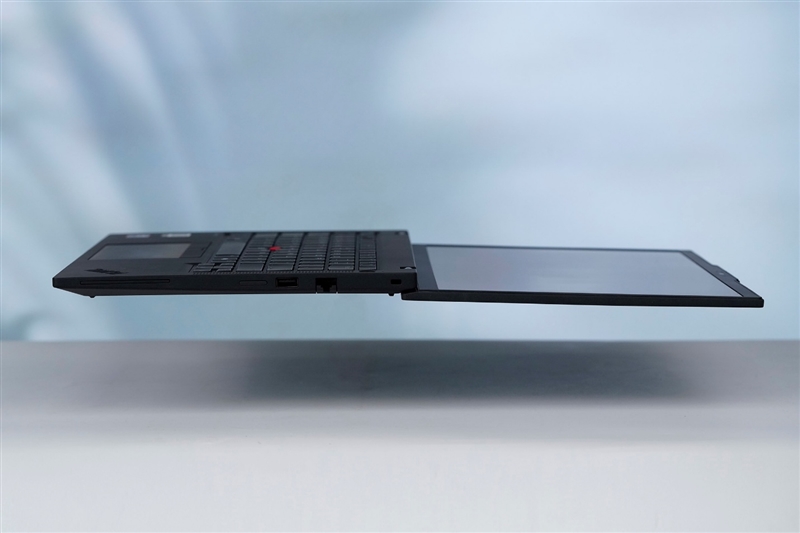
Traditional ThinkPad elements remain intact: the six-row keyboard, dual input system (TrackPoint and touchpad), and precision-engineered hinge that enables one-handed opening while supporting the weight of the entire unit when lifted by the screen corner.
Design and Build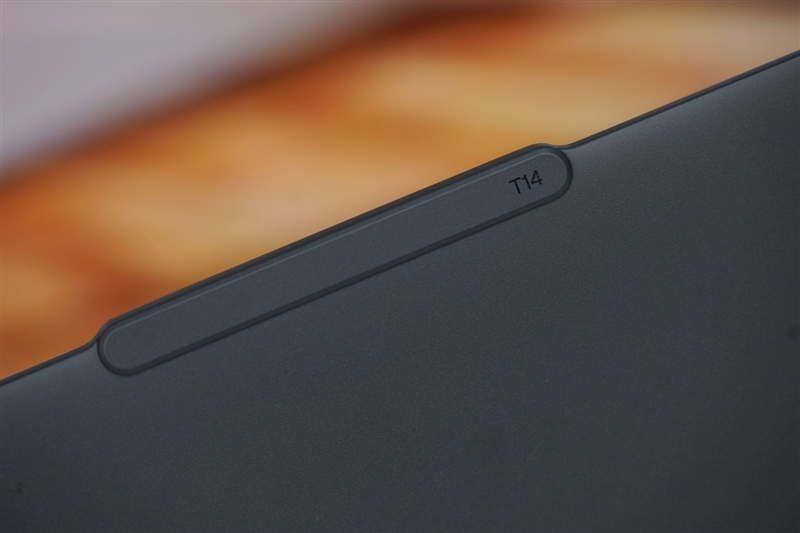
The Lenovo ThinkPad T14 Gen6 maintains the signature ThinkPad black and gray aesthetic with a fiberglass composite chassis that weighs 1.38kg. The iconic red dot logo sits in the upper left corner of the lid, while the Lenovo badge occupies the lower right. A raised strip at the lid’s top edge houses the webcam and enables one-handed opening.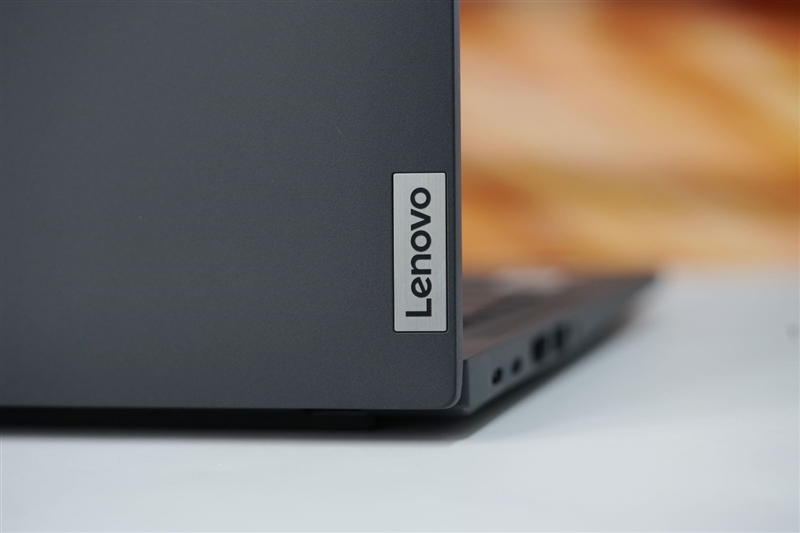
The 14-inch display delivers 2880×1800 resolution at 120Hz on an OLED touchscreen panel. While bezels are moderately thick, they accommodate a built-in roll cage for screen protection. The 2.5K webcam includes IR facial recognition and a physical privacy shutter.
Keyboard and Input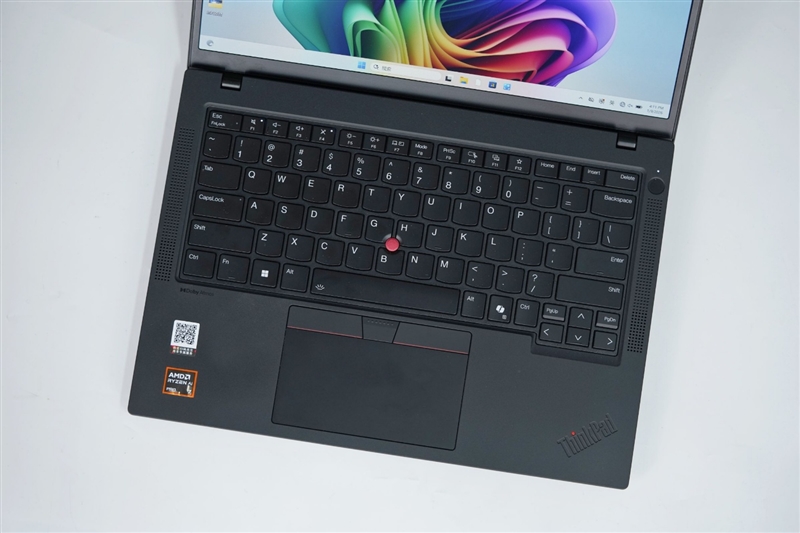
The six-row ThinkPad keyboard features large keycaps and the classic TrackPoint pointing stick. Below sits a spacious touchpad, preserving the dual-input design. The Ctrl key occupies the bottom left position, with Fn moved one position inward. Arrow and PGUP/PGDN keys use a recessed layout for a more compact footprint. A fingerprint-integrated power button sits right of the keyboard, above the speaker grille. The hinge supports 180-degree opening, allowing the laptop to lie flat.
Ports and Connectivity
Right side: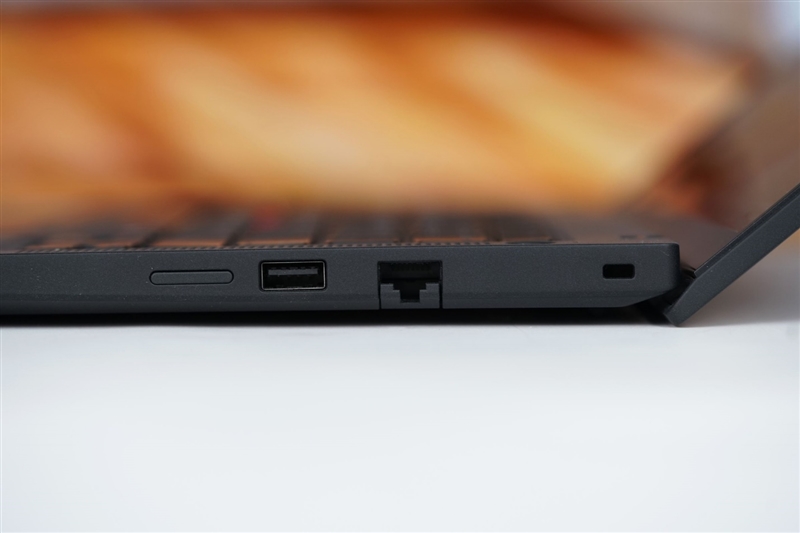
- USB-A 3.2 Gen 1 (5Gbps)
- Foldable gigabit Ethernet
- Kensington lock slot
Left side:
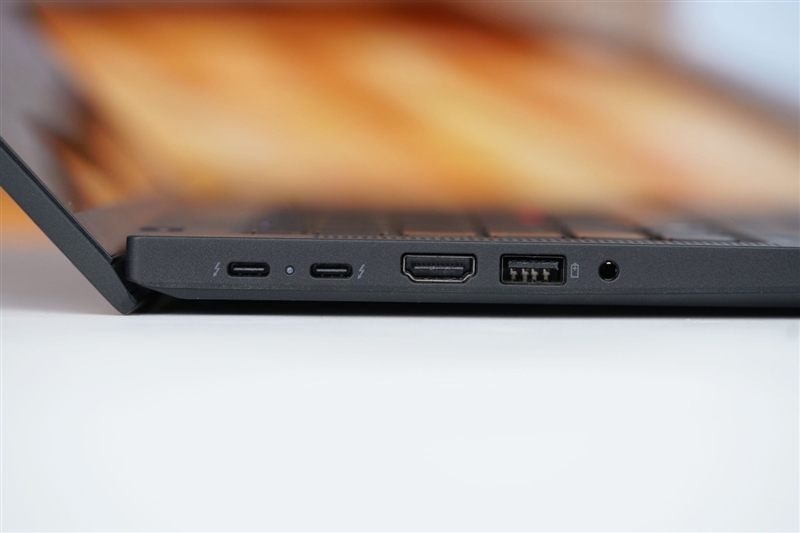
- 2× USB4 (full-featured)
- HDMI 2.1 (4K 60Hz)
- USB-A 3.2 Gen 1 (5Gbps)
- 3.5mm audio jack
A 65W power adapter comes standard.
Internal Components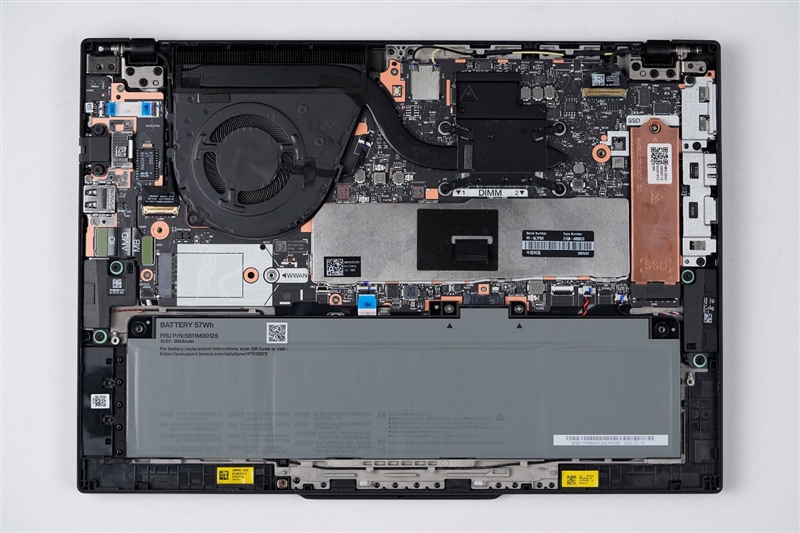
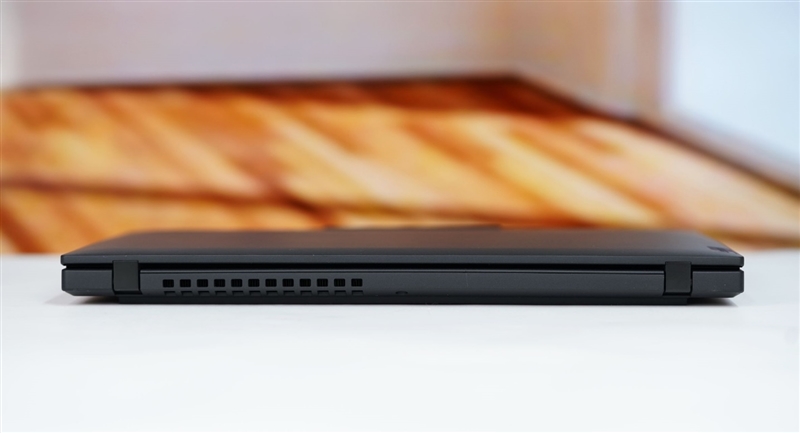
The bottom cover uses captive screws concentrated in the upper section. The AMD Ryzen AI 7 PRO 350 processor requires only a single heat pipe and fan for thermal management, contributing to quiet operation. An MT7925 wireless card provides Wi-Fi 7 and Bluetooth connectivity.
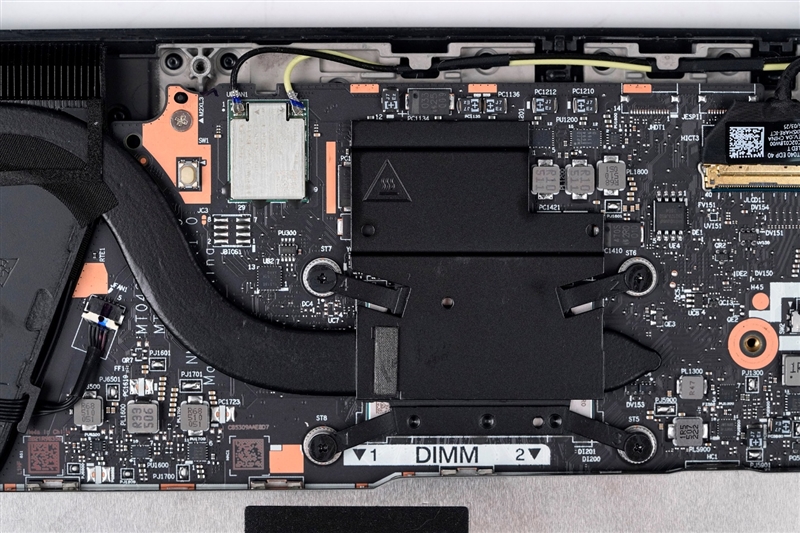
Memory sits beneath a metal shield with an easy-access pull handle. The unit ships with 32GB of Micron DDR5-5600 RAM across two modules. Storage comes via a 512GB SK Hynix PC801 PCIe 4.0 x4 SSD with copper heatsink. An additional M.2 slot (2230/2242 compatible) allows storage expansion, despite WWAN labeling. A 57Wh battery powers the system.
CPU Performance Benchmarks
Cinebench Testing Suite
The AMD Ryzen AI 7 PRO 350 processor demonstrates robust multi-threaded and single-threaded performance across multiple Cinebench iterations:
Cinebench R23
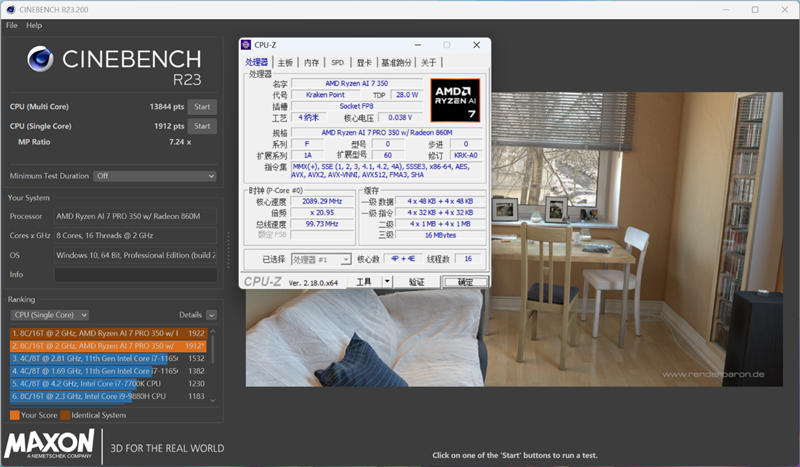
- Multi-core: 13,844 points
- Single-core: 1,912 points
Cinebench 2024
- Multi-core: 735 points
- Single-core: 111 points
Cinebench 2026
- Multi-core: 3,056 points
- Single-core: 631 points
- Single-threaded: 458 points
POV-Ray Rendering Performance
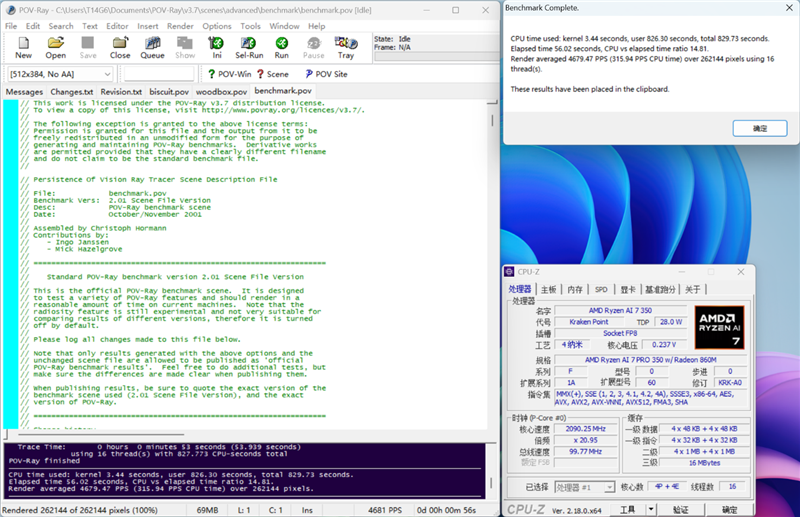
Ray-tracing benchmark results showcase the processor’s rendering capabilities:
- Multi-core: 4,679.47 PPS (Pixels Per Second)
- Single-core: 714.31 PPS
3DMark CPU Profile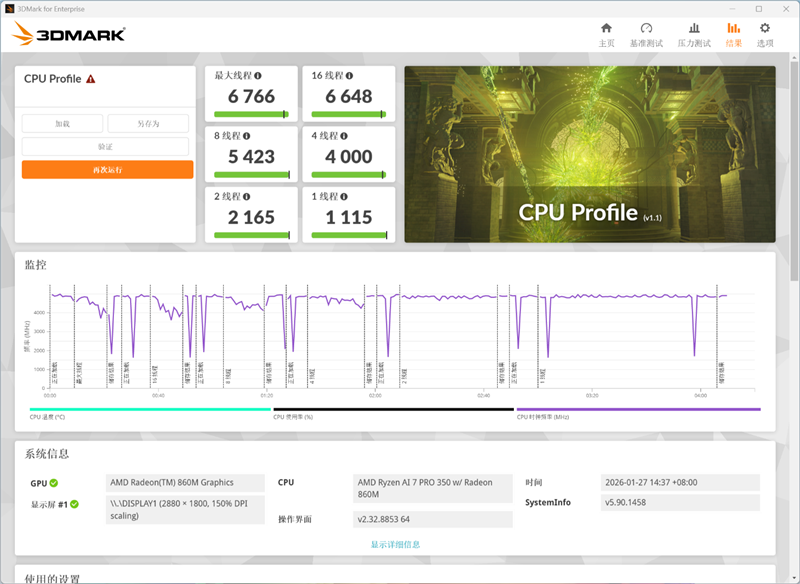
Gaming and workload-optimized CPU testing delivered the following scores:
- Single-threaded performance: 1,115 points
- Maximum thread performance: 6,766 points
System Performance Benchmarks
PCMark 10 Productivity Testing
The Lenovo ThinkPad T14 Gen6 achieved strong scores in real-world productivity scenarios:
- Overall Quick Office score: 7,394 points
- Essentials: 10,587 points
- Office Productivity: 13,771 points
Hardware Dog Composite Score
System-wide performance evaluation results:
- AMD Ryzen AI 7 PRO 350 processor: 138,792 points
- Lenovo ThinkPad T14 Gen6 (complete system): 357,721 points
Memory Performance
The ThinkPad T14 Gen6’s 32GB DDR5-5600 memory configuration delivers exceptional bandwidth: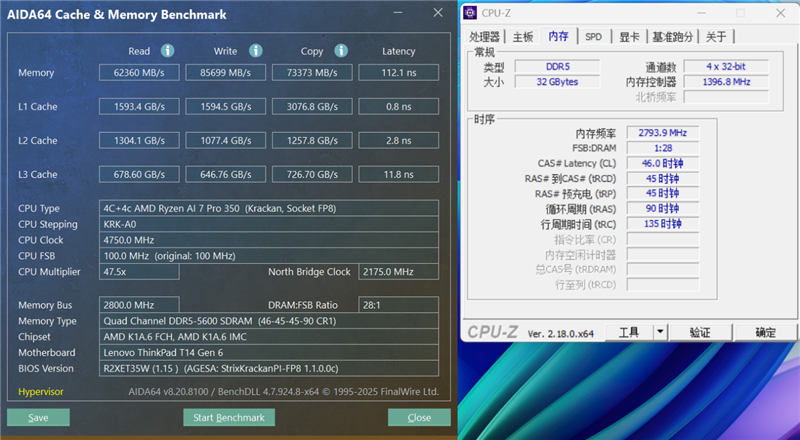
- Read speed: 62,360 MB/s
- Write speed: 85,699 MB/s
- Copy speed: 73,373 MB/s
- Latency: 112.1ns
Storage Performance
CrystalDiskMark Results
The pre-installed Micron SSD achieved the following transfer rates: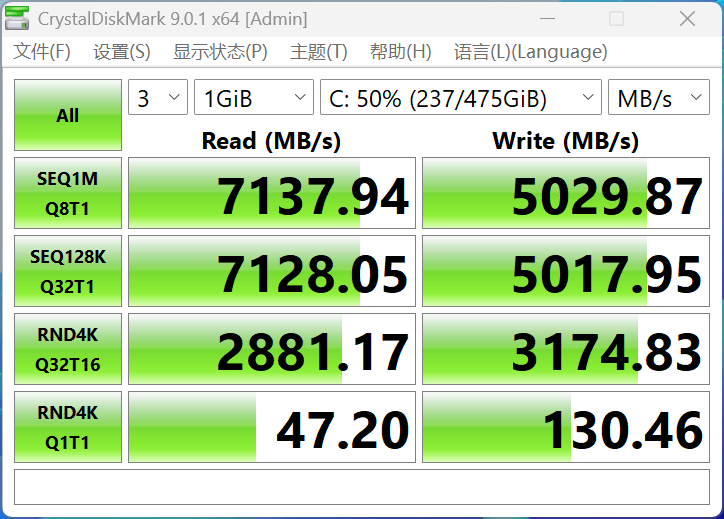
- Sequential read: 7,000 MB/s
- Sequential write: 5,000 MB/s
- Random 4K read: 47 MB/s
- Random 4K write: 130 MB/s
ATTO Benchmark Analysis
File size-based performance testing revealed: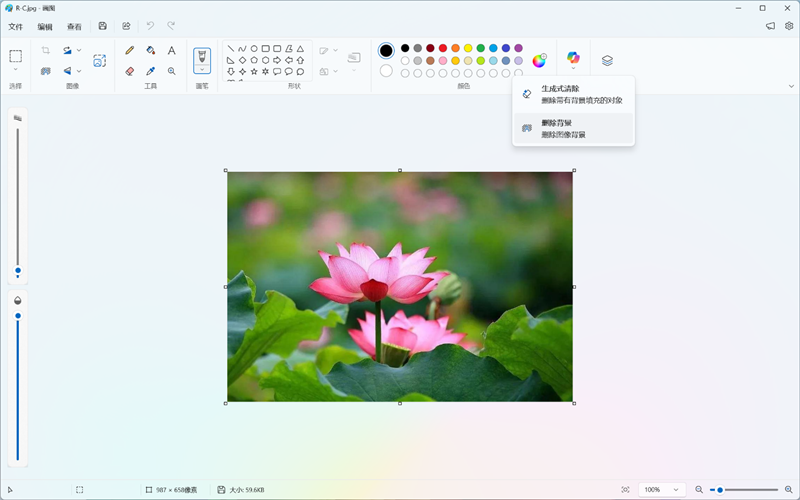
- Small files (0.5KB): 25+ MB/s for both read and write operations
- Large files (64KB+): Write speeds peak at 4.7 GB/s, read speeds exceed 5 GB/s
- Maximum sustained read speed: 6.6 GB/s
On-Device AI Performance
The Lenovo ThinkPad T14 Gen 6 features an AMD Ryzen AI 7 PRO 350 processor with an integrated Neural Processing Unit (NPU) delivering up to 50 TOPS (trillion operations per second) of AI computing performance. This hardware meets Microsoft’s Copilot+ PC specifications, enabling native Windows 11 AI features to run efficiently on-device without cloud dependency.
Windows 11 AI Features
AI-Enhanced Creative Tools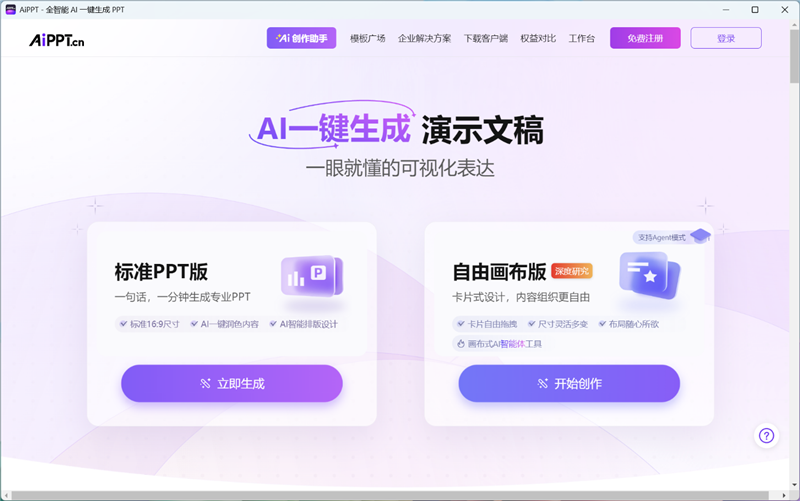
Windows 11’s redesigned Paint application now includes AI-powered generative cleanup and background removal capabilities that leverage local NPU processing. During testing, the background removal tool demonstrated precise edge detection on complex subjects, accurately tracing the contours of green lotus leaves and cleanly separating foreground elements from backgrounds with minimal manual adjustment.
Studio Effects for Video Communications
Windows 11’s Studio Effects suite enhances built-in webcams, speakers, and microphones using AI processing. These features, among the first introduced in Copilot+ PCs, deliver professional-grade video conferencing enhancements including background blur, auto-framing, and noise suppression, particularly valuable for mobile professionals.
Click to Do: Contextual AI Search
Evolved from Microsoft Bing’s text selection search, Click to Do is now deeply integrated at the system level. Activation triggers a distinctive rainbow ripple effect around the screen perimeter, after which any on-screen element becomes selectable for instant search or queries to Microsoft 365 Copilot, extending AI assistance beyond browser-based workflows.
Real-Time Translation with Live Captions
The AI-powered live captioning feature with translation represents one of Windows 11’s most practical AI implementations. Activated via Win+Ctrl+L, users can select Simplified Chinese (or other languages) to receive real-time AI-translated subtitles for foreign language video content, a frictionless solution for international content consumption.
Lenovo AI Now: Tiānxī AI Agent Integration
Beyond Microsoft’s native AI features, the ThinkPad T14 Gen 6 includes Lenovo AI Now (Xiaotian Smart Assistant) powered by the Tiānxī AI intelligent agent. This enhanced AI platform offers:
- Model Marketplace: Download and deploy various AI models based on task requirements
- AI Space: Access curated AI applications optimized for productivity workflows
- Local Knowledge Base: Store and organize AI-generated content for future reference
Deep-Dive Testing: AI-Powered Research Reports
Testing Lenovo AI Now’s research capabilities revealed sophisticated query analysis and report generation:
Query Parameters Selected:
- Science education focus
- Living environment infrastructure
- Comparative analysis of Chinese and U.S. initiatives
Performance Results:
- Report generation time: 5 minutes, 2 seconds
- Output quality: Rigorous analysis with comprehensive source citations
- Accuracy: No detectable AI hallucinations in factual content
- Storage: Automatically saved to local knowledge base
The AI agent’s visible “thinking process” and properly attributed sources demonstrated transparency in its analytical methodology, a critical factor for professional research applications.
On-Device vs. Cloud AI
While Lenovo AI Now primarily utilizes cloud-based models for enhanced performance and reduced local resource consumption, data-sensitive workflows require on-device processing to prevent information leakage. Fortunately, AMD NPU support is expanding across third-party AI tools:
AMD NPU-Optimized Applications
AIPPT: Professional AI-powered presentation creation software with AMD platform optimization. Features local model deployment for offline operation and complete data privacy.
Puffin Office AI Writing Assistant: Plugin supporting locally-deployed large language models via Ollama or LM Studio, enabling private AI-assisted document creation while maximizing NPU utilization.
Battery Life
Sustained Performance Under Load
The ThinkPad T14 Gen6 demonstrates exceptional thermal management during intensive workloads. AIDA64 stress testing revealed that the AMD Ryzen AI 7 PRO 350 processor consistently maintains 28W TDP throughout extended sessions while keeping thermals in check, core temperatures stayed comfortably below 80°C. Equally impressive is the near-silent acoustic profile, with fan noise remaining virtually inaudible even under sustained load.
Real-World Battery Endurance
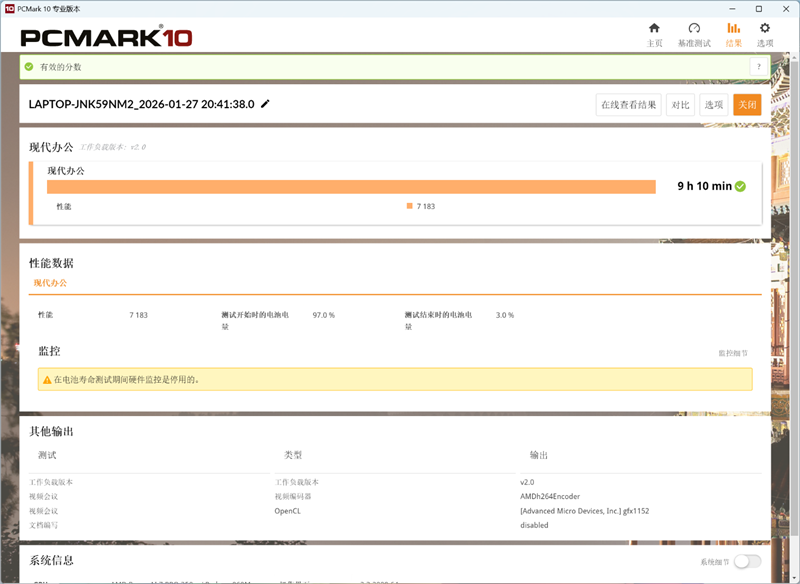
PCMark 10’s Modern Office benchmark provides a practical assessment of battery longevity under typical business workflows. Testing the T14 Gen6 with balanced power settings, the laptop delivered 9 hours and 10 minutes of continuous runtime (measured from 97% to 3% battery capacity).
For mobile professionals, this translates to genuine all-day productivity from the integrated 57Wh battery, sufficient for a full workday of presentations, video calls, document editing, and web browsing without requiring a charging break.
Key Performance Highlights:
- TDP: Stable 28W sustained performance
- Thermal ceiling: Sub-80°C under stress
- Acoustic profile: Near-silent operation
- Battery capacity: 57Wh
- Real-world runtime: 9+ hours (Modern Office workload)
Conclusion
ThinkPad’s journey from IBM to Lenovo began in 2005, and 2026 marks the start of its third decade under Lenovo’s stewardship, a pivotal moment coinciding with the mainstream adoption of AI in enterprise computing.
Powered by AMD Ryzen AI PRO series processors, ThinkPad has fully embraced Microsoft’s AI+PC ecosystem. The integrated NPU delivers local AI processing capabilities that give users complete control over their AI workflow, eliminating cloud dependency when needed.
The ThinkPad T14 Gen6 maintains the series’ reputation for durability and reliability through its glass carbon fiber chassis, a material choice that achieves institutional-grade ruggedness while keeping the 14-inch notebook at just 1.35kg. For business professionals navigating airports and client meetings, this weight reduction translates to measurable daily comfort.
At the heart of the T14 Gen6 sits the AMD Ryzen AI 7 PRO 350, a processor that integrates:
- 50 TOPS NPU for AI acceleration
- Radeon 860M graphics (RDNA 3.5 architecture)
- 8 cores / 16 threads with 5GHz boost capability
- 28W TDP delivering exceptional performance-per-watt
The inclusion of 32GB DDR5-5600 memory provides headroom for local AI model deployment, a particularly valuable feature given current memory pricing volatility that makes post-purchase upgrades prohibitively expensive.
Windows 11’s AI+PC framework delivers practical everyday tools, while third-party agents extend functionality further. Testing with Lenovo’s Xiaotian assistant, powered by the Tianxi AI engine, demonstrated strong real-world performance in natural language processing, web retrieval, and data synthesis, with minimal hallucination issues that often plague AI assistants.
For security-conscious environments requiring air-gapped operations, the AMD Ryzen AI 7 PRO 350’s 50 TOPS NPU becomes essential. The hybrid CPU+iGPU+NPU architecture enables rapid local inference, ensuring data never leaves the device while delivering the productivity benefits of AI tools without recurring API costs.
Historically, ThinkPad’s AMD configurations were limited to integrated graphics models. The Ryzen architecture’s market dominance changed this calculus, AMD’s performance leadership and widespread enterprise adoption made deeper collaboration inevitable for ThinkPad to remain competitive.
As ThinkPad enters its next decade under Lenovo, AMD’s processing capabilities and AI acceleration advantages position the partnership to define the future of business computing in the AI era.
Read Also: Lenovo ThinkPad T14s Gen 6 Snapdragon laptop exposed, equipped with X Elite chip