










Apple today pushed the iOS/iPadOS 16.4 Developer Preview Beta 4 update (internal version: 20E5239b) to iPhone and iPad users, eight days after its last release.
Beta 4 builds on major updates from Beta 3 and earlier releases, which we’ll review now.
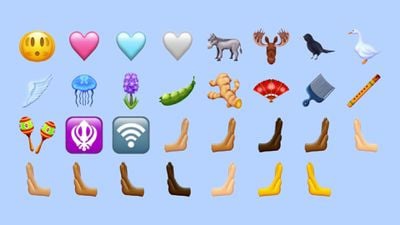
New Emoji characters
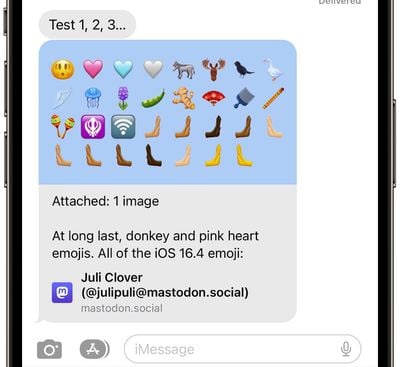
iOS/iPadOS 16.4 update adds 31 emojis for the new Unicode 15 version, including the head shake, Pink Heart, blue heart, gray heart, Donkey, moose, blackbird, goose, wings, jellyfish, hyacinth, pea pod, ginger, fan, comb, flute, Maracas, And some left – and right-handed options.
Safari Web Push notifications on iPhone and iPad
In iOS 16.4 / iPadOS 16.4, websites added as web apps to the home screen of an iPhone or iPad can send web push notifications, just like on a Mac.
It’s a feature that Apple first announced when it introduced iOS 16 at WWDC, and it’s now ready to roll out. Web apps added to a user’s home screen can request permission to receive push notifications via a “Subscribe” button or other similar direct interaction.
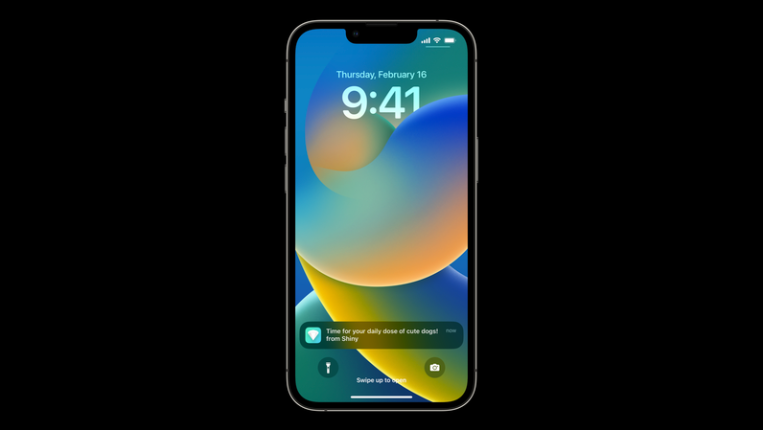
Just as on the Mac, the iPhone or iPad will prompt users to give notifications to Web apps, and you can manage notifications for each Web app in the notification Settings section of the app. Notifications from the Web app are exactly like notifications from any other app, showing up on the lock screen, the notification center and the paired Apple Watch.
Note that to receive push notifications from your website, you need to add them to your home screen. Web developers must also implement support for this feature.
Focus support for push notifications on the Web
Notifications for home screen web applications can be incorporated into Focus, so they can be put into daily summaries, and there are options for configuring where and how to receive network notifications.
Users who add the same Web app on multiple iPhone or iPad home screens will see Focus mode automatically apply to all of them.
The corner label of the home screen network application
Web apps added to the home screen can display corner markers to inform users about alerts and notifications, similar to corner markers for regular apps. Markers will be displayed after the user’s permission to allow notifications, and the network application will display the current number of markers.
Adds to the home screen for third-party browsers
Third-party browsers, such as Chrome, now allow users to add websites and Web apps to the home screen from the Share menu.
HomeKit architecture upgrade
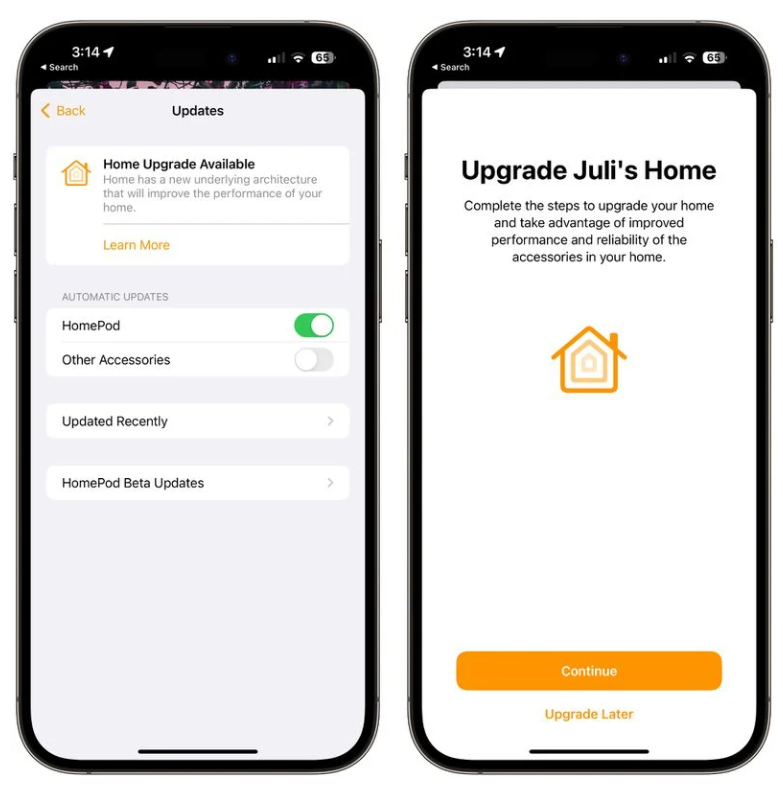
iOS 16.4, iPadOS 16.4, and macOS Ventura 13.3 reintroduce the HomeKit architecture update, which was pulled from iOS 16.2 due to the addition of a large number of HomeKit vulnerabilities.
In the software update section of the Home app, iPhone and iPad users who have not yet upgraded to the new architecture see a “Home Upgrade Available” option after updating to iOS 16.4.
The new HomeKit architecture is designed to improve the reliability and efficiency of communication between smart home accessories and Apple devices.
The initial rollout caused some HomeKit devices to disappear from HomeKit Settings or stay in a “Configure/update” state. It also resulted in failed invitations to share your home with others and, for some, ruined HomeKit security video recordings.
podcast
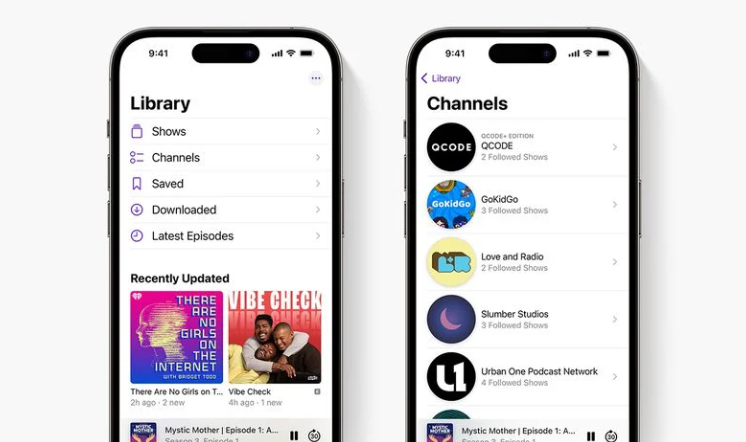
Apple has made a number of updates to the Podcasts app. Channel access is available in the Library section, and “Next Step” now lets you restore episodes, start saving episodes, and delete episodes you want to skip.
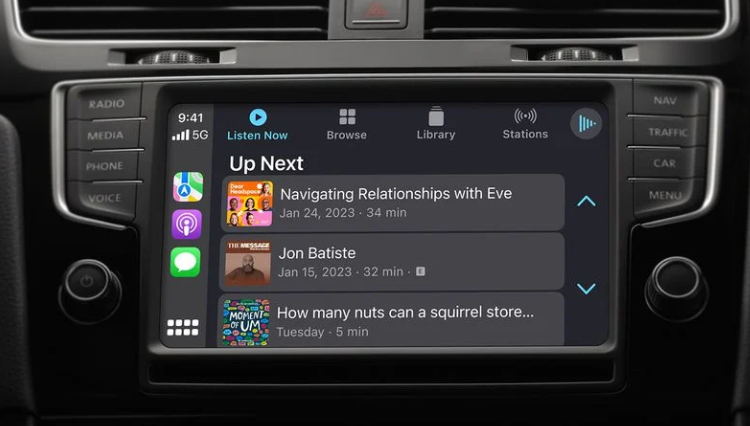
For CarPlay, there is now an option to continue listening to podcasts via “previous episode” or to find new podcast options in Browse.
Introduction to the Apple Music app
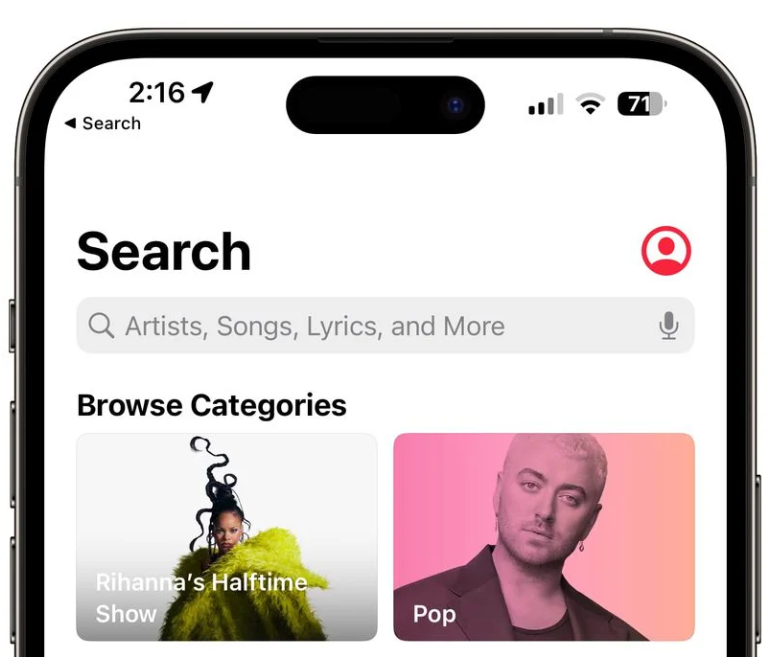
In the Apple Music app, there is now a prominent button for accessing your profile, which makes it easier to access your profile Settings.
AppleCare Coverage Overview
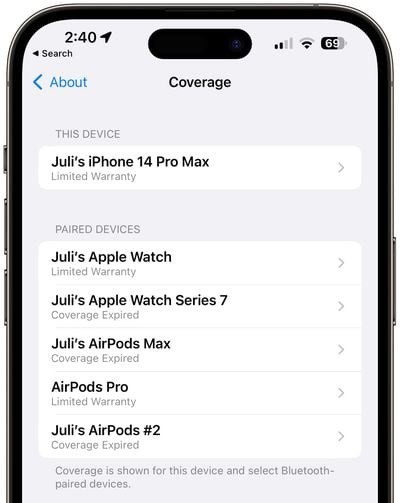
In the Settings app, there’s now an updated “coverage” screen that displays warranty information for your iPhone and connected devices like Apple Watch and AirPods.
Shortcut instruction
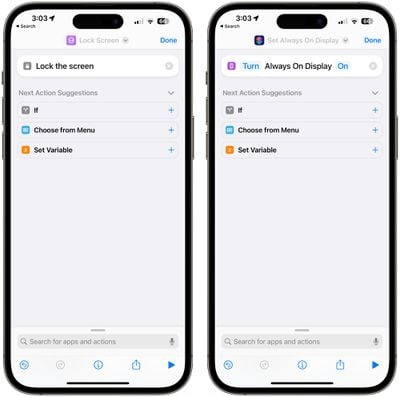
In Shortcut Commands, there are options to create a workflow that locks the device’s screen and controls the on-screen display, as well as an option to automatically enable or disable pre-desk scheduling on the iPad. Apple has also added an option to let Siri announce notifications as an action that can be incorporated into a shortcut command.
Preview the Mastodon content in the message
When you send a link to a Mastodon post to someone in the messaging app, a preview of what’s being shared is now displayed instead of a simple link to a picture.
5G support in Turkey
Turkey has enabled 5G support for iOS 16.4.
Tips Application User Guide
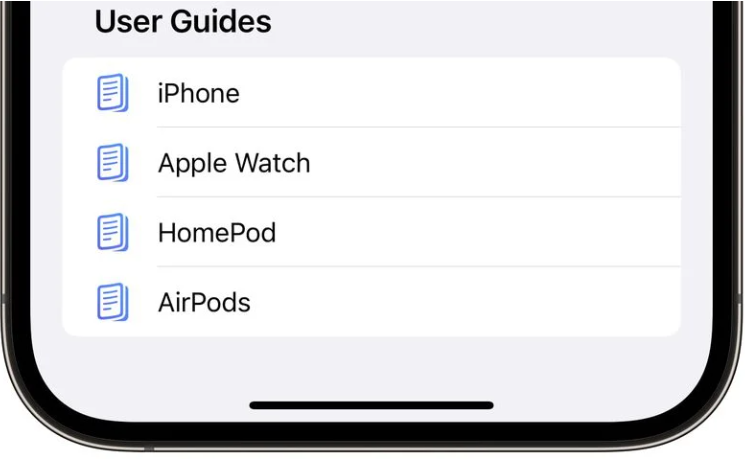
The Tips app now displays user guides for the iPhone and other devices that may be used with the iPhone, including the Apple Watch, AirPods and HomePod. In previous versions of iOS, the Tips app was only available as an iPhone user guide.
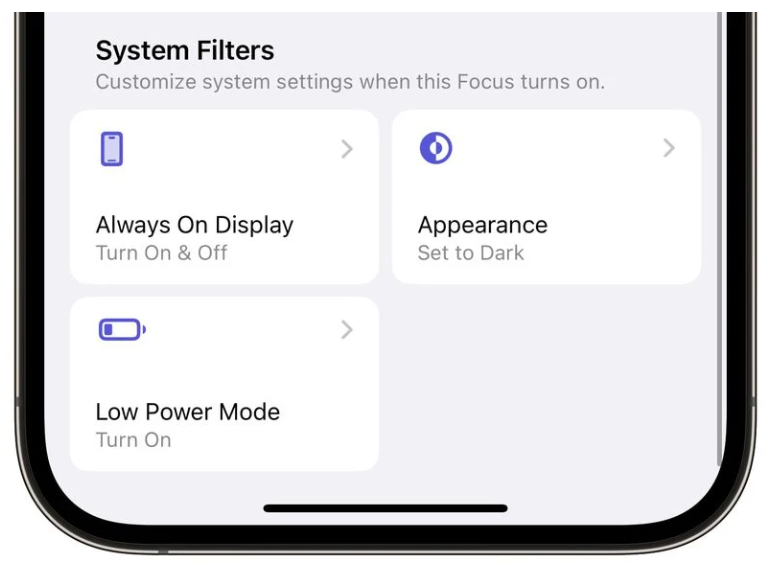
Focus mode
There is an always-on display filter that can be enabled in Focus mode.
Independent support for 5G from T-Mobile
5G iPhone users with T-Mobile can turn on a new 5G option that allows them to connect to the carrier’s 5G standalone network.
Provide more refined satellite service times for emergency calls
For the ability to call for help via satellite, Apple will now tell users in more detail when the next satellite is passing by. Apple used to offer options for the feature to be “available soon” and available in X time, but will now offer specific hours and minutes of time.
The next satellite is available in [x]hours and [x]minutes
The next satellite will be available in [x]hours
Next satellite available in [x]minutes
The next satellite will be available in one minute
Apple Card high-yield savings account
The iOS 16.4 update lays the groundwork for a high-yield savings account for Apple Card users, which Apple announced back in October. The code in iOS 16.4 mentions routing and account numbers, current balances, interest earned, data management, funds available for withdrawal, and more.
Apple will encourage customers to sign up for a savings account with information such as: “Transfer your Apple Cash balance into your savings account and start earning interest today” and “You can transfer up to [the amount]from Apple Cash into your savings account in one transaction and start earning interest today.”
Like the Apple Card, the high-yield savings account will be offered through Goldman Sachs. Apple card holders will be able to choose to have their daily cash deposited automatically in order to earn interest. The savings account will likely launch at the same time as iOS 16.4, but it won’t be available in the Wallet app yet.
Fast safety response
Apple is continuing to improve the Rapid Security Response (RSR) feature built into iOS 16, iPadOS 16, and macOS Ventura, according to code in the latest iOS 16.4 beta.
As part of the announcements for iOS 16, iPadOS 16, and macOS Ventura, the Quick Security Response update is designed to allow Apple to provide users with security fixes without a full iOS update. This update enables quick installation and can be rolled back if necessary.
While Apple has released several PSR updates, so far they have been limited to iPhone and iPad users running beta versions, and Apple is working to refine the RSR process. According to Apple’s security support documentation, no version currently contains a security fix.
Apple has also said that it does not yet offer RSR to the public, which also suggests that Apple is not ready to use the option as a stopgap between software updates.
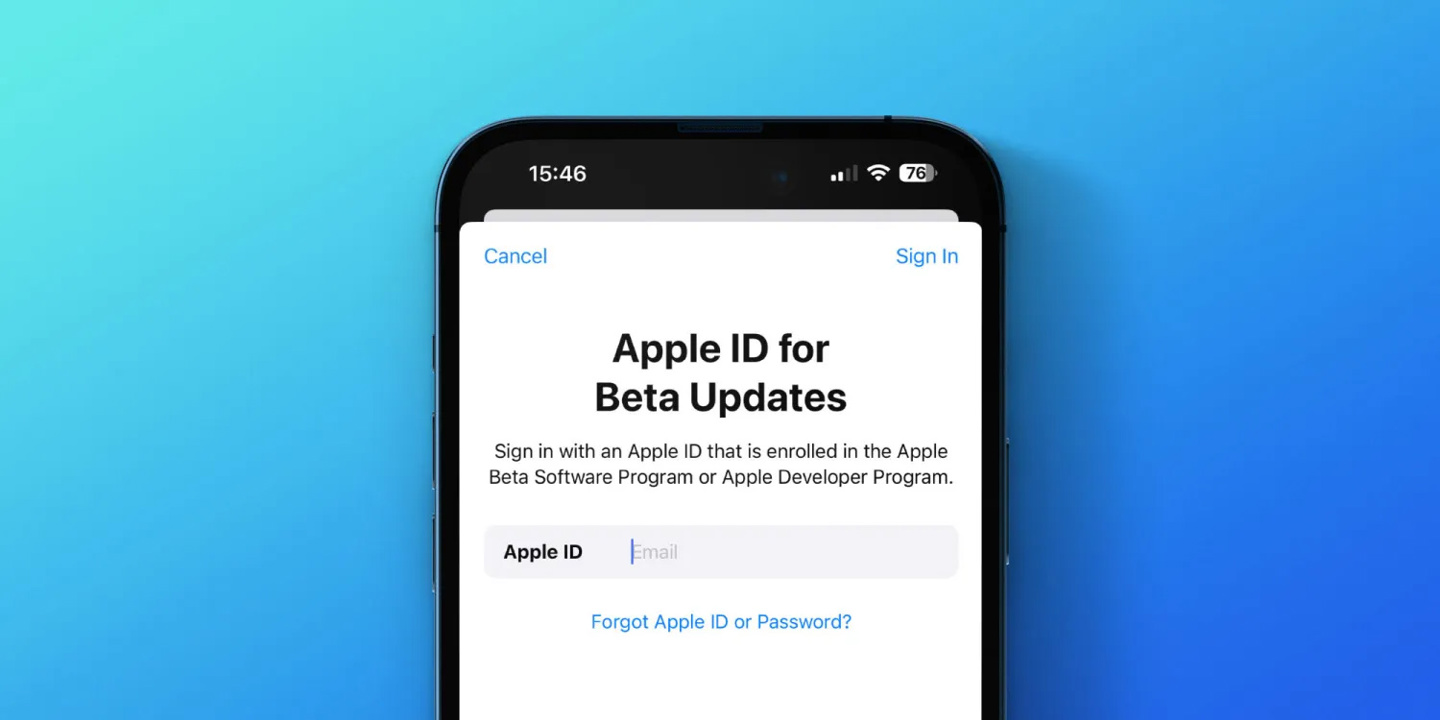
The software version of the Apple ID is updated
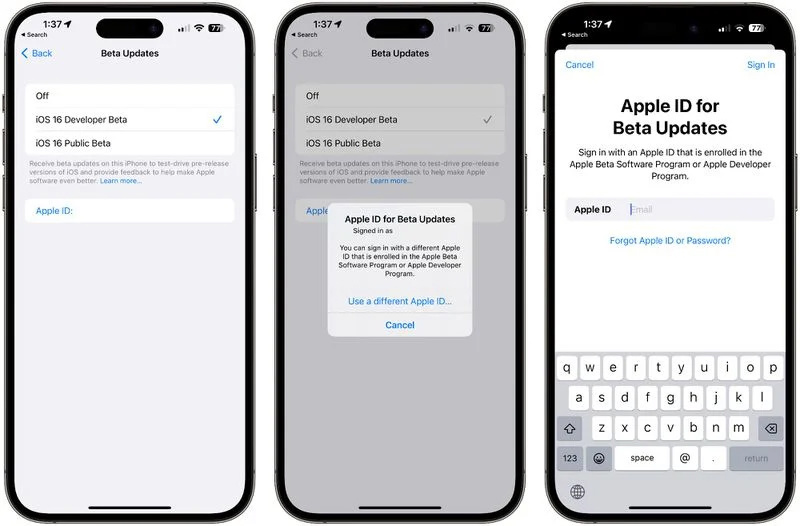
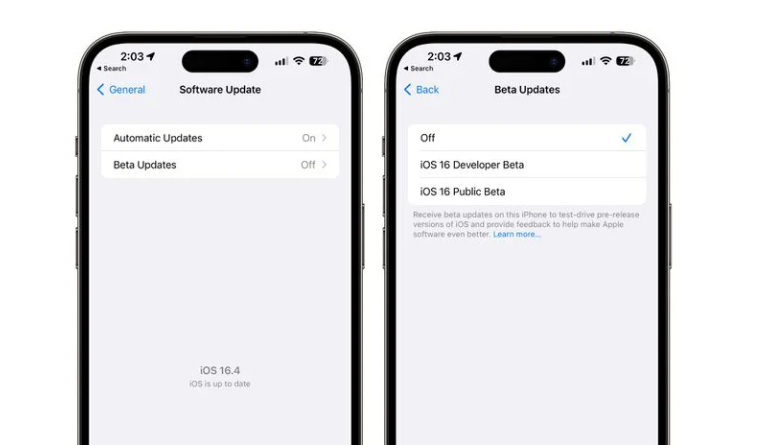
With the iOS 16.4 and iPadOS 16.4 updates, Apple has begun to gradually change the way developers and public testers opt in to work. That said, in today’s iOS 16.4 beta update, you can already use two different Apple ids to choose between updating the Developer Beta/Public Beta or Stable release.
The previous beta explicitly required users to log into their developer or public accounts respectively to gain access to the developer or public beta, but there was no beta for personal use. Apple has now added an “Apple ID” field to iOS 16.4 Beta 3 that users can tap to log in to a separate “Apple ID” to resolve this situation.
In short, you can now register another Apple ID in the Apple Beta Software Plan or Apple Developer Program as a “small” login (this ID does not affect iCloud and the App Store). This feature lets you download the beta as normal with your developer or public Beta certified Apple ID, while using your standard Apple ID to access all other normal functions.
You can find this setting by clicking the Apple ID button under Settings > General > Software Update, and then simply entering the separate Apple ID to download the beta version.
In addition, the iOS 16.4 Beta 3 code implies that Car Key will drop support for NFC technology in the future. That said, the new string added to the iPhone operating system says: “Cars are not compatible with this iPhone/Apple Watch model” for NFC-only devices.
In short, the code in iOS 16.4 Beta 3 shows that older iPhone and Apple Watch models will no longer support Car Key NFC, including models like the iPhone SE and Apple Watch SE.
As Apple currently lays out, subsequent Car keys will require U1 chips, including:
iPhone 11 series
iPhone 12 series
iPhone 13 series
iPhone 14 series
Apple Watch S6
Apple Watch S7
Apple Watch S8
Apple Watch Ultra