Facebook Twitter Instagram
    Trending
    • JNR Falcon Pro vs JNR Falcon-X⁺ Comparsion: Which One Wins?
    • SP2S LUCKY DRAW WITH SEN X: Your Chance to Win from a 100 Million Prize Pool!
    • Vaporesso XROS 5 Nano vs XROS 5: Which Device Suits Your Style?
    • Xiaomi 17 Ultra will be available next week! Lu Weibing: All of Xiaomi’s main high-end flagship models will be released in the same year.
    • The Renderings of Apple’s first foldable iPhone have been exposed again: 5.49 inches on the outside and 7.76 inches on the inside
    • Realme 16 Pro+ phone network access: 200-megapixel main camera, rated 6850mAh battery
    • OnePlus 15R phone has released overseas with Snapdragon 8 Gen 5 and a 7400mAh battery
    • Huawei’s all-new MatePad 11.5 tablet has been officially announced and released on December 22nd
    Facebook YouTube
    Login Register
    IGeeKphone China Phone, Tablet PC, VR, RC Drone News, Reviews
    • HOME
      • NEWS
        • DeepSeek
        • ChatGPT
        • Minecraft
    • Amazon
    • CHRISTMAS
    • PHONE
      • Top Phones For Your First Choice
      • Phone Comparison
      • Xiaomi
      • Blackview
      • Unihertz
      • Doogee
      • Black Shark
      • Geekbuying
      • Banggood
      • TEMU
      • TikTok
      • Aliexpress
      • Walmart
      • Newegg
      • MercadoLibre
      • Lazada
    • TOP VAPE Awards for 2025
    • VAPES
      • E-CIGAR Upcoming
      • Vape News
      • Vape Market Trend
      • Vape Deals
      • Expo News
      • Vape Comparison
      • Vape Guide
        • Guide For Beginners
        • Guide for Best Users
      • Giveaway
    • BEST VAPE
      • Best Vape Stores
      • Best Starter Vape Kits
      • Best Vapes for Beginners
      • Best Disposable Vapes
      • Best Pod Systems
      • Best Pod Mod Vapes
      • Best Mods
      • Best Nicotine Pouches
      • Best Clearomizers/Tanks
      • Best E-Liquid
      • Best EGO/Pens
      • Best Vapes for Nic Salt E-Juice
      • Best Vapes to Quit Smoking
      • RDA vs. RDTA vs. RTA
    • Best Vape Brand 2025
      • VAPORESSO
      • VOOPOO
      • OXVA
      • NEXA BAR
      • ORIONBARTECH
      • MASKKING VAPE
      • VEIIK
      • MEMERS
      • SP2S
      • JNR
      • TODOO
      • MRFOG
    • REVIEW
      • E-cigar Review
      • Phones
      • Tablet PC
      • TV Box
      • RC Drone
      • Wearables
      • Camera
      • Accessories
      • VR Headset
    • MORE
      • 3D PRINTER
        • 3D Printer Review
        • Anycubic
        • FLSUN
        • Xtool
        • LONGER
        • Top 3D printer to Choose First
      • TREND
      • CLOTHES
      • AUTO CAR
      • POWER STATION
        • Oukitel
        • FOSSIBOT
      • GAMING
        • Top Gaming Products
      • E-BIKE
        • Samebike
        • Happyrun
        • ENGWE
      • TABLET
        • Chuwi
        • INNOCN
        • Teclast
        • Top Tablet for Your First Choice
        • Tablet/Laptop Comparison
      • WEARABLES
        • OneOdio
        • BlitzWolf
        • Top Smartwatch for First Choice
      • SMART HOME
      • TV BOX
        • Chuwi mini pc
        • Beelink
        • GMKTEC
        • MOREFINE
      • RC DRONE
        • DJI
        • MJX
        • JJRC
        • Hubsan
        • Top RC Drone
      • CAMERA
        • Gopro
        • Insta360
        • Andoer
      • ACCESSORIES
      • VR HEADSET
      • ROM
        • SAMSUNG
        • XIAOMI
        • ASUS
        • MEIZU
        • LENOVO
        • HUAWEI
        • ONEPLUS
        • ZTE
        • UMIDIGI
        • DOOGEE
        • HOMTOM
        • ELEPHONE
        • ULEFONE
        • BLACKVIEW
        • VERNEE
        • LEAGOO
        • CHUWI
        • TECLAST
        • PIPO
        • TV BOX ROM
    • DEAL
    • Shop
    IGeeKphone China Phone, Tablet PC, VR, RC Drone News, Reviews
    You are at:Home»3D PRINTER»How to Set Up and Use the Anycubic Kobra 2 Neo 3D Printer: A Comprehensive Guide
    3D PRINTER

    How to Set Up and Use the Anycubic Kobra 2 Neo 3D Printer: A Comprehensive Guide

    BenWBy BenWOctober 12, 2023
    Facebook Twitter Pinterest LinkedIn Tumblr Email

    Introduction:

    The Anycubic Kobra 2 Neo 3D printer is a powerful and versatile machine that allows you to bring your creative ideas to life. Whether you’re a beginner or an experienced user, this guide will walk you through the step-by-step process of setting up and using the Anycubic Kobra 2 Neo, ensuring a seamless printing experience.
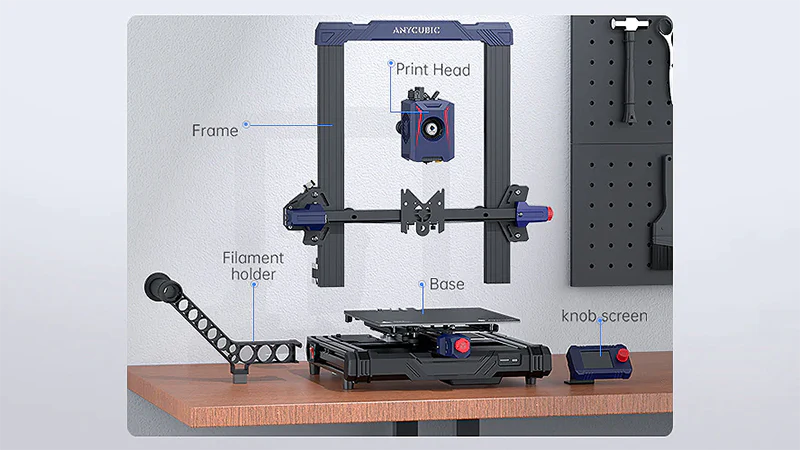
    1. Unboxing and Initial Setup: Begin by carefully unboxing the Anycubic Kobra 2 Neo and inspecting all the components included. Ensure that everything is present, including the printer, power supply, USB cable, filament spool holder, filament spool, scraper, and accessories. Follow the provided instructions to assemble the printer, including attaching the filament spool holder, screen, and connecting the necessary cables.
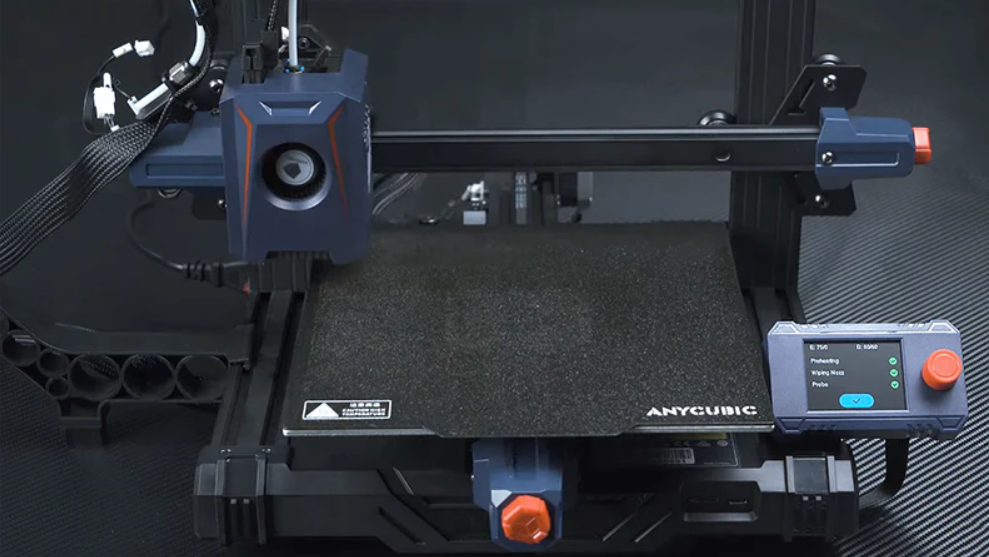
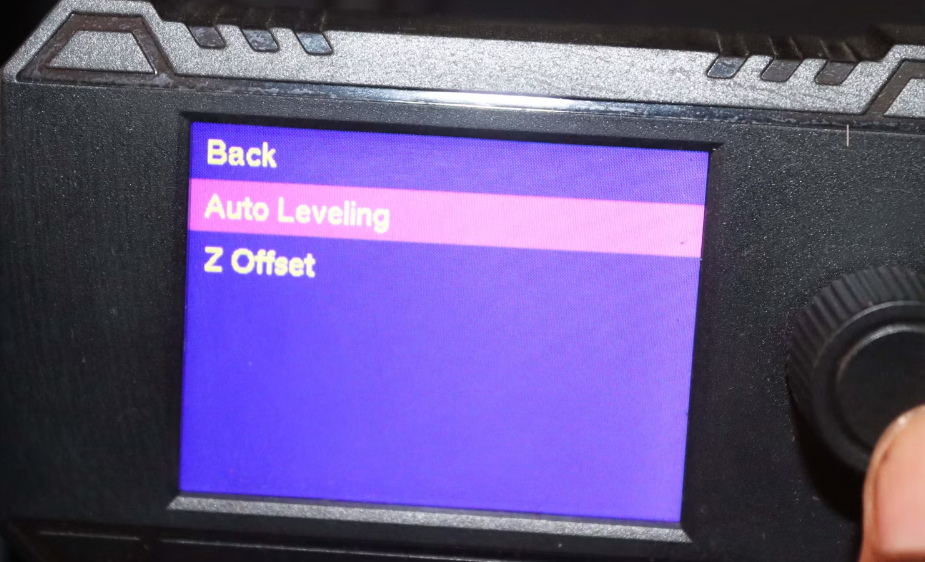
    2. Bed Leveling: Properly leveling the printer bed is crucial for achieving accurate and successful prints. Utilize the provided leveling sheet or a piece of paper and adjust the four leveling knobs beneath the print bed. Aim for a consistent and slight resistance when sliding the paper between the nozzle and the bed.
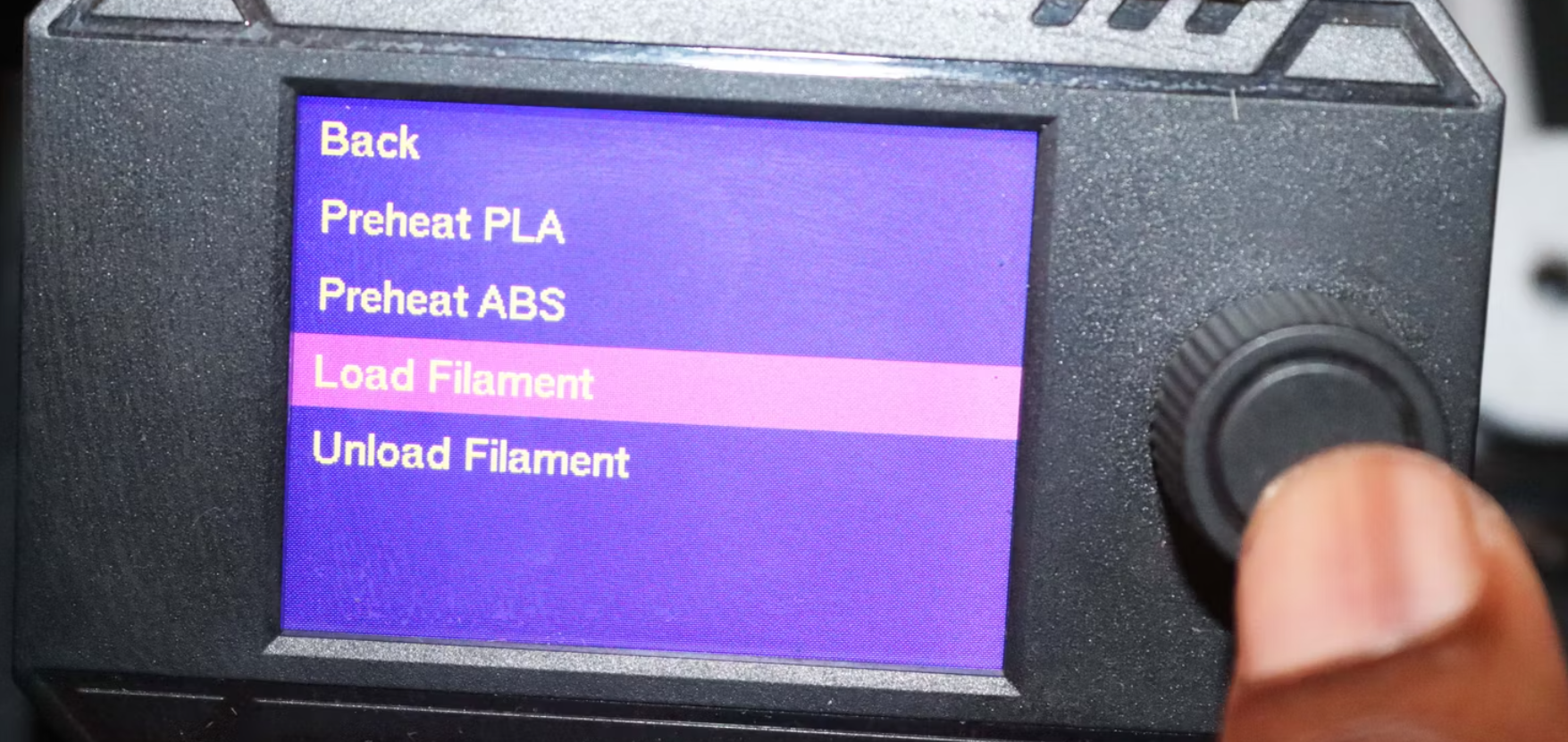
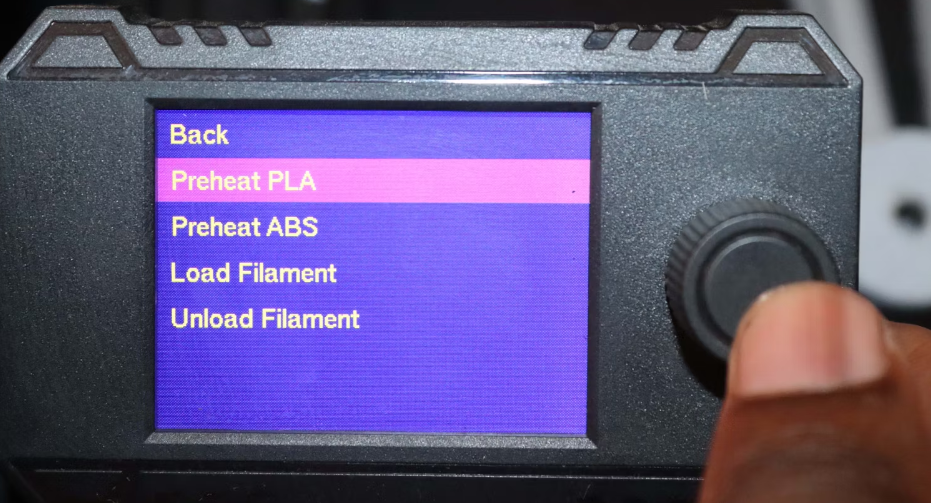
    3. Filament Loading: Install the filament spool on the spool holder and feed the filament through the filament guide tube into the printer’s filament inlet. Gently push the filament until it reaches the extruder. On the printer’s menu, navigate to the filament loading option and follow the on-screen instructions to load the filament into the extruder.If you are using ABS filament, you can select Preheat ABS instead. Once selected, you will see a thin filament extruding from the nozzle.
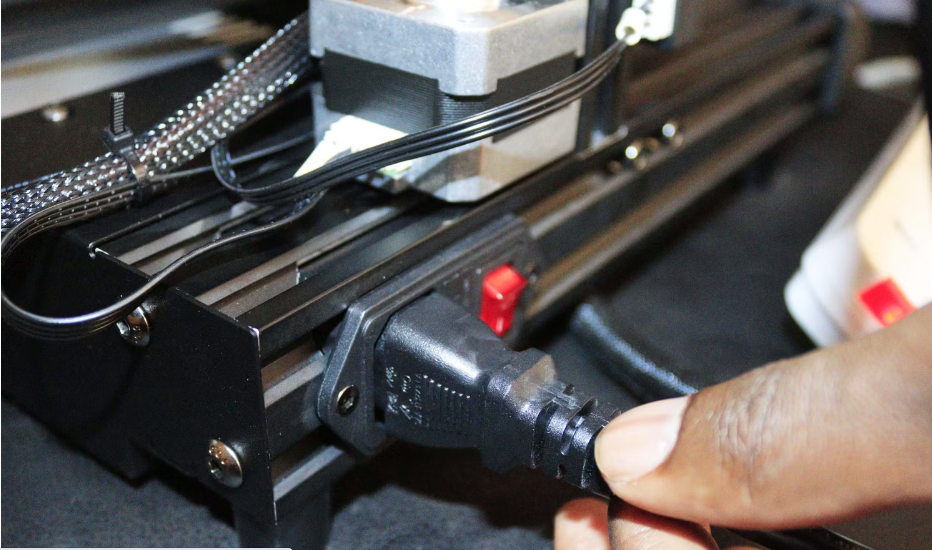
    4. Software Installation and Configuration: Download and install the latest version of Anycubic’s slicing software, such as ‘Chitubox’, on your computer. Connect the Anycubic Kobra 2 Neo to your computer using the provided USB cable and ensure it is recognized by the software. Familiarize yourself with the software’s interface and options to prepare your 3D models for printing.
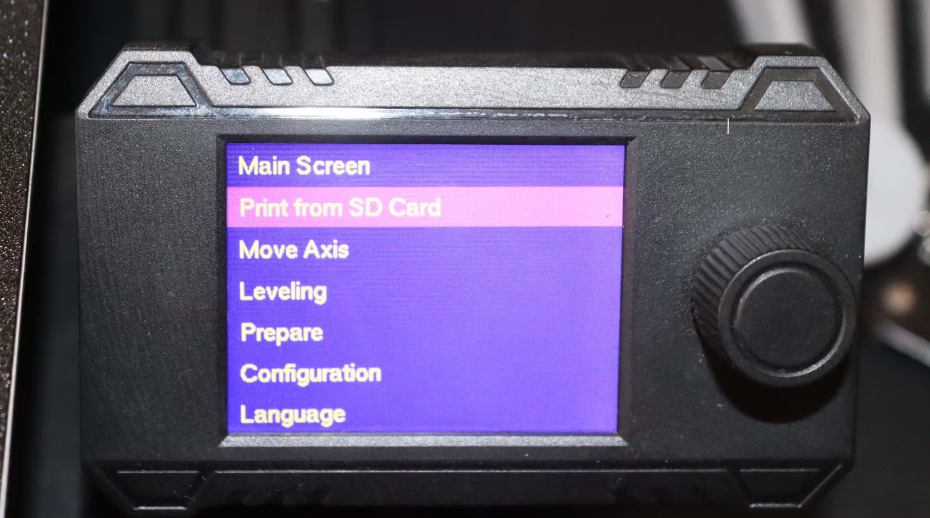
    5. Model Slicing and File Transfer: Import your 3D model file into the slicing software. Adjust the settings, including layer height, print speed, and infill density, based on your preferences and model requirements. Once satisfied, click on the ‘Slice’ button to generate the necessary printer instructions. Save the sliced file, usually in .cbddlp format, onto an SD card or transfer it directly to the printer using the USB connection.
    6. Printing Process: Insert the SD card into the printer or select the file from the printer’s menu if using the USB connection. Locate the sliced file and select it to initiate the printing process. Monitor the progress as the Anycubic Kobra 2 Neo begins printing your 3D object layer by layer. Avoid interfering with the printer during the printing process to ensure a successful print.
    7. Post-Processing: Once the print is complete, carefully remove the printed object from the print bed using the provided scraper or spatula. If necessary, remove any excess support structures. Depending on the material used, you may need to perform additional post-processing steps, such as sanding or painting, to achieve the desired finish.
      Check video in details here

    Conclusion:

    By following this comprehensive guide, you can confidently set up and use the Anycubic Kobra 2 Neo 3D printer. Remember to refer to the manufacturer’s user manual for specific details and safety guidelines. With practice and experimentation, you’ll be able to unleash your creativity and bring your ideas to life through the remarkable capabilities of the Anycubic Kobra 2 Neo.

    Where to Buy:

    Right now Anycubic official store can offer you where you can buy the Anycubic Kobra 2 Neo directly along with its accessories and replacement parts. You can also see user manual for official instruction for this and other four printers here: https://www.anycubic.com/pages/firmware-software .

    Source

    Share. Facebook Twitter Pinterest LinkedIn Tumblr Email

    Related Posts

    SP2S LUCKY DRAW WITH SEN X: Your Chance to Win from a 100 Million Prize Pool!

    Xiaomi 17 Ultra will be available next week! Lu Weibing: All of Xiaomi’s main high-end flagship models will be released in the same year.

    The Renderings of Apple’s first foldable iPhone have been exposed again: 5.49 inches on the outside and 7.76 inches on the inside

    Leave A Reply Cancel Reply

    You must be logged in to post a comment.

    voopoo drag s3
    oxva slim stick
    sp2s sen x disposable vape
    jnr 100k
    • Popular
    • 3D Printer REVIEW
    • XIAOMI
    December 9, 2025

    OXVA Xlim Go vs. OXVA Xlim Go 2: Hands-On Review

    December 9, 2025

    OXVA XLIM PRO 3 VS XLIM PRO 2 Review: Hands-on Comparison

    December 9, 2025

    OXVA XLIM 3 Ultra vs. XLIM Pro 2 DNA Review: Hands-on Comparison

    December 8, 2025

    OXVA XLIM SQ PRO 2 vs XLIM SQ PRO Hands on Comparison Review

    June 23, 2024

    ACMER P2 20W Laser Engraver Fixed Focus Engraving: Hands on Review

    May 30, 2024

    xTool F1 Ultra Review: World’s First 20W Fiber & 20W Diode Laser Engraver

    May 30, 2024

    Anycubic Kobra 3 Combo Review: The Multicolor Masterpiece?

    May 15, 2024

    SCULPFUN SF-A9 40W Laser Engraver Cutting Machine: Hands On Review

    December 18, 2025

    Xiaomi 17 Ultra will be available next week! Lu Weibing: All of Xiaomi’s main high-end flagship models will be released in the same year.

    December 17, 2025

    Xiaomi 17 Ultra Leica Special Edition phone will adopt a dual brand, and in overseas markets, it will be named Leitzphone

    December 17, 2025

    The internal test activity of Background Stacking Arrangement style of Xiaomi’s HyperOS 3 has been Exposed

    December 15, 2025

    Xiaomi 17 Ultra has not been officially announced yet. Mi fans are exclaiming that Xiaomi’s confidentiality measures are too strict

    fc 26 coins
    New Arrivals
    • SKWEZED X iJOY XP50000 Disposable Vape SKWEZED X iJOY XP50000 Disposable Vape
    • OXVA ARTIO 2 Battery Device 900mAh OXVA ARTIO 2 Battery Device 900mAh
    • Lost Vape Centaurus Ori 35 Pod System Kit Lost Vape Centaurus Ori 35 Pod System Kit
    • Oxbar Maglink 50K Disposable Vape Oxbar Maglink 50K Disposable Vape
    • Hellvape Vsee Now Pod System Kit Hellvape Vsee Now Pod System Kit
    • Hellvape Vsee One Pod System Kit Hellvape Vsee One Pod System Kit
    • JOOZY PRO 30K DISPOSABLE KIT JOOZY PRO 30K DISPOSABLE KIT
    • Vivo S50 smartphone Vivo S50 smartphone
    • Arc Hypertine 35K Zero Nicotine Disposable Vape Arc Hypertine 35K Zero Nicotine Disposable Vape
    About
  • Igeekphone.com provides the first global tech news and reviews about smartphone, vapes, e-cigar, smart home, 3D printers, e-bike,tablets, RC drones, VR headset, and other accessories. It's the best platform to improve your brand and product.
  • Contact us: info@igeekphone.com
  • Check Our Privacy Policy Here.
  • Note: *Right now we have US editor and EU editors for review, especially for Amazon US and EU.
  • *Shop and Compare Price Here*
  • Facebook
  • Youtube
  • OUR BEST VAPE PARTNERS
  • VAPE ONLINE STORE
  • HAYATI PRO MAX PLUS
  • VAPORESSO
  • VOOPOO
  • OXVA
  • NEXA
  • MASKKING
  • LOSTVAPE ORIONBAR
  • VEIIK
  • MEMERS
  • TODOO
  • SP2S
  • JNR
  • OTHER BEST PARTNERS
  • SVBONY
  • Chuwi
  • Blackview
  • Fossibot
  • Unihertz
  • Flsun
  • Anycubic
  • Xtool
  • Oukitel
  • Mukkpet Ebike
  • Ugreen
  • Copyright © 2025 igeekphone

    Type above and press Enter to search. Press Esc to cancel.