










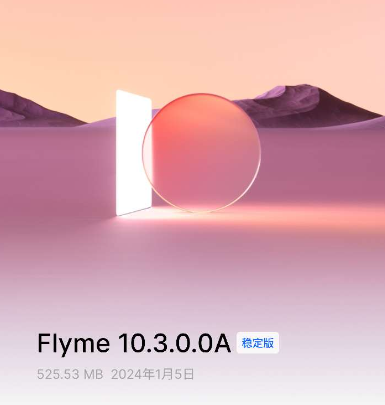
Igeekphone January 6 news, according to the feedback of igeekphone netizens, Meizu 18/18s series mobile phones have now pushed Flyme10.3.0.0A stable version update, the installation package size is 525.53MB.
Igeekphone with updated content (Meizu 18 Pro as an example) :
System appearance and interface
Notification and Control Center You can choose a standalone panel or a classic panel and choose the path: System Settings > Navigation and Shortcuts > Notification and Control Center
Independent panel: At the top of the screen, slide down the left 3/4 area to call out the notification center, slide down the right 1/4 area to call out the control center, and slide down from the blank space of the notification center to call out the control center
Classic panel: Slide down from the status bar to show both message notifications and partial shortcut switches, and slide down again to show the full control center
Lock screen newly added time font style, new interest screen and lock screen small plug-in, support to modify the lock screen time text and plug-in content color, lock screen wallpaper added black and white and fresh two display effects, desktop wallpaper can be synchronized lock screen or set the display effect
When setting the wallpaper, it supports double finger zooming in/out and translation of the wallpaper position, one-stop setting of the screen, lock screen, desktop appearance, easy to create a personalized system, path: Settings > System appearance
Uncheck the “Apply Wallpaper to desktop at the same time” option. If you need to use it, you can choose to synchronize the lock screen wallpaper or change the desktop wallpaper in Settings > System Appearance > Desktop
To uninstall applications in batches, press and hold the blank area on the desktop to enter the editing mode. Select the application to be uninstalled and select Uninstall at the top of the screen
System
Sogou input method Meizu version application architecture update, please go to input method Settings > Personal Center > thesaurus to manually synchronize the personal thesaurus once before updating the system version, and then go to the path to manually synchronize the personal thesaurus after updating the system to complete the synchronization of the input method
Aggregate payments support memorized payment methods, and the last used payment method is opened by default on the next startup
Added to the index list of the desktop side is support for dual-body applications, application shortcuts, fast applications, and applets
When the system font size is changed, the desktop application name size changes with the system font size. If only the desktop application name size is changed, the system font size does not change
New dual wireless network acceleration, can simultaneously connect to 5GHZ and 2.4GHz different frequency band wireless networks, speed up the download task
File management Decompresses compressed files in RAR5 format
Optimize visual and animation effects across multiple system functions and applications
Android security patch updated to December 2023
PC interconnection
Cross-screen Interconnect renamed PC Interconnect
On the web side, the privacy mode can be enabled to hide the file list, avoiding the disclosure of private content when using the Internet in public places
On the web side, the image can be enlarged or reduced, and the mouse drag is supported after enlargement
Mutual Transfer Added support for folder transfer to mobile phone
Screenshot and record screen
After the long screenshot is completed, you can enter the editing mode to crop the picture
The recording screen suspension control supports hovering at any position, and automatically reduces the transparency after 3 seconds without touching, reducing the occlusion of the interface content
The recording do not disturb mode is separated from the system do not disturb mode
Map storage
Add an optional image plug-in to the desktop. You can add up to 100 images. The edit plug-in can enlarge or drag images to select the part of each image displayed on the desktop
Add intelligent coding for chat screenshot. After taking a screenshot, go to Picture Editing > Mosaic and click one button to code, or open chat screenshot > Edit > Comment > Mosaic in the gallery, the profile picture, nickname, group name and other information will be automatically coded, click the area already coded to cancel the coding, support wechat, QQ, Nail, fly book chat screenshot
Aicy voice
In scenarios such as voice conversations, you can click text to modify the recognition content using the keyboard
Add voice feedback questions, say “I want to ridicule”, “I want feedback” and other words automatically enter the feedback page
Notification broadcast Supports the broadcast of flight status changes and other information
Added support for multiple voice shortcut commands:
– Ask “how much power is left on the phone?” You can query the phone power. Voice setting timer switch is supported, such as “automatic shutdown at 11pm every day”.
– Support voice to set countdown reminders and create schedule reminders, such as “countdown 5 minutes” and “remind me to go to Pudong Airport at 3 PM tomorrow”
– Support voice adjustment volume, can be adjusted to a specific value, up or down, such as “louder”, “adjust volume to 80”
– Support voice to close specified applications, clean up background, and clean up garbage, such as “Close little Red Book”, “Clean up garbage”
New small eggs:
– Let the stream “set off fireworks”, “give me a fireworks”, support the designated object to set off fireworks, say “set off fireworks for mom” wish her happiness every day.
Aicy Advice
The desktop smart plug-in changes the plug-in name with the display content. When multiple display contents exist at the same time, it supports sliding up and down to switch the wheel casting
Desktop application suggestion plug-in optimization recommendation algorithm, new support for displaying wechat and Alipay scan and payment code shortcuts
Added the function of displaying missed calls. The function can display information about calls that are missed two or more times within 30 minutes and can be quickly dialed back
After obtaining the itinerary according to the flight and hotel reservation information, you can quickly access the navigation, taxi and other travel services through the desktop smart plug-in in the scenarios such as before departure and check-in, and open the path: System Settings >Aicy >Aicy Advice > Smart Travel
Update copy direct service, copy text information after intelligent recognition application function, one touch
Aicy screen
Support one-click translation of the current screen content, and backfill to the original, foreign language reading barrier-free
Privacy security
Improved incognito mode experience. Added incognito Mode system notification. Once incognito mode is enabled, you can lift the restrictions once when the application invokes recording and camera permissions
Access to the private safe supports fingerprint and face unlock
Optimize the experience of adding and editing ID and bank card information in the private safe, and support direct invocation of a sweep to add
weather
Add the Dual-City plug-in. After adding the aggregated weather 4×2 plug-in that displays the time on the desktop, go to Weather > Settings > Dual-City Plug-in and select City
Problem improvement
Fixed an issue where the status bar signal icon would not be modified with the theme
Fixed the incorrect lunar year display in the lock screen and control center
Fixed an issue where “Phone acceleration” still appears after the lock screen when you click “Phone Acceleration” in the control center
Fixed an issue where duplicate images appeared when saving browser images
Fixed an issue where desktop wallpapers occasionally appear all black
Fixed an issue where the display of the breath screen overlapped with the notification panel
Fixed an issue where suspended notifications were not displayed when receiving SMS messages
Fixed an issue where all images in the gallery could be viewed after recording with the lock screen camera