









Igeekphone News, August 21st: After the release of its new hardware products today, Google has brought another surprise to tech enthusiasts – the first Beta version of Android 16 QPR2 has officially launched, suitable for devices ranging from Pixel 6 to Pixel 9. It is expected that the Pixel 10 series will also join the update list next week.
Android 16 QPR2: New Beta Program and Update Highlights
According to Igeekphone, Android 16 QPR2 is part of Google’s newly launched Android Beta program. Previously, Android 16 QPR1 has undergone several months of testing and is expected to be officially released in September this year as an important quarterly update, along with Pixel feature updates. The Android 16 QPR2 released today is the next major update. It is expected that the stable version will not be officially pushed until December. In other words, users can now experience the Android 16 update for December this year on Pixel devices.
Judging from the current update content, Android 16 QPR2 has brought many new features. Google’s official update log shows that this update covers multiple aspects including user interface, system experience, accessibility features, media and audio, connectivity, privacy and security, as well as developer productivity. Among them, the expansion of the dark theme, automatic theme application ICONS, more haptic control options, and quick setting changes are all highlights worth noting.
User interface and system experience upgrade
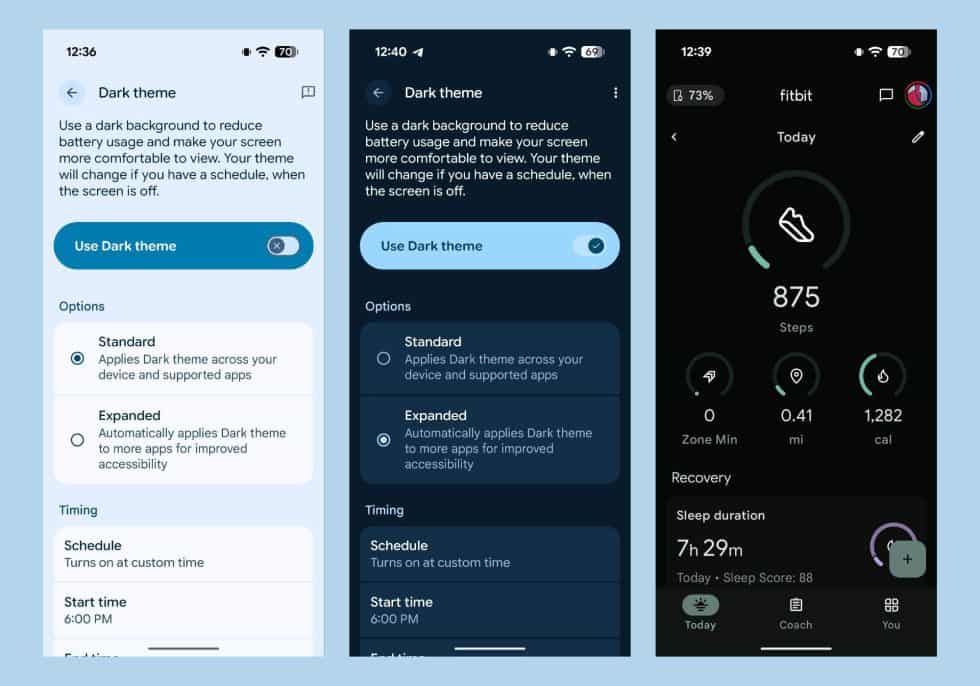
Dark theme expansion
QPR2 has added an “Extend” option in the dark theme Settings, which can automatically enable the dark theme for more applications to enhance the accessibility experience. Although many apps already support dark mode, apps like Fitbit have not previously provided support for dark themes. Now, users can apply dark themes by themselves through QPR2.
Automatic theme application icon
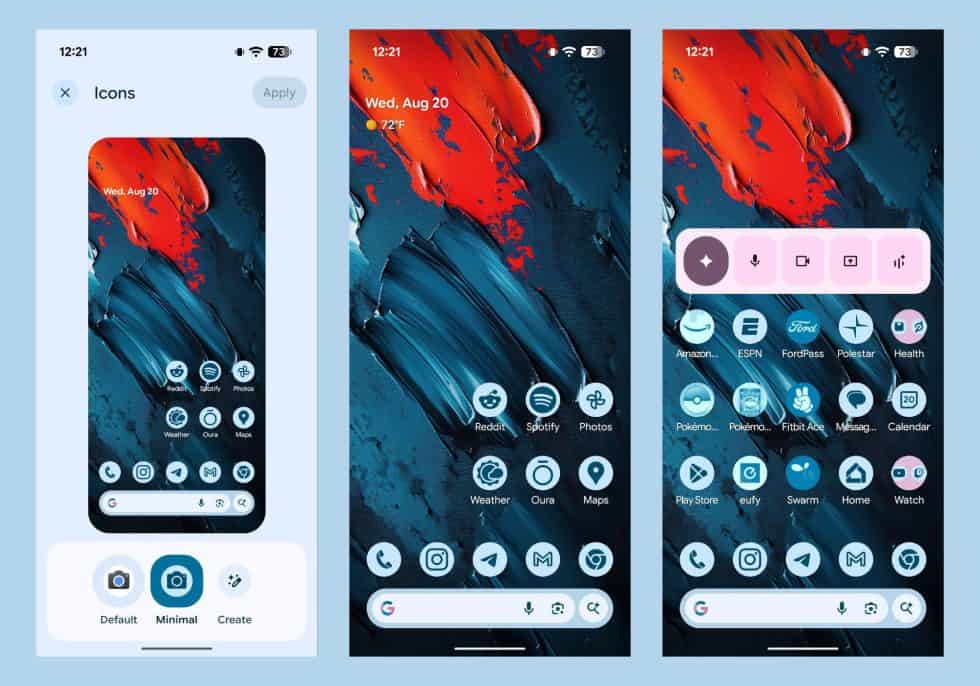
Google has introduced a “Minimize” theme option for app ICONS. For apps that support themes, the full theme effect will be applied. For applications that are not supported, some colors will be added to match the theme. For example, applications like Pokemon Go and FordPass will display a blue tone, but they won’t fully apply the theme.
The lock screen widget is back
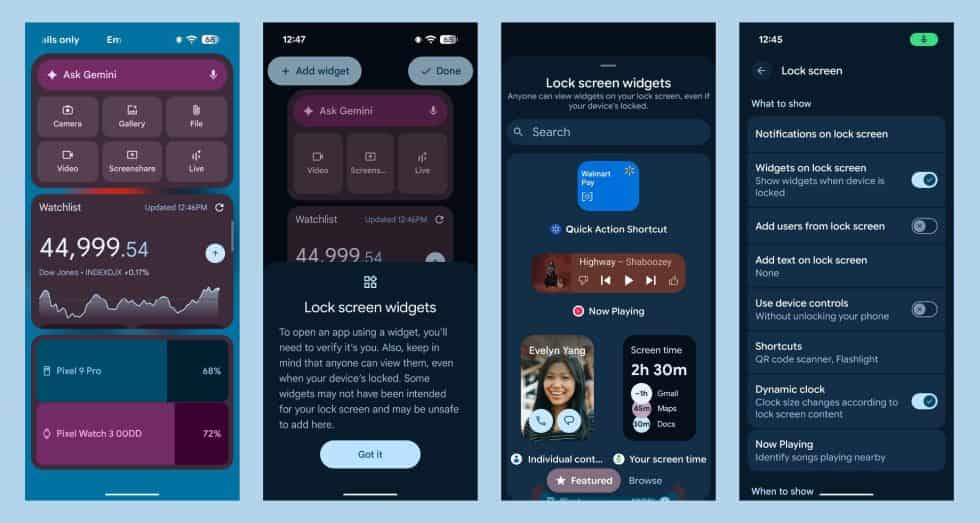
Android 16 QPR2 brings back the lock screen widget. Users can enable the “Lock Screen Widget” option in the lock screen Settings. After that, they can access and edit the widget by swiping the lock screen interface to the right. However, Google reminds users to pay attention to privacy issues, as anyone can access these widgets by swiping.
Media and audio improvement
HDR brightness enhancement
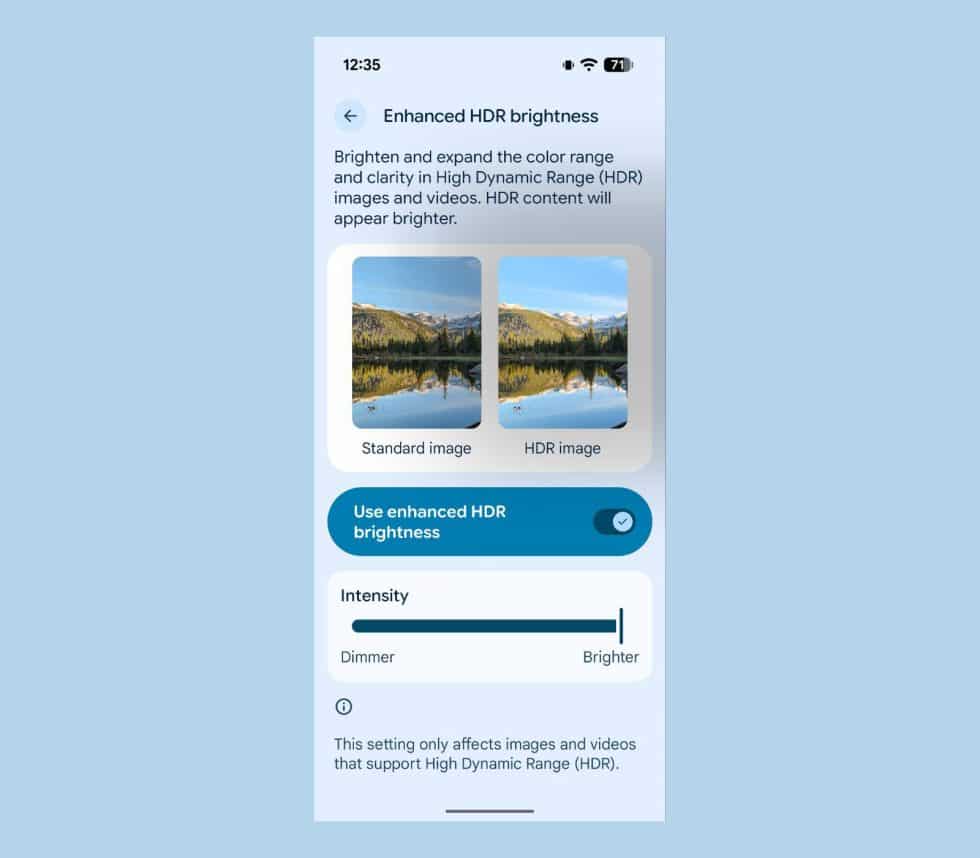
QPR2 has added a “HDR Brightness Enhancement” option in its display Settings, which can improve the brightness, color range and clarity of high dynamic range (HDR) images and videos. On the Pixel 9 Pro, after enabling this function, HDR content will appear brighter, and users can also adjust the intensity of the brightness enhancement through the slider.
Improvement of developer productivity
QPR2 brings a series of new tools to developers, including widget engagement metrics, early warnings for 16KB page size compatibility, enhanced performance analysis, and more powerful multi-display testing capabilities. In addition, QPR2 has updated the icon theme, providing developers with more customization options.