







Facebook Twitter Instagram
    Trending
    • iJOY XP100K Refillable Disposable Vape Kit Review: The Ultimate Vaping Experience with Power, Flavor, and Convenience
    • In-depth Analysis of Electronic Cigarette Vaporizers
    • What Should I do if the Camera on iPhone 17 Goes Black and Won’t open?
    • The folding screen flagship with the faintest creases is here! OPPO Find N6 officially announced: Smooth sailing ahead
    • Honor Magic V6 foldable Phone Uses UTG Glass, Resulting in Narrower Black Borders
    • The new OnePlus 15T has been officially announced and is set to debut soon. It is described as “the dream phone for small-screen users”.
    • Xiaomi 17T Series Phones have been Registered: Equipped with MediaTek 8/9 Flagship Platform and Featuring Leica Imaging Technology
    • Rokid AI Smart Glasses Review: The Future of Wearable Technology with AR, Voice Control, and Real-Time Translation
    Facebook YouTube
    Login Register
    IGeeKphone China Phone, Tablet PC, VR, RC Drone News, Reviews
    • HOME
      • NEWS
        • DeepSeek
        • ChatGPT
        • Minecraft
    • Amazon
    • NEW YEAR
    • PHONE
      • Top Phones For Your First Choice
      • Phone Comparison
      • Xiaomi
      • Blackview
      • Doogee
      • Black Shark
      • Geekbuying
      • Banggood
      • TEMU
      • TikTok
      • Aliexpress
      • Walmart
      • MercadoLibre
      • Lazada
    • TOP VAPE Awards for 2026
    • VAPES
      • E-CIGAR Upcoming
      • Vape News
      • Vape Deals
      • Vape Comparison
      • Vape Guide
      • Giveaway
    • BEST VAPE
      • Best Vape Stores
      • Best Starter Vape Kits
      • Best Vapes for Beginners
      • Best Disposable Vapes
      • Best Pod Systems
      • Best Pod Mod Vapes
      • Best Mods
      • Best Nicotine Pouches
      • Best Clearomizers/Tanks
      • Best E-Liquid
      • Best EGO/Pens
      • Best Vapes for Nic Salt E-Juice
      • Best Vapes to Quit Smoking
      • RDA vs. RDTA vs. RTA
    • Best Vape Brand 2026
      • VAPORESSO
      • VOOPOO
      • OXVA
      • NEXA BAR
      • ORIONBARTECH
      • MASKKING VAPE
      • MEMERS
      • SP2S
      • JNR
      • TODOO
      • MRFOG
      • VEIIK
    • REVIEW
      • E-cigar Review
      • Phones
      • Tablet PC
      • TV Box
      • RC Drone
      • Wearables
      • Camera
      • Accessories
      • VR Headset
    • MORE
      • TABLET
        • Chuwi
        • INNOCN
        • Teclast
        • Top Tablet for Your First Choice
        • Tablet/Laptop Comparison
      • RC DRONE
      • CAMERA
      • WEARABLES
        • OneOdio
        • BlitzWolf
        • Top Smartwatch for First Choice
      • 3D PRINTER
        • 3D Printer Review
        • Anycubic
        • FLSUN
        • Xtool
        • LONGER
        • Top 3D printer to Choose First
      • POWER STATION
        • Oukitel
        • FOSSIBOT
      • GAMING
        • Top Gaming Products
      • E-BIKE
        • Samebike
        • Happyrun
        • ENGWE
      • SMART HOME
      • TV BOX
      • ACCESSORIES
      • VR HEADSET
      • CLOTHES
      • AUTO CAR
    • DEAL
    • Shop
    IGeeKphone China Phone, Tablet PC, VR, RC Drone News, Reviews
    You are at:Home»Guide»What Should I do if the Camera on iPhone 17 Goes Black and Won’t open?
    Guide

    What Should I do if the Camera on iPhone 17 Goes Black and Won’t open?

    Brady CottonBy Brady CottonFebruary 24, 2026
    Facebook Twitter Pinterest LinkedIn Tumblr Email

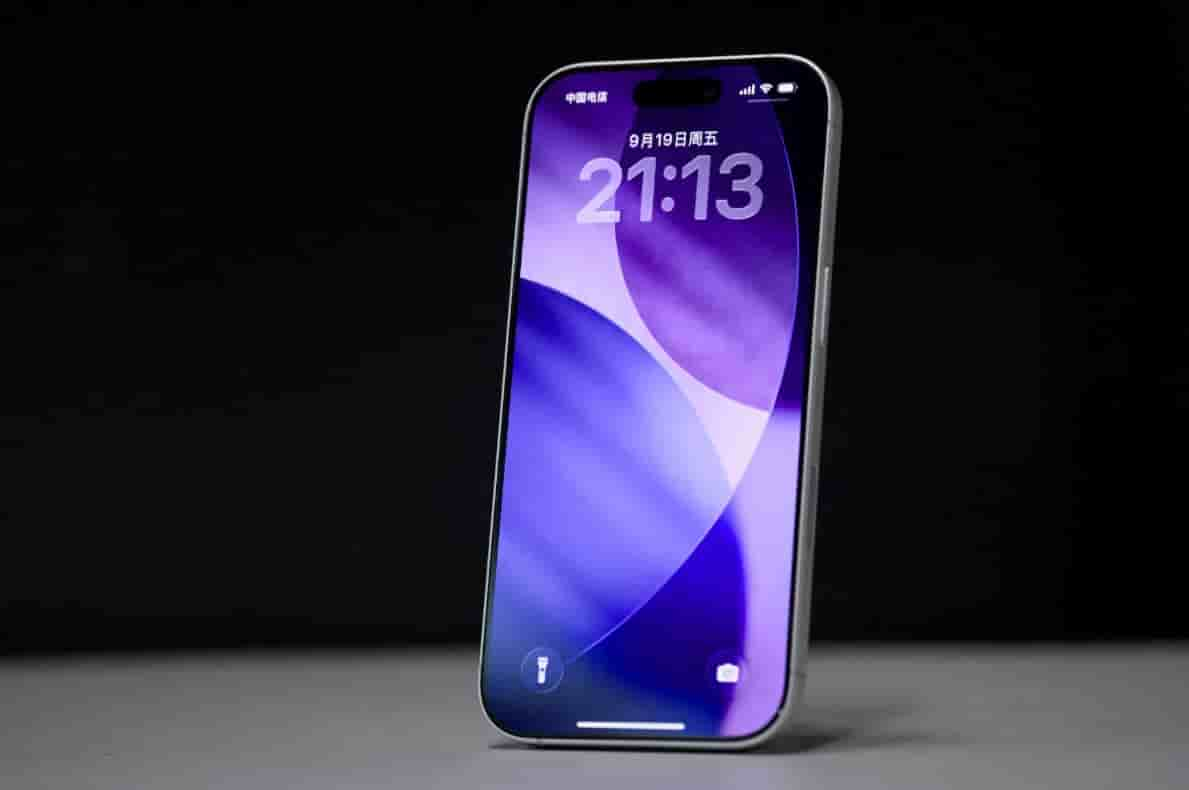
    iPhone 17, as the latest flagship model of Apple, has its camera function carrying users’ high expectations for the shooting experience. However, some users may encounter the problem of the camera turning black and unable to start during use. This phenomenon is usually caused by software conflicts, abnormal permission settings, or hardware failures. The following provides a systematic solution from three dimensions: software troubleshooting, system optimization, and hardware inspection.

    1. Basic software check: Eliminate temporary faults

    Clean the lens and check for obstructions
    Surface dirt on the lens or obstruction from the phone case are common causes. Use a microfiber cloth to wipe the lens edge in a clockwise direction, avoiding scratching the coating layer. Remove the phone case and test the camera functions. If the front camera works normally but the rear screen is black, you need to carefully check if the rear lens connector is loose.

    2. Forcefully restart the device

    For temporary system freezes on iOS, using the combination keys to force a restart can refresh the memory status:
    Press the volume + key quickly and then release it.
    Press the volume-down key quickly and then release it.
    Press and hold the side power button for 10 seconds until the Apple logo appears.
    This operation can terminate the abnormal process and restore the calling permission of the camera module.

    3. Disable the conflict function module

    Go to “Settings – Camera” and disable the “Apple ProRAW” and “Spatial Video Recording” functions. These high-demand modes may fail to start due to resource conflicts. Also, check if any options such as “Voice Over” and “Zoom” in “Accessibility” are mistakenly enabled. Such functions can interfere with the rendering of the camera interface.

    II. System-level Optimization: Fixing Underlying Vulnerabilities

    Update iOS to the latest version
    Apple has fixed the known camera module vulnerability through a system update. Go to “Settings – General – Software Update”, connect to Wi-Fi, and download and install the latest firmware. Historical cases show that the iOS 17.0.3 version once resolved numerous camera black screen issues.

    2. Reset camera permission settings

    In the “Settings – Privacy and Security – Camera” section, first make sure that the “Camera” application permission is enabled. Secondly, check if the permissions of third-party applications such as WeChat and Douyin have been mistakenly revoked. For social software that frequently uses the camera, it is recommended to uninstall and reinstall from the App Store.

    3. Restore system settings

    If updating the system fails, you can try “Settings – General – Transfer or Restore iPhone – Restore – Restore All Settings”. This operation will not delete the data, but it will reset the Wi-Fi password, wallpaper and other personalized configurations. Please record important information in advance.
    III. Hardware Deep Detection: Identifying Physical Damage

    Extreme temperature test
    The iPhone camera module is sensitive to temperature. It may enter protective shutdown mode in environments below -10℃ or above 45℃. Place the device in a room temperature environment and let it rest for 30 minutes before testing. If it recovers, avoid using it under extreme conditions.

    2. Flashlight test
    Open the control center and activate the flashlight function. If it fails to light up, it indicates a problem with the motherboard power supply or the LED components. This phenomenon is usually accompanied by a black screen on the camera and requires contacting an Apple authorized repair center for inspection.

    3. Intervention of professional diagnostic tools
    By using the computer-based “Ai Si Assistant” or “Hourglass Diagnostic Tool” to access the device’s hardware logs, pay special attention to the status code of the “Camera Module”. If it shows “Error 0x1A3”, it indicates that the rear camera module is damaged and replacement with original factory parts is required.

    IV. Preventive Maintenance Recommendations

    Regularly clean up storage space: Keep at least 10GB of available space to avoid failure of camera cache writes.

    2. Use third-party camera apps with caution: Select applications that have passed the review by the App Store to avoid malicious code tampering with system permissions.

    3. Avoid physical impact: Even if there is no damage on the surface, a physical impact on the lens area can still cause poor soldering of the wiring lines.

    4. Back up important data: Regularly back up photos via iCloud or your computer to prevent data loss in case of hardware failure.

    When all the above methods fail, it is recommended to bring the purchase receipt to an official Apple store or authorized service provider. Technicians will use professional equipment to conduct a motherboard-level inspection to determine the fault point, and then provide a repair plan. According to the repair policy, the replacement of non-human-damaged camera modules is eligible for warranty service, while for human-damaged ones, a corresponding fee needs to be paid.

    Share. Facebook Twitter Pinterest LinkedIn Tumblr Email

    Related Posts

    Are you purchasing views for your YouTube videos?

    Vape Smoke Pod: IGeekPhone’s Step-by-Step Guide

    how to choose the best DSLR for beginners in 2025

    Leave A Reply Cancel Reply

    You must be logged in to post a comment.

    voopoo Cyph NAVI kit
    oxva xlim 3 ultra
    sp2s sen x disposable vape
    jnr 100k
    • Popular
    • 3D Printer REVIEW
    • XIAOMI
    February 8, 2026

    VOOPOO VMATE i2 vs i3: Hands-On Comparison Review

    February 2, 2026

    Voopoo Drag X3 vs Drag X2: Hands-On Comparison Review

    January 21, 2026

    VOOPOO ARGUS P3 VS ARGUS P2: Which Square Pod Suits You?

    January 21, 2026

    VOOPOO Drag X3 vs VOOPOO Drag X2: Hands-On Comparison

    December 26, 2025

    ACMER ASCARVA 4S: Precision CNC Power for Makers, DIYers & Small Workshops

    June 23, 2024

    ACMER P2 20W Laser Engraver Fixed Focus Engraving: Hands on Review

    May 30, 2024

    xTool F1 Ultra Review: World’s First 20W Fiber & 20W Diode Laser Engraver

    May 30, 2024

    Anycubic Kobra 3 Combo Review: The Multicolor Masterpiece?

    February 24, 2026

    Xiaomi 17T Series Phones have been Registered: Equipped with MediaTek 8/9 Flagship Platform and Featuring Leica Imaging Technology

    February 23, 2026

    Xiaomi MIX 5-AI Rendering Video of the Appearance: Rear Round Design with Deco Support for External Lenses

    February 23, 2026

    Xiaomi Tag Organ Tracking Device will be Released on February 28th: Compatible with Android and iOS Systems

    February 21, 2026

    The global launch event for Xiaomi 17 series is scheduled for February 28th in Barcelona

    fc 26 coins
    New Arrivals
    • iJOY XP100K Refillable Disposable Vape Kit iJOY XP100K Refillable Disposable Vape Kit
    • Zooy Mega Shisha 60K Disposable Vape Zooy Mega Shisha 60K Disposable Vape
    • RAZ RX50K Batch Edition Disposable Vape RAZ RX50K Batch Edition Disposable Vape
    • Olit Hookalit Mega 200K Disposable Olit Hookalit Mega 200K Disposable
    • VOOPOO Drag 6 Vape Mod Kit VOOPOO Drag 6 Vape Mod Kit
    • Geek Bar CLR 50K Disposable Vape Geek Bar CLR 50K Disposable Vape
    • Redmi Turbo 5 Max Redmi Turbo 5 Max
    • OnePlus Turbo 7 OnePlus Turbo 7
    • Doogee S300 Ultra Doogee S300 Ultra
    About
  • Igeekphone.com provides the first global tech news and reviews about smartphone, vapes, e-cigar, smart home, 3D printers, e-bike,tablets, RC drones, VR headset, and other accessories. It's the best platform to improve your brand and product.
  • Contact us: info@igeekphone.com
  • Check Our Privacy Policy Here.
  • Note: *Right now we have US editor and EU editors for review, especially for Amazon US and EU.
  • *Shop and Compare Price Here*
  • Facebook
  • Youtube
  • OUR BEST VAPE PARTNERS
  • VAPE ONLINE STORE
  • HAYATI PRO MAX PLUS
  • VAPORESSO
  • VOOPOO
  • OXVA
  • NEXA
  • MASKKING
  • LOSTVAPE ORIONBAR
  • MEMERS
  • TODOO
  • SP2S
  • JNR
  • VEIIK
  • OTHER BEST PARTNERS
  • SVBONY
  • Chuwi
  • Blackview
  • Fossibot
  • Unihertz
  • Flsun
  • Anycubic
  • Xtool
  • Oukitel
  • Mukkpet Ebike
  • Ugreen
  • Copyright © 2026 igeekphone

    Type above and press Enter to search. Press Esc to cancel.