









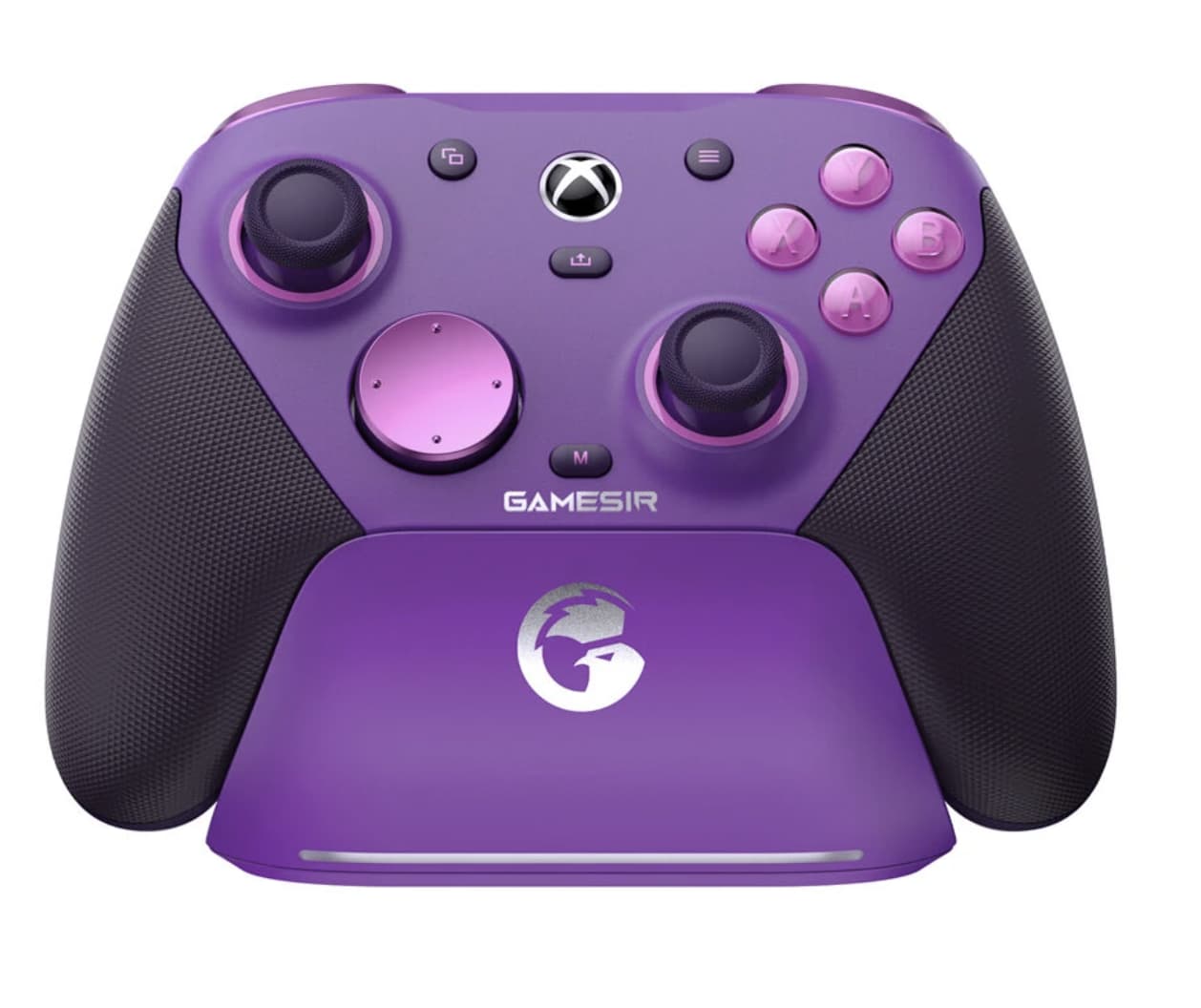
A gaming controller can be judged by much more than its button layout. For competitive players, the feel of the sticks, trigger response, connection method, customization options, and even how quickly the controller can return to the charging station can all influence the experience.
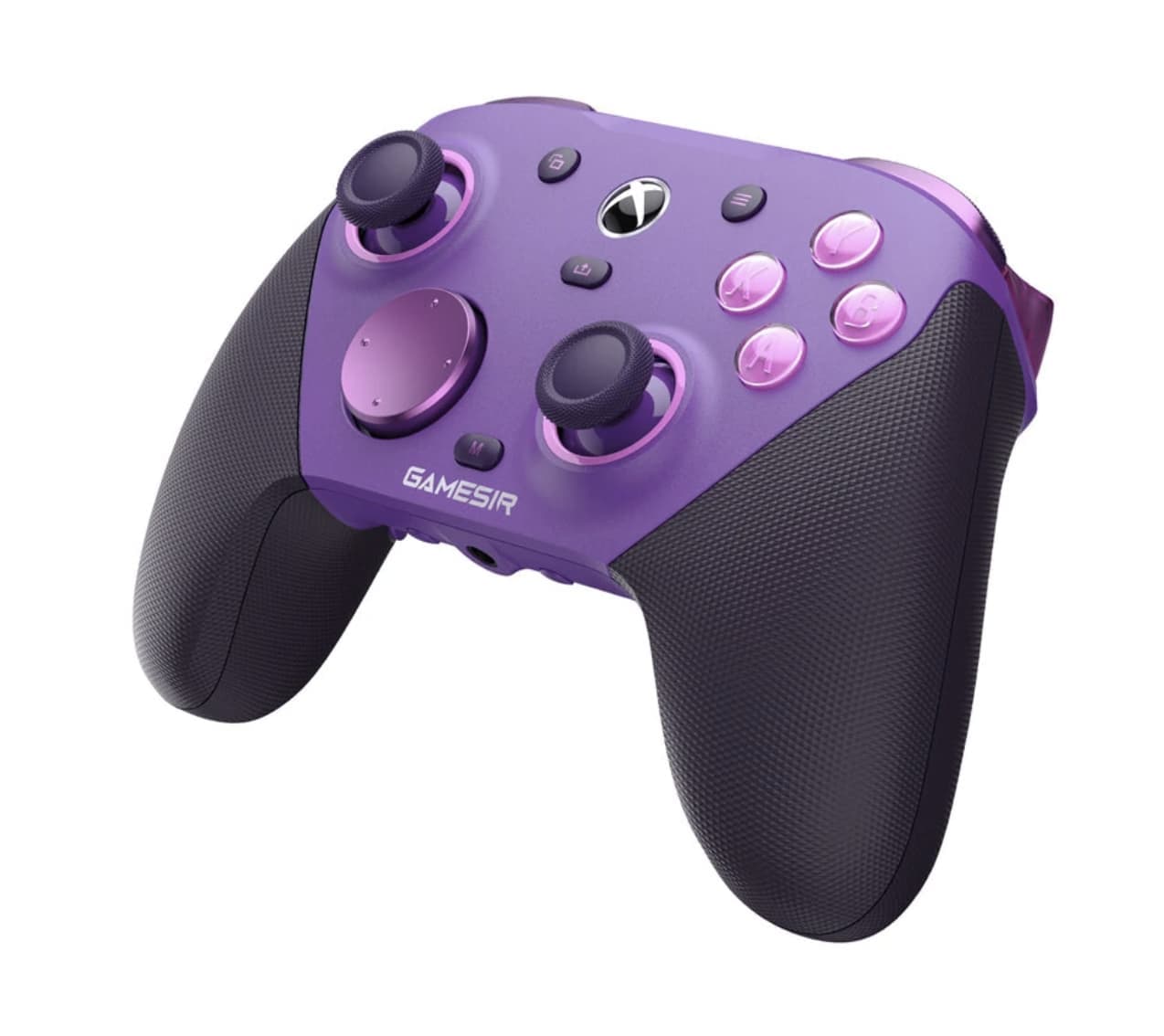
The GameSir G7 Pro Plum Purple takes a deliberately feature-heavy approach. Instead of focusing on one headline specification, it combines TMR sticks, Hall-effect triggers, optical ABXY switches, a 1000Hz polling rate on PC, four additional controls, gyro mapping, tri-mode connectivity, and a dedicated charging station.
That combination makes the G7 Pro particularly interesting for players who regularly move between Xbox, PC, and Android rather than using a controller for only one platform.
One Controller, Three Connection Strategies
The G7 Pro is built around three different connection methods, making it a flexible Xbox gaming controller for users who also play on PC or Android.
On Xbox Series X|S and Xbox One, the controller uses a wired connection. On PC, players can choose between wired and 2.4GHz wireless connectivity, while Android devices can connect through Bluetooth.
That distinction is more useful than simply calling the controller “wireless.”
A competitive PC player may prefer the wired connection for a direct setup, while someone playing from a couch can use 2.4GHz wireless without running a cable across the room. Android adds another use case for mobile gaming.
The physical mode switch also means users do not have to treat the controller as a single-platform accessory. It can become part of different gaming setups without requiring a separate controller for each device.
The Most Interesting Upgrade Is Under the Thumbsticks
The G7 Pro uses GameSir Mag-Res TMR sticks rather than conventional potentiometer sticks, a technology that is becoming increasingly relevant in modern Hall-effect gaming controllers. According to the manufacturer-listed specifications, the technology is intended to combine low power consumption and precise input characteristics with the durability associated with magnetic sensing.
For players, the important question is not simply whether the technology sounds newer.
The practical benefit of a TMR design is the potential for consistent stick input over a long period of use. Stick drift is one of the most frustrating controller problems because it can gradually turn a centered analog stick into an unwanted source of movement.
No stick technology should be treated as an absolute guarantee against future problems, but the G7 Pro’s TMR approach clearly targets one of the most common concerns among frequent controller users.
Hall-Effect Triggers Give the Controller Two Personalities
The triggers use Hall-effect sensing and include physical Micro Switch trigger stops.
This is useful because different games ask for very different trigger behavior.
In a racing game, gradual trigger movement can be valuable because the player may want precise control over acceleration and braking. In a shooter, a shorter trigger movement can make rapid actions feel more direct.
The G7 Pro also includes a Hair Trigger Mode that can be activated through the controller’s button combination.
Instead of forcing every game into the same control profile, the controller gives users a way to adapt trigger behavior to the type of game being played.
Why 1000Hz Polling Matters More on PC
The G7 Pro supports a 1000Hz PC gaming controller on PC through both wired and 2.4GHz connections.
A higher polling rate means the controller can report its input state more frequently. For fast-paced games, that can be useful because small changes in stick or button input can be communicated with less time between reports.
However, 1000Hz should not be interpreted as automatically making every game feel dramatically faster.
The actual experience also depends on the game, operating system, connection mode and other parts of the input chain. The specification is most relevant to players who care about responsive control and use a PC setup capable of taking advantage of it.
Four Extra Controls Change How You Hold the Controller
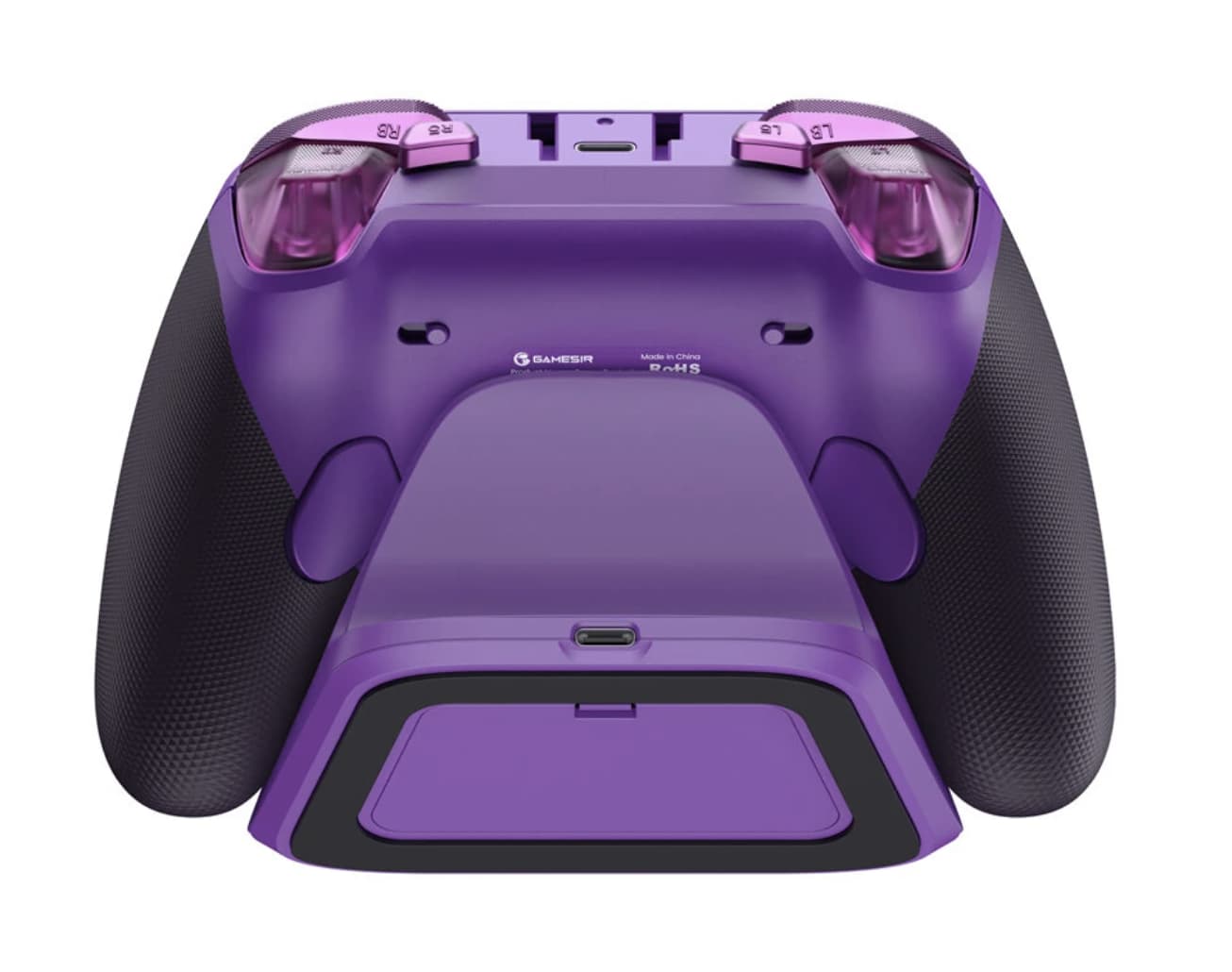
The G7 Pro includes four additional controls: two rear buttons and two mini bumpers. The rear buttons can also be locked using the built-in latches.
This matters because extra buttons are not simply about having more commands available.
They allow players to move certain functions away from the face buttons. In a shooter, for example, a player could potentially assign an action to a rear control rather than moving a thumb away from the analog stick.
That can be useful when a game requires simultaneous movement, camera control and another command.
The best configuration will vary from player to player, but the presence of four additional inputs gives the G7 Pro considerably more room for personalization than a basic controller.
Optical ABXY Buttons and a Mechanical D-Pad
The controller combines optical Micro Switch ABXY buttons with a mechanical Micro Switch D-pad.
This combination is aimed at players who prefer a more tactile button response.
The distinction becomes particularly relevant in games that demand repeated button presses. Fighting games, platformers and action titles can place very different demands on the D-pad and face buttons compared with a slower-paced adventure game.
Rather than treating every control as identical, GameSir has used different switch technologies for different input areas.
Gyro Control Is Specifically a PC Feature
The built-in gyroscope works on PC and can be mapped through the controller’s software. The listed functions include mapping gyro movement to the stick, buttons or mouse.
That opens up a different style of control.
Instead of relying entirely on the analog sticks, players can potentially use physical controller movement for certain aiming or navigation tasks. Whether that improves the experience depends heavily on the game and the user’s preferred control style.
The important limitation is that the gyro feature is specified for PC, so it should not be assumed to provide the same functionality across Xbox and Android.
Vibration Is Built Into Both the Grips and Triggers
The G7 Pro contains four rumble motors, including motors in each grip and trigger area.
This arrangement is intended to make haptic feedback more varied than a simple vibration effect from the handles.
The advantage is not necessarily stronger vibration. More localized feedback can make different in-game events easier to distinguish, particularly when trigger feedback and conventional grip vibration are used for different effects.
For players who prefer a quieter, lighter-feeling controller, however, the importance of extensive haptic feedback may be lower.
The Charging Station Is More Than a Stand
The included charging station changes the controller’s place in a gaming setup.
The G7 Pro has a built-in 1200mAh battery, with a listed battery life of around 10 hours under typical gaming use and a charging time of approximately 2.5 hours according to GameSir’s laboratory testing.
The station supports automatic start-stop charging: placing the controller on it begins charging, while removing the controller allows the player to pick it up and continue gaming.
There is also storage space for the wireless receiver at the base of the station.
That small detail addresses a common problem with wireless accessories: the receiver is easy to lose when it is not plugged into the computer.
A Magnetic Faceplate Makes the Controller Less Permanent
The G7 Pro uses a three-part magnetic faceplate that can be removed and replaced. It is also compatible with faceplates from earlier G7-series controllers, although the G7 Pro’s own faceplate cannot be used on the G7, G7 SE or G7 HE.
This gives the controller a degree of physical customization without requiring users to disassemble the entire shell.
The benefit is mostly personal rather than performance-related. Some players enjoy changing the appearance of their hardware, while others may appreciate being able to modify the controller’s look without replacing the whole device.
GameSir Nexus Is Where the Hardware Becomes More Flexible
The hardware provides the inputs, but the GameSir Nexus software is what turns many of those inputs into customizable controls.
The listed software functions include gyro settings, stick-curve adjustments and button-to-mouse mapping.
Stick curves can be particularly useful for players who want to change how quickly an analog stick responds to small movements.
For competitive users, this kind of adjustment can be more meaningful than cosmetic customization because it allows the controller to be adapted to personal preferences and different game types.
The G7 Pro Is Best Viewed by Gaming Style
The controller’s large feature set does not mean every player will use every function.
For competitive shooters
The TMR sticks, Hall-effect triggers, extra rear controls and 1000Hz PC polling rate are the most relevant features.
For racing games
The analog Hall-effect triggers are particularly interesting because gradual trigger movement can be useful for throttle and brake control.
For PC players who like experimentation
The gyro mapping, stick curves and button-to-mouse functions provide more options than a conventional controller.
For multi-platform households
Tri-mode connectivity makes it easier to use the same controller across Xbox, PC and Android.
For players who value desk organization
The charging station keeps the controller and wireless receiver together when the controller is not being used.
Where the G7 Pro May Be More Than You Need
The G7 Pro is clearly designed for users who want extensive control customization.
That can be an advantage, but it also means casual players may not benefit from every feature. Someone who only plays occasionally and mainly uses standard controls may have little reason to configure gyro mapping, rear buttons, trigger stops or detailed stick curves.
The controller’s value therefore depends heavily on how much control customization the player actually wants.
There is also an important platform distinction: the feature set is not identical everywhere. Xbox uses wired connectivity, 1000Hz polling and gyro functions are specified for PC, while Android uses Bluetooth.
Understanding those differences is more important than simply seeing “Xbox, PC and Android” on the compatibility list.
A Controller Built Around Adaptability
The GameSir G7 Pro’s strongest characteristic is not one individual component.
It is the number of ways the controller can adapt to different games and users.
The TMR sticks address long-term analog input consistency. Hall-effect triggers offer both gradual and short-throw operation. Extra rear controls reduce dependence on the face buttons. The 1000Hz PC polling mode targets responsive play. Gyro mapping adds another control method, while GameSir Nexus provides software-level customization.
Even the charging station contributes to that philosophy by making the controller easier to store and keep ready.
Final Thoughts
The GameSir G7 Pro Plum Purple is aimed at players who want more control over how their gamepad behaves rather than simply replacing a standard controller.
Its combination of TMR sticks, Hall-effect triggers, optical ABXY switches, mechanical D-pad, four additional controls, PC gyro mapping and 1000Hz polling gives it a strong focus on responsiveness and customization.
The tri-mode connection system also gives the controller a broader role across Xbox, PC and Android, although the available functions vary by platform.
For casual players, some of the G7 Pro’s features may be unnecessary. For competitive gamers and enthusiasts who enjoy adjusting controls to match different games, however, the controller’s real appeal lies in its flexibility.
Rather than trying to make every player use the same control setup, the G7 Pro provides a hardware and software foundation that can be shaped around the way each person plays.