









Modern desks often have a familiar problem: a phone needs USB-C, wireless earbuds need another cable, a tablet needs a fast charger, and a laptop may occupy the only high-power adapter nearby. The Bakeey WLX-F4 PD100W aims to simplify that setup by bringing wired charging, magnetic wireless charging, and power monitoring into one desktop station.
Listed on Banggood, the WLX-F4 combines four USB-C ports, four USB-A ports, a wireless charging pad, and a 2.8-inch IPS display. Its specifications also list an adjustable DC output, giving it a more unusual role than a typical multi-port phone charger.
Rather than judging it only by the headline 100W figure, this review looks at how its different charging options fit into everyday use, what the digital display adds, and which specifications buyers should verify before ordering.
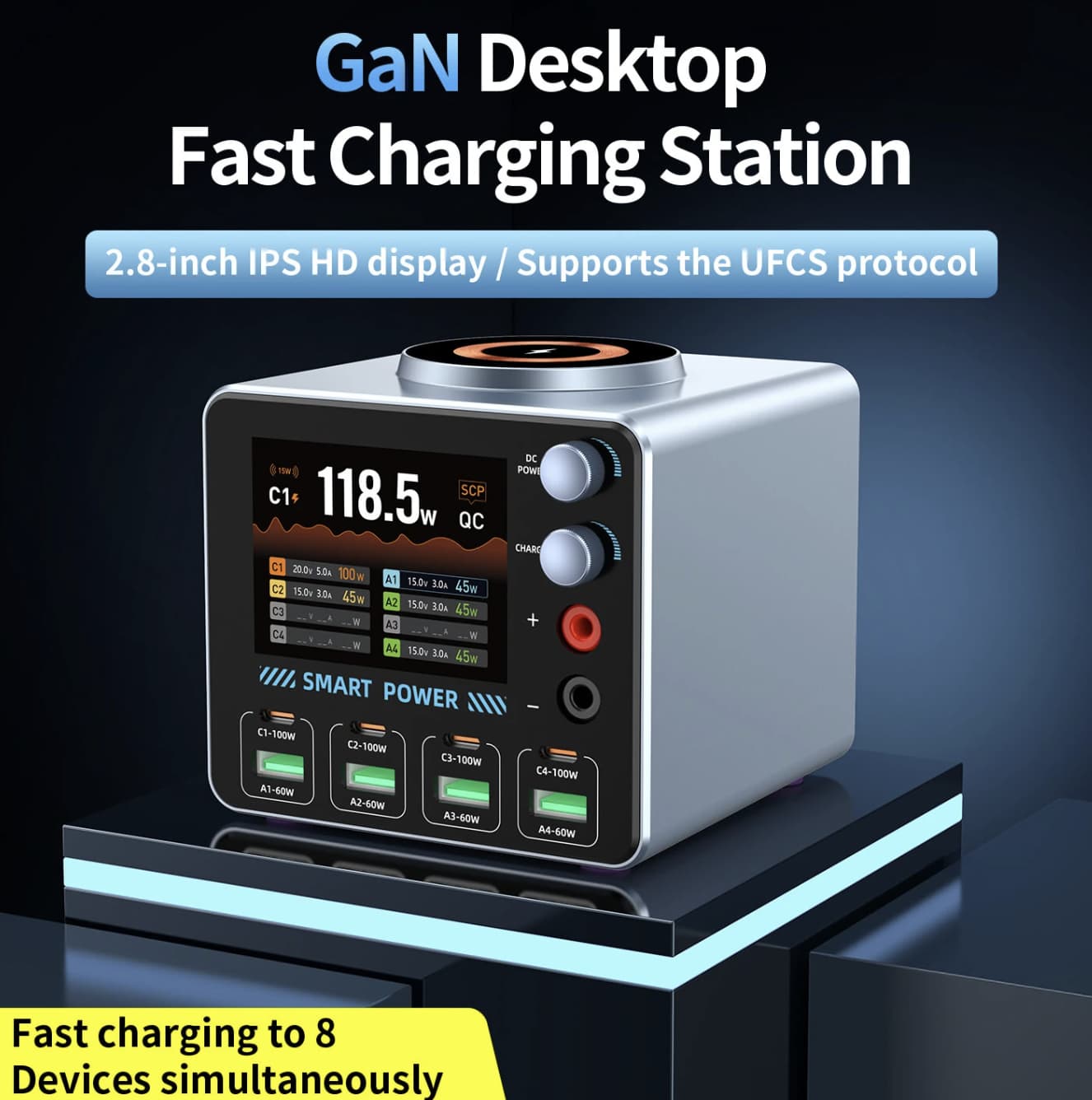
A Charging Hub Designed Around the Whole Desk
The WLX-F4’s main appeal is consolidation. Instead of filling a power strip with separate adapters, users can connect several compatible devices to one desktop unit and keep their charging cables in a central location.
This is useful for a home office, shared workspace, or desk used for both work and entertainment. A phone can occupy one port while a tablet, wireless earbuds, spare phone, or other USB-powered accessories use the remaining connections. A laptop may also be supported when its charging requirements match the station’s output.
The physical dimensions listed by the seller are approximately 102 × 101 × 94 mm. That makes the unit roughly cube-shaped, so it should be easier to position on a desk than several separate wall adapters, although the cables themselves will still need room.
The important distinction is that eight available USB ports do not mean eight devices can each receive the maximum advertised power simultaneously. The available power is shared according to the charger’s internal design and the combination of connected devices.
What Makes the WLX-F4 Different?
1. Eight Wired Ports for Mixed Devices
Four USB-C and four USB-A ports make the station flexible for households with a mix of newer and older electronics. USB-C is useful for compatible phones, tablets, and laptops, while USB-A remains convenient for accessories that still use the older connector.
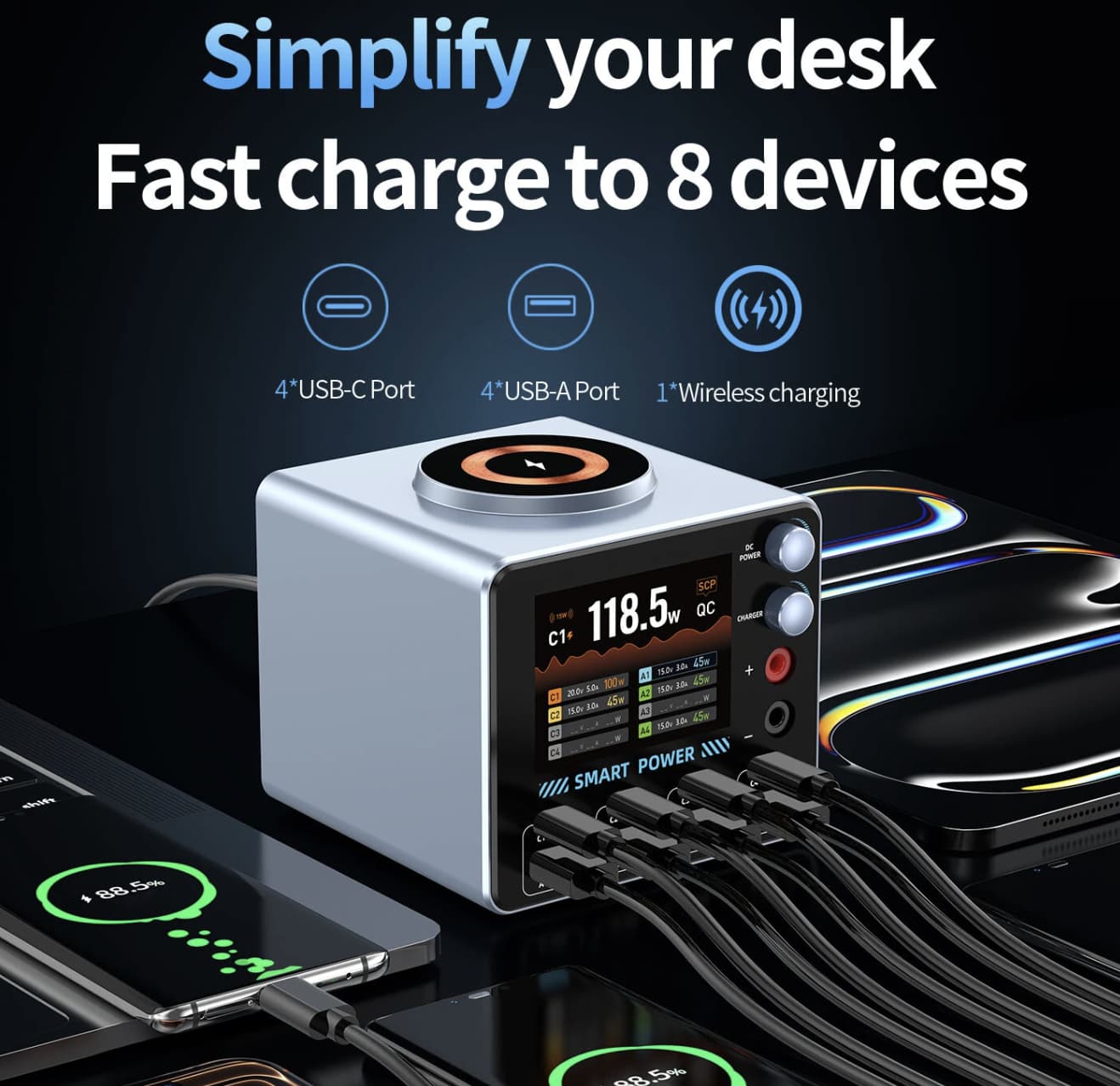
The listing specifies USB Power Delivery (PD) and Quick Charge 3.0 support. Actual fast-charging performance depends on whether the device supports the relevant protocol and whether the selected port provides a compatible output profile.
2. A 2.8-Inch Display for Power Monitoring
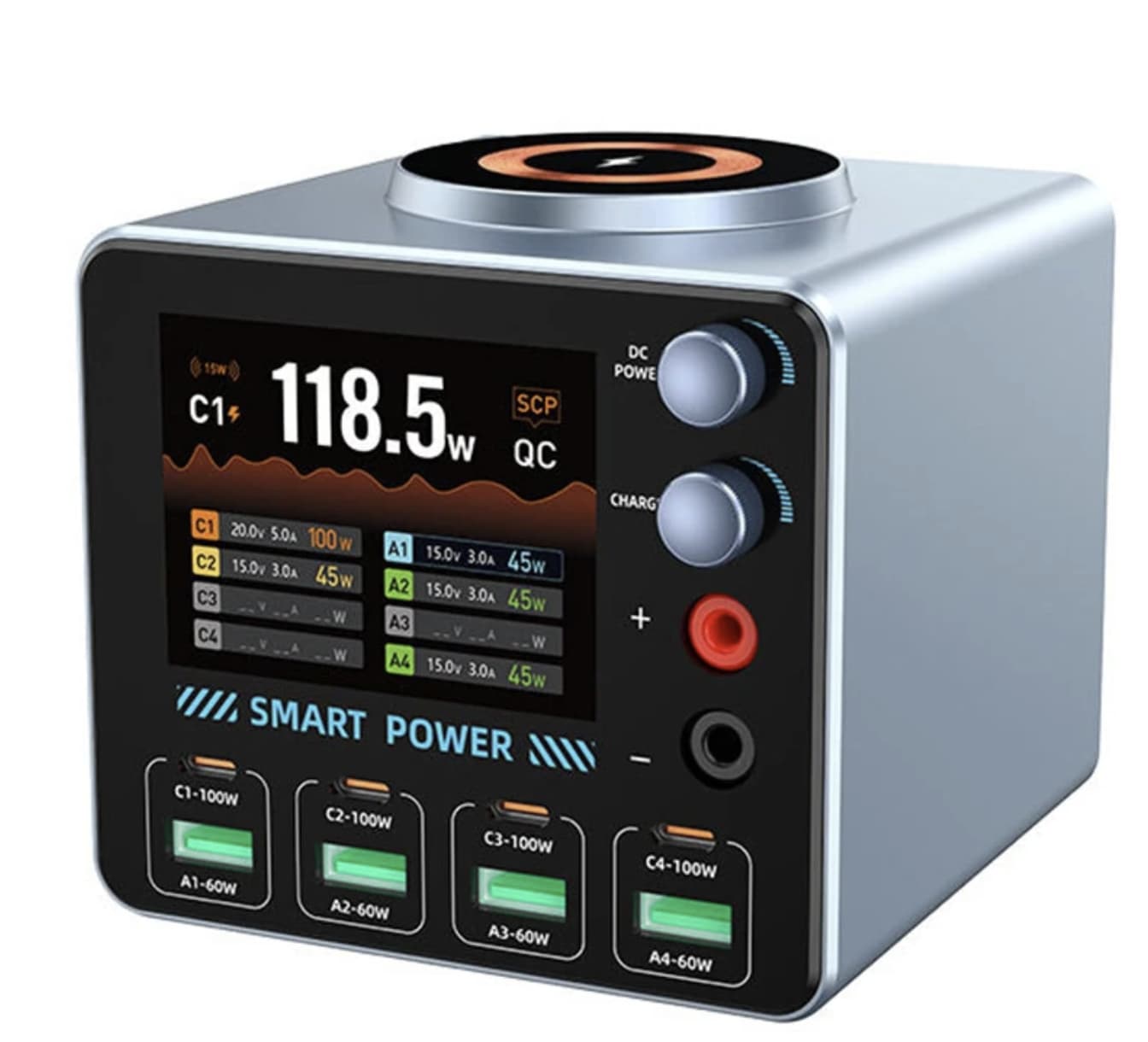
The built-in IPS screen is more than a decorative addition. According to the listing, it can show information such as voltage, current, power, capacity, charging time, and total multi-port power, with voltage and current waveform curves.
This could be useful for people who like to monitor their charging setup or troubleshoot a cable or adapter. However, the screen’s measurements should be treated as monitoring information rather than laboratory-grade testing results unless measurement accuracy has been independently verified.
3. Magnetic Wireless Charging Without Another Cable
The station also includes a magnetic wireless charging pad advertised for 5–15W output. This offers a convenient way to charge compatible phones without occupying one of the eight wired ports.
Wireless charging performance depends on the phone, its charging standard, alignment, and any case being used. Magnetic attachment alone does not guarantee compatibility with every phone or the highest listed charging speed.
4. Adjustable DC Output for Technical Users
One unusual feature in the product description is an adjustable DC output rated for a range of 2.7–24V and up to 5.1A. The seller also mentions a rotary adjustment knob and functions intended for electronics testing and repair.
This feature may interest experienced electronics hobbyists, but it deserves caution. Before connecting a circuit or component, verify the actual output terminals, adjustment procedure, current limits, and protection behavior in the manufacturer’s documentation. Do not assume this function is suitable for every repair task.
GaN Technology and Charging Efficiency
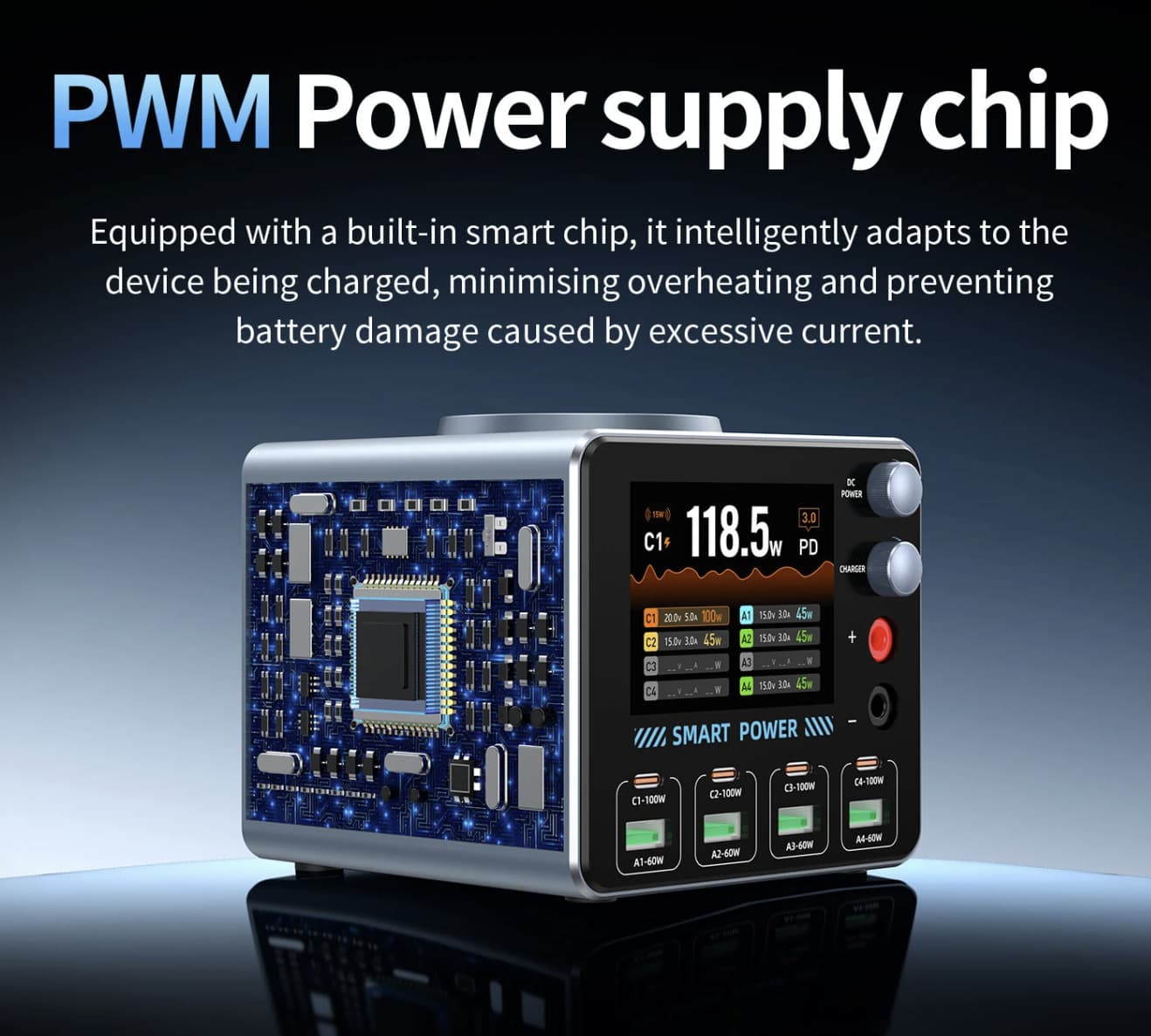
The WLX-F4 is advertised as using GaN technology alongside a smart PWM power-control chip. Gallium nitride components are widely used in modern power electronics because they can help make power conversion more compact and efficient.
For a desktop charging station, that technology can be beneficial because multiple devices may draw power from the same enclosure. Nevertheless, GaN branding alone does not establish how cool, efficient, or durable this particular charger will be in daily use. Independent thermal and electrical testing would be needed to confirm those results.
The seller also lists eight protection functions covering issues such as overcurrent, overvoltage, short circuits, overheating, excessive power, and overcharging. These are useful features to look for in a charger, but the exact implementation and effectiveness have not been independently established here.
Specifications at a Glance
| Specification | Listed details |
|---|---|
| Model | Bakeey WLX-F4 |
| Advertised maximum power | 100W |
| USB-C ports | 4 |
| USB-A ports | 4 |
| Wireless charging | 5–15W advertised |
| Display | 2.8-inch IPS |
| Fast-charging protocols | PD and QC 3.0 |
| DC output | 2.7–24V, up to 5.1A listed |
| AC input | 100–240V, 50/60Hz |
| Dimensions | 102 × 101 × 94 mm |
| Plug type | EU plug |
Specifications are based on the seller’s listing and have not been independently tested. Confirm the current product page for the exact version and regional configuration.
How to Get the Most From This Charging Station
The best setup depends on the devices you own rather than simply filling every available port.
-
For a home-office desk: Use USB-C for compatible high-power devices and reserve USB-A for accessories that do not require USB-C.
-
For a family charging area: The mix of ports can help accommodate different cables, but check total power allocation when several devices are connected.
-
For wireless charging: Confirm your phone supports the relevant wireless charging standard and position it correctly on the pad.
-
For monitoring: Compare the screen’s readings across different connections, but use a suitable external meter if you need verified electrical measurements.
-
For adjustable DC work: Check the instructions carefully before using the output on electronics. Incorrect voltage or polarity can damage a component.
Before buying, also verify the plug type, shipping destination, return terms, and whether the seller provides a suitable power cable and complete instructions.
Pros and Cons
| Pros | Cons |
|---|---|
| Eight wired ports in one desktop unit | Maximum power is shared across connected devices |
| USB-C and USB-A support | Fast charging depends on device and port compatibility |
| Built-in display with charging information | Display accuracy is not independently verified |
| Wireless charging pad adds convenience | Wireless speed and magnetic alignment vary by device |
| Adjustable DC output may interest hobbyists | Requires care and clear documentation for technical use |
| Wide-range AC input is listed | Regional plug compatibility still needs checking |
Who Should Consider the Bakeey WLX-F4?
The WLX-F4 is most relevant to people who regularly charge several devices in one place and prefer a single desktop hub over multiple adapters. The screen and adjustable DC output also give it features that may appeal to users who enjoy tracking charging data or working with electronics.
It may be excessive for someone who only charges one phone overnight. A simpler single-port charger could be more practical for that situation. Similarly, laptop owners should confirm the charging requirements of their specific model rather than relying on the 100W headline alone.
Final Verdict
Bakeey WLX-F4 PD100W stands out for combining eight USB ports, a digital monitoring display, magnetic wireless charging, and an adjustable DC output in one desktop station. That combination makes it more versatile on paper than a basic multi-port charger.
Its main buying consideration is power management: the advertised 100W rating should not be interpreted as 100W available to every port simultaneously. Wireless compatibility, DC output behavior, and the quality of its monitoring functions also deserve verification.
For a desk with several phones, tablets, and USB accessories, the WLX-F4 is worth investigating if its current price and specifications match your needs. Buyers who need reliable laptop charging or intend to use the adjustable DC output for electronics work should confirm those specific capabilities before making a purchase.