









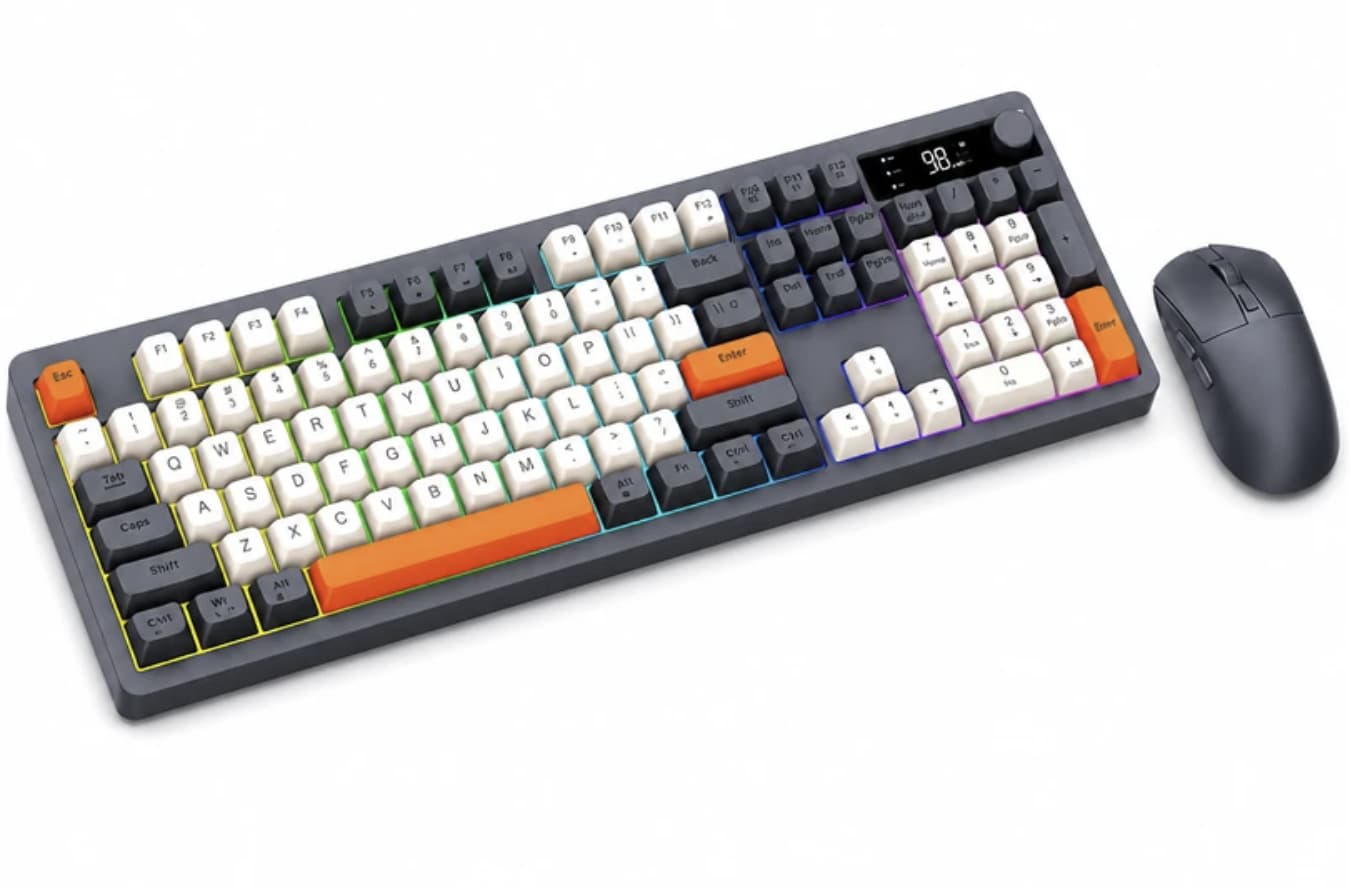
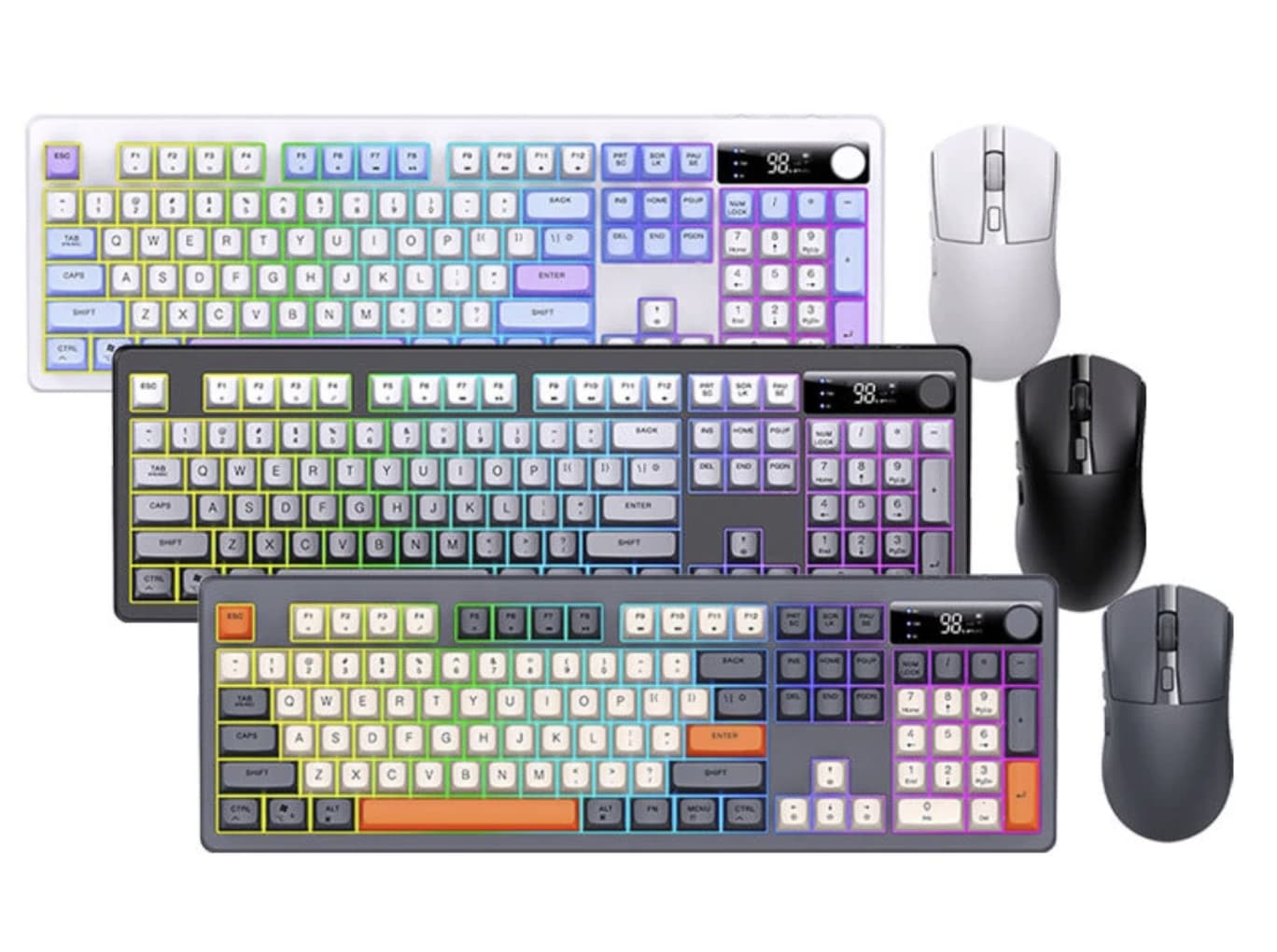
XUNFOX TK104 wireless keyboard is designed for people who want a coordinated desktop setup without buying a keyboard and mouse separately. It combines a full-size 104-key keyboard, a six-button wireless mouse, rainbow backlighting, a multifunction control knob, and an integrated display in one rechargeable package. Its three connection channels also make it useful for people who regularly switch between a desktop, laptop, tablet, or other compatible device.
For a more gaming-focused alternative with a dedicated screen and rotary knob, see our AULA F75 MAX keyboard review, which explores a compact layout and additional customization features.
Rather than relying on lighting alone to stand out, the TK104 focuses on practical desktop controls. The display provides connection and battery information, while the knob offers quick adjustments for functions such as volume and backlight brightness. For everyday typing, home-office work, and casual gaming, these details may matter more than flashy styling by itself.
Three Connection Channels for a Multi-Device Workspace
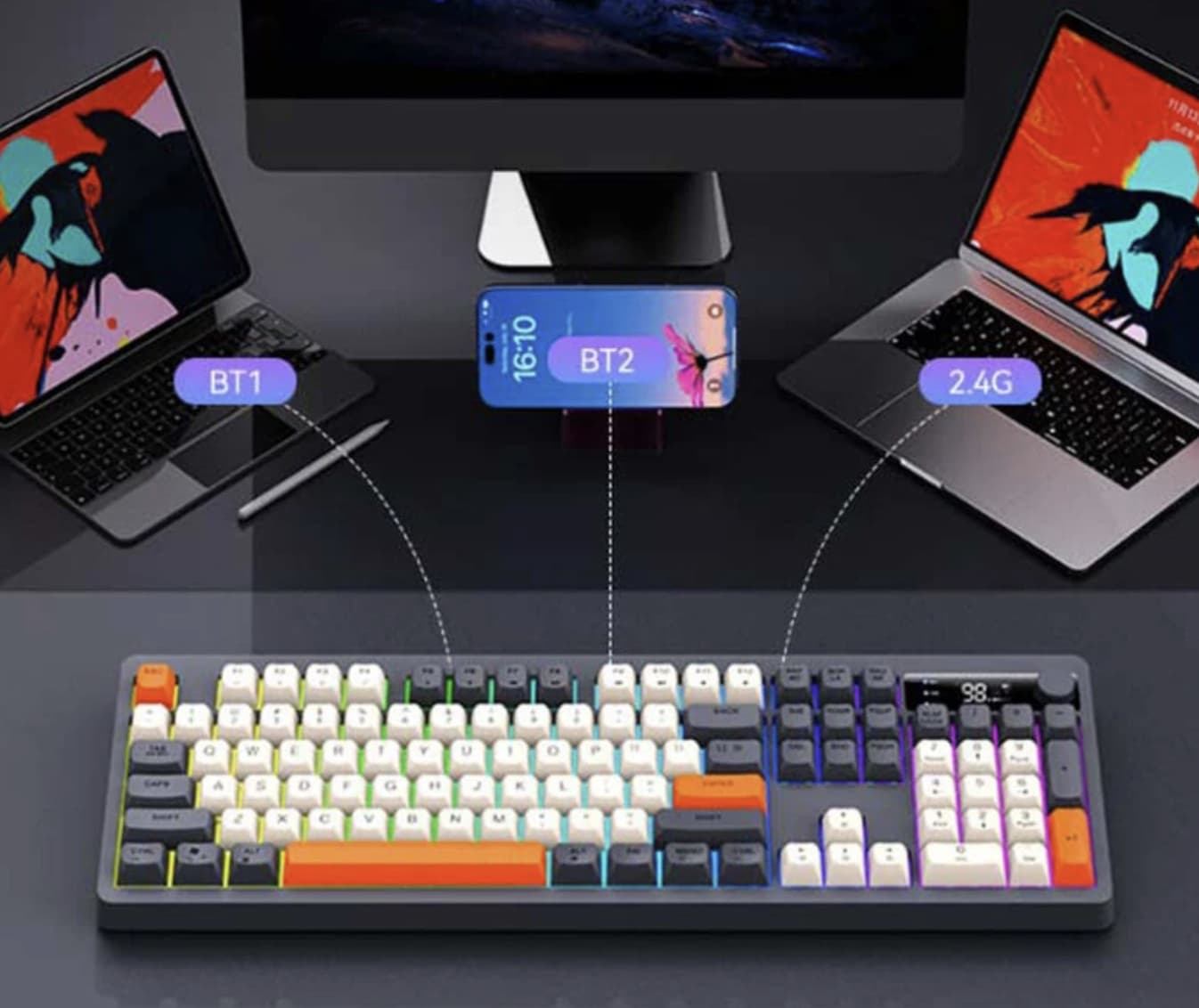
One of the TK104’s most useful features is its support for 2.4GHz wireless and two separate Bluetooth channels. This gives users three connection options, making it easier to move between compatible devices without repeatedly setting up the keyboard and mouse from scratch.
For example, you could use one connection for a work computer, another for a laptop, and the remaining channel for a compatible tablet. Switching methods and available functionality depend on the connected device and the keyboard’s controls, so it is worth checking the included instructions before setting up a multi-device workflow.
The 2.4GHz option is also worth considering for desktop users who prefer a dedicated wireless connection. Bluetooth offers greater flexibility when connecting to devices without a suitable USB port. Neither connection method eliminates the possibility of interference or input delay, but having both gives the TK104 more flexibility than a single-mode keyboard.
If you are comparing wireless desktop accessories, our Xiaomi Wireless Keyboard and Mouse Set review offers another look at a keyboard-and-mouse combo designed for everyday productivity.
A Full-Size Keyboard Built for Everyday Typing
The TK104 uses a 104-key, full-size layout, giving users a dedicated number pad alongside the usual typing and navigation keys. This arrangement is useful for spreadsheets, data entry, document editing, and other tasks where frequently used number keys can speed up work.
Its spherical ABS keycaps are designed to provide a distinctive typing feel, with curved surfaces intended to fit the fingertips. The product is marketed as offering a mechanical-style feel, but buyers should understand that mechanical-style typing feedback does not necessarily mean the keyboard uses individual mechanical switches. Anyone specifically looking for a mechanical keyboard should confirm the switch construction before purchasing.
The keyboard measures approximately 448 × 146 × 41mm and weighs around 738g. That makes it a more substantial desktop accessory than a slim travel keyboard, but the full-size layout may be a better fit for a permanent workstation.
Comfort is subjective, too. The spherical keycaps may appeal to users who enjoy a different shape from conventional flat keycaps, although typing speed and accuracy will depend on personal preference and familiarity.
The Smart Display and Control Knob Add Convenience
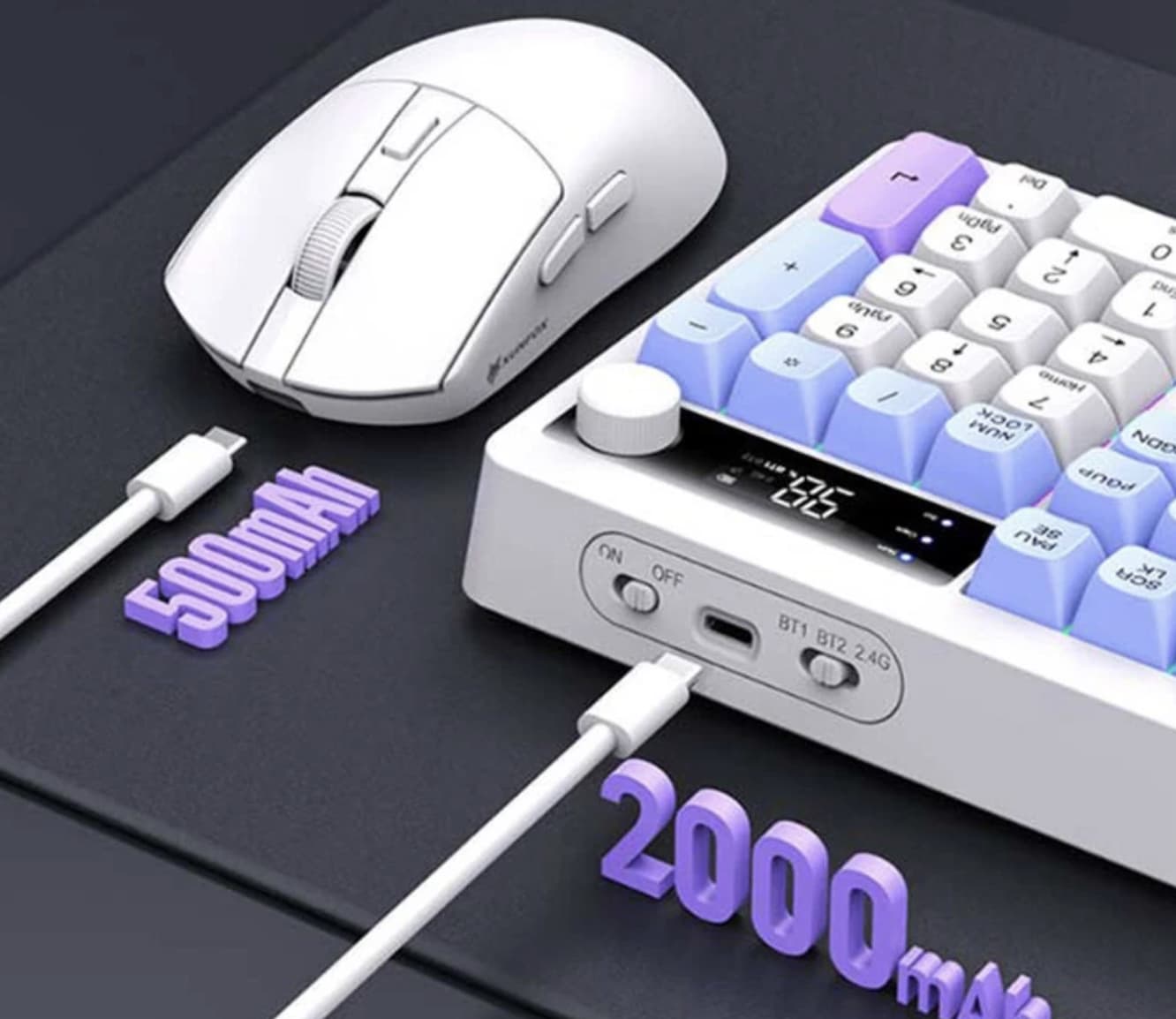
A small display can make a keyboard more practical when it communicates information that users would otherwise need to check elsewhere. On the TK104, the integrated screen shows details such as battery status and the current connection mode.
The multifunction knob provides a physical way to adjust supported settings, including volume and backlight brightness. This is particularly convenient when switching between work, music, and entertainment without navigating software menus.
These controls are useful additions, but their value depends on how often you use them. If you mainly type documents and rarely adjust audio or lighting, the display and knob may be secondary benefits rather than reasons to choose the keyboard on their own.
Rainbow Backlighting for Work and Gaming Setups
The TK104 features rainbow-color backlighting with adjustable lighting effects. Users can change supported modes, brightness, and speed through keyboard function-key combinations, allowing the lighting to suit different desk setups.
Backlighting can improve the visibility of keys in dim surroundings and give a gaming desk a more colorful appearance. However, rainbow lighting should not be confused with individually addressable RGB lighting: the available product specifications describe rainbow effects, not independent customization of every key.
For buyers who prefer a clean office appearance, the ability to adjust lighting settings is more important than having a large number of effects. It is worth checking the manual for the exact shortcuts and available modes.
A Wireless Mouse With Adjustable Sensitivity
The included mouse has six buttons: left and right clicks, a scroll wheel, forward and backward controls, and a DPI adjustment button. Its sensor offers four listed sensitivity settings:
-
800 DPI
-
1,600 DPI
-
2,400 DPI
-
4,000 DPI
Lower sensitivity can make controlled cursor movements easier, while higher settings allow the pointer to travel farther with less physical movement. The most suitable setting depends on screen resolution, desk space, and personal preference.
The mouse measures approximately 125 × 64 × 40mm and weighs about 69g. Its additional navigation buttons can be helpful when browsing websites or moving through documents, although their usefulness will vary with your workflow.
The listed DPI range is suitable for many everyday computing tasks and casual gaming. Competitive players who need a gaming-grade sensor, specialized software, or more advanced customization should investigate those requirements separately.
Rechargeable Batteries and USB-C Charging
The TK104 has built-in rechargeable batteries rated at 2,000mAh for the keyboard and 500mAh for the mouse. Both devices use Type-C charging, avoiding the need to replace disposable batteries during normal use.
Battery capacity alone cannot establish how many hours the set will operate between charges. Actual runtime depends on usage, wireless connection, backlight settings, and power-saving behavior. If you plan to leave the backlight running throughout a working day, expect power consumption to differ from a setup used with lighting turned off.
USB-C charging is a convenient feature, but buyers should check whether the package includes the charging cables they need and whether the keyboard and mouse must be charged separately.
Compatibility: Check Your Devices Before Buying
The product listing specifies compatibility with Windows XP, Vista, 7, 8, 10, and 11, as well as macOS. It also describes use with computers, tablets, and phones. Actual compatibility may vary by device, operating-system version, connection method, and available keyboard shortcuts.
Before ordering, consider these questions:
-
Does your computer have Bluetooth, or would you prefer the 2.4GHz connection?
-
If using 2.4GHz, does your device have the required USB port or adapter?
-
Do you need a full-size keyboard with a number pad?
-
Are the listed shortcuts suitable for your operating system?
-
Can you comfortably use the mouse size and spherical keycaps?
Checking these details first can help prevent connectivity or layout surprises after delivery.
Is the XUNFOX TK104 Worth Considering?
The TK104 is aimed at users who want several desktop features in a single package rather than a minimalist keyboard and mouse. Its main advantages are the three connection channels, full-size layout, rechargeable batteries, dedicated control knob, status display, and included mouse with adjustable DPI.
There are some trade-offs. Its full-size body takes up more desk space than a compact keyboard, and its mechanical-style feel may not satisfy buyers who specifically want genuine mechanical switches. The rainbow lighting is another preference-dependent feature, while real battery life and typing comfort cannot be determined from specifications alone.
For home offices, students, and everyday desktop users, the combination of multi-device connectivity and convenient physical controls makes the TK104 an interesting option. Casual gamers may also appreciate its adjustable mouse sensitivity and illuminated keys, but serious gaming buyers should compare sensor performance and input requirements before making a decision.
Final verdict:
XUNFOX TK104 is best viewed as a feature-rich wireless keyboard and mouse combo for general productivity, flexible device switching, and a personalized desktop setup. Its appeal lies in combining practical connectivity with a distinctive design—not in claiming to replace a dedicated mechanical gaming keyboard.