









A smartwatch can be useful for more than checking the time. From answering calls to reviewing daily activity and sleep patterns, wearable devices bring several everyday functions together on the wrist. The QS51 smartwatch from Banggood aims to cover these needs with a 1.47-inch HD screen, Bluetooth calling, a voice assistant, multiple sports modes, and a selection of health-tracking features.
One feature that makes the QS51 stand out in its product listing is its advertised blood-glucose measurement function. However, shoppers should distinguish between features promoted by a seller and measurements that have been independently validated. This is especially important when a smartwatch presents health-related readings.
Rather than focusing only on a long list of specifications, this review looks at how the QS51’s advertised functions could fit into daily life, what buyers should verify before ordering, and where its limitations matter.
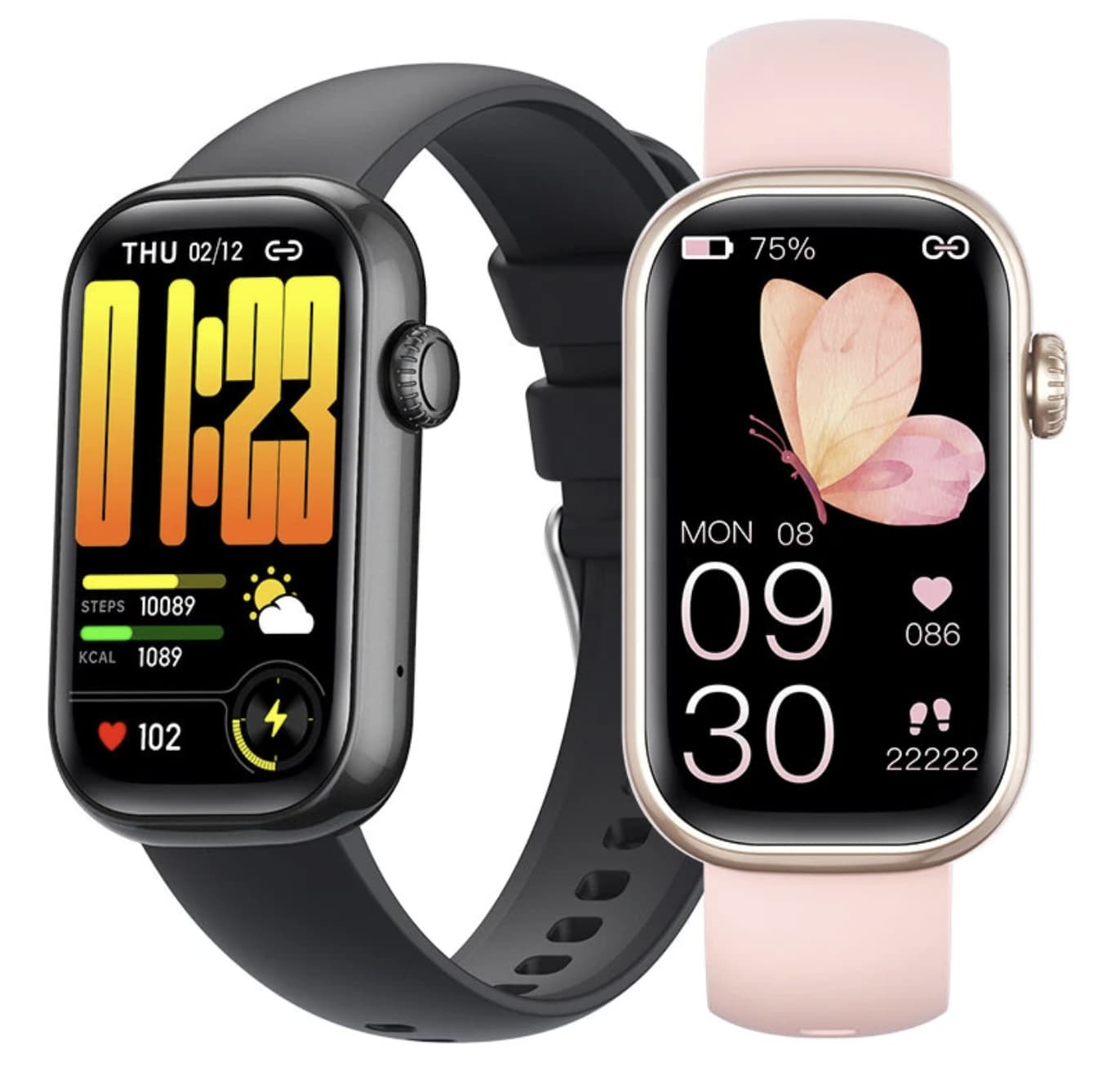
QS51 Smartwatch Specifications
The following details are taken from the supplied Banggood product listing title. Specifications not confirmed in that information are marked accordingly.
| Feature | Details |
|---|---|
| Model | QS51 |
| Display | 1.47-inch HD screen |
| Calling | Bluetooth calling |
| Voice features | Voice assistant |
| Heart monitoring | Advertised heart-rate monitoring |
| Blood oxygen | Advertised blood-oxygen monitoring |
| Sleep tracking | Sleep monitoring |
| Blood glucose | Blood-glucose measurement advertised by the seller; accuracy and validation unconfirmed |
| Sports tracking | Multiple sports modes |
| Water resistance | IP68 rating advertised |
| Retailer | Banggood |
| Product link | View the QS51 smartwatch on Banggood |
Battery capacity, operating-system compatibility, Bluetooth version, screen resolution, charging time, and battery life should be checked on the full product page before purchase.
A 1.47-Inch HD Screen for Everyday Use
The QS51 features a 1.47-inch HD display, providing a dedicated screen for checking the time, reviewing notifications, and navigating supported watch functions.
Screen size is an important consideration when choosing a wearable. A display that is too small can make notifications and menus harder to read, while a larger watch face may feel bulky on a smaller wrist. The QS51’s 1.47-inch format offers a middle ground for buyers who want more screen space than a basic fitness band without necessarily choosing a large smartwatch.
The overall viewing experience will also depend on resolution, brightness, font size, and touchscreen responsiveness. Since these details are not confirmed in the supplied product title, it is worth checking the product photographs and full specifications before ordering.
For everyday use, consider whether the interface makes it easy to access the features you expect to use most often, such as call controls, activity records, and sleep summaries.
Bluetooth Calling Reduces the Need to Reach for Your Phone
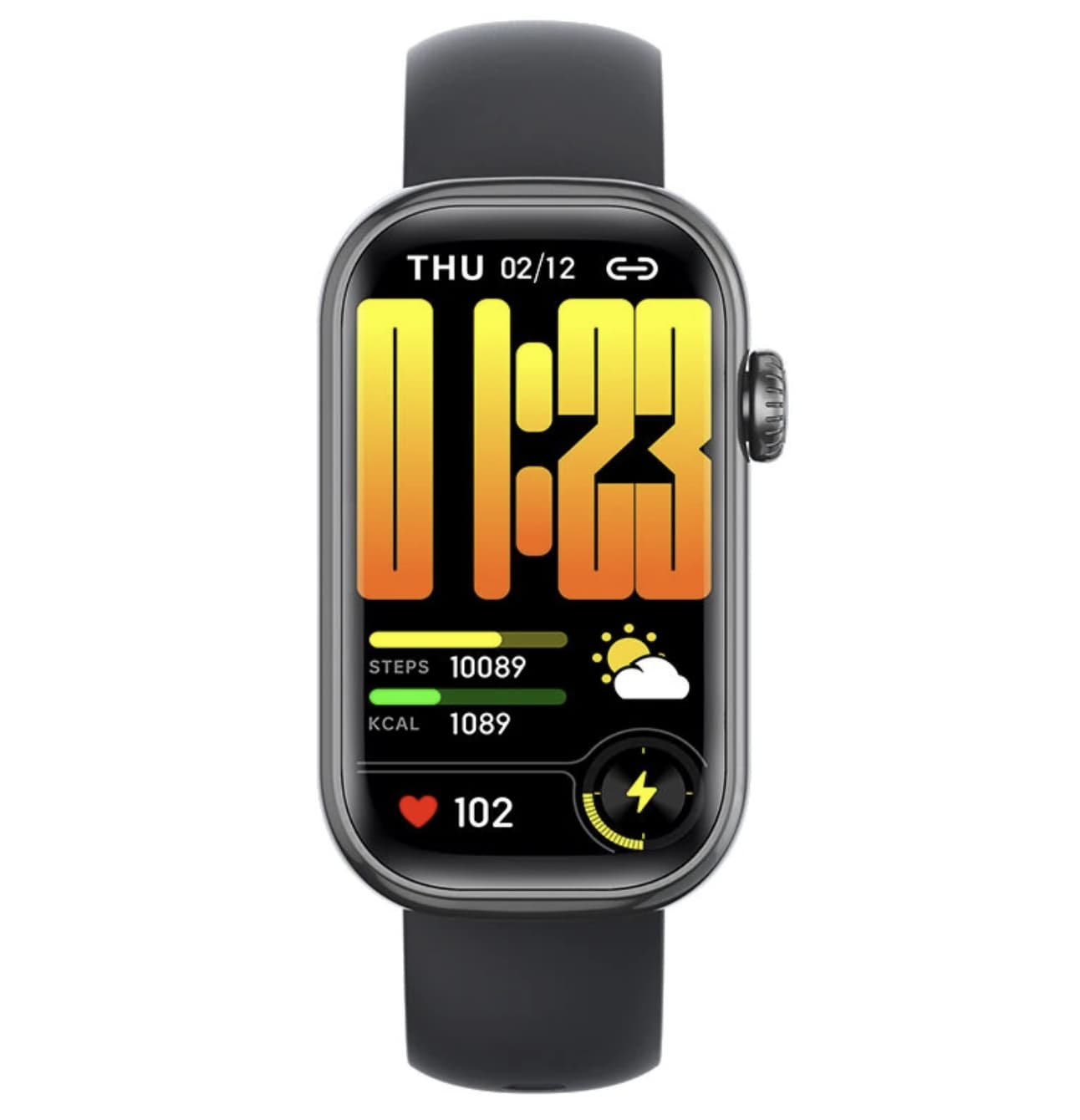
Bluetooth calling is one of the QS51’s main convenience features. When paired with a compatible smartphone, a smartwatch with this function can allow users to handle supported calls from their wrist.
This may be useful when your phone is in a bag, on a desk, or temporarily out of reach. It can also make short conversations more convenient while performing everyday tasks.
However, Bluetooth calling does not mean that the watch operates as an independent cellular phone. Its calling functions generally depend on a compatible phone connection, and the precise behavior varies by device and companion application.
Before buying the QS51, confirm its compatibility with your smartphone, how calls are answered, and whether the watch supports call notifications as well as two-way audio. Checking these details can help avoid surprises after setup.
Voice Assistant Features for Hands-Free Convenience
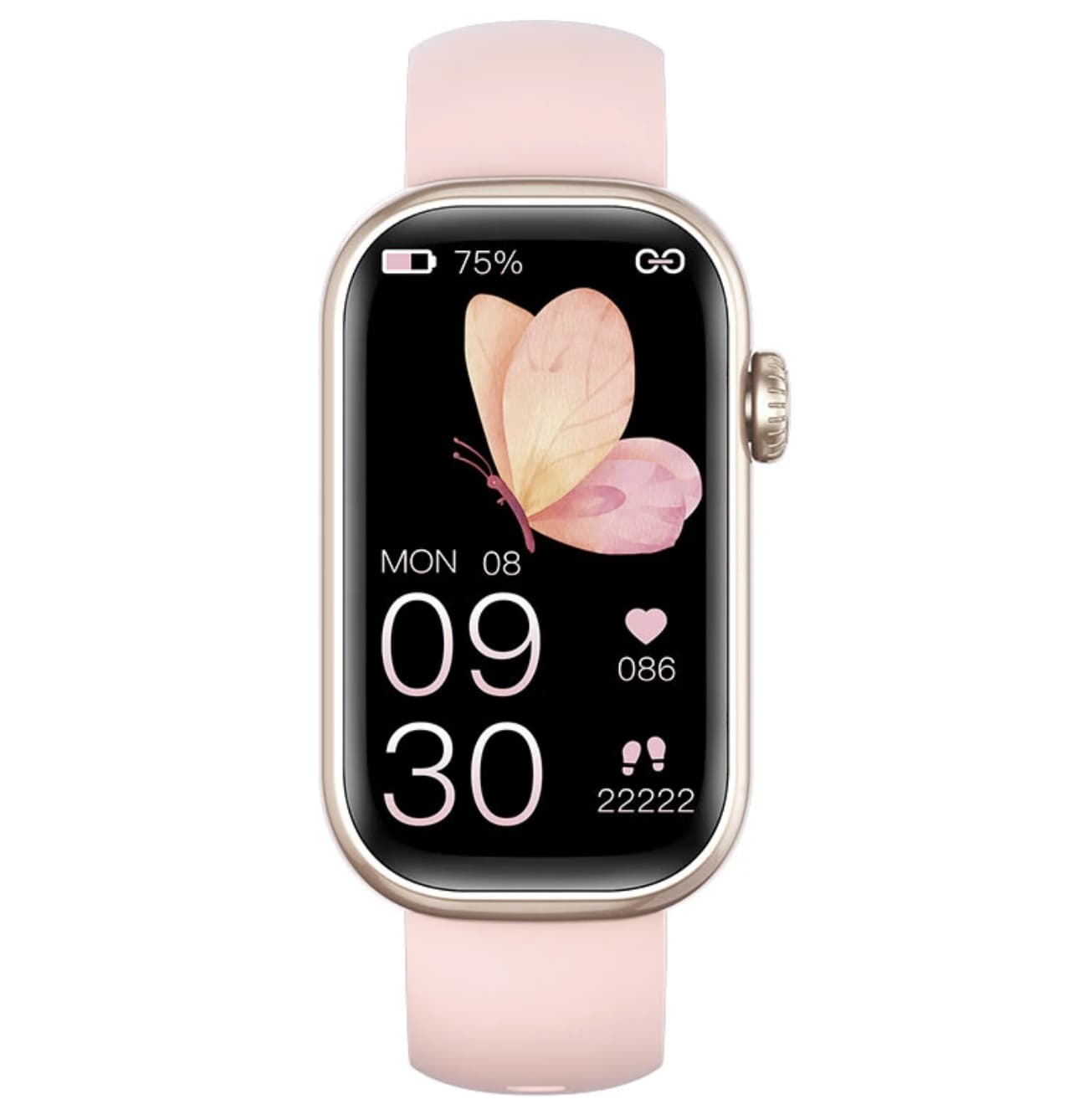
The Banggood listing also advertises a voice assistant. Depending on the implementation, voice functions may provide a convenient way to interact with supported features without navigating every menu manually.
The exact capabilities of the QS51’s voice assistant are not established by the product title alone. Buyers should therefore check whether it supports phone-based voice assistants, what commands are available, and whether a connected smartphone or companion application is required.
It is also worth distinguishing a voice assistant from a fully independent AI system. A product listing that mentions voice assistance does not automatically mean the watch can answer every question, operate third-party applications, or function without a phone.
For shoppers who value convenience, the important question is whether the supported voice commands fit their everyday routine.
Heart Rate, Blood Oxygen and Sleep Monitoring
The QS51 advertises several health-related tracking functions, including heart-rate monitoring, blood-oxygen measurement, and sleep monitoring.
These features can be useful for reviewing general trends over time. For example, a compatible wearable may display estimated heart-rate readings during activity, provide blood-oxygen estimates, or organize sleep-related information into summaries.
However, consumer smartwatch readings can be affected by sensor quality, wrist placement, movement, skin contact, and other conditions. Results should not automatically be treated as equivalent to measurements from medical-grade equipment.
Sleep monitoring also has limitations. A watch may estimate sleep duration or patterns using its sensors, but those estimates do not replace a clinical sleep assessment.
If you are comparing smartwatches primarily for wellness tracking, review the available reports, supported measurements, companion application, and data-export options. These practical details may be more useful than the number of health features advertised on the packaging.
If you want to understand the difference between basic pulse tracking and ECG readings, read our guide to ECG smartwatches vs. heart-rate monitors.
Blood-Glucose Measurement: An Important Limitation
Blood-glucose measurement is one of the most prominent claims in the QS51 product title, but it deserves particular caution.
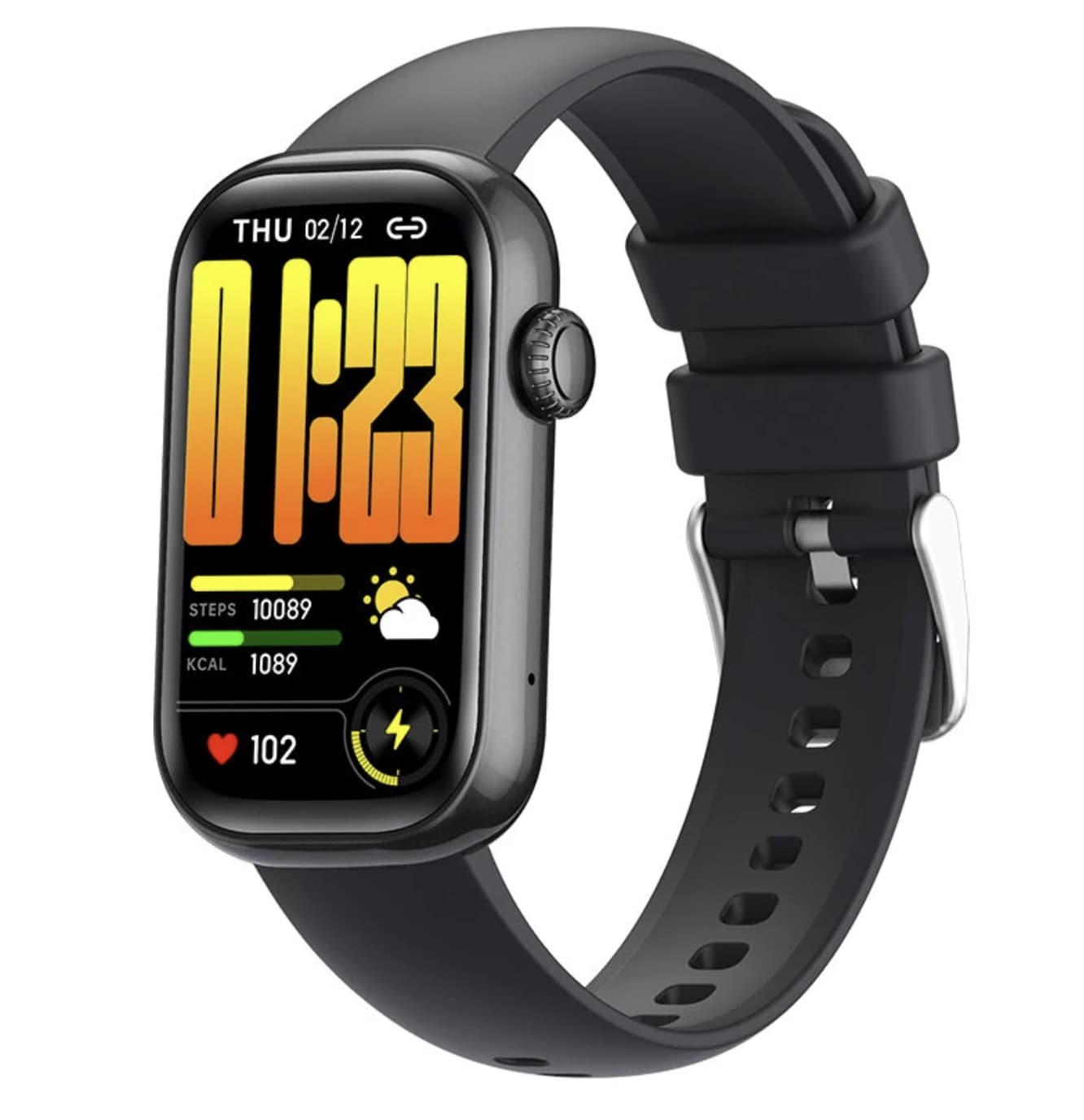
The listing does not establish how the watch measures glucose, whether the feature has undergone independent clinical validation, or how its readings compare with an approved glucose meter. The presence of a measurement option in a smartwatch menu is not proof that the result is accurate.
The U.S. Food and Drug Administration has warned against relying on smartwatches or smart rings that claim to measure blood glucose without actually piercing the skin. Such devices should not be used to diagnose diabetes, guide medication decisions, or replace established glucose-monitoring methods.
For this reason, buyers should treat the QS51’s advertised blood-glucose function as an unverified product claim unless credible evidence supports the specific technology. Anyone who needs to monitor glucose for medical reasons should use an appropriate authorized device and follow advice from a qualified healthcare professional.
This distinction is important when evaluating the QS51: its everyday smartwatch features can be considered separately from the reliability of its advertised health measurements.
Multiple Sports Modes for Activity Tracking
The QS51 also lists multiple sports modes, suggesting that it is designed to record different types of physical activity.
Depending on the modes supported by the actual device, sports tracking may help organize workout duration and activity data. Before purchasing, check the full listing for the specific activities available and whether tracking is automatic or must be started manually.
Buyers should also determine whether the watch records steps, distance, calories, and workout history, as well as whether these records can be reviewed in a companion application.
Do not assume that the QS51 includes built-in GPS merely because it offers sports modes. If accurate outdoor route mapping is important, confirm whether the watch has its own GPS receiver or relies on a connected smartphone.
For casual users, a straightforward interface and accessible activity history may be more important than an extensive list of exercise profiles.
What Does the IP68 Rating Mean?
The QS51 is advertised as IP68 waterproof. This rating relates to protection against dust and water under specified test conditions, but it should not be interpreted as an unconditional guarantee that the watch is safe in every wet environment.
The exact protection depends on the manufacturer’s tested configuration and conditions. Water resistance can also be affected by wear, impact, aging seals, and repairs.
Before swimming, showering, or using the watch around hot water, check the manufacturer’s specific instructions. Do not assume that IP68 alone guarantees suitability for swimming or exposure to soap, steam, salt water, or high-pressure water.
If water resistance is an important buying requirement, look for clear manufacturer guidance on permitted activities and warranty coverage for water damage.
What to Check Before Buying the QS51
The product title highlights several headline functions, but buyers should verify a few additional details before making a decision.
- Phone compatibility: Confirm supported Android and iOS versions.
- Companion application: Check the required app, permissions, and data-sharing arrangements.
- Battery life: Look for stated battery capacity, typical usage time, and charging duration.
- Display specifications: Confirm resolution and brightness, not just screen size.
- Calling functions: Determine whether the watch supports two-way Bluetooth calling and notification alerts.
- Water-resistance instructions: Check the manufacturer’s guidance for swimming and other water exposure.
- Health-feature limitations: Look for clear information about how measurements are produced and whether they have been independently validated.
- Warranty and returns: Review Banggood’s current terms, shipping options, and support arrangements.
These checks can help establish whether the QS51 is a practical match for your expectations rather than relying on the product title alone.
Before choosing a wearable for daily health tracking, explore our guide to smartwatch health-tracking features to learn what different sensors can and cannot tell you.
Who Might Consider the QS51 Smartwatch?
The QS51 may be worth comparing for shoppers looking for a smartwatch that combines everyday connectivity with basic activity-tracking functions.
Everyday smartphone users: Bluetooth calling and notifications may offer convenient access to selected phone functions.
Casual fitness enthusiasts: Multiple sports modes and advertised activity tracking may be useful for organizing workouts and reviewing general activity trends.
Buyers who prefer a medium-sized display: The 1.47-inch HD screen may appeal to users who want a visible interface without choosing a much larger watch.
Budget-conscious wearable shoppers: The QS51 may be worth comparing with other entry-level smartwatches, depending on its current price, battery life, build quality, and verified features.
It is less suitable for anyone seeking a proven medical glucose monitor or a replacement for professional health-monitoring equipment.
Final Verdict: Is the QS51 Smartwatch Worth Considering?
QS51 smartwatch combines a 1.47-inch HD display, Bluetooth calling, a voice assistant, multiple sports modes, and advertised heart-rate, blood-oxygen, and sleep-monitoring functions. Its IP68 rating is another specification that may interest buyers seeking a wearable for everyday use.
Its overall value will depend on factors that need to be confirmed on the full listing, particularly battery life, phone compatibility, software support, and the actual performance of its calling and activity features.
The advertised blood-glucose measurement function should not be treated as a proven medical capability without reliable validation. That limitation does not prevent shoppers from comparing the QS51 as a general smartwatch, but it is an important distinction for anyone considering it for health-related reasons.
If its confirmed specifications match your needs, the QS51 is worth comparing with other smartwatches in the same price range.