









TechPowerUp has released GPU-Z 2.72.0, bringing expanded graphics card detection, improved sensor monitoring, and additional hardware support for NVIDIA, AMD, and Intel GPUs. The latest update introduces support for several new and unreleased graphics products, including NVIDIA RTX Spark, the GB203-based GeForce RTX 5070, and an engineering sample (ES) of the rumored GeForce RTX 4090 Ti.
One of the most notable additions is improved AMD GPU temperature monitoring, allowing GPU-Z to read GPU Hot Spot temperatures on several older Radeon graphics card families.
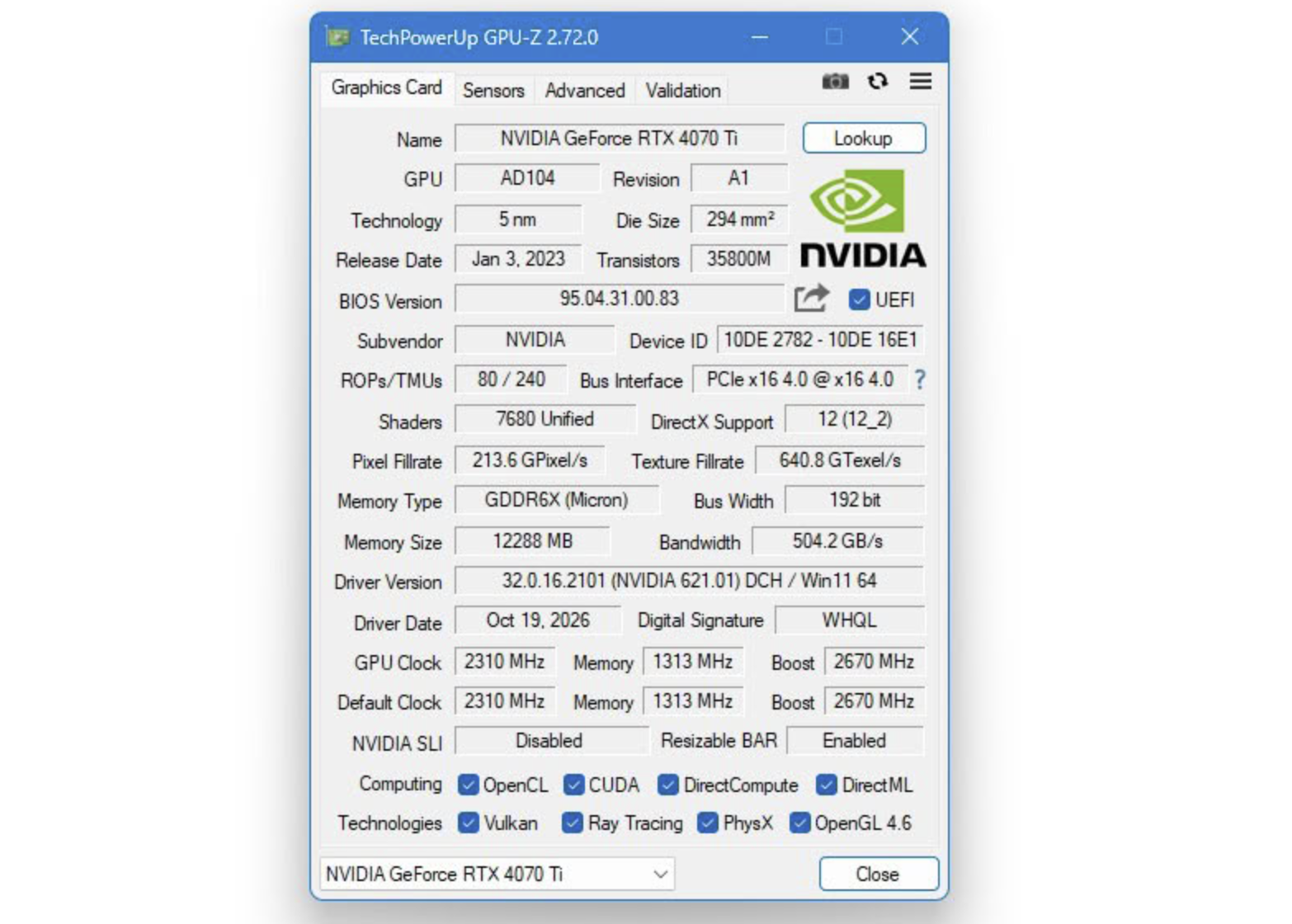
NVIDIA GPU Support Expanded
GPU-Z 2.72.0 adds support for the NVIDIA RTX Spark platform, although some memory specifications are still unavailable for detection.
The update also introduces hardware recognition for:
- NVIDIA GeForce RTX 5070 featuring the GB203 GPU.
- NVIDIA GeForce RTX 4090 Ti Engineering Sample (ES).
- Additional NVIDIA hardware identification improvements.
Support for the RTX 4090 Ti ES is particularly interesting, as it allows GPU-Z to recognize an engineering sample of an unreleased graphics card.
AMD GPUs Get Improved Hot Spot Temperature Monitoring
AMD graphics cards receive several important improvements in GPU-Z 2.72.0.
The software now supports the BC-250 mining card and adds clock speed and temperature monitoring for selected AMD integrated GPUs.
Another major improvement is the ability to read GPU Hot Spot temperatures on older Radeon graphics cards, including:
- AMD Radeon R9 200 Series
- AMD Radeon R9 300 Series
- AMD Radeon Fury Series
- AMD Radeon RX 400 Series
- AMD Radeon RX 500 Series
The newly supported temperature monitoring covers several GPU architectures, including Polaris, Lexa, Hawaii, Fiji, Bonaire, and Tonga.
This enhancement provides users with better thermal monitoring capabilities, particularly when checking GPU hotspot temperatures on older AMD graphics cards.
New Intel GPU and Platform Recognition
Intel hardware detection has also been expanded. GPU-Z 2.72.0 adds support for the Raptor Lake-H Refresh platform and the Intel Iris Pro P555 graphics processor found in the Xeon E3-1558L v5.
These additions improve compatibility with more Intel-based systems and integrated graphics configurations.
Improved GPU Sensor Statistics and Monitoring
GPU-Z 2.72.0 also introduces several sensor-related improvements.
Users can now hover their mouse over sensor readings to view additional statistical information through newly added tooltips.
Additionally, the software has improved how it calculates minimum, maximum, and average sensor values. Invalid readings are now automatically excluded from these calculations, helping prevent inaccurate measurements from affecting monitoring results.
Better Integrated GPU Memory Reporting
The latest version changes how GPU-Z displays shared memory on systems equipped with integrated graphics.
Instead of showing an “N/A” value, the software now identifies shared system memory using the iGPU label.
For example, a system with 64 GB of shared memory may display:
iGPU (64 GB)
This makes memory information easier to understand when checking integrated GPU configurations.
More Detailed NVIDIA Power and DirectX Information
The Advanced Information page now includes support for displaying previously unidentified NVIDIA power rails.
These readings appear under labels such as “Rail ### power draw.” However, this feature is disabled by default and must be enabled by the user.
GPU-Z can also retrieve the DirectX API version and supported feature levels directly from the current Windows system when it cannot identify a GPU model. This is particularly useful for detecting certain counterfeit or incorrectly identified graphics cards, which would previously have been reported as “Unknown.”
Expanded CUDA, DXVA, and Graphics API Detection
The update brings additional improvements to CUDA and video acceleration information.
GPU-Z 2.72.0 expands CUDA capability detection, adding support for CUDA 6.2, 7.x, 8.x, 9.0, 10.x, and 12.x, along with several additional CUDA properties.
The software also expands DXVA GUID name recognition for both AMD and NVIDIA graphics cards and fixes an issue affecting 8K video support detection.
Additional Fixes and Improvements
Beyond the major hardware support additions, GPU-Z 2.72.0 includes several bug fixes and refinements:
- Fixed an issue that could prevent OpenGL detection from working correctly in certain situations.
- Standardized AMD and NVIDIA GPU hotspot sensor names to “Hot Spot.”
- Improved handling of NVIDIA BIOS information when the BIOS cannot be read.
- Prevented corrupted BIOS information sections from appearing on the Advanced Information page when the NVIDIA BIOS is completely inaccessible.
- Fixed multiple spelling mistakes and minor issues in the Advanced CUDA Information page.
- Included other minor improvements and stability fixes.
GPU-Z 2.72.0: A Useful Update for GPU Monitoring
Overall, GPU-Z 2.72.0 is a substantial update for users who rely on the utility to identify graphics hardware and monitor GPU performance.
The expanded NVIDIA RTX hardware recognition, improved AMD Hot Spot temperature monitoring, additional Intel GPU support, and more accurate sensor statistics make this release particularly useful for PC enthusiasts, hardware reviewers, and system builders.
Users can download the latest version from the official TechPowerUp website.
Download: https://www.techpowerup.com/gpuz/