









Let’s be real people just keep wanting their laptops to get smaller, lighter, and more powerful. We went from bulky laptops to slim ones, and now even those feel like too much to carry around. That’s exactly why 2-in-1 tablet PCs have carved out a loyal fanbase they hit that sweet spot between “actually useful for work” and “easy enough to take anywhere.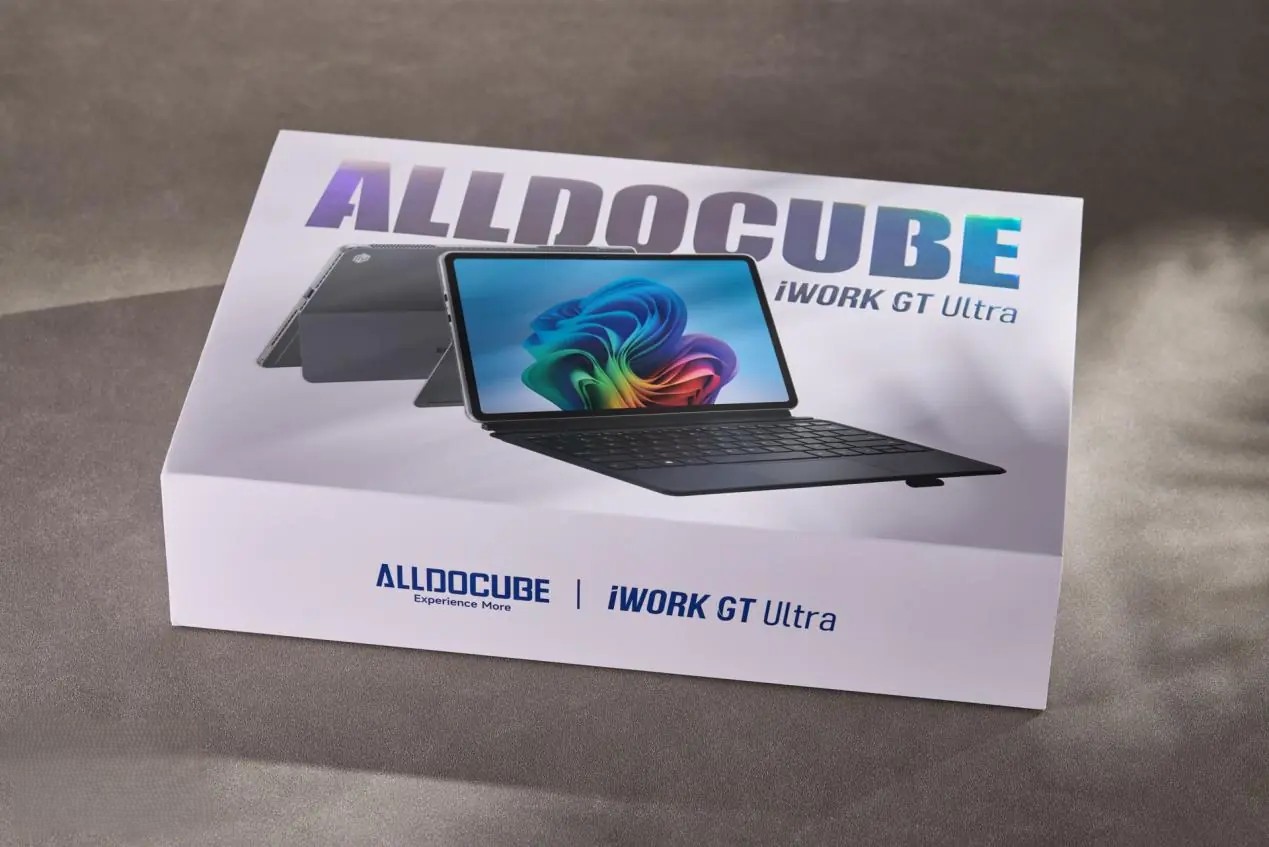
The problem? The good ones cost a fortune. We’re talking close to 10,000 yuan for a premium experience, which is simply out of budget for most people. Drop down to the mid-range, and you’re usually stuck with sluggish performance and a device that runs hot enough to warm your coffee. It’s been a frustrating gap in the market for a long time.
That’s where Cube steps in. The Chinese brand one that’s been quietly grinding away in the tech space for years just launched the iWork GT Ultra AI Portable Notebook, and it’s making some bold promises. Powered by an Intel Core Ultra mobile chip, it’s aiming to deliver real PC-level performance without the premium price tag or the bulk.
Sounds interesting, right? The folks over at IT Home got their hands on one, so let’s see what it’s actually like to use.
First Impressions & Design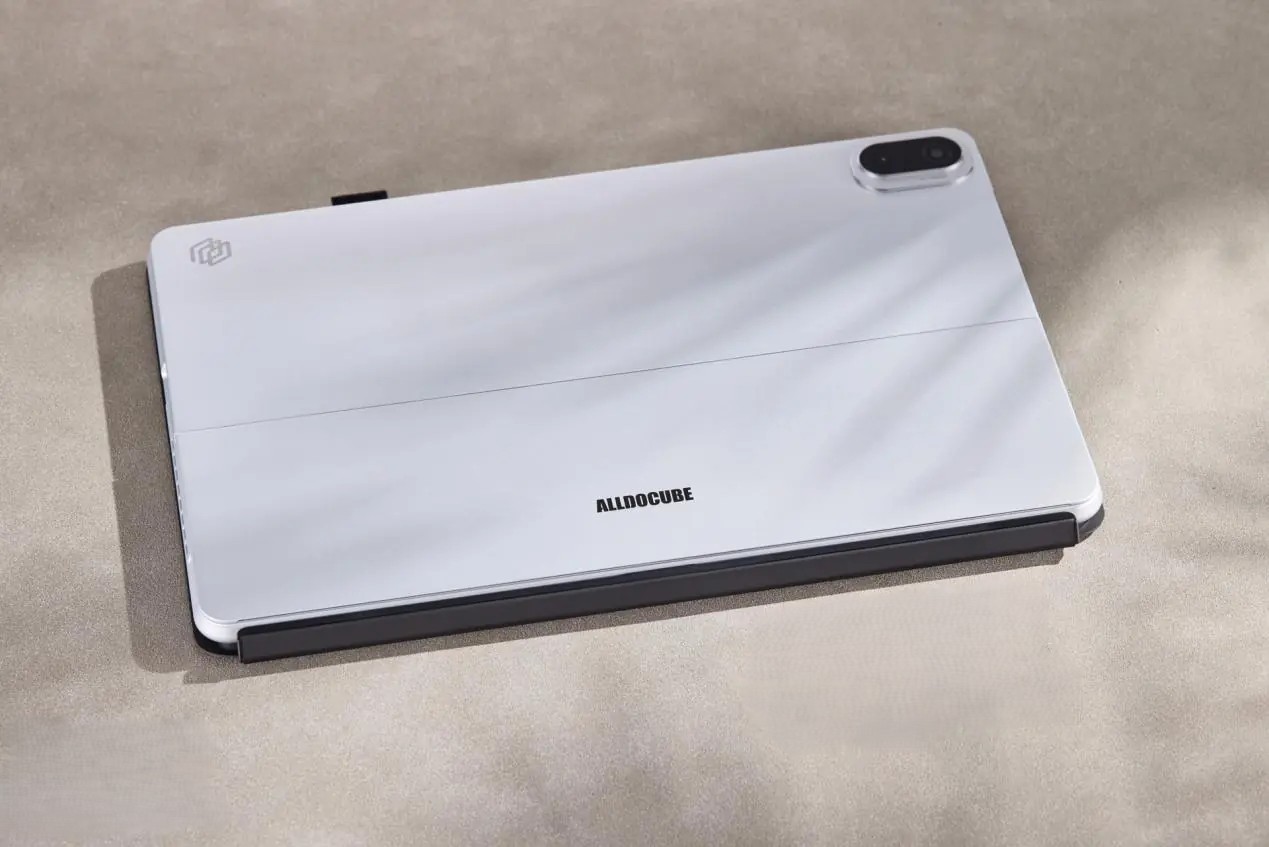
The box itself is clean and confident a flat rectangular package with a large, gold-foil “ALLDOCUBE iWORK GT Ultra” stamped across the front. It makes a good first impression before you’ve even opened it.
Inside, you’re greeted by a 13-inch IPS display running at 2560×1600 resolution. That works out to 232 PPI, and with the 16:10 aspect ratio, it’s well-suited for productivity. The bezels are even all the way around, and the rounded corners give it a polished, symmetrical look that feels intentional rather than accidental. A 5MP front camera sits at the top.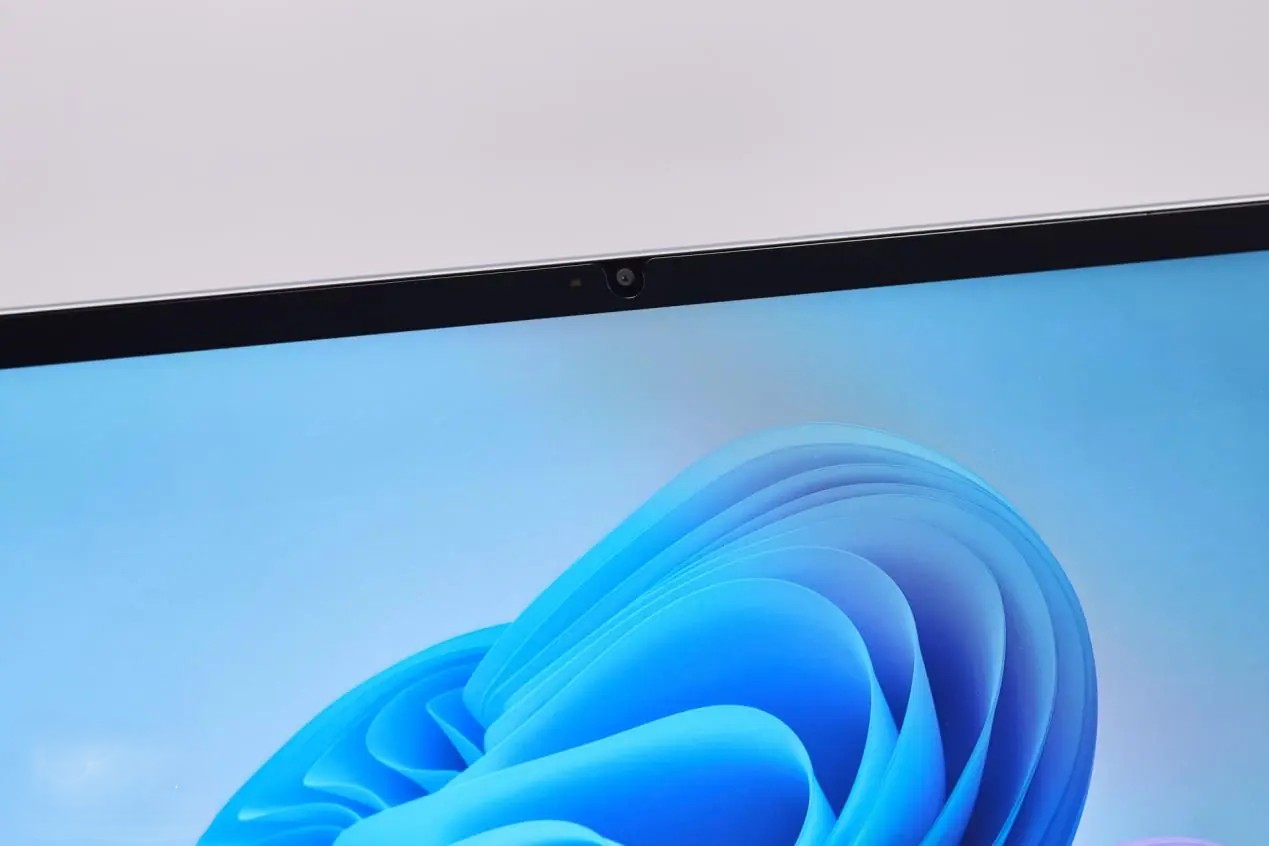
Flip it over, and the magnesium-aluminum alloy back immediately stands out. The fine sandblasted finish feels premium to the touch cool, smooth, and not at all plasticky. The silver colorway is classy without being flashy. The Cube logo sits top-left, and the 5MP rear camera is top-right.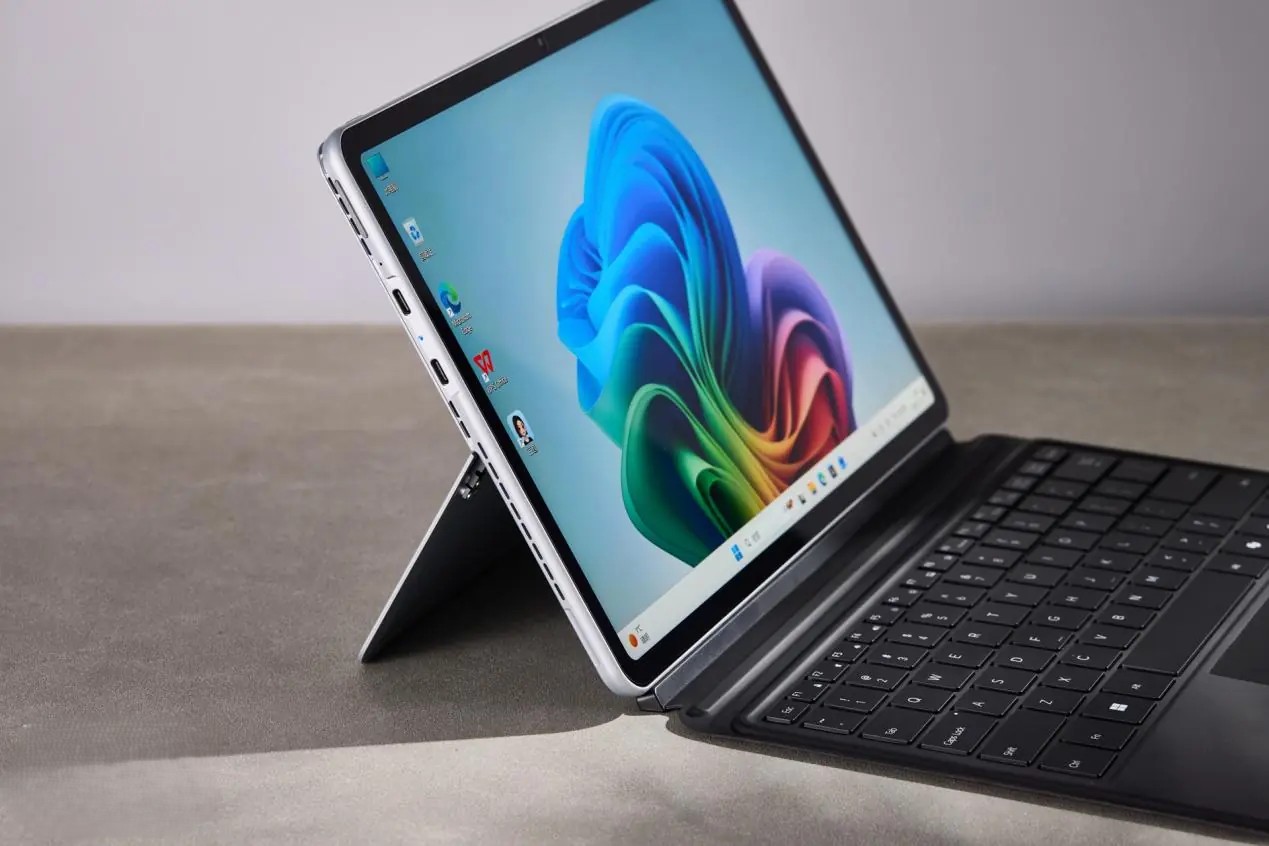
One of the more satisfying design touches is the built-in kickstand. It opens to a maximum of 155° and holds firm at a range of angles the damping feels just right. Not loose and floppy, not stiff and annoying. The heat vents are woven into the design naturally, running along the back edge and top of the device with a diagonal stripe pattern that actually looks pretty cool rather than like an afterthought.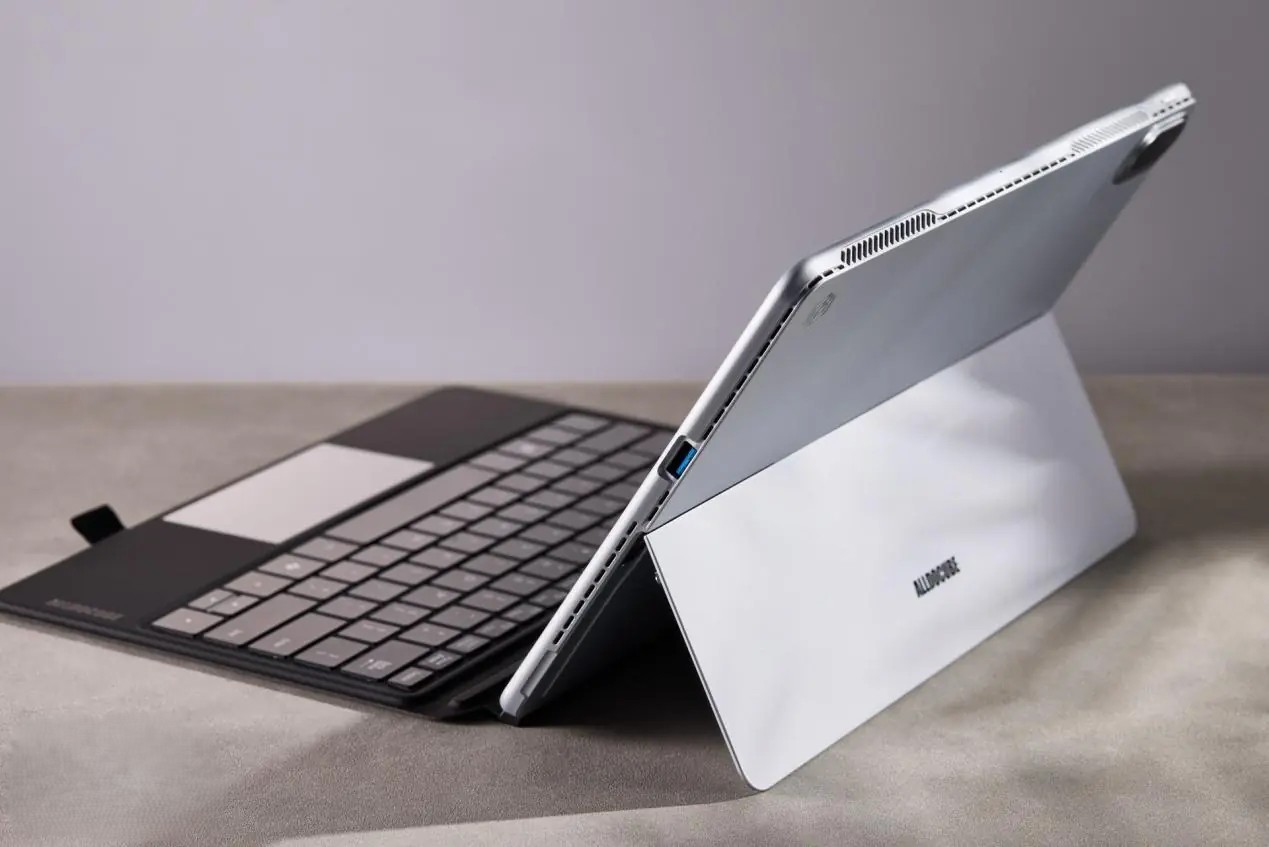
The bundled magnetic keyboard is compact and comfortable enough for everyday typing decent key travel, clear feedback, and a soft-touch palm rest that won’t tire your wrists. If you need more precision, a 4096-level pressure-sensitive stylus is available separately. It’s shaped like a regular ballpoint pen with angular edges for grip, plus two shortcut buttons near the tip.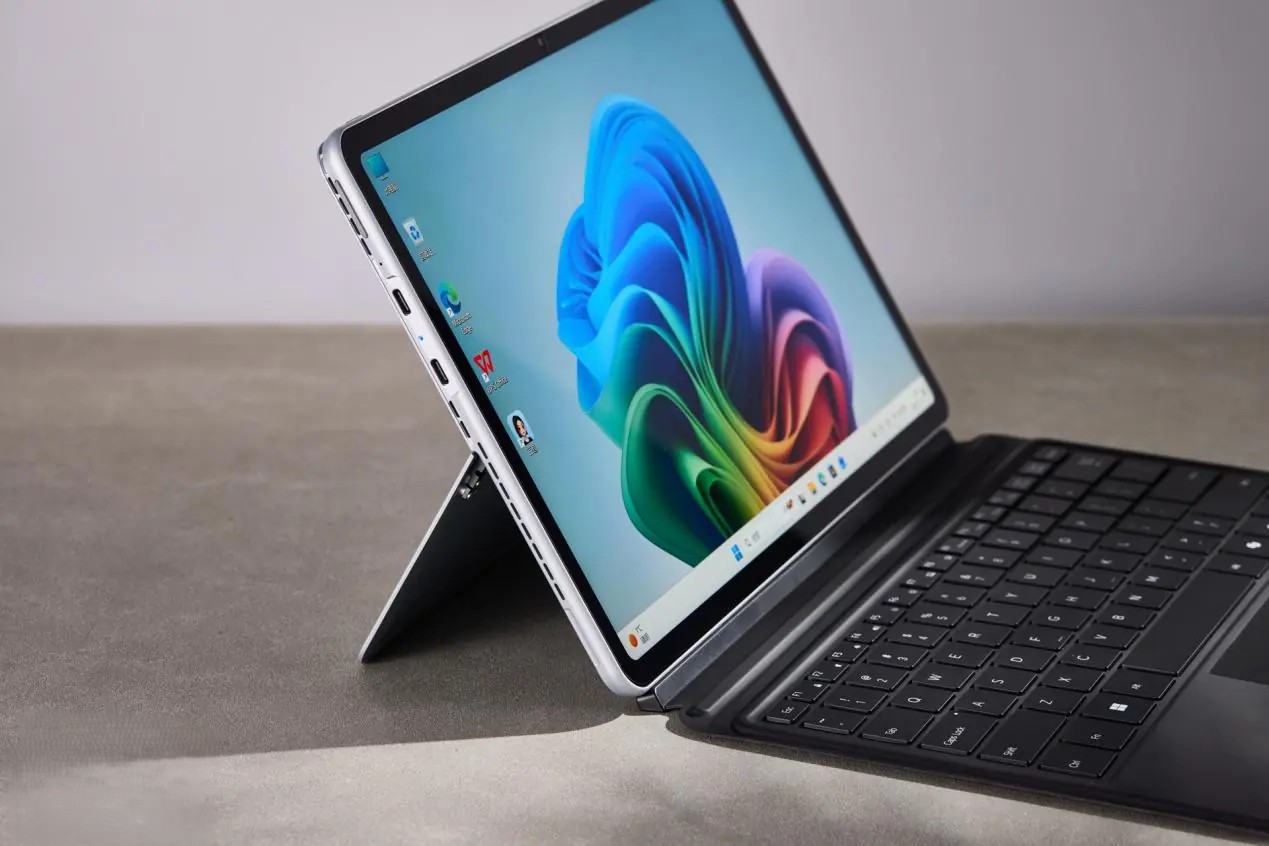
Port-wise, you get one USB 3.0 Type-A and two USB 3.1 Type-C full-function ports covering charging, data transfer, video output, headphone connection, and OTG expansion. That’s a solid lineup for a device this thin.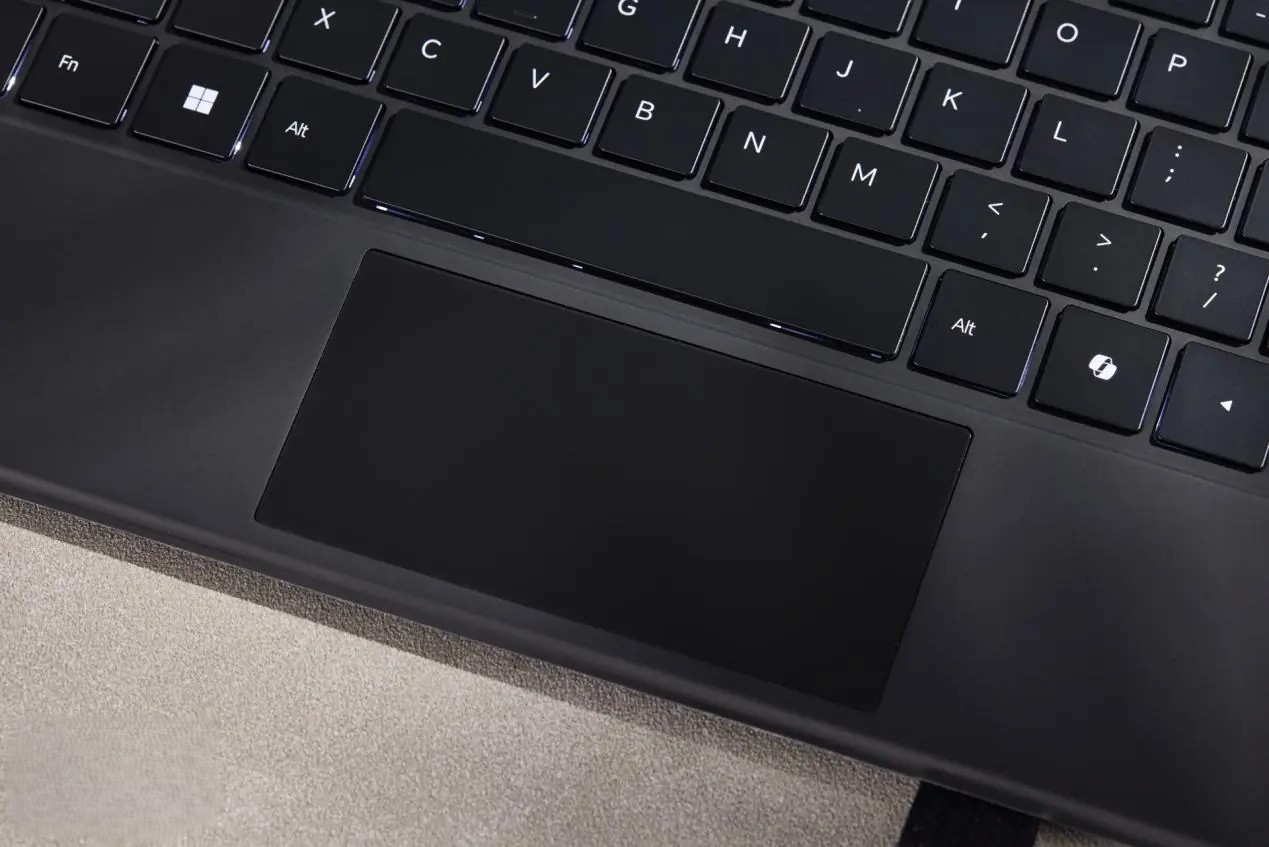
Speaking of thin the iWork GT Ultra measures 300.57mm × 195.56mm, sits at just 9.8mm thick, and weighs in at 851g. For a Windows machine with this much going on, that’s genuinely impressive.
Performance Testing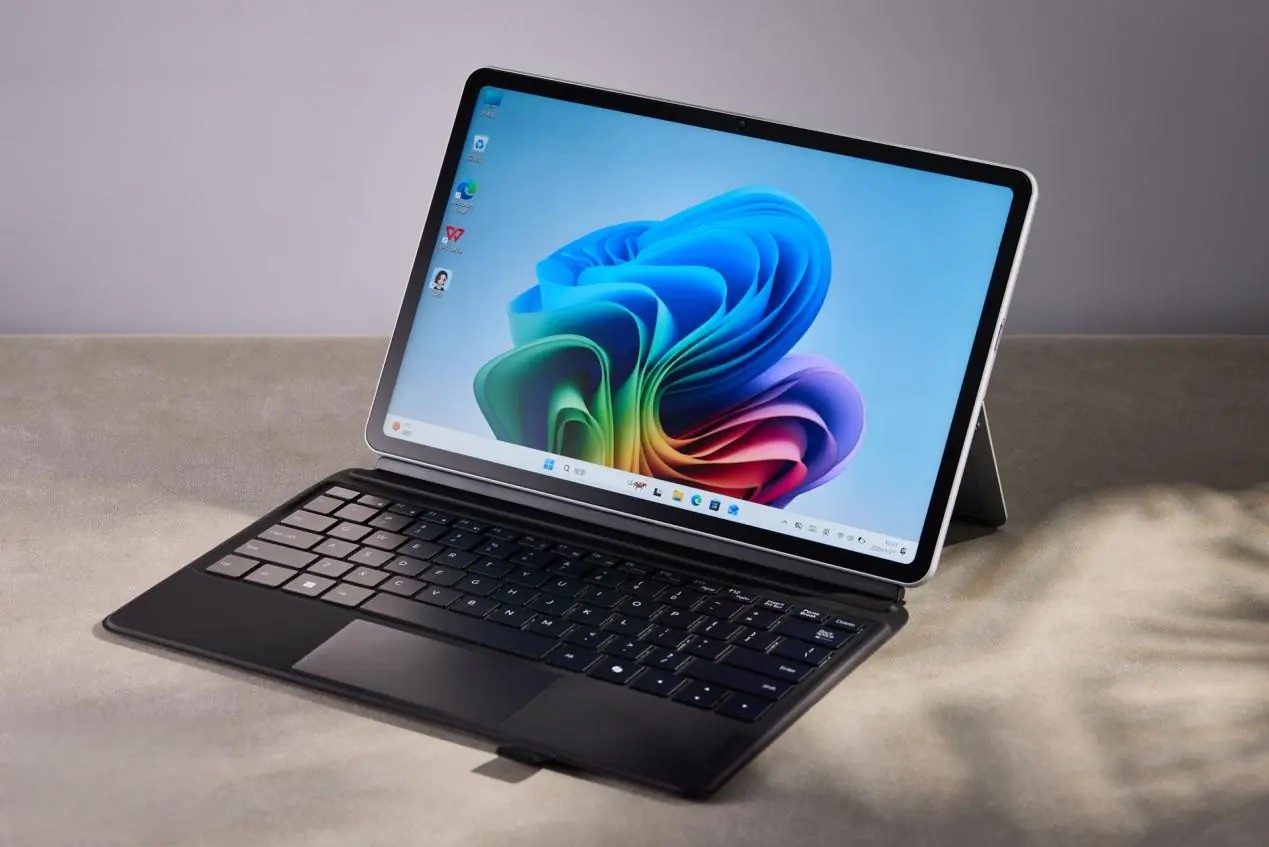
For a Windows 2-in-1 tablet, performance is just as critical as portability, and the Cube iWork GT Ultra doesn’t disappoint on either front. Under the hood, it runs on Intel’s Core Ultra 5 125H, built on the Meteor Lake architecture with Intel’s 4nm process. The chip packs 14 cores and 18 threads, a mix of 4 performance cores, 8 efficiency cores, and 2 low-power efficiency cores, capable of boosting up to 4.5GHz, backed by 18MB of L3 cache.
Starting with CINEBENCH R23, the device posted 1,534 pts on single-core and 7,413 pts on multi-core, a solid step up from the ARM-based Windows tablets we’ve seen in this category. CINEBENCH 2024 followed suit with 88 pts single-core and 388 pts multi-core, which is quite respectable for a slim portable machine.
CPU-Z placed the processor at 649.7 pts (single-threaded) and 5,407.8 pts (multi-threaded), while 3DMark’s CPU Profiler returned 835 for a single thread and 3,562 at maximum threads. All things considered, this chip handles everyday office tasks with ease and then some.
On the graphics side, the integrated Intel Arc GPU features 7 Xe cores (112 execution units) clocking up to 2.2GHz. In 3DMark’s Time Spy test, it earned a GPU score of 2,771 and an overall score of 2,959, capable enough for casual gaming. Fire Strike pushed those numbers to 6,663 (GPU) and 6,108 (overall). The Steel Nomad Light test, specifically designed for lightweight mobile gaming, delivered 15.20 fps and a total score of 2,051, while V-Ray’s rendering benchmark came in at 7,302 points.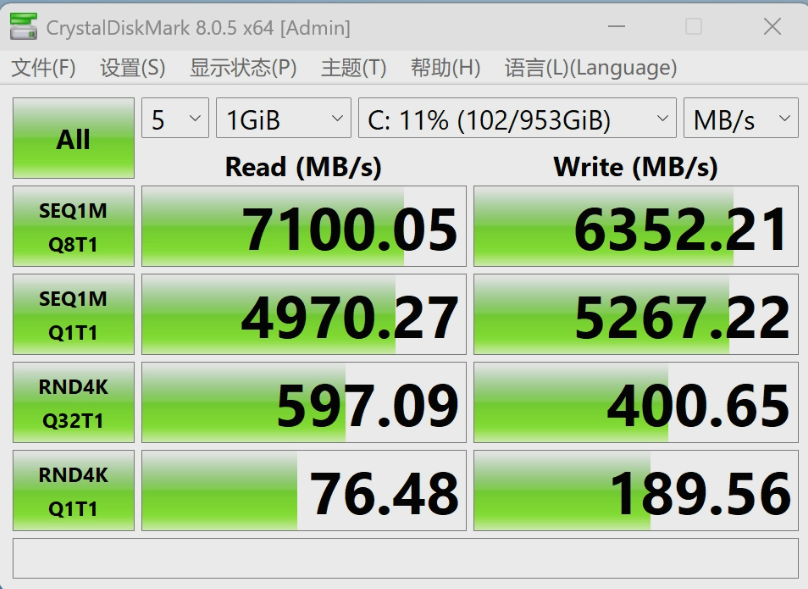
Memory-wise, the device ships with 16GB of dual-channel LPDDR5-6385 RAM paired with a 1TB PCIe SSD. AIDA64’s Cache & Memory Benchmark showed reads of 65,927 MB/s, writes of 65,857 MB/s, and copy speeds of 75,248 MB/s, with a latency of 133.5ns and L3 cache latency of just 20.5ns. Storage performance was equally impressive, CrystalDiskMark’s SEQ1MQ8T1 test recorded 7,100 MB/s read and 6,352 MB/s write, with the SEQ1MQ1T1 test returning 4,970 MB/s and 5,267 MB/s respectively.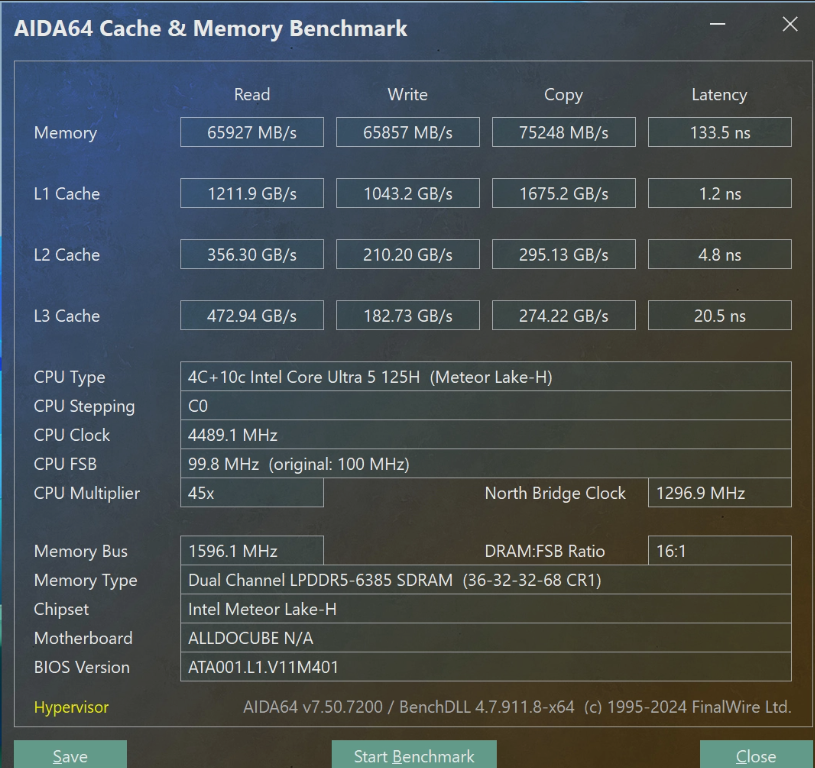
Thermals held up well during stress testing. A 10-minute AIDA64 FPU stress test saw power consumption settle around 20W, with core temps stabilizing at 66°C. The surface temperature barely crept past 34.5°C, impressively cool for a device this slim. Credit goes to the dual-fan, dual-heatpipe cooling system, which clearly punches above its weight class.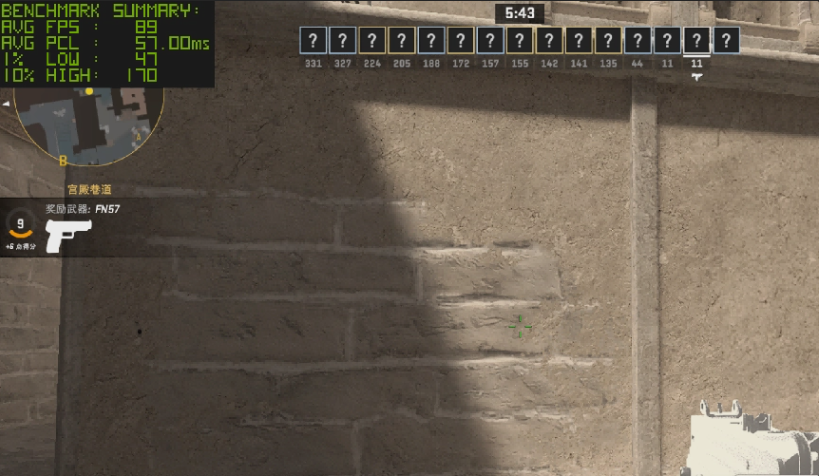
As a final real-world check, we fired up CS2 at 1920×1200 with the lowest graphics preset. The results were genuinely surprising, gameplay was smooth and visually acceptable, averaging 80 fps with a 1% Low of 47 fps. Dropping the resolution to 1680×1050 introduced some pixelation on startup, but remained playable throughout, pushing averages to 89 fps while the 1% Low held steady at 47 fps.
AI & Local Model Performance
The Intel Core Ultra 5 125H processor powering the iWork GT Ultra comes with an 11 TOPS NPU, making it capable of handling local AI workloads. To put this to the test, we fired up LM Studio and loaded a 1.5B DeepSeek model to see how it would hold up in real use.
We started by asking the model to put together a three-day Beijing travel itinerary. The response came back quickly and was impressively detailed, covering 1,266 tokens at a solid 16.10 tokens per second, with just 1.11 seconds before the first word appeared.
For the second test, we asked it to draft a company annual meeting speech, something that needed to strike a balance between professional and entertaining. The model paused a bit longer to “think” before delivering a well-crafted result. This time it generated 563 tokens at 14.71 tok/s. The 10-second initial delay was a little noticeable, but once the output started flowing, it moved at a satisfying pace.
Feeling bold, we pushed things further by loading a 7B parameter DeepSeek model and asked the same Beijing travel question. The generation rate dropped to 5.57 tokens per second, slower, and you can feel the device working harder. That said, the iWork GT Ultra still managed to get the job done, making it a reasonable option for lightweight edge AI tasks that can genuinely boost day-to-day productivity.
Office Performance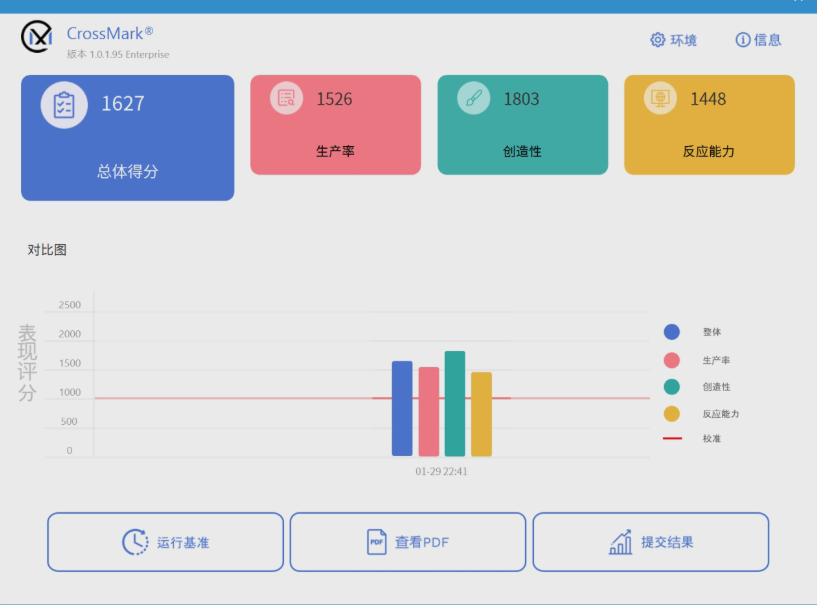
Beyond AI, the tablet holds its own in traditional office scenarios. CrossMark gave it an overall score of 1,627, breaking down to 1,526 for productivity, 1,803 for creativity, and 1,448 for responsiveness. PC Mark 10 Modern Office landed at 5,918 overall, with strong showings across essential functions (9,671), productivity (7,553), and digital content creation (7,701).
We also ran it through some real-world professional software. AutoCAD opened almost instantly, and whether we were working with flat 2D drawings or complex 3D models, everything scrolled, zoomed, and edited without a hitch, great news for engineers who need a portable workhorse they can rely on in the field.
We then threw a 4GB Galaxy TIF file at Photoshop. Opening the file took around 40 seconds, which is reasonable given its size. After that, zooming and editing felt smooth with no lag or delayed rendering. Applying a 30-pixel Gaussian blur finished in about 15 seconds, fast enough to keep a graphic designer’s workflow moving, even when handling heavy files.
Stylus Experience
Paired with the optional Stylus Pen, the iWork GT Ultra becomes a surprisingly capable note-taking device. Writing in the built-in Diary app felt natural, with virtually no perceptible delay between pen and ink. Mistakes can be erased by scribbling over them, nodes in mind maps can be lassoed and repositioned with a finger drag, and selected content can be copied or converted to text with a tap. It’s a setup that works well for students and professionals alike.
The built-in stepless adjustable stand is another practical touch. It lets you dial in the perfect viewing angle for typing sessions, client presentations, or anything in between, no external stand needed.
Battery & Charging
The 42.72Wh battery delivered 6 hours and 41 minutes in PC Mark 10’s battery test, with Wi-Fi and Bluetooth off and brightness and volume both at 50%. It’s a passable result, though not particularly impressive for a device pitched as a portable office companion.
On the charging side, the 65W PD support is a plus, but the speed is middling. Starting from 1%, it reached 25% after 30 minutes, 48% at the one-hour mark, and needed roughly two hours to climb to 90%.
Verdict
After spending quality time with the Cube iWork GT Ultra, This Windows 2-in-1 tablet is genuinely worth your attention. The combination of an Intel Core Ultra 5 125H processor, 16GB of RAM, and a 1TB drive at a mid-range price point makes for a compelling value proposition. Unlike many competing Windows 2-in-1 devices that rely on ARM architecture, this tablet runs a native x86 system, meaning zero compatibility headaches and smooth performance even with demanding applications like AutoCAD. Throw in a sharp 2.5K full-screen display, sturdy build quality, and a sleek aesthetic, and it honestly left us more impressed than we expected.
That said, battery life and charging speed are where the experience falls short. For a device built around portability, running out of juice away from an outlet is an inconvenience users will inevitably face, and on that front, expectations may not be met.
So who is it for? If you’re a professional constantly on the move, handling everyday tasks like document editing or niche software tools, and you’re working within a tighter budget, the Cube iWork GT Ultra deserves a spot on your shortlist. But if raw performance is a priority, or your budget allows for fewer compromises, there are other options on the market better suited to those needs.
Read Also: Cube Alldocube iWork GT 12 tablet is online: equipped with R5 7520U processor, 3299 yuan