









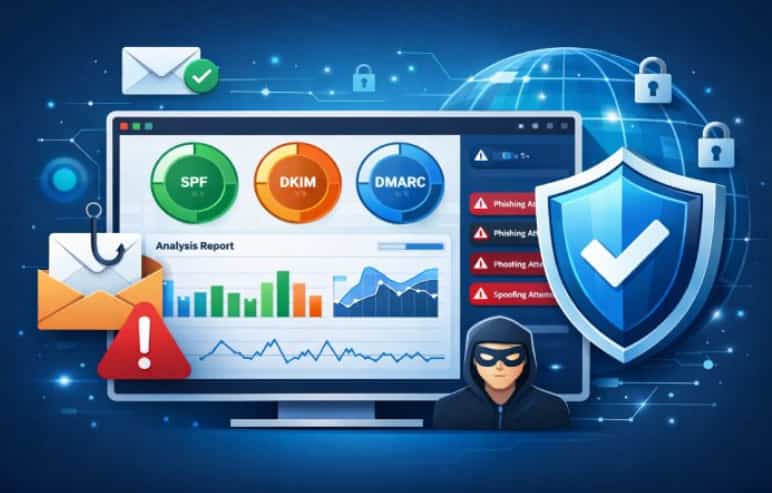
Organizations of all sizes remain at risk from email-centric threats such as phishing and spoofing, highlighting the need for robust domain protection. A DMARC reporting tool provides essential insights into the usage of your domain, exposing authentication flaws and instances of unauthorized email operations.
By simplifying intricate DMARC reports into straightforward, actionable recommendations, these tools facilitate enhanced policy implementation and fortified email security. Learning how a DMARC reporting tool functions is crucial for safeguarding your brand, boosting email deliverability, and deterring email misuse.
Understanding DMARC: What Is It and Why Does It Matter?
Email continues to be a primary target for cyber threats, highlighting the importance of robust email authentication. DMARC, in conjunction with SPF and DKIM, helps thwart spoofing, phishing, and domain impersonation, while safeguarding sender reputation and maintaining recipient confidence.
By setting up a DMARC record in their DNS and utilizing a DMARC monitoring service, organizations can track authentication outcomes and dictate the treatment of emails that fail verification. This forward-thinking strategy boosts email security, enhances deliverability, and elevates the overall trustworthiness of the domain.
The Intersection of Email Authentication and Business Security
Misconfigured or missing DMARC records can leave organizations exposed to spam, phishing attempts, and domain impersonation. DMARC helps eliminate these risks by requiring alignment between SPF, DKIM, and the displayed sender—the very principle at the heart of sender reputation management and effective spam prevention. A well-optimized DMARC monitoring tool enables ongoing email traffic monitoring to detect anomalies and potential threats in real time.
Common Email Threats and the Role of DMARC Policies
Email-based threats are constantly evolving. The most prevalent risks include:
- Phishing attacks: Cybercriminals use fake sender addresses to trick recipients into revealing sensitive data or downloading malware.
- Business Email Compromise (BEC): Fraudulent emails impersonate trustworthy sources—such as executives or vendors—to manipulate employees or extract funds.
- Spoofing and Spam: Spammers use your domain to send unsolicited emails, damaging sender reputation and undermining customer trust.
Implementing a proper DMARC setup empowers domain owners to specify handling instructions when an email fails authentication. For example, policies may be set to “none” (monitor only), “quarantine,” or “reject” emails that don’t comply—triggering powerful spam prevention and phishing protection. With tools like EasyDMARC, Valimail, Dmarcian, and DMARC Advisor, organizations can fine-tune these policies for maximum protection and control.
DMARC Policies in Action
A robust policy, enforced via your DMARC record in DNS records, ensures only DMARC compliant, domain-authenticated emails reach end users. The policy enforcement improves mail authentication changes and shapes a stronger sender reputation over time—directly impacting email deliverability, especially with inbound filters from providers like Gmail and Yahoo.
What Is a DMARC Reporting Tool?
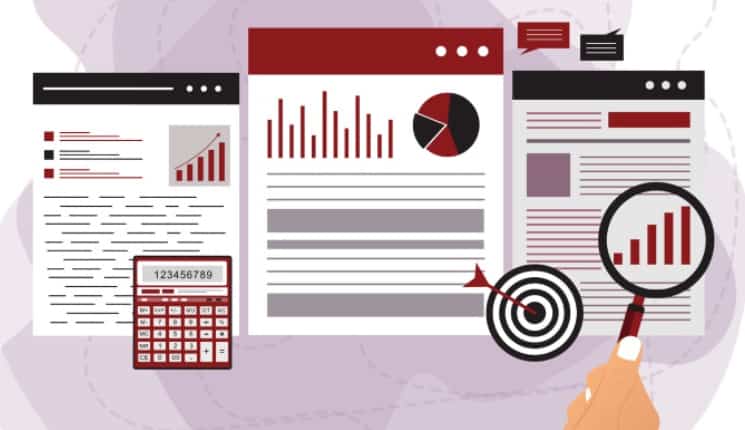
A DMARC reporting tool acts as an intelligent monitoring service, aggregating, parsing, and visualizing DMARC reports sent back by receiving mail servers. These tools are essential for translating raw XML report data into actionable insights for IT teams and administrators.
By centralizing DMARC aggregate reports and DMARC failure reports from across the globe (including Europe and Africa), a DMARC reporting tool transforms forensic reporting and policy management into a streamlined process. Service providers, such as PowerDMARC and dmarcreport.com, offer both free DMARC monitor tiers and premium packages, integrating features like data retention, subdomain monitoring, and real-time monitoring through intuitive dashboards and online dashboards.
The Role of a DMARC Monitoring Tool
A DMARC monitoring tool continuously analyzes both aggregate and forensic DMARC report streams to identify authentication errors, delivery anomalies, and potential abuse scenarios. This real-time monitoring, often visualized through a web interface or monitoring dashboard, helps domain owners:
- Ensure mail authentication continuity
- Track DMARC pass rates over time
- Receive email alerts and alert notifications for failed messages or new threats
With features like custom alerts, email notifications, user verification, and domain status tracking, organizations gain full visibility into their DNS, SMTP routes, and active email sources.
Types of DMARC Reports: Aggregate vs. Forensic
One of the central functions of any DMARC reporting tool is the collection and interpretation of two principal types of DMARC reports: aggregate and forensic.
DMARC Aggregate Reports (RUA)
DMARC aggregate reports, also known as RUA reports, provide a high-level summary of all emails received on behalf of your domain during a given period (typically daily). These DMARC aggregate reports aggregate results by source IP, reporting on authentication statuses for SPF and DKIM, DMARC pass rates, and overall compliance. They are crucial for:
- Monitoring large-scale email traffic flows
- Identifying legitimate senders and unauthorized sources
- Enabling robust domain authentication and data-driven policy enforcement
A DMARC monitoring tool will often include a powerful RUA section in its dashboard or web interface, allowing users to sort, filter, and interpret report formatting with ease.
DMARC Failure Reports (RUF/Forensic)
DMARC failure reports (RUF) or forensic reporting, meanwhile, focus on individual messages that fail DMARC (neither SPF nor DKIM passes and aligns). These detailed DMARC failure reports, though less frequent, contain raw header and sometimes message snippets—crucial for forensics and pinpointing exact causes of authentication breakdowns or spoofing attempts.
Top-tier tools like DMARC Digests, PowerDMARC, or Dmarcian provide advanced forensic reporting features, including mail authentication changes tracking, email digest summaries, and data retention controls to respond to evolving threats efficiently.
Key Features to Look for in a DMARC Reporting Tool
1. Intelligent Dashboards and Reporting
An effective DMARC monitoring tool must provide a centralized dashboard or online dashboard for intuitive visualization and analysis. The dashboard should include:
- Interactive charts for monitoring DMARC pass rates and authentication trends
- Detailed reports analysis of SPF, DKIM, and DMARC alignments
- Integration of subdomain monitoring and inactive domains tracking
2. Seamless Setup and Integration
Modern tools offer a guided setup wizard to streamline DMARC setup, domain verification, and user verification. Seamless integration with third-party solutions, such as Cloudflare for DNS management, mail delivery tools (Mailchimp, Postmark), or e-commerce platforms and cloud accounting tools via API access, are also crucial for effective deployment.
3. Alerting and Real-Time Monitoring
Custom alerts, email alerts, alert notifications, and real-time monitoring capabilities are fundamental—enabling you to act instantly on threats, configuration errors, or notable mail authentication changes. Email limit, monthly email quota, and report limits should be transparent, especially for organizations monitoring multiple domains or high-volume email traffic.
4. Forensic and Aggregate Reporting
Ensure the DMARC reporting tool supports both DMARC aggregate reports (for overview statistics) and DMARC failure reports/forensic reporting (for in-depth investigations). This allows for extensive email traffic monitoring and actionable insight generation.
5. Flexible Data Retention and Granular Controls
Choose a solution with robust data retention policies and granular DNS scanning features—so you can track historical trends, test emails, and review delivery tools’ effectiveness across all DNS records and subdomains. Look for options that allow you to manage parked domains, DMARC capable emails, and report formatting for compliance and auditing needs.
6. User Experience and Maintenance
A modern web interface should simplify monitoring dashboard usage and give domain owners the tools to manage domain status, receive regular email notifications, and configure custom alert thresholds. Additionally, check for support for inactive domains, domain authentication status checks, and free DMARC monitor options to accommodate varying organizational needs.
For those starting their DMARC journey, resources such as dmarcreport.com offer a free DMARC monitor, making it simple to validate your DMARC record and test emails before full-scale policy enforcement.
By focusing on these features and understanding the respective value of DMARC aggregate reports and forensic reporting, organizations can leverage a DMARC reporting tool to monitor emails, prevent phishing and spam, maintain email deliverability, strengthen sender reputation, and ultimately protect their valuable digital assets worldwide.
How to Read and Interpret DMARC Reports
To maximize the benefits of a DMARC reporting tool and enhance email authentication along with sender reputation, it’s crucial to analyze DMARC reports. Both aggregate (RUA) and failure (RUF) reports provide insights into authentication problems, phishing threats, spam incidents, and delivery issues across your domains.
-
DMARC Aggregate Reports
DMARC aggregate reports offer a high-level daily summary of all emails processed under your domain’s DMARC record. These reports show the results of SPF and DKIM alignment for each email source, which directly impacts email deliverability and helps the domain owner spot authentication gaps.
-
Key Components of Aggregate Reports
- Source IP addresses: Identify where mail is being sent from, supporting spam prevention and phishing protection efforts.
- SPF & DKIM Results: Determine whether messages pass, fail, or align, providing key data for email traffic monitoring.
- Policy Actions: Indicate if a message is rejected, quarantined, or allowed, informing ongoing policy enforcement.
- Volumes and Trends: Aggregate counts allow for trend analysis and better domain status tracking.
2. DMARC Failure Reports (Forensic Reporting)
Failure reports provide forensic reporting on individual messages that failed DMARC checks. These succinct reports include message samples, sender and recipient IPs, and failed authentication reasons.
-
Using Forensic Data
Dmarc failure reports are crucial for identifying suspicious patterns, supporting real-time monitoring, and enabling swift policy updates through alert notifications and email alerts. Forensic reports can be resource-intensive, so it’s important to manage report limits and data retention, especially when handling test emails and DMARC compliant status checks.
3. Interpreting the Data
Most DMARC reporting tools offer a monitoring dashboard or web interface for converting XML reports into readable formats. Using visualization and reports analysis features, domain owners can spot mail authentication changes, identify inactive domains or attempted abuses against parked domains, and ensure subdomain monitoring is comprehensive.
Implementing and Configuring a DMARC Reporting Tool

Initial DMARC Setup and Domain Verification
- Generate and Publish DMARC Record: Use a tool like dmarcreport.com or other free DMARC monitor services to create and test your initial DMARC record. Integrate with your DNS management provider, including possible integration with Cloudflare or custom DNS scanning solutions.
- Domain Verification: Ensure domain authentication by verifying ownership, typically via TXT records in DNS.
- SPF and DKIM Alignment: Set up spf and dkim records for your domain, aligning them for optimal DMARC pass rates and sender reputation.
- Setup Wizard and Onboarding: Many modern DMARC monitoring tools—such as EasyDMARC, Valimail, or PowerDMARC—provide a setup wizard, guiding users through policy setup, rua section configuration, and user verification.
Tool-Specific Configuration
- API Access and Web Interface: Tools like DMARC Advisor and Dmarcian provide both APIs and online dashboards for ease of use and monitoring flexibility.
- Custom Alerts and Email Notifications: Configure email alerts, custom rules, and alert notifications to enhance your monitoring dashboard for immediate action.
- Dashboard Customization: Tailor dashboards to focus on deliverability tools, domain sender reputation, and mail authentication changes.
- Data Retention and Report Limits: Set limits for monthly email quota, email limit per monitoring service, and storage of historical data for compliance.
Advanced Options
- Subdomain Monitoring: Activate monitoring for all subdomains to prevent shadow IT vulnerabilities.
- Parked and Inactive Domains: Include parked domains in your DMARC setup to prevent abuse.
- Integration with Third-Party Tools: For large enterprises, integrating with SMTP gateways, Mailchimp, Google, Yahoo, and even cloud accounting tools or e-commerce platforms may be necessary for holistic monitoring.
Main Insights
- An effective DMARC reporting and monitoring system enhances email security and safeguards against phishing.
- Analyzing DMARC aggregate, failure, and forensic reports aids in maintaining sender reputation and improving email delivery.
- Implementing DMARC correctly, along with managing domain, subdomain, and DNS, reduces security vulnerabilities.
- Emerging trends are centered around AI-driven dashboards, improved integrations, and simplified setup across all domains.
- Dashboards, notifications, and live reports provide visibility into email traffic and ensure compliance.