





Facebook Twitter Instagram
    Trending
    • Upends UP9 50K Disposable Pod Review: A Game-Changer in Disposable Vaping
    • Gold Bar Max 50K Nixodine Disposable Vape Review: A Premium Vaping Experience with Long-Lasting Satisfaction
    • Geek Bar Clio X 50K Disposable Vape Kit Review: The Ultimate Vaping Experience
    • British American Tobacco Japan has Announced the Launch of a Limited Edition ‘Glo Hilo Plus’ Set in Collaboration with McLaren, Priced at Approximately $200
    • Fumo Japan expands SENTIA Vape product line by introducing blueberry mint flavor
    • How to switch from dual graphics cards to independent graphics card? Methods for adjusting computer graphics cards.
    • Starting from 7,999 yuan, Leica Announces that Leica Version of Xiaomi 17 Ultra in Black and Silver will be Available on Official Channels
    • The Benchmark Score of OnePlus 15T exceeds 4.45 million: Snapdragon 8E5 + 16GB + 1TB
    Facebook YouTube
    Login Register
    IGeeKphone China Phone, Tablet PC, VR, RC Drone News, Reviews
    • HOME
      • NEWS
        • DeepSeek
        • ChatGPT
        • Minecraft
    • Amazon
    • PHONE
      • Top Phones For Your First Choice
      • Phone Comparison
      • Xiaomi
      • Blackview
      • Doogee
      • Black Shark
      • Geekbuying
      • Banggood
      • TEMU
      • TikTok
      • Aliexpress
      • Walmart
      • MercadoLibre
      • Lazada
    • TOP VAPE Awards for 2026
    • VAPES
      • E-CIGAR Upcoming
      • Vape News
      • Vape Deals
      • Vape Comparison
      • Vape Guide
      • Giveaway
    • BEST VAPE
      • Best Vape Stores
      • Best Starter Vape Kits
      • Best Vapes for Beginners
      • Best Disposable Vapes
      • Best Pod Systems
      • Best Pod Mod Vapes
      • Best Mods
      • Best Nicotine Pouches
      • Best Clearomizers/Tanks
      • Best E-Liquid
      • Best EGO/Pens
      • Best Vapes for Nic Salt E-Juice
      • Best Vapes to Quit Smoking
      • RDA vs. RDTA vs. RTA
    • Best Vape Brand 2026
      • VAPORESSO
      • VOOPOO
      • OXVA
      • NEXA BAR
      • ORIONBARTECH
      • MASKKING VAPE
      • MEMERS
      • SP2S
      • JNR
      • TODOO
      • MRFOG
      • VEIIK
    • REVIEW
      • E-cigar Review
      • Phones
      • Tablet PC
      • TV Box
      • RC Drone
      • Wearables
      • Camera
      • Accessories
      • VR Headset
    • MORE
      • TABLET
        • Chuwi
        • INNOCN
        • Teclast
        • Top Tablet for Your First Choice
        • Tablet/Laptop Comparison
      • RC DRONE
      • CAMERA
      • WEARABLES
        • OneOdio
        • BlitzWolf
        • Top Smartwatch for First Choice
      • 3D PRINTER
        • 3D Printer Review
        • Anycubic
        • FLSUN
        • Xtool
        • LONGER
        • Top 3D printer to Choose First
      • POWER STATION
        • Oukitel
        • FOSSIBOT
      • GAMING
        • Top Gaming Products
      • E-BIKE
        • Samebike
        • Happyrun
        • ENGWE
      • SMART HOME
      • TV BOX
      • ACCESSORIES
      • VR HEADSET
      • CLOTHES
      • AUTO CAR
    • DEAL
    • VAPE LAWS
    • Shop
    IGeeKphone China Phone, Tablet PC, VR, RC Drone News, Reviews
    You are at:Home»Guide»How to force a Restart of OnePlus 15?
    Guide

    How to force a Restart of OnePlus 15?

    Brady CottonBy Brady CottonJanuary 12, 2026
    Facebook Twitter Pinterest LinkedIn Tumblr Email

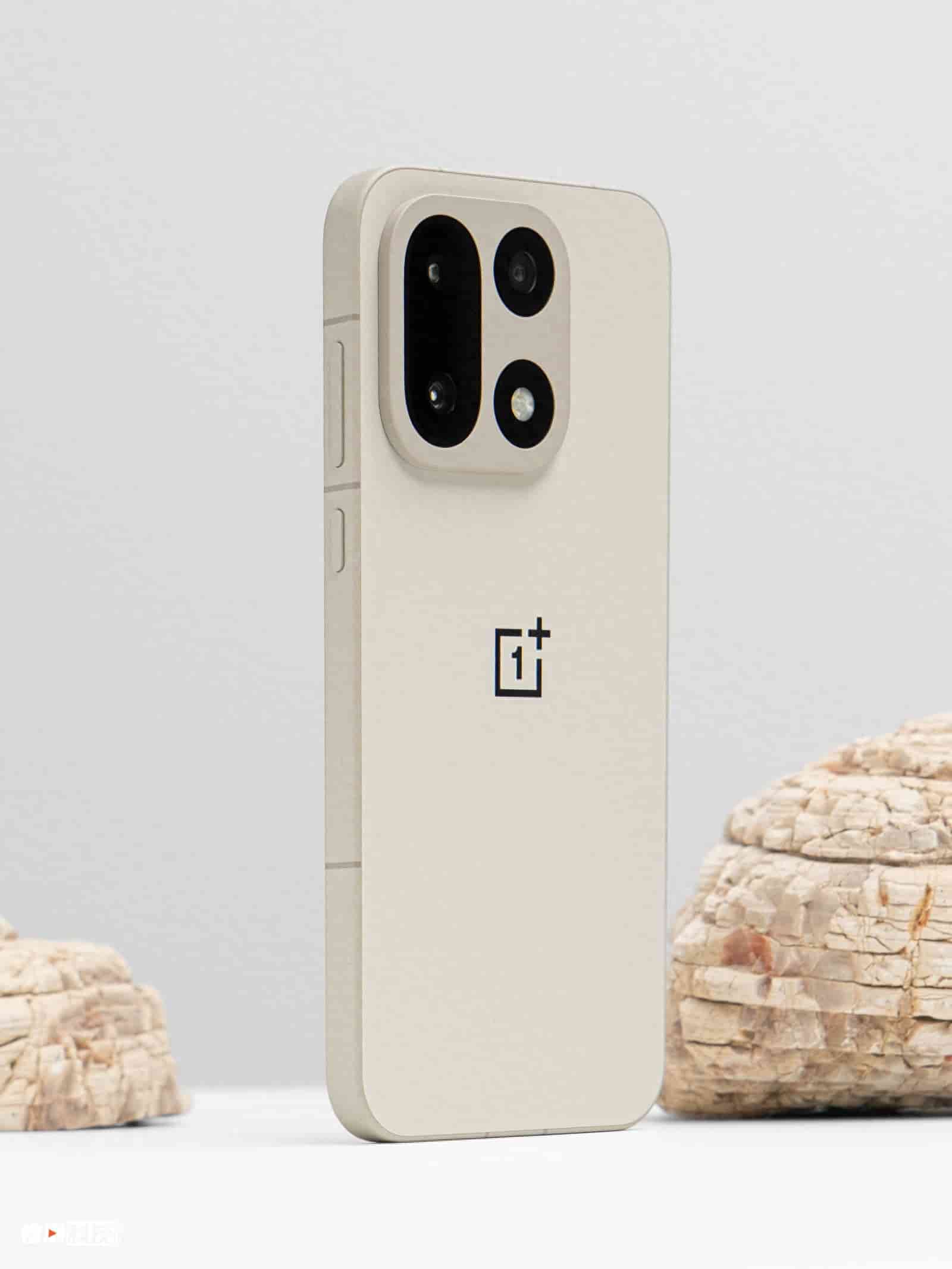
    During the use of smartphones, common problems include system lag, application unresponsiveness or screen freezing. At such times, forcibly restarting the device is an effective way to quickly restore its operation. OnePlus 15, as a flagship model equipped with the ColorOS 15 system, has its forced restart mechanism optimized and designed. It not only retains the operation logic of traditional Android devices but also adds intelligent processing methods. This article will systematically explain the forced restart methods of the OnePlus 15 and provide graded solutions for different scenarios.

    I. Intelligent restart in regular scenarios

    When the device experiences minor lag or the application fails to respond, the ColorOS 15 system offers two quick restart methods:

    1.Menu selection method: Press and hold the power button for 3 seconds. After the shutdown menu appears on the screen, click the “Restart” option. This method is applicable when the system can still respond to touch operations. It uses system-level instructions to close background processes and reload the core services.

    2. Intelligent Quick Restart: In the ColorOS 15 system, by long-pressing the power button for 5 seconds, the “Restart” option will be directly displayed, bypassing the shutdown process. The actual test shows that compared to the traditional method of first powering off and then powering on, this method reduces the restart time by approximately 40%. It is particularly suitable for scenarios where quick restoration of the device’s state is required.

    II. Forced restart using combination keys when the system freezes

    When the device freezes its screen but still responds, use the combination keys to force a restart:
    While holding down the power button and the volume up button for 12 seconds, the system will forcibly terminate all processes and restart. This operation directly cuts off the power supply through hardware-level instructions. The actual test shows that it only takes 18 seconds from triggering to completion. Please note that this method may cause the loss of unsaved data. It is recommended to try the intelligent restart first.
    III. The ultimate solution for deep system crash scenarios

    If the device is completely unresponsive (such as a black screen or touch functionality failure), a deep forced restart needs to be performed:
    At the same time, hold down the power button and the volume up button for 15 seconds. After the screen goes dark, release the buttons. This operation will directly cut off the power supply and is suitable for system crashes or hardware conflicts causing system freezes. Tests have shown that this method can solve over 90% of deep freezes, but you should be mentally prepared for data loss.

    IV. Strategies for Dealing with Special Situations

    Recovery Mode Repair: If the device gets stuck on the boot screen, you can try entering the recovery mode: Press and hold the power button and the volume down button simultaneously for 5 seconds while the device is off. The screen will display a white plus logo and then release the buttons. Select “Restart System” in the Recovery menu. This method can fix some issues with damaged system files.

    2. Function verification of buttons: If there is no response when pressing the power button for a long time, you can continuously click the version number in “Settings – About This Device – Version Information” to enable developer mode. Then, check the physical state of the power button in the “Button Test” section. If the button is damaged, you can enable gesture operation through “Settings – System Navigation – Full Screen Gestures” and use “Swipe Up with Pause” to bring up the shutdown menu.

    3. Environmental factor check: In environments with low temperatures (-10℃ or below) or high temperatures (above 45℃), the battery performance may be affected, causing abnormal shutdown. At this time, the phone should be moved to a suitable temperature environment. Wait until the body temperature returns to the range of 0-35℃ before proceeding with the operation.

    V. Preventive Maintenance Recommendations

    System update management: Every month, check the security patches in the “Settings – System Updates” section. Immediately fix any known vulnerabilities. Before updating, ensure that the battery level is above 50%, and avoid operating the device during the update process.

    2. Scheduled Power Off/On: In the “Settings – Toolbox – Scheduled Power Off/On” section, you can customize the automatic shutdown and startup times for each day. This feature is particularly suitable for use in scenarios where the device needs to be in a dormant state at night or for fixed work schedules. Tests have shown that it can reduce standby power consumption by approximately 15%.

    3. Key Protection: Avoid pressing the power button continuously and rapidly for more than 50 times per day to prevent contact wear. It is recommended to use system functions such as “Double-click the power button to quickly start the camera” to reduce the frequency of key usage.

    The restart mechanism of OnePlus 15 takes a layered design approach to balance efficiency and security. Users can choose the most suitable operation method based on specific scenarios. In case of system abnormalities, the hierarchical processing procedure of “normal restart → forced restart → recovery mode” is followed, enabling quick restoration of device usage. During daily use, making rational use of functions such as timed power off and system updates can effectively reduce the frequency of restarts.

    Share. Facebook Twitter Pinterest LinkedIn Tumblr Email

    Related Posts

    How to switch from dual graphics cards to independent graphics card? Methods for adjusting computer graphics cards.

    The Benchmark Score of OnePlus 15T exceeds 4.45 million: Snapdragon 8E5 + 16GB + 1TB

    Investing in Your Future: How an IRA Can Shape Your Retirement Dreams

    Leave A Reply Cancel Reply

    You must be logged in to post a comment.

    voopoo Cyph NAVI kit
    oxva xlim 3 ultra
    sp2s sen x disposable vape
    jnr 100k
    • Popular
    • 3D Printer REVIEW
    • XIAOMI
    March 2, 2026

    OXVA XLIM PRO 3 vs XLIM 3 ULTRA: Hands-On Review

    February 23, 2026

    Voopoo DRAG S3 vs DRAG X3 Review – Which One Fits Your Vaping Lifestyle?

    February 8, 2026

    VOOPOO VMATE i2 vs i3: Hands-On Comparison Review

    February 2, 2026

    Voopoo Drag X3 vs Drag X2: Hands-On Comparison Review

    December 26, 2025

    ACMER ASCARVA 4S: Precision CNC Power for Makers, DIYers & Small Workshops

    June 23, 2024

    ACMER P2 20W Laser Engraver Fixed Focus Engraving: Hands on Review

    May 30, 2024

    xTool F1 Ultra Review: World’s First 20W Fiber & 20W Diode Laser Engraver

    May 30, 2024

    Anycubic Kobra 3 Combo Review: The Multicolor Masterpiece?

    March 3, 2026

    Starting from 7,999 yuan, Leica Announces that Leica Version of Xiaomi 17 Ultra in Black and Silver will be Available on Official Channels

    March 3, 2026

    Xiaomi Releases the second phase recruitment announcement for the ‘Hyper OS 3 Beta’: ends at 0:00 on March 6th

    February 26, 2026

    Xiaomi 17 Ultra mobile phone has received the upgrade to Hyper OS 3.0.15.0

    February 24, 2026

    Xiaomi 17T Series Phones have been Registered: Equipped with MediaTek 8/9 Flagship Platform and Featuring Leica Imaging Technology

    fc 26 coins
    New Arrivals
    • Upends UP9 50K Disposable Pod Upends UP9 50K Disposable Pod
    • Gold Bar Max 50K Nixodine Disposable Vape Gold Bar Max 50K Nixodine Disposable Vape
    • Geek Bar Clio X 50K Disposable Vape Kit Geek Bar Clio X 50K Disposable Vape Kit
    • Navabar Zero Nicotine 55K Disposable Vape Navabar Zero Nicotine 55K Disposable Vape
    • Vaporesso Luxe Q3 Pod System Kit Vaporesso Luxe Q3 Pod System Kit
    • HIDI Max 50K Zero Nicotine Disposable Vape HIDI Max 50K Zero Nicotine Disposable Vape
    • iJOY XP35000 Disposable Vape iJOY XP35000 Disposable Vape
    • Ploox XS 25K Disposable Vape Ploox XS 25K Disposable Vape
    • Fasta Drop 50K Nixotine Disposable Vape Fasta Drop 50K Nixotine Disposable Vape
    About
  • Igeekphone.com provides the first global tech news and reviews about smartphone, vapes, e-cigar, smart home, 3D printers, e-bike,tablets, RC drones, VR headset, and other accessories. It's the best platform to improve your brand and product.
  • Contact us: info@igeekphone.com
  • Check Our Privacy Policy Here.
  • Note: *Right now we have US editor and EU editors for review, especially for Amazon US and EU.
  • *Shop and Compare Price Here*
  • Facebook
  • Youtube
  • OUR BEST VAPE PARTNERS
  • VAPE ONLINE STORE
  • HAYATI PRO MAX PLUS
  • VAPORESSO
  • VOOPOO
  • OXVA
  • NEXA
  • MASKKING
  • LOSTVAPE ORIONBAR
  • MEMERS
  • TODOO
  • SP2S
  • JNR
  • VEIIK
  • OTHER BEST PARTNERS
  • SVBONY
  • Chuwi
  • Blackview
  • Fossibot
  • Unihertz
  • Flsun
  • Anycubic
  • Xtool
  • Oukitel
  • Mukkpet Ebike
  • Ugreen
  • Copyright © 2026 igeekphone

    Type above and press Enter to search. Press Esc to cancel.