









Samsung devices are among the most popular phones globally, and many people have them. But what if you forget your passcode? You’re not alone. It’s a common problem with Samsung phones. We’ll teach you how to unlock Samsung phone.
Firstly, Don’t panic if you’ve completely forgotten your code, pin, or password and cannot access your phone. While lock screens are purposefully difficult to enter, we have a few potential workarounds.
Nowadays, most phones allow you to connect using biometrics, so try using the fingerprint scanner or face recognition technology first. If you don’t already have this setup, there are a few more options. In this article, we will discuss these options in detail, but let’s start with introducing the Samsung password.
Part 1 : What happens when you forget your Samsung phone password?
What is Samsung Password, and how does it work?
The Samsung password simplifies the login process by using biometrics. Signing in to the app with your Samsung account, which serves as the master key for your password vault, is required. Choose “Sign in using biometrics with Samsung Pass” to utilize this password manager on supported devices. You may add your biometrics to your app’s screen and use them to sign in to websites and applications when you activate the app.
Samsung Pass is accessed using the keyboard on the phone’s One UI layout. A separate button in the app allows you to insert notes, addresses, and cards. It also allows you to use biometric security, such as fingerprints, to log into websites and apps.
What happens when you forget your Samsung phone password?
Samsung phones are known for their security features. But there may come a time when you’ll need to reset your password. Here are some things that happen when you forget your Samsung phone password.
When you forget your Samsung phone password, the first thing that happens is that you can no longer access any of the data on your device. Even if it’s not encrypted, it won’t be accessible without the correct password. You will then have to reset your password, which is a simple process but will require some time to complete. The method of resetting the Samsung phone password varies depending on what type of device you have and how old it is.
Part 2: Useful Tricks to get access to your Samsung phone
Let’s discuss some helpful tricks that can help you get access to your Samsung phone.
Method 1: Try the “Find My Mobile” option to Unlock your Samsung Phone
To unlock Samsung phone, the “Find My Mobile” feature does a great favor.
The “Find My Mobile” option is an excellent way to access your Samsung phone. It is a free service that can help you find your lost or stolen phone. This service will allow you to remotely lock and erase data on your Samsung device, even if it has been reset.
Apart from all these features, The “Find My Mobile” functionality can help you to access your Samsung device if you have forgotten your password. To take help from “Find My Mobile”, you need to have a Samsung account. After that, you need to follow the below-mentioned steps.
Steps to unlock a Samsung phone with Find My Mobile
- Sign in to your account on samsung.com
- Select the “Lock” option from the menu on the left side of the screen
- Click “Lock Now.”
- Enter your mobile number and click “Confirm.”
- Enter your password and click “Confirm.”
Cons of unlock Samsung Phone via Find My Mobile
The cons of unlock Samsung Phone via Find My Mobile
- You must have an internet connection on your phone for this to work.
- It is also a security risk because someone could hack into your account and get your personal information.
- There is no guarantee that this service will work!
Method 2: Do a factory reset
Factory resetting a Samsung phone is an option when you forget the password of your device. It will erase all data and settings on the device and return it to its original factory state.
Steps to Do a Factory Reset
- Turn off the device.
- Press and hold Volume Up, Home, and Power buttons simultaneously until the Android logo appears on the screen.
- You will see the “Recovery Mode” screen with an Android logo in the centre of a red triangle.
- Press the Volume Up or Volume Down buttons to highlight “wipe data/factory reset.”
- Press the Power button to confirm the selection.
- Press the Power button again to accept erasing all user data on phone storage space.
- When asked, select Yes.
- Your Samsung Galaxy phone will start wiping all of your data.
- The phone will resume after the factory reset.
Your Samsung Galaxy phone will reboot as a brand-new device, requiring you to create a new PIN or password.
Cons of unlock Samsung Phone by doing a Factory Reset
- The factory reset will not work if the phone is locked via fingerprint or face recognition.
- If you have a Samsung Galaxy S8, you will lose all data on your SD card.
- You may also lose any music files stored on the phone’s internal storage.
Part3 :How to Unlock a Samsung Device Without Factory Reset Using 4uKey for Android?
4uKey for Android is a Samsung unlocker that helps you unlock your Samsung device without factory resetting it. The app provides an easy and quick way to unlock your phone without hassle.
Here are the video tutorial on how to unlock Samsung device.
Video Tutorial:
Step 1: The first step is to download and install the application on your PC. Connect your Samsung phone with a USB cable and then click the ‘Remove Screen Lock‘ button.
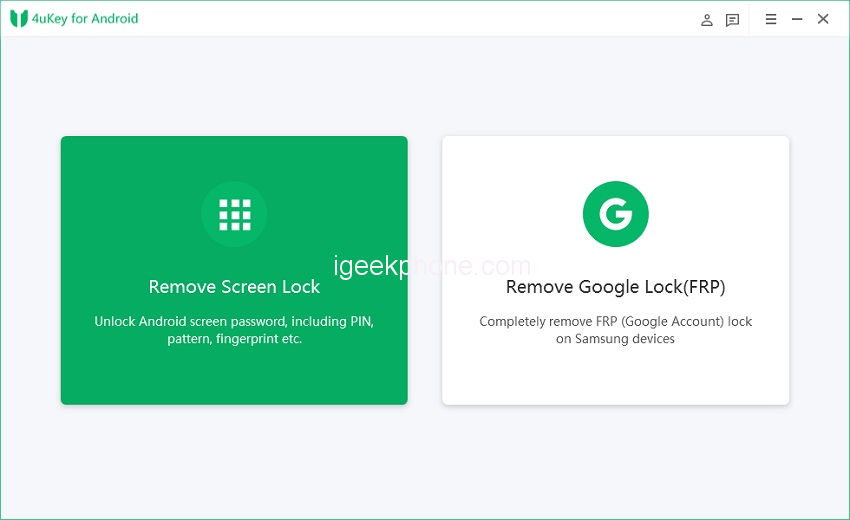
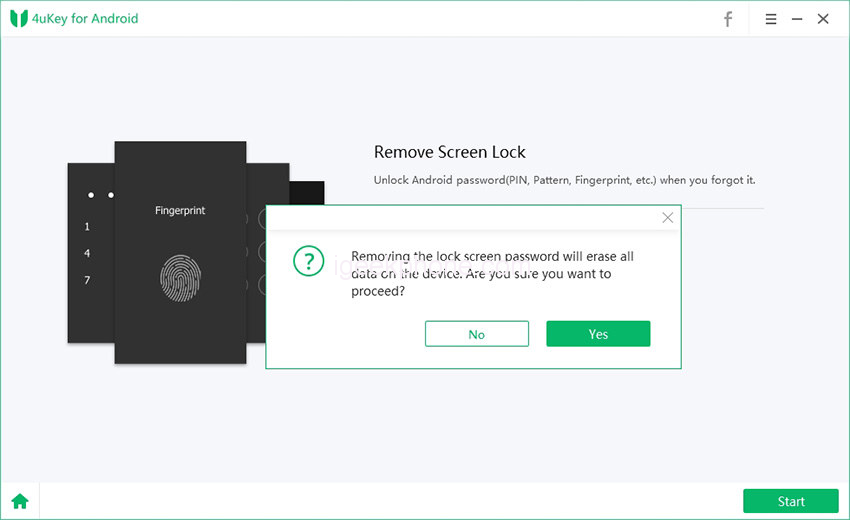
Step 2: The second step is to tap on the start button and then Tenorshare 4uKey for Android will automatically detect your device. You’ll get a warning that the removal will erase your phone’s data. Allow the software to do its thing by selecting Yes.
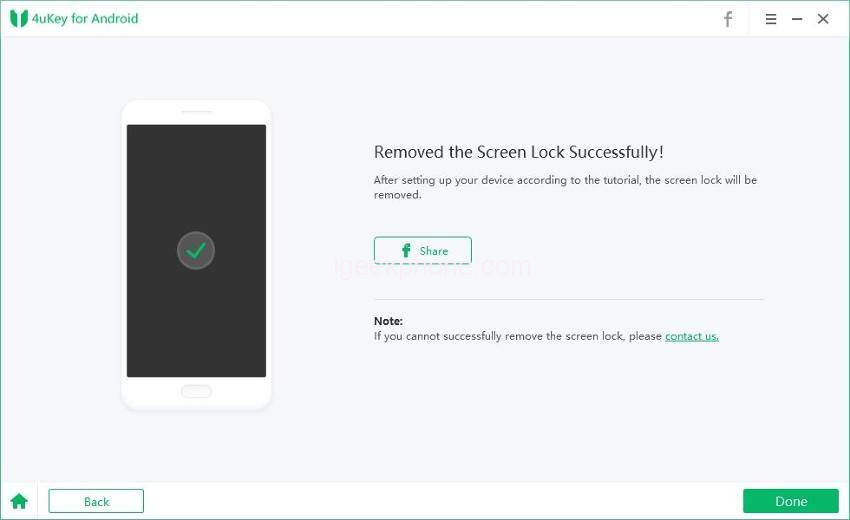
Step 3: You need to wait for a few minutes, and your device will be unlocked.
Part4 : FAQs about 4uKey for Android
Q1: What Devices Does 4uKey for Android Support?
Tenorshare 4uKey for Android is compatible with a wide range of devices. It works with the majority of Android phones on the market, including Samsung, Motorola, LG, HTC, Huawei, and Redmi.
Q2: What Can 4uKey for Android Do?
4uKey for Android is a simple and secure app that can help you unlock your phone if you have forgotten your password.
Q3: How much Is Tenorshare 4uKey for Android?
Tenorshare 4uKey for Android is a popular and reliable software that can help you get rid of the security lock on your phone. You can buy a one month license of Tenorshare 4uKey for Android for 29.9 dollars, with additional in-app purchases available. The price for a one-year licence is $39.95, and the price for a lifetime licence is $49.95.
Part5: Conclusion
This article has given an overview of how to unlock Samsung phone if you’ve forgotten the passcode. It also provides steps and instructions on how to reset your password.
Hopefully, implementing all of the solutions listed in this article may assist you in resolving your issue. However, The recommended way is to use Tensorshare 4uKey for Android. Tenorshare 4uKey for Android uses a brute-force attack to recover your password. It can crack almost any password with a maximum of six characters in length. This means you don’t have to worry about forgetting your password again since the app will do it for you.