










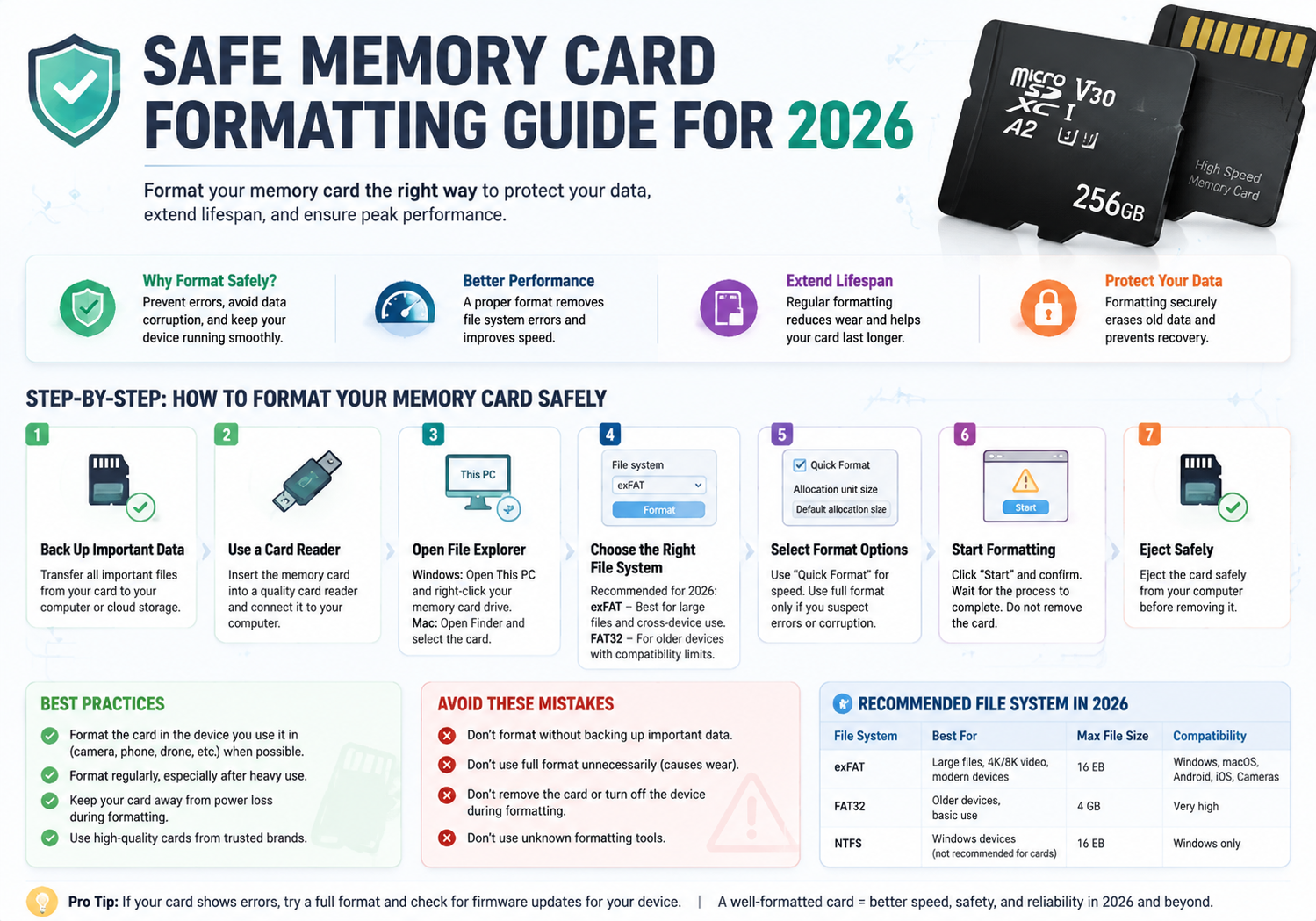
With the rise of high-capacity memory cards in cameras, smartphones, drones, and other devices, properly formatting your memory card has never been more important. Safe formatting not only ensures optimal performance but also protects your data and extends the lifespan of your card. This guide walks you through best practices for 2026, combining modern tools with tried-and-true techniques.
1. Understand Why Formatting Is Important
Memory cards accumulate fragmented files and temporary data over time. Formatting:
- Clears corrupted or unwanted files
- Prepares the card for new devices
- Optimizes read/write performance
- Prevents data loss or card errors
2. Backup Your Data
Before formatting, always backup important files to a computer, cloud storage, or external drive. Once a card is formatted, data cannot be easily recovered unless specialized software is used.
3. Choose the Right File System
File systems determine how data is organized. For 2026, recommended systems are:
- FAT32 – Standard for cards up to 32GB, compatible with most devices
- exFAT – Ideal for high-capacity cards (64GB+) and large files
- NTFS – Typically used for Windows devices; less common for cameras
Check your device’s manual for compatibility before formatting.
4. Use Device or Computer Formatting Tools
- In-device formatting: Cameras, smartphones, or drones often include a built-in formatting option. This method ensures the card is formatted to the device’s specifications.
- Computer formatting: Use your OS’s tools (Windows Explorer, macOS Disk Utility) or dedicated software like SD Formatter by the SD Association. Always select “Full Format” for maximum reliability.
5. Avoid Quick Format for Regular Maintenance
Quick formatting only removes the file table but leaves old data intact. For safe and thorough formatting, perform a full format periodically, especially when reusing cards or encountering errors.
6. Protect Against Corruption
- Avoid removing the card while reading/writing data
- Use high-quality adapters and card readers
- Eject safely before removing from a computer
- Keep your card away from magnets, water, or extreme heat
7. Verify the Card After Formatting
After formatting, check the card by:
- Copying files to and from the card
- Running a small test recording or file transfer
- Ensuring the device recognizes the card properly
8. Consider Encryption for Sensitive Data
If storing sensitive files, encrypt your memory card. Modern cameras and operating systems allow encryption options that prevent unauthorized access even if the card is lost.
Conclusion
In 2026, memory cards remain a vital storage medium, and safe formatting practices are essential to protect your data, enhance performance, and extend their lifespan. By following these steps—backing up data, choosing the right file system, performing full formats, and protecting against corruption—you can keep your memory cards reliable and secure for years to come.