









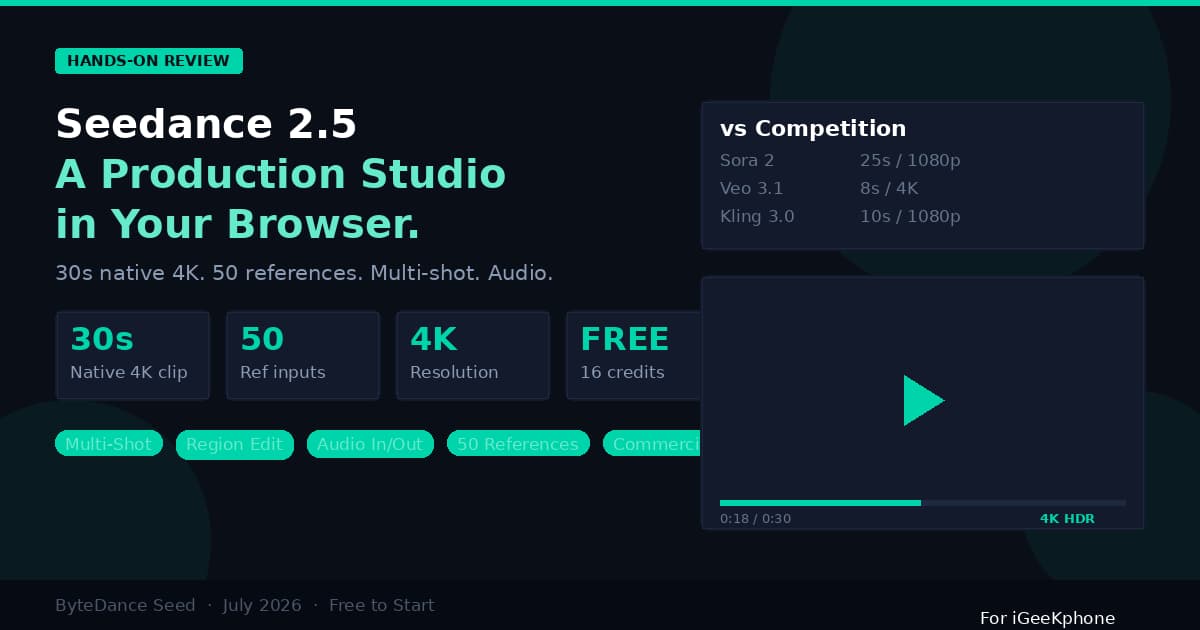
ByteDance has been on a tear with AI video. Seedance 2.0 went viral in February 2026, generated international headlines (and lawsuits), and briefly convinced half of Hollywood that AI was coming for their jobs. Now the company’s Seed team has shipped Seedance 2.5 — and the spec sheet reads like someone took every limitation of AI video generation and systematically removed them.
Thirty seconds of native 4K video in a single pass. Up to 50 multimodal references — images, video clips, and audio files — per generation. Multi-shot storytelling within one prompt. Region-level editing with timestamp precision. Native stereo audio generated alongside the picture. And a free tier that lets you try it without entering a credit card.
Those are not incremental upgrades. They are the kind of generational leap that changes which projects are practical and which are not. Let us break down what Seedance 2.5 actually delivers, where it beats the competition, and where it still falls short.
Key Specs at a Glance
Before we dig into the details, here is the spec sheet:
| Specification | Seedance 2.5 |
| Max single-clip duration | 30 seconds (180s in beta long-video mode) |
| Native resolution | Up to 4K with 10-bit color depth |
| Multimodal reference inputs | Up to 50 (30 images + 10 videos + 10 audio) |
| Native audio generation | Yes — stereo, generated in same pass as video |
| Audio as input | Yes — audio references influence visual output |
| Multi-shot mode | Yes — multiple scenes with transitions in one prompt |
| Region-level editing | Yes — timestamp-precise local edits |
| Character consistency | Maintained across all frames and multi-shot scenes |
| Aspect ratios | Standard set including 16:9, 9:16, 1:1, 4:3 |
| Free tier | 16 credits at signup, no card required |
| Commercial license | Included in all paid plans |
| API access | Available via Volcano Engine platform |
The 30-Second Breakthrough
Every AI video generator before Seedance 2.5 hit a wall between 8 and 15 seconds. Sora 2 pushed to 25 seconds but at 1080p, not 4K. Veo 3.1 caps at 8 seconds. Kling 3.0 maxes out at 10. MiniMax H3 stops at 15. If you needed anything longer, you stitched clips together — and stitching always showed. Lighting would shift, characters would drift, backgrounds would subtly change between cuts.
Seedance 2.5 generates a full 30-second clip in one pass at native 4K resolution. No stitching, no seams, no consistency breaks. The model maintains a unified spatial-temporal representation across all 720 frames (at 24fps), keeping characters, camera movement, physics, and lighting coherent from the first frame to the last.
Why does 30 seconds matter so much? Because a 30-second spot is a complete production unit. It is the standard length for a TV commercial, a complete TikTok or Reel, a full product demo, or an opening scene. At 15 seconds you have a clip that needs context. At 30 seconds you have a story — beginning, middle, and end — in a single generation.
The beta long-video mode extends this to 180 seconds through multi-round extension, though quality reportedly degrades at the longer end. For most production use cases, the native 30-second window is more than enough.
50 References: The Real Power Feature
If the 30-second duration is the headline spec, the 50-reference system is the feature that actually changes workflows. Previous models accepted a text prompt plus maybe an image or two. Seedance 2.5 takes up to 30 images, 10 video clips, and 10 audio files — all at once, all influencing the output.
Each reference is tagged with an @ mention in your text prompt. You describe in plain language what role each one plays: “@image1 is the character’s face, @video2 is the camera movement, @audio3 is the background music mood.” The model interprets all of these simultaneously and synthesizes them into a coherent output.
This is not an incremental improvement on single-image input. It is a fundamentally different creative paradigm. With 50 references, you can control:
Character identity — pin the same face across multiple shots using a reference portrait. The model preserves facial features, body proportions, and costume details across the entire 30-second clip.
Camera movement — supply a video clip that demonstrates the camera path you want. The model extracts the motion trajectory and applies it to your generated scene. Crane shots, dolly pushes, orbital movements, handheld shakiness — whatever is in your reference clip.
Audio mood — feed an audio file that sets the emotional tone. A driving electronic beat produces fast-cut, energetic footage. A quiet piano piece produces slow, contemplative compositions. The audio genuinely influences the visual generation, not just accompanies it.
Scene environments — provide background images for different locations. The model transitions between them within the multi-shot sequence.
Motion style — reference a video for the character’s body language and movement style. A dancer’s performance, a martial arts sequence, an athlete’s form — the model transfers the motion characteristics.
For a comprehensive guide with demos covering all reference modes, seedance25kr.com provides interactive examples with Korean and English language support.
Multi-Shot Storytelling
This is the feature that most directly competes with traditional video editing software. Instead of generating a single continuous shot, you can describe multiple scenes with transitions within one prompt.
Write something like: “Scene 1: Close-up of the product on a white surface, slow zoom in. Cut. Scene 2: Wide shot of the same product in a kitchen setting, camera orbits left. Cut. Scene 3: Macro detail shot of the texture, rack focus. Cut. Scene 4: Hero shot with the product centered, text overlay ‘Available Now.'”
The model generates all four scenes as part of one 30-second clip, with clean cuts between them, consistent product appearance across all shots, and unified color grading. This is how you produce a complete product commercial from a single prompt — not a raw clip that needs editing, but a finished multi-scene spot.
No other production-ready AI video model offers this capability. Sora 2, Veo 3.1, Kling 3.0, and MiniMax H3 all generate single continuous shots. Multi-scene content requires separate generations and manual editing. Seedance 2.5 handles it natively.
Region-Level Editing With Timestamps
Traditional AI video editing works like this: you generate a clip, decide you want to change the background in seconds 5 through 10, and your only option is to regenerate the entire clip and hope the parts you liked stay the same. They usually don’t.
Seedance 2.5 introduces timestamp-precise region editing. You can specify: “Between 0:08 and 0:14, replace the background behind the character with a night cityscape” — and the model modifies exactly that segment while preserving everything else: the character’s movement, the rest of the background, the audio, and the shots before and after.
This enables an iterative refinement workflow that did not exist in AI video before. Generate a 30-second clip, review it, and surgically fix the parts that are not right without losing the parts that are. It is the closest thing AI video has to a non-destructive editing workflow.
Native Audio: Not an Afterthought
Most AI video generators either produce silent footage (Kling 3.0) or bolt audio generation onto the output as a separate step (earlier Seedance versions). Seedance 2.5 generates stereo audio — dialogue, sound effects, ambient sound, and music — in the same rendering pass as the picture. The audio and visual content are synchronized at the model level, not in post-production.
More importantly, audio works as an input modality. You can supply an audio reference file, and the model generates video whose pacing, mood, and visual rhythm match the audio. This is genuine audio-visual synthesis, not a soundtrack layered on top.
For content creators, this eliminates an entire post-production step: finding, licensing, and synchronizing background audio. The generated clip comes out ready to publish with sound.
Head-to-Head: Seedance 2.5 vs. the Competition
| Feature | Seedance 2.5 | Sora 2 | Veo 3.1 | Kling 3.0 | MiniMax H3 |
| Max clip length | 30s | 25s | 8s | 10s | 15s |
| Max resolution | 4K native | 1080p | 4K | 1080p | 2K |
| Reference inputs | 50 | 1–2 | 1 | 3–5 | 12 |
| Audio input | Yes | No | No | No | Yes |
| Multi-shot | Yes | No | No | No | No |
| Region editing | Yes (timestamped) | No | Limited | No | No |
| Native audio output | Yes | Yes | Yes | No | Yes |
| Open weights | No | No | No | No | Yes |
| Free tier | Yes (16 credits) | No | Limited | Limited | Limited |
- Sora 2:Closest competitor on clip length (25s vs. 30s), but Sora 2 is being sunset as a standalone product. Seedance 2.5 wins on resolution (4K vs. 1080p), reference count (50 vs. 2), and adds multi-shot and region editing that Sora 2 lacks entirely.
- Veo 3.1:Google’s model produces the most cinematically polished individual frames on the market, especially at 4K. But 8-second clips are too short for most production use cases. Veo 3.1 also accepts no audio input and offers no multi-shot capability. If you need the absolute best single frame, Veo wins. For everything else, Seedance 2.5 has the advantage.
- Kling 3.0:Kuaishou’s model excels at motion transfer from reference video, but it generates silent footage (no native audio), caps at 10 seconds and 1080p, and accepts only 3–5 references. Seedance 2.5 outclasses it on every spec except perhaps specialized motion fidelity.
- MiniMax H3:The only competitor with audio-as-input capability and open weights. H3’s 15-second clips at 2K with 12 references are competitive but do not match Seedance 2.5’s 30 seconds, 4K, 50 references, multi-shot, and region editing. H3’s pricing advantage and open weights may matter for developers and budget-sensitive teams.
Pricing Breakdown
Seedance 2.5 offers a free entry point — 16 credits at signup, no credit card required — plus three paid tiers:
Starter — $21/month (billed annually at $252/year; $30/month if billed monthly). 180 credits per month, approximately 11 videos. HD resolution, watermark-free, ad-free. One concurrent task.
Standard — $56/month (billed annually at $672/year; $80/month monthly). 580 credits, up to 36 videos. Higher generation quality, 4K resolution, private generations, four concurrent tasks.
Premium — $90/month (billed annually at $1,080/year; $150/month monthly). 1,300 credits, up to 81 videos. Pro models, maximum quality, 8 concurrent tasks, priority queue, batch processing, early access to new features.
All paid plans include commercial licensing for generated content. This matters if you are producing content for clients or for commercial distribution — every video you generate is cleared for commercial use without additional licensing fees.
For a content creator producing daily social media videos, the Standard plan at $56/month covers a month’s worth of content at roughly $1.50 per video — less than the cost of a stock footage clip, for custom AI-generated video in 4K with sound.
Who Should Care About Seedance 2.5
Social media creators who need daily video content across TikTok, Reels, and Shorts. The 30-second native clips match the most common short-form video lengths, and multi-shot mode means complete mini-narratives in single generations.
E-commerce sellers who need product demonstration videos at catalog scale. Upload product photos as references, describe the settings and camera angles, and generate professional product videos without a photo studio.
Marketing teams and agencies producing ad variants and campaign content. The 50-reference system ensures brand consistency — same product, same colors, same style — across every generated variant.
Indie filmmakers and pre-production teams using AI video for previz. The multi-shot mode and camera reference system make it practical to storyboard scenes in motion rather than as static frames.
Small businesses that need video marketing but lack the budget for a production crew. One prompt, one generation, one publishable 30-second commercial — complete with sound.
Limitations Worth Knowing
Seedance 2.5 is not perfect. The 30-second maximum means longer content still requires multi-round generation or traditional editing. The beta 180-second mode exists but quality degrades noticeably. The model is closed-source — unlike MiniMax H3, you cannot download the weights, fine-tune on custom data, or run it on your own hardware. The prompting ecosystem is still young compared to more established tools like Midjourney.
And on absolute frame-by-frame quality at 4K, Veo 3.1 still produces the most cinematically refined output. Seedance 2.5’s frames are impressive but not quite at Google’s level of visual polish.
Bottom Line
Seedance 2.5 is the most capable AI video generation model available as of late 2026, measured by the combination of clip length, resolution, reference handling, multi-shot capability, audio integration, and editing precision. No competitor matches it across all of these dimensions simultaneously.
For anyone producing video content — whether you are a solo creator, a small business, or a marketing team — the question is no longer whether AI video is good enough for production use. The question is which production tasks to hand to it first. Seedance 2.5 makes a compelling case that the answer is “most of them.”
The free tier provides 16 credits with no commitment. Try it against your actual workflow. The gap between what AI video could do six months ago and what it can do now is large enough to be worth an afternoon of testing.