









When music become the necessary part in our daily life, stream music become a must-have service for most music lovers. There are many online music streaming apps, most streaming music apps are paid while some of them are available at free of terminate songs contain with adds. Among these hot music streaming apps, Tidal must be the top one. Tidal gain favorable comment from a large number of users, for providing Hi-Fi audio quality in music contents. Like other music streaming apps, Tidal does not allow users downloading music files to Windows or Mac computer for offline listening and sharing. Once the subscription is canceled, all the Tidal Music won’t be no longer to be listened.
Why Need a Tidal Music Converter?
Since Tidal offer for users millions of popular streaming songs. It would be better for you to collect favorite streaming music contents, including songs, playlists, albums. People try to download Tidal Music to computer for offline playing. However, it is nearly impossible to make it true in a normal way. Because Tidal is not allowed to be downloaded to computer directly for copyright protection, including Tidal Hi-Fi(Plus). That’s why Tidal users try to look for a third-party Tidal music converter. It would be easy for you to download Tidal music to computer offline, and transfer Tidal music to any devices for playing without using the Tidal app.
UkeySoft Tidal Music Converter: Download Tidal Music to Computer
In the follow part we will present the best Tidal music converter for you, help to download Tidal Music to computer in a perfect way. Then you can offline listening to Tidal Music without limits, even after music subscription cancellation.
Here we’ve already selected the best Tidal Music Converter for you – UkeySoft Tidal Music Converter (Mac & Windows), a flagship product under the well-known brand of UkeySoft. It is an all-in-one converter, integrated the functions of Tidal Music Converter and Tidal Music Downloader.
Let’s take a review of UkeySoft Tidal Music Converter.
Dwonload Tidal Music to Local Files
UkeySoft Tidal Music Converter automatically detect all of your subscribed Tidal Music contents from your Tidal account, help to select and download music contents from Tidal to computer as local files. The output music files will be save as common audio files. Then you can freely offline listening to the music anywhere, anytime.
Convert Tidal to General Audio Formats
UkeySoft Tidal Music Converter is a default Tidal converter which can help you in converting Tidal songs to other general audio formats. You should not be worry about the original audio quality and it will get audio formats in M4A/MP3/AAC/WAV/AIFF/FLAC formats.
Downloading HiFi Music
This program support downloading all types of contents from Tidal Music if you subscribed to Tidal HiFi Music or Tidal HiFi Plus Music. It not only includes single songs but also the playlists, albums, etc,. At the same time, the output music files preserve with all ID3 tags, metadata kept.
Keep Ultra HD Audio quality
Among the variety features of UkeySoft Tidal Music Converter, you can’t ignore one of it is the output audio quality. Well, luckily for you, UkeySoft company promise a 1:1 input to output conversion without any loss in output audio quality. That means all your Tidal Music files downloaded from UkeySoft program will be output with the same audio quality (Hi-Fi or Hi-Fi Plus level) as the original files.
10X Fast Conversion Speed
Speed of conversion may not be important if you need to convert only a couple of files. But if you want to convert a larger number of music files, a fast conversion speed could save your time. UkeySoft Tidal Music Converter has a batch-converter feature that allows you to get hundreds of music files in a convert list, and download the Tidal Music at 10X default conversion speed.
Built in Tidal Web Music Payer
UkeySoft program doesn’t require any extra apps in the whole process of Tidal Music conversion, including Tidal Music app. This smart program built in Tidal web player. You are allowed to play Tidal songs before/after conversion in program, for the music convenient management.
Offline Listening to Tidal Music
Offline playback Tidal Music as local files without Tidal Music app. Listen to Tidal Music with offline mode. Play Tidal Music after subscription cancellation. Offline playback Tidal Music on any devices without authorizing, like audio, mobile phone&tablet, TV, wearables, desktop&laptop, etc,.
Download Tidal Music for More Usages
Download Tidal Music for more personal usages, to keep Tidal Music forever, like transfer to audio, upload to Cloud, record to CD, transfer to USB hard drive, copy to SD card, etc,.
User-Friendly Interface
The programs are well designed with a friendly user interface, which is easy to navigate, and it will ensure that you will find what you need with ease. It works well with even for beginners who are not expert in computer program.
Pricing and Availability
UkeySoft Tidal Music Converter can be downloaded from the UkeySoft website. The price starts at $14.95. The program are allowed to download free trial but require paying if you want to access all of its features, or permanently using. Once purchasing this program, you’ll enjoy free upgrade service and lifelong technology support.
Tutorial: How to Download Tidal Music to Computer
Step 1. Run Tidal Music Converter and Log in Account
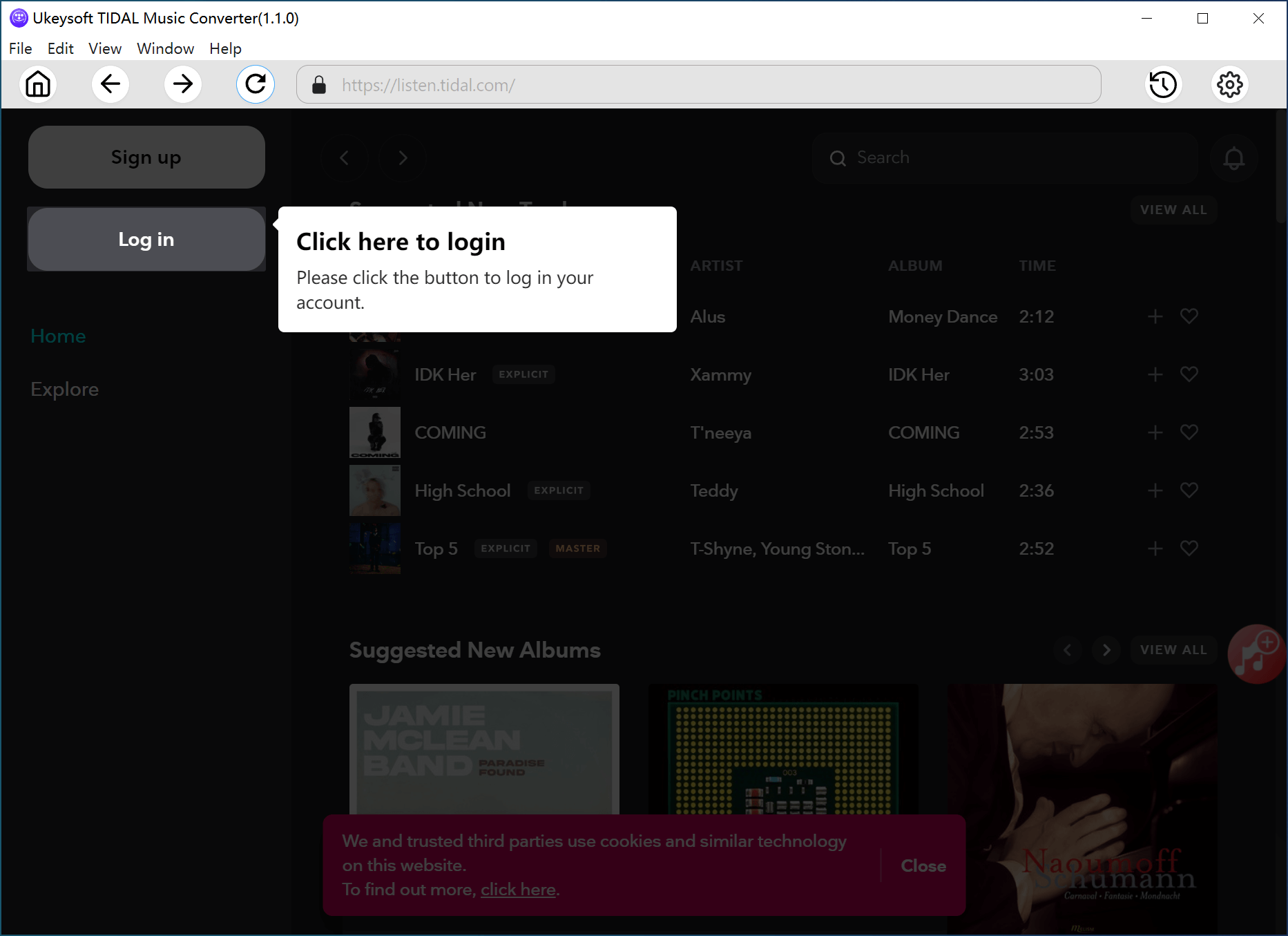
In the first step, install and run UkeySoft Tidal Music Converter on the computer, then click “Log In” to log in your Tidal account.
Tips: UkeySoft program promise to protect your privacy, it will not disclose any personal information of your Tidal account.
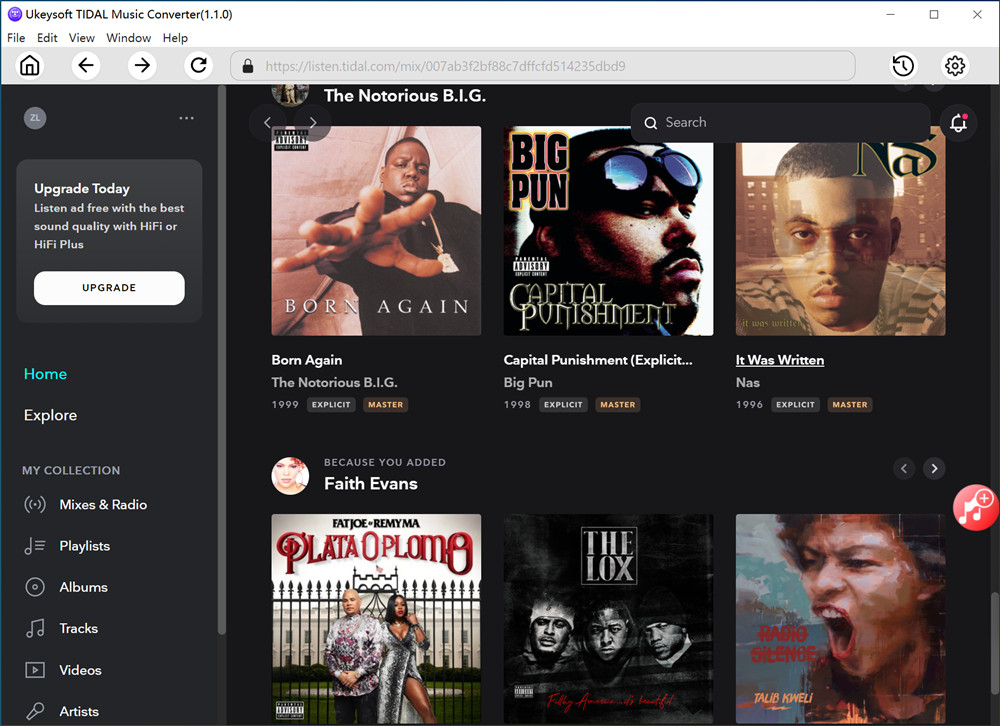
After logging your Tidal account, you are able to play music, playlist online in the program.
Step 2. Setting Output Format
Set the output format for the output Tidal songs, here M4A is default, you can choose others including MP3, AAC, WAV, AIFF, FLAC.
Other output music data are allowed to be set, like Output Quality, Output folder, Output Organized, etc,.
Step 3. Choose Tidal Music
Choose Tidal songs/albums/playlists for downloading. All songs in the playlist/album are selected by default. Remove the ones you don’t need to download.
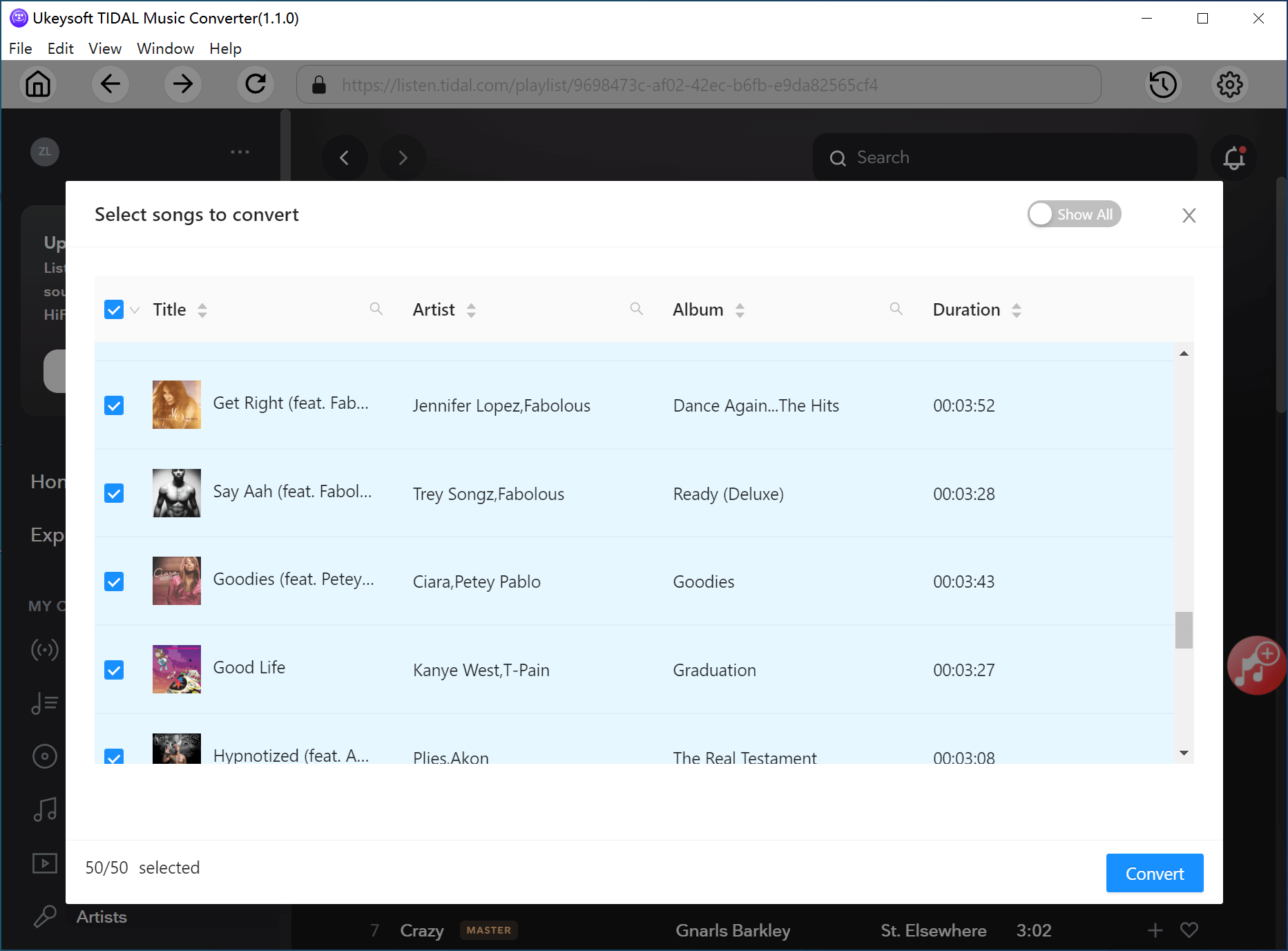
Tips: UkeySoft Program provide with an option to hide converted songs, you can switch to this option for selecting.
Step 4. Download Tidal Music to Computer
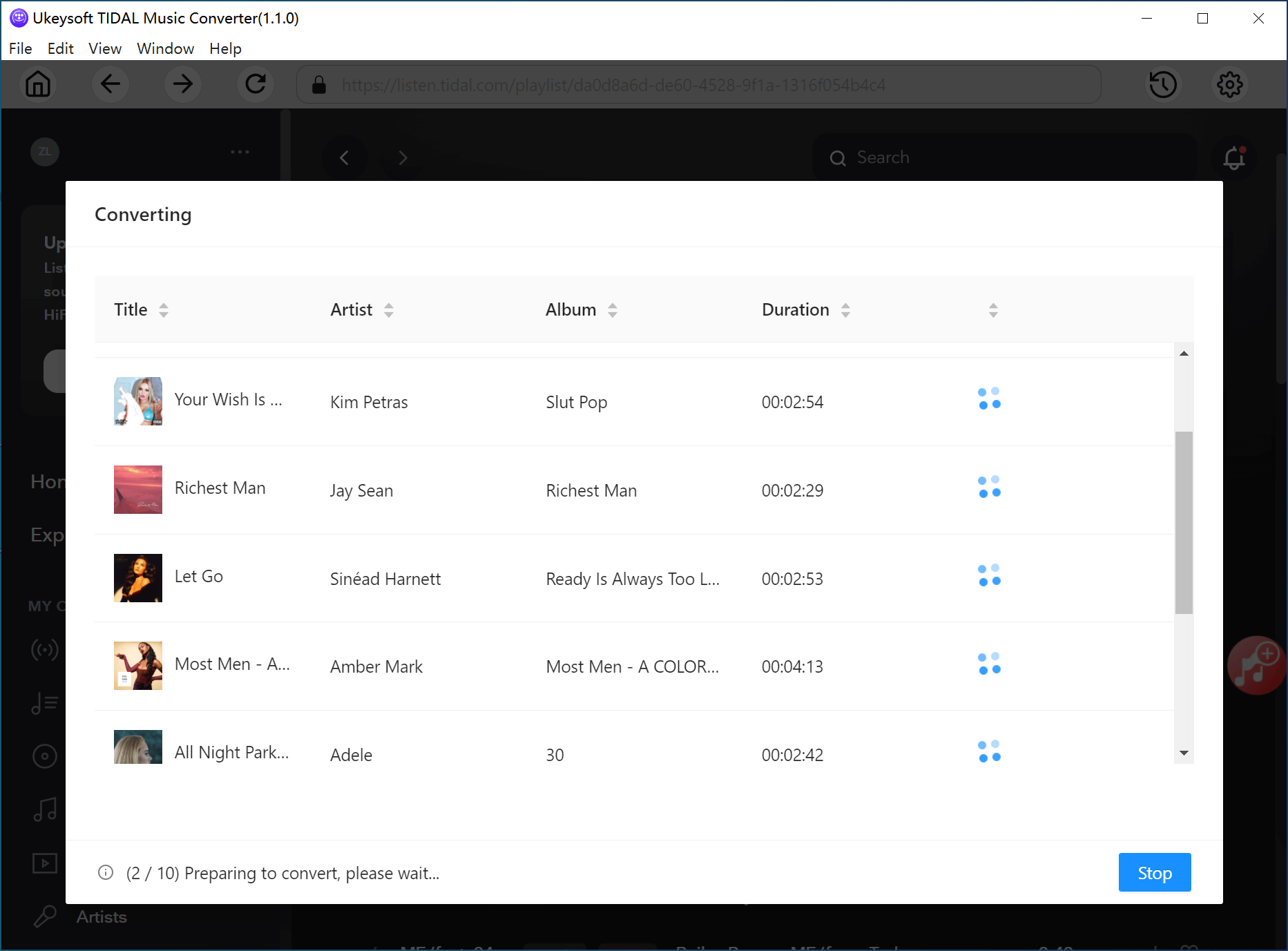
When all setting is done, clicking “Convert” to begin the Tidal Music contents downloading.
Step 5. Play Tidal Music Offline
After downloading finished, click “History” to get the MP3 music files. A built-in music player in the converter, you are able to directly offline play the downloaded songs with UkeySoft Tidal Music Converter.
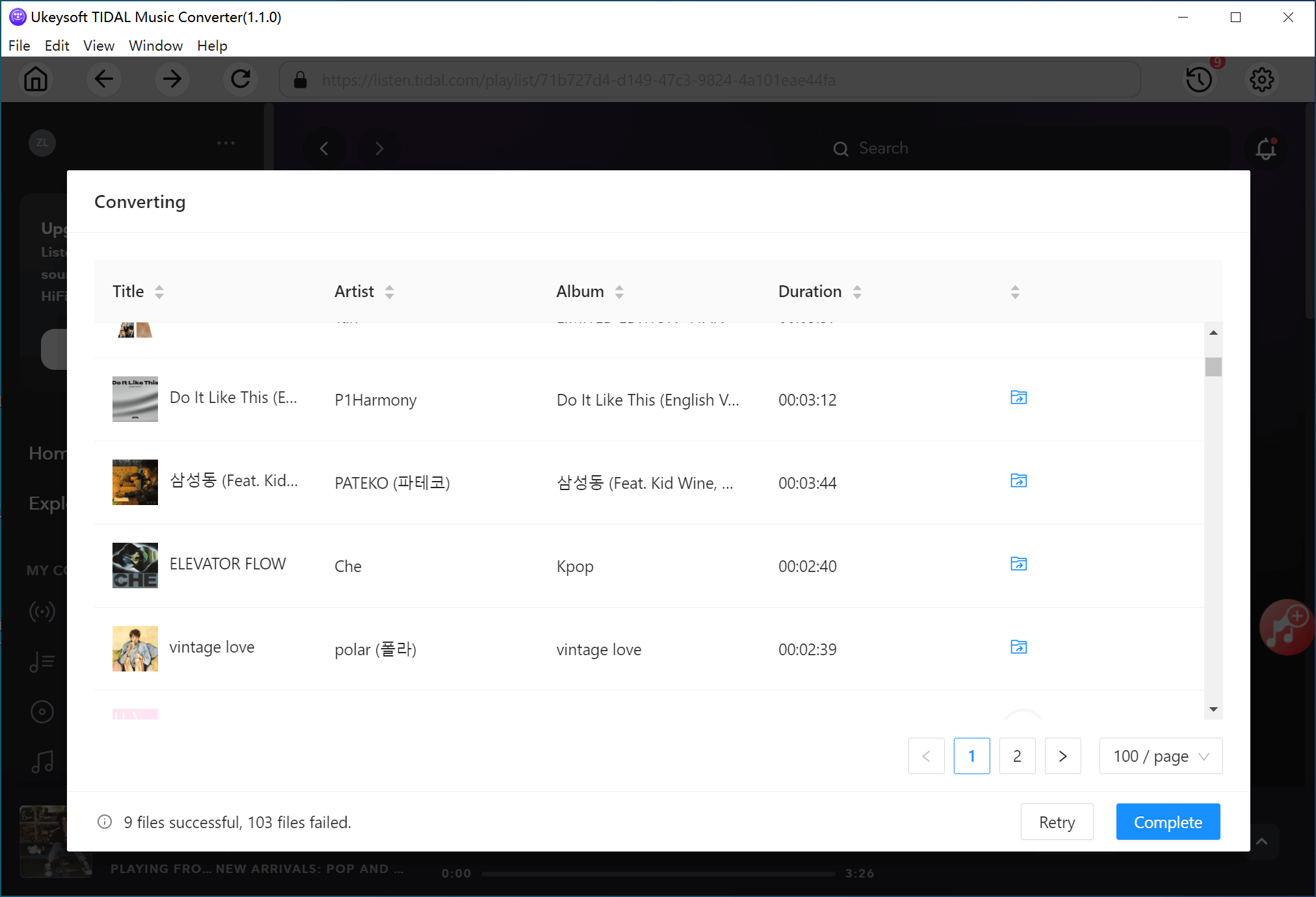
The output music files will be save as general local audio files on the computer. You can quickly browse the output Tidal Music contents which be saved as the format you choose on the computer.
Now you have keep the Tidal Music files forever with its original Hi-Fi audio quality, and you can play these Tidal Music for offline listening anywhere, anytime.
Conclusion
UkeySoft Tidal Music Converter is an effective and efficient Tidal Music downloader. It enable users to convert Tidal Music to general audio format, through downloading music contents to computer keeping its high audio quality. It has been created by experienced online musicians and audio experts who have combined their vast experience with the latest technology and design. UkeySoft program make it easy for users to download and enjoy our service for themselves. It built in the most powerful & innovative music conversion features. Why not have a try?