









VOOPOO ARGUS G4 has an unusual feature for a pod system: its Multi-Ohm Cartridge offers three resistance options without requiring a separate cartridge for each setting. That flexibility can also create confusion when the device does not recognize a pod, the displayed resistance seems unexpected, or changing the cartridge orientation does not produce the expected result.
Instead of replacing parts immediately, it helps to identify which part of the system may be responsible. The issue could involve cartridge orientation, residue on the electrical contacts, a depleted battery, an incompatible cartridge, or a fault that requires professional support.
This guide explains how to approach common VOOPOO ARGUS G4 problems safely, what to check first, and when troubleshooting should stop.
1. ARGUS G4 Not Recognizing the Pod
A pod that is not detected correctly can prevent normal operation or trigger a connection-related warning. Before assuming the device is defective, check the connection between the cartridge and the device.
If you experience similar connection issues with other pod systems, our guide to pod cartridge maintenance and connection problems can help you understand what to check before replacing a cartridge.
What to check:
- Remove the cartridge from the device.
- Inspect the visible contact points for e-liquid residue, condensation, or debris.
- If the contacts are damp or dirty, gently clean the accessible surfaces with a dry, lint-free cloth.
- Check the cartridge for cracks, leaks, or other visible damage.
- Reinsert the cartridge in the correct orientation and check whether the device recognizes it.
Do not scrape the contacts, bend the pins, insert metal objects into the device, or allow liquid to enter the body. Make sure the device is switched off before cleaning, and do not use it while the contacts remain wet.
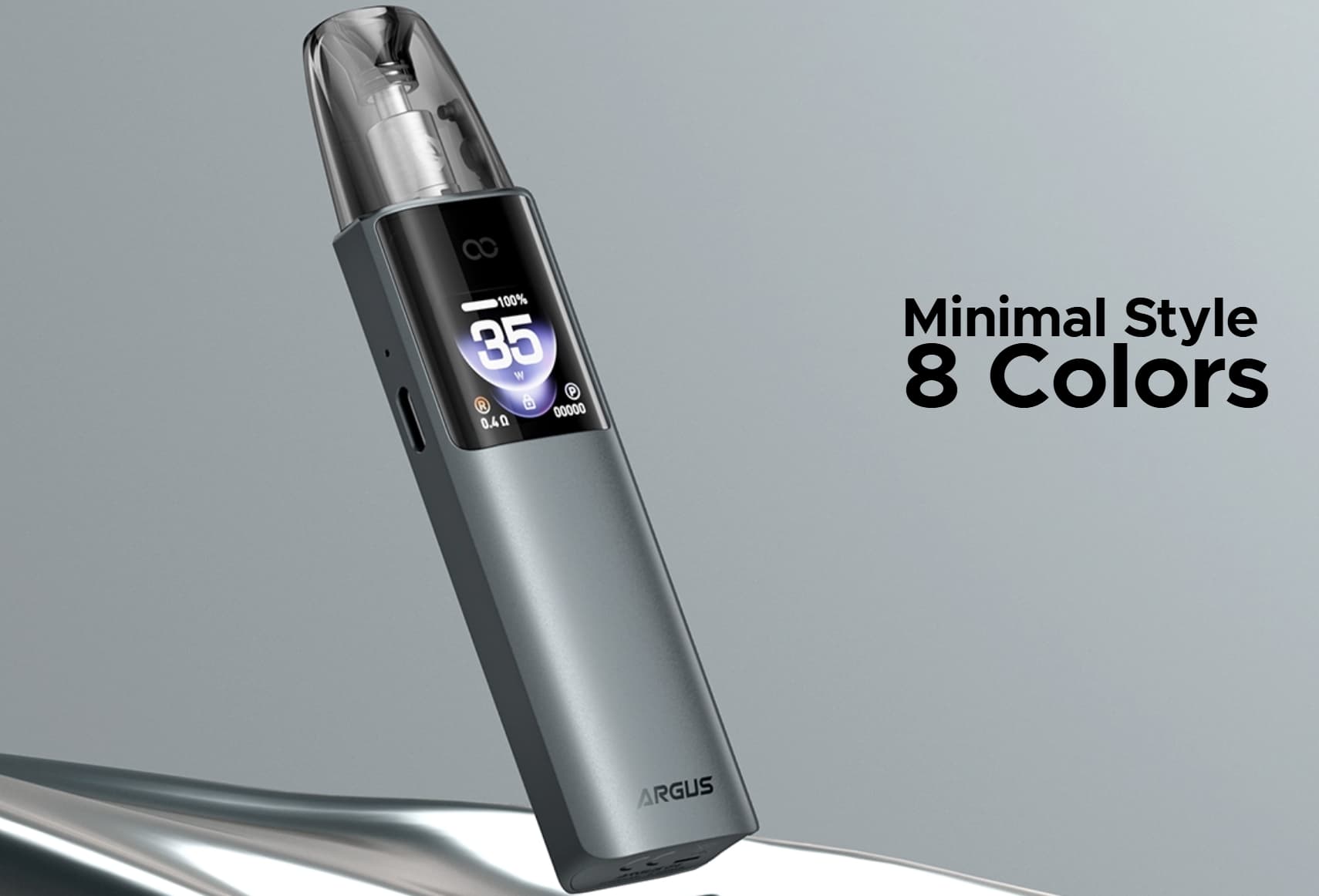
If the cartridge is clean and correctly seated but the problem continues, try a compatible, undamaged cartridge if one is available. If multiple compatible cartridges produce the same error, the device itself may need inspection.
2. ARGUS G4 Resistance Not Changing
The ARGUS G4’s Multi-Ohm Cartridge is different from a conventional pod with one fixed resistance. It supports three modes: 0.4Ω, 0.7Ω, and 1.0Ω.
According to VOOPOO’s product information, the two higher-resistance modes are selected by changing the cartridge’s orientation, while the 0.4Ω mode is activated using the device button.
| Resistance mode | What to check |
|---|---|
| 0.7Ω | Check the cartridge orientation and whether the device recognizes it correctly. |
| 1.0Ω | Remove the cartridge, flip it 180 degrees, and reinsert it as instructed by the manufacturer. |
| 0.4Ω | With the cartridge installed, use the specified double-press operation and check the display for a change. |
If the displayed resistance does not match the expected setting, remove the cartridge and inspect its orientation before trying again. Avoid repeatedly pressing buttons at random, since the device uses button combinations for different functions.
Also confirm that you have the ARGUS Multi-Ohm Cartridge rather than a different ARGUS pod. The product family includes several cartridge designs, and their features are not necessarily identical.
If the resistance remains incorrect or fluctuates unexpectedly, stop using the device until the cause has been identified.
3. The 0.4Ω Mode Will Not Activate
The 0.4Ω option is a distinctive feature of the ARGUS G4, but it is also a potential source of confusion for users accustomed to conventional pods.
Start with these checks:
- Confirm the device model: The standard ARGUS G4 supports the three-resistance configuration. Other models in the series may have different functionality.
- Check the cartridge: Make sure it is the Multi-Ohm Cartridge intended for this system.
- Inspect the connection: Remove visible residue from accessible contacts using a dry cloth.
- Use the correct button operation: Follow the ARGUS G4 manual’s instructions for double-pressing the button.
- Check the display: Look for a change in the resistance indication or any warning message.
If the 0.4Ω mode still does not activate, do not attempt to modify the cartridge electrodes or force the device into a different operating mode. The problem may involve the cartridge, its electrical connection, or the device itself.
Consult VOOPOO support if the issue persists after the basic checks.
4. ARGUS G4 Turns On but Will Not Produce Vapor
A powered-on display does not necessarily mean that every part of the device is operating correctly. If the screen works but the device does not produce vapor, check the simplest possible causes first.
Step 1: Check the battery. A low charge may prevent normal operation. Recharge the device using the manufacturer’s recommended charging specifications.
Step 2: Check the cartridge connection. Remove and reseat the cartridge, then inspect the accessible contacts for residue or moisture.
Step 3: Look for visible cartridge damage. Cracks, leakage, or a damaged cartridge can affect normal operation. Do not continue using a leaking or visibly damaged pod.
Step 4: Check for warnings. Read any message shown on the display and consult the manual rather than guessing what the warning means.
Step 5: Determine whether the problem follows the cartridge. If a known-compatible, undamaged cartridge works normally but the original one does not, the original cartridge may be faulty.
If the device still fails to operate, stop testing and contact the retailer or manufacturer. Do not dismantle the battery or attempt internal electrical repairs.
5. ARGUS G4 Leaking or Collecting Condensation
A small amount of condensation around a pod connection is not necessarily the same as a leaking cartridge. However, persistent wetness, liquid escaping from the tank, or liquid entering the device body deserves attention.
Remove the cartridge and inspect it for visible cracks, loose components, or leakage around the filling area. Clean accessible exterior surfaces with a dry cloth and keep liquid away from the device’s electrical components.
If the cartridge is cracked or continues to leak, discontinue use and replace it with a compatible cartridge. Do not try to seal the cartridge with household glue or other improvised materials.
If liquid has entered the device body or charging port, do not charge or operate it. Follow the manufacturer’s support instructions.
6. ARGUS G4 Battery Drains Quickly or Charging Seems Unusual
The ARGUS G4 is listed with a built-in 1650mAh battery and USB Type-C charging. Battery life varies with use, power settings, battery condition, and charging habits, so a particular number of operating days should not be treated as a guarantee.
If the battery seems to drain unusually quickly, check the selected power setting and whether the device is being activated unintentionally. Compare the behavior under normal conditions rather than assuming the battery has failed immediately.
For charging problems:
- Inspect the charging cable and port for visible damage or debris.
- Use the charging method and electrical specifications recommended by VOOPOO.
- Do not insert metal tools or liquids into the port.
- Stop charging if the device becomes unusually hot, swells, smells abnormal, or shows other signs of battery damage.
Do not leave a damaged device connected to power or attempt to replace its built-in battery yourself. If normal charging checks do not resolve the problem, contact the manufacturer or retailer.
7. ARGUS G4 Button or Display Not Responding
The ARGUS G4 uses button combinations to control functions such as power, settings, and resistance switching. A locked device or an unfamiliar menu state can sometimes be mistaken for a hardware failure.
Check whether the device is locked and consult the manual for the exact button sequence needed to unlock it or access the intended function. Avoid trying random combinations, particularly when you are unsure whether a button press changes a setting.
If the button feels physically stuck, the display repeatedly freezes, or the device responds inconsistently, do not force the controls. A damaged button or internal fault requires support rather than improvised repair.
8. How to Tell Whether the Pod or Device Is Faulty
When troubleshooting does not produce a clear answer, changing one variable at a time is more useful than repeatedly trying different actions.
| Observation | Possible explanation | Sensible next step |
|---|---|---|
| One cartridge fails but another compatible cartridge works | Original cartridge may be damaged or faulty | Stop using the faulty cartridge. |
| Several compatible cartridges are not recognized | Device contacts or internal hardware may be responsible | Inspect accessible contacts and contact support if the issue remains. |
| Resistance indication does not match the selected mode | Cartridge orientation, cartridge compatibility, or a connection problem | Check the correct pod and the manufacturer’s switching instructions. |
| Device shows a low-battery warning | Battery needs charging or may have a fault | Recharge according to the manual; seek support if the warning persists. |
| Device leaks or liquid reaches electrical components | Damaged cartridge or liquid ingress | Stop using and charging the device. |
| Device becomes unusually hot or shows signs of battery damage | Potential battery or electrical fault | Stop use and seek manufacturer guidance. |
These observations can help narrow down the problem, but they cannot confirm an internal fault without appropriate inspection.
9. When Should You Stop Troubleshooting?
Basic external checks are appropriate for ordinary connection or setup problems. More invasive repairs are not.
Stop using the ARGUS G4 and contact the manufacturer or retailer if:
- The device becomes unusually hot, swells, or smells abnormal.
- The battery or charging port appears damaged.
- Liquid has entered the device body.
- A short-circuit warning or repeated resistance error remains unresolved.
- The device continues to malfunction with a compatible, undamaged cartridge.
- The button or cartridge connection appears physically broken.
Do not open the device, bypass its safety protections, or attempt to repair the internal battery. If the unit is under warranty, consult the seller before attempting any repair that could affect warranty coverage.
Frequently Asked Questions
Why does my ARGUS G4 show the wrong resistance?
Check that you are using the correct Multi-Ohm Cartridge and that it is inserted in the orientation specified for the intended resistance. If the displayed value remains incorrect, inspect the accessible contacts and stop using the device if the error persists.
Can I use a different ARGUS cartridge?
VOOPOO describes broad compatibility across the ARGUS Pod Family, but cartridge features vary. Not every ARGUS cartridge has the same multi-ohm switching capability. Confirm the exact cartridge type and its compatibility with the ARGUS G4 before using it.
Why does my ARGUS G4 not switch to 0.4Ω?
Confirm that the device supports the 0.4Ω mode, that the correct Multi-Ohm Cartridge is installed, and that you are following the manufacturer’s double-press instructions. If the mode remains unavailable, contact support rather than modifying the cartridge.
What should I do if the device leaks?
Stop using a cracked or leaking cartridge. Clean only the accessible exterior surfaces, keep liquid away from electrical components, and replace the damaged cartridge with a compatible one. If liquid has entered the device body, do not charge or operate it.
Should I keep using the device if a resistance error appears?
No. If the resistance reading is inconsistent or an error persists after checking the cartridge and accessible contacts, discontinue use until the issue has been resolved.
Final Thoughts
VOOPOO ARGUS G4‘s multi-ohm design offers three resistance options in one cartridge, but successful operation depends on using the correct pod, selecting the intended mode, and maintaining a clean connection.
For common problems, begin with simple external checks: confirm cartridge orientation, inspect accessible contacts, check the battery, and read the display’s warning messages. Change one variable at a time so that you can identify whether the problem follows the cartridge or remains with the device.
Most importantly, do not force a malfunctioning device to work. Persistent resistance errors, leakage into the body, unusual heat, or suspected battery damage call for professional support rather than internal repairs.