







Facebook Twitter Instagram
    Trending
    • DOJO PUREX 60K Introduces Blast Edition: Five New Flavors for the World’s First INSTA-JUICED™ Vape
    • MINISOMS MS217 Review: AI Translation Earbuds With Bluetooth 6.0 and 26-Hour Battery
    • Wltoys 184017 Review: A 1/18 4WD RC Truck With Two-Speed Control
    • Geeks X2201 Review: A 1/22 4WD Drift RC Car Built for Controlled Sliding
    • WASPE Quinton 500K Review: 10-in-1 Flavors, 68ml Capacity and Rechargeable Battery
    • Xiaomi Smart Door Lock 5 Max Starts Pre-Sale at 3,699 Yuan With AI and UWB Unlocking
    • Honor Magic9 Series Launching September 28 With New Camera Design and AI Imaging Features
    • Mijia Mop and Vacuum Robot 7 Max Uses AI to Recognize Dirt and Adjust Cleaning Automatically
    Facebook YouTube
    IGeeKphone China Phone, Tablet PC, VR, RC Drone News, Reviews
    • HOME
    • BREAKING NEWS
      • AI NEWS
    • Amazon
    • PHONE
      • Top Phones For Your First Choice
      • Phone Comparison
      • Xiaomi
      • Blackview
      • Doogee
      • Black Shark
      • Geekbuying
      • Banggood
      • TEMU
      • TikTok
      • Aliexpress
      • Walmart
      • MercadoLibre
      • Lazada
    • TOP VAPE Awards for 2026
    • VAPES
      • E-CIGAR Upcoming
      • Vape News
      • Vape Deals
      • Vape Comparison
      • Vape Guide
      • VAPE LAWS
      • Giveaway
    • BEST VAPE
      • Best Vape Stores
      • Best Starter Vape Kits
      • Best Vapes for Beginners
      • Best Disposable Vapes
      • Best Pod Systems
      • Best Pod Mod Vapes
      • Best Mods
      • Best Nicotine Pouches
      • Best Clearomizers/Tanks
      • Best E-Liquid
      • Best EGO/Pens
      • Best Vapes for Nic Salt E-Juice
      • Best Vapes to Quit Smoking
      • RDA vs. RDTA vs. RTA
    • Best Vape Brand 2026
      • VAPORESSO
      • VOOPOO
      • OXVA
      • NEXA BAR
      • MASKKING VAPE
      • SP2S
      • IPLAY
      • TODOO
      • MRFOG
      • LOSTVAPE
      • VEIIK
    • REVIEW
      • E-cigar Review
      • Phones
      • Tablet PC
      • TV Box
      • RC Drone
      • Wearables
      • Camera
      • Accessories
      • VR Headset
    • MORE
      • TABLET
        • Chuwi
        • INNOCN
        • Teclast
        • Top Tablet for Your First Choice
        • Tablet/Laptop Comparison
      • RC DRONE
      • CAMERA
      • WEARABLES
        • OneOdio
        • BlitzWolf
        • Top Smartwatch for First Choice
      • 3D PRINTER
        • 3D Printer Review
        • Anycubic
        • FLSUN
        • Xtool
        • LONGER
        • Top 3D printer to Choose First
      • POWER STATION
        • Oukitel
        • FOSSIBOT
      • GAMING
        • Top Gaming Products
      • E-BIKE
        • Samebike
        • Happyrun
        • ENGWE
      • SMART HOME
      • TV BOX
      • ACCESSORIES
      • VR HEADSET
      • CLOTHES
      • AUTO CAR
    • DEAL
    • Shop
    IGeeKphone China Phone, Tablet PC, VR, RC Drone News, Reviews
    You are at:Home»Guide»2026 Laptop Maintenance Tips: 5 Essential Techniques to Keep Your Device Running Like New
    Guide

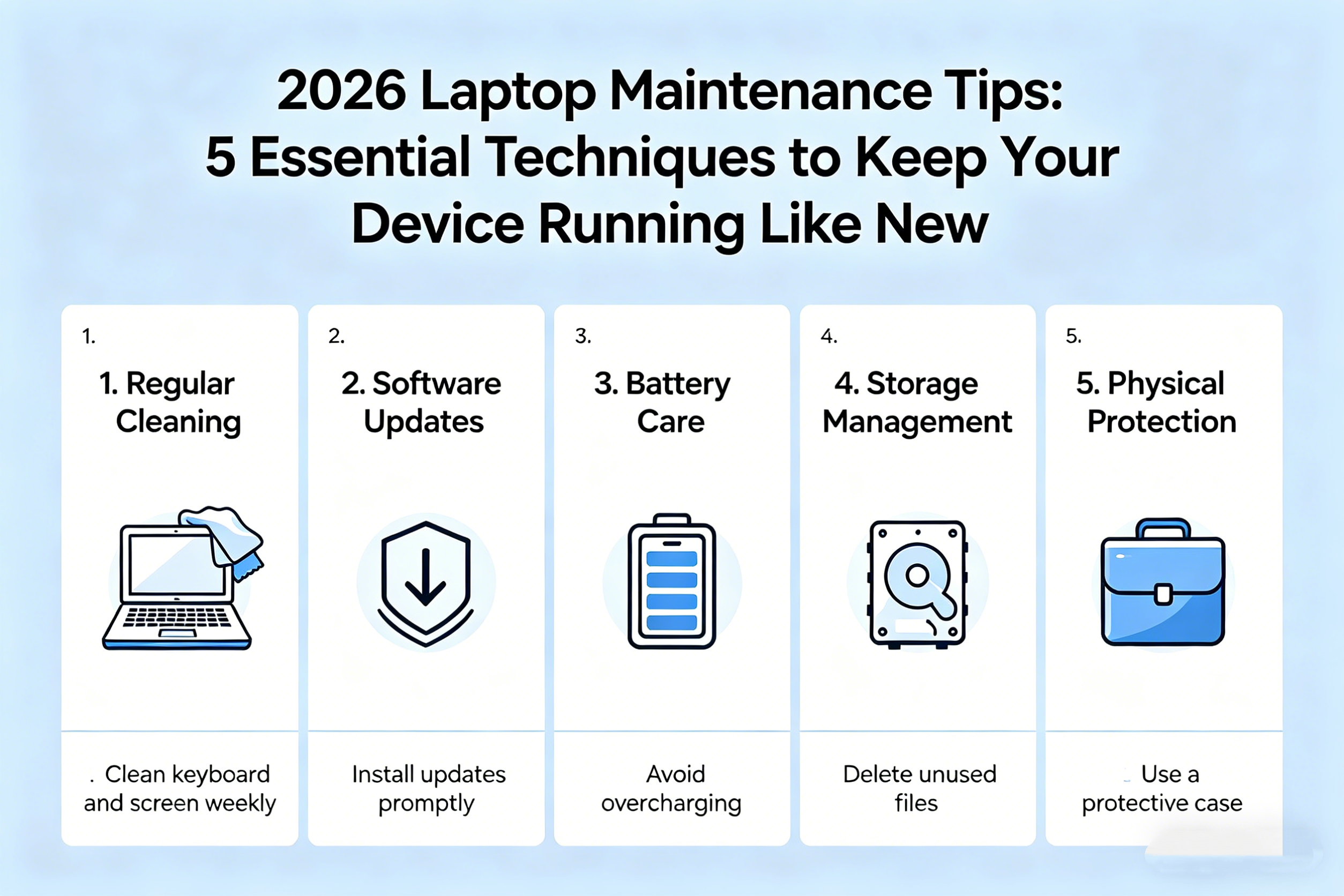
    2026 Laptop Maintenance Tips: 5 Essential Techniques to Keep Your Device Running Like New

    Brady CottonBy Brady CottonJuly 6, 2026
    Facebook Twitter Pinterest LinkedIn Tumblr Email

    As laptops continue to be indispensable tools for work, study, and entertainment, keeping them in optimal condition is essential for ensuring longevity and peak performance. In 2026, with rapid technological advancements and increasingly sophisticated software demands, proper laptop maintenance is more important than ever. Whether you’re using a powerful gaming laptop, a sleek ultrabook, or a versatile 2-in-1, these 5 essential maintenance techniques will help you protect your investment and maintain smooth performance for years to come.

    1. Regularly Clean and Dust Your Laptop

    One of the simplest and most effective ways to keep your laptop running smoothly is by maintaining a clean, dust-free environment for its internal components. Dust, debris, and grime can accumulate over time, blocking airflow and causing overheating. This is especially true for laptops with cooling systems that rely on fans and vents to regulate temperature.

    How to Clean:
    • Turn off your laptop and unplug it from any power source.
    • Use compressed air to blow out dust from the keyboard, vents, and fans. Hold the can upright and use short bursts to avoid moisture buildup.
    • Wipe down the screen and keyboard with a soft microfiber cloth to remove fingerprints and smudges.
    • Avoid liquid cleaners on the laptop’s surface, as they can seep into the device and cause damage.

    Cleaning your laptop every few weeks will help prevent overheating, improve airflow, and maintain a longer lifespan.

    2. Update Your Operating System and Software Regularly

    Keeping your laptop’s operating system (OS) and software up to date is crucial for security, performance, and compatibility with new programs. Updates often include bug fixes, security patches, and improvements that optimize your system’s functionality. In 2026, security threats are increasingly sophisticated, making regular updates a must to protect your data.
    How to Update:
    • Set your laptop to update automatically to ensure that you never miss important patches and system upgrades.
    • Check for driver updates, especially for graphics, audio, and network drivers. Outdated drivers can cause software crashes or hardware malfunctions.
    • Use built-in system tools like Windows Update or macOS Software Update to install the latest security patches and performance improvements.

    By ensuring that your laptop is always running the latest software versions, you can maintain top performance and avoid security vulnerabilities.

    3. Optimize Battery Health and Charging Habits

    Laptops in 2026 often come with powerful batteries, but overcharging or poor charging habits can degrade battery life over time. A properly maintained battery will last longer and perform better, giving you more mobility and flexibility while using your laptop.

    How to Maintain Battery Health:
    • Avoid overcharging your battery. Modern laptops are designed to stop charging once they reach 100%, but consistently keeping your laptop plugged in for long periods can strain the battery.
    • Calibrate your battery. Occasionally, let your battery drain to about 20% before recharging it to 100%. This helps maintain the accuracy of battery percentage readings.
    • Use battery-saving modes. When you need to conserve power, use features like power saver mode or battery optimization settings to extend battery life.

    For laptops with removable batteries, it’s advisable to store spare batteries in a cool, dry place if you’re not using them for extended periods, as heat can shorten their lifespan.

    4. Manage Storage Space and Backup Regularly

    Over time, your laptop’s storage can fill up with files, apps, and data that slow down performance. Regularly managing storage space and backing up important files is key to ensuring that your laptop remains fast and that your data stays secure.

    How to Manage Storage:
    • Remove unnecessary files and programs. Use built-in tools like Disk Cleanup (Windows) or Optimize Storage (macOS) to free up space and remove old files, caches, or system junk.
    • Transfer files to external storage or cloud services like Google Drive, iCloud, or OneDrive. Keeping large files off your laptop’s internal storage can prevent slowdowns.
    • Defragment your hard drive (HDD). If you’re using a traditional hard drive, defragmenting it occasionally can improve read/write speeds. If you have a Solid-State Drive (SSD), defragmentation is unnecessary and may even reduce its lifespan.
    • Enable automatic backups using cloud services or external drives to ensure that your important data is safe in case of system failure or accidents.

    Managing your laptop’s storage not only speeds up performance but also ensures that your files are safely backed up and recoverable when needed.

    5. Perform Regular Hardware and Performance Diagnostics

    In 2026, laptops are more powerful than ever, but even high-end devices can experience performance slowdowns or hardware issues. Performing regular diagnostics helps you identify and fix problems before they become serious.

    How to Diagnose and Maintain Hardware:
    • Check your laptop’s hard drive or SSD health using diagnostic tools like CrystalDiskInfo (for Windows) or Disk Utility (for macOS). These tools can help you monitor the health of your storage devices and alert you to potential failures.
    • Run system diagnostics to check for hardware issues, like RAM malfunctions or overheating. Most laptops come with built-in diagnostics—on Windows, you can run the Windows Memory Diagnostic tool, while macOS offers Apple Diagnostics.
    • Monitor performance using task manager (Windows) or activity monitor (macOS). Track which programs are using the most resources and identify any background processes that are unnecessarily consuming CPU or RAM.

    If you notice abnormal behavior, such as frequent crashes, sluggish performance, or screen glitches, running a diagnostic test will help you pinpoint the issue, whether it’s related to software or hardware.

    Final Thoughts: The Key to a Long-Lasting Laptop

    By following these five essential laptop maintenance techniques—cleaning regularly, updating software, optimizing battery health, managing storage, and performing hardware diagnostics—you can extend the life of your laptop, keep it running at optimal performance, and protect your data in the process.

    As technology continues to evolve, maintaining your laptop in 2026 will require a mix of digital know-how and physical care. But with these simple yet effective tips, you’ll ensure that your laptop continues to serve you well for years to come, whether you’re using it for work, entertainment, or creative pursuits.

    Share. Facebook Twitter Pinterest LinkedIn Tumblr Email

    Related Posts

    What a Roofing Contractor Finds That Drone Footage and Home Inspection Apps Consistently Miss

    Christopher Delgado Has Pleaded Guilty — Is The SEC Now Coming for Goliath’s Co-Conspirators?

    Sonic AI a Scam or Legitimate? TAG Markets Regulatory Warnings, Vitaliy Dubinin & Paulo Barroso

    Leave A Reply Cancel Reply

    You must be logged in to post a comment.

    voopoopintch
    oxva nexlim 2
    shopify
    • Popular
    • 3D Printer REVIEW
    • XIAOMI
    July 13, 2026

    OXVA Nexlim 2 Mini Pod Vape Hands on Review

    July 13, 2026

    OXVA Nexlim 2 Pod Vape Hands on Review

    June 21, 2026

    iPlay LUMO 8K Review – A Compact Prefilled Pod Kit with Big Flavor and Everyday Convenience

    June 21, 2026

    iPlay HOOLA 150K Review – A Cloud-Chasing Giant with Music, Modes & Massive Longevity

    December 26, 2025

    ACMER ASCARVA 4S: Precision CNC Power for Makers, DIYers & Small Workshops

    June 23, 2024

    ACMER P2 20W Laser Engraver Fixed Focus Engraving: Hands on Review

    May 30, 2024

    xTool F1 Ultra Review: World’s First 20W Fiber & 20W Diode Laser Engraver

    May 30, 2024

    Anycubic Kobra 3 Combo Review: The Multicolor Masterpiece?

    September 14, 2026

    Xiaomi Smart Door Lock 5 Max Starts Pre-Sale at 3,699 Yuan With AI and UWB Unlocking

    September 14, 2026

    Mijia Mop and Vacuum Robot 7 Max Uses AI to Recognize Dirt and Adjust Cleaning Automatically

    September 11, 2026

    Xiaomi Pad 9 Pro Max Review: 13.3-Inch Display Explained

    September 10, 2026

    Xiaomi 18 Pro Max Appears on Geekbench With Snapdragon 8 Super Gen 6

    fc 26 coins
    New Arrivals
    • WASPE 10-in-1 Quinton 500K Disposable Vape WASPE 10-in-1 Quinton 500K Disposable Vape
    • EVO Switch Pro 50K Disposable Vape EVO Switch Pro 50K Disposable Vape
    • Lost Mary MT35000 Turbo Disposable Vape Lost Mary MT35000 Turbo Disposable Vape
    • Lost Vape Centaurus M120 S Vape Mod Kit Lost Vape Centaurus M120 S Vape Mod Kit
    • iQOO Pad Ultra iQOO Pad Ultra
    • iPhone Ultra iPhone Ultra
    • Lost Vape Centaurus M100 Box Mod Kit with Centaurus Sub Ohm V2 Tank Lost Vape Centaurus M100 Box Mod Kit with Centaurus Sub Ohm V2 Tank
    • Joyetech eGo Max Pod System Kit Joyetech eGo Max Pod System Kit
    • Beke Turboice 30K Disposable Vape Beke Turboice 30K Disposable Vape
    About
  • Igeekphone.com provides the first global tech news and reviews about smartphone, vapes, e-cigar, smart home, 3D printers, e-bike,tablets, RC drones, VR headset, and other accessories. It's the best platform to improve your brand and product.
  • Contact us: info@igeekphone.com
  • Check Our Privacy Policy Here.
  • Note: *Right now we have US editor and EU editors for review, especially for Amazon US and EU.
  • *Shop and Compare Price Here*
  • Facebook
  • Youtube
  • OUR BEST VAPE PARTNERS
  • VAPE ONLINE STORE
  • VAPORESSO
  • VOOPOO
  • OXVA
  • NEXA
  • MASKKING
  • SP2S
  • IPLAY
  • TODOO
  • OTHER BEST PARTNERS
  • SVBONY
  • Chuwi
  • Blackview
  • Fossibot
  • Unihertz
  • Flsun
  • Anycubic
  • Xtool
  • Oukitel
  • Mukkpet Ebike
  • Ugreen
  • Copyright © 2026 igeekphone

    Type above and press Enter to search. Press Esc to cancel.