






Facebook Twitter Instagram
    Trending
    • Xiaomi 18 is launched! Hyper OS 4 has leaked out: A major overhaul of the underlying system, making it more smooth.
    • Xiaomi MIX Fold 5 Makes a grand debut: Mystic Ring + Wide Foldable Form-Unprecedented in history
    • Specifications of Redmi K100 Pro Max have been Revealed: 185Hz ultra-high refresh rate! Retains exclusive triple speakers
    • The new WIN Turbo model has been officially announced to feature a 6.79-inch OLED screen with Oasis Eye-Saving Technology for enhanced visual comfort.
    • Unlocking Supply Chain Efficiency with Better Shipping Labels
    • Rock N’ Cash Casino Slots: Roll into the Rhythm of Wins with Rock ‘n’ Roll Gaming
    • What does the term “MTL vaping” refer to?
    • What are plummeting cost of mobile technology to the point of free
    Facebook YouTube
    IGeeKphone China Phone, Tablet PC, VR, RC Drone News, Reviews
    • HOME
      • NEWS
        • DeepSeek
        • ChatGPT
        • Minecraft
    • Amazon
    • PHONE
      • Top Phones For Your First Choice
      • Phone Comparison
      • Xiaomi
      • Blackview
      • Doogee
      • Black Shark
      • Geekbuying
      • Banggood
      • TEMU
      • TikTok
      • Aliexpress
      • Walmart
      • MercadoLibre
      • Lazada
    • TOP VAPE Awards for 2026
    • VAPES
      • E-CIGAR Upcoming
      • Vape News
      • Vape Deals
      • Vape Comparison
      • Vape Guide
      • Giveaway
    • BEST VAPE
      • Best Vape Stores
      • Best Starter Vape Kits
      • Best Vapes for Beginners
      • Best Disposable Vapes
      • Best Pod Systems
      • Best Pod Mod Vapes
      • Best Mods
      • Best Nicotine Pouches
      • Best Clearomizers/Tanks
      • Best E-Liquid
      • Best EGO/Pens
      • Best Vapes for Nic Salt E-Juice
      • Best Vapes to Quit Smoking
      • RDA vs. RDTA vs. RTA
    • Best Vape Brand 2026
      • VAPORESSO
      • VOOPOO
      • OXVA
      • NEXA BAR
      • MASKKING VAPE
      • SP2S
      • IPLAY
      • TODOO
      • MRFOG
      • LOSTVAPE
      • VEIIK
    • REVIEW
      • E-cigar Review
      • Phones
      • Tablet PC
      • TV Box
      • RC Drone
      • Wearables
      • Camera
      • Accessories
      • VR Headset
    • MORE
      • TABLET
        • Chuwi
        • INNOCN
        • Teclast
        • Top Tablet for Your First Choice
        • Tablet/Laptop Comparison
      • RC DRONE
      • CAMERA
      • WEARABLES
        • OneOdio
        • BlitzWolf
        • Top Smartwatch for First Choice
      • 3D PRINTER
        • 3D Printer Review
        • Anycubic
        • FLSUN
        • Xtool
        • LONGER
        • Top 3D printer to Choose First
      • POWER STATION
        • Oukitel
        • FOSSIBOT
      • GAMING
        • Top Gaming Products
      • E-BIKE
        • Samebike
        • Happyrun
        • ENGWE
      • SMART HOME
      • TV BOX
      • ACCESSORIES
      • VR HEADSET
      • CLOTHES
      • AUTO CAR
    • DEAL
    • VAPE LAWS
    • Shop
    IGeeKphone China Phone, Tablet PC, VR, RC Drone News, Reviews
    You are at:Home»NEWS»8 Instant Power-Saving Techniques to Prolong Your Battery Life
    NEWS

    8 Instant Power-Saving Techniques to Prolong Your Battery Life

    HabibBy HabibMay 13, 2023
    Facebook Twitter Pinterest LinkedIn Tumblr Email

    In our daily lives, mobile phones have become an indispensable part of our routine. However, one common issue that smartphone users often face is the rapid drain of battery power. Fortunately, there are several effective power-saving techniques that can help extend the battery life of your mobile phone. In this article, I will provide you with eight valuable tips to help you optimize power consumption and make the most of your Battery Life.
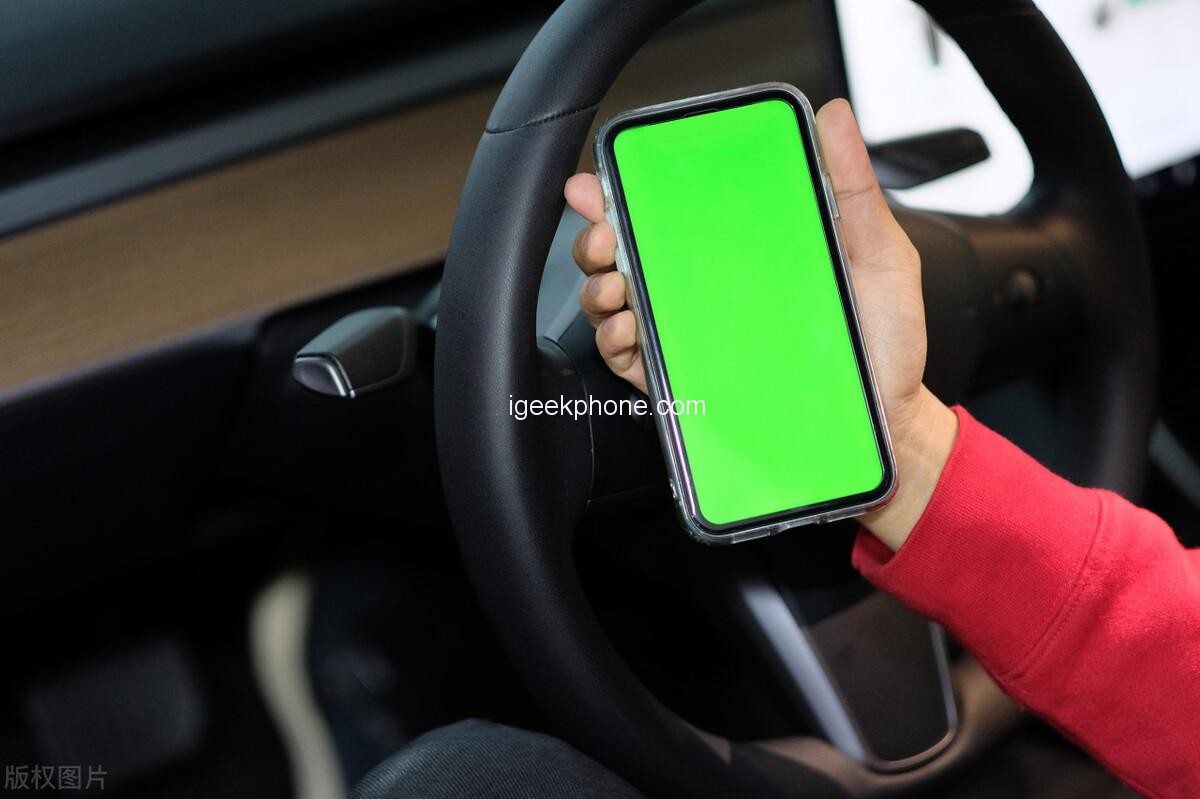
    Automatically adjust brightness: One significant factor that contributes to battery drain is the screen brightness. By accessing the “Settings” of your mobile phone and navigating to the “Display and Brightness” option, you can enable the “Automatic Adjustment” feature. This setting allows the screen brightness to adapt according to the surrounding light conditions, ensuring optimal visibility while conserving power.

    Set screen sleep time: Another setting that affects battery life is the sleep time of your screen. By swiping down the interface and selecting the “Sleep” option, you can choose an appropriate duration for the screen to turn off automatically when not in use. Setting it to a shorter interval, such as “15 seconds,” ensures that power is not wasted when the screen remains idle.

    Disable message notifications: Notifications from various apps can be a constant drain on your battery. To minimize unnecessary power consumption, revisit the settings interface and locate the “Notifications” option. Utilize the “Batch Management” feature to disable notifications from apps that are not essential, allowing you to receive notifications only from the apps you prioritize.

    Disable automatic application startup: Certain applications are designed to start automatically when your phone boots up, consuming valuable battery power in the process. To prevent this, navigate to the “Applications and Services” section in the settings and access “Application Enablement Management.” Here, you can disable the automatic startup feature for all applications except those that require notifications, such as messaging apps.

    Optimize battery usage: Returning to the application and service interface, access “Privilege Management” and click on the three dots in the upper right corner. Select “Special Access Rights” and locate the “Battery Optimization” option. Set all software to “Allow,” enabling the system to optimize battery usage for improved longevity.

    Activate low power mode: Most smartphones come with a built-in battery management feature known as “Low Power Mode.” Open the phone manager or battery settings and enable this mode to enhance battery life. Low Power Mode typically disables background activities, reduces visual effects, and limits power-intensive features like voice assistants and synchronization.

    Disconnect from the internet during sleep mode: By accessing “More Battery Settings” and locating the option “Always keep network connection during sleep,” you can choose to disable this feature. When enabled, your phone remains connected to the network even when the screen is locked, allowing you to receive messages instantly. However, if you don’t require constant connectivity, disabling this feature can save additional power.

    Disable unnecessary wireless features: If you seldom use Bluetooth or GPS, it is advisable to turn them off entirely. These features continuously emit signals, consuming battery power. Additionally, if you have access to a stable Wi-Fi network, consider disabling mobile data when not in use and enabling it only when necessary. This practice conserves power by reducing the need for your phone to search for and connect to cellular networks.

    By implementing these eight power-saving techniques, you can significantly improve the battery life of your mobile phone and ensure that it lasts throughout the day. Remember to adjust the settings according to your preferences and usage patterns to strike a balance between functionality and power efficiency. With a little mindfulness and optimization, you can make the most of your smartphone’s battery and enjoy uninterrupted usage.

    Read Also: Redmi Note 12R Pro Smartphone Design, Review, Camera, Battery, Release Date

    Do not forget to follow us on our Facebook group and page to keep you always aware of the latest advances, News, Updates, review, and giveaway on smartphones, tablets, gadgets, and more from the technology world of the future.

    Share. Facebook Twitter Pinterest LinkedIn Tumblr Email

    Related Posts

    Xiaomi 18 is launched! Hyper OS 4 has leaked out: A major overhaul of the underlying system, making it more smooth.

    Xiaomi MIX Fold 5 Makes a grand debut: Mystic Ring + Wide Foldable Form-Unprecedented in history

    Specifications of Redmi K100 Pro Max have been Revealed: 185Hz ultra-high refresh rate! Retains exclusive triple speakers

    Leave A Reply Cancel Reply

    You must be logged in to post a comment.

    voopoo G4 Mini
    oxva xlim 3 ultra
    sp2s sen x disposable vape
    • Popular
    • 3D Printer REVIEW
    • XIAOMI
    May 17, 2026

    iPlay Nova 45K Review – High Puff Performance with a Futuristic Twist

    May 17, 2026

    Vaporesso XROS 6 & XROS 6 Mini Review – The Evolution of Portable Vaping

    May 7, 2026

    OXVA Xlim Go Lite Review: Compact, Powerful, and Beginner-Friendly

    April 18, 2026

    VOOPOO DRAG 6 Hands on Review: Vape Beast with Smart Power & Premium Control

    December 26, 2025

    ACMER ASCARVA 4S: Precision CNC Power for Makers, DIYers & Small Workshops

    June 23, 2024

    ACMER P2 20W Laser Engraver Fixed Focus Engraving: Hands on Review

    May 30, 2024

    xTool F1 Ultra Review: World’s First 20W Fiber & 20W Diode Laser Engraver

    May 30, 2024

    Anycubic Kobra 3 Combo Review: The Multicolor Masterpiece?

    May 27, 2026

    Xiaomi 18 is launched! Hyper OS 4 has leaked out: A major overhaul of the underlying system, making it more smooth.

    May 27, 2026

    Xiaomi MIX Fold 5 Makes a grand debut: Mystic Ring + Wide Foldable Form-Unprecedented in history

    May 27, 2026

    Specifications of Redmi K100 Pro Max have been Revealed: 185Hz ultra-high refresh rate! Retains exclusive triple speakers

    May 27, 2026

    It is reported that Samsung Galaxy Watch Ultra 2 smartwatch will be available in both Bluetooth/Wi-Fi versions.

    fc 26 coins
    New Arrivals
    • Suonon Switch 80K Disposable Vape Kit Suonon Switch 80K Disposable Vape Kit
    • Motorola Edge 80 Fusion Motorola Edge 80 Fusion
    • Motorola Edge 80 Fusion Plus Motorola Edge 80 Fusion Plus
    • Nothing Phone 5a Pro Nothing Phone 5a Pro
    • vivo iQOO Z12x vivo iQOO Z12x
    • Velo Plus Tropical Heat Nicotine Pouches Velo Plus Tropical Heat Nicotine Pouches
    • Airmez Fox 8in1 160K Disposable Kit Airmez Fox 8in1 160K Disposable Kit
    • Vaporock X1 Pod System Kit Vaporock X1 Pod System Kit
    • Aspire Cyber G Slim Aspire Cyber G Slim
    About
  • Igeekphone.com provides the first global tech news and reviews about smartphone, vapes, e-cigar, smart home, 3D printers, e-bike,tablets, RC drones, VR headset, and other accessories. It's the best platform to improve your brand and product.
  • Contact us: info@igeekphone.com
  • Check Our Privacy Policy Here.
  • Note: *Right now we have US editor and EU editors for review, especially for Amazon US and EU.
  • *Shop and Compare Price Here*
  • Facebook
  • Youtube
  • OUR BEST VAPE PARTNERS
  • VAPE ONLINE STORE
  • HAYATI PRO MAX PLUS
  • VAPORESSO
  • VOOPOO
  • OXVA
  • NEXA
  • MASKKING
  • SP2S
  • IPLAY
  • TODOO
  • OTHER BEST PARTNERS
  • SVBONY
  • Chuwi
  • Blackview
  • Fossibot
  • Unihertz
  • Flsun
  • Anycubic
  • Xtool
  • Oukitel
  • Mukkpet Ebike
  • Ugreen
  • Copyright © 2026 igeekphone

    Type above and press Enter to search. Press Esc to cancel.