










Are you thinking to downgrade your iOS 16 but are worried about losing your data? Here’s our step-by-step guide on how to downgrade iOS 16 without Losing Data. Whenever Apple releases a new iOS update to the iPhones, most people can’t wait to upgrade to the latest version to test out new features and tweaks. However, it seems like a bleeding edge, but sometimes it’s not likely to end up in a great way.
In such a situation, downgrading to the previous version of iOS would seem the ultimate solution, but the fear of losing all your data on the device might be hitting you hard. Downgrading is a simple task, as long as you aren’t losing all of your important data on the device.
If you have just upgraded your iPhone to the latest iOS 16 and are wondering whether to downgrade to the previous version of iOS, probably iOS 15, then look no further. Here’s our guide on how to downgrade iOS 16 without losing data via UltFone iOS System Repair.
Why Do I Downgrade iOS 16?
Apple has just released the iOS 16 version, which isn’t fully functional and stable yet. The iOS 16 still requires some changes yet to come in the stable version.
Sometimes, can contain annoying bugs and glitches that can make the user experience trash for you by causing issues like sluggish performance, app crashes,stuck on the white screen with Apple logo, and battery draining issues.
In such a scenario, you may want to get rid of such issues on your iPhone, and downgrading to the previous stable iOS is the ultimate solution.
Can I Downgrade/Remove iOS 16 without Losing Data?
The simple and straightforward answer to the question “can ios be downgraded” is yes, you can downgrade iOS 16 to the previous iOS version without losing all of your data. The simple trick to save your data is creating a backup file, which you’ll restore on your iPhone once you have successfully downgraded iOS.
There are two official ways you can take the backup of all of your important data on the device; via iTunes and iCloud. However, iCloud seems quite the convenient and easy-to-go option, as it saves everything online in the iCloud servers, making it easy to restore later.
However, an iCloud backup file might take longer (depending on your internet connection) as it has to upload and download the data from the servers. You can choose whatever option is suitable for you.
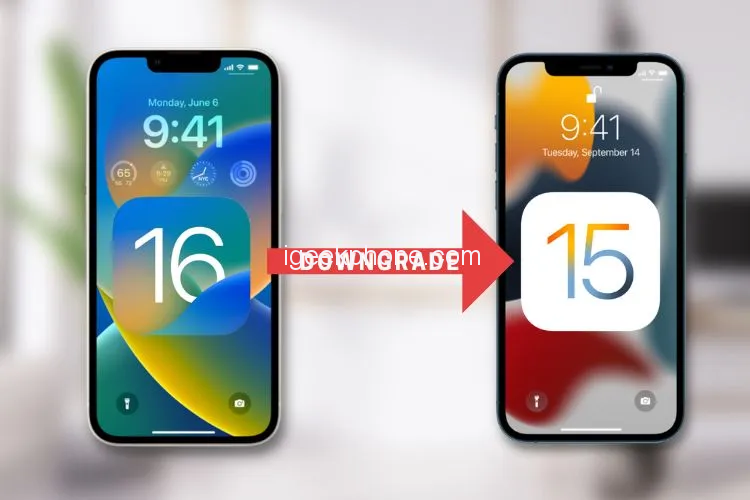
How to Downgrade iOS 16 without Losing Data on My iPhone 14 via Using UltFone iOS System Repair
There are plenty of ways and software to downgrade to iOS 16 without losing all of your data. However, the UltFone iOS system repair seems quite innovative and convenient to get the job done without any lengthy and complex process.
The iOS 16 contains bugs and glitches, and your iPhone may be infected with them. UltFone iOS system repair offers a repair feature to remove any glitches and resolve issues such as iPhone stuck on the recovery mode, Apple logo, boot loop, frozen screen, and 150+ other issues.
Here are Outstanding features of UltFone iOS system repair that make it better than any other available option.
- Provides a one-click process to enter and exit recovery mode on iOS devices.
- One Click process to remove glitches, bugs, and errors from iOS.
- Capable of resolving up to 150+ iOS problems on iPhones and iPads.
- Supports all latest models of iPhone, including 14 running iOS 16.
How does it work? Visit the official website of UltFone iOS repair system to download the program and install and launch it on the computer. It supports Mac and PC operating systems. Next, you’ll have to put your iPhone into recovery mode and then finally follow the onscreen instruction of the UltFone iOS system repair program.
Here is the video guide about downgrading iOS 16 without losing data.
insert the video:
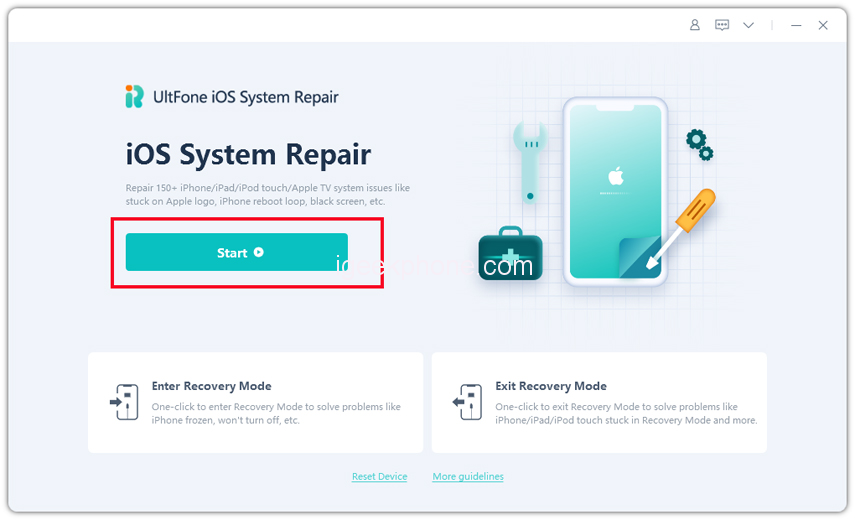
Step 1 Download the software from your computer. Install and run it. After that, use an USB cable to connect your iPhone to the computer. Once the iPhone is detected, click “Start”.
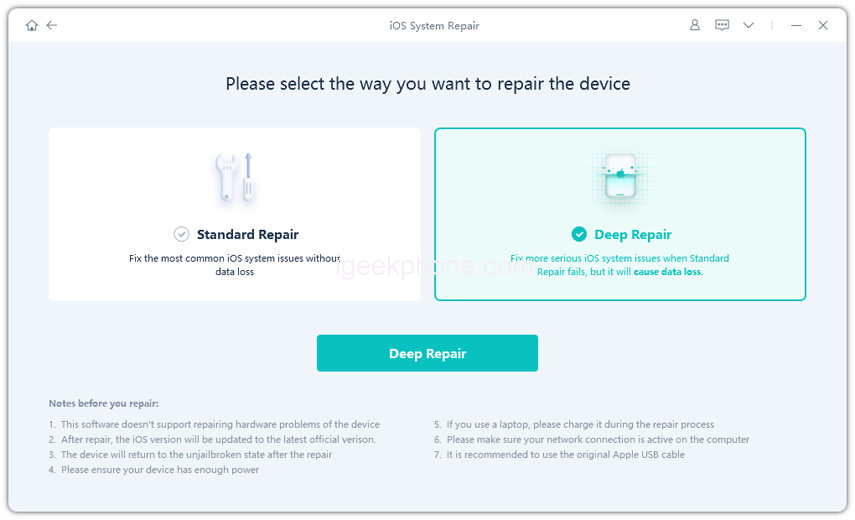
Step 2 Now, you should tap on “Deep Repair”. Take notice of the appearing instruction before proceeding. Then choose the “Deep Repair” option.
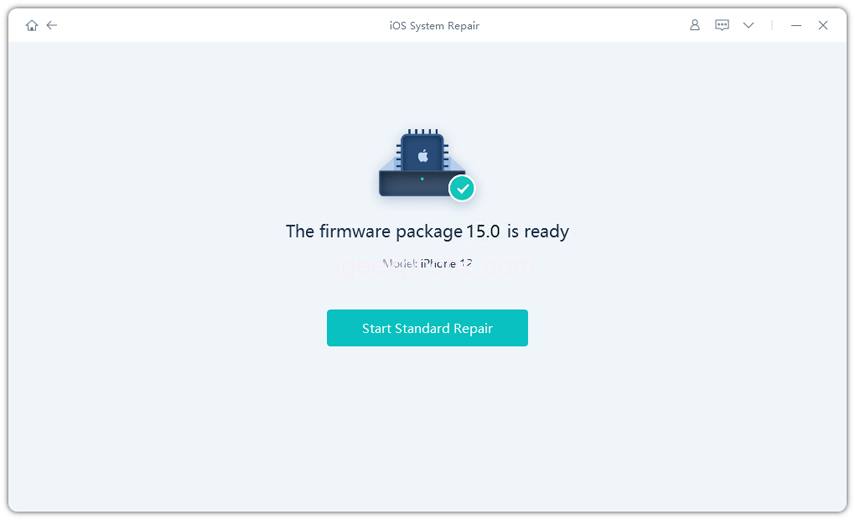
Step 3 With device detected, you click the “Download” button to get the newest firmware file. At first, you should back up your data, then you can tap “Repair” button. Wait for a while and Deep Repair will remove all iOS 16 components. And you can see that we are now in iOS 15 version.
How to Downgrade from iOS 16 with iTunes
iTunes is another option to downgrade your iPhone from iOS 16 . However, since it’s not the new software, it’s not the best among all other options, but it can work properly. Here’s how to Downgrade iOS 16 without Losing Data.
Once you have created the backup of your data, follow the steps below to proceed to downgrade iOS without losing data using iTunes.
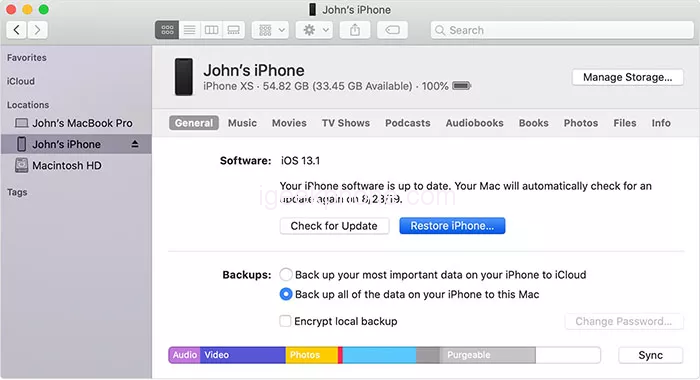
First of all, you’ll have to put your iPhone into recovery mode by pressing Volume up, Volume down, and then holding the power button until you see the computer and lighting cable on the screen. Connect your iPhone to the computer using the lighting cable and open up iTunes.
Follow the on-screen instructions on the iTunes interface and click on your iPhone name on the left side of the screen. Look for the Restore button on the screen, and click on it to download the old iOS version for your iPhone.
Downloading the firmware file might take a while to download a file depending on the internet connection speed. iTunes will restore your iPhone once the download is completed. Once it’s restored, your iPhone will reboot, and a setup screen will appear, from where you can begin restoring your data.
How to Restore Backup After You Revert to iOS 15
Once you finally downgraded your iPhone to the older iOS version, then you can proceed to restore the backup file on your iPhone. However, restoring the data on your iPhone depends on how you created the backup file.
On the setup screen of your iPhone, under the App & data section, there are multiple options to select restoring source. However, you should choose how you created the backup previously.
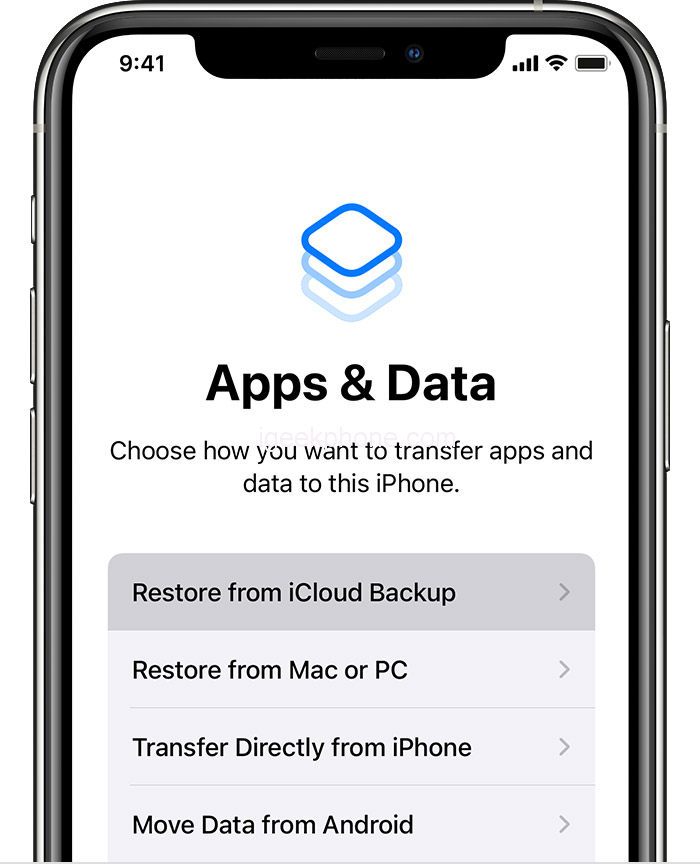
For instance, if you had created the backup on iCloud, select Restore from iCloud backup, and I’ll start downloading the backup files to restore it on your iPhone. Depending on your internet connection speed, downloading the files and fully restoring them might take a while.
Conclusion
Apple hasn’t released the iOS 16 yet. Many users reported the bugs and errors on iOS 16, and “can I downgrade iOS without losing data” was the most asked question on the online forums. In this article, we discussed the different ways you can restore your iPhone from iOS 16.
However, the UltFone iOS System Repair seems the best and most innovative option because of its advanced and user-friendly functionality, which give it an edge over the other ways.