







Facebook Twitter Instagram
    Trending
    • SVBONY SVN O1 Two-Channel Wireless Conference Microphone (Flash Sale)
    • IPLAY ENGINE 40K vs MASKKING ICEX 40000: Quick Comparison
    • SP2S SEN X vs VOOPOO ARGUS G3 Mini: Which Pod Fits Your Style?
    • How to Maintain Your Vape Device and E-Juice: 10 Essential Tips
    • The Future of AI Art: What Lies Ahead for Artists and Creators
    • 4 Apps for Sports Betting Success for your life
    • What Are the Types of Strategy Used in Blackjack Games on Online Blackjack Sites?
    • Top Three Vaping Brands
    Facebook YouTube
    IGeeKphone China Phone, Tablet PC, VR, RC Drone News, Reviews
    • HOME
      • NEWS
        • DeepSeek
        • ChatGPT
        • Minecraft
    • Amazon
    • PHONE
      • Top Phones For Your First Choice
      • Phone Comparison
      • Xiaomi
      • Blackview
      • Doogee
      • Black Shark
      • Geekbuying
      • Banggood
      • TEMU
      • TikTok
      • Aliexpress
      • Walmart
      • MercadoLibre
      • Lazada
    • TOP VAPE Awards for 2026
    • VAPES
      • E-CIGAR Upcoming
      • Vape News
      • Vape Deals
      • Vape Comparison
      • Vape Guide
      • Giveaway
    • BEST VAPE
      • Best Vape Stores
      • Best Starter Vape Kits
      • Best Vapes for Beginners
      • Best Disposable Vapes
      • Best Pod Systems
      • Best Pod Mod Vapes
      • Best Mods
      • Best Nicotine Pouches
      • Best Clearomizers/Tanks
      • Best E-Liquid
      • Best EGO/Pens
      • Best Vapes for Nic Salt E-Juice
      • Best Vapes to Quit Smoking
      • RDA vs. RDTA vs. RTA
    • Best Vape Brand 2026
      • VAPORESSO
      • VOOPOO
      • OXVA
      • NEXA BAR
      • MASKKING VAPE
      • SP2S
      • IPLAY
      • TODOO
      • MRFOG
      • LOSTVAPE
      • VEIIK
    • REVIEW
      • E-cigar Review
      • Phones
      • Tablet PC
      • TV Box
      • RC Drone
      • Wearables
      • Camera
      • Accessories
      • VR Headset
    • MORE
      • TABLET
        • Chuwi
        • INNOCN
        • Teclast
        • Top Tablet for Your First Choice
        • Tablet/Laptop Comparison
      • RC DRONE
      • CAMERA
      • WEARABLES
        • OneOdio
        • BlitzWolf
        • Top Smartwatch for First Choice
      • 3D PRINTER
        • 3D Printer Review
        • Anycubic
        • FLSUN
        • Xtool
        • LONGER
        • Top 3D printer to Choose First
      • POWER STATION
        • Oukitel
        • FOSSIBOT
      • GAMING
        • Top Gaming Products
      • E-BIKE
        • Samebike
        • Happyrun
        • ENGWE
      • SMART HOME
      • TV BOX
      • ACCESSORIES
      • VR HEADSET
      • CLOTHES
      • AUTO CAR
    • DEAL
    • VAPE LAWS
    • Shop
    IGeeKphone China Phone, Tablet PC, VR, RC Drone News, Reviews
    You are at:Home»NEWS»AimerLab MobiGo: How to change your iPhone GPS location?
    NEWS

    AimerLab MobiGo: How to change your iPhone GPS location?

    Brady CottonBy Brady CottonDecember 7, 2022
    Facebook Twitter Pinterest LinkedIn Tumblr Email

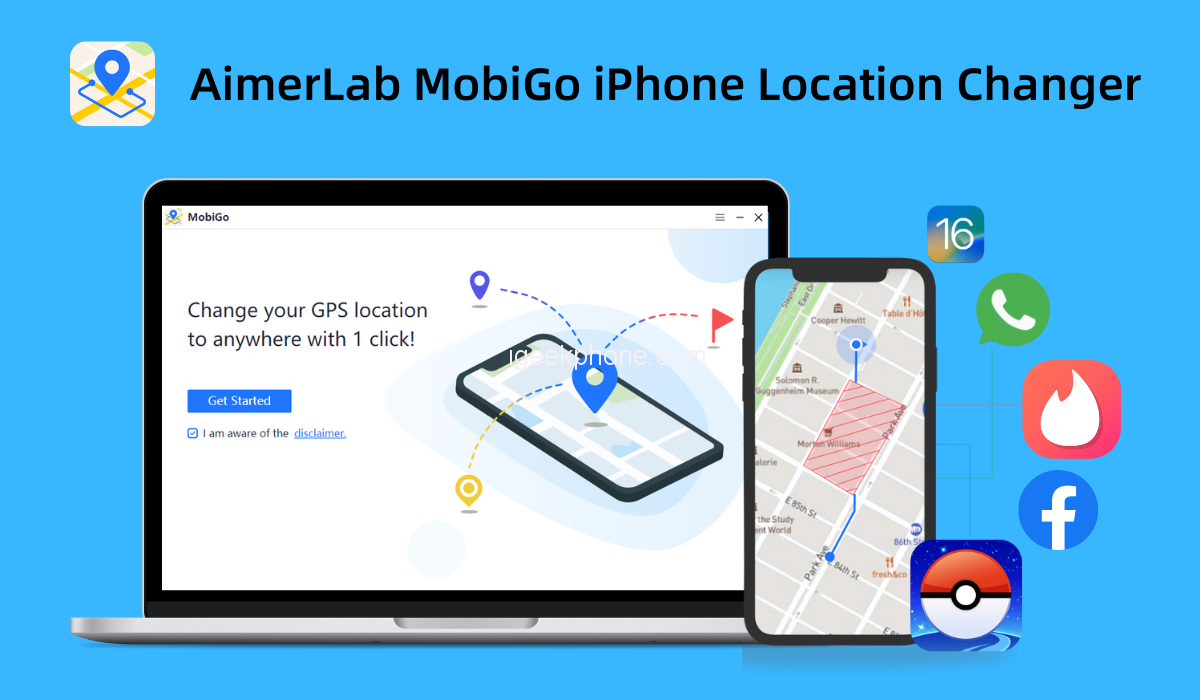
    It’s impossible to find a program or application today that doesn’t use your location. So how can you cheat such apps? You can use a location changer to make your device appear to be located somewhere else. Here, we shall discuss an efficient and secure iPhone location changer – AimerLab MobiGo.
    1. What is AimerLab MobiGo?

    AimerLab MobiGo iPhone GPS Location Changer is a powerful program that controls your phone’s GPS location. You may easily set the geographic location of your iOS device using MobiGo. Throughout, no jailbreaking of your iOS mobile device is necessary, guaranteeing that its Apple warranty stays intact.

    You can easily get around geo-restriction blocks and access streaming and gaming content using the MobiGo software. You may anticipate much more when combined with well-known dating and social networking apps.

    Let’s look more closely at this useful location changer now.

    1. AimerLab MobiGo Features

    AimerLab MobiGo iPhone location changer is capable of much more than simply emulating locations. Additionally, it enables virtual mock motions along specified courses, quick location skipping, and other functions that simulate natural movement.

    Let’s learn more about MobiGo’s interface and main features.

    • Teleport Mode

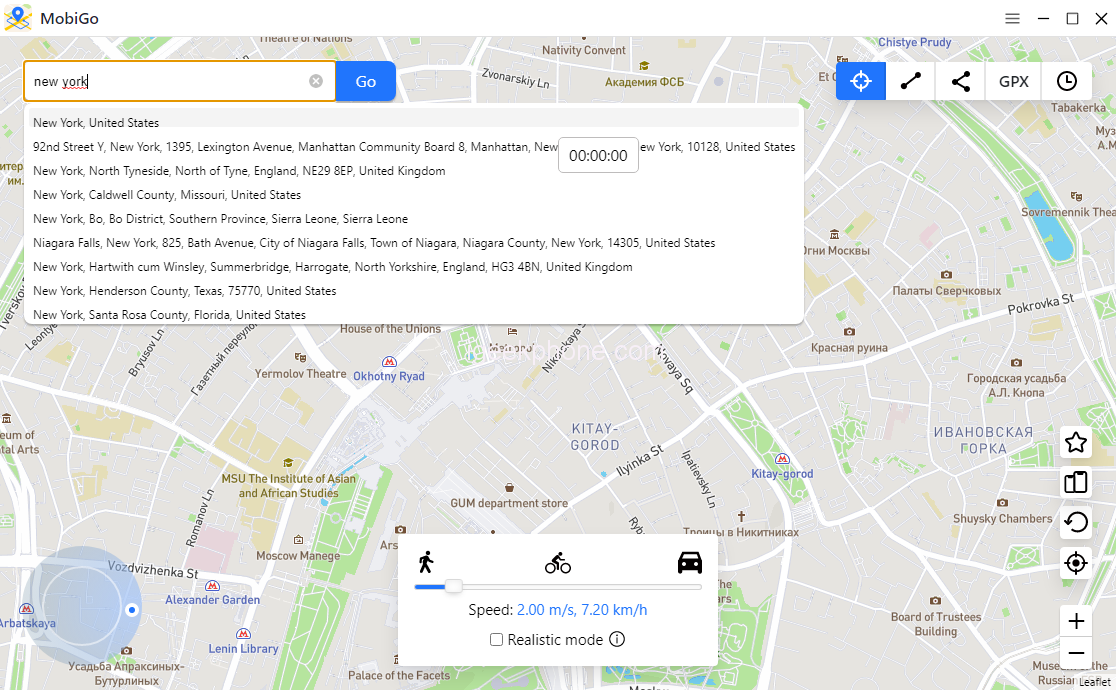
    To activate “Teleport Mode,” click the first icon in the upper right corner of the MobiGo interface. In the search field, type the address or coordinates of the place you wish to teleport to, and then click “Go” to look there. Your GPS location will automatically change to the chosen place when you click “Move Here.”

    • One-Stop Mode

    You can simulate a movement between two points with MobiGo, and it will automatically set the route between the start and terminus along a genuine route.

    • Multi-Stop Mode

    The “multi-stop mode” is appropriate when you wish to visit multiple destinations along a single path at the same time.

    • Import GPX File

    You might be able to acquire a GPX file from your friends or through game forums online. You may quickly simulate the route on the GPX file by utilizing the GPX capability that is available in MobiGo.

    • Joystick Control

    MobiGo’s joystick feature allows you to change the direction to get exactly where you want to be.

    Other Features of MobiGo

    • Cooldown Timer

    The Cooldown countdown timer is now available in MobiGo’s Teleport mode to assist you in adhering to the Pokémon GO Cooldown time chart.

    • Realistic Mode

    When this mode is on, the moving speed will fluctuate at random every 5 seconds between the upper and lower 30% of the speed range you select.

    • Multi-Device Control

    MobiGo allows up to five iOS devices to simultaneously.

    • Closing the Path Automatically

    When in multi-stop mode, MobiGo will immediately advise you to close the path if the separation between the start and end points is less than 50 meters.

    1. How to change location with AimerLab MobiGo?

    The software is incredibly easy to set up and use. Now let’s learn about how to teleport your GPS location with AimerLab MobiGo:

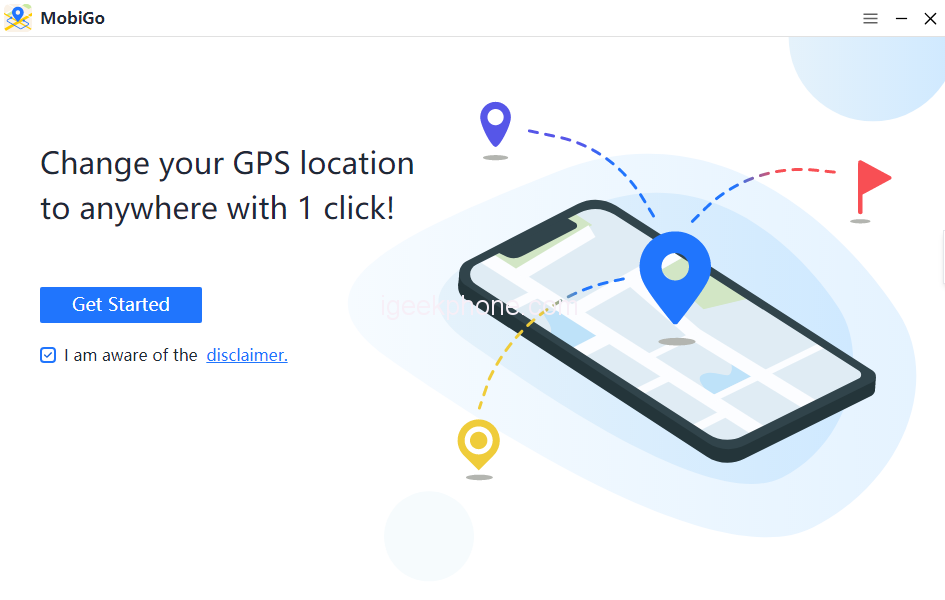
    Step 1: Download, install and launch AimerLab MobiGo on your computer.
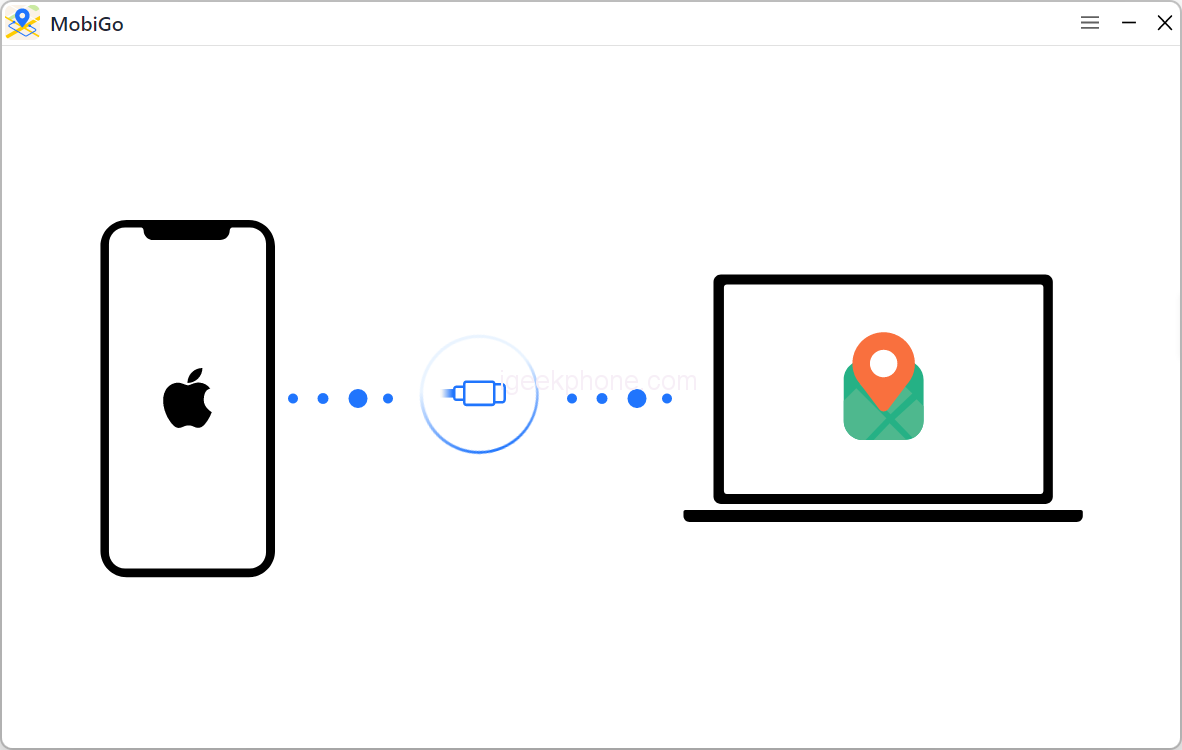
    Step 2: Connect your iPhone or iPad to AimerLab MobiGo.
    Step 3: Enter a location that you want to teleport.
    Step 4: Click “Move here” and start to teleport.
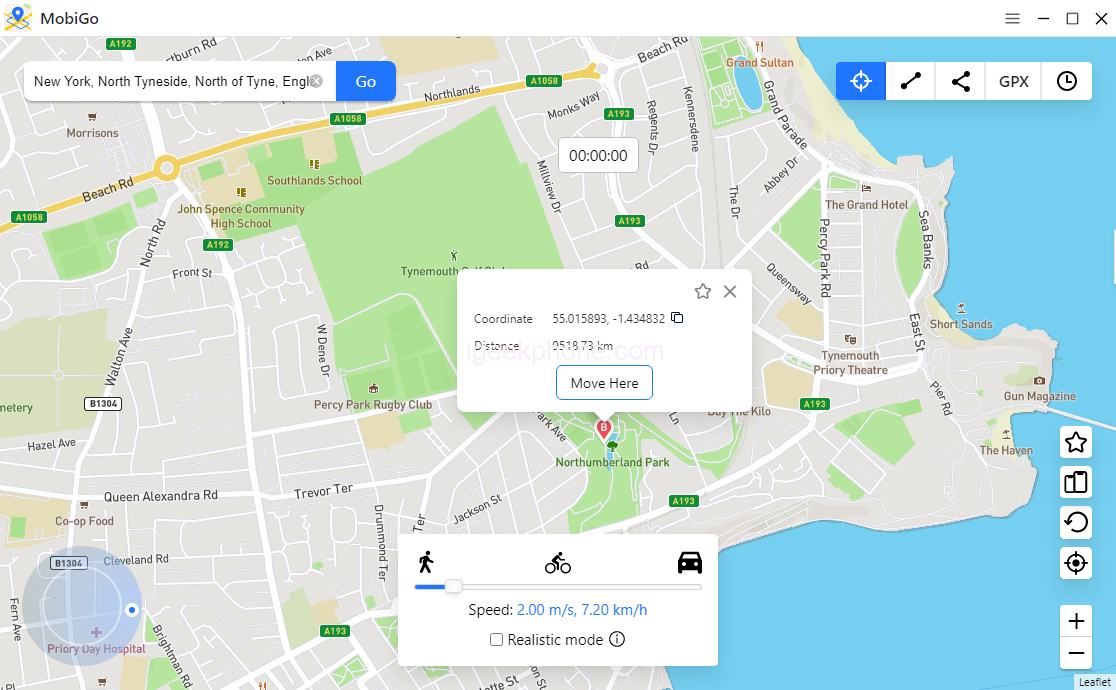
    Step 5: Open you iPhone or iPad and check your current location.
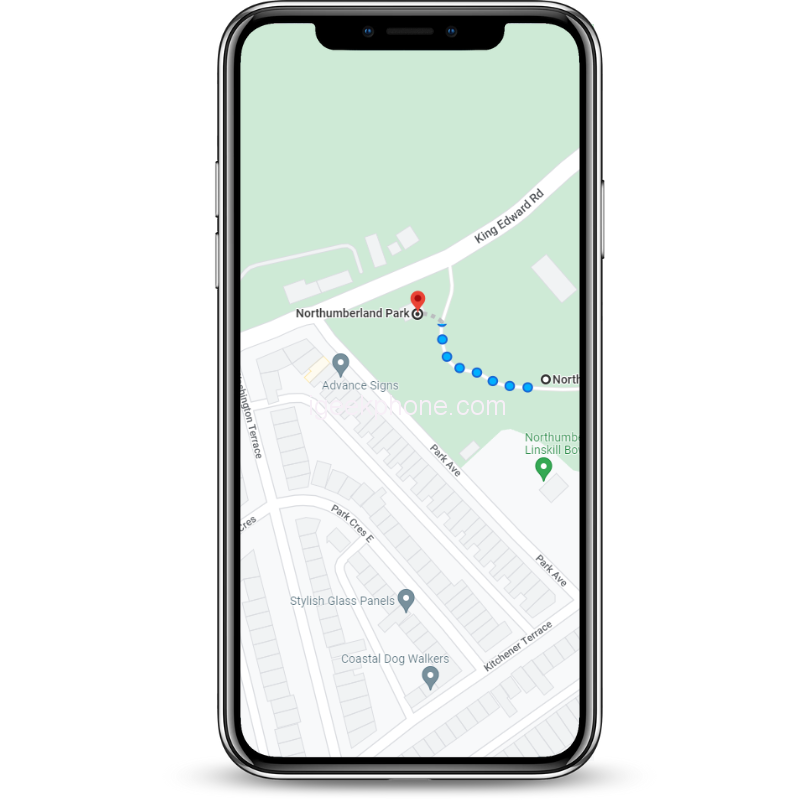
    Step 6: Start to play your location-based games or do something your want on social apps.

    1. AimerLab MobiGo Strengths vs Weaknesses
    Strengths Weaknesses
    ★ Works with all location-based apps ● Android is not supported.
    ★ Easy-to-use interface ● For iOS 16 need open developer mode
    ★ Realistic movement simulation ● Slow top movement speed
    ★ Support GPX file  
    ★ Multi-device control  


    1. AimerLab MobiGo Price

    AimerLab MobiGo’s trial version allows limited times to change location. The teleport and joystick capabilities are restricted to three bearings, while the multi-stop and one-stop options can only be utilized once each.

    User limitations will disappear after you upgrade to AimerLab MobiGo Pro version, you’ll gain full access to all functions.

    To match your spoofing needs, you can pick from a variety of subscription options:

    • Monthly Plan – $9.95 (5 devices and 1 PC/Mac)
    • Quarterly Plan – $19.95 (5 devices and 1 PC/Mac)
    • Yearly Plan – $39.95 (5 devices and 1 PC/Mac)
    • Lifetime Plan – $59.95 (5 devices and 1 PC/Mac)
    1. Conclusion

    So, that’s everything we have to say about the AimerLab MobiGo iPhone GPS location changer in our detailed review. We believe you now have a clear understanding of this location changing tool. For more details, you can go to the MobiGo official website right now, download it and have a try.

    Share. Facebook Twitter Pinterest LinkedIn Tumblr Email

    Related Posts

    Asus ROG’s new Hero 10 series gaming laptops are Released: top-of-the-line equipped with Ryzen 9 9955HX 3D + 5070 Ti

    Details of Samsung Galaxy Tab S12 series tablets have emerged: equipped with Dimensity 9500 Chip

    Xiaomi 18 launched! Hyper OS 4 embraces liquid glass: The UI interface undergoes an epic upgrade

    Comments are closed.

    voopoo drag 6
    oxva xlim 3 ultra
    sp2s sen x disposable vape
    • Popular
    • 3D Printer REVIEW
    • XIAOMI
    May 7, 2026

    OXVA Xlim Go Lite Review: Compact, Powerful, and Beginner-Friendly

    April 18, 2026

    VOOPOO DRAG 6 Hands on Review: Vape Beast with Smart Power & Premium Control

    April 8, 2026

    OXVA NeXLIM vs XLIM Pro 2 Pod Hands-On Review (2026)

    March 16, 2026

    OXVA Slimstick VS OXVA Slimstick X Vape Hands-on Review

    December 26, 2025

    ACMER ASCARVA 4S: Precision CNC Power for Makers, DIYers & Small Workshops

    June 23, 2024

    ACMER P2 20W Laser Engraver Fixed Focus Engraving: Hands on Review

    May 30, 2024

    xTool F1 Ultra Review: World’s First 20W Fiber & 20W Diode Laser Engraver

    May 30, 2024

    Anycubic Kobra 3 Combo Review: The Multicolor Masterpiece?

    May 15, 2026

    Xiaomi 18 launched! Hyper OS 4 embraces liquid glass: The UI interface undergoes an epic upgrade

    May 15, 2026

    Introducing the Xiaomi Band 10 Pro: A slightly curved full-screen display combined with a soft-touch Band

    May 14, 2026

    Xiaomi’s first over-ear headphones made their debut! With a mirror-like body and transparent sound-emitting balls, the design is truly unique.

    May 13, 2026

    The Full-Screen Appearance Picture of Xiaomi 17 Max has been Released: a 6.9-inch Large Straight Screen

    fc 26 coins
    New Arrivals
    • Geek Bar Burj 80K Disposable Vape Geek Bar Burj 80K Disposable Vape
    • Hellvape Vsee Neo Pod System Kit Hellvape Vsee Neo Pod System Kit
    • Lost Mary MT35000 Turbo Carnival Edition Disposable Vape Lost Mary MT35000 Turbo Carnival Edition Disposable Vape
    • RAZ Vue 70K Disposable Vape Kit RAZ Vue 70K Disposable Vape Kit
    • Remit Popmist 60K Nicotine Free Disposable Vape Remit Popmist 60K Nicotine Free Disposable Vape
    • Realme C100i Realme C100i
    • Dovpo Flipside Squonk Mod Dovpo Flipside Squonk Mod
    • OnePlus Nord CE6 Lite OnePlus Nord CE6 Lite
    • Huawei nova 15 Max Huawei nova 15 Max
    About
  • Igeekphone.com provides the first global tech news and reviews about smartphone, vapes, e-cigar, smart home, 3D printers, e-bike,tablets, RC drones, VR headset, and other accessories. It's the best platform to improve your brand and product.
  • Contact us: info@igeekphone.com
  • Check Our Privacy Policy Here.
  • Note: *Right now we have US editor and EU editors for review, especially for Amazon US and EU.
  • *Shop and Compare Price Here*
  • Facebook
  • Youtube
  • OUR BEST VAPE PARTNERS
  • VAPE ONLINE STORE
  • HAYATI PRO MAX PLUS
  • VAPORESSO
  • VOOPOO
  • OXVA
  • NEXA
  • MASKKING
  • SP2S
  • IPLAY
  • TODOO
  • OTHER BEST PARTNERS
  • SVBONY
  • Chuwi
  • Blackview
  • Fossibot
  • Unihertz
  • Flsun
  • Anycubic
  • Xtool
  • Oukitel
  • Mukkpet Ebike
  • Ugreen
  • Copyright © 2026 igeekphone

    Type above and press Enter to search. Press Esc to cancel.