






Facebook Twitter Instagram
    Trending
    • What a Roofing Contractor Finds That Drone Footage and Home Inspection Apps Consistently Miss
    • How to Reduce Your Nicotine Level Gradually
    • Lost Vape Centaurus M100 Kit: A Compact 100W Mod Built Around Simplicity
    • Joyetech eGo Max Kit: A 2000mAh Pod System Built for Extended Use
    • BEKE TurboIce 30K: A High-Capacity Vape Built Around Ceramic Heating
    • HMD Salo 5G Launches for Business Users With Snapdragon 4s Gen 2
    • S2 Smartwatch: 1.50-Inch Display, Bluetooth Calling and Everyday Health Tracking
    • LDRC 1802 RX-7 FC3S: A Small RWD Drift RC Car Built for Hobbyists
    Facebook YouTube
    IGeeKphone China Phone, Tablet PC, VR, RC Drone News, Reviews
    • HOME
    • BREAKING NEWS
      • AI NEWS
    • Amazon
    • PHONE
      • Top Phones For Your First Choice
      • Phone Comparison
      • Xiaomi
      • Blackview
      • Doogee
      • Black Shark
      • Geekbuying
      • Banggood
      • TEMU
      • TikTok
      • Aliexpress
      • Walmart
      • MercadoLibre
      • Lazada
    • TOP VAPE Awards for 2026
    • VAPES
      • E-CIGAR Upcoming
      • Vape News
      • Vape Deals
      • Vape Comparison
      • Vape Guide
      • VAPE LAWS
      • Giveaway
    • BEST VAPE
      • Best Vape Stores
      • Best Starter Vape Kits
      • Best Vapes for Beginners
      • Best Disposable Vapes
      • Best Pod Systems
      • Best Pod Mod Vapes
      • Best Mods
      • Best Nicotine Pouches
      • Best Clearomizers/Tanks
      • Best E-Liquid
      • Best EGO/Pens
      • Best Vapes for Nic Salt E-Juice
      • Best Vapes to Quit Smoking
      • RDA vs. RDTA vs. RTA
    • Best Vape Brand 2026
      • VAPORESSO
      • VOOPOO
      • OXVA
      • NEXA BAR
      • MASKKING VAPE
      • SP2S
      • IPLAY
      • TODOO
      • MRFOG
      • LOSTVAPE
      • VEIIK
    • REVIEW
      • E-cigar Review
      • Phones
      • Tablet PC
      • TV Box
      • RC Drone
      • Wearables
      • Camera
      • Accessories
      • VR Headset
    • MORE
      • TABLET
        • Chuwi
        • INNOCN
        • Teclast
        • Top Tablet for Your First Choice
        • Tablet/Laptop Comparison
      • RC DRONE
      • CAMERA
      • WEARABLES
        • OneOdio
        • BlitzWolf
        • Top Smartwatch for First Choice
      • 3D PRINTER
        • 3D Printer Review
        • Anycubic
        • FLSUN
        • Xtool
        • LONGER
        • Top 3D printer to Choose First
      • POWER STATION
        • Oukitel
        • FOSSIBOT
      • GAMING
        • Top Gaming Products
      • E-BIKE
        • Samebike
        • Happyrun
        • ENGWE
      • SMART HOME
      • TV BOX
      • ACCESSORIES
      • VR HEADSET
      • CLOTHES
      • AUTO CAR
    • DEAL
    • Shop
    IGeeKphone China Phone, Tablet PC, VR, RC Drone News, Reviews
    You are at:Home»3D PRINTER»Anycubic App Officially Online for Smarter 3D printing Experience
    3D PRINTER

    Anycubic App Officially Online for Smarter 3D printing Experience

    Brady CottonBy Brady CottonJanuary 30, 2023
    Facebook Twitter Pinterest LinkedIn Tumblr Email

    January 31st, 2023, Anycubic officially launched its expected app, “Anycubic.” With the development of 3D printing technology and IoT, makers’ needs have been substantially fulfilled while new ones have emerged. As a leading brand in the desktop 3D printing realm, Anycubic has been marching on providing and enhancing the best 3D printing experience via their widely welcomed 3D printers and accessories and backing software.
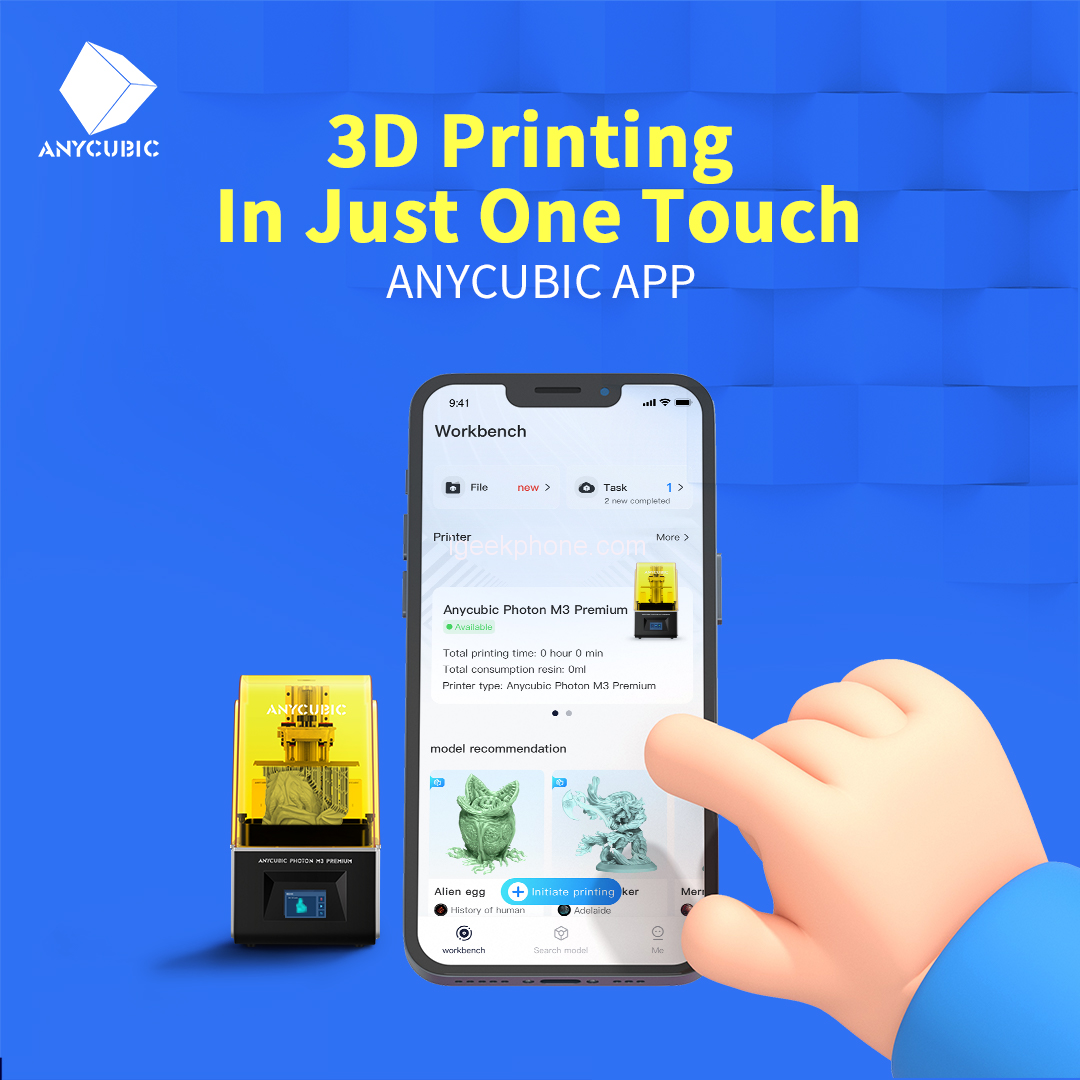
    Anycubic App

    “A 3D printer assisting app is a must-have for all makers. It should serve all the frequent and highly-requested needs for an even better and more convenient printing experience, from ideas to printing and sharing. It should be easy to use and integrate the mentioned above,” said James Ouyang, Vice President of Anycubic. “With years of market insights into the 3D printing industry period of technical precipitation and development, we finally bring you the Anycubic App.”

    A 3D Printing Model Bank

    When searching, users can easily be notified of the trendiest models.

    The Anycubic app allows users to access many of their favorite 3D model platforms, such as Thingiverse, MyMiniFactory, etc., finding millions of model resources for their printing needs. The Anycubic app integrates its resource bank well with makers’ favorite model sites and builds up a fast, smart, in-app search engine for the best convenience. The Anycubic app’s model bank will continue to involve the trendiest and quality models for makers’ consisting creation needs.

    A User-friendly Online Slicer

    Many novices may find it troublesome when it comes to slicing. Traditionally, users must go through several steps, such as downloading and installing the slicing software, importing the modeling files into the slicing software, and adjusting various parameters. The online slicer that the Anycubic app provides tackles all these fusses and makes 3D printing hassle-free, leaving an even lower threshold for beginners. The proven professional slicer allows users to choose from two settings, prioritizing accuracy or speed depending on their printing needs. In the sliced section, novices can find tons of trendy well-tested sliced model files for instantly printing even at their debuts. The system will automatically detect if a chosen model has a relevant sliced file and provide a quick match. For advanced makers, the customizing interface that the Anycubic app supports gives them the best freedom for their 3D printing exploration.

    A Real-time Task Monitor
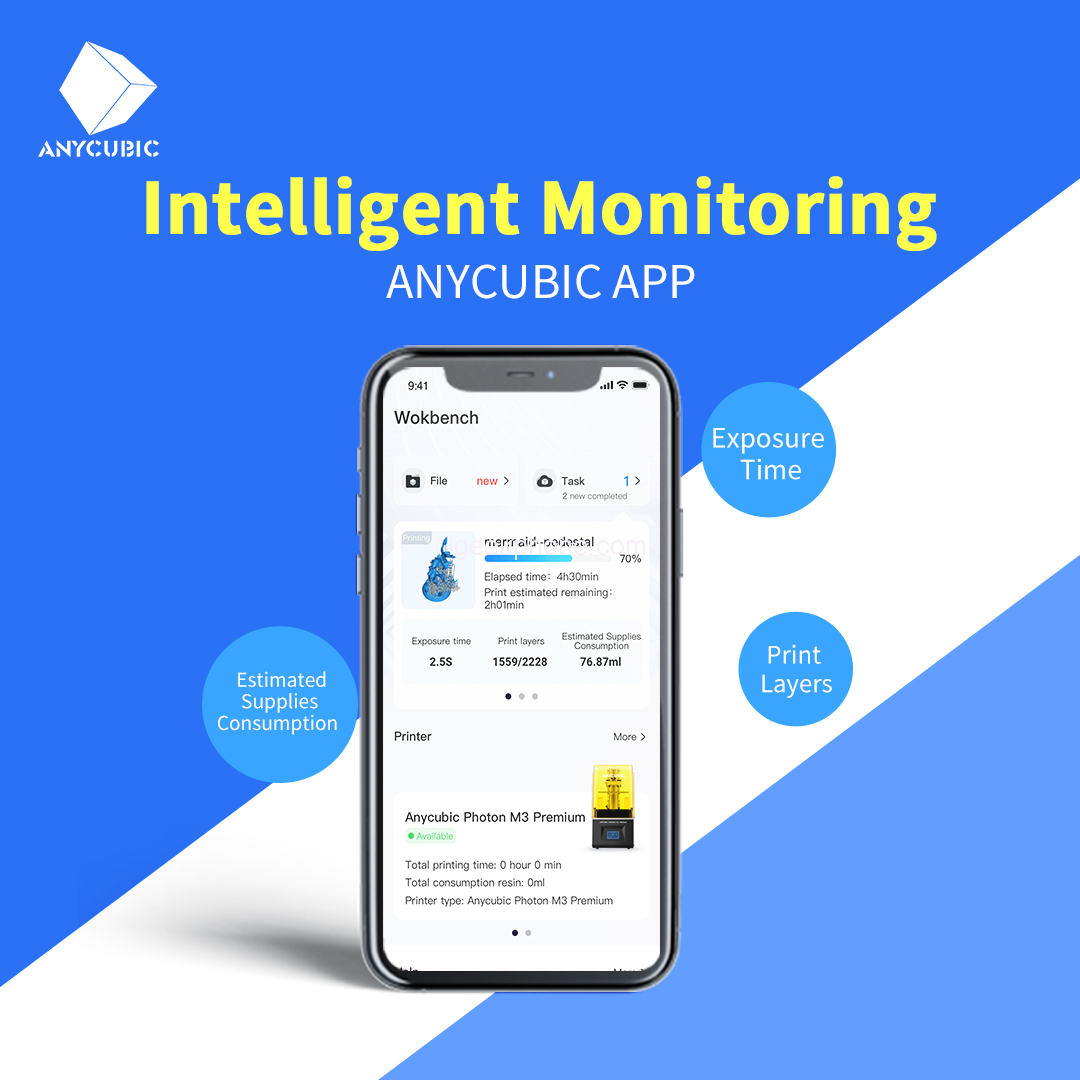
    Intelligent Monitoring

    With the Anycubic app, users can be off-site while rest assured. After binding the 3D printer, users can monitor it remotely with their smartphones. Users may receive notification of the print task’s progress, the printed layers, the estimated remaining elapsed time, the printing parameters, and other key information in real-time to ensure a well-prepared condition before every print, thus guaranteeing a greater printing success rate and boot the overall efficiency. Also, users can adjust printing parameters such as the exposure time, extinguishing time, and others during the printing process. A printing report will be automatically sent to the users once the printing is done so the users can have an entire grasp.

    A Useful Helping Center

    Anycubic app provides a considerate helping center that gathers many frequently encountered issues and problems over any corresponding 3D printers and software and gives useful solutions. Other than FAQs, the systematic guidance of techniques and hacks can lead even the newest beginners into professional veterans.

    As a leading company in the 3D printing industry, Anycubic has long focused on providing users with a premium printing experience and is consistently pushing the innovation limits with the latest technology. The Anycubic app is currently available in the App Store and Google Play. Please visit the Anycubic store for the latest firmware update.

    Share. Facebook Twitter Pinterest LinkedIn Tumblr Email

    Related Posts

    HMD Salo 5G Launches for Business Users With Snapdragon 4s Gen 2

    Vivo X500 Series Officially Set to Launch on September 21 With Major Imaging Upgrades

    Xiaomi Mijia Smart Bathroom Heater 2 Launches With Millimeter-Wave Radar and Smart Ventilation

    Comments are closed.

    voopoopintch
    oxva nexlim 2
    shopify
    • Popular
    • 3D Printer REVIEW
    • XIAOMI
    July 13, 2026

    OXVA Nexlim 2 Mini Pod Vape Hands on Review

    July 13, 2026

    OXVA Nexlim 2 Pod Vape Hands on Review

    June 21, 2026

    iPlay LUMO 8K Review – A Compact Prefilled Pod Kit with Big Flavor and Everyday Convenience

    June 21, 2026

    iPlay HOOLA 150K Review – A Cloud-Chasing Giant with Music, Modes & Massive Longevity

    December 26, 2025

    ACMER ASCARVA 4S: Precision CNC Power for Makers, DIYers & Small Workshops

    June 23, 2024

    ACMER P2 20W Laser Engraver Fixed Focus Engraving: Hands on Review

    May 30, 2024

    xTool F1 Ultra Review: World’s First 20W Fiber & 20W Diode Laser Engraver

    May 30, 2024

    Anycubic Kobra 3 Combo Review: The Multicolor Masterpiece?

    September 8, 2026

    Xiaomi Pad 9 Pro Max Launches With Xuanji O3 Chip and 12,000mAh Battery From 4,299 Yuan

    September 8, 2026

    Xiaomi 18 Fold Launched With Xuanji O3 Chip, 7.58-Inch Display and 6,000mAh Battery

    September 7, 2026

    Xiaomi 18 Fold Ceramic Edition Unveiled With New Pink Finish and Flagship Specs

    September 5, 2026

    Xiaomi HyperOS 4 Adds Cross-Device Chat Sync for Super XiaoAI

    fc 26 coins
    New Arrivals
    • iPhone Ultra iPhone Ultra
    • Lost Vape Centaurus M100 Box Mod Kit with Centaurus Sub Ohm V2 Tank Lost Vape Centaurus M100 Box Mod Kit with Centaurus Sub Ohm V2 Tank
    • Joyetech eGo Max Pod System Kit Joyetech eGo Max Pod System Kit
    • Beke Turboice 30K Disposable Vape Beke Turboice 30K Disposable Vape
    • Xiaomi Pad 9 Pro Max Xiaomi Pad 9 Pro Max
    • Xiaomi 18 Fold Xiaomi 18 Fold
    • Fifty Bar Mini Disposable Vape Fifty Bar Mini Disposable Vape
    • Bang Blaze 15-in-1 500K Disposable Vape Bang Blaze 15-in-1 500K Disposable Vape
    • HQD SNAP 50K Nixodine Disposable Vape Kit HQD SNAP 50K Nixodine Disposable Vape Kit
    About
  • Igeekphone.com provides the first global tech news and reviews about smartphone, vapes, e-cigar, smart home, 3D printers, e-bike,tablets, RC drones, VR headset, and other accessories. It's the best platform to improve your brand and product.
  • Contact us: info@igeekphone.com
  • Check Our Privacy Policy Here.
  • Note: *Right now we have US editor and EU editors for review, especially for Amazon US and EU.
  • *Shop and Compare Price Here*
  • Facebook
  • Youtube
  • OUR BEST VAPE PARTNERS
  • VAPE ONLINE STORE
  • VAPORESSO
  • VOOPOO
  • OXVA
  • NEXA
  • MASKKING
  • SP2S
  • IPLAY
  • TODOO
  • OTHER BEST PARTNERS
  • SVBONY
  • Chuwi
  • Blackview
  • Fossibot
  • Unihertz
  • Flsun
  • Anycubic
  • Xtool
  • Oukitel
  • Mukkpet Ebike
  • Ugreen
  • Copyright © 2026 igeekphone

    Type above and press Enter to search. Press Esc to cancel.