







Facebook Twitter Instagram
    Trending
    • Geek Bar Ice Prince 50K Disposable Vape Review: A Majestic Cloud of Flavor and Endurance
    • Which type of Vape is Harmless to the Human Body?
    • EA FC 26: 4 Best Goalkeepers to Build Your Ultimate Squad
    • Swedish food product manufacturer WiJo is set to establish a manufacturing base in the United States
    • The Impact of Pusoy Dos on Improving Strategic Mindset
    • The manual of Samsung’s most expensive mobile phone: Galaxy Z TriFold has been exposed
    • Online Casinos Adapting New Tech Trends
    • Xiaomi’s new phone has made an appearance at GSMA: The MIX TriFold triple foldable screen phone is expected to be released in Q3 next year
    Facebook YouTube
    Login Register
    IGeeKphone China Phone, Tablet PC, VR, RC Drone News, Reviews
    • HOME
      • NEWS
        • DeepSeek
        • ChatGPT
        • Minecraft
    • Amazon
    • CHRISTMAS
    • PHONE
      • Top Phones For Your First Choice
      • Phone Comparison
      • Xiaomi
      • Blackview
      • Unihertz
      • Doogee
      • Black Shark
      • Geekbuying
      • Banggood
      • TEMU
      • TikTok
      • Aliexpress
      • Walmart
      • Newegg
      • MercadoLibre
      • Lazada
    • TOP VAPE Awards for 2025
    • VAPES
      • E-CIGAR Upcoming
      • Vape News
      • Vape Market Trend
      • Vape Deals
      • Expo News
      • Vape Comparison
      • Vape Guide
        • Guide For Beginners
        • Guide for Best Users
      • Giveaway
    • BEST VAPE
      • Best Vape Stores
      • Best Starter Vape Kits
      • Best Vapes for Beginners
      • Best Disposable Vapes
      • Best Pod Systems
      • Best Pod Mod Vapes
      • Best Mods
      • Best Nicotine Pouches
      • Best Clearomizers/Tanks
      • Best E-Liquid
      • Best EGO/Pens
      • Best Vapes for Nic Salt E-Juice
      • Best Vapes to Quit Smoking
      • RDA vs. RDTA vs. RTA
    • Best Vape Brand 2025
      • VAPORESSO
      • VOOPOO
      • OXVA
      • NEXA BAR
      • ORIONBARTECH
      • MASKKING VAPE
      • VEIIK
      • MEMERS
      • SP2S
      • JNR
      • TODOO
      • MRFOG
    • REVIEW
      • E-cigar Review
      • Phones
      • Tablet PC
      • TV Box
      • RC Drone
      • Wearables
      • Camera
      • Accessories
      • VR Headset
    • MORE
      • 3D PRINTER
        • 3D Printer Review
        • Anycubic
        • FLSUN
        • Xtool
        • LONGER
        • Top 3D printer to Choose First
      • TREND
      • CLOTHES
      • AUTO CAR
      • POWER STATION
        • Oukitel
        • FOSSIBOT
      • GAMING
        • Top Gaming Products
      • E-BIKE
        • Samebike
        • Happyrun
        • ENGWE
      • TABLET
        • Chuwi
        • INNOCN
        • Teclast
        • Top Tablet for Your First Choice
        • Tablet/Laptop Comparison
      • WEARABLES
        • OneOdio
        • BlitzWolf
        • Top Smartwatch for First Choice
      • SMART HOME
      • TV BOX
        • Chuwi mini pc
        • Beelink
        • GMKTEC
        • MOREFINE
      • RC DRONE
        • DJI
        • MJX
        • JJRC
        • Hubsan
        • Top RC Drone
      • CAMERA
        • Gopro
        • Insta360
        • Andoer
      • ACCESSORIES
      • VR HEADSET
      • ROM
        • SAMSUNG
        • XIAOMI
        • ASUS
        • MEIZU
        • LENOVO
        • HUAWEI
        • ONEPLUS
        • ZTE
        • UMIDIGI
        • DOOGEE
        • HOMTOM
        • ELEPHONE
        • ULEFONE
        • BLACKVIEW
        • VERNEE
        • LEAGOO
        • CHUWI
        • TECLAST
        • PIPO
        • TV BOX ROM
    • DEAL
    • Shop
    IGeeKphone China Phone, Tablet PC, VR, RC Drone News, Reviews
    You are at:Home»Guide»How to Change GPS Location on Android and IOS Device from iToolab AnyGo?
    Guide

    How to Change GPS Location on Android and IOS Device from iToolab AnyGo?

    Reyan SiddiquiBy Reyan SiddiquiMay 30, 2023
    Facebook Twitter Pinterest LinkedIn Tumblr Email

    Changing the GPS location of your mobile device is something you may want to do for a number of reasons. Perhaps you want to play a game without restrictions , explore apps in different geographic locations, bypass censorship in a country, or even take advantage of different geographic areas like in Pokemon GO.

    We are going to test and review iToolab AnyGo – Location Changer, a fairly easy-to-use location simulator that promises to take you anywhere in the world without having to do complicated operations. It depends on you what you want to use it for, but the truth is that its uses can be many. Of course, as the main against, we are already warning you that if it is not used correctly, it can result in the closure of user accounts.

    What is iToolab AnyGo?

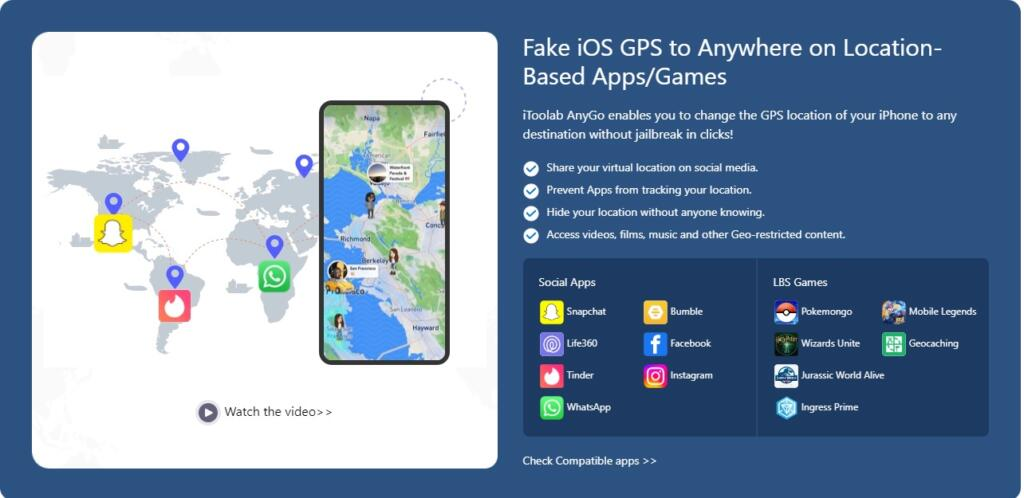
    iToolab AnyGo has been around for a while now, as this application was originally designed for iPhone. Now, with the passage of time, it can also be used on Android, which makes it a much more versatile tool. Its main use is to help falsify GPS location data while we use our mobile device. In this way, we can pretend to be in a location within a game or a dating application without having to leave the house. In this way, we can disguise our physical location information and be in a place of our choosing.

    With a fairly simple interface, the application allows us to carry out this task without having to carry out complicated operations on the mobile. Thus, we can enjoy pokemon go spoofer with iToolab AnyGo exploring rare objects and Pokémon, only needing to know their location in the GPS.
    Potential benefits of an app like this

    Among the different benefits that we can find with a tool of this caliber, we would like to highlight the following:

    • Hide real location– When we connect to a VPN, it redirects traffic through one of its servers in a location of our choosing. This way, anyone trying to track your Internet activity will only see the IP address of the server instead of the actual IP address.
    • Increased privacy– One of the best ways to protect your privacy online is to use a VPN. When we connect to a VPN, it encrypts all the traffic that passes through its servers. In this way, even if someone manages to intercept our traffic, they will not be able to read or understand it.
    • Fool friends and followers– We can use an iToolab AnyGo to prank friends and followers into thinking we are in a different place. For example, we can make them believe that we are at the Eiffel Tower in Paris when in reality we are sitting at home.
    • Play Location Based Services (LBS) titles– Many popular games like Pokemon GO, Ingress, and Wizards Unite use GPS location to locate you in-game. However, some of these games come with restrictions that limit the game to only certain areas. We can use a location spy to bypass these restrictions and play from anywhere in the world.
    • Get device software updates– For example, Apple rolls out new iOS updates to iPhone and iPad users in stages. This means that the update is first made available to users in certain countries before it is rolled out to the rest of the world. However, if we use a location spy to connect to a VPN server in one of these countries, we will be able to get the update as soon as it is released.
    Main features:
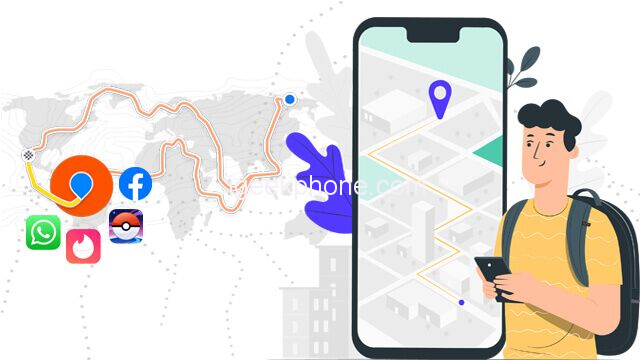
    • Easily change location on iphone /iPad.
    • The software has an easy and intuitive interface.
    • Share your “virtual location” on social media.
    • Stop apps from tracking your location.
    • Access videos, movies, music, and other geo-restricted content.
    • Simulates GPS movement along any custom route, at a natural speed.
    • Import and collect GPX track files from popular games, for your next use.
    • Changes multiple iPhone locations simultaneously.
    • Works well with LBS games and apps like:
      • Fake GPS for Pokemon Go.
      • Wizards Unite.
      • Ingress Prime.
      • Jurassic World Alive.
      • Minecraft Earth


    How to install the application?
    1. Download and start AnyGo on your Mac or Windows computer.
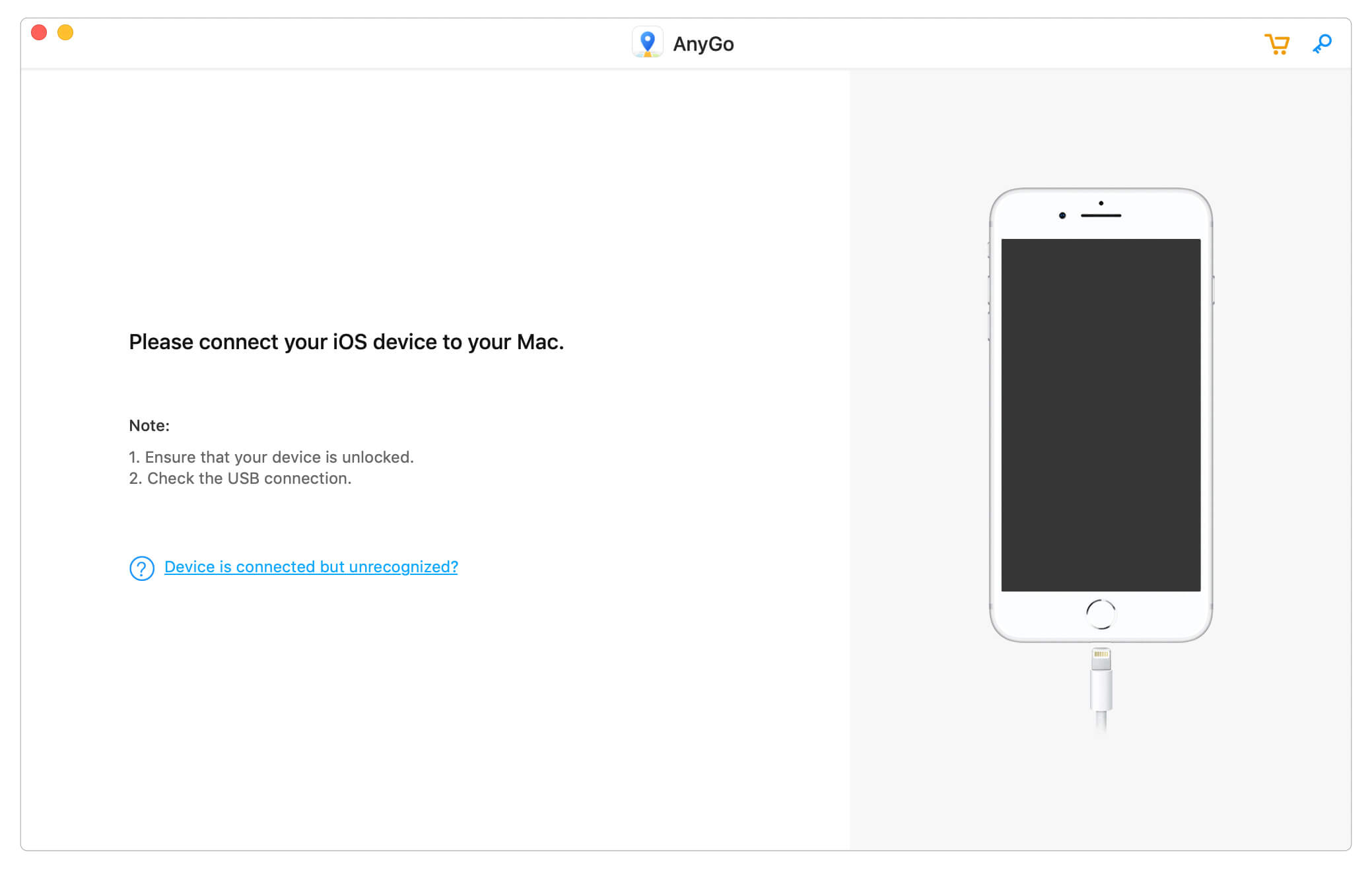
    2. Once the software is installed, connect your iPhone using the Lightning USB cable.
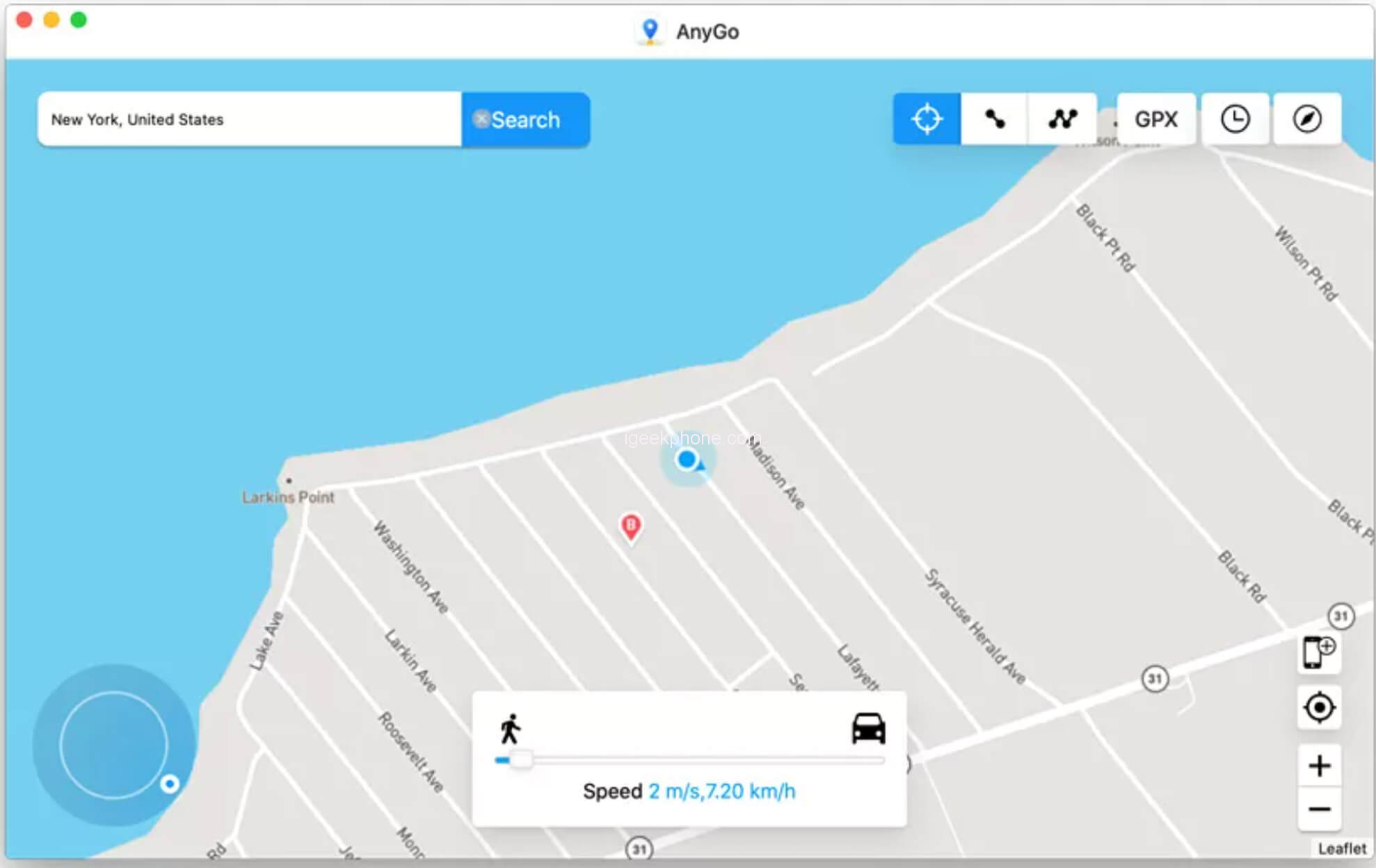
    3. iToolab will instantly detect your iPhone, and show you its GPS position, as well as an interactive map.
    4. Choose the mode you want, to change the GPS location. AnyGo has a number of functions with multiple modes to simulate the movement of your device’s GPS.
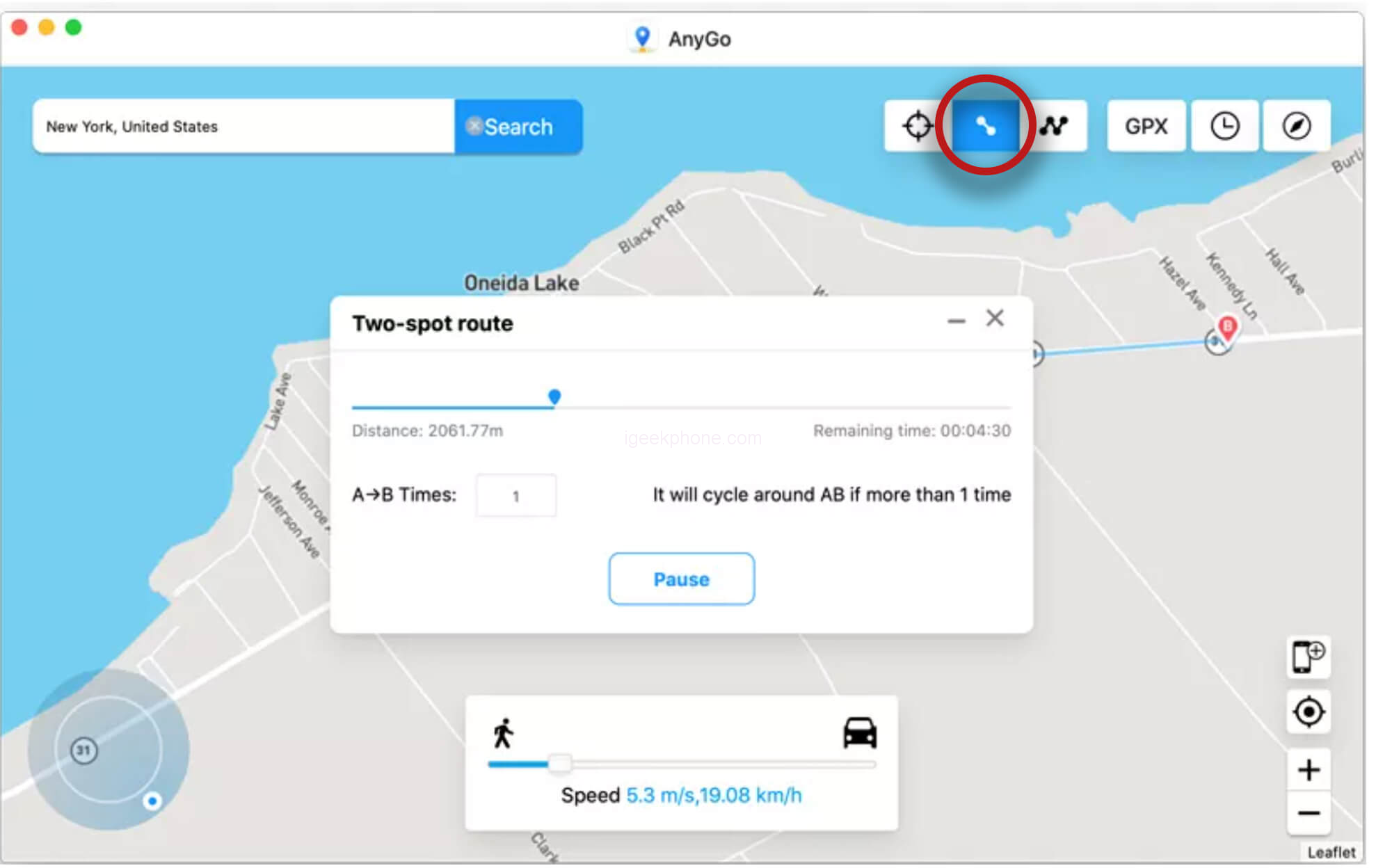
           a) 2 Point Movement:Set the start and end location. And the GPS will move according to the planned route.
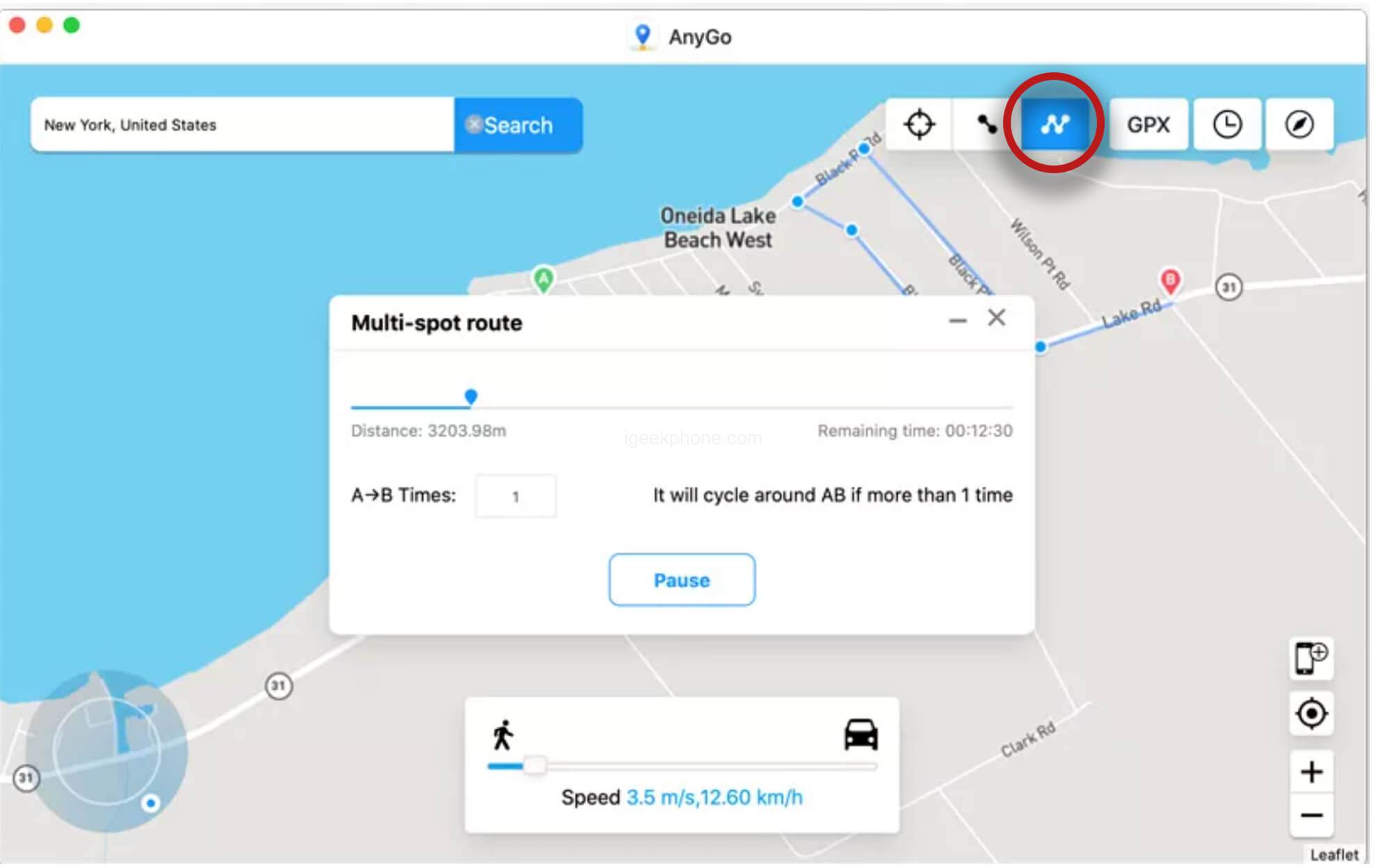
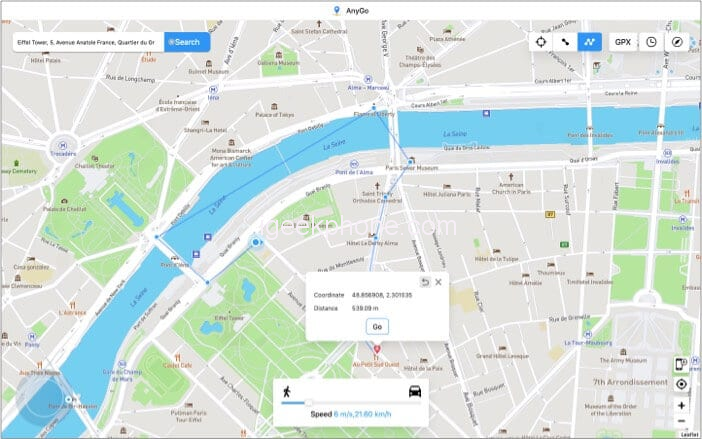
           b)Multi-position movement: Place multiple points on the map, to draw a specific movement path.
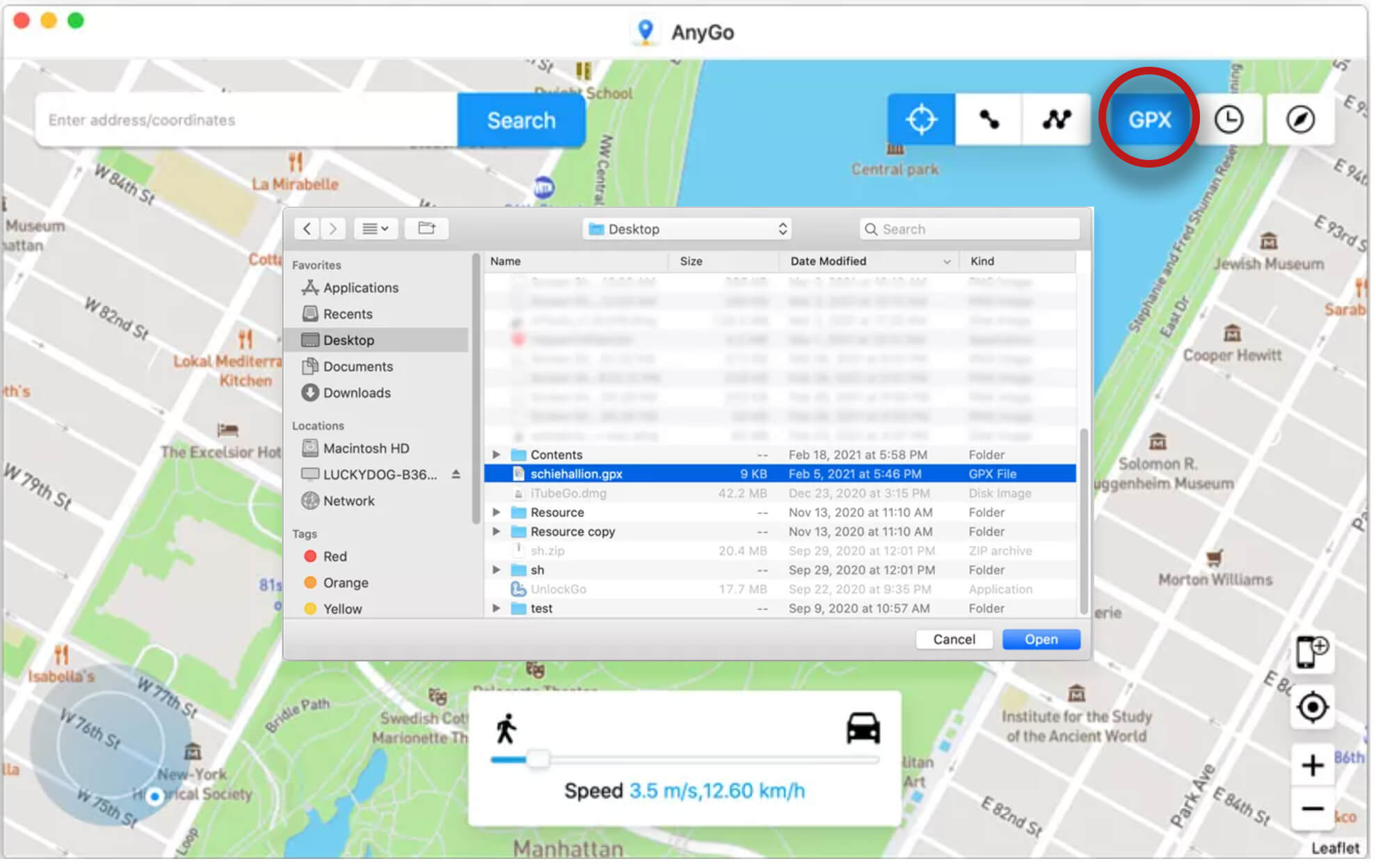
           c)Follow the GPX route:Import the GPX route files, from games you got from your friends, and easily earn rewards.
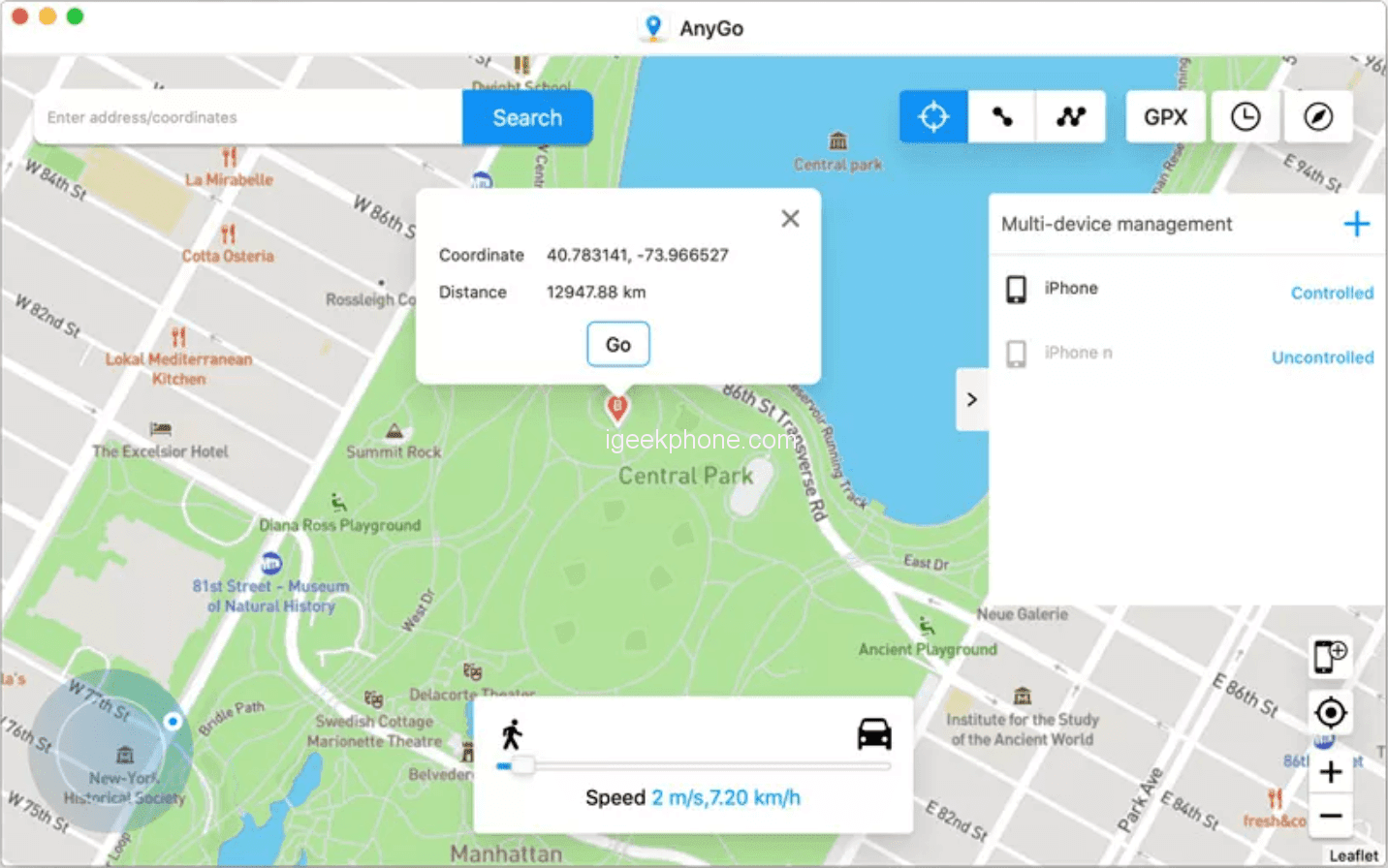
           d)Change GPS of multiple iOS devices at the same time:AnyGo allows you to manage multiple iOS devices simultaneously, and change the location of all devices with one click.

    • You just have to click in the lower right corner on “Manage multiple devices”.
    • Then the interface will show you all connected devices with the status “Controlled”  (means that the device is making use of the virtual location)or “Uncontrolled” (meaning the opposite).

    You may also find it useful to use the following modes:
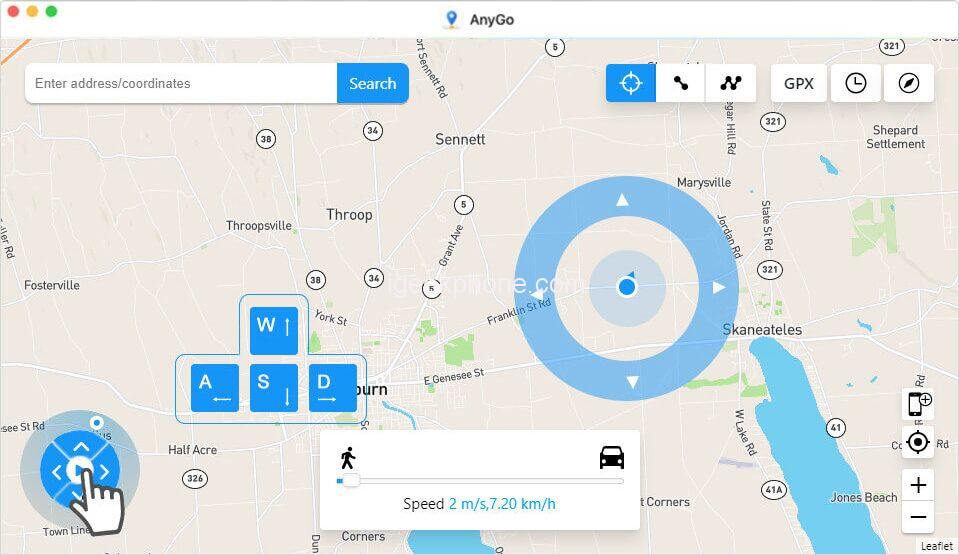
    • Joystick for greater precision:The program integrated a “joystick mode”, which will allow you to have greater control of the GPS directions, an ideal function for gamers.
    • Automatic movement:
    • Adjust your directions freely in 360 degrees, and set the GPS point to move automatically by clicking the center button.
    • Keyboard control:
    • Control the movement of the GPS, using the W, A, S and D keys or the arrow keys: Up, Down, Left and Right on your keyboard.

    Here we leave you with a complete guide to all your options.
    Conclusions

    iToolab AnyGo is an application that can make our lives easier. In conjunction with a VPN, privacy will be total and, in addition, it allows us to change our location in order to take advantage of better geolocation, something that is really interesting for Augmented Reality games like Pokemon Go. Note that this is not entirely safe and we are going to have to do it very well so that the company does not notice, but if we follow all the tutorial steps that we can find on the net, it should not be very difficult to get the most out of it. .

    Having said that, AnyGo gives exactly what it offers, and during our days of testing we have not had any problems. We have simulated some routes and even changed our location, working quite well. Once the system noticed and reset the GPS location, but it is not something to worry about if we are attentive. You can check how to change location on android here.

    What must be taken into account is its price, and that is that the cheapest is a monthly fee of 10 dollars, being able to choose the lifetime fee that amounts to 60 dollars. The truth is that it seems to us a system that works quite well and, for what it gives, it is not very expensive.

    The software is currently available for trial download, free of charge. However, the program has plans for a better and complete use of the application, you can enjoy coupon code : LABR8F , it’s 20% off.

    • Lifetime plan at $59.95
      • Single payment.
      • Available for 5 devices and 1 Mac.
      • License valid for life.
    • 1 month plan at $9.95
      • Automatic renewal, cancel at any time.
      • Available for 5 devices and 1 Mac.
      • License valid for 1 month.
    • 1 quarter plan at $19.95
      • Renew automatically, cancel at any time.
      • Available for 5 devices and 1 Mac.
      • License valid for 3 months.
    • Plan familiar a $99.95
      • Single fee.
      • Available for 10 devices and 5 Macs.
      • License valid for life.
    Share. Facebook Twitter Pinterest LinkedIn Tumblr Email

    Related Posts

    EA FC 26: 4 Best Goalkeepers to Build Your Ultimate Squad

    The manual of Samsung’s most expensive mobile phone: Galaxy Z TriFold has been exposed

    Xiaomi’s new phone has made an appearance at GSMA: The MIX TriFold triple foldable screen phone is expected to be released in Q3 next year

    Leave A Reply Cancel Reply

    You must be logged in to post a comment.

    voopoo drag s3
    oxva xlim go 2
    sp2s sen x disposable vape
    jnr 100k
    • Popular
    • 3D Printer REVIEW
    • XIAOMI
    November 23, 2025

    VOOPOO DRAG X3 – Big Battery, Smart Tech, Pod-Mod Powerhouse (Review)

    November 23, 2025

    VOOPOO VINCI S: Pocket-Power Pod with a 2,000 mAh Heart — Big Battery, Simple Use (Review)

    November 19, 2025

    OXVA XLIM PRO 3 Pod Vape Quick Hands-on Review (Video Test Included)

    November 19, 2025

    OXVA XLIM 3 Ultra Pod Vape: Hands-on Review (Video Test Included)

    June 23, 2024

    ACMER P2 20W Laser Engraver Fixed Focus Engraving: Hands on Review

    May 30, 2024

    xTool F1 Ultra Review: World’s First 20W Fiber & 20W Diode Laser Engraver

    May 30, 2024

    Anycubic Kobra 3 Combo Review: The Multicolor Masterpiece?

    May 15, 2024

    SCULPFUN SF-A9 40W Laser Engraver Cutting Machine: Hands On Review

    December 5, 2025

    Xiaomi’s new phone has made an appearance at GSMA: The MIX TriFold triple foldable screen phone is expected to be released in Q3 next year

    December 5, 2025

    The Prototype photos of Xiaomi 17 Ultra phone have been exposed, featuring a triple-camera layout on the back

    December 2, 2025

    Xiaomi REDMI Turbo5 Pro phone will be launched before the Spring Festival, equipped with the only flagship chip in its class

    December 2, 2025

    Xiaomi has Released REDMI TV X55/65/75 2026: Mini LED starts at only 2,499 yuan

    fc 26 coins
    New Arrivals
    • Redmi Note 15 5G Redmi Note 15 5G
    • Geek Bar Ice Prince 50K Disposable Vape Geek Bar Ice Prince 50K Disposable Vape
    • IPLAY OOKA150k Disposable vape IPLAY OOKA150k Disposable vape
    • IPLAY LUMO 8K Puffs 2+10ml Prefilled Pod Kit IPLAY LUMO 8K Puffs 2+10ml Prefilled Pod Kit
    • Uwell Caliburn G5 Lite SE Pod System Kit Uwell Caliburn G5 Lite SE Pod System Kit
    • Uwell Caliburn G5 Lite KOKO Pod System Kit Uwell Caliburn G5 Lite KOKO Pod System Kit
    • Uwell Caliburn G5 Lite Pod System Kit Uwell Caliburn G5 Lite Pod System Kit
    • Freeton Trimax 60k Disposable Vape Freeton Trimax 60k Disposable Vape
    • Smoant Pasito 3 Vape Smoant Pasito 3 Vape
    About
  • Igeekphone.com provides the first global tech news and reviews about smartphone, vapes, e-cigar, smart home, 3D printers, e-bike,tablets, RC drones, VR headset, and other accessories. It's the best platform to improve your brand and product.
  • Contact us: info@igeekphone.com
  • Check Our Privacy Policy Here.
  • Note: *Right now we have US editor and EU editors for review, especially for Amazon US and EU.
  • *Shop and Compare Price Here*
  • Facebook
  • Youtube
  • OUR BEST VAPE PARTNERS
  • VAPE ONLINE STORE
  • HAYATI PRO MAX PLUS
  • VAPORESSO
  • VOOPOO
  • OXVA
  • NEXA
  • MASKKING
  • LOSTVAPE ORIONBAR
  • VEIIK
  • MEMERS
  • TODOO
  • SP2S
  • JNR
  • OTHER BEST PARTNERS
  • SVBONY
  • Chuwi
  • Blackview
  • Fossibot
  • Unihertz
  • Flsun
  • Anycubic
  • Xtool
  • Oukitel
  • Mukkpet Ebike
  • Ugreen
  • Copyright © 2025 igeekphone

    Type above and press Enter to search. Press Esc to cancel.