







Facebook Twitter Instagram
    Trending
    • Geek Bar Ice Prince 50K Disposable Vape Review: A Majestic Cloud of Flavor and Endurance
    • Which type of Vape is Harmless to the Human Body?
    • EA FC 26: 4 Best Goalkeepers to Build Your Ultimate Squad
    • Swedish food product manufacturer WiJo is set to establish a manufacturing base in the United States
    • The Impact of Pusoy Dos on Improving Strategic Mindset
    • The manual of Samsung’s most expensive mobile phone: Galaxy Z TriFold has been exposed
    • Online Casinos Adapting New Tech Trends
    • Xiaomi’s new phone has made an appearance at GSMA: The MIX TriFold triple foldable screen phone is expected to be released in Q3 next year
    Facebook YouTube
    Login Register
    IGeeKphone China Phone, Tablet PC, VR, RC Drone News, Reviews
    • HOME
      • NEWS
        • DeepSeek
        • ChatGPT
        • Minecraft
    • Amazon
    • CHRISTMAS
    • PHONE
      • Top Phones For Your First Choice
      • Phone Comparison
      • Xiaomi
      • Blackview
      • Unihertz
      • Doogee
      • Black Shark
      • Geekbuying
      • Banggood
      • TEMU
      • TikTok
      • Aliexpress
      • Walmart
      • Newegg
      • MercadoLibre
      • Lazada
    • TOP VAPE Awards for 2025
    • VAPES
      • E-CIGAR Upcoming
      • Vape News
      • Vape Market Trend
      • Vape Deals
      • Expo News
      • Vape Comparison
      • Vape Guide
        • Guide For Beginners
        • Guide for Best Users
      • Giveaway
    • BEST VAPE
      • Best Vape Stores
      • Best Starter Vape Kits
      • Best Vapes for Beginners
      • Best Disposable Vapes
      • Best Pod Systems
      • Best Pod Mod Vapes
      • Best Mods
      • Best Nicotine Pouches
      • Best Clearomizers/Tanks
      • Best E-Liquid
      • Best EGO/Pens
      • Best Vapes for Nic Salt E-Juice
      • Best Vapes to Quit Smoking
      • RDA vs. RDTA vs. RTA
    • Best Vape Brand 2025
      • VAPORESSO
      • VOOPOO
      • OXVA
      • NEXA BAR
      • ORIONBARTECH
      • MASKKING VAPE
      • VEIIK
      • MEMERS
      • SP2S
      • JNR
      • TODOO
      • MRFOG
    • REVIEW
      • E-cigar Review
      • Phones
      • Tablet PC
      • TV Box
      • RC Drone
      • Wearables
      • Camera
      • Accessories
      • VR Headset
    • MORE
      • 3D PRINTER
        • 3D Printer Review
        • Anycubic
        • FLSUN
        • Xtool
        • LONGER
        • Top 3D printer to Choose First
      • TREND
      • CLOTHES
      • AUTO CAR
      • POWER STATION
        • Oukitel
        • FOSSIBOT
      • GAMING
        • Top Gaming Products
      • E-BIKE
        • Samebike
        • Happyrun
        • ENGWE
      • TABLET
        • Chuwi
        • INNOCN
        • Teclast
        • Top Tablet for Your First Choice
        • Tablet/Laptop Comparison
      • WEARABLES
        • OneOdio
        • BlitzWolf
        • Top Smartwatch for First Choice
      • SMART HOME
      • TV BOX
        • Chuwi mini pc
        • Beelink
        • GMKTEC
        • MOREFINE
      • RC DRONE
        • DJI
        • MJX
        • JJRC
        • Hubsan
        • Top RC Drone
      • CAMERA
        • Gopro
        • Insta360
        • Andoer
      • ACCESSORIES
      • VR HEADSET
      • ROM
        • SAMSUNG
        • XIAOMI
        • ASUS
        • MEIZU
        • LENOVO
        • HUAWEI
        • ONEPLUS
        • ZTE
        • UMIDIGI
        • DOOGEE
        • HOMTOM
        • ELEPHONE
        • ULEFONE
        • BLACKVIEW
        • VERNEE
        • LEAGOO
        • CHUWI
        • TECLAST
        • PIPO
        • TV BOX ROM
    • DEAL
    • Shop
    IGeeKphone China Phone, Tablet PC, VR, RC Drone News, Reviews
    You are at:Home»Apple»How to Turn Your Smartphone Into a Dumbphone in 8 Easy Steps
    Apple

    How to Turn Your Smartphone Into a Dumbphone in 8 Easy Steps

    HabibBy HabibJune 18, 2023
    Facebook Twitter Pinterest LinkedIn Tumblr Email

    Your smartphone may have become a source of addiction, with algorithms exploiting your weaknesses and providing a constant stream of empty dopamine. You’re aware of this problem and desire a way to stay connected with friends and family through calls and texts, without the baggage that comes with modern smartphones like iPhones or Androids. Fortunately, there are steps you can take to transform your existing smartphone into a “Dumbphone,” allowing you to enjoy some of its benefits while reducing its addictive nature and distractions.

    You don’t necessarily have to wipe your entire phone to make it a dumbphone, but it can be helpful. Performing a factory reset gives you a clean slate to work with, removing all the accumulated apps and settings. However, remember not to restore from a previous backup, as that would defeat the purpose of the reset. Make sure to back up your important data elsewhere, such as using cloud-based services like iCloud Photo Library or Google Photos, and then manually restore your device.
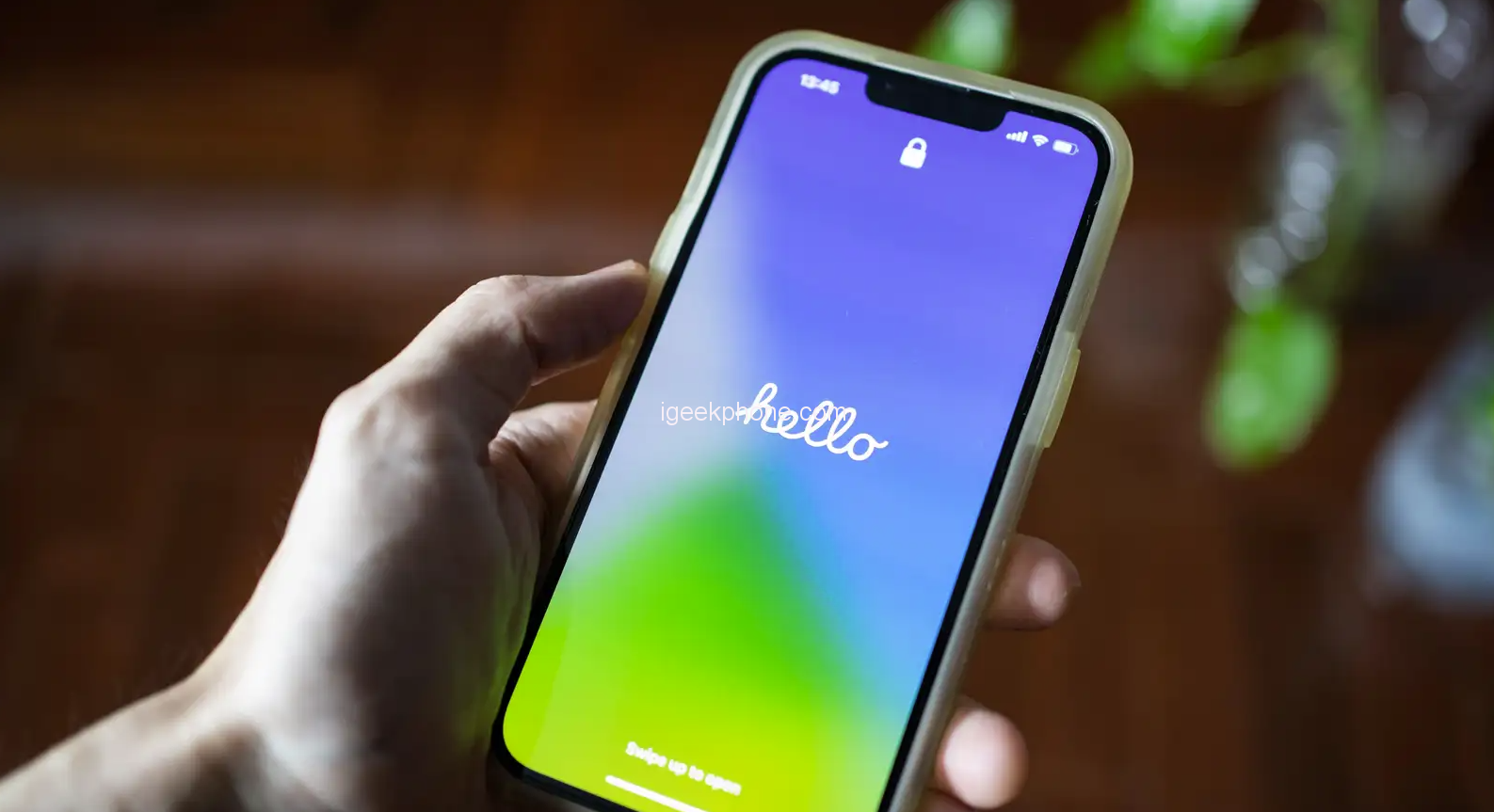
    To reset your iPhone, go to Settings > General > Transfer or Reset iPhone > Erase All Content and Settings. Android devices may have slightly different steps, but you should find a similar reset option in your Settings app.

    Whether you’re starting fresh or modifying your existing setup, be ruthless in removing unnecessary apps from your device. This includes social media apps like TikTok, Instagram, Twitter, Facebook, or YouTube. Keep these apps as far away from your new setup as possible. A general rule of thumb is to avoid downloading any app that you wouldn’t be able to access on a flip phone.
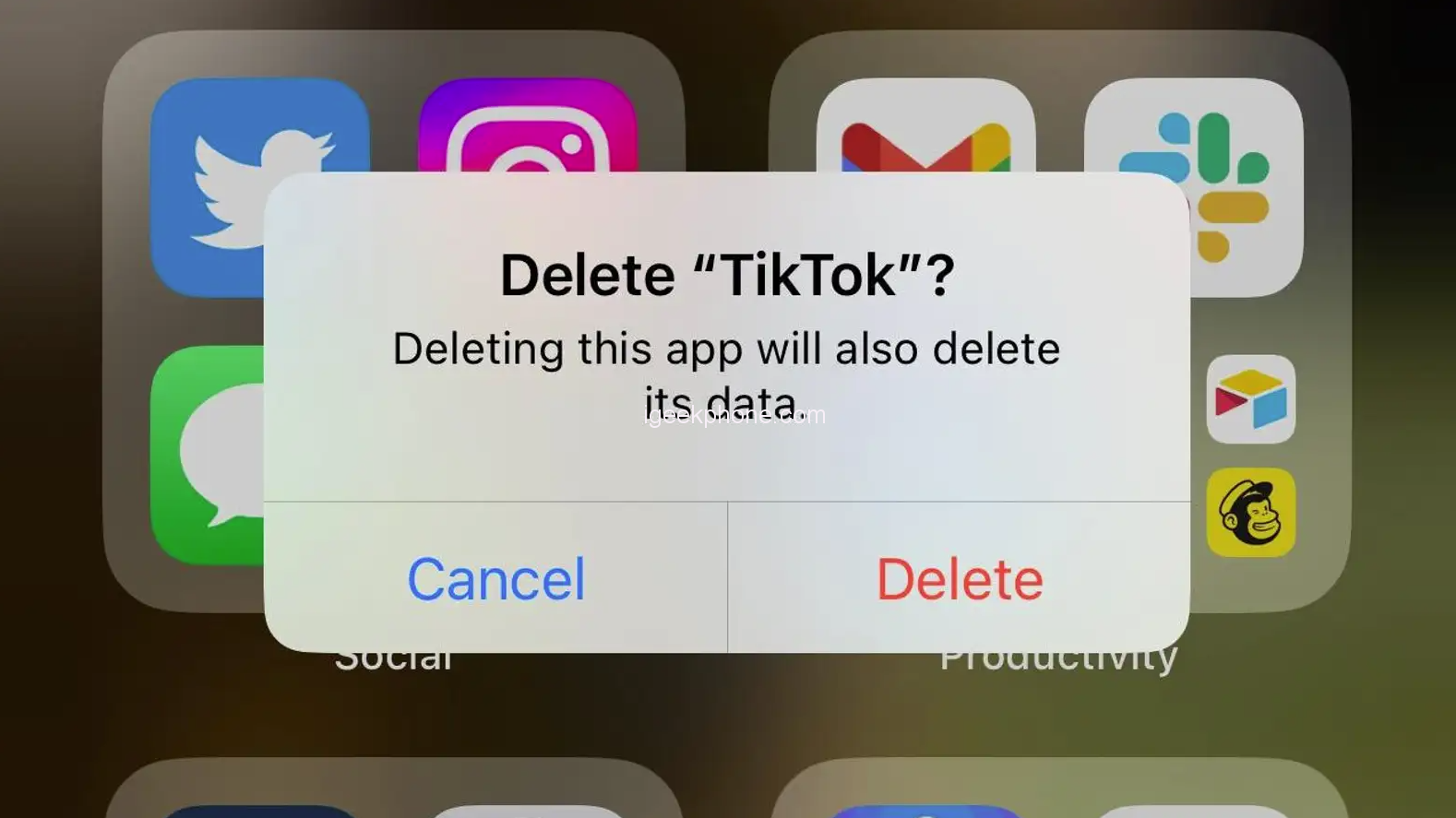
    But it’s not just social media apps that can be distracting. Remove any other apps that might distract you or make your phone smarter than necessary. Don’t hesitate to remove stock apps as well. If you don’t need to check your email on your phone, get rid of it.

    Instead of downloading apps, consider using your phone’s browser whenever possible. Web apps are usually a less immersive experience than their mobile app counterparts, which works in our favor. The worse the experience, the less likely you’ll be to use it unnecessarily. Additionally, web apps on smartphones typically don’t bombard you with notifications, helping you avoid unnecessary alerts.
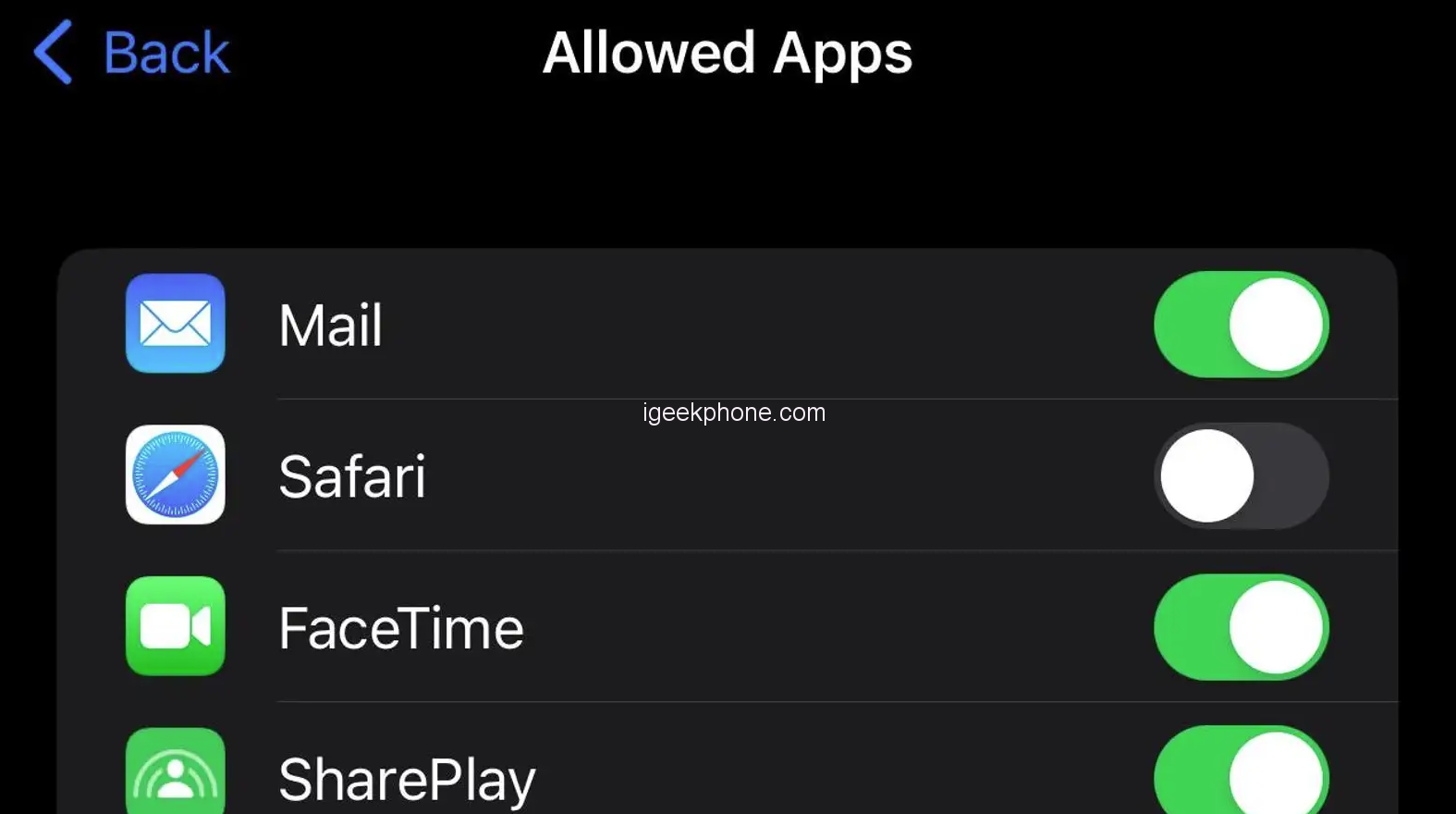
    However, if you want to minimize your internet usage, consider hiding your web browser. While you can’t uninstall it completely, you can keep it out of sight and out of mind. On iPhone, you can disable Safari by going to Settings > Screen Time. Enable Screen Time, then navigate to Content & Privacy Restrictions. Activate the toggle, choose “Allowed Apps,” and disable Safari to hide it from your device. On Android, go to Settings > Apps & notifications, tap Chrome (you may need to tap See all apps or App info first), and choose “Disable.”

    Smartphones can be highly distracting, and notifications contribute to that. Every app competes for your attention, bombarding you with alerts. Often, this leads to resentment rather than engagement. Save yourself the frustration and disable notifications for almost all apps on your device. While you’ll want notifications for phone calls and texts, most other apps can do without them. Furthermore, consider disabling notification badges. If you want to check for new alerts in an app, open it yourself. Over time, you’ll check it less frequently.
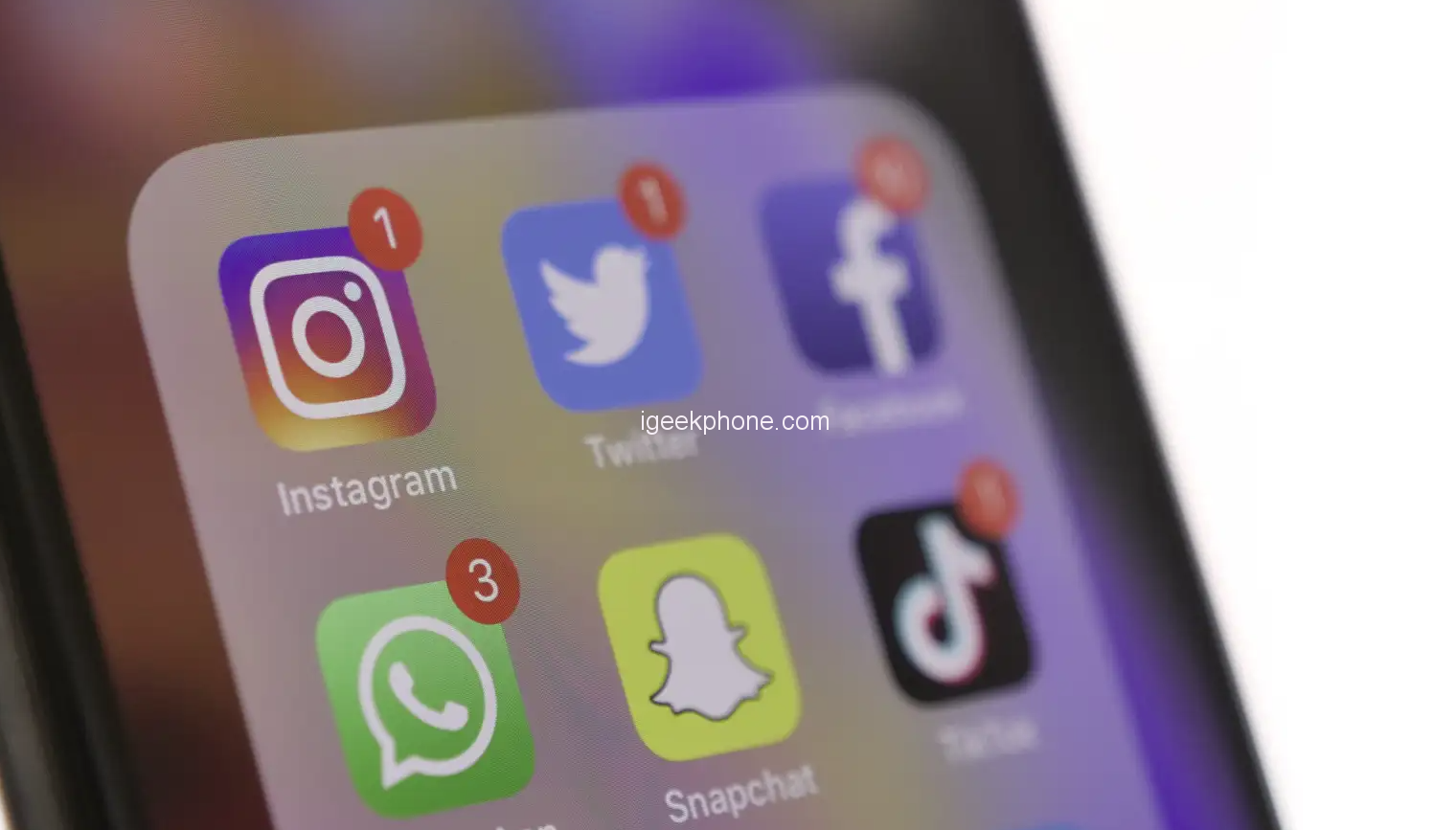
    By disabling enough alerts across your apps, your smartphone will light up about as often as a flip phone would.

    When you unlock your iPhone or Android, you want quick access to essential functions like the Phone or Messages apps, while minimizing distractions. Simplify your home screen by keeping only the apps you genuinely need at any given moment. For an extreme approach, you can keep only the Phone and Messages apps on the home screen, allowing you to enjoy your wallpaper between calls and texts. However, there are other useful apps that won’t overly engage you and are safe to keep on your home screen. These may include your camera, navigation, notes, or wallet app. A web browser could also be convenient, but if you know you’ll immediately sign into Facebook, it’s best to keep the browser elsewhere.

    Consider relying on your app launcher or App Library (on iOS) for the rest of your apps. This forces you to be more deliberate in choosing an app, rather than mindlessly tapping it upon unlocking the device.

    Smartphone displays are designed to be captivating with their large, colorful screens. To make your smartphone less engaging, convert the display to grayscale. Suddenly, everything appears dull and uninteresting, reducing its appeal.

    On Android, go to Settings > Accessibility > Text and Display > Color correction and choose “Grayscale.” On iPhone, the option can be found in Settings > Accessibility > Display & Text Size > Color Filters. Enable the toggle and select “Grayscale.”

    Customizing phone themes on both iPhone and Android not only allows for personal expression but also enables you to make your phone less engaging while maintaining a stylish appearance. You can follow the example of a Redditor who transformed their iPhone 12 into a minimalist, black-and-white interface, reminiscent of a dumbphone. This simple setup only requires interaction when you truly need to use your phone. Check out their post for instructions if you’d like to achieve a similar result on your iPhone.

    Read Also: 4 Ways to Keep Your Phone Charged During a Power Outage

    Do not forget to follow us on our Facebook group and page to keep you always aware of the latest advances, News, Updates, review, and giveaway on smartphones, tablets, gadgets, and more from the technology world of the future.

    Share. Facebook Twitter Pinterest LinkedIn Tumblr Email

    Related Posts

    The manual of Samsung’s most expensive mobile phone: Galaxy Z TriFold has been exposed

    Xiaomi’s new phone has made an appearance at GSMA: The MIX TriFold triple foldable screen phone is expected to be released in Q3 next year

    Android 16 QPR2 system APK installer has been exposed and is compatible with the Material 3 design language

    Leave A Reply Cancel Reply

    You must be logged in to post a comment.

    voopoo drag s3
    oxva xlim go 2
    sp2s sen x disposable vape
    jnr 100k
    • Popular
    • 3D Printer REVIEW
    • XIAOMI
    November 23, 2025

    VOOPOO DRAG X3 – Big Battery, Smart Tech, Pod-Mod Powerhouse (Review)

    November 23, 2025

    VOOPOO VINCI S: Pocket-Power Pod with a 2,000 mAh Heart — Big Battery, Simple Use (Review)

    November 19, 2025

    OXVA XLIM PRO 3 Pod Vape Quick Hands-on Review (Video Test Included)

    November 19, 2025

    OXVA XLIM 3 Ultra Pod Vape: Hands-on Review (Video Test Included)

    June 23, 2024

    ACMER P2 20W Laser Engraver Fixed Focus Engraving: Hands on Review

    May 30, 2024

    xTool F1 Ultra Review: World’s First 20W Fiber & 20W Diode Laser Engraver

    May 30, 2024

    Anycubic Kobra 3 Combo Review: The Multicolor Masterpiece?

    May 15, 2024

    SCULPFUN SF-A9 40W Laser Engraver Cutting Machine: Hands On Review

    December 5, 2025

    Xiaomi’s new phone has made an appearance at GSMA: The MIX TriFold triple foldable screen phone is expected to be released in Q3 next year

    December 5, 2025

    The Prototype photos of Xiaomi 17 Ultra phone have been exposed, featuring a triple-camera layout on the back

    December 2, 2025

    Xiaomi REDMI Turbo5 Pro phone will be launched before the Spring Festival, equipped with the only flagship chip in its class

    December 2, 2025

    Xiaomi has Released REDMI TV X55/65/75 2026: Mini LED starts at only 2,499 yuan

    fc 26 coins
    New Arrivals
    • Redmi Note 15 5G Redmi Note 15 5G
    • Geek Bar Ice Prince 50K Disposable Vape Geek Bar Ice Prince 50K Disposable Vape
    • IPLAY OOKA150k Disposable vape IPLAY OOKA150k Disposable vape
    • IPLAY LUMO 8K Puffs 2+10ml Prefilled Pod Kit IPLAY LUMO 8K Puffs 2+10ml Prefilled Pod Kit
    • Uwell Caliburn G5 Lite SE Pod System Kit Uwell Caliburn G5 Lite SE Pod System Kit
    • Uwell Caliburn G5 Lite KOKO Pod System Kit Uwell Caliburn G5 Lite KOKO Pod System Kit
    • Uwell Caliburn G5 Lite Pod System Kit Uwell Caliburn G5 Lite Pod System Kit
    • Freeton Trimax 60k Disposable Vape Freeton Trimax 60k Disposable Vape
    • Smoant Pasito 3 Vape Smoant Pasito 3 Vape
    About
  • Igeekphone.com provides the first global tech news and reviews about smartphone, vapes, e-cigar, smart home, 3D printers, e-bike,tablets, RC drones, VR headset, and other accessories. It's the best platform to improve your brand and product.
  • Contact us: info@igeekphone.com
  • Check Our Privacy Policy Here.
  • Note: *Right now we have US editor and EU editors for review, especially for Amazon US and EU.
  • *Shop and Compare Price Here*
  • Facebook
  • Youtube
  • OUR BEST VAPE PARTNERS
  • VAPE ONLINE STORE
  • HAYATI PRO MAX PLUS
  • VAPORESSO
  • VOOPOO
  • OXVA
  • NEXA
  • MASKKING
  • LOSTVAPE ORIONBAR
  • VEIIK
  • MEMERS
  • TODOO
  • SP2S
  • JNR
  • OTHER BEST PARTNERS
  • SVBONY
  • Chuwi
  • Blackview
  • Fossibot
  • Unihertz
  • Flsun
  • Anycubic
  • Xtool
  • Oukitel
  • Mukkpet Ebike
  • Ugreen
  • Copyright © 2025 igeekphone

    Type above and press Enter to search. Press Esc to cancel.