Facebook Twitter Instagram
    Trending
    • JNR Falcon-X⁺ 28K: The Christmas Countdown Deal: Precision, Power & Pure Convenience
    • How to Keep Your Rummy Skills Sharp
    • Uwell Caliburn G5 Lite SE Pod System Kit Review: Premium Simplicity Refined
    • Uwell Caliburn G5 Lite KOKO Pod System Kit Review: Compact Power, Uncompromised Flavor
    • Uwell Caliburn G5 Lite Pod System Kit Review: Refined Simplicity, Unmatched Flavor
    • Quantum AI App, Useful or Not?
    • How to Troubleshoot and Fix a Vape That Won’t Charge?
    • How to Troubleshoot iPhone Personal Hotspot Issues
    Facebook YouTube
    Login Register
    IGeeKphone China Phone, Tablet PC, VR, RC Drone News, Reviews
    • HOME
      • NEWS
        • DeepSeek
        • ChatGPT
        • Minecraft
    • Amazon
    • CHRISTMAS
    • PHONE
      • Top Phones For Your First Choice
      • Phone Comparison
      • Xiaomi
      • Blackview
      • Unihertz
      • Doogee
      • Black Shark
      • Geekbuying
      • Banggood
      • TEMU
      • TikTok
      • Aliexpress
      • Walmart
      • Newegg
      • MercadoLibre
      • Lazada
    • TOP VAPE Awards for 2025
    • VAPES
      • E-CIGAR Upcoming
      • Vape News
      • Vape Market Trend
      • Vape Deals
      • Expo News
      • Vape Comparison
      • Vape Guide
        • Guide For Beginners
        • Guide for Best Users
      • Giveaway
    • BEST VAPE
      • Best Vape Stores
      • Best Starter Vape Kits
      • Best Vapes for Beginners
      • Best Disposable Vapes
      • Best Pod Systems
      • Best Pod Mod Vapes
      • Best Mods
      • Best Nicotine Pouches
      • Best Clearomizers/Tanks
      • Best E-Liquid
      • Best EGO/Pens
      • Best Vapes for Nic Salt E-Juice
      • Best Vapes to Quit Smoking
      • RDA vs. RDTA vs. RTA
    • Best Vape Brand 2025
      • VAPORESSO
      • VOOPOO
      • OXVA
      • NEXA BAR
      • ORIONBARTECH
      • MASKKING VAPE
      • VEIIK
      • MEMERS
      • SP2S
      • JNR
      • TODOO
      • MRFOG
    • REVIEW
      • E-cigar Review
      • Phones
      • Tablet PC
      • TV Box
      • RC Drone
      • Wearables
      • Camera
      • Accessories
      • VR Headset
    • MORE
      • 3D PRINTER
        • 3D Printer Review
        • Anycubic
        • FLSUN
        • Xtool
        • LONGER
        • Top 3D printer to Choose First
      • TREND
      • CLOTHES
      • AUTO CAR
      • POWER STATION
        • Oukitel
        • FOSSIBOT
      • GAMING
        • Top Gaming Products
      • E-BIKE
        • Samebike
        • Happyrun
        • ENGWE
      • TABLET
        • Chuwi
        • INNOCN
        • Teclast
        • Top Tablet for Your First Choice
        • Tablet/Laptop Comparison
      • WEARABLES
        • OneOdio
        • BlitzWolf
        • Top Smartwatch for First Choice
      • SMART HOME
      • TV BOX
        • Chuwi mini pc
        • Beelink
        • GMKTEC
        • MOREFINE
      • RC DRONE
        • DJI
        • MJX
        • JJRC
        • Hubsan
        • Top RC Drone
      • CAMERA
        • Gopro
        • Insta360
        • Andoer
      • ACCESSORIES
      • VR HEADSET
      • ROM
        • SAMSUNG
        • XIAOMI
        • ASUS
        • MEIZU
        • LENOVO
        • HUAWEI
        • ONEPLUS
        • ZTE
        • UMIDIGI
        • DOOGEE
        • HOMTOM
        • ELEPHONE
        • ULEFONE
        • BLACKVIEW
        • VERNEE
        • LEAGOO
        • CHUWI
        • TECLAST
        • PIPO
        • TV BOX ROM
    • DEAL
    • Shop
    IGeeKphone China Phone, Tablet PC, VR, RC Drone News, Reviews
    You are at:Home»REVIEWS»GAOMON PD1161 Review: Worth the Money for Beginners?
    REVIEWS

    GAOMON PD1161 Review: Worth the Money for Beginners?

    Habib QaziBy Habib QaziFebruary 7, 2024
    Facebook Twitter Pinterest LinkedIn Tumblr Email
    GAOMON PD1161

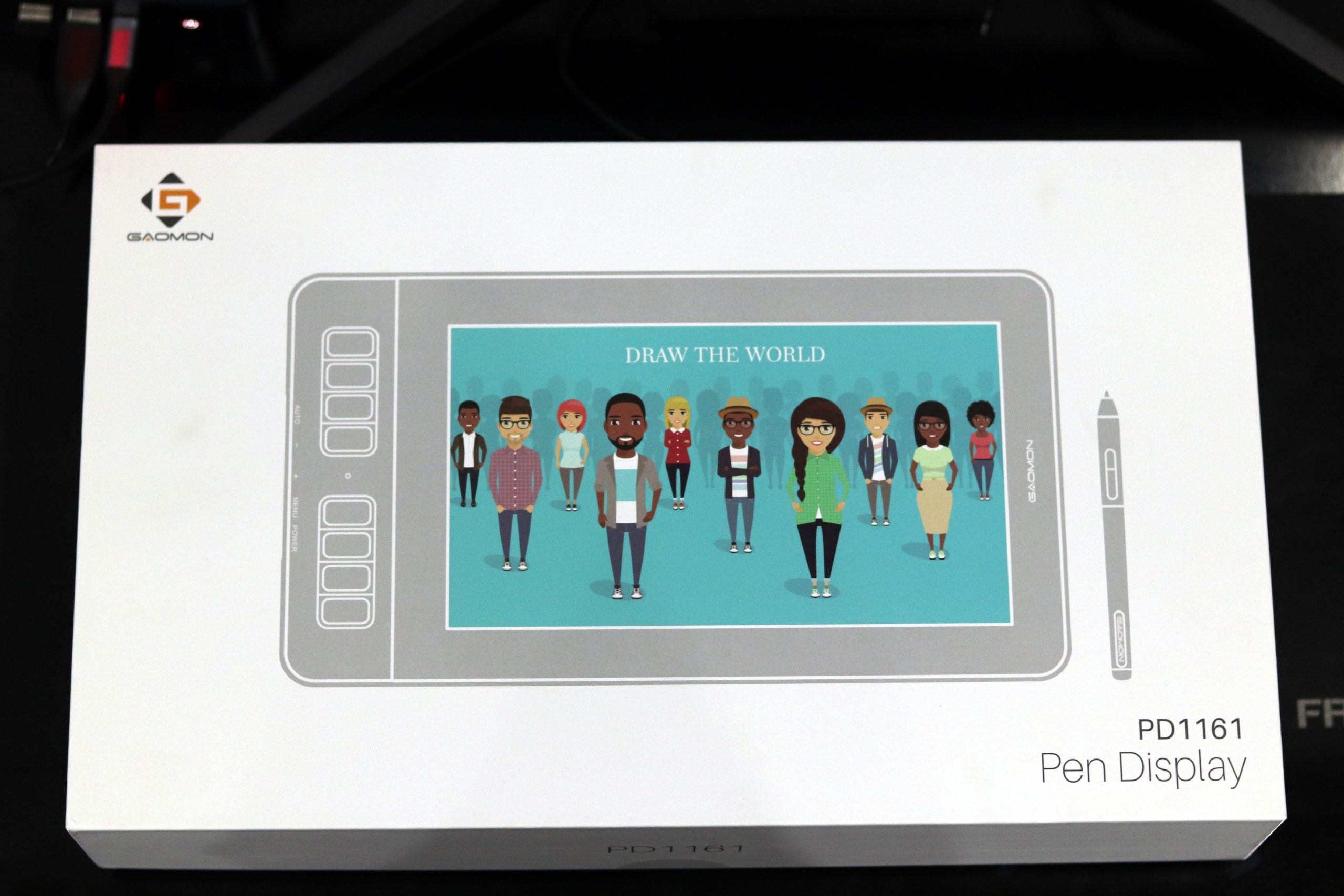
    If you’re on the lookout for budget-friendly drawing tablets that come with a screen, the GAOMON PD1161 emerges as a viable option. It serves as a more economical alternative to both the GAOMON PD1561 and 1560, while still featuring a built-in screen.
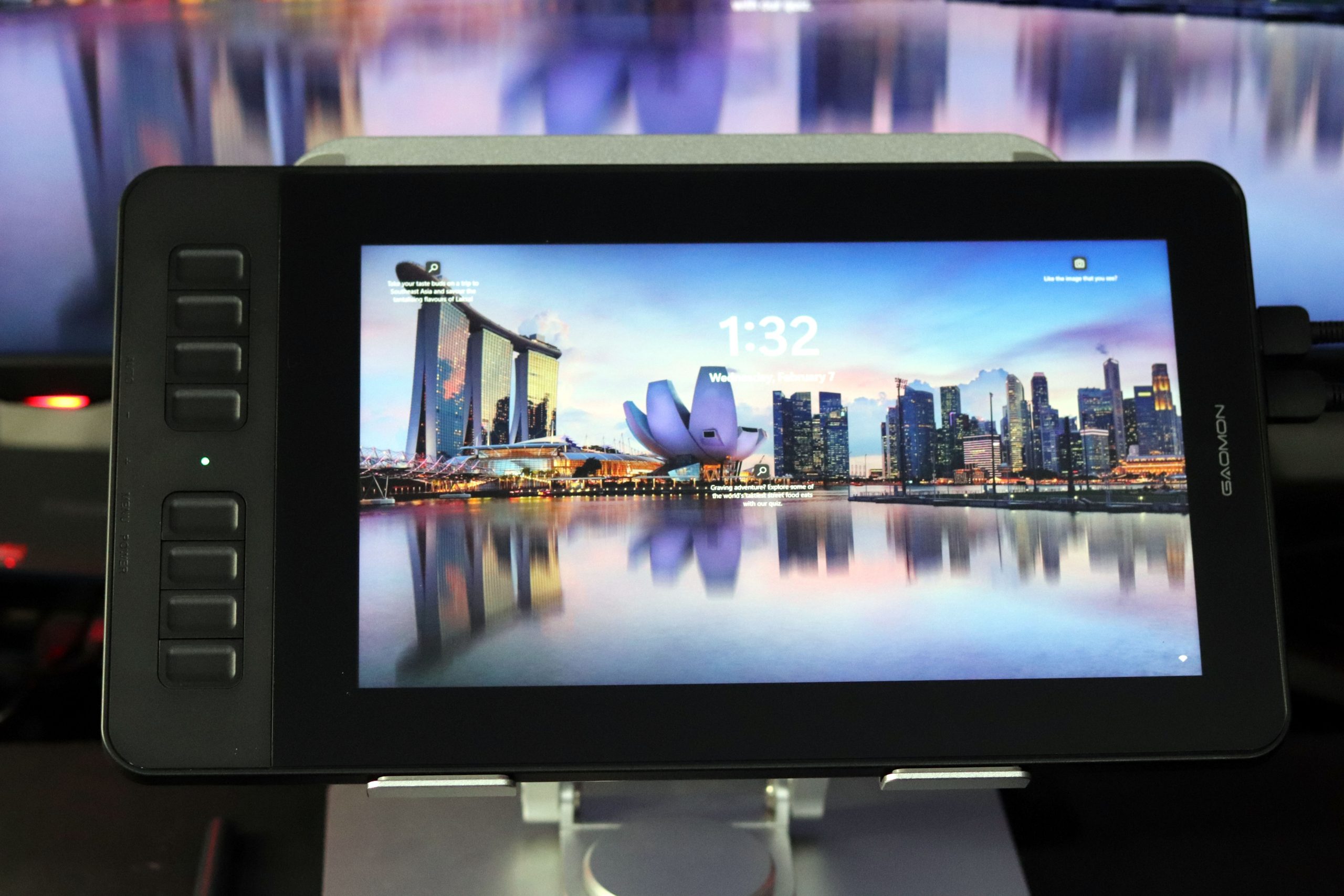
    Now, what distinguishes drawing tablets with screens from their regular, budget-friendly counterparts is the inclusion of an integrated screen. Having a screen on your drawing tablet eliminates the necessity for a computer solely for software installation. Moreover, it allows you to visualize the image directly on your tablet, mirroring what’s displayed on your computer screen.

    Design
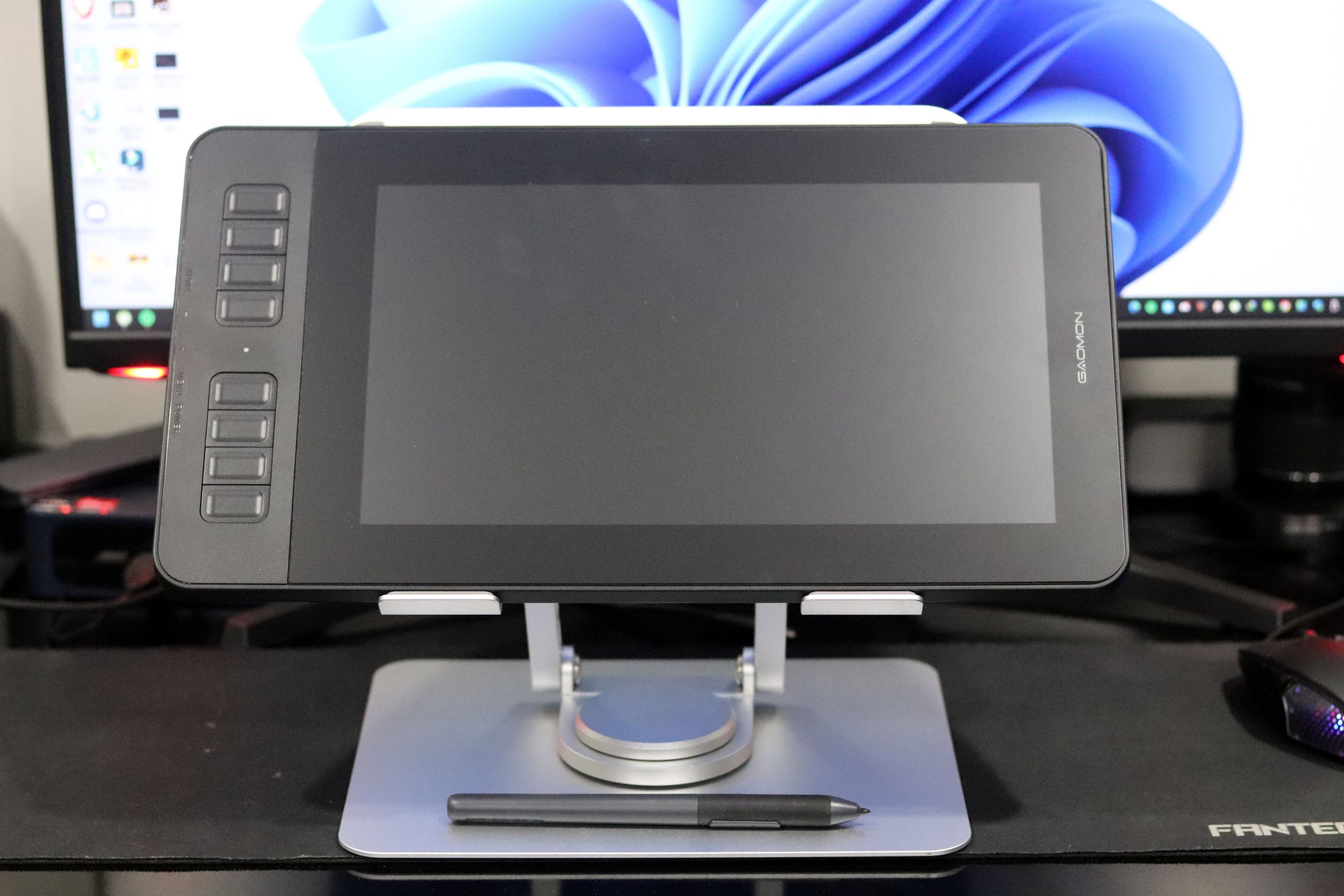
    The GAOMON PD1161 boasts dimensions of 361.6 x 200 x 13mm, accompanied by a diagonal size of 11.61 inches. This sleek design facilitates effortless movement with the tablet, allowing you to navigate without sacrificing valuable workspace.

    Enhancing its portability, the PD1161 is remarkably lightweight at only 880g. Furthermore, the absence of a stand means you can effortlessly slip it into your backpack for on-the-go convenience.

    The tablet’s dark-themed color not only adds a touch of sophistication but also provides a premium look, complemented by a smooth and pleasing feel.

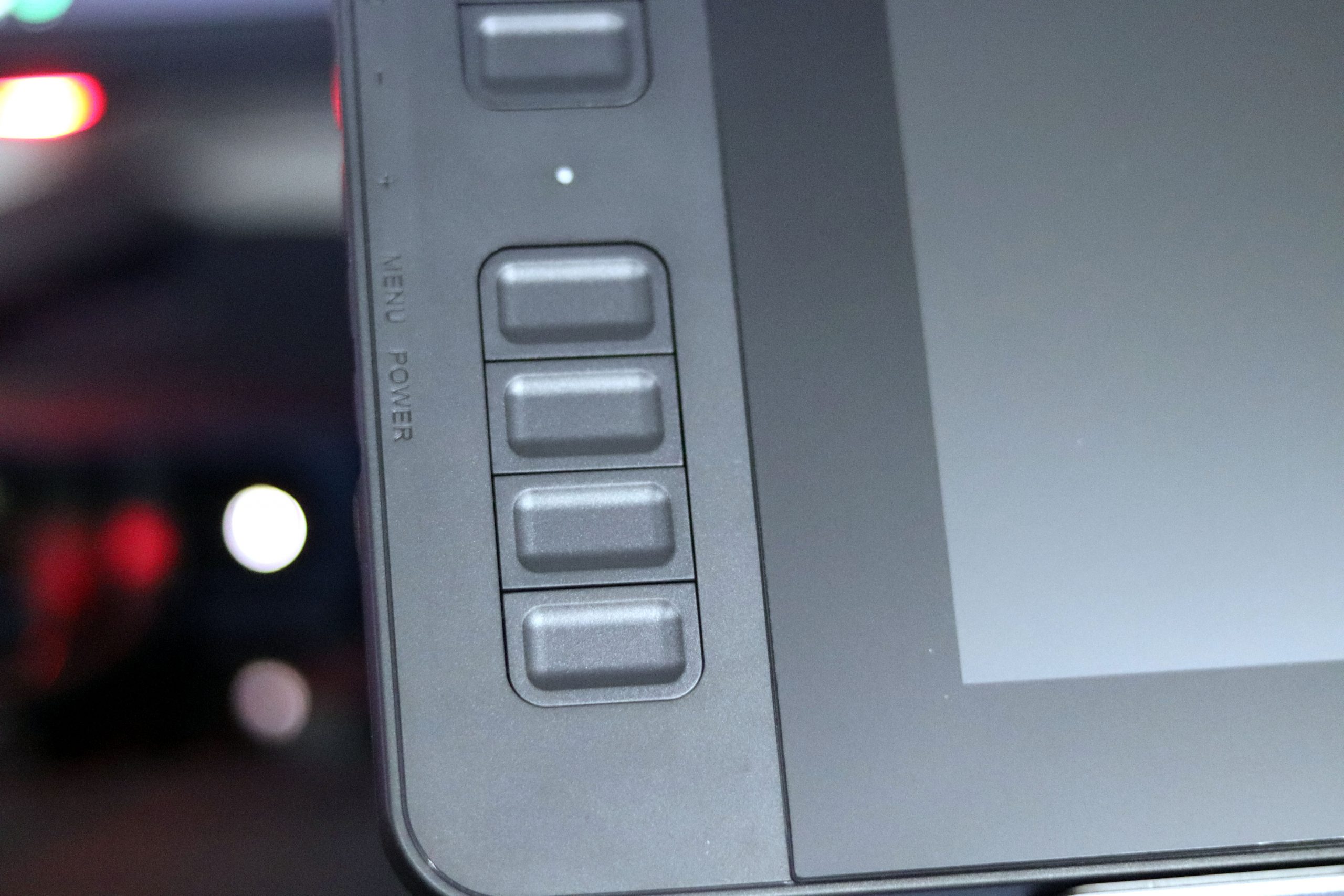
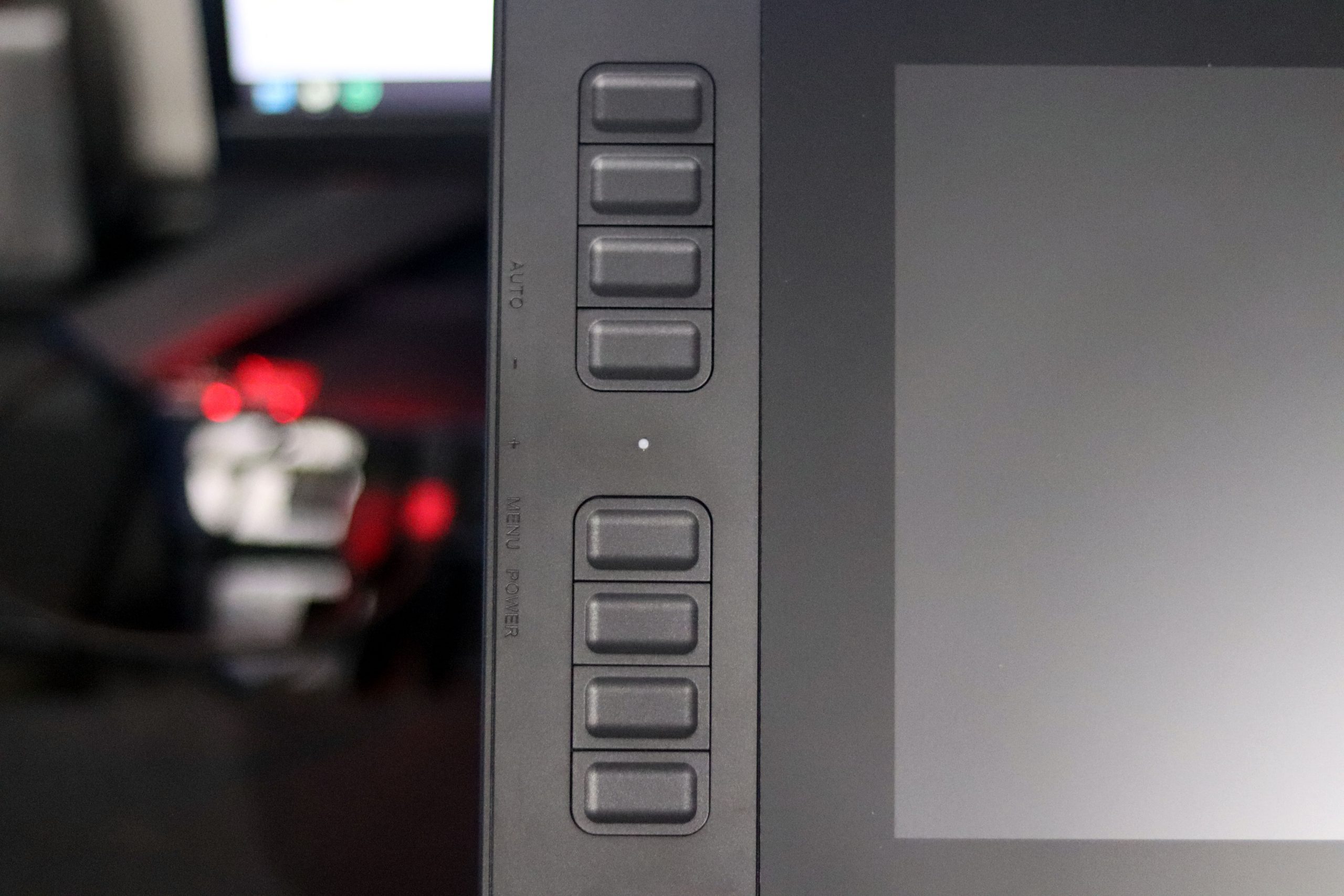
    Adding to its user-friendly design, express buttons are strategically placed on one side of the tablet. This thoughtful arrangement maximizes the available working area, ensuring efficiency in your creative endeavors.

    DisplayGAOMON PD1161

    The 11.6-inch tablets, as mentioned earlier, offer an expansive workspace, ensuring increased comfort and accessibility for drawing and note-taking.

    Transitioning to screen resolution, a remarkable 1920 by 1080 pixels are at your disposal, delivering a high-definition display. This is complemented by a 16:9 aspect ratio, enhancing the visual experience. Colors pop with vibrancy, thanks to a color gamut of 72% NTSC and 100% RGB, ensuring richness and crispness.GAOMON PD1161
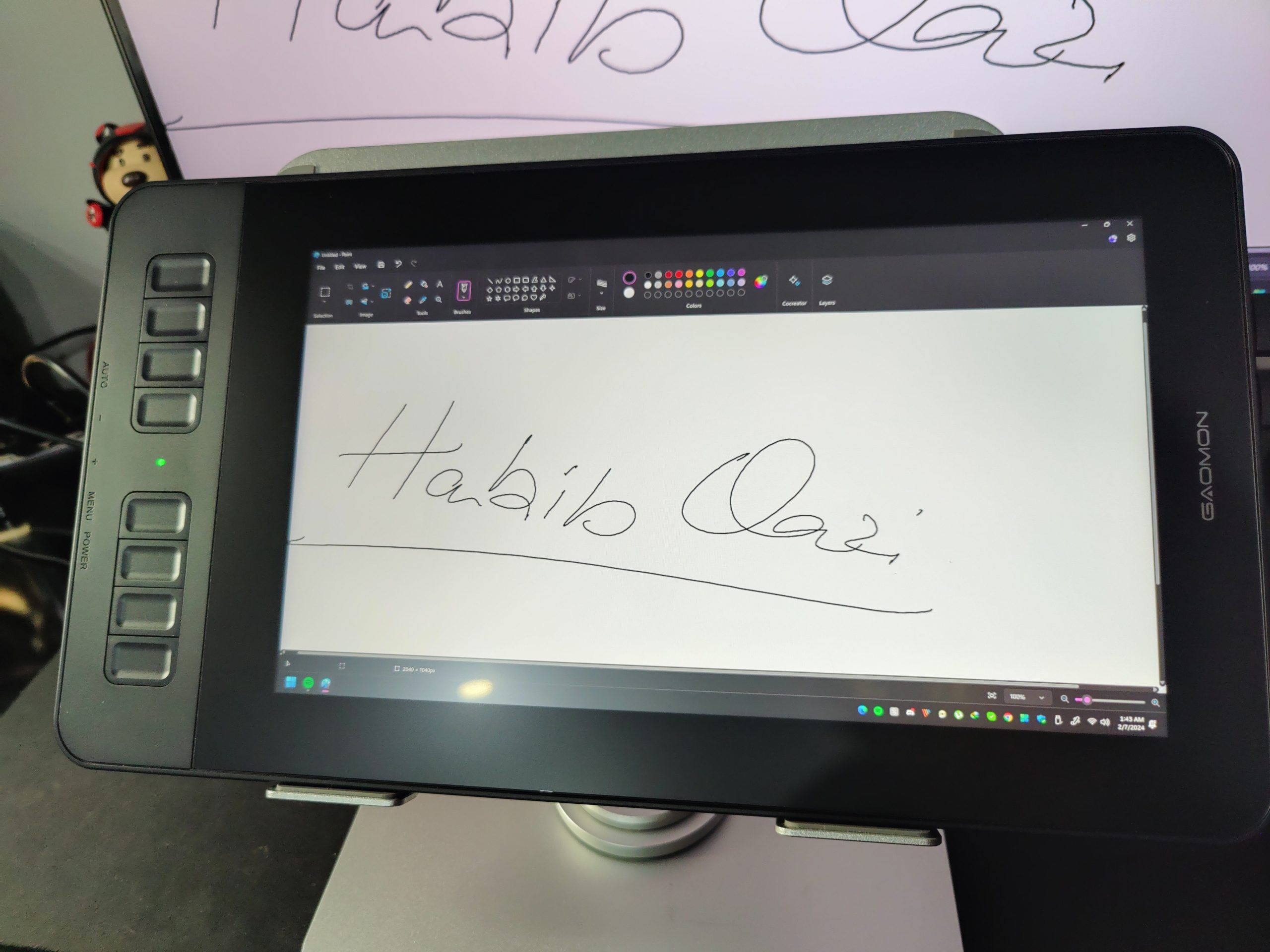
    Furthermore, a wide 178-degree viewing angle is in place, preserving the tablet’s color saturation even when observed from the side.

    Various drawing tablet manufacturers have introduced innovative technologies to elevate screen quality and efficiency. The GAOMON PD1161, for instance, incorporates an anti-glare film, reducing screen glare and providing a more transparent visual experience.GAOMON PD1161

    While it’s important to note that the tablet isn’t standalone for outdoor use, the anti-glare film proves valuable in bright room conditions, enhancing overall visibility.

    Stylus Pen
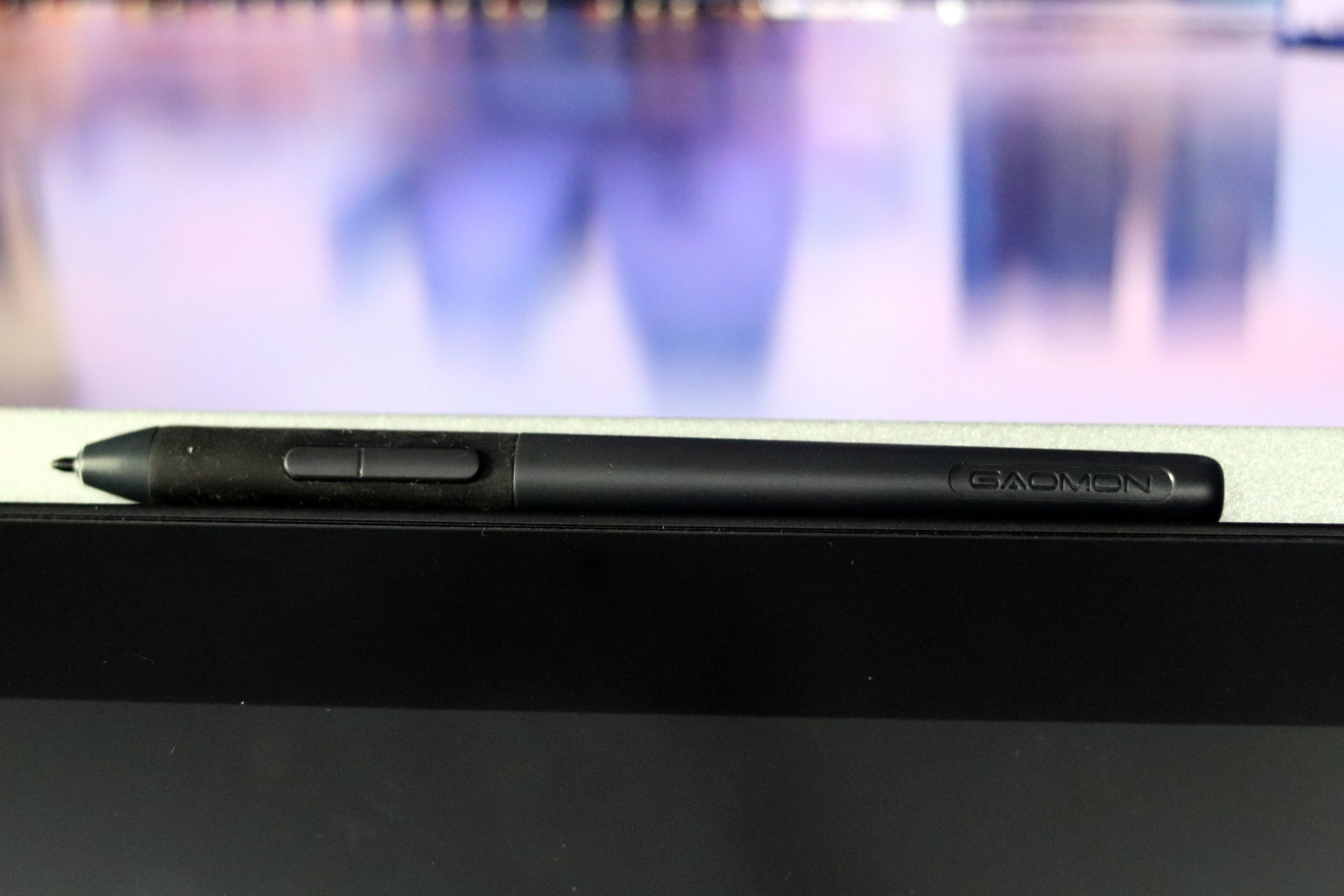
    The comfortable AP50 stylus ensures quality and effective work, allowing for long, fatigue-free working hours. Its ergonomic build creates a comfortable feel, akin to using an office pen.

    With an impressive 8192 levels of pen pressure sensitivity, the stylus provides control over designs with accuracy and precision, enhancing your overall drawing experience.

    Offering a market maximum pen resolution level of 5080 LPI and a 266 PPI response rate, the stylus ensures quick detection on the tablet, eliminating line jitters for a high-quality, pen-to-paper-like experience.GAOMON PD1161
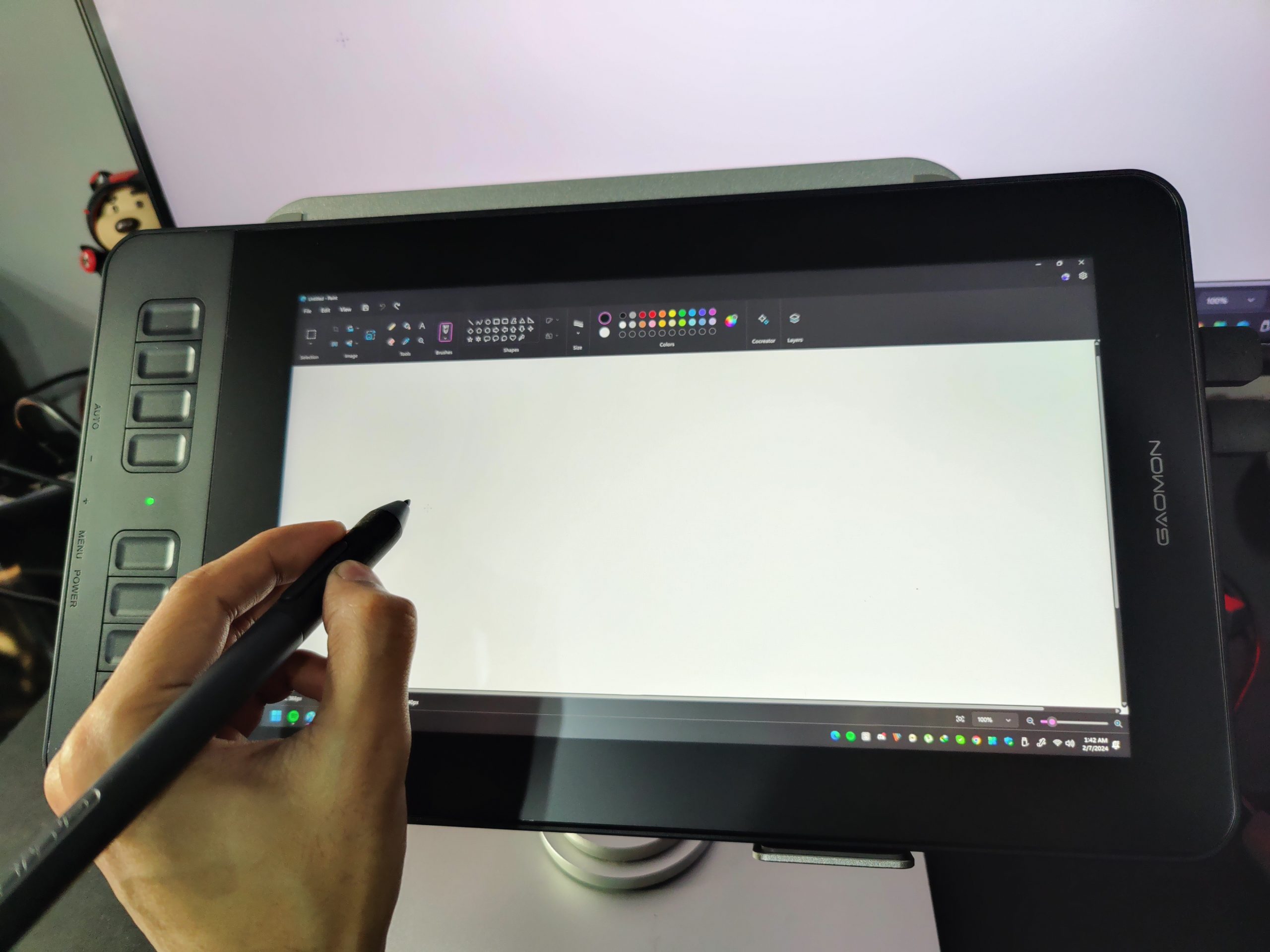
    Additionally, the 60-degree tilt function expands your brush options, promoting a more effective workflow. While this feature may not be present in all drawing tablets, it can make a significant difference in saving time and achieving a beautiful shading effect.

    Eliminating the need to plug in or use the pen while charging, GAOMON employs electromagnetic resonance technology to auto-charge the AP50 stylus, providing a stress-free drawing experience.

    The inclusion of two programmable buttons on the stylus offers convenient shortcut options at your fingertips. This not only eases navigation but also helps maintain your designing shortcut habits, enhancing overall effectiveness.

    Shortcut Keys
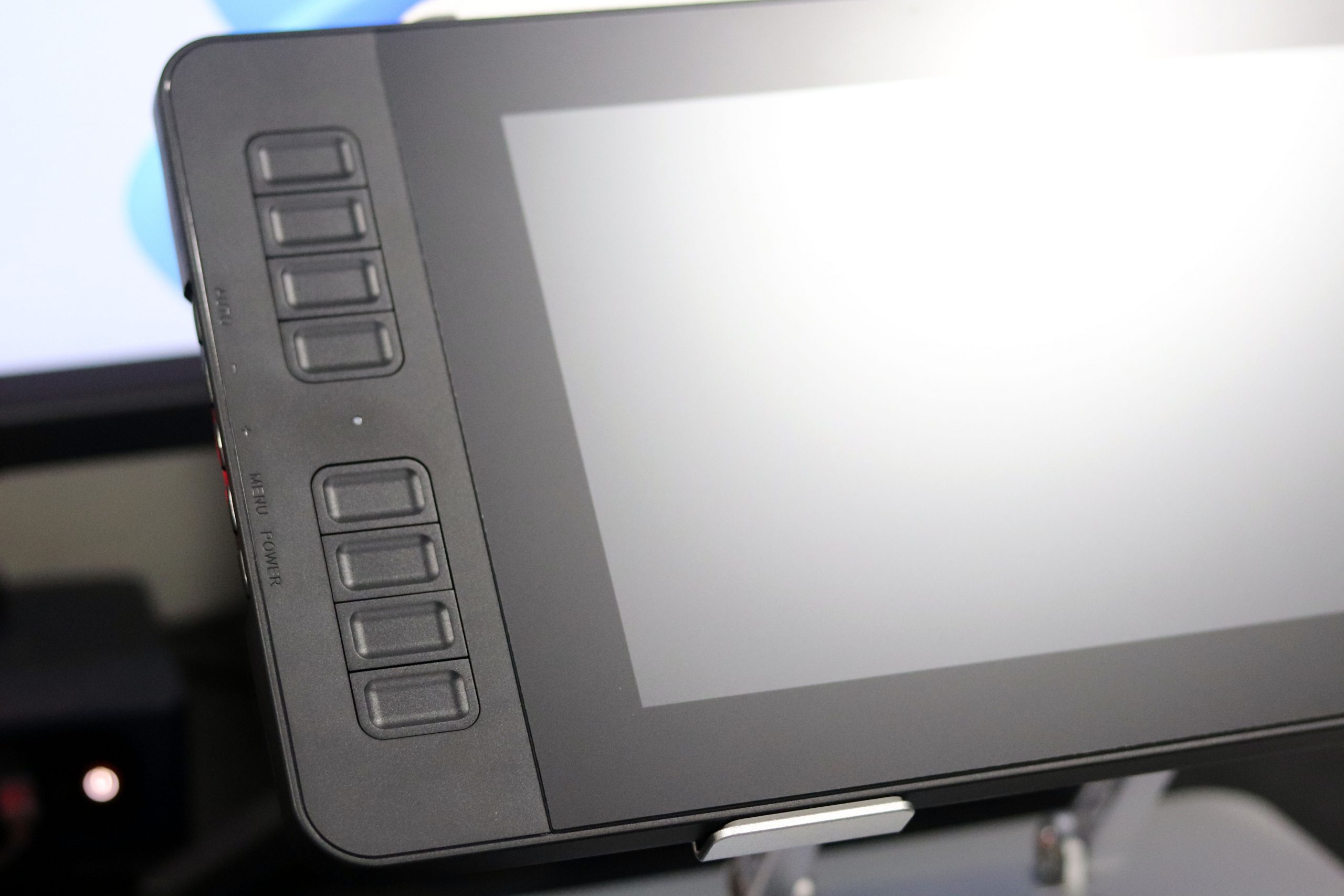
    Explore the convenience of shortcut keys on the GAOMON PD1161, enhancing your workflow with efficiency. Besides the two buttons on the AP50 stylus, discover the versatility of 8 customizable express keys on the tablet’s right side. This feature preserves your unique shortcut preferences, ensuring a seamless and productive working experience.

    Notably, these express keys are strategically placed for easy access, promoting faster and more straightforward navigation. Transitioning between tasks becomes a breeze, thanks to the thoughtfully designed layout.

    For left-handed users, the tablet offers flexibility with the option to customize and reposition the 8 express keys on the left side. Unlike many drawing tablets that predominantly cater to right-handed users, GAOMON PD1161 prioritizes inclusivity.
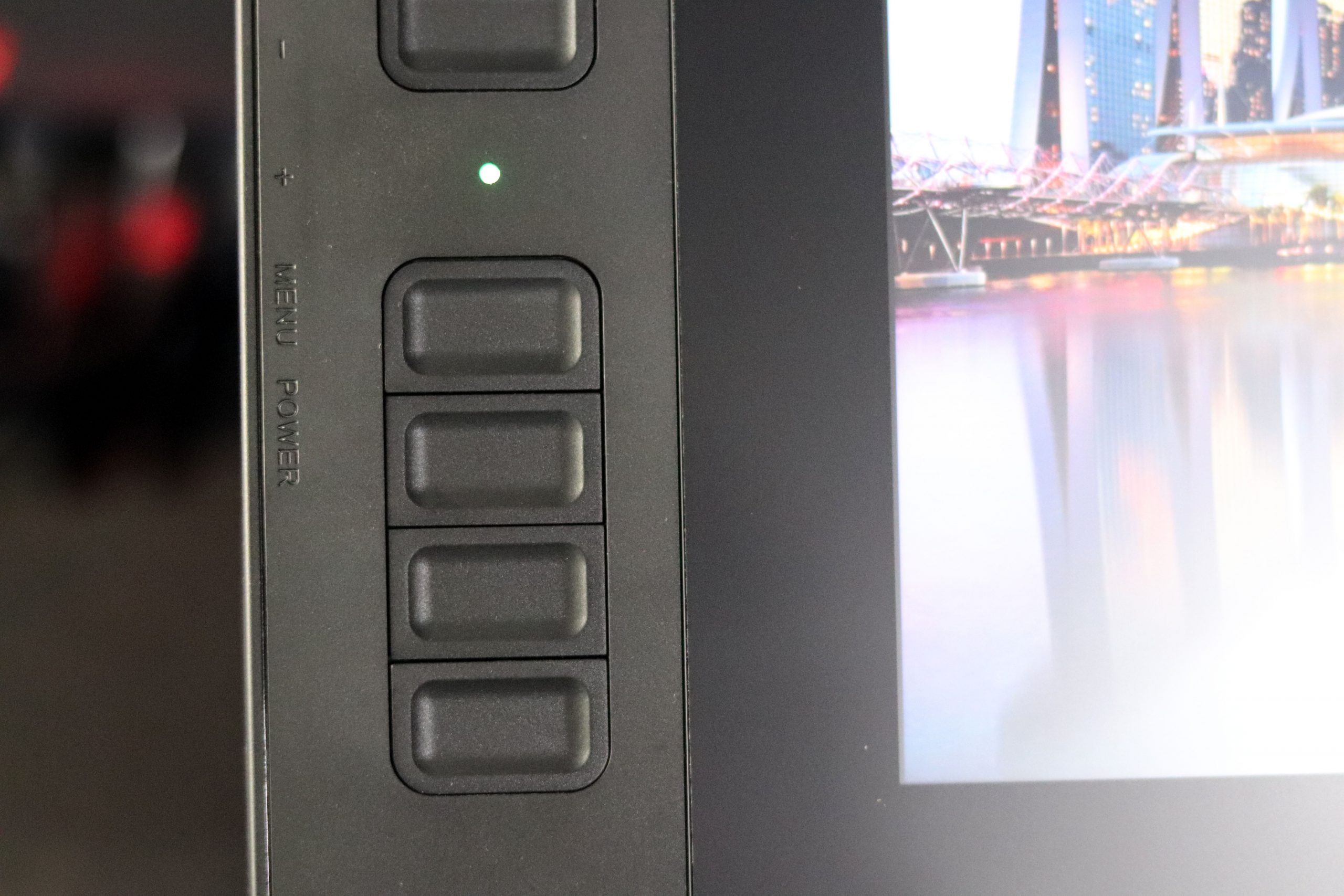
    Opting for left-hand support empowers users with a tailored experience, eliminating the need for compromise. Left-handed individuals can now fully utilize the tablet’s features without adapting to the default right-hand configuration.

    Left-Hand Mode
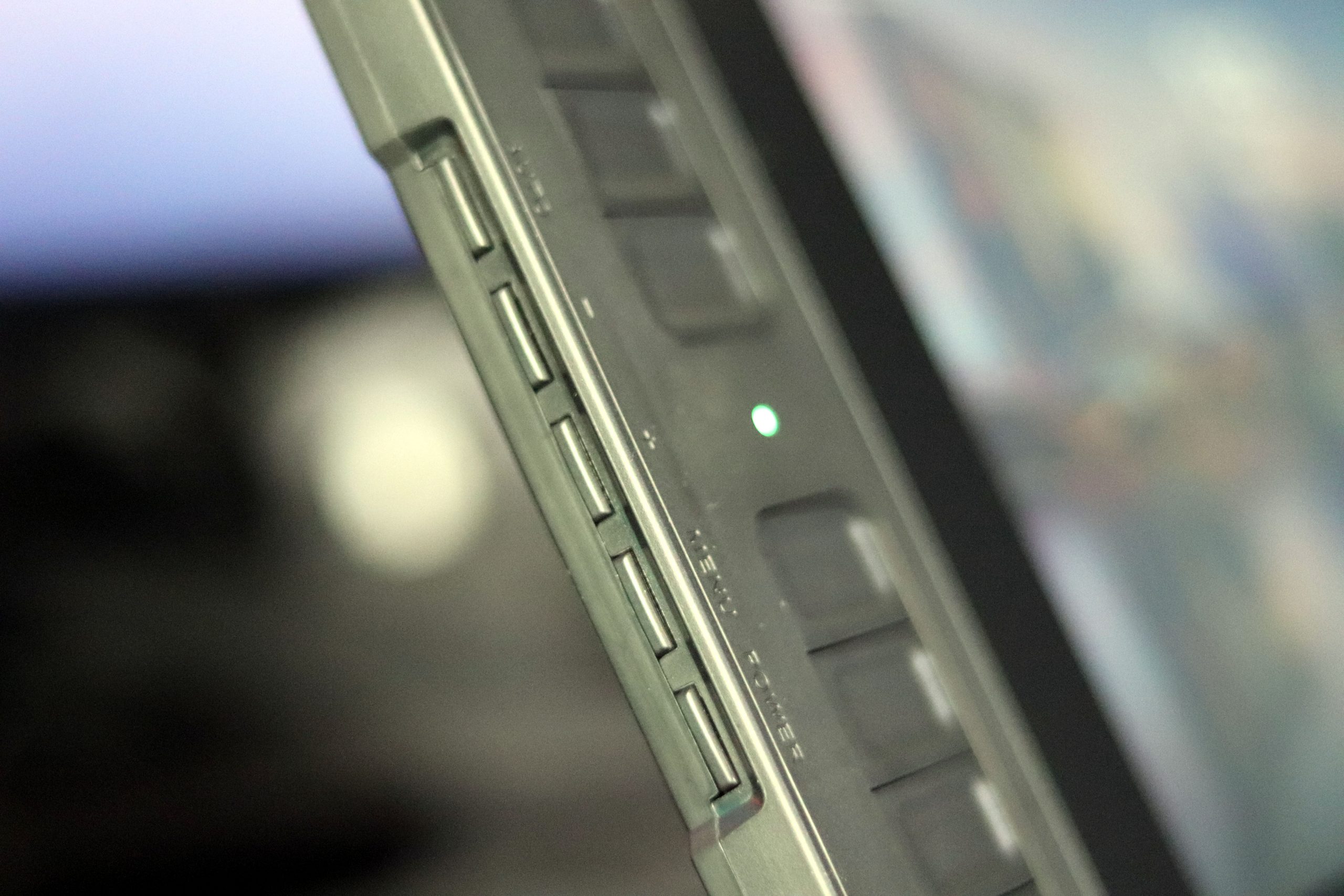
    Switch to extended mode on your computer. Within the GAOMON drivers, navigate to the 180-degree settings, and then specifically choose the 180-degree screen setting. Once done, rotate the tablet, and voila! The 8 express keys seamlessly shift to your right hand.
    Compatibility

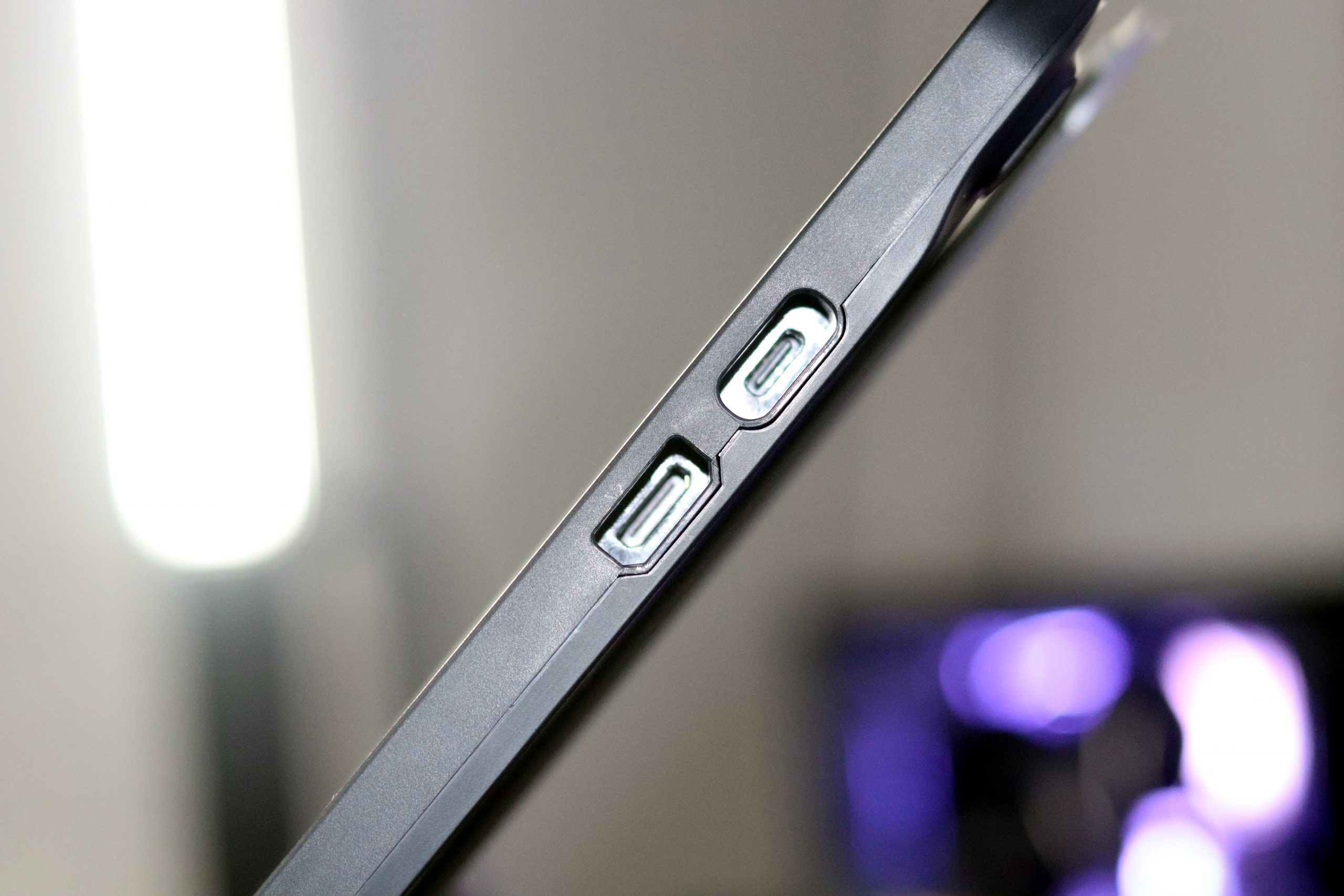
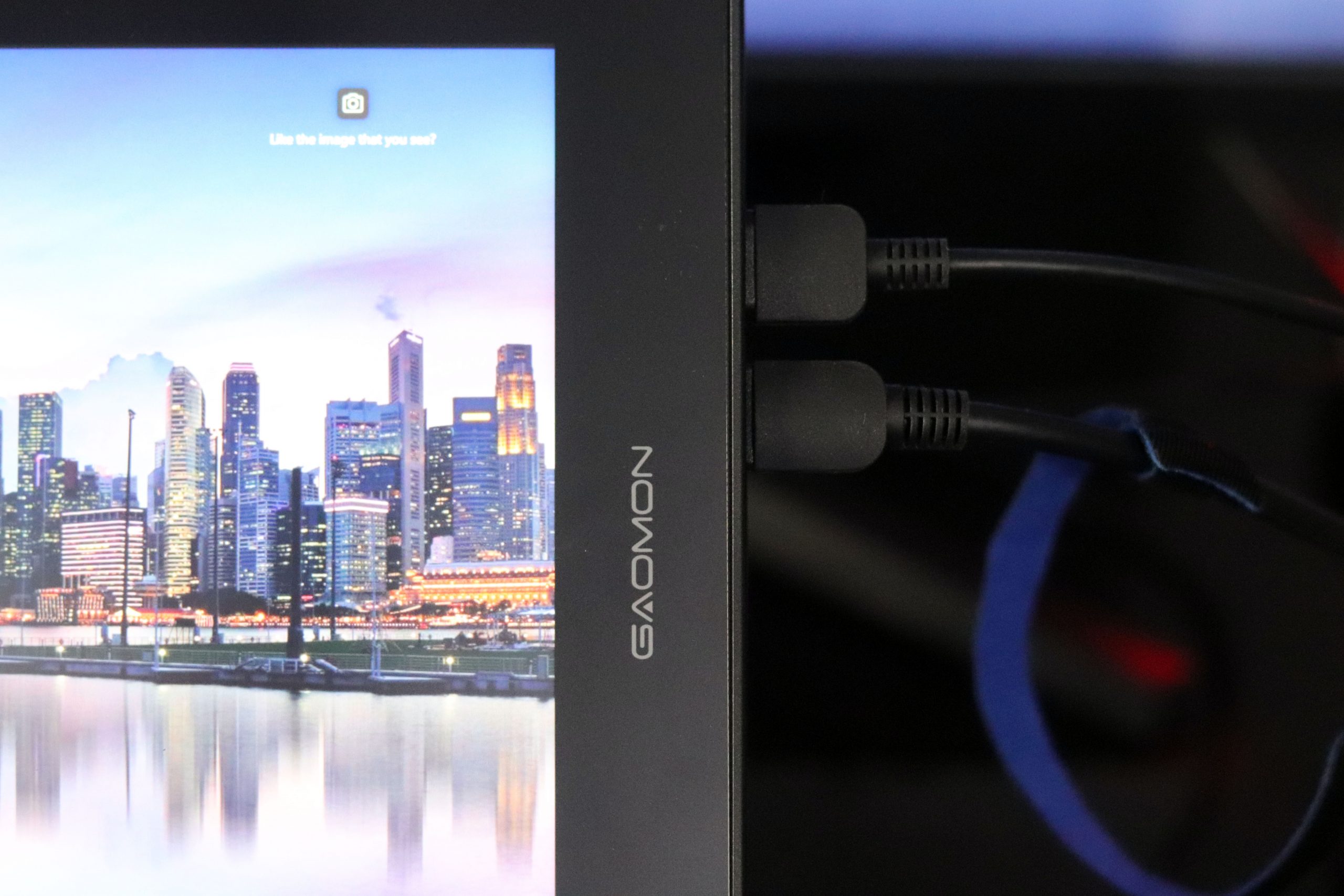
    The GAOMON PD1161 requires a computer connection, as it lacks an inbuilt computer system. Fortunately, connecting it to Windows and macOS operating systems is a breeze, thanks to the 3-in-2 integrated cable.

    However, it’s worth noting that the PD1161 falls short in compatibility with ChromeOS and Android devices. This limitation might be a drawback for users heavily reliant on those platforms.

    The integrated cable not only facilitates the connection to your computer but also provides an option for connecting to an external display. This feature can be particularly useful if you desire a display output for your work or creative projects. In essence, the 3-in-2 cable enhances the versatility of the GAOMON PD1161, allowing for a seamless connection and integration into your preferred operating environment.

    Connectivity

    When dealing with the HDMI adapter, consider the following tips. Firstly, choose the appropriate adapter, such as VGA, DVI, or DisplayPort, based on the available port on your computer. This ensures a seamless connection.

    Ensure that your connection is from VGA, DVI, or DisplayPort to HDMI adapter, not the other way around. This ensures compatibility and efficient signal transmission.

    Avoid using USB to HDMI adapters, as USB is designed for data transmission and does not support signal or video transmission.

    Lastly, opt for a direct one-to-one HDMI adapter connection instead of using multi-port hubs. This helps in maintaining a stable and reliable connection.

    Verdict

    Choosing the perfect drawing tablet with a screen presents a daunting task due to the abundance of excellent options available.

    In this detailed test review, the GAOMON PD1161 stands out with its notable advantages. Its portability and the presence of a built-in screen make it an appealing choice for artists.

    Moreover, the tablet boasts additional quality features. The stylus’ tilt function support, anti-glare film on the screen surface, and multiple shortcut options enhance the overall drawing experience.

    The GAOMON PD1161 emerges as a solid choice. Whether you are a beginner or a professional, this drawing tablet with a screen caters to diverse needs.

    In conclusion, the GAOMON PD1161 not only performs well but also comes with a budget-friendly price tag. This makes it an excellent steal, especially for beginners venturing into the world of digital art.

    Pros

    • Small portable size
    • Battery-free pen
    • Quality anti-glare screen film
    • Left-hand support mode
    • Budget-friendly
    • Tilt function support

    Cons

    • Not compatible with Android and Chrome OS
    • Doesn’t come with a stand
    • GAOMON PD1161 is not a standalone tablet

    Read Also: Vivo Pad 3 Tablet Passed by 3C Certification, Supporting 66W Charging

    Share. Facebook Twitter Pinterest LinkedIn Tumblr Email

    Related Posts

    Is the $70 AULA Hero84 HE Actually Worth It? A Month-Long Test

    AULA F108 Pro Hands-On Review: The Best Full-Size in 2025?

    Huawei MateTV Max 110-inch has been officially released! Price: 64,999 yuan: Performance improved by 4.9 times

    Leave A Reply Cancel Reply

    You must be logged in to post a comment.

    voopoo drag s3
    oxva xlim go 2
    sp2s sen x disposable vape
    jnr 100k
    • Popular
    • 3D Printer REVIEW
    • XIAOMI
    November 23, 2025

    VOOPOO DRAG X3 – Big Battery, Smart Tech, Pod-Mod Powerhouse (Review)

    November 23, 2025

    VOOPOO VINCI S: Pocket-Power Pod with a 2,000 mAh Heart — Big Battery, Simple Use (Review)

    November 19, 2025

    OXVA XLIM PRO 3 Pod Vape Quick Hands-on Review (Video Test Included)

    November 19, 2025

    OXVA XLIM 3 Ultra Pod Vape: Hands-on Review (Video Test Included)

    June 23, 2024

    ACMER P2 20W Laser Engraver Fixed Focus Engraving: Hands on Review

    May 30, 2024

    xTool F1 Ultra Review: World’s First 20W Fiber & 20W Diode Laser Engraver

    May 30, 2024

    Anycubic Kobra 3 Combo Review: The Multicolor Masterpiece?

    May 15, 2024

    SCULPFUN SF-A9 40W Laser Engraver Cutting Machine: Hands On Review

    December 2, 2025

    Xiaomi REDMI Turbo5 Pro phone will be launched before the Spring Festival, equipped with the only flagship chip in its class

    December 2, 2025

    Xiaomi has Released REDMI TV X55/65/75 2026: Mini LED starts at only 2,499 yuan

    November 28, 2025

    The Exclusive Camera Handle of Xiaomi 17 Ultra has passed the 3C certification and can be used as a power bank

    November 27, 2025

    Code name “Nezha” : Xiaomi 17 Ultra phone exposed, with a triple rear camera setup

    fc 26 coins
    New Arrivals
    • Uwell Caliburn G5 Lite SE Pod System Kit Uwell Caliburn G5 Lite SE Pod System Kit
    • Uwell Caliburn G5 Lite KOKO Pod System Kit Uwell Caliburn G5 Lite KOKO Pod System Kit
    • Uwell Caliburn G5 Lite Pod System Kit Uwell Caliburn G5 Lite Pod System Kit
    • Freeton Trimax 60k Disposable Vape Freeton Trimax 60k Disposable Vape
    • Smoant Pasito 3 Vape Smoant Pasito 3 Vape
    • Yocan Flat 2.0 series Yocan Flat 2.0 series
    • Snowplus Swift Pod Vape Snowplus Swift Pod Vape
    • Innokin EZ LEVA PCC Pod Kit Innokin EZ LEVA PCC Pod Kit
    • VANMO VM60000 DISPOSABLE VANMO VM60000 DISPOSABLE
    About
  • Igeekphone.com provides the first global tech news and reviews about smartphone, vapes, e-cigar, smart home, 3D printers, e-bike,tablets, RC drones, VR headset, and other accessories. It's the best platform to improve your brand and product.
  • Contact us: info@igeekphone.com
  • Check Our Privacy Policy Here.
  • Note: *Right now we have US editor and EU editors for review, especially for Amazon US and EU.
  • *Shop and Compare Price Here*
  • Facebook
  • Youtube
  • OUR BEST VAPE PARTNERS
  • VAPE ONLINE STORE
  • HAYATI PRO MAX PLUS
  • VAPORESSO
  • VOOPOO
  • OXVA
  • NEXA
  • MASKKING
  • LOSTVAPE ORIONBAR
  • VEIIK
  • MEMERS
  • TODOO
  • SP2S
  • JNR
  • OTHER BEST PARTNERS
  • SVBONY
  • Chuwi
  • Blackview
  • Fossibot
  • Unihertz
  • Flsun
  • Anycubic
  • Xtool
  • Oukitel
  • Mukkpet Ebike
  • Ugreen
  • Copyright © 2025 igeekphone

    Type above and press Enter to search. Press Esc to cancel.