







Facebook Twitter Instagram
    Trending
    • OXVA XLIM 3 Ultra vs XLIM Pro 3: Unboxing & Review
    • OXVA XLIM PRO 3 vs XLIM 3 ULTRA: Hands-On Review
    • Investing in Your Future: How an IRA Can Shape Your Retirement Dreams
    • Discover the most favorable cryptocurrency options for Euro
    • DJI Osmo Mobile 7 3-Axis Gimbal Review-Ultimate Smartphone Stabilizer with Smart Features for Professional Videos
    • ENOZE 9007E RC Car Review-High-Speed 4WD Off-Road Racing RC Car – Full Proportional Control & Maximum Fun
    • Maskking UCEE MAX: High-Capacity Refillable Pod with Innovative Patented Rotating Seal System
    • The reason about Mobile Security important for small businesses
    Facebook YouTube
    Login Register
    IGeeKphone China Phone, Tablet PC, VR, RC Drone News, Reviews
    • HOME
      • NEWS
        • DeepSeek
        • ChatGPT
        • Minecraft
    • Amazon
    • PHONE
      • Top Phones For Your First Choice
      • Phone Comparison
      • Xiaomi
      • Blackview
      • Doogee
      • Black Shark
      • Geekbuying
      • Banggood
      • TEMU
      • TikTok
      • Aliexpress
      • Walmart
      • MercadoLibre
      • Lazada
    • TOP VAPE Awards for 2026
    • VAPES
      • E-CIGAR Upcoming
      • Vape News
      • Vape Deals
      • Vape Comparison
      • Vape Guide
      • Giveaway
    • BEST VAPE
      • Best Vape Stores
      • Best Starter Vape Kits
      • Best Vapes for Beginners
      • Best Disposable Vapes
      • Best Pod Systems
      • Best Pod Mod Vapes
      • Best Mods
      • Best Nicotine Pouches
      • Best Clearomizers/Tanks
      • Best E-Liquid
      • Best EGO/Pens
      • Best Vapes for Nic Salt E-Juice
      • Best Vapes to Quit Smoking
      • RDA vs. RDTA vs. RTA
    • Best Vape Brand 2026
      • VAPORESSO
      • VOOPOO
      • OXVA
      • NEXA BAR
      • ORIONBARTECH
      • MASKKING VAPE
      • MEMERS
      • SP2S
      • JNR
      • TODOO
      • MRFOG
      • VEIIK
    • REVIEW
      • E-cigar Review
      • Phones
      • Tablet PC
      • TV Box
      • RC Drone
      • Wearables
      • Camera
      • Accessories
      • VR Headset
    • MORE
      • TABLET
        • Chuwi
        • INNOCN
        • Teclast
        • Top Tablet for Your First Choice
        • Tablet/Laptop Comparison
      • RC DRONE
      • CAMERA
      • WEARABLES
        • OneOdio
        • BlitzWolf
        • Top Smartwatch for First Choice
      • 3D PRINTER
        • 3D Printer Review
        • Anycubic
        • FLSUN
        • Xtool
        • LONGER
        • Top 3D printer to Choose First
      • POWER STATION
        • Oukitel
        • FOSSIBOT
      • GAMING
        • Top Gaming Products
      • E-BIKE
        • Samebike
        • Happyrun
        • ENGWE
      • SMART HOME
      • TV BOX
      • ACCESSORIES
      • VR HEADSET
      • CLOTHES
      • AUTO CAR
    • DEAL
    • VAPE LAWS
    • Shop
    IGeeKphone China Phone, Tablet PC, VR, RC Drone News, Reviews
    You are at:Home»Guide»How to Solve the issue that Xiaomi Mi 14 can’t turn on wifi
    Guide

    How to Solve the issue that Xiaomi Mi 14 can’t turn on wifi

    Brady CottonBy Brady CottonMarch 11, 2024
    Facebook Twitter Pinterest LinkedIn Tumblr Email

    Xiaomi Mi 14 is a powerful smartphone, but sometimes users may have problems turning on WiFi. Here are some common causes and solutions.

    First, check that your WiFi switch is turned on. On the Mi 14, you can turn on WiFi by pulling down the notification bar or going to the Settings menu. Make sure that the option is enabled and not accidentally turned off.

    Secondly, make sure that the WiFi network you are connected to is available and working properly. Try to connect to other devices or share the network with others to confirm that the problem is not caused by the network itself.
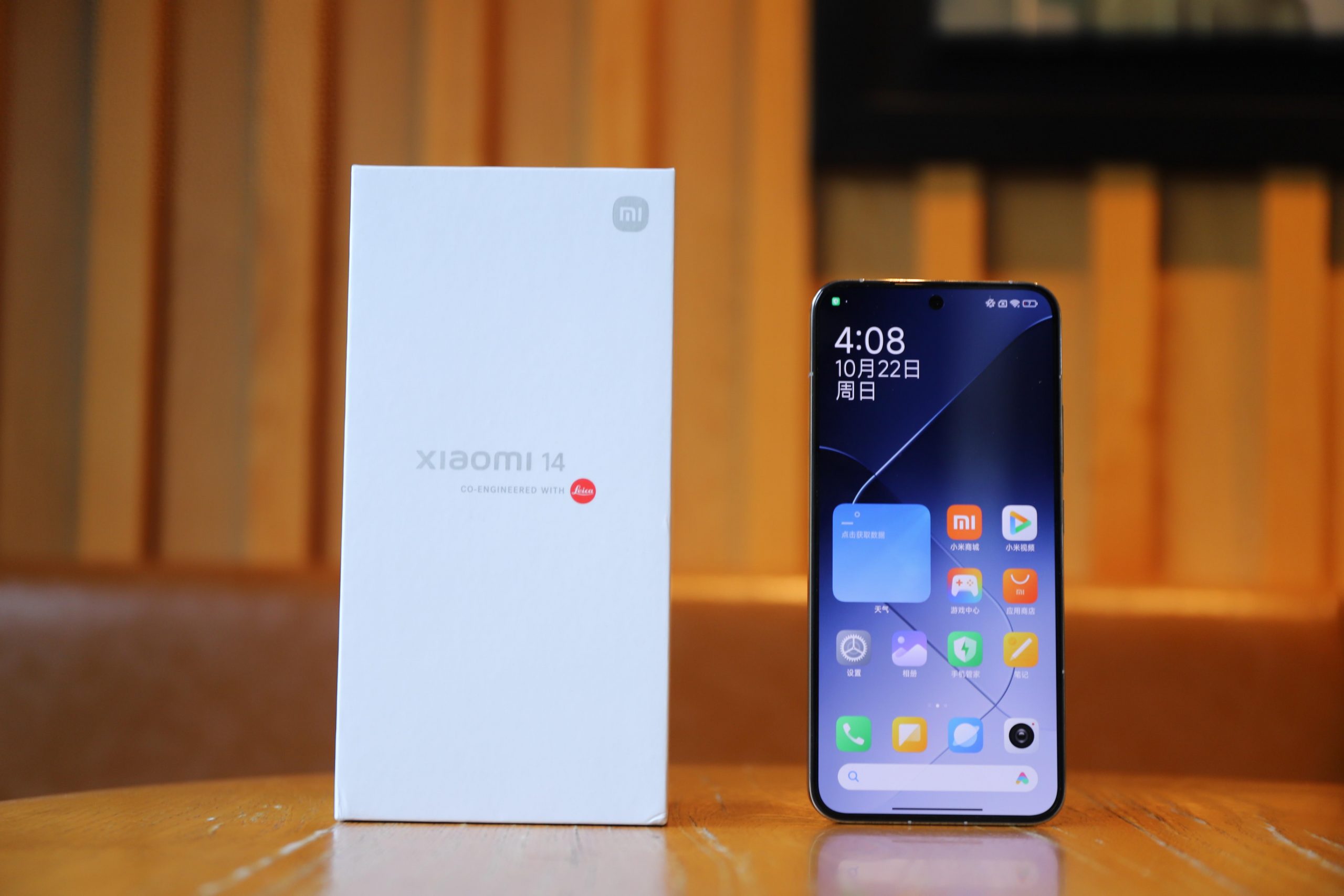
    If none of the above steps solve the problem, then it may be due to a software glitch that prevents WiFi from being turned on. In this case, you can try restarting the phone to clean up any potential errors or cached files.

    Another solution is to update the system and applications. Manufacturers often release new versions of firmware and application updates to fix existing issues and provide better performance and stability. Check your system Settings for available updates, and download and install them.

    Finally, if all the above methods do not solve the problem, it is recommended to restore the phone to factory Settings. Please note that it is important to back up your important data before doing this, as restoring factory Settings will delete all data saved on the phone.

    In summary, in the event that WiFi cannot be turned on, we recommend the following sequence of troubleshooting: checking the WiFi switch, confirming that the network is available, restarting the phone, updating the system and apps, and restoring factory Settings (backing up data). I hope the above tips will help you solve the problem that Mi 14 can not open WiFi!

    Share. Facebook Twitter Pinterest LinkedIn Tumblr Email

    Related Posts

    Investing in Your Future: How an IRA Can Shape Your Retirement Dreams

    Gadgets in the Courtroom: The Role of Technology in Personal Injury Evidence

    NEC Lawsuits: How Parents Can Sue Renowned Baby Formula Brands

    Leave A Reply Cancel Reply

    You must be logged in to post a comment.

    voopoo Cyph NAVI kit
    oxva xlim 3 ultra
    sp2s sen x disposable vape
    jnr 100k
    • Popular
    • 3D Printer REVIEW
    • XIAOMI
    February 23, 2026

    Voopoo DRAG S3 vs DRAG X3 Review – Which One Fits Your Vaping Lifestyle?

    February 8, 2026

    VOOPOO VMATE i2 vs i3: Hands-On Comparison Review

    February 2, 2026

    Voopoo Drag X3 vs Drag X2: Hands-On Comparison Review

    January 21, 2026

    VOOPOO ARGUS P3 VS ARGUS P2: Which Square Pod Suits You?

    December 26, 2025

    ACMER ASCARVA 4S: Precision CNC Power for Makers, DIYers & Small Workshops

    June 23, 2024

    ACMER P2 20W Laser Engraver Fixed Focus Engraving: Hands on Review

    May 30, 2024

    xTool F1 Ultra Review: World’s First 20W Fiber & 20W Diode Laser Engraver

    May 30, 2024

    Anycubic Kobra 3 Combo Review: The Multicolor Masterpiece?

    February 26, 2026

    Xiaomi 17 Ultra mobile phone has received the upgrade to Hyper OS 3.0.15.0

    February 24, 2026

    Xiaomi 17T Series Phones have been Registered: Equipped with MediaTek 8/9 Flagship Platform and Featuring Leica Imaging Technology

    February 23, 2026

    Xiaomi MIX 5-AI Rendering Video of the Appearance: Rear Round Design with Deco Support for External Lenses

    February 23, 2026

    Xiaomi Tag Organ Tracking Device will be Released on February 28th: Compatible with Android and iOS Systems

    fc 26 coins
    New Arrivals
    • Navabar Zero Nicotine 55K Disposable Vape Navabar Zero Nicotine 55K Disposable Vape
    • Vaporesso Luxe Q3 Pod System Kit Vaporesso Luxe Q3 Pod System Kit
    • HIDI Max 50K Zero Nicotine Disposable Vape HIDI Max 50K Zero Nicotine Disposable Vape
    • iJOY XP35000 Disposable Vape iJOY XP35000 Disposable Vape
    • Ploox XS 25K Disposable Vape Ploox XS 25K Disposable Vape
    • Fasta Drop 50K Nixotine Disposable Vape Fasta Drop 50K Nixotine Disposable Vape
    • WASPE Crystal 8-in-1 180K Nicotine Free Disposable Vape WASPE Crystal 8-in-1 180K Nicotine Free Disposable Vape
    • iJOY XP100K Refillable Disposable Vape Kit iJOY XP100K Refillable Disposable Vape Kit
    • Zooy Mega Shisha 60K Disposable Vape Zooy Mega Shisha 60K Disposable Vape
    About
  • Igeekphone.com provides the first global tech news and reviews about smartphone, vapes, e-cigar, smart home, 3D printers, e-bike,tablets, RC drones, VR headset, and other accessories. It's the best platform to improve your brand and product.
  • Contact us: info@igeekphone.com
  • Check Our Privacy Policy Here.
  • Note: *Right now we have US editor and EU editors for review, especially for Amazon US and EU.
  • *Shop and Compare Price Here*
  • Facebook
  • Youtube
  • OUR BEST VAPE PARTNERS
  • VAPE ONLINE STORE
  • HAYATI PRO MAX PLUS
  • VAPORESSO
  • VOOPOO
  • OXVA
  • NEXA
  • MASKKING
  • LOSTVAPE ORIONBAR
  • MEMERS
  • TODOO
  • SP2S
  • JNR
  • VEIIK
  • OTHER BEST PARTNERS
  • SVBONY
  • Chuwi
  • Blackview
  • Fossibot
  • Unihertz
  • Flsun
  • Anycubic
  • Xtool
  • Oukitel
  • Mukkpet Ebike
  • Ugreen
  • Copyright © 2026 igeekphone

    Type above and press Enter to search. Press Esc to cancel.