









Over the past two years, global mechanical keyboard brands have rapidly emerged in the public eye. While these keyboards are largely homogenized with little innovation in design, major manufacturers have been adjusting product details and axis configurations. Although these changes offer only small profit margins, new products from these brands keep rising. It’s a matter of who will last and who will fall first. In the end, though, regular peripheral users will undoubtedly benefit. In this article, I unbox the Aula F75 three-mode mechanical keyboard to share my experience with it and clarify some misconceptions about the current trends in global keyboard design.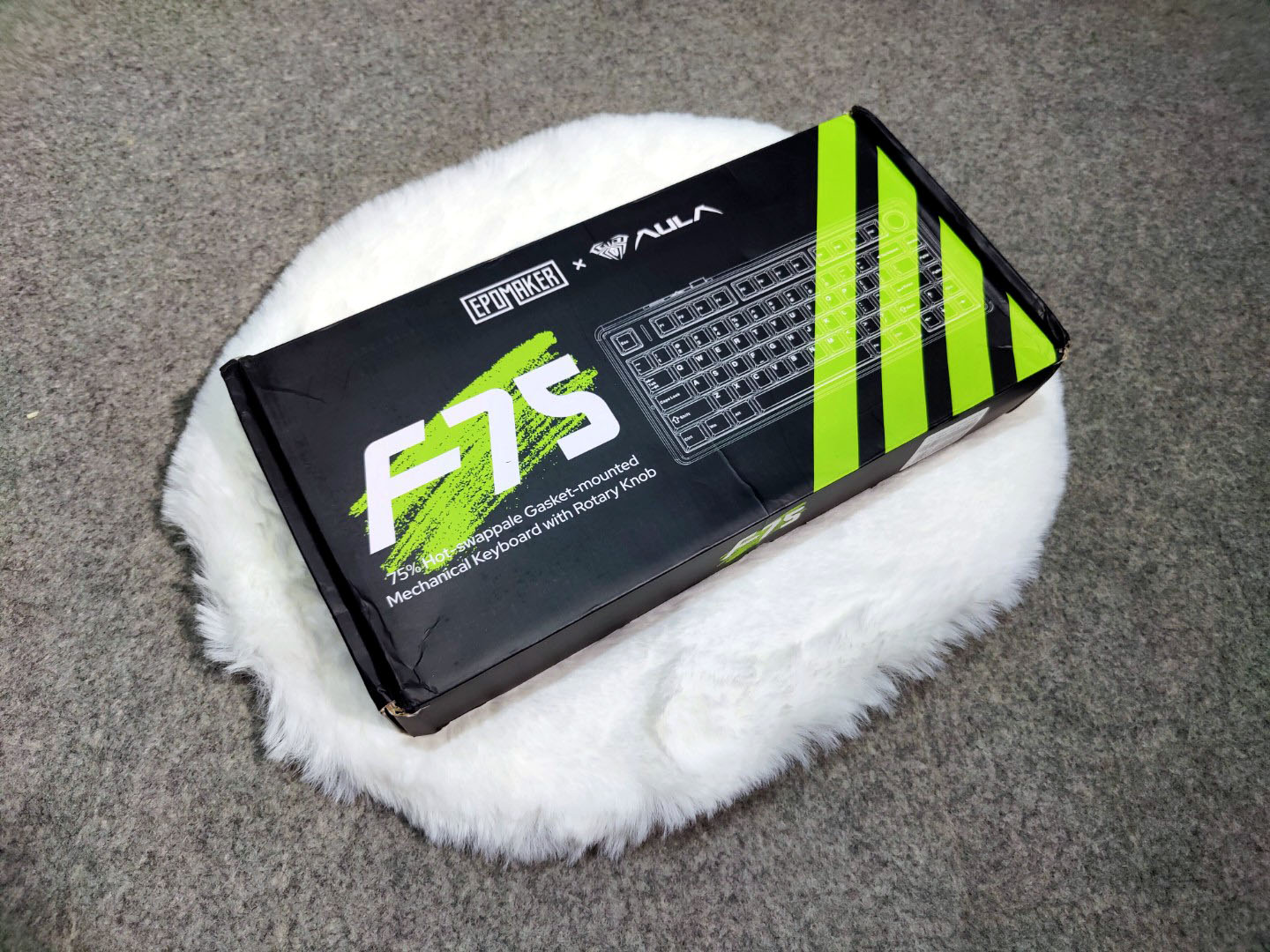
I wanted to set the stage for today’s focus: the Epomaker x Aula F75. This wireless mechanical keyboard could have easily sold for triple the price just a year ago without anyone questioning it. After using it for about a week, I’m completely baffled as to why this keyboard costs only $69.99.
Unboxing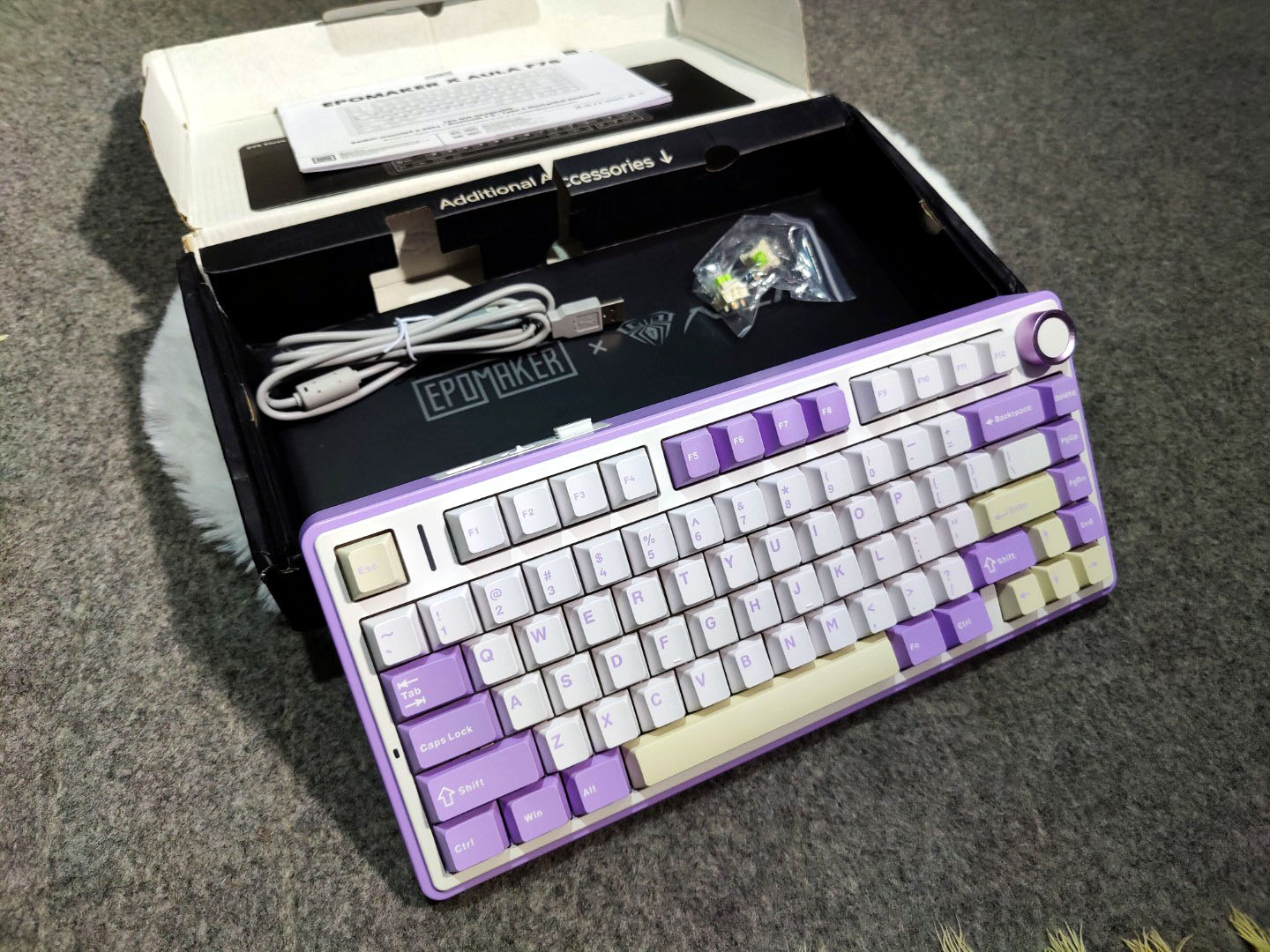
Open the keyboard’s outer box, and you’ll find the keyboard body covered by a dust cover and wrapped in a matte plastic bag. Behind it, the accessories and instruction cards are neatly stored.
When you check the contents, you’ll find the keyboard body, dust cover, Type-C transmission cable, double-headed key puller, instruction card, and two spare shafts. The inclusion of the spare shafts is a great bonus. Only this model and the Moka come with additional shafts.
Design and Build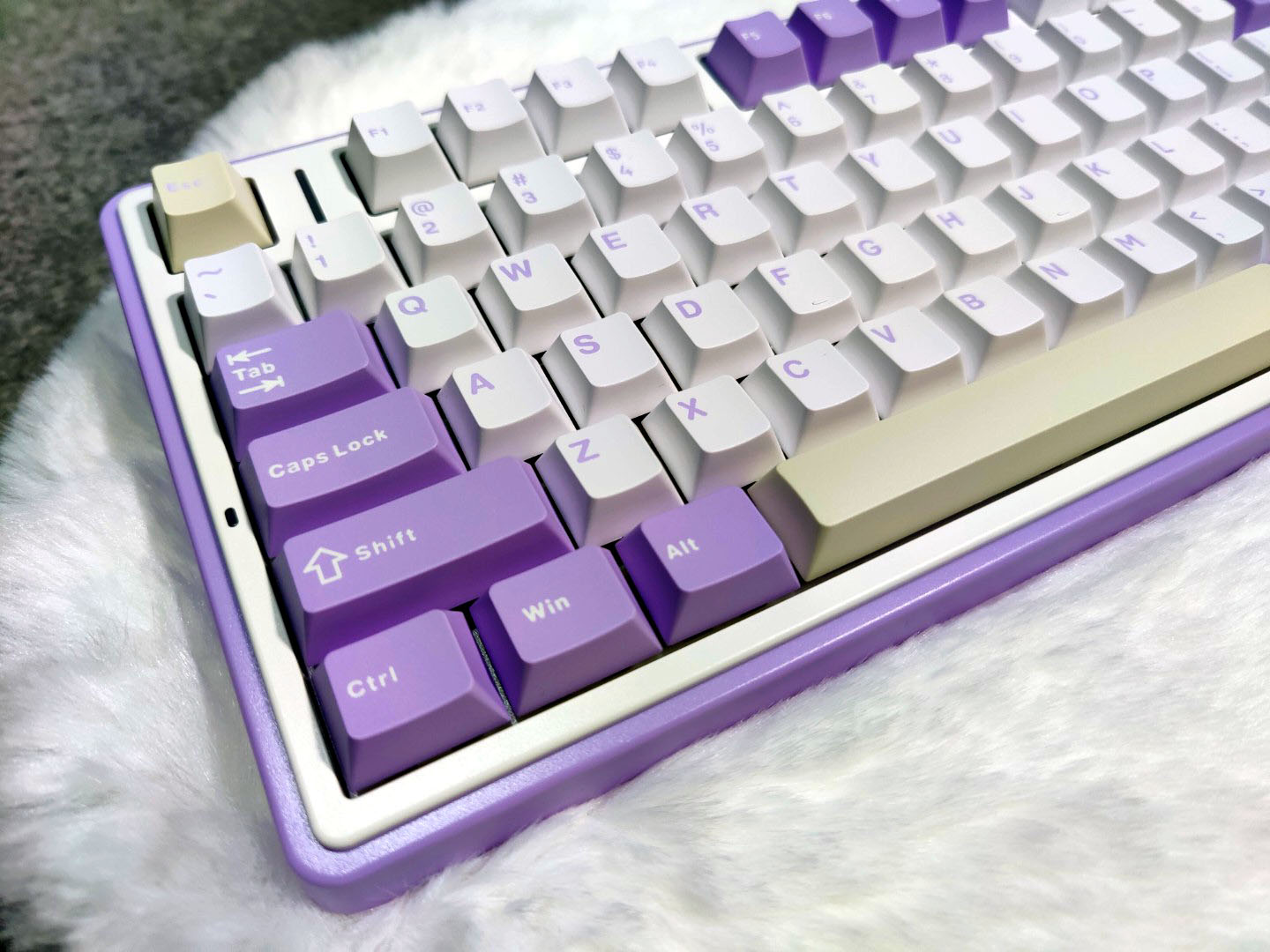
The Aula F75 three-mode mechanical keyboard features a 75% layout with 80 keys, or 81 if you count the multi-function wheel in the upper right corner. Its overall dimensions measure 322x143x43mm, and it weighs around 1023g. Despite lacking a metal positioning plate, the keyboard has a hefty feel.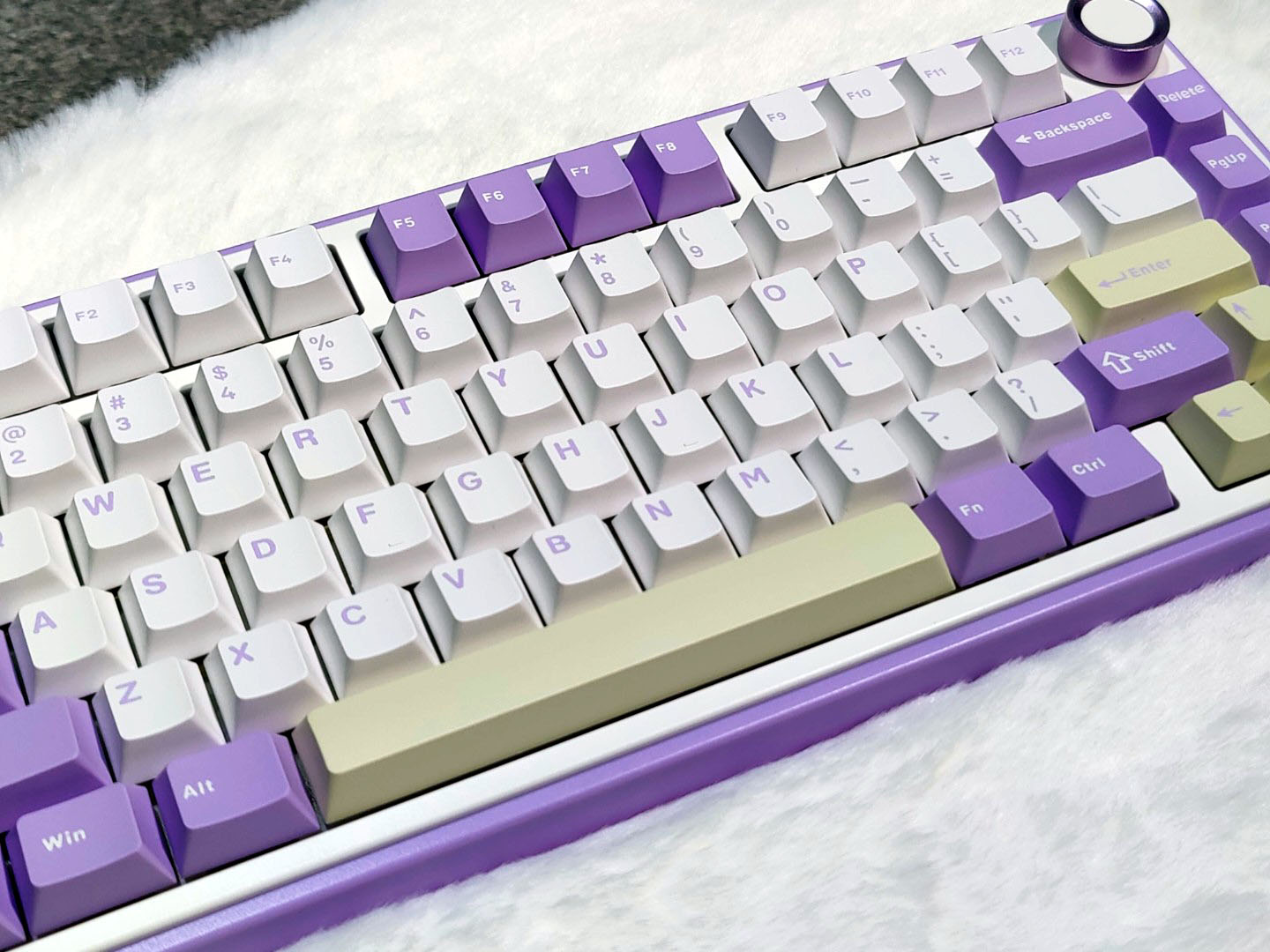
The Aula F75 uses the popular Gasket structure, designed with ample material to eliminate the hollow sound that can occur when pressing keys. This setup simplifies the trigger sound of the switches. The keyboard fully supports a 5-axis hot-swap, making it convenient for users to replace switches. It includes two TTC crescent switches and a key puller for added functionality.
The keycaps are made from two-color PBT material and come in a combination of yellow, gray, and black. This color scheme offers a balance of stability and liveliness. With 16.8 million colors available, the keyboard offers various lighting modes to choose from.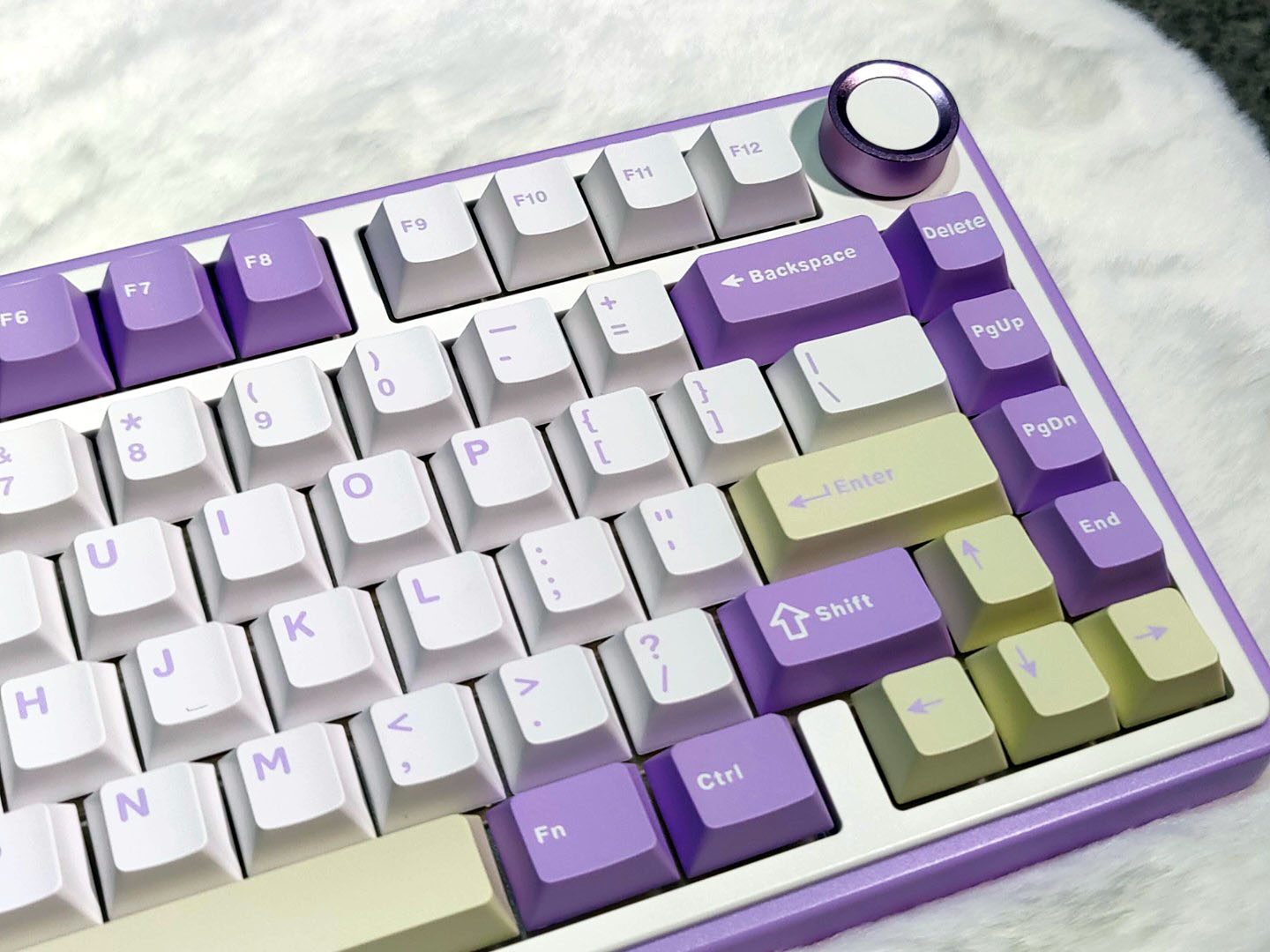
The independent direction keys are highly practical. The metal scroll wheel, positioned in the upper right, lets you adjust volume and switch lighting modes and brightness. Although the scroll wheel feels a bit weak, its damping provides the right amount of resistance.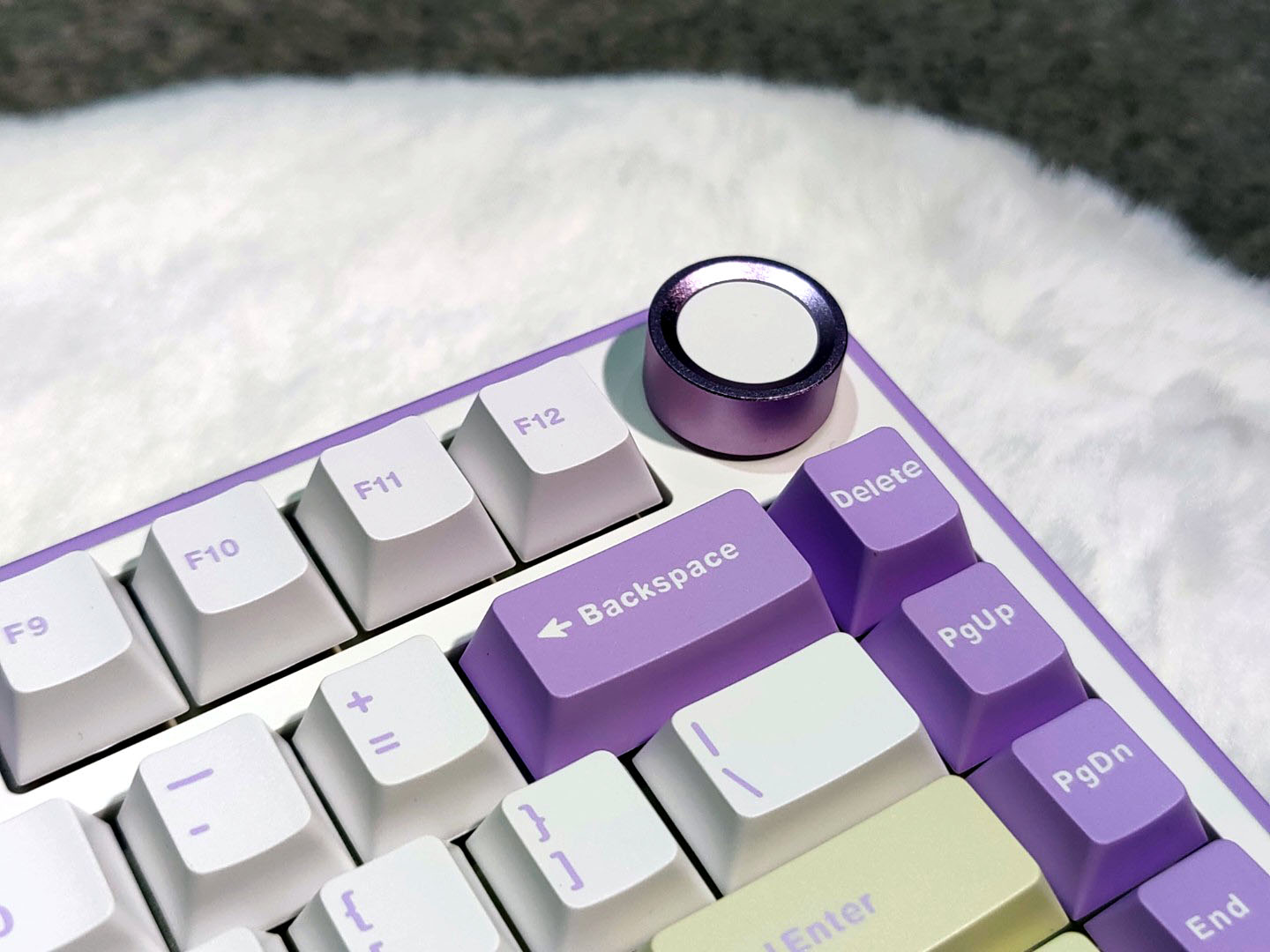
The left side of the keyboard also features a caps lock indicator. On the back of the keyboard, from left to right, you’ll find the magnetic storage compartment for the wireless receiver, the mode switch, and the USB-C charging port. The magnetic hold for the receiver is somewhat weak. The keyboard also uses two-stage support feet, with non-slip rubber on top of each one to keep the keyboard stable during use.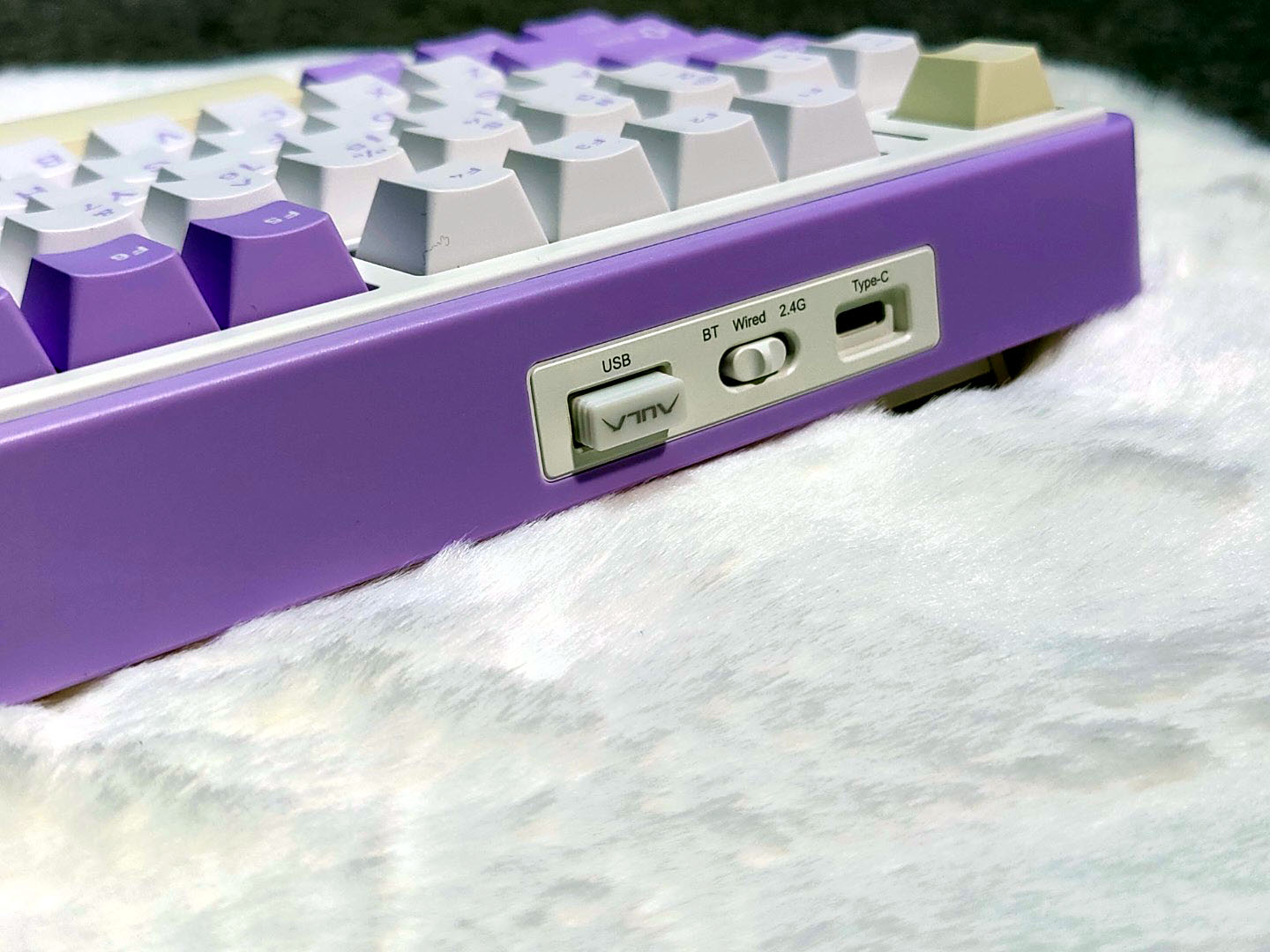
The gaps between the keys are uniform, indicating high mold precision. The keycaps, made from PBT two-color technology, have a delicate matte texture, though there are minor issues with the injection-molded text, such as uneven reflection around the letters. The letters “S” and “C” on the ESC key feel slightly uneven, but the other characters are fine. The large keys use satellite switches, which have been finely tuned. Both the up and down keys lack the mushy feel typical of larger keys.
Switches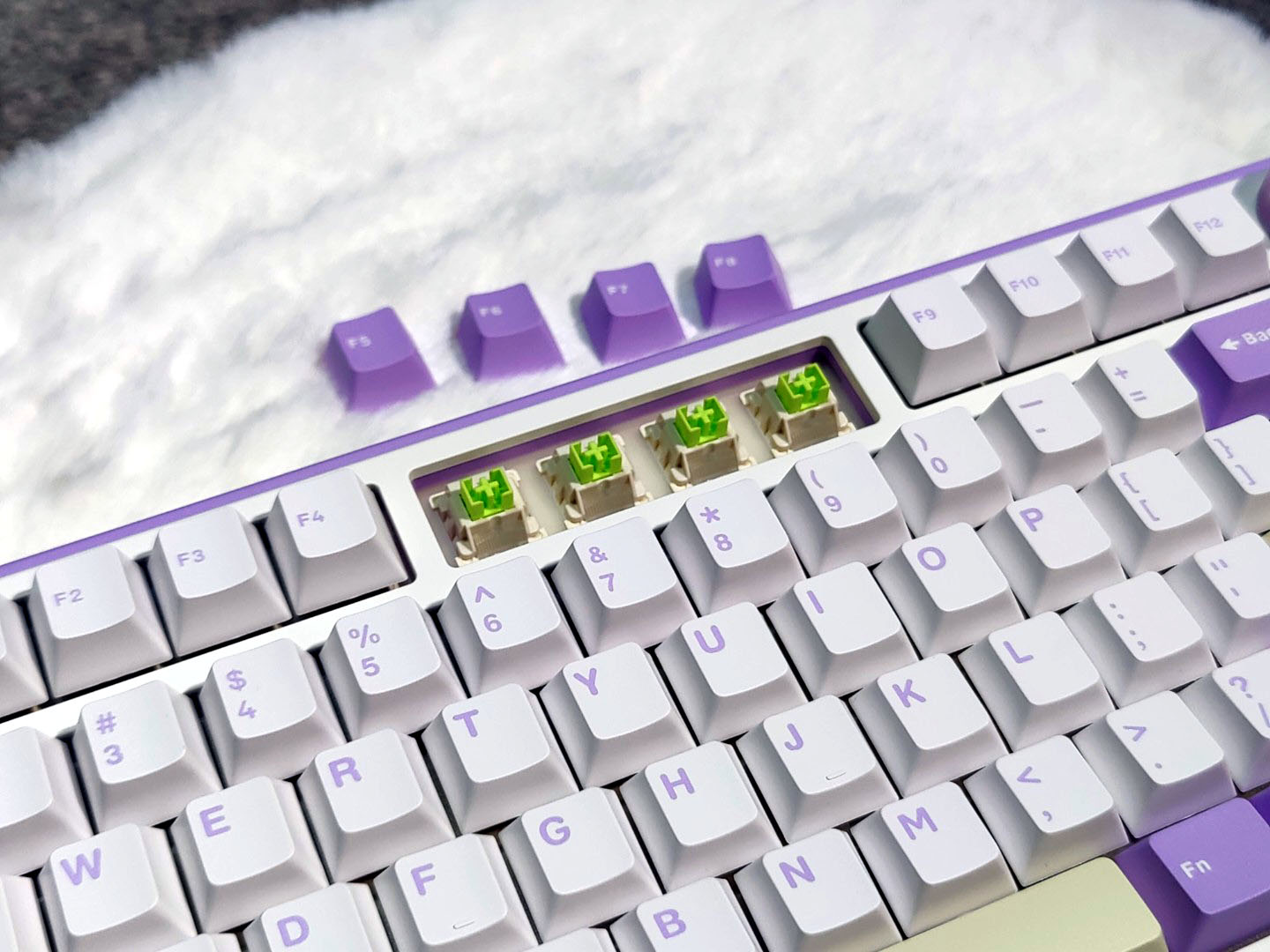
The TTC Crescent axis, designed by Aula and TTC specifically for the F75 keyboard, features a total stroke of 3.6mm and a trigger stroke of 1.5mm. With a trigger pressure of 42gf, this linear light trigger axis offers a fast response, though not as quick as the 1.08mm Quicksilver axis. The bottoming sound is muffled, but it gives a full sense of confirmation. Due to the soft keyboard filling and the lack of a metal positioning plate, pressing in the middle of the keyboard feels soft, while triggering on the sides feels more solid. This difference results from the keyboard’s design, not the axis itself. The TTC Crescent axis has a lifespan of up to 80 million key presses, making it suitable for work or gaming and expected to last 3-5 years without issues.
The keyboard supports hot-swappable axes. You can easily unplug an axis and check its position, as it accommodates 5-pin axes with the light body placed upwards.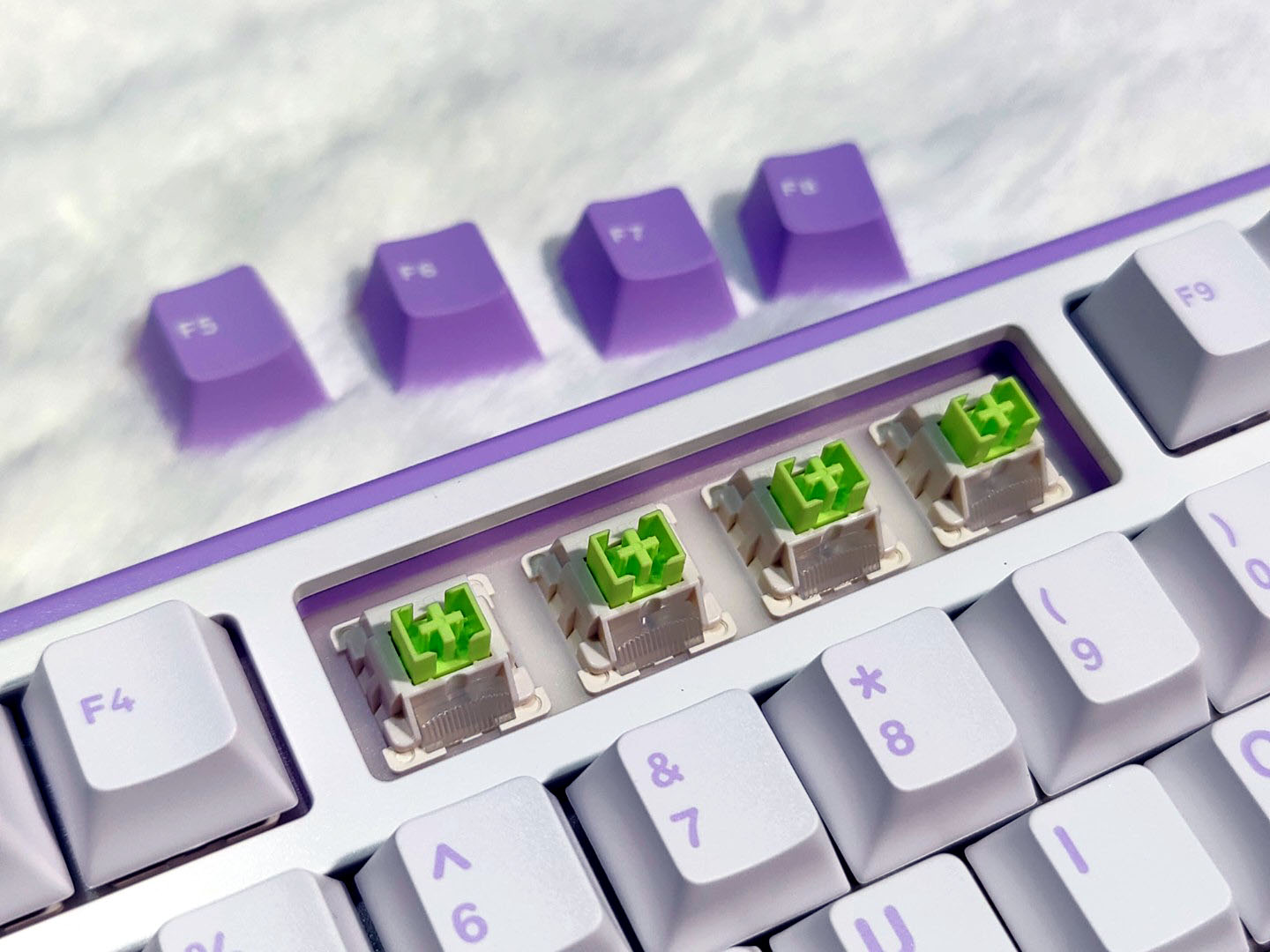
As for lighting effects, the keyboard comes equipped with a 1.8-meter data cable, a key puller, and two TTC Crescent axes. I also examined the internal structure by disassembling one of the switches. The TTC logo on the switch is subtle and visible only at certain angles. The light yellow axis incorporates TTC’s dust-proof wall structure and a condenser to boost light brightness. The terminal pins at the bottom of the shaft are silver, while the spring terminals are yellow. The terminals use silver plating, and the springs are made of copper alloy. This combination reduces production costs while maintaining durability, a method used by many manufacturers.
When the axis bottoms out, its top sits about 1mm higher than the upper cover. The axis, factory-lubricated for smooth operation, includes a two-stage spring for a slower trigger feel. The shrapnel and terminals are streamlined, reducing the lateral distance to minimize vibration and noise. Both axis and keyboard manufacturers continuously push the boundaries to refine these components to their fullest potential.
Four Function Keys
Aula includes four function keys on the side—Delete, Page Up, Page Down, and End—and manages to fit a volume knob in the top right corner. The knob, finished with a silver coating (which gives the impression of aluminum but is likely plastic), features an indented white top. It functions in two modes: Office Mode and Game Mode, and you can switch between these by holding the knob for a few seconds until the Win key and the Caps Lock key flash three times.
In Office Mode, rotating the knob clockwise or counterclockwise adjusts the volume, while pressing it mutes or unmutes the audio. In Game Mode, pressing the knob cycles through 16 different lighting effects, and rotating it increases or decreases the RGB brightness. You can also change the RGB effects with FN +, and adjust brightness with FN + Up or Down arrow keys. Using the knob in Office Mode offers a more convenient way to control volume compared to using FN + 11, 12, and 10 for volume adjustments and muting.
For I/O ports, the keyboard includes a USB-C port for wired mode or battery charging, a switch to toggle between 2.4GHz and Bluetooth wireless connectivity, and a small compartment to store the wireless USB dongle.
The back of the keyboard is simple, with a shiny brand sticker in the center, four gray rubber feet to prevent sliding, and two dual-adjustable stands to elevate the keyboard as needed.
Battery
The built-in 4000mAh lithium battery powers the Aula F75, offering a battery life of about two months. For extended battery life, it’s recommended to disable the lighting effects. The keyboard’s maximum brightness is impressive, though the light from the opaque PBT keycaps only shows through the gaps between them.
While charging, the power indicator light in the upper left corner flashes from bottom to top and automatically turns off once fully charged. During use, the light flashes from top to bottom, and a shortcut key lets you switch off the indicator.
Connectivity
The Epomaker x Aula F75 offers several connectivity options: USB-C wired, Bluetooth 5.0, and wireless via a 2.4GHz USB dongle. The box includes a standard straight rubber USB-C cable. While I prefer using my keyboards in wired mode, all three modes performed smoothly during my testing.
The keyboard features a switch on the back for mode changes and includes a magnetic garage for the USB dongle. I appreciated the open USB-C port on the back, which isn’t deeply recessed in the case, making it compatible with most third-party USB-C cables. It worked perfectly with my favorite coiled USB-C cable during testing.
Verdict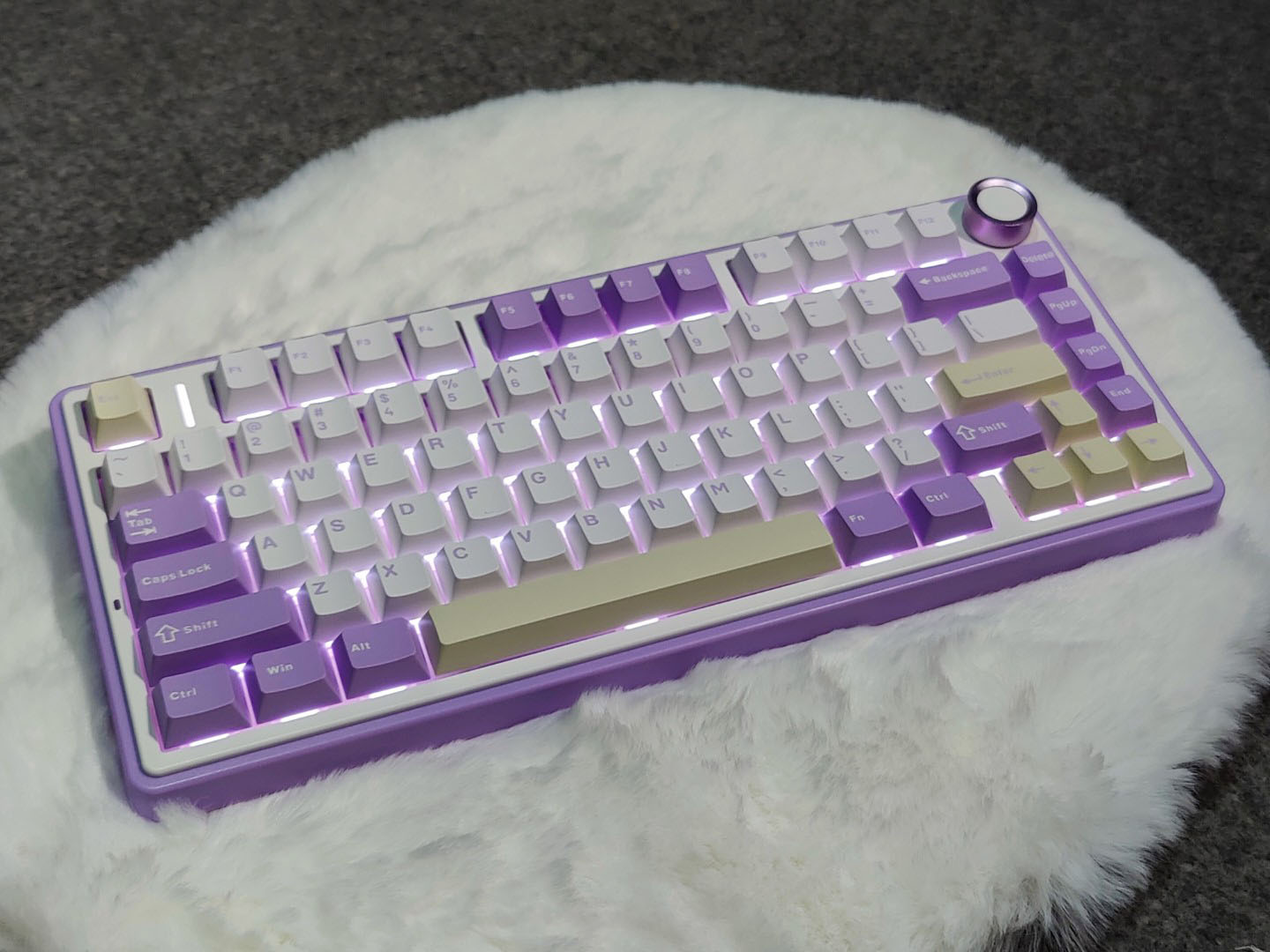
A keyboard that outperforms the competition from rival manufacturers is not necessarily perfect. As the saying goes, you get what you pay for, but this type of keyboard often offers great value for the price. The Aula F75 three-mode mechanical keyboard stands out with its impressive quality. Its three-mode solution is highly refined, and the lighting effects are excellent. I conducted both a wake-up test and a USB receiver interference test. The wake-up response is quick, and there are no interference issues when a USB device or other device is placed near the receiver.
In addition to the TTC crescent axis, the keyboard offers three other axis options from various manufacturers. For those interested, relevant axis details can be easily found. The feel of the keycaps is decent, but due to the injection molding process, the color of the particles on the surface of the keycaps can appear uneven under certain lighting. This is likely a result of cost control measures. While it doesn’t affect functionality, users with obsessive-compulsive tendencies might find it bothersome.
Regarding the PCB single-key slots, I’ve discussed this design with friends who are into peripherals. The idea behind it is to create a softer feel when the keys bottom out. This softness is achieved by reducing the rigidity of the PCB key area. However, based on my personal experience, it’s difficult to achieve a truly soft feel with the single-key slot and Gasket architecture. For my preferences, I find hard feedback at the bottom more comfortable and the confirmation more precise. The design intended to provide a soft feel doesn’t quite deliver that sensation. Some manufacturers now allow adjustments to the softness of their keyboards, offering multiple levels that truly let you feel the difference.
Read Also: AULA F75 Tri-mode Customized Mechanical Gaming Keyboard Review-Upgrade Your Gaming Setup