Facebook Twitter Instagram
    Trending
    • JNR Falcon-X⁺ 28K: The Christmas Countdown Deal: Precision, Power & Pure Convenience
    • How to Keep Your Rummy Skills Sharp
    • Uwell Caliburn G5 Lite SE Pod System Kit Review: Premium Simplicity Refined
    • Uwell Caliburn G5 Lite KOKO Pod System Kit Review: Compact Power, Uncompromised Flavor
    • Uwell Caliburn G5 Lite Pod System Kit Review: Refined Simplicity, Unmatched Flavor
    • Quantum AI App, Useful or Not?
    • How to Troubleshoot and Fix a Vape That Won’t Charge?
    • How to Troubleshoot iPhone Personal Hotspot Issues
    Facebook YouTube
    Login Register
    IGeeKphone China Phone, Tablet PC, VR, RC Drone News, Reviews
    • HOME
      • NEWS
        • DeepSeek
        • ChatGPT
        • Minecraft
    • Amazon
    • CHRISTMAS
    • PHONE
      • Top Phones For Your First Choice
      • Phone Comparison
      • Xiaomi
      • Blackview
      • Unihertz
      • Doogee
      • Black Shark
      • Geekbuying
      • Banggood
      • TEMU
      • TikTok
      • Aliexpress
      • Walmart
      • Newegg
      • MercadoLibre
      • Lazada
    • TOP VAPE Awards for 2025
    • VAPES
      • E-CIGAR Upcoming
      • Vape News
      • Vape Market Trend
      • Vape Deals
      • Expo News
      • Vape Comparison
      • Vape Guide
        • Guide For Beginners
        • Guide for Best Users
      • Giveaway
    • BEST VAPE
      • Best Vape Stores
      • Best Starter Vape Kits
      • Best Vapes for Beginners
      • Best Disposable Vapes
      • Best Pod Systems
      • Best Pod Mod Vapes
      • Best Mods
      • Best Nicotine Pouches
      • Best Clearomizers/Tanks
      • Best E-Liquid
      • Best EGO/Pens
      • Best Vapes for Nic Salt E-Juice
      • Best Vapes to Quit Smoking
      • RDA vs. RDTA vs. RTA
    • Best Vape Brand 2025
      • VAPORESSO
      • VOOPOO
      • OXVA
      • NEXA BAR
      • ORIONBARTECH
      • MASKKING VAPE
      • VEIIK
      • MEMERS
      • SP2S
      • JNR
      • TODOO
      • MRFOG
    • REVIEW
      • E-cigar Review
      • Phones
      • Tablet PC
      • TV Box
      • RC Drone
      • Wearables
      • Camera
      • Accessories
      • VR Headset
    • MORE
      • 3D PRINTER
        • 3D Printer Review
        • Anycubic
        • FLSUN
        • Xtool
        • LONGER
        • Top 3D printer to Choose First
      • TREND
      • CLOTHES
      • AUTO CAR
      • POWER STATION
        • Oukitel
        • FOSSIBOT
      • GAMING
        • Top Gaming Products
      • E-BIKE
        • Samebike
        • Happyrun
        • ENGWE
      • TABLET
        • Chuwi
        • INNOCN
        • Teclast
        • Top Tablet for Your First Choice
        • Tablet/Laptop Comparison
      • WEARABLES
        • OneOdio
        • BlitzWolf
        • Top Smartwatch for First Choice
      • SMART HOME
      • TV BOX
        • Chuwi mini pc
        • Beelink
        • GMKTEC
        • MOREFINE
      • RC DRONE
        • DJI
        • MJX
        • JJRC
        • Hubsan
        • Top RC Drone
      • CAMERA
        • Gopro
        • Insta360
        • Andoer
      • ACCESSORIES
      • VR HEADSET
      • ROM
        • SAMSUNG
        • XIAOMI
        • ASUS
        • MEIZU
        • LENOVO
        • HUAWEI
        • ONEPLUS
        • ZTE
        • UMIDIGI
        • DOOGEE
        • HOMTOM
        • ELEPHONE
        • ULEFONE
        • BLACKVIEW
        • VERNEE
        • LEAGOO
        • CHUWI
        • TECLAST
        • PIPO
        • TV BOX ROM
    • DEAL
    • Shop
    IGeeKphone China Phone, Tablet PC, VR, RC Drone News, Reviews
    You are at:Home»REVIEWS»Accessories»Epomaker P75 Review: A Solid Budget 75% Mechanical Keyboard for Beginners
    Accessories

    Epomaker P75 Review: A Solid Budget 75% Mechanical Keyboard for Beginners

    Habib QaziBy Habib QaziDecember 12, 2024
    Facebook Twitter Pinterest LinkedIn Tumblr Email

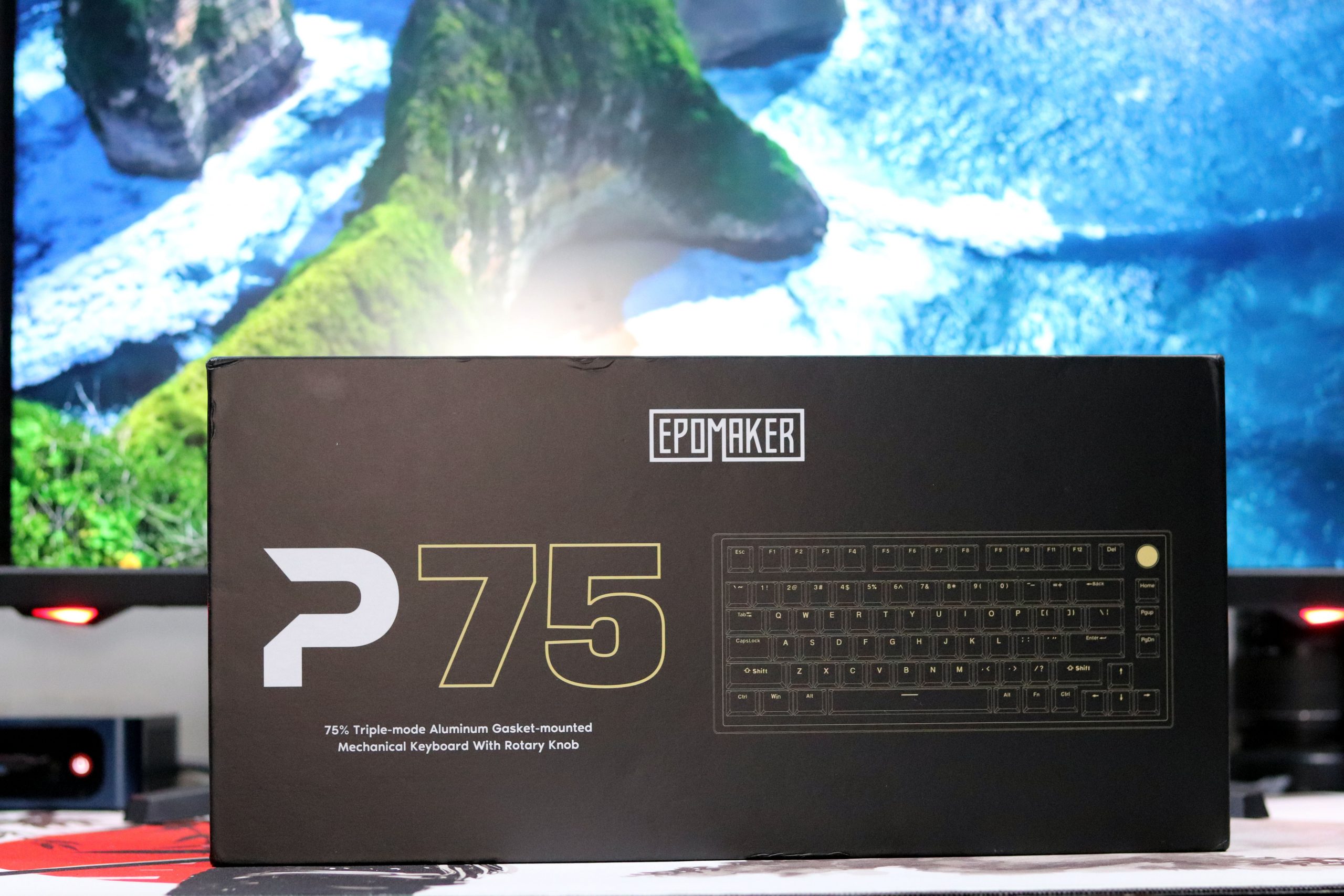
    Welcome back guys, today we come with the new Epomaker P75 their new budget-friendly 75% board, and I’ve spent some time with it, so I’m ready to dive into the details and give you my honest thoughts.

    Before we get started, a quick thanks to our sponsor, Epomaker. they sell many custom brand keyboards at the best price as compared to the market.  And just to be clear, Epomaker sent this board over for review, but no one’s paying me to say anything specific. I’ll be giving you my honest, unbiased take on the P75, so let’s unbox it and see what it’s all about.

    Unboxing

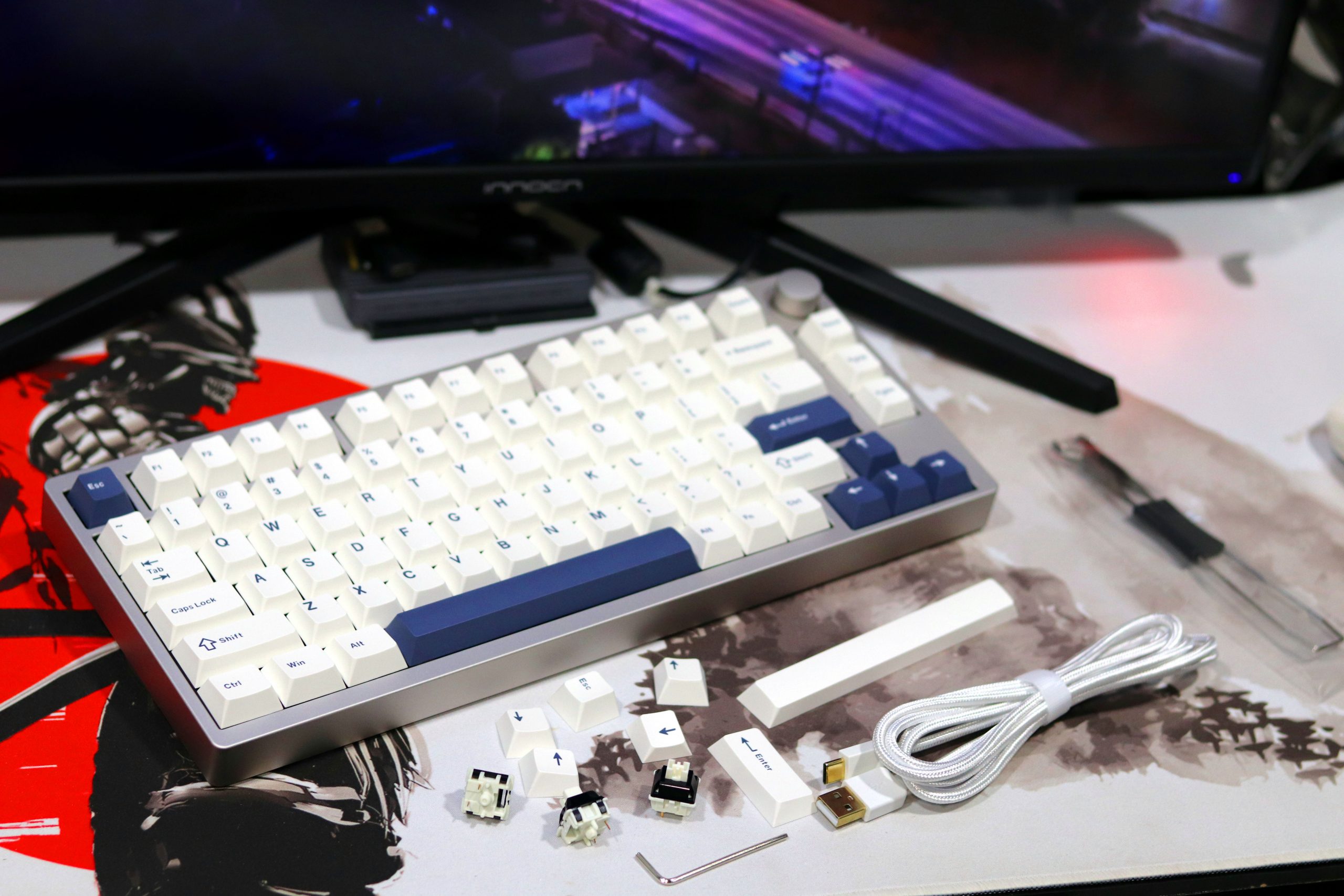
    Inside the box, the Epomaker P75 unboxing experience is straightforward but thoughtfully arranged. Opening the sturdy, minimalist packaging, I was immediately greeted with the user manual, which I highly recommend reading—especially if you’re new to mechanical keyboards. Beneath the manual, you’ll find a neatly bundled USB-C cable that feels durable, along with a switch and keycap puller. These tools are always a nice touch for those venturing into modding or just planning to swap out switches or keycaps. Also included are a few accent keycaps, which add a splash of personalization right out of the box. The inclusion of these essentials reflects the P75’s focus on both functionality and user convenience.

    The presentation is efficient yet not lacking in charm. I appreciated the snug compartment for the 2.4 GHz dongle at the keyboard’s base—a thoughtful addition that avoids misplacement. Having used the keyboard for three weeks now, I’ve come to value this small but impactful design choice. It’s these little touches, combined with the board’s overall solid construction, that reinforces its appeal as a reliable, beginner-friendly option. Everything inside the box feels purposeful, ensuring that even first-time keyboard enthusiasts have everything they need to dive right in.

    Design and BuildEpomaker P75
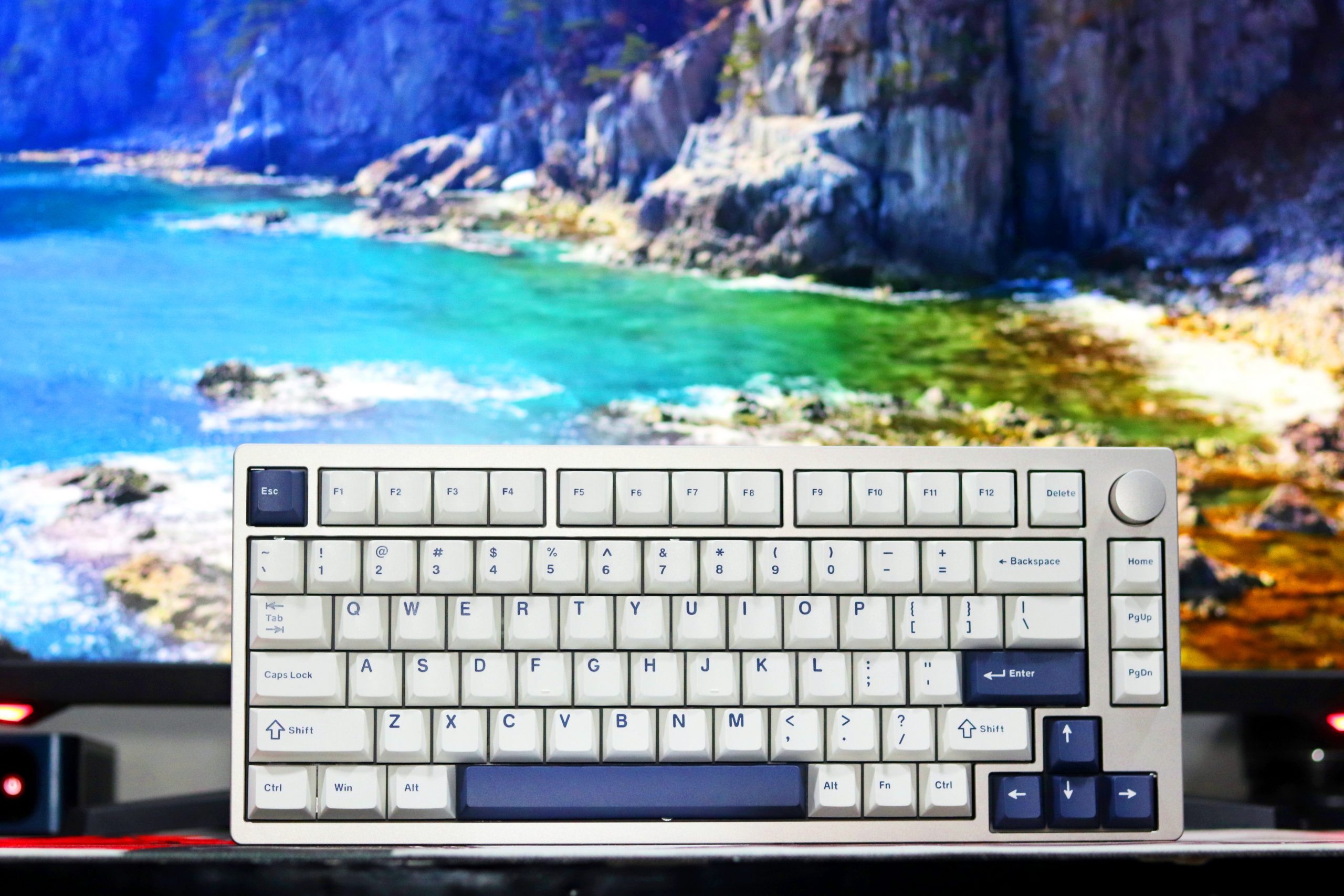
    When I unboxed the Epomaker P75, I was struck by its sleek and minimalist approach to a 75% keyboard design. At first glance, the anodized aluminum case in the silver variant looked refined, offering a blend of smoothness with a touch of texture that speaks to a premium finish. It’s impressive that a keyboard at this $99 price point manages to deliver this level of craftsmanship. For those who prefer a darker aesthetic, the P75 is also available in black, maintaining the same anodized quality.Epomaker P75
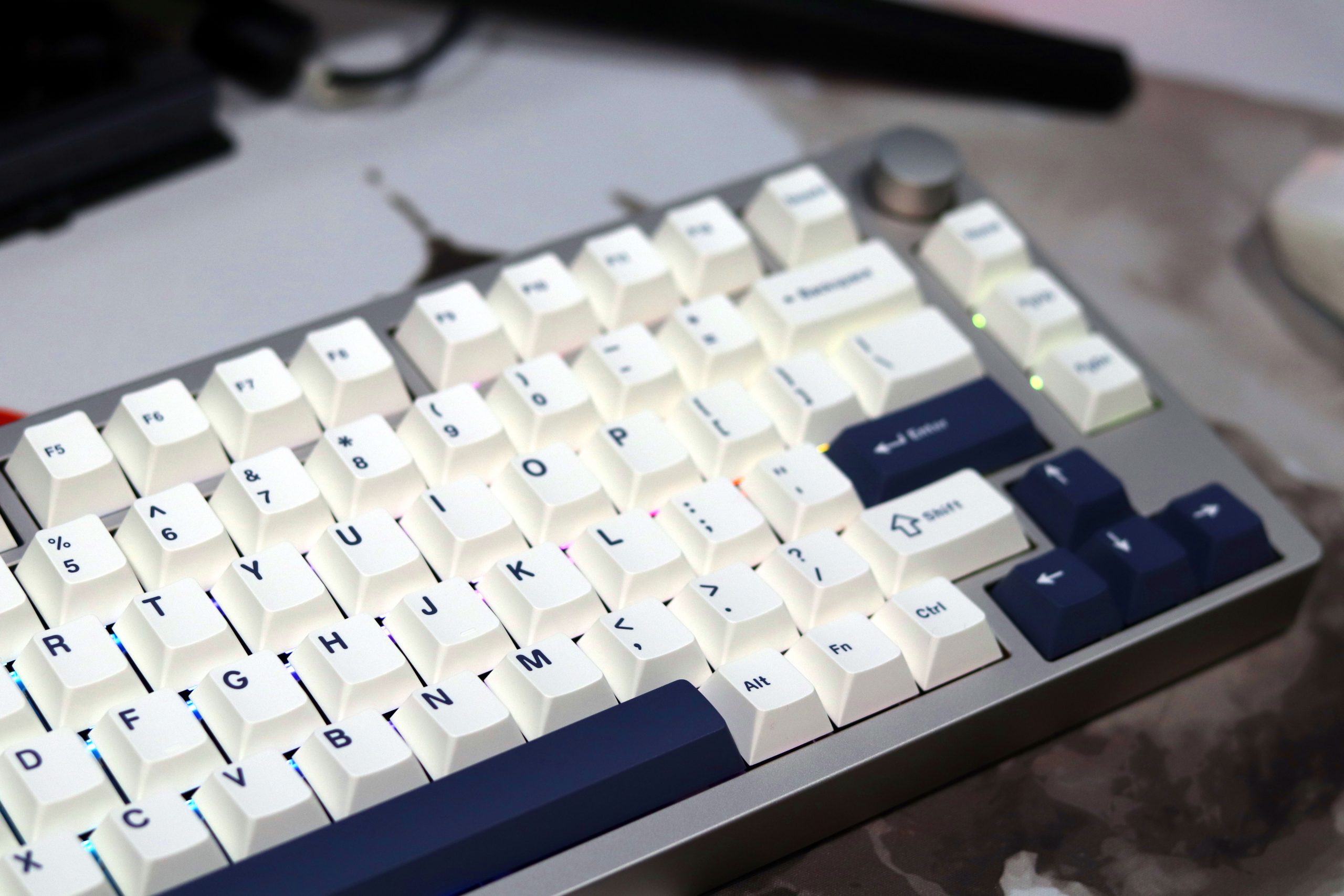
    The layout is what you’d expect from a 75% keyboard—a clean exploded arrangement with dedicated arrow keys and a metal knob for volume control. The knob, though not revolutionary in 2024, is still a welcome addition, adding a tactile element for quick adjustments. I particularly enjoyed the symmetry it lends to the top-right corner.Epomaker P75
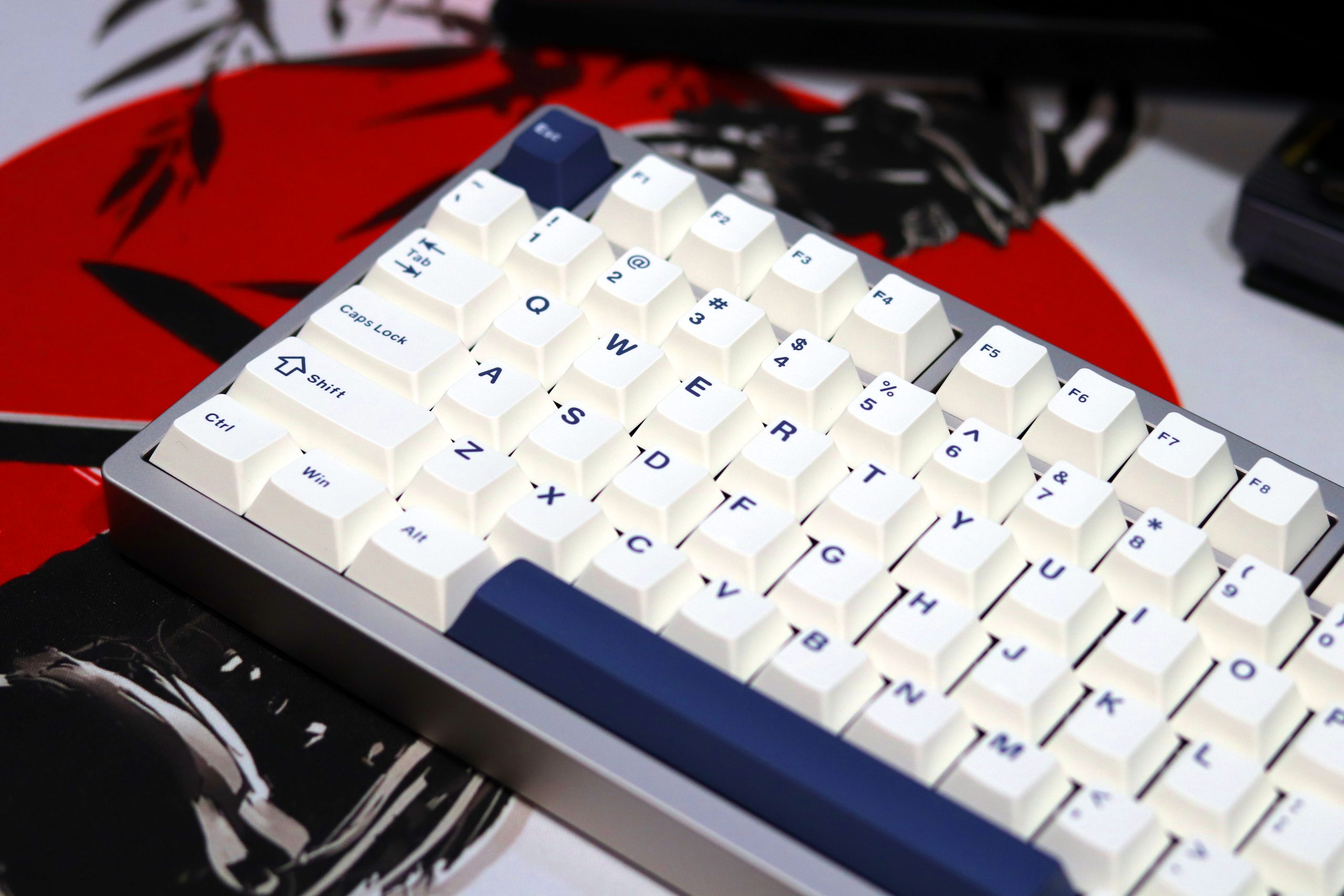
    The metal knob on the Epomaker P75 is a standout feature, blending function with a touch of elegance. Positioned in the top-right corner, it offers effortless media control, allowing you to adjust volume or toggle through settings with a smooth, tactile response. The anodized finish matches the keyboard’s minimalist aesthetic, making it feel cohesive and premium.

    Build Quality
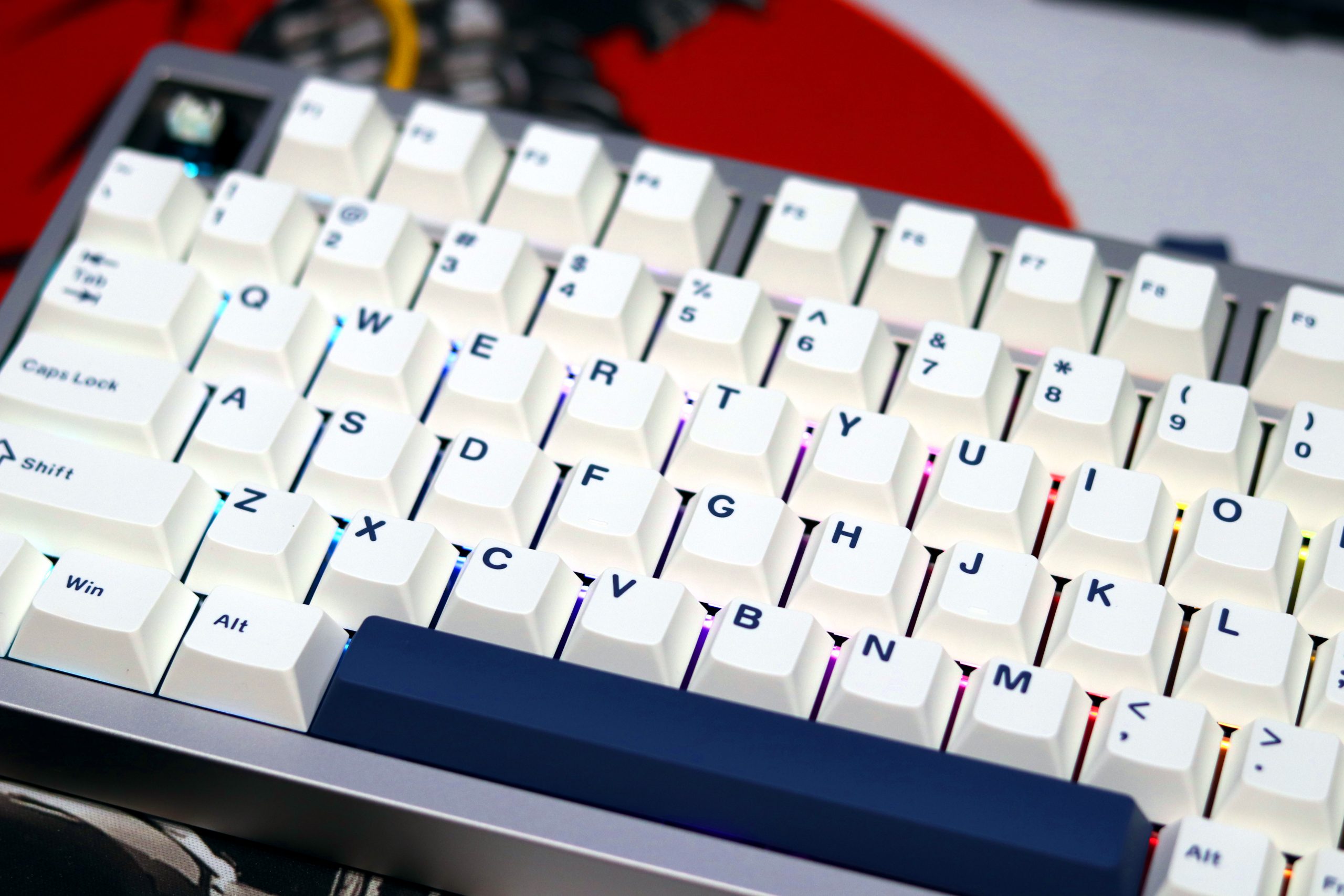
    The P75 sports a full aluminum construction, which gives it a sturdy and premium feel. The gasket mounting ensures a soft, balanced typing experience with just enough flex to be satisfying without feeling mushy. The wedge-shaped profile is conventional, offering a slight angle that feels ergonomic without demanding wrist support.
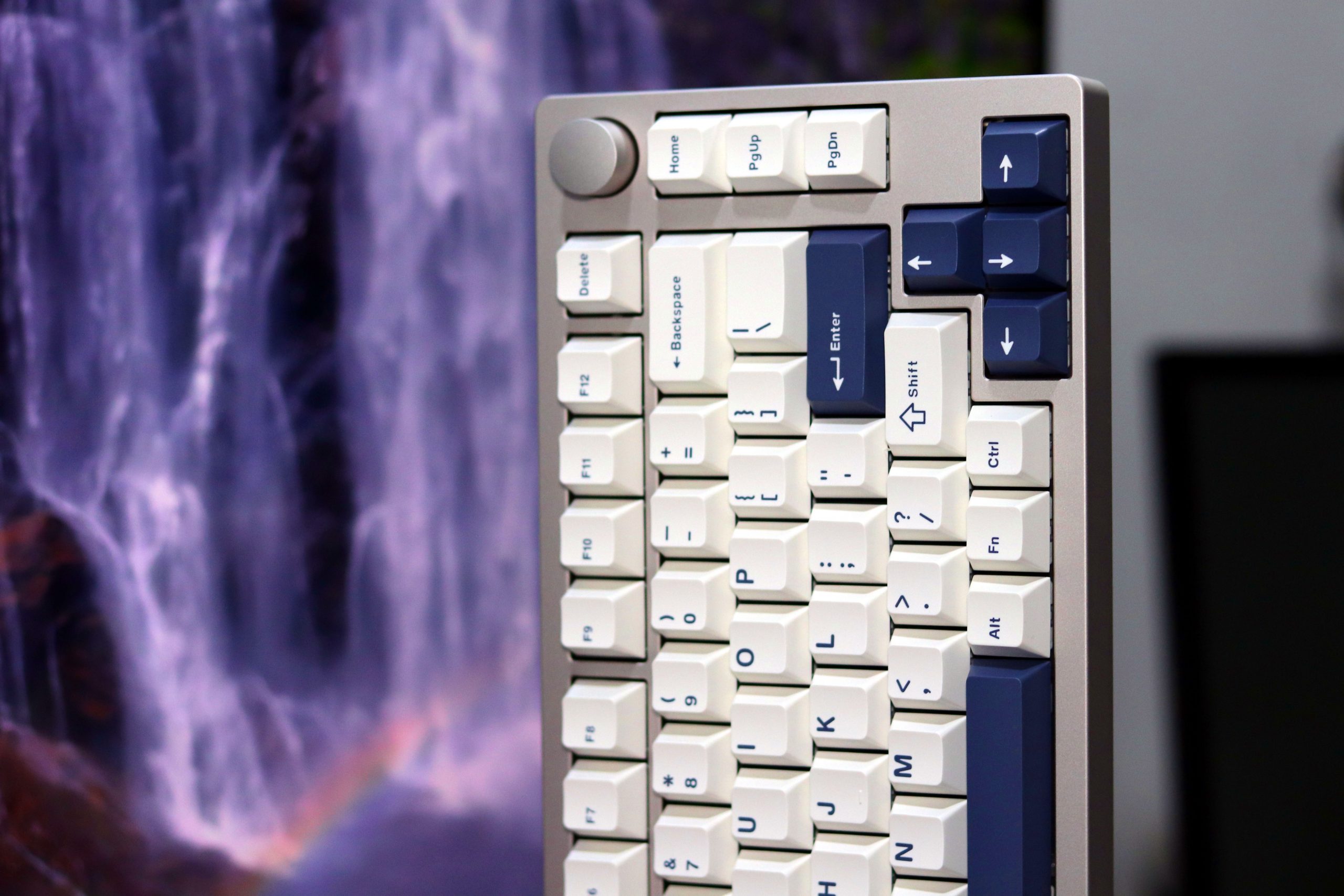
    One detail I noticed was the USB-C port placement on the far-left corner of the front side. While functional and space-saving (doubling as a compartment for the 2.4GHz dongle), I would have preferred a center-aligned port for easier cable management. However, the toggle switch located nearby is a thoughtful touch, making it easy to switch between wired and wireless modes without removing any keycaps.

    Keycap
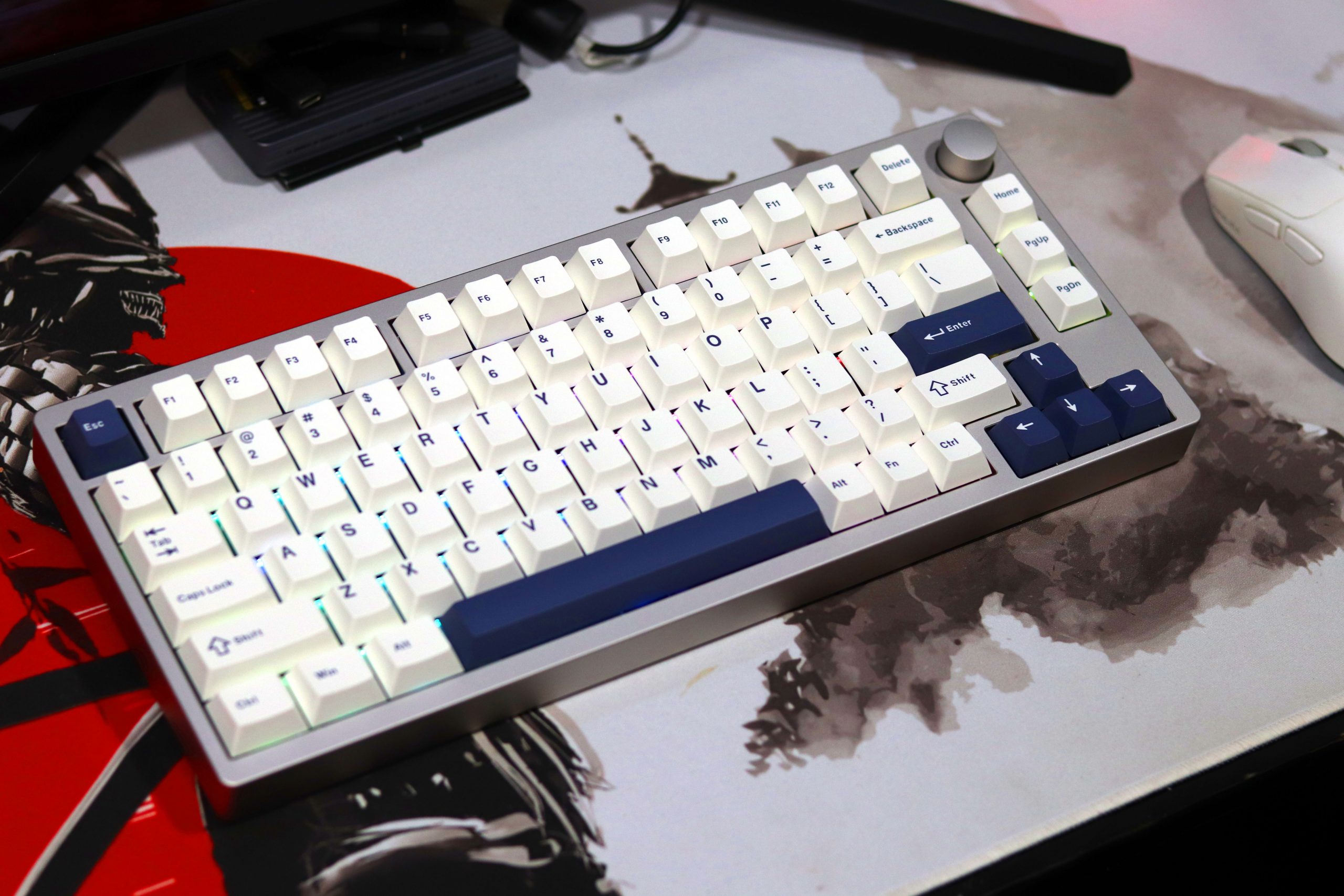
    Out of the box, the PBT keycaps caught my attention. Their thickness and quality are commendable, and the legends are sharp, almost reminiscent of a GMK set in terms of clarity. The rougher texture on the caps gives a pleasant tactile feel during extended typing sessions, though this might not appeal to those who prefer smoother surfaces.

    Back Design and Branding
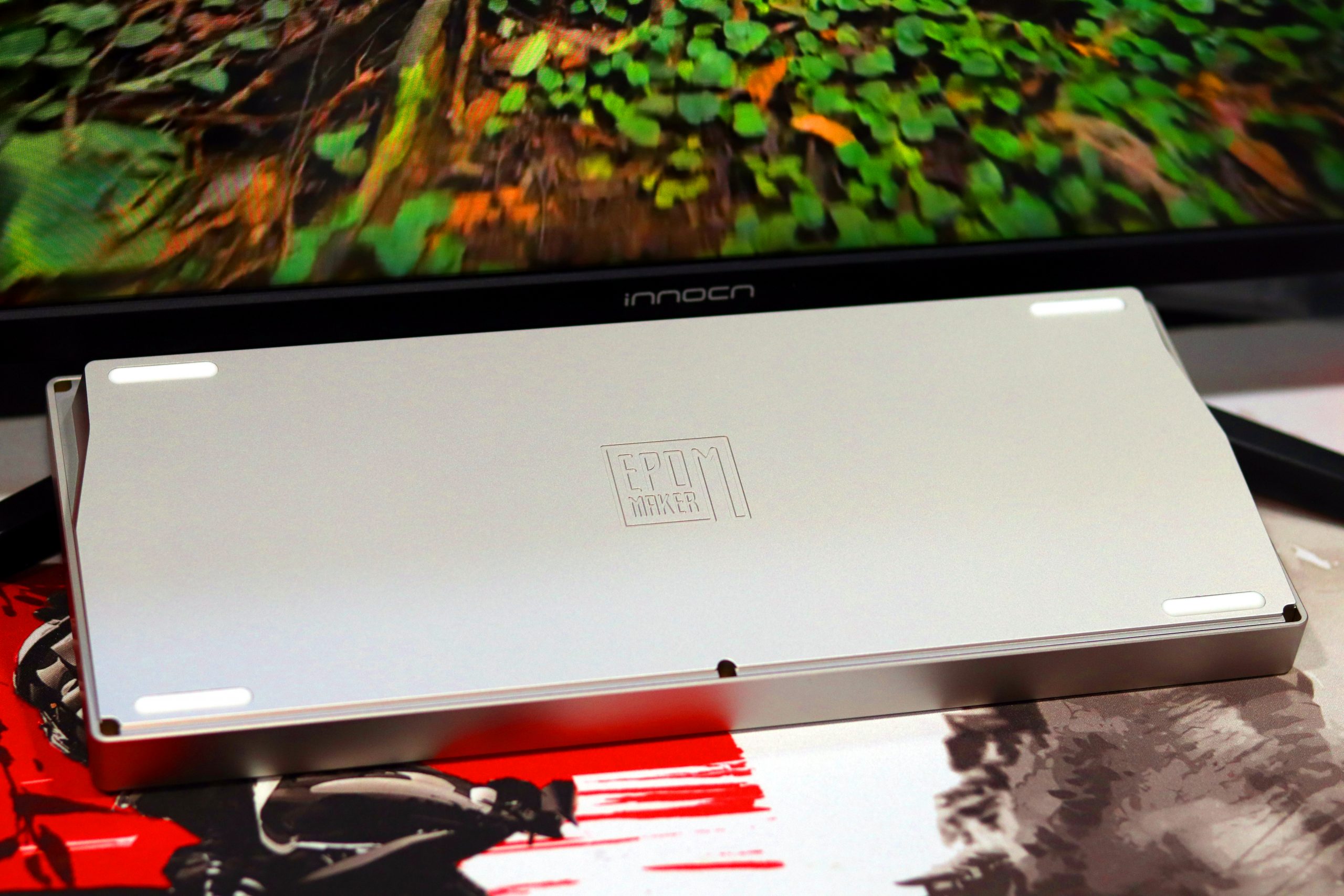
    Epomaker P75

    Flipping the keyboard over reveals a clean and minimal back panel, with a small, engraved Epomaker logo that feels unobtrusive yet polished. The simplicity here complements the overall theme of the keyboard, catering to those who prefer understated aesthetics.

    Switch Experience
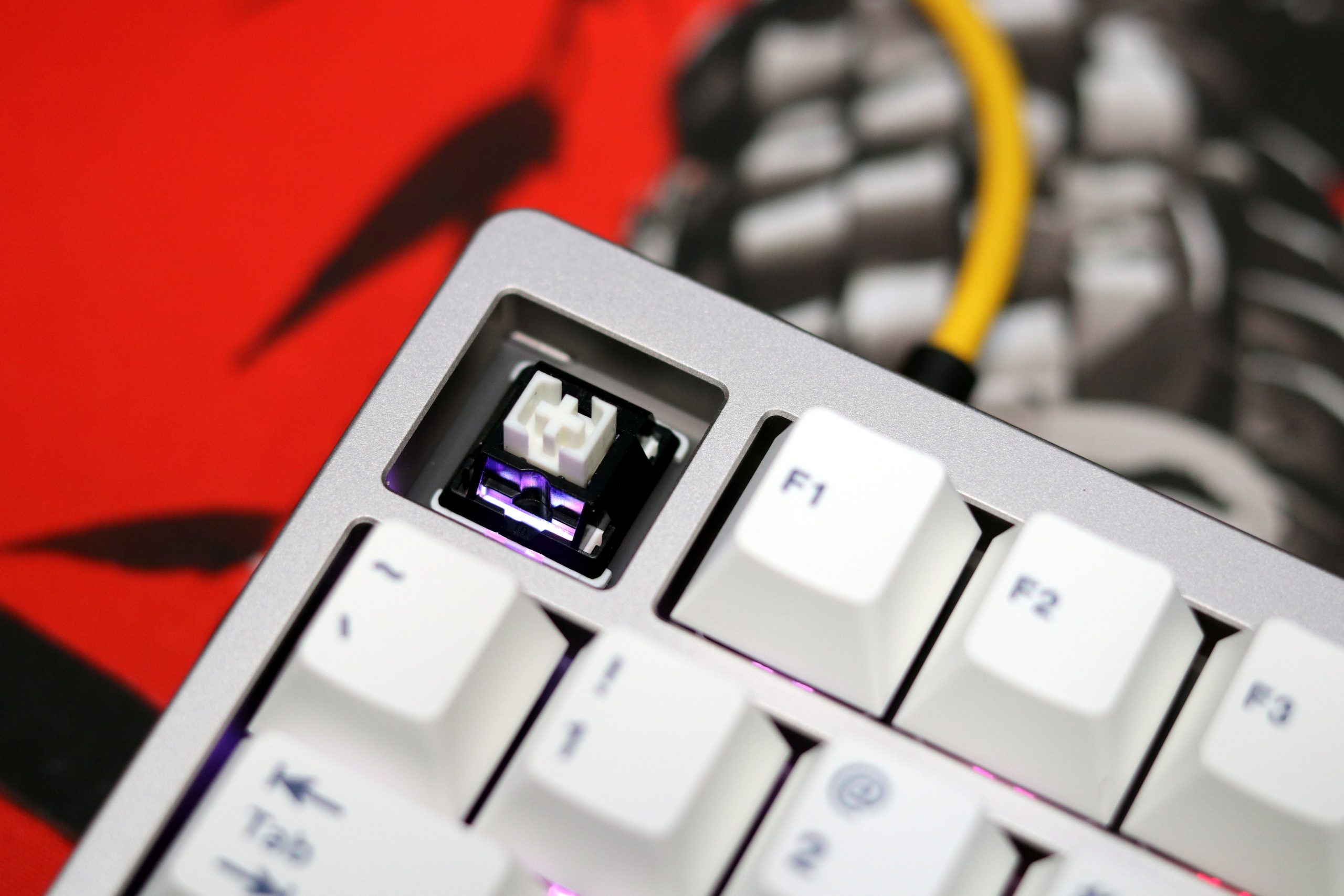
    One of the standout aspects of the Epomaker P75 is the flexibility it offers with its pre-installed switches. You can choose between Epomaker Zebra linear, Gateron Vistero linear, or tactile, depending on your preference. Here’s my experience after testing each switch option over three weeks:

    Epomaker Zebra Linears
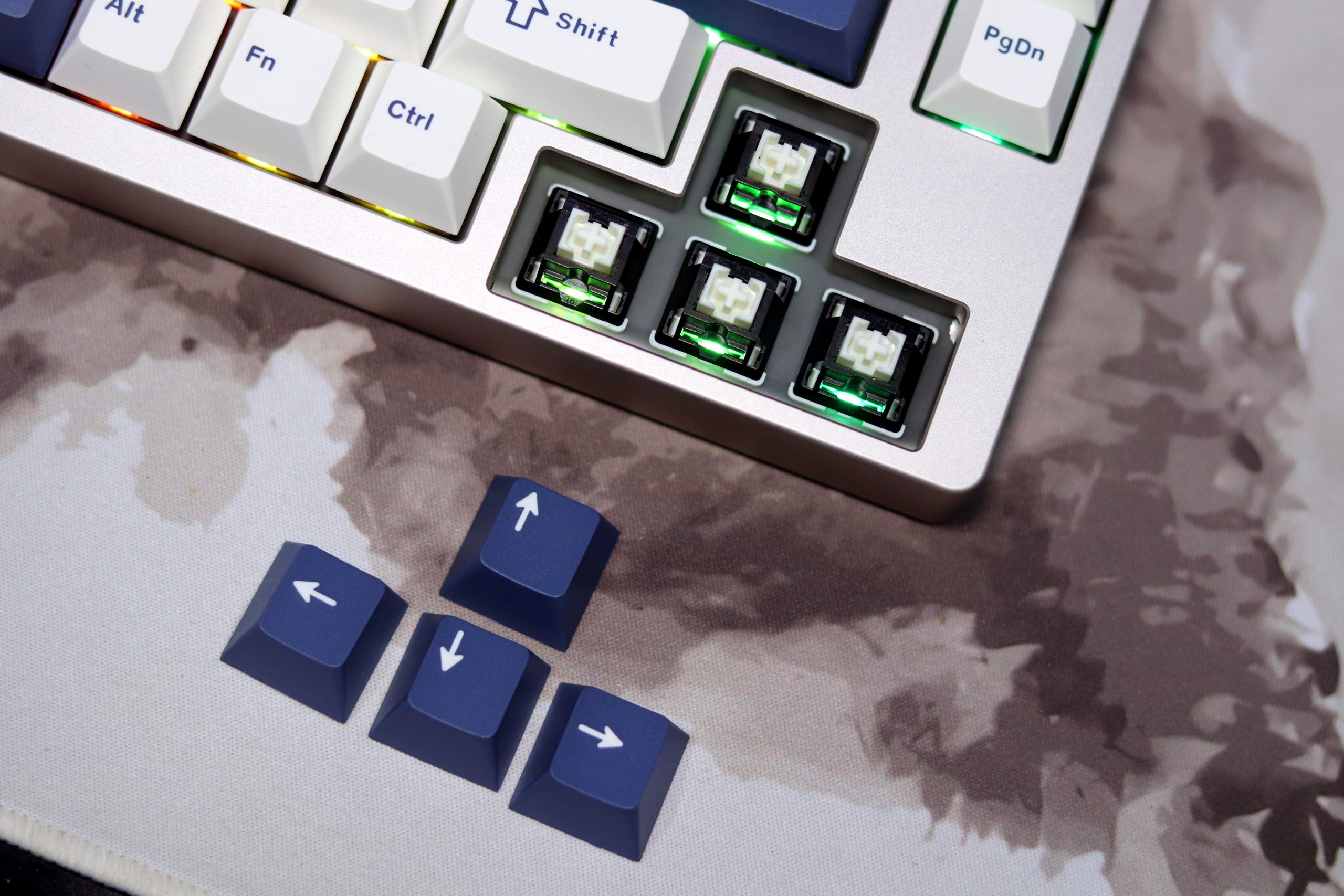
    • Feel: These liners are surprisingly smooth straight out of the box. The factory lubing is consistent, with no scratchiness during actuation. They’re not quite at the level of enthusiast switches like Gateron Oil Kings but are impressive for stock switches in this price range.
    • Sound: A light, muted thock that pairs well with the PBT keycaps. There’s a subtle dampened effect, which I appreciated for quieter typing sessions.
    • Use Case: Ideal for gamers or those who prefer fast, uninterrupted keystrokes without any tactile bump.

    General Observations

    • The switches feel stable in the PCB sockets, with no noticeable wobble.
    • Hot-swappable compatibility means you can easily experiment with other switches if you outgrow the pre-installed options.
    • The factory-tuned stabilizers (for larger keys) were consistent and rattle-free across all three switch types. This is a massive plus for a budget keyboard.

    Connectivity
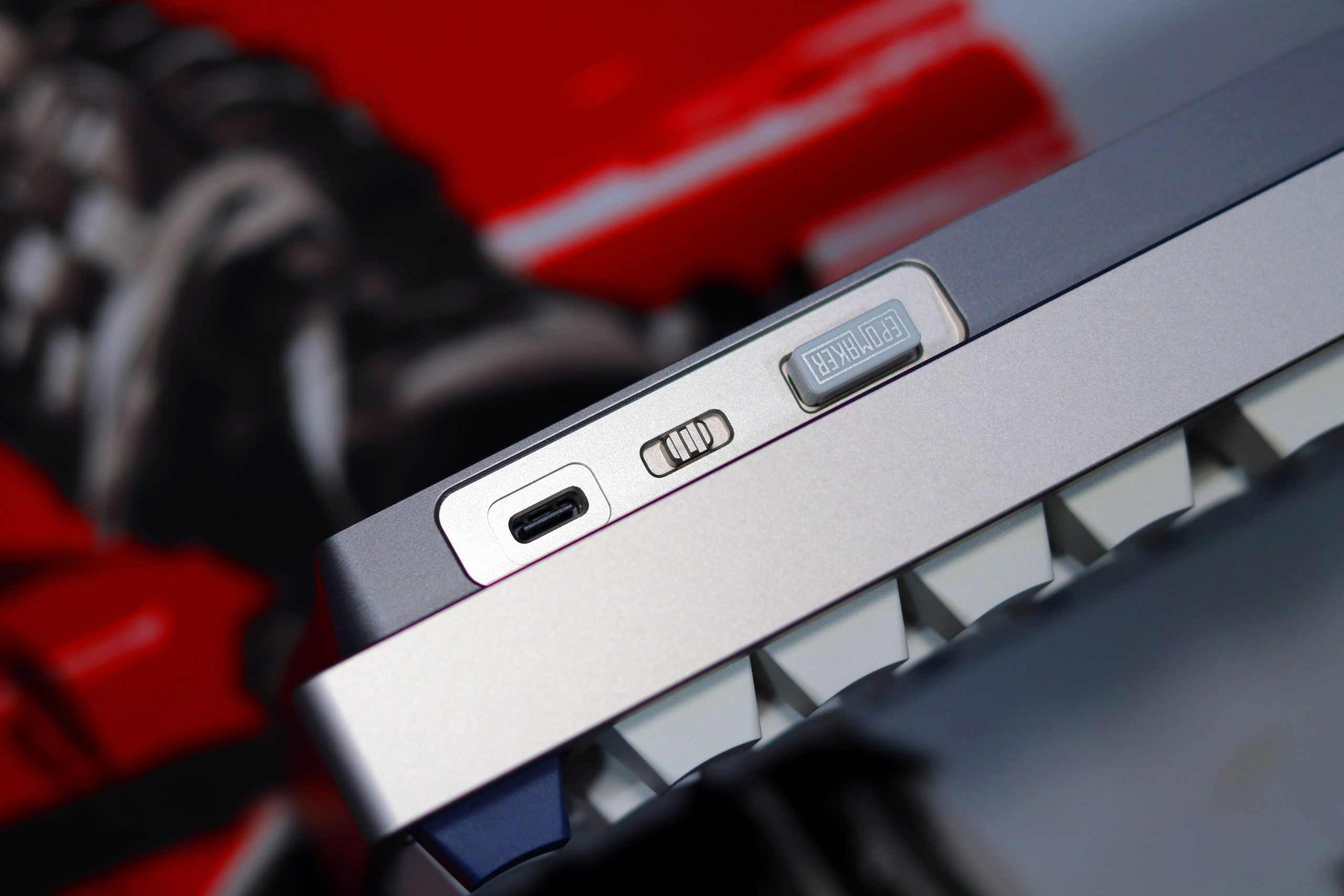
    When it comes to connectivity, the Epomaker P75 doesn’t hold back. It supports tri-mode functionality: wired via USB-C, Bluetooth 5.0, and 2.4GHz wireless, making it highly versatile for various setups. During my testing, I primarily used the keyboard with the 2.4GHz dongle, which fits snugly into a compartment near the USB-C port for easy storage. Switching between modes is seamless thanks to the toggle switch conveniently placed on the side, eliminating the need to fiddle with keycaps to change connections.

    Bluetooth pairing was a breeze, and I was able to connect to multiple devices simultaneously, making it ideal for someone juggling work on different machines. The connection was stable throughout, with no noticeable lag while typing. The 2.4GHz mode delivered a lag-free experience, perfect for gaming or fast-paced work.

    Battery life is another highlight. On wireless modes with backlighting turned off, I got over a week of use before needing to recharge. When I did need to charge, the USB-C port ensured quick and easy refueling.

    Overall, the Epomaker P75’s connectivity is reliable and versatile, catering well to users who demand flexibility in their setups. Whether you’re on a desktop, tablet, or smartphone, it adapts effortlessly, maintaining its performance across all modes.

    Battery
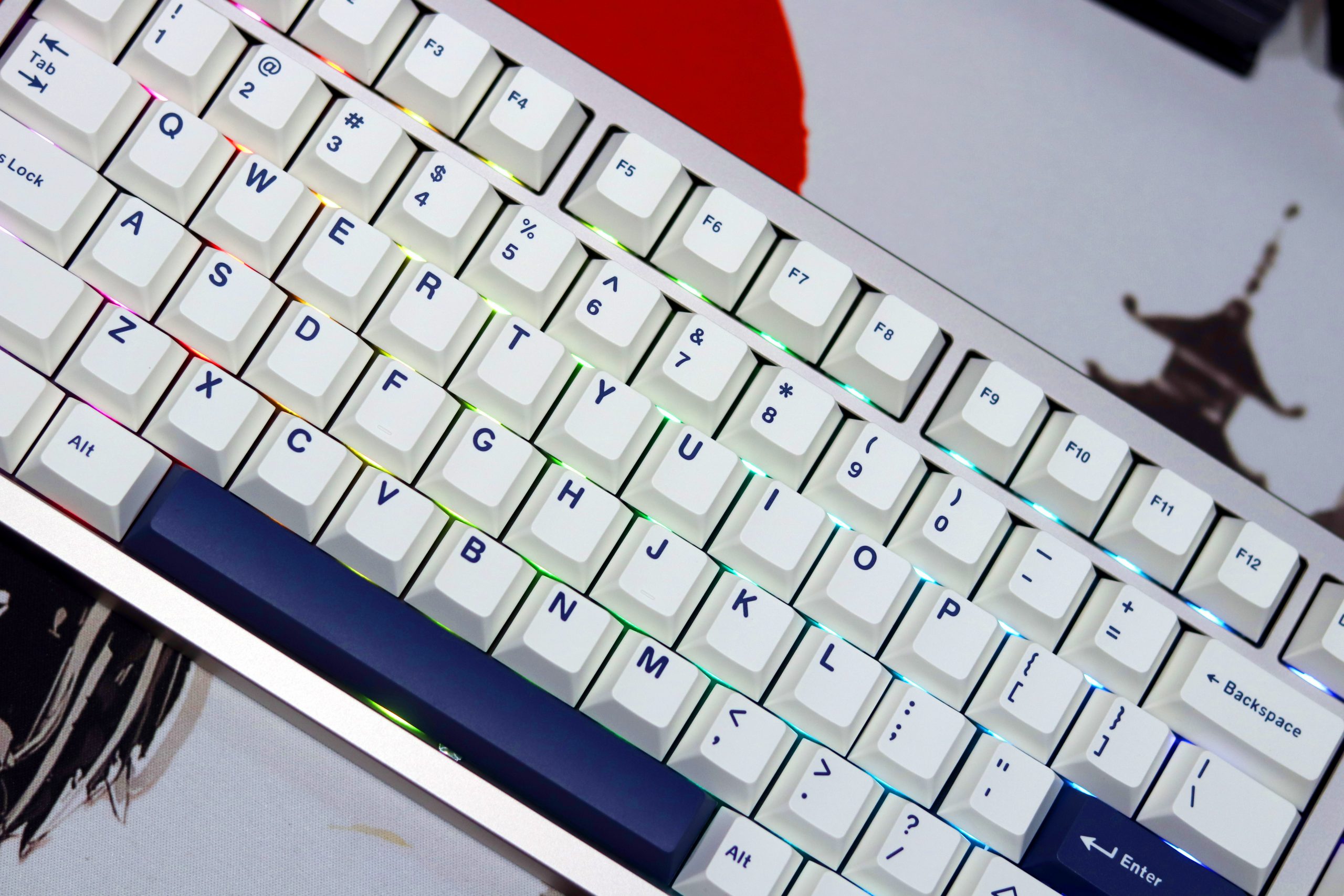
    When it comes to the battery life of the Epomaker P75, For Bluetooth, I noticed that the keyboard holds a stable connection over an extended period. After using it daily for a few hours, I found that the battery life lasted me roughly 10–12 hours per charge, which is pretty standard for a tri-mode keyboard with Bluetooth. It’s not the longest, but it’s good enough for a full workday’s worth of use. Recharging it was quick, and the included USB-C cable made it easy to top up when needed.

    In 2.4GHz wireless mode, the P75 performed just as well, with no noticeable drop in battery life. It was a bit more reliable for me in terms of maintaining a stable connection compared to Bluetooth, especially with multiple devices nearby.

    Overall, the battery life of the Epomaker P75 is very decent for a budget-friendly keyboard. While it may not last as long as some high-end models with larger batteries, it certainly meets the needs of someone who’s using it primarily for daily typing or work. Recharging is quick, and I never felt that it was a hassle to maintain throughout the day. For those new to mechanical keyboards, it’s an easy setup that delivers reliable performance without needing constant recharging.

    Personal Experience
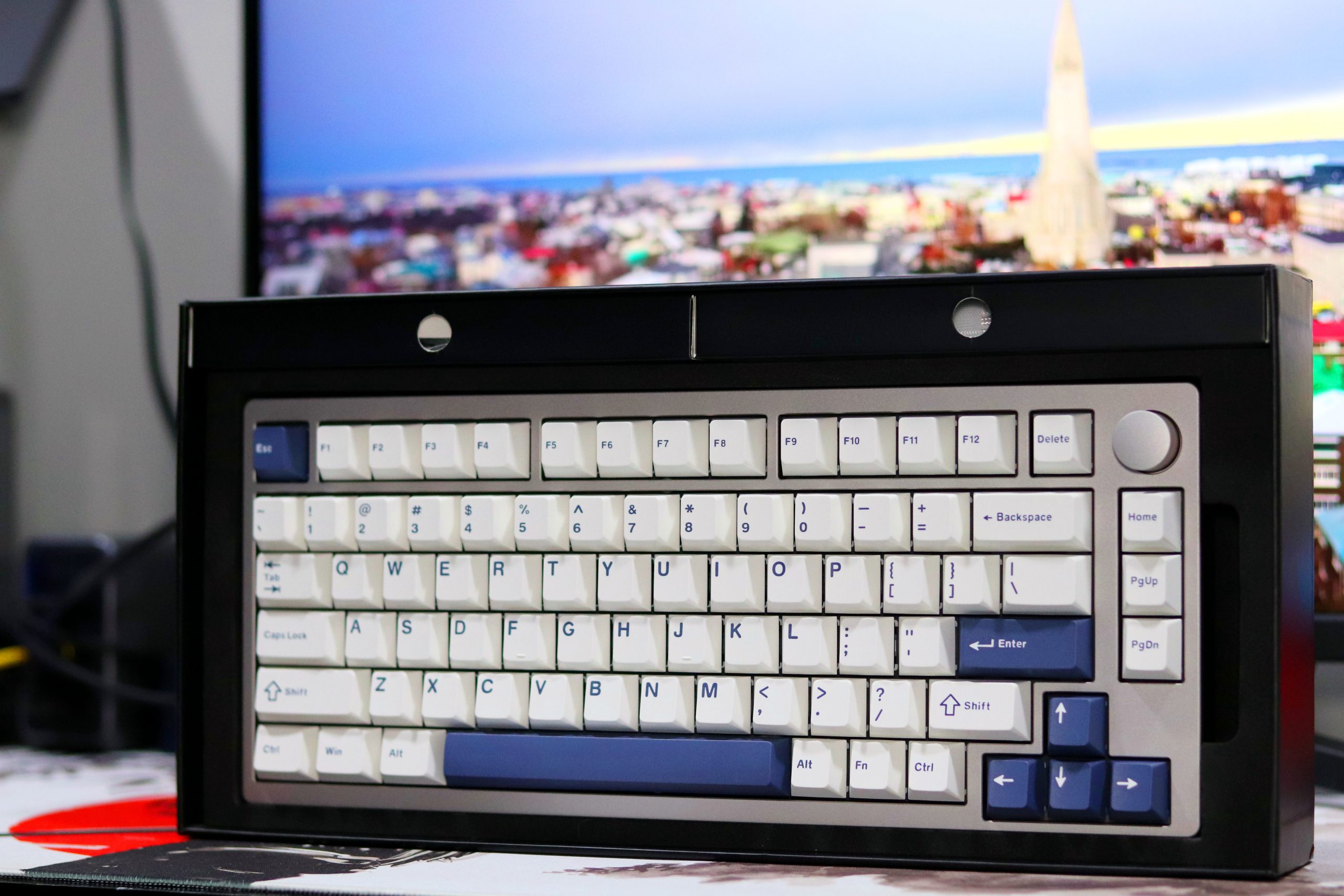
    After using the Epomaker P75 for nearly three weeks, I have to say it’s been a pleasant experience. The typing feel is soft and balanced, with just the right amount of flex. It’s comfortable for long sessions, and the stock switches surprised me with how smooth they felt right out of the box. The build quality, especially for the price, stands out—the anodized aluminum is sleek and feels premium.

    As someone who’s used to more custom builds, the P75 felt somewhat familiar in design, but it’s an excellent choice for newcomers looking for something simple and well-built. The addition of the knob for media control is a thoughtful touch, and the keyboard works well for both work and play. If you’re just starting or want a reliable keyboard without diving into the deep end of custom builds, the P75 is a solid pick.

    Pros:
    • Build Quality: The aluminum body and anodized finish give the P75 a premium feel, especially for a $99 keyboard. The minimalistic design is sleek and modern, fitting well in any setup.
    • Customizability: Great option for newcomers to the mechanical keyboard scene who want to change keycaps and switches over time. The stock keycaps are solid, with good texture and no noticeable legends bleeding.
    • Typing Experience: It offers a smooth, balanced typing experience with a soft flex that’s comfortable for long typing sessions. The stock switches feel consistent and well-lubed out of the box.
    • Sound: With or without case foam, the keyboard has a pleasing, non-hollow sound. The stabs are well-tuned, with no ticking or rattling.
    • Price Point: At $99, it’s a competitive price for a solid pre-built 75% keyboard with premium features, including tri-mode connectivity (wired, Bluetooth, and 2.4GHz wireless).

    Cons:

    • Outdated Design: The 75% layout with an exploded arrow and media knob feels somewhat dated like it came out in 2022. It lacks the innovation many might expect from newer keyboards.
    • Lack of New Features: While functional, the P75 doesn’t offer any groundbreaking features or unique design elements that would set it apart in a crowded market.
    • Target Audience: The P75 is best suited for newcomers rather than seasoned mechanical keyboard enthusiasts, who might find the design and features too basic.
    • USB Port Location: The USB-C port is placed on the far left, which isn’t ideal for those who prefer it centered for better cable management.

    Read Also: Epomaker Tide75 Review: A 75% Keyboard Masterpiece?



    7.5

    Verdict

    The Epomaker P75 offers excellent value for its price, delivering a well-rounded, minimalist design with quality build and solid features. While it might not push the boundaries of innovation in the 75% layout, it’s a great option for newcomers who want a reliable, budget-friendly keyboard without compromising on key quality, typing feel, or sound.

    The pre-built setup, with its smooth switches and durable keycaps, makes it an attractive choice for those looking to step into the mechanical keyboard hobby with a hassle-free experience. The P75 doesn’t reinvent the wheel, but it’s a well-crafted package that’s hard to beat at this price point.

    • User Ratings (3 Votes) 5.8
    Share. Facebook Twitter Pinterest LinkedIn Tumblr Email

    Related Posts

    Quantum AI App, Useful or Not?

    How to Troubleshoot iPhone Personal Hotspot Issues

    The Battery Capacity of Samsung Galaxy Buds4/Pro Headphones has been Exposed: 42mAh and 57mAh

    Leave A Reply Cancel Reply

    You must be logged in to post a comment.

    voopoo drag s3
    oxva xlim go 2
    sp2s sen x disposable vape
    jnr 100k
    • Popular
    • 3D Printer REVIEW
    • XIAOMI
    November 23, 2025

    VOOPOO DRAG X3 – Big Battery, Smart Tech, Pod-Mod Powerhouse (Review)

    November 23, 2025

    VOOPOO VINCI S: Pocket-Power Pod with a 2,000 mAh Heart — Big Battery, Simple Use (Review)

    November 19, 2025

    OXVA XLIM PRO 3 Pod Vape Quick Hands-on Review (Video Test Included)

    November 19, 2025

    OXVA XLIM 3 Ultra Pod Vape: Hands-on Review (Video Test Included)

    June 23, 2024

    ACMER P2 20W Laser Engraver Fixed Focus Engraving: Hands on Review

    May 30, 2024

    xTool F1 Ultra Review: World’s First 20W Fiber & 20W Diode Laser Engraver

    May 30, 2024

    Anycubic Kobra 3 Combo Review: The Multicolor Masterpiece?

    May 15, 2024

    SCULPFUN SF-A9 40W Laser Engraver Cutting Machine: Hands On Review

    December 2, 2025

    Xiaomi REDMI Turbo5 Pro phone will be launched before the Spring Festival, equipped with the only flagship chip in its class

    December 2, 2025

    Xiaomi has Released REDMI TV X55/65/75 2026: Mini LED starts at only 2,499 yuan

    November 28, 2025

    The Exclusive Camera Handle of Xiaomi 17 Ultra has passed the 3C certification and can be used as a power bank

    November 27, 2025

    Code name “Nezha” : Xiaomi 17 Ultra phone exposed, with a triple rear camera setup

    fc 26 coins
    New Arrivals
    • Uwell Caliburn G5 Lite SE Pod System Kit Uwell Caliburn G5 Lite SE Pod System Kit
    • Uwell Caliburn G5 Lite KOKO Pod System Kit Uwell Caliburn G5 Lite KOKO Pod System Kit
    • Uwell Caliburn G5 Lite Pod System Kit Uwell Caliburn G5 Lite Pod System Kit
    • Freeton Trimax 60k Disposable Vape Freeton Trimax 60k Disposable Vape
    • Smoant Pasito 3 Vape Smoant Pasito 3 Vape
    • Yocan Flat 2.0 series Yocan Flat 2.0 series
    • Snowplus Swift Pod Vape Snowplus Swift Pod Vape
    • Innokin EZ LEVA PCC Pod Kit Innokin EZ LEVA PCC Pod Kit
    • VANMO VM60000 DISPOSABLE VANMO VM60000 DISPOSABLE
    About
  • Igeekphone.com provides the first global tech news and reviews about smartphone, vapes, e-cigar, smart home, 3D printers, e-bike,tablets, RC drones, VR headset, and other accessories. It's the best platform to improve your brand and product.
  • Contact us: info@igeekphone.com
  • Check Our Privacy Policy Here.
  • Note: *Right now we have US editor and EU editors for review, especially for Amazon US and EU.
  • *Shop and Compare Price Here*
  • Facebook
  • Youtube
  • OUR BEST VAPE PARTNERS
  • VAPE ONLINE STORE
  • HAYATI PRO MAX PLUS
  • VAPORESSO
  • VOOPOO
  • OXVA
  • NEXA
  • MASKKING
  • LOSTVAPE ORIONBAR
  • VEIIK
  • MEMERS
  • TODOO
  • SP2S
  • JNR
  • OTHER BEST PARTNERS
  • SVBONY
  • Chuwi
  • Blackview
  • Fossibot
  • Unihertz
  • Flsun
  • Anycubic
  • Xtool
  • Oukitel
  • Mukkpet Ebike
  • Ugreen
  • Copyright © 2025 igeekphone

    Type above and press Enter to search. Press Esc to cancel.