









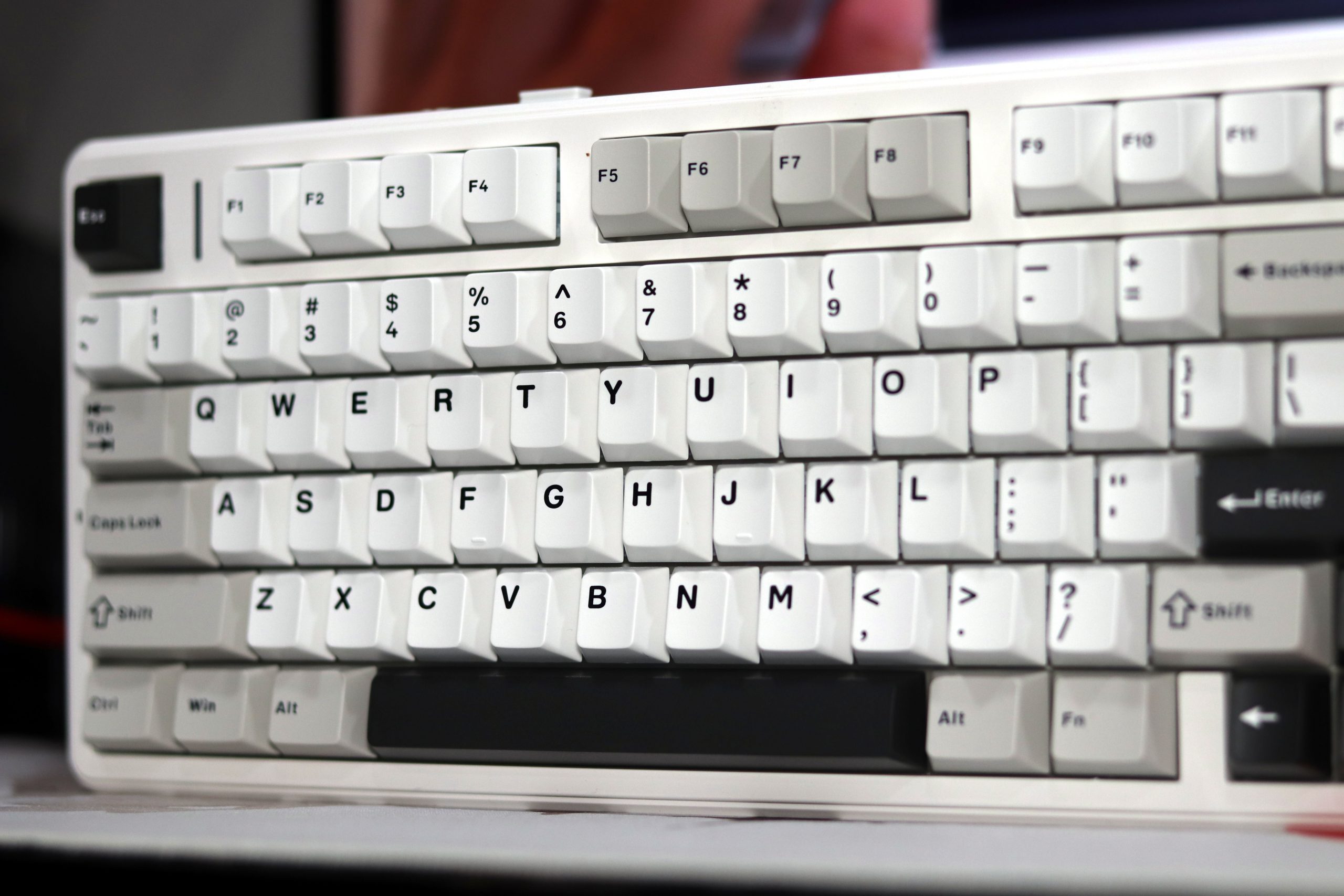
When Aula launched the F75, it gained quite a following for its solid build, reliable wireless connectivity, and appealing price point. Naturally, when I saw the Aula F99 Pro—a larger cousin to the F75—I couldn’t resist testing it. It had my attention with features like an 8,000 mAh battery, tri-mode connectivity, and customization via its app, all for just $85 (and often discounted). Although this review is sponsored by Epomaker but review will be unbiased. After a week of hands-on testing, here’s my take on what Aula’s F99 Pro brings—and whether it’s worth your hard-earned cash.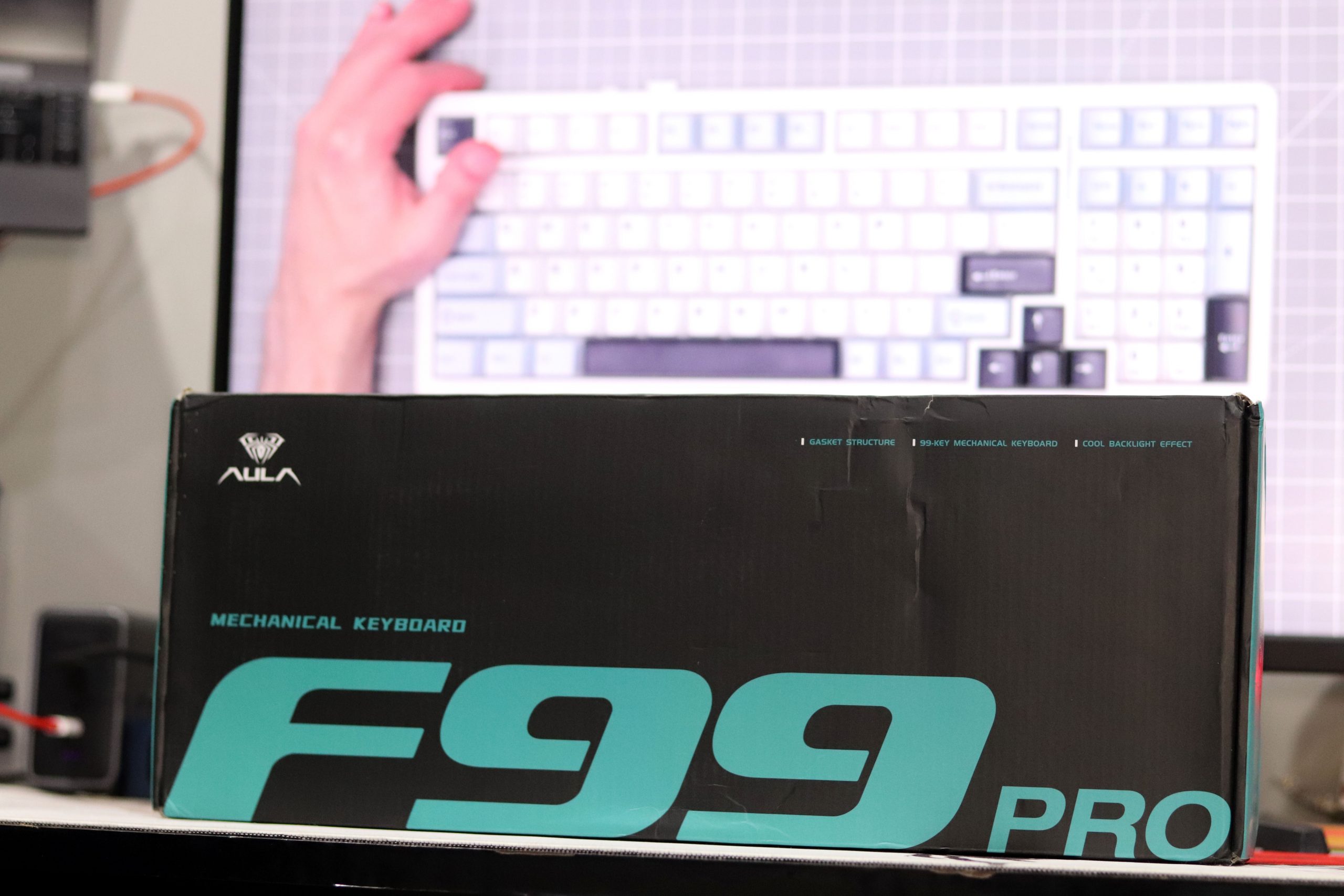
Inside the Box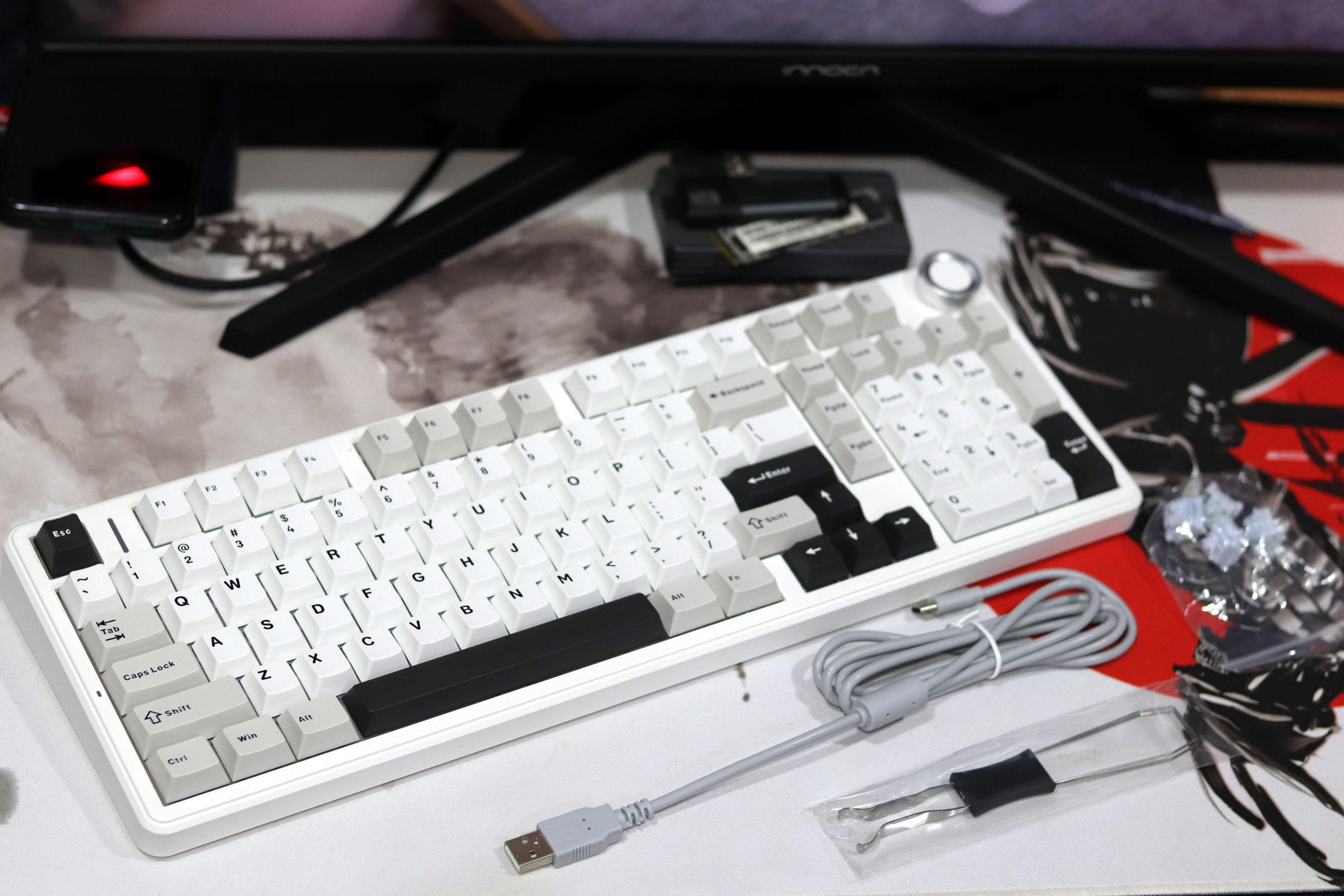
When you unbox the Aula F99 Pro, the presentation is pretty straightforward nothing overly fancy, but it’s functional and well-packaged. Inside the box, you’ll find:
- The Aula F99 Pro Keyboard
- USB-C Cable
- Keycap Puller & Switch Puller
- 2.4 GHz Receiver
- User Manual
There’s no extra flair like spare switches or novelty keycaps, but that’s typical for keyboards in this price range. Still, the essentials are here, and they’re packaged thoughtfully.
Design and Build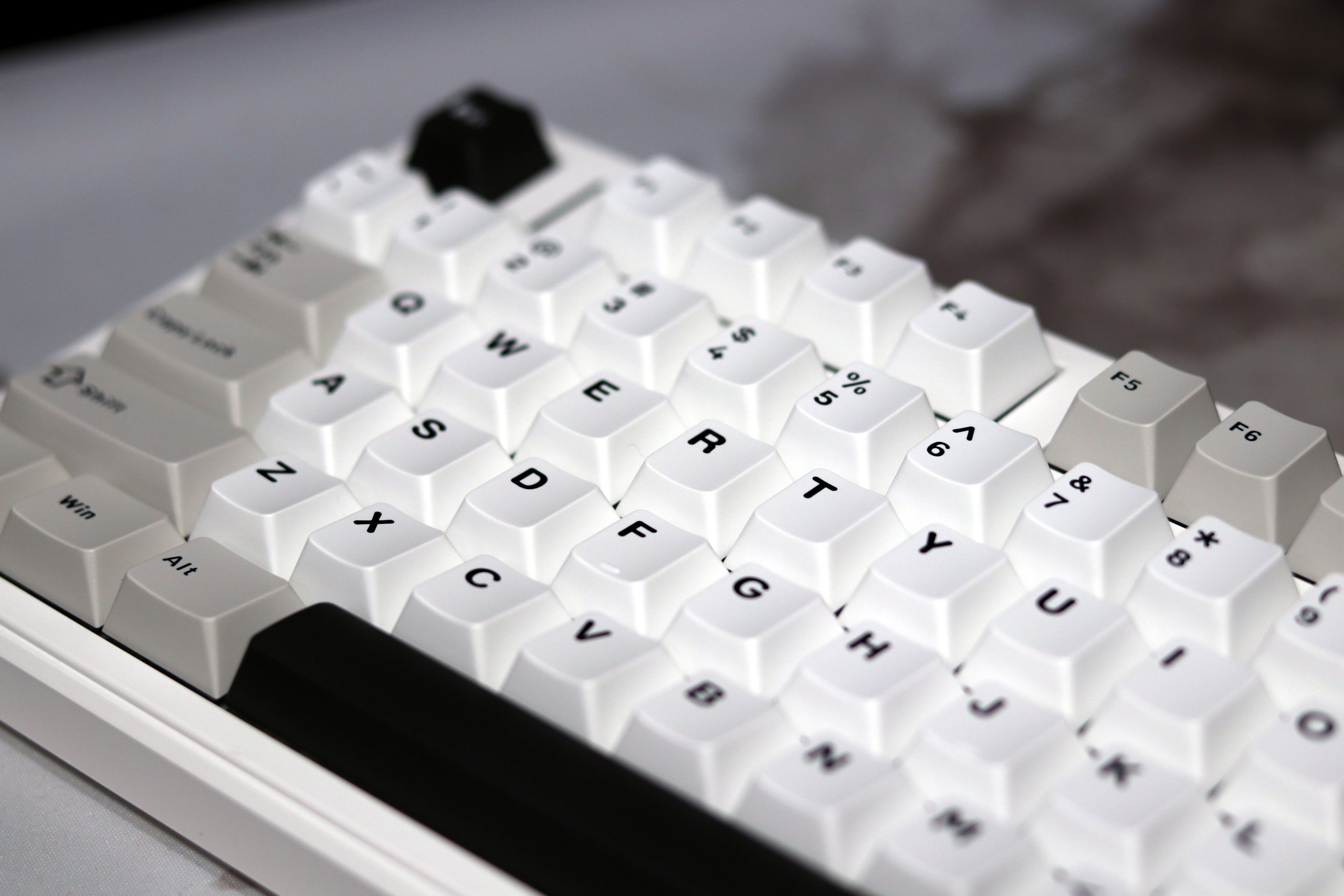
The Aula F99 Pro is a keyboard that’s not trying to hide its budget roots, yet manages to feel surprisingly solid and well-built for its price. Straight out of the box, I was struck by its weight of 1,183 grams (2.6 pounds). That heft gives it a sense of durability that you don’t often find in keyboards under $100, and it avoids the hollow feel that many budget options suffer from. The inclusion of a thick silicone mat at the case bottom is likely a big factor in achieving this solidity, as it dampens vibrations and contributes to the overall sound profile.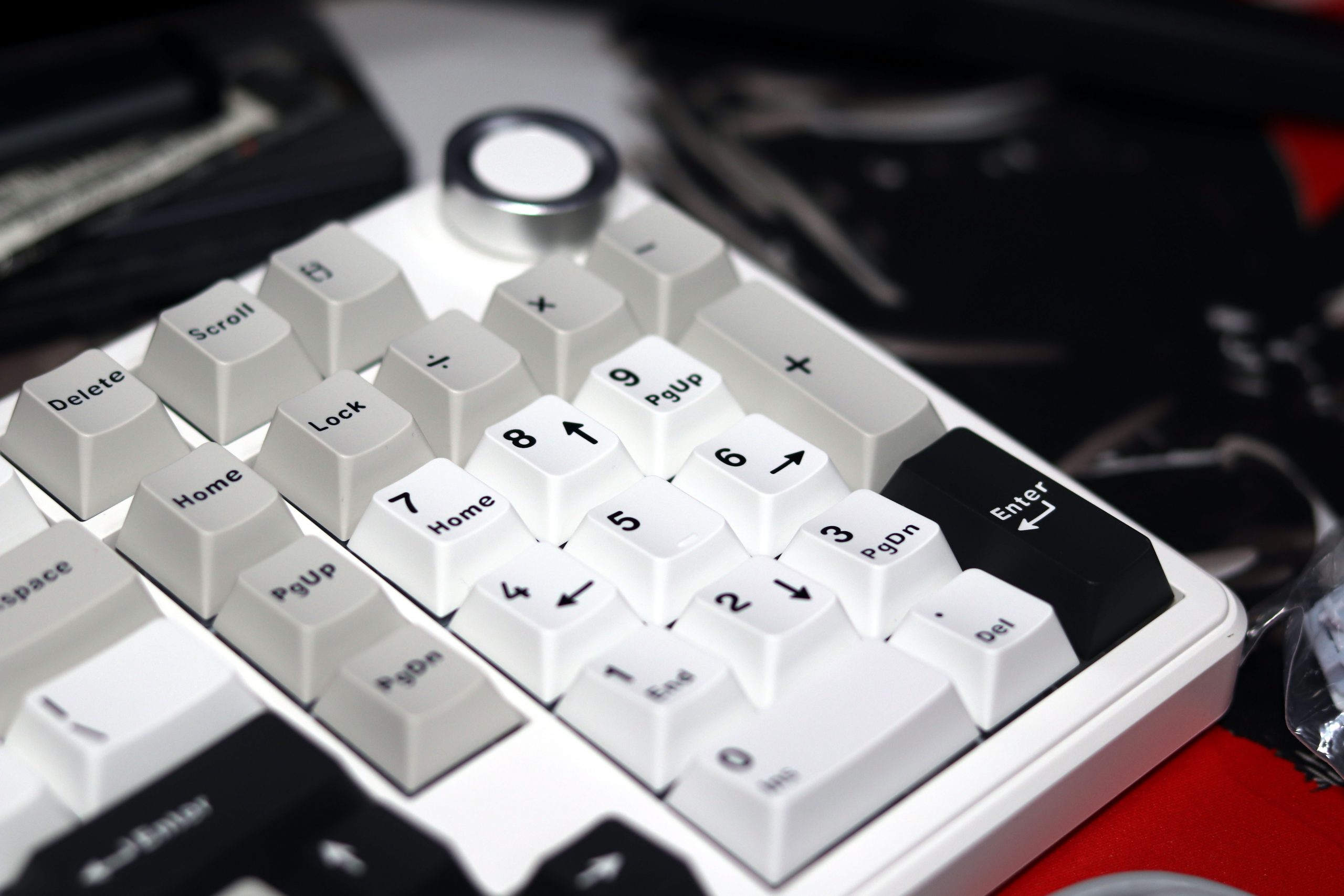
The keyboard’s ABS plastic construction for the top and bottom case doesn’t scream “premium,” but it’s well-executed, with no creaks or uneven seams. The design is clean and functional, available in several attractive color options, such as white-blue, light blue, white-gray, and pink-black. While I tested the white-blue model, all options maintain a playful aesthetic that isn’t overbearing.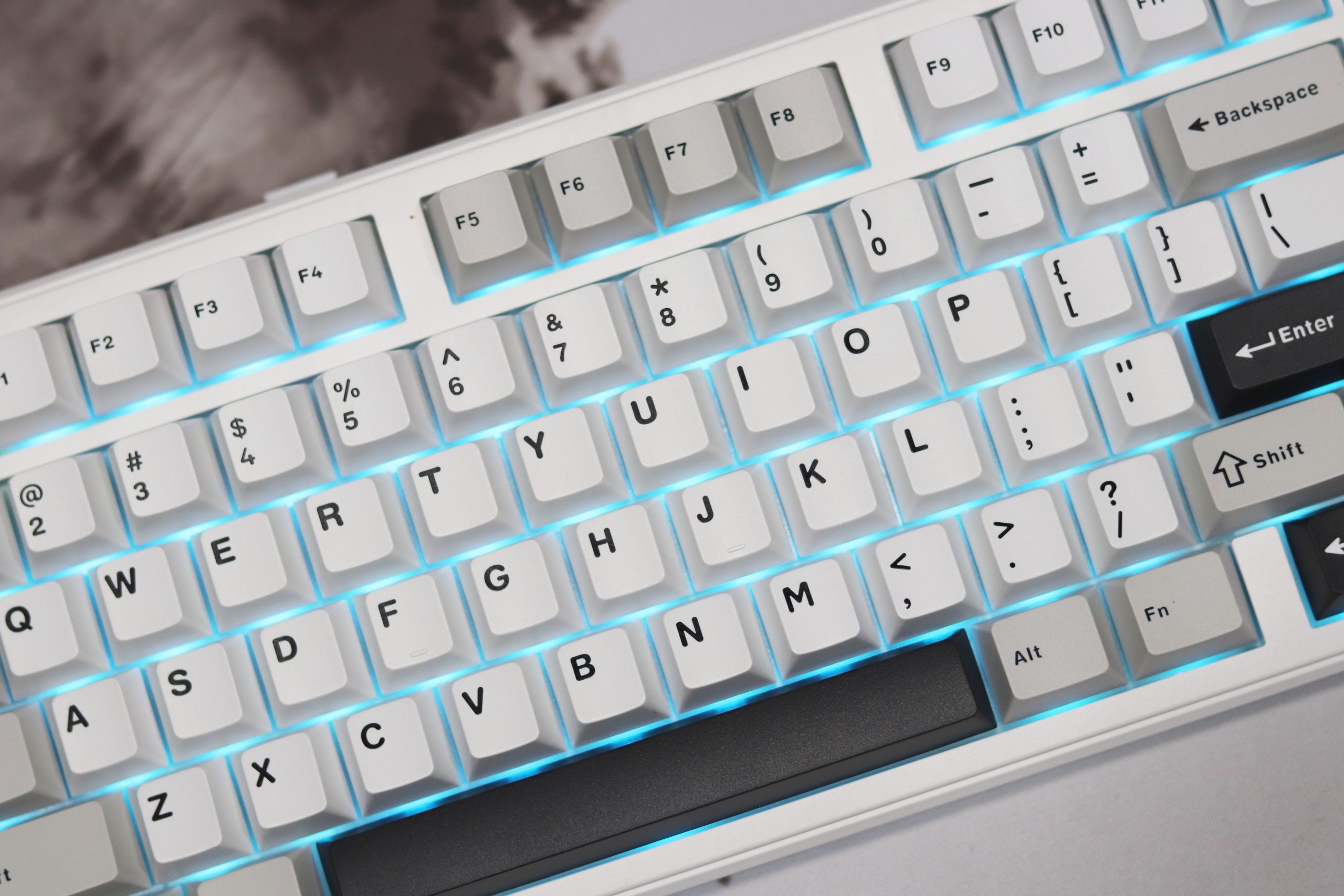
At 390.6 x 146.8 mm, the F99 Pro strikes a good balance between a full-size keyboard and something more compact. Its 1800 layout is a personal favorite—it keeps the number pad intact while slimming down the overall footprint. The separation between the key clusters is a nice touch, adding a layer of visual clarity and usability that’s often sacrificed in similar layouts. However, the single-sized zero key on the number pad might be an adjustment if you’re used to a full-sized version.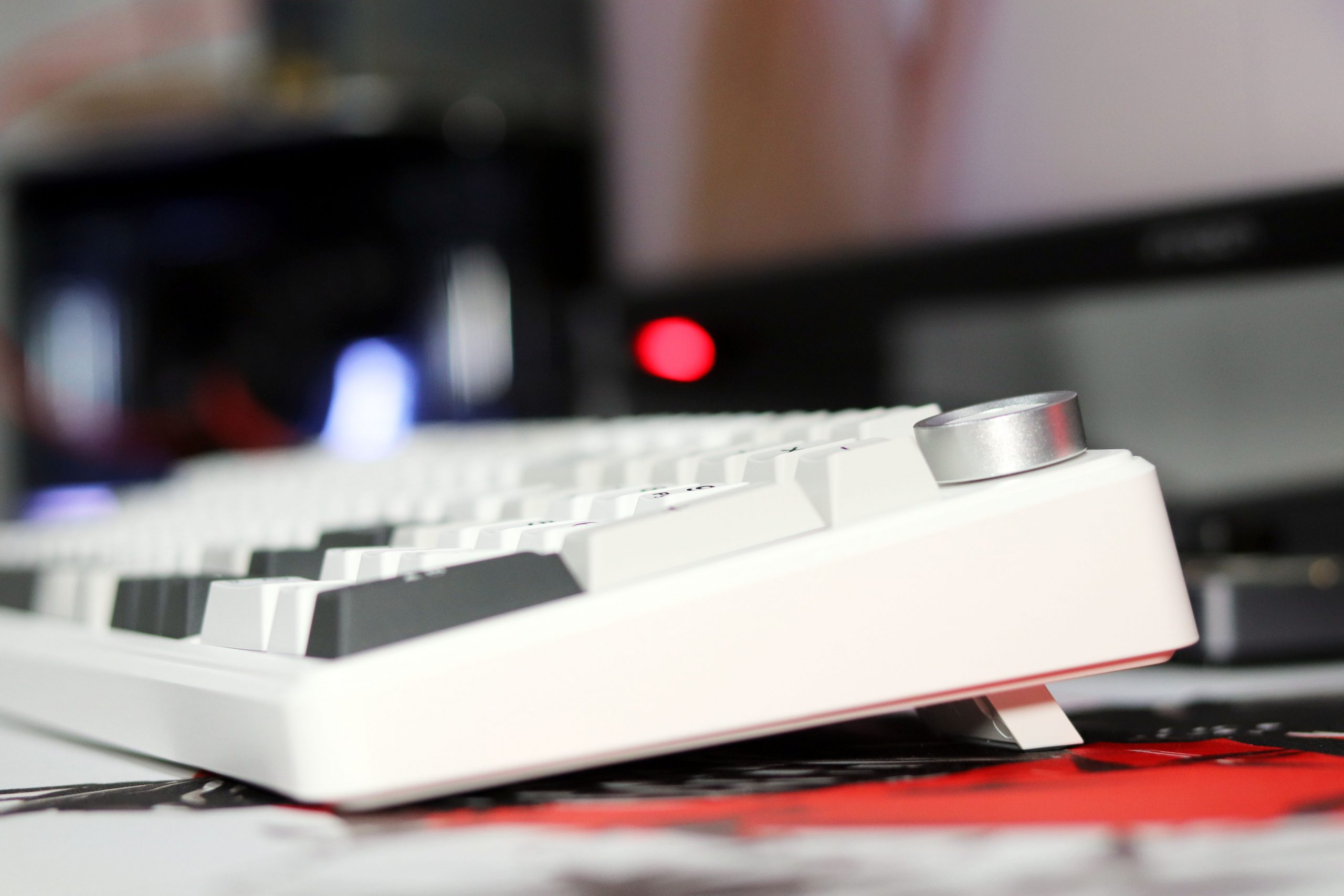
The underside features two fold-out feet for adjustable typing angles, and I appreciated the slight ergonomic improvements these offered during longer typing sessions. The feet feel sturdy and click into place with confidence. Additionally, the inclusion of a dedicated slot for the 2.4 GHz dongle is a practical bonus for those who often switch between wireless and wired modes.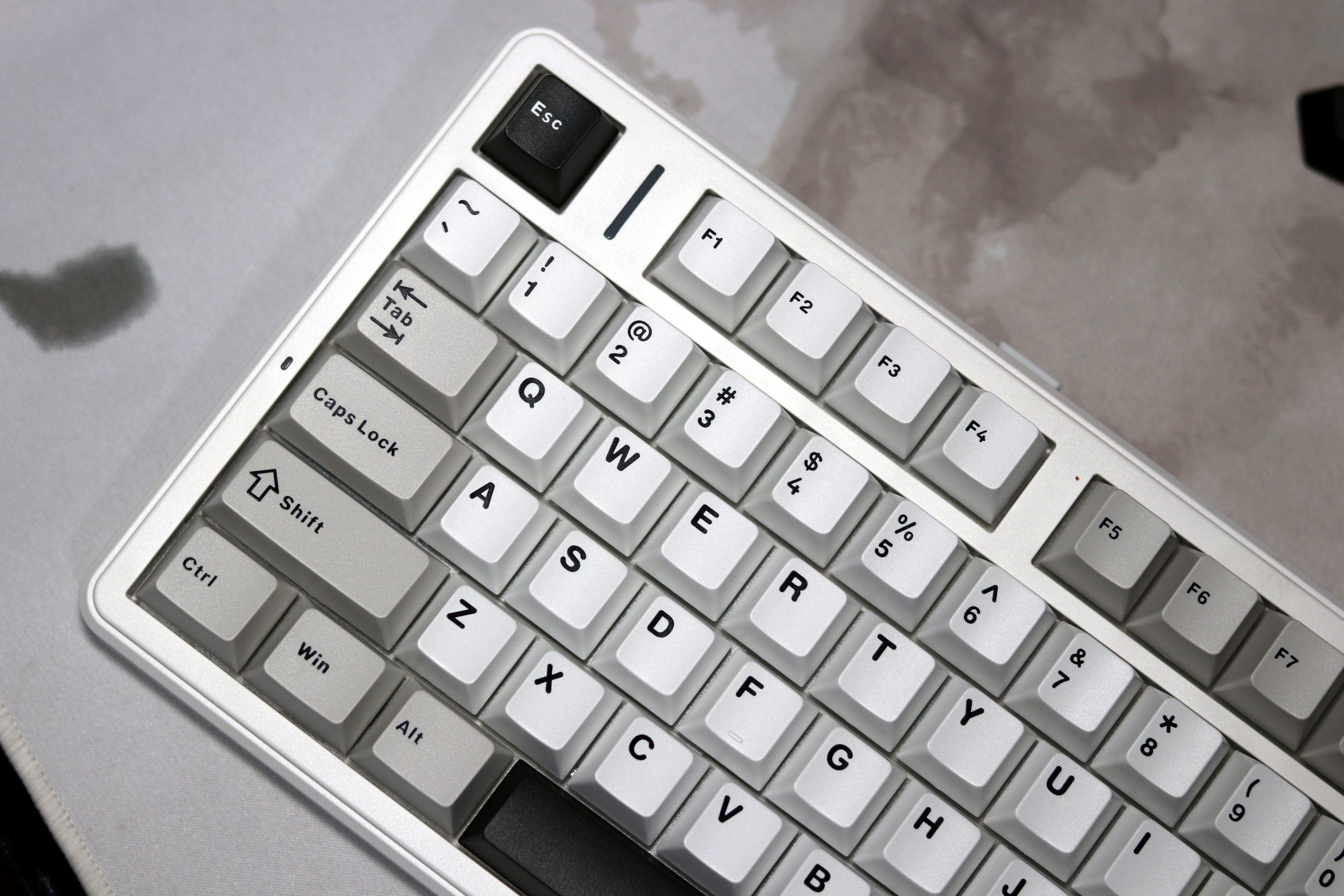
The keyboard’s 8,000 mAh battery—split into two cells—is hidden within, but its size is reflected in the F99 Pro’s impressive stamina. Aula claims up to 400 hours of usage with the backlight off, and while I didn’t push it that far, a week of moderate use with lighting enabled barely dented the battery.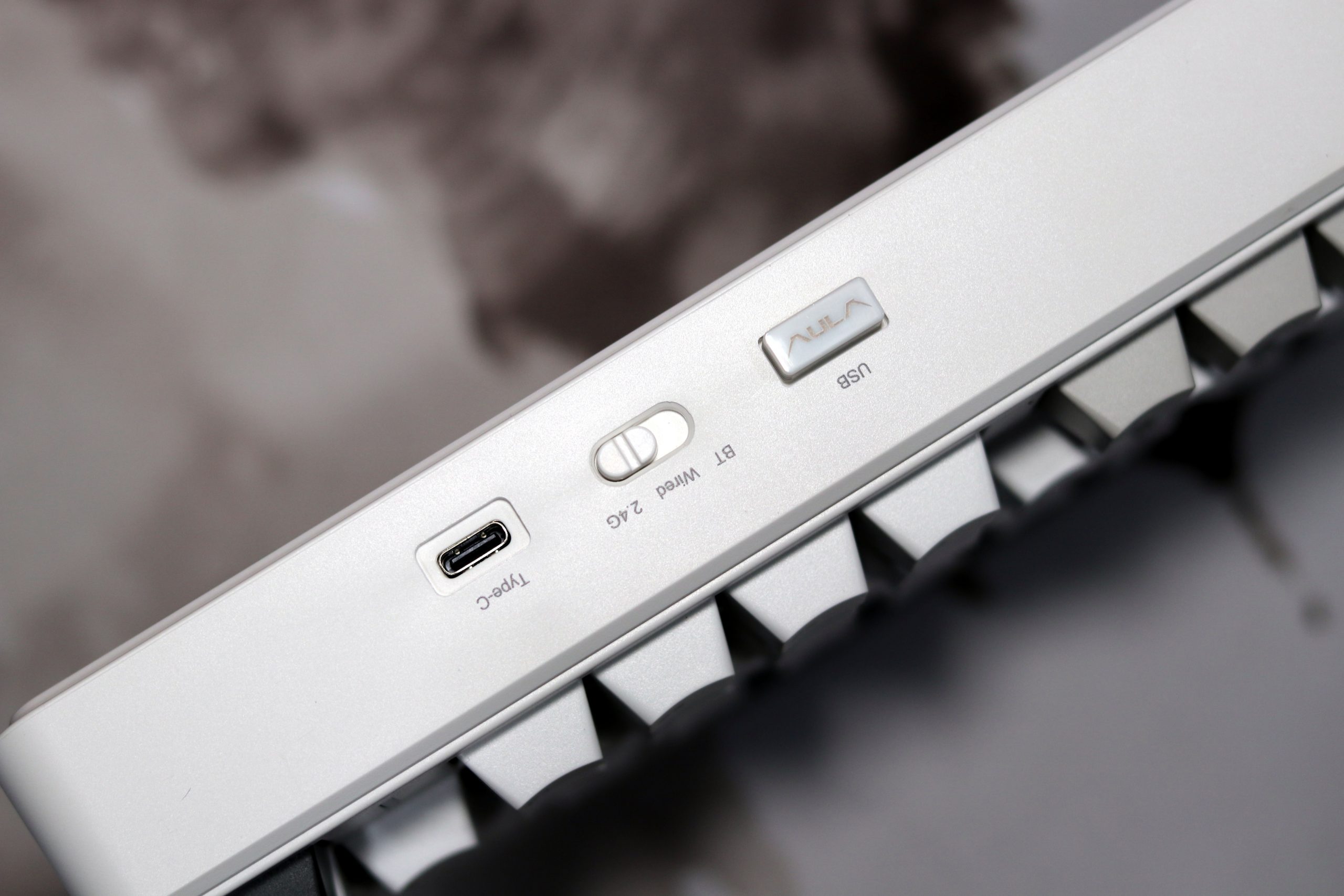
Aesthetic preferences aside, the design elements are functional and well-thought-out. The double-shot PBT keycaps have a pleasant texture and crisp legends, though they lack shine-through capability for RGB enthusiasts. The north-facing RGB lighting isn’t the most vibrant, but it’s even and customizable through Aula’s software. I found the color gradients smooth, but the overall brightness could be slightly better.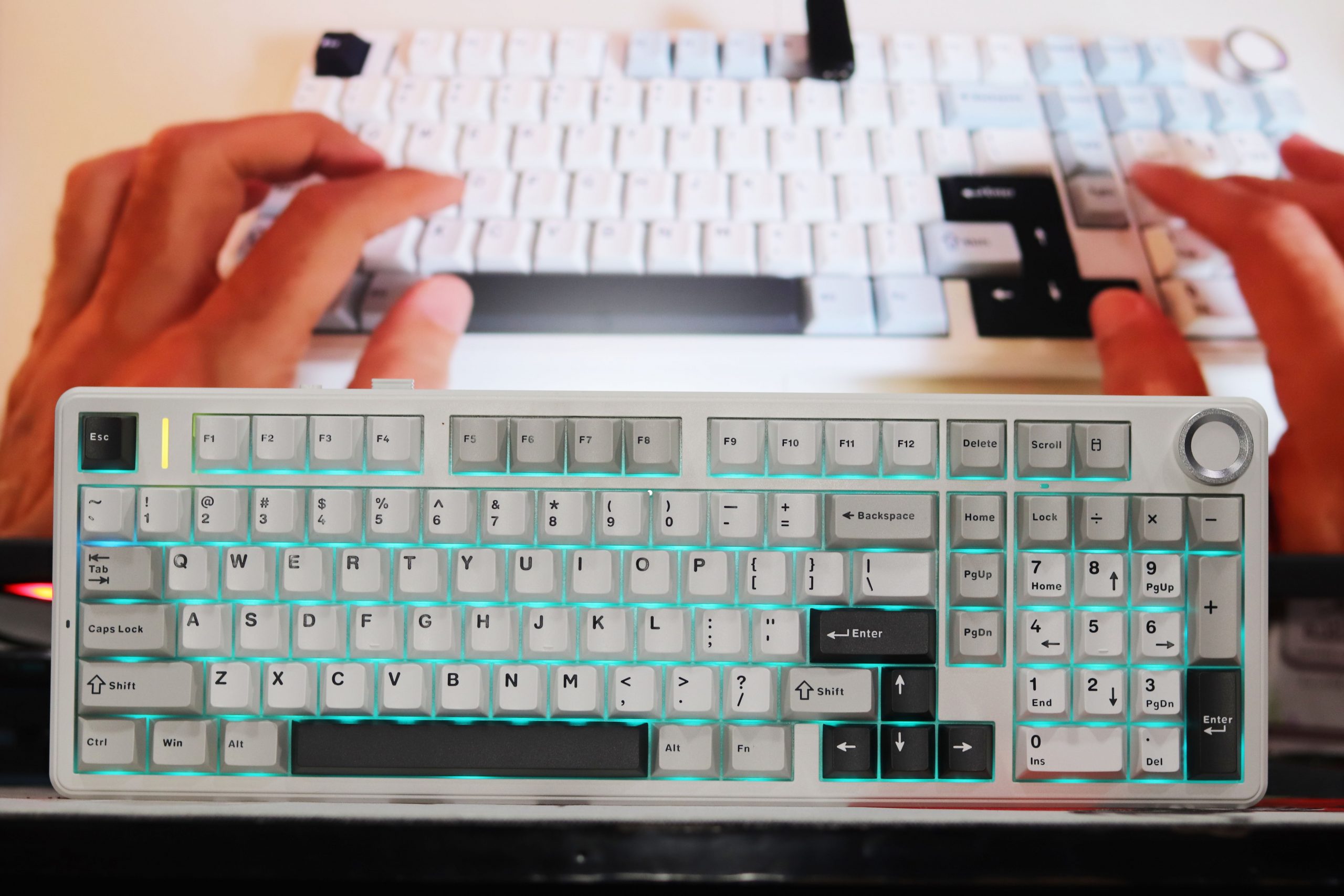
One drawback to note is the clip-based case assembly, which complicates disassembly. If you’re someone who enjoys tinkering, be prepared for some effort to avoid damaging the plastic clips. It’s not a dealbreaker, but it’s something to consider if modding is part of your plan.
The Knob: A Versatile Control Center
The real star of the show is the knob. Its smooth rotation and satisfying clicks make it a joy to use. By default, it controls volume, but the real magic lies in its customizability. With the accompanying software, you can program the knob to control a wide range of functions, such as:
- Media Control: Play/pause, skip tracks, adjust volume.
- Backlight Adjustment: Fine-tune the brightness and effects of the RGB lighting.
- Zoom: Seamlessly zoom in and out of documents and images.
- Scrolling: Effortlessly navigate through web pages and long documents.
- Application-Specific Functions: Assign shortcuts for specific programs like Adobe Photoshop or your favorite video editor.
VIA Software Experience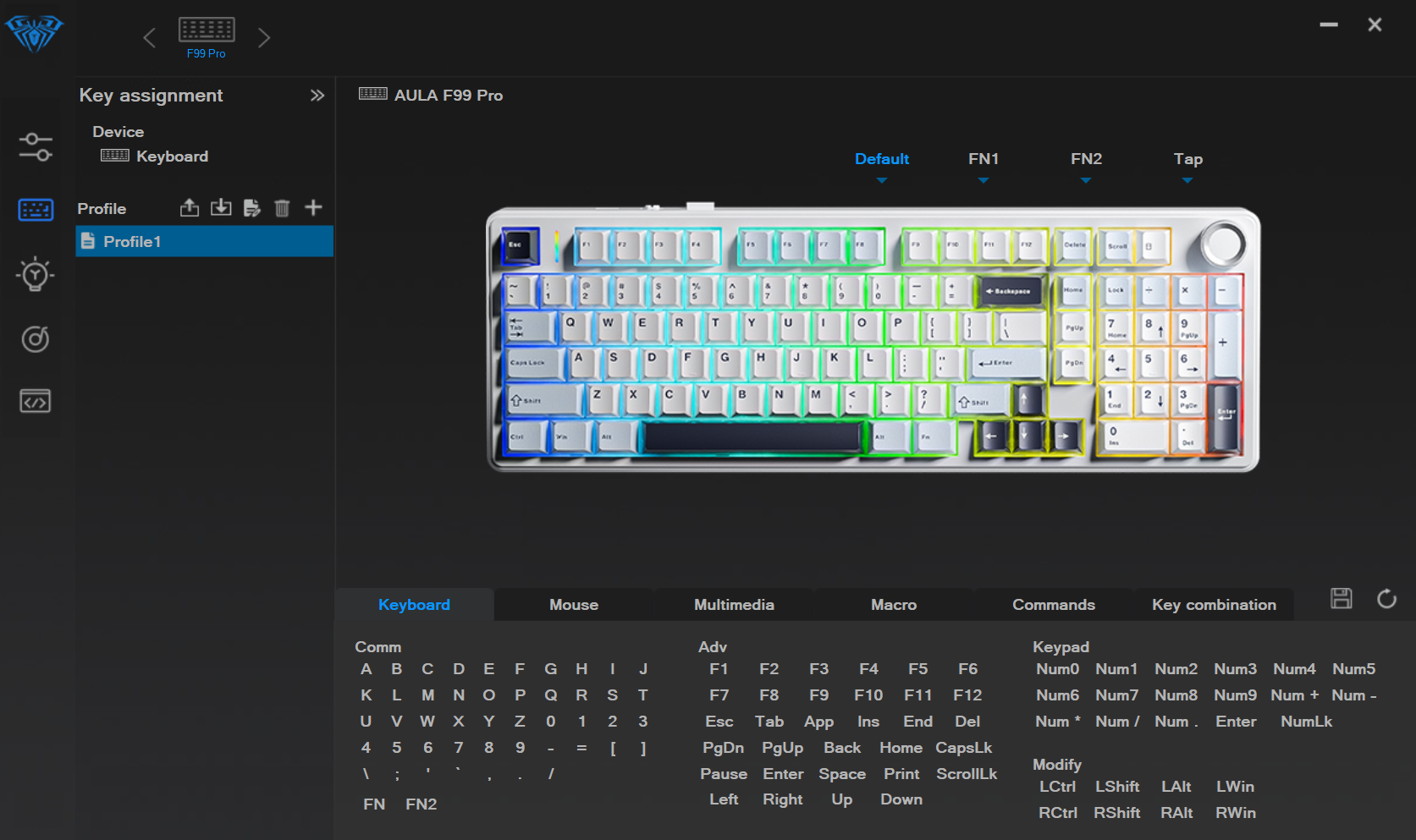
When it comes to software and customization, the Aula F99 Pro has its moments but doesn’t quite reach the polish of more established platforms like VIA or QMK. Aula provides a proprietary driver, downloadable through Epomaker’s site, which offers basic customization features such as remapping keys, creating macros, and controlling backlighting. However, my experience with it was mixed.
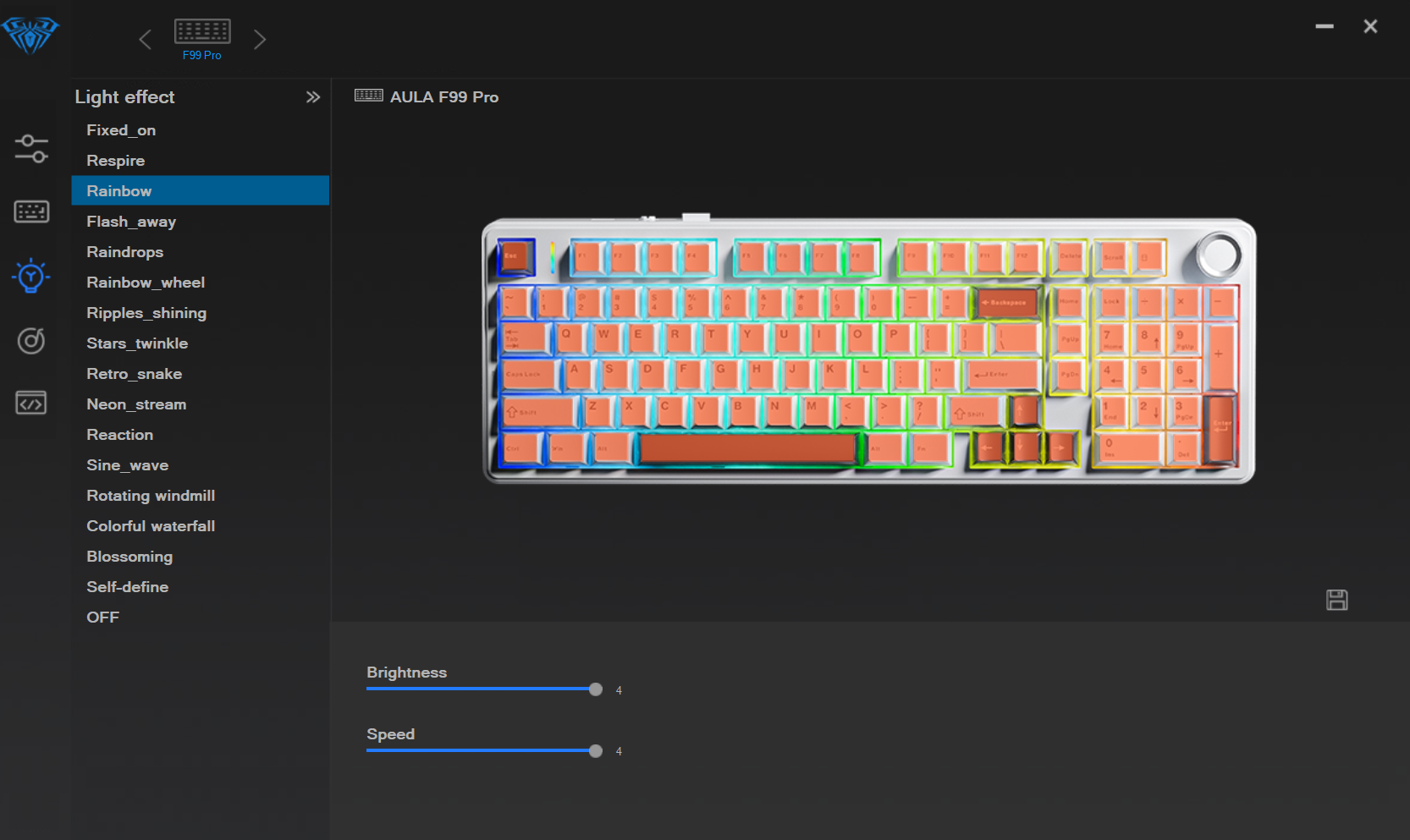
First, the positives: the driver does give you options to tweak your setup, and for a keyboard in this price range, having any customization software is already a plus. Adjusting RGB effects, assigning macros, and toggling between Windows and macOS modes are all relatively straightforward. The interface is functional, and once you’ve saved changes, they persist on the keyboard itself.
However, that’s where the good news ends. Compared to VIA, the Aula driver feels outdated and cumbersome. The UI doesn’t dynamically reflect changes you’ve made; for example, it always shows the default keymap, even after you’ve customized it. You need to hover over keys individually to see your modifications—a far cry from the intuitive, live layout view you get with VIA. There’s also no visual indicator for layers, which makes customizing them a trial-and-error process.
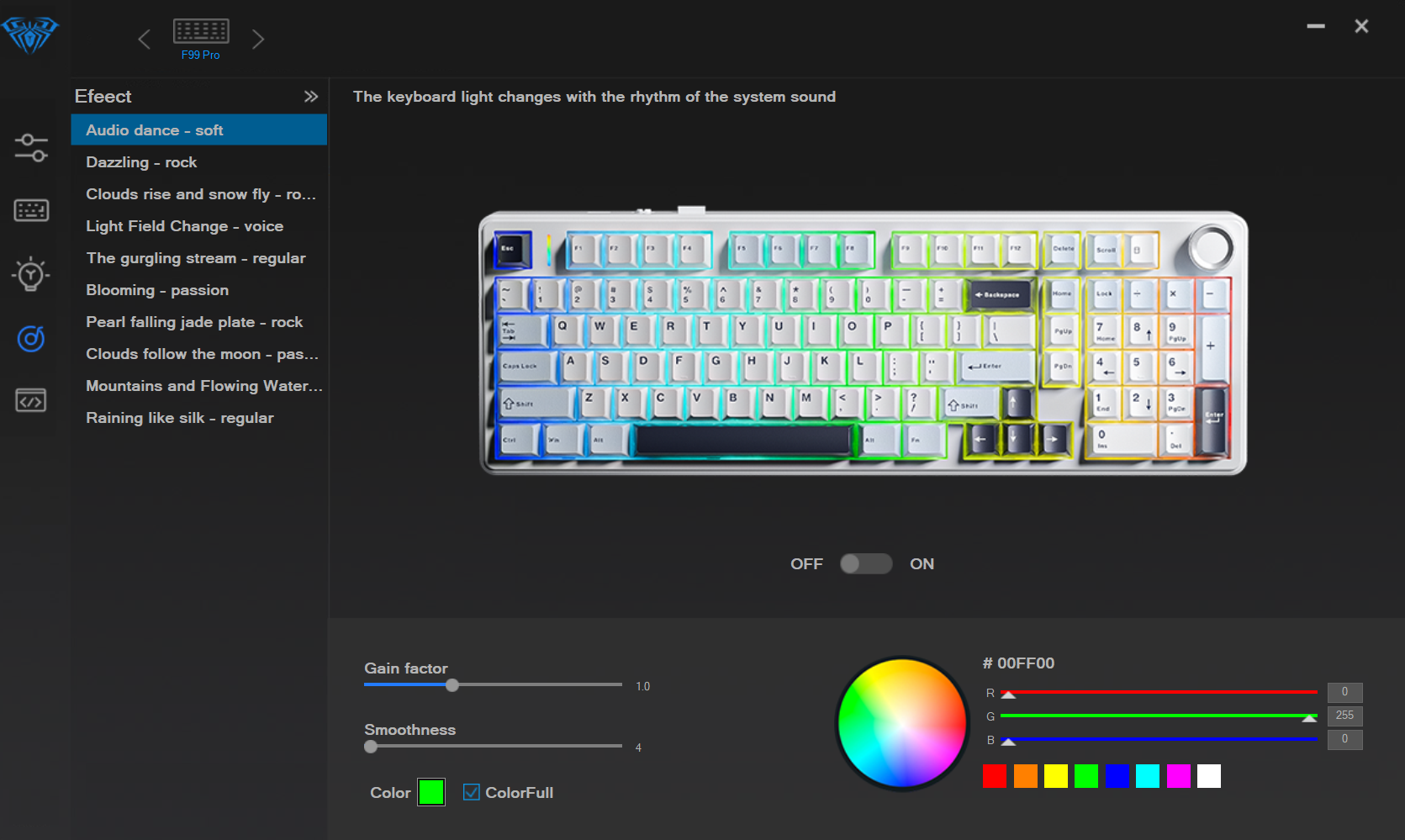
Another major drawback is its Windows-only limitation. Mac users are entirely left out, which feels like a missed opportunity given the F99 Pro’s versatility in other areas like tri-mode connectivity. Even as a Windows user, I found the workflow clunky. For instance, managing multiple profiles is not as seamless as I’d like, and the lack of QMK or VIA compatibility means you’re stuck within the confines of Aula’s ecosystem.
Connectivity
The Aula F99 Pro has tri-mode connectivity—Bluetooth, 2.4 GHz wireless, and USB-C wired. Over my week of use, this versatility proved to be one of its standout features, making it incredibly easy to switch between multiple devices. I had the keyboard paired via Bluetooth to my phone, a tablet, and my laptop, while the 2.4 GHz dongle was plugged into my work PC. Switching between these devices was as seamless as advertised, thanks to the physical mode selector on the back of the keyboard.
Bluetooth connectivity, in particular, was stable and lag-free for casual typing and light gaming sessions. However, I noticed that Bluetooth’s polling rate felt slightly slower during faster typing or more intensive games—a limitation inherent to Bluetooth, not unique to this keyboard.
The 2.4 GHz wireless connection performed almost flawlessly, providing a snappier and more responsive experience that rivaled the wired mode. But I did encounter a minor hiccup when the keyboard didn’t reconnect after my PC woke from sleep one time. Turning the keyboard off and on resolved the issue, and it didn’t recur. While this wasn’t a dealbreaker, it’s worth noting for those who depend heavily on wireless connections. USB-C wired mode was, unsurprisingly, the most reliable, offering zero input lag. If you’re into competitive gaming or need ultra-responsive typing, this mode is the way to go.
Battery Life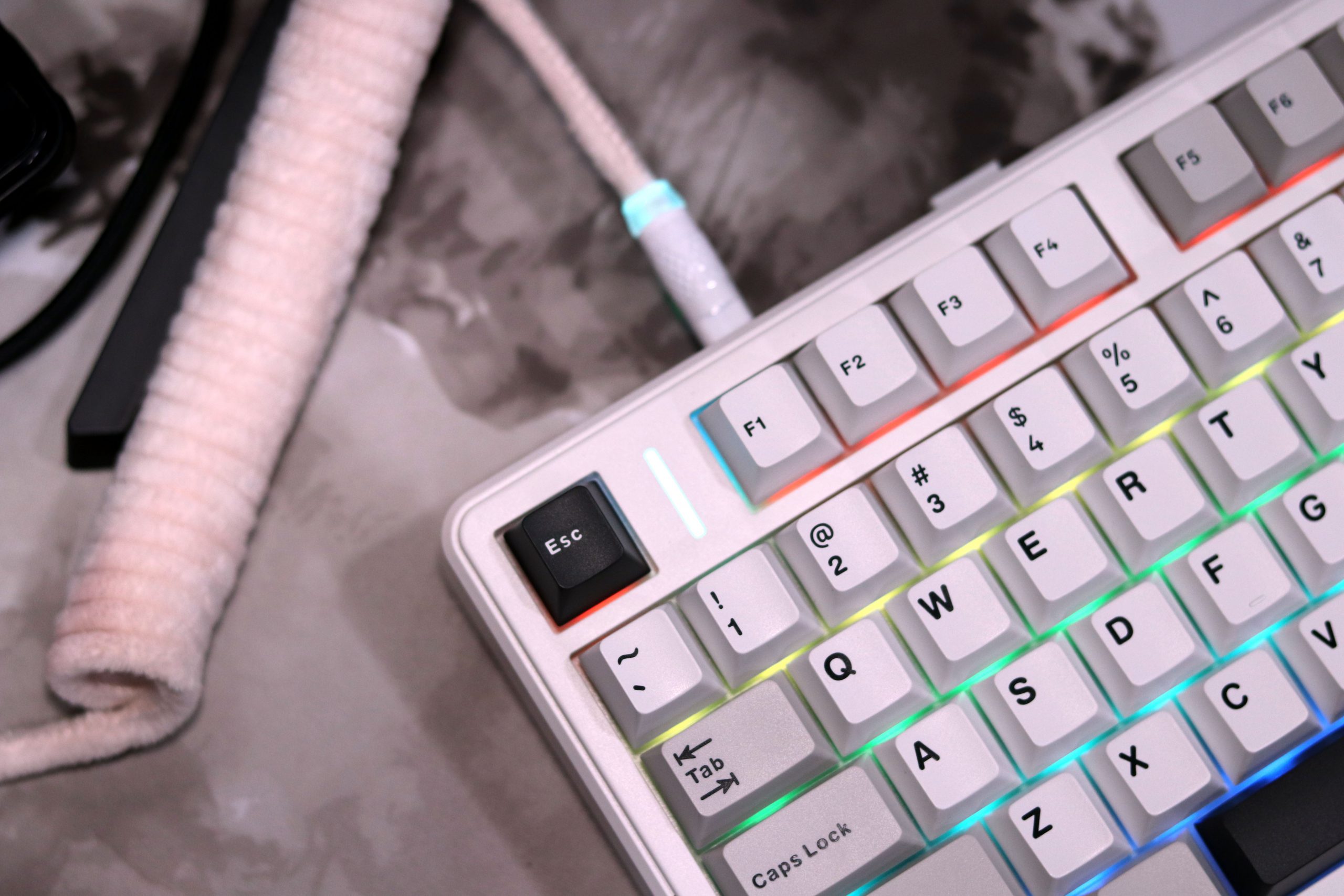
The Aula F99 Pro’s 8,000mAh battery stood out during my week-long test. With a mix of lighting settings, I could comfortably use the keyboard for multiple days without worrying about recharging. On one of the days, I decided to turn off the RGB completely, and I felt like the keyboard could easily outlast my laptop on a single charge. Aula claims up to 400 hours with no lighting, and while I didn’t test it for that long continuously, I wouldn’t be surprised if it hit that mark.
However, with RGB lighting on at its brightest, I noticed a significant drop in battery longevity. On a particularly intensive day of use with all the lighting effects enabled, I managed just over 48 hours before the battery needed a recharge. That’s a bit shy of the 53-hour estimate Aula gives for maximum brightness but still impressive considering the size and brightness of the RGB lights.
Recharging the keyboard is straightforward, thanks to the USB-C port, but I do wish there were a way to monitor the exact battery percentage. There’s an LED indicator that blinks when the battery gets low, but I found myself charging it preemptively just to avoid being caught off-guard.
Verdict
The Aula F99 Pro is a solid entry in the budget mechanical keyboard market, especially for those who need an 1800 layout with a number pad. Its standout features, such as an 8,000 mAh battery, robust build quality, and tri-mode connectivity, make it a versatile choice. However, its subpar software, lack of macOS support, and some quirks in wireless performance keep it from being a no-brainer purchase. If you find it for under $80, it becomes an appealing option—particularly if a number pad is a must-have for you. For the full $89 price, there are competing keyboards with better build quality, firmware, and software, depending on your priorities.
Pros:
- Build: Avoids hollow sounds with a dense silicone mat and flex cuts in the plate and PCB.
- Great Battery Life: Up to 400 hours with no lighting on, or 53 hours with full RGB.
- Customizable: Offers remapping, macros, and RGB control, all for a budget-friendly price.
- Comfortable Feel: Slight flex reduces fatigue during long typing sessions.
- Affordable: Good value, especially at discounted prices.
- Decent Keycaps: Double-shot PBT keycaps with nice texture.
Cons:
- Poor Software: Only for Windows, lacks a live view of key changes, and is less intuitive.
- Limited Switch Options: Only linear switches with a slightly scratchy feel.
- No Mac Support: Customization is unavailable for Mac user.
- Inconsistent Specs: Confusing info on plate material and other details across sites.
- Tricky Disassembly: Clips make modding harder and risk damaging plastic.
- Small Zero Key: The single-sized zero key on the number pad can be frustrating.
Read Also: Aula F75 Review: The $70 Mechanical Keyboard Perfect in 2024?