









Cut the Cords with Wireless HDMI Technology
In an era where flexibility and efficiency reign supreme, traditional HDMI cables feel like relics of the past. Enter wireless HDMI—a game-changing solution that lets you transmit high-quality video and audio without the hassle of tangled wires. Whether you’re streaming movies, hosting a conference call, or setting up a multi-room entertainment system, HDMI wireless video transmission offers unparalleled convenience.
This guide dives deep into the world of wireless HDMI extenders, focusing on plug-and-play HDMI systems that eliminate technical headaches. We’ll explore how technologies like 5GHz HDMI transmission ensure low latency, and why devices like the SVBONY Transair3 ST4 are redefining wireless connectivity for both home and professional use.
What Is Wireless HDMI? How Does It Work?
Wireless HDMI replaces physical cables with a transmitter-receiver pair that streams video and audio signals through the air. Here’s how it breaks down:
- Transmitter: Connects to your source device (e.g., laptop, gaming console) via HDMI.
- Receiver: Plugs into your display (TV, projector, monitor).
- Transmission: Uses radio frequencies (typically 5GHz) to send uncompressed video, ensuring minimal lag.
Unlike Bluetooth or Wi-Fi streaming, HDMI wireless video transmission prioritizes quality and reliability, making it ideal for low latency HDMI applications like gaming or live streaming. The SVBONY Transair3 ST4, for example, leverages 5GHz HDMI transmission to deliver 1080P/60fps video with just 0.06s delay—perfect for real-time interactions.
Key Features to Look For in a Wireless HDMI System
Not all wireless HDMI solutions are created equal. Here’s what matters most:
- Plug-and-Play Simplicity
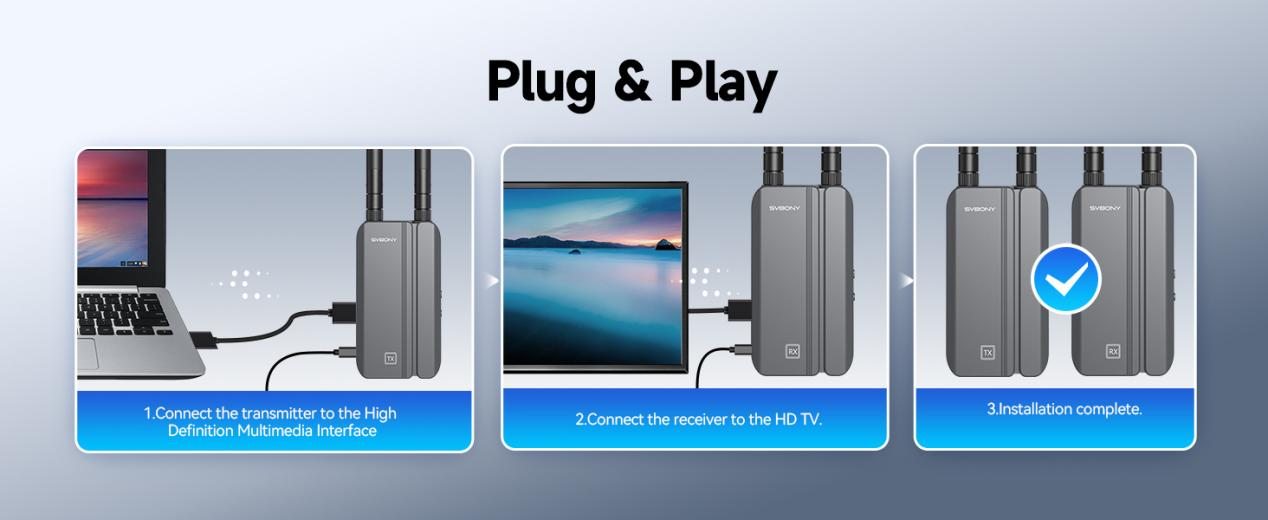
The best systems, like the SVBONY Transair3 ST4, require no software installation or complex setup. Just connect the transmitter and receiver to power and HDMI ports, and you’re ready to go. This plug-and-play HDMI design is a lifesaver for non-tech-savvy users or quick presentations.
- Low Latency for Real-Time Use
For HDMI for live streaming or gaming, latency must be minimal. The Transair3 ST4 achieves an ultra-low 0.06s latency via 5GHz HDMI transmission, which avoids interference from crowded 2.4GHz bands.
- Multi-Room Streaming Capabilities
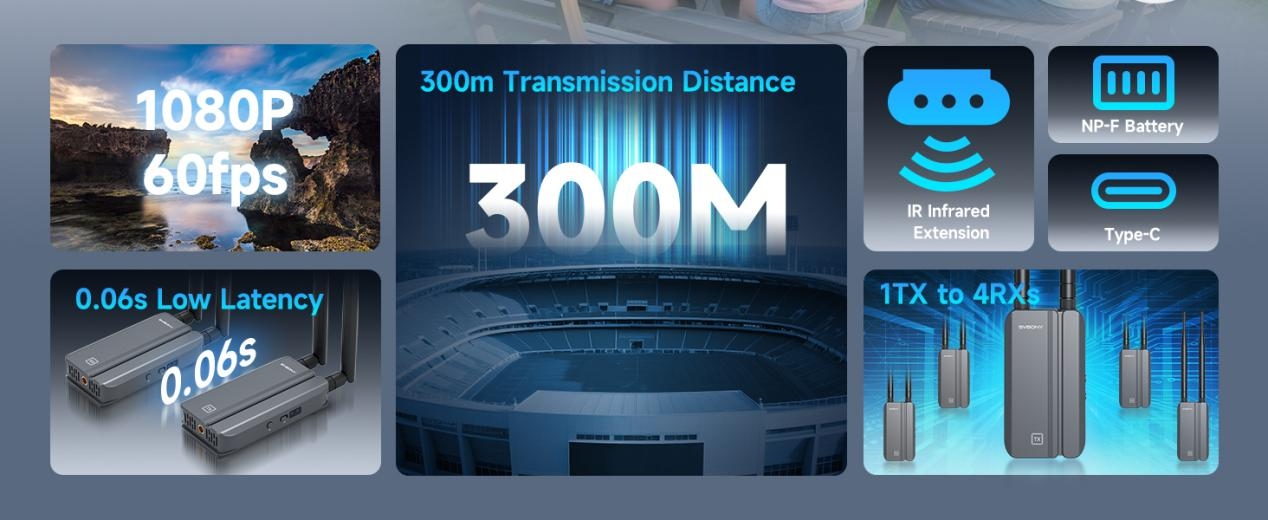
Need to share content across rooms? Some extenders support HDMI multi-room streaming by pairing multiple receivers to one transmitter. The Transair3 ST4 supports 1 transmitter to 4 receivers, making it perfect for whole-home entertainment or conference room setups.
- Strong Signal Penetration
With a range of up to 300 meters in open areas and strong wall-penetrating capability, this system ensures stable performance even in large spaces.
Why Choose the SVBONY Transair3 ST4? A Deep Dive
- The Transair3 ST4 stands out for its balance of performance and ease of use. Here’s why it’s a top pick:
- True Plug-and-Play: No drivers, apps, or passwords needed.
- 1080P/60fps Support: Crystal-clear visuals for movies, gaming, and professional use.
- 300m Range: Works through walls and floors, ideal for large homes or offices.
- Infrared Remote Extension: Control your set-top box from another room.
- Dual Power Options: Use Type-C or NP-F batteries for flexibility.
One user raves:
“I set up the Transair3 ST4 in minutes for my church’s live streams. The low latency means the audience sees exactly what I’m doing in real time—no awkward delays!”
Step-by-Step Setup Guide
Let’s walk through configuring the SVBONY Transair3 ST4:
Unbox and Power Up:
- Plug the transmitter into your source device’s HDMI port.
- Connect the receiver to your display’s HDMI input.
- Use the included Type-C cables or NP-F batteries for power.
Test Your Connection:
- Play a video or slideshow. Adjust antenna angles if signal strength is weak.
Optimize Settings:
- Ensure your source and display support 1080P/60fps.
- Keep devices within line of sight for best performance.
Common Use Cases for Wireless HDMI
Home Entertainment:
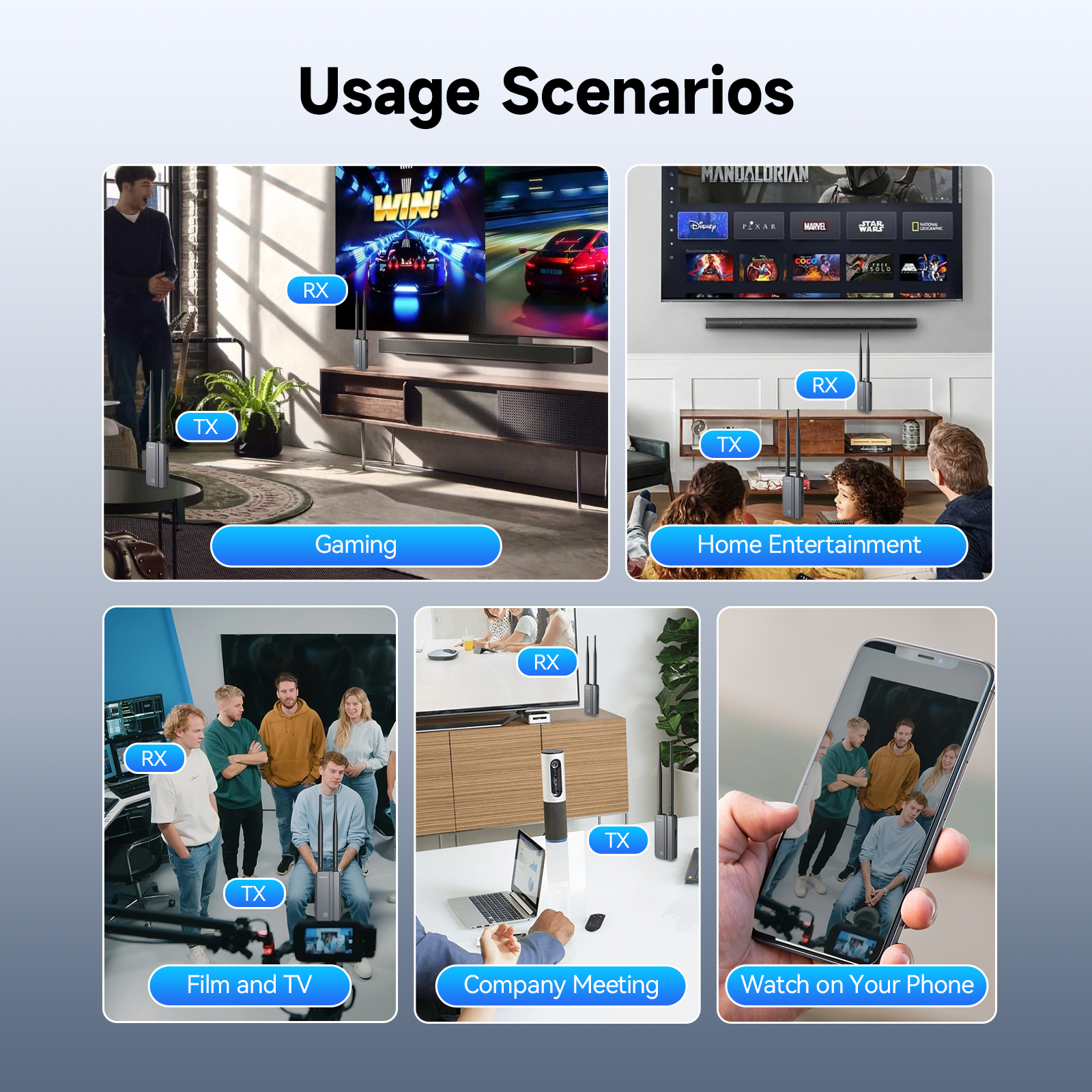
- Stream from your laptop to the TV without moving furniture.
- Connect a gaming console to a projector for outdoor movie nights.
Professional Settings:
- HDMI for conference room: Share presentations wirelessly from laptops to screens.
- HDMI for live streaming: Connect cameras to monitors for real-time monitoring.
Education:
- Teachers can roam freely while projecting lessons onto interactive whiteboards.
Troubleshooting Tips
Even plug-and-play systems can hit snags. Here’s how to fix them:
❌ No Signal? Check power connections and HDMI ports. Try restarting devices.
❌ Laggy Video? Move closer to the receiver or reduce interference from other wireless devices.
❌ Audio Sync Issues? Update your display’s firmware or use an HDMI audio extractor.
Conclusion: Embrace the Wireless Future
Wireless HDMI isn’t just a convenience—it’s a productivity booster and a clutter-buster. With plug-and-play HDMI systems like the SVBONY Transair3 ST4, anyone can enjoy HDMI wireless video transmission without technical expertise. Whether you’re streaming, gaming, or presenting, cutting the cord frees you to focus on what matters most.
Ready to upgrade? Explore the SVBONY Transair3 ST4 today and rediscover the joy of cable-free living.Amazon.com: SVBONY TransAir3 Wireless HDMI Transmitter and 2 Receiver, 328FT Wireless Hdmi Extender, 5G 0.06s Latency, 1080P/60FPS, Support HDMI Loop-Out, IR Remote, APP Control, for Camera Projector Home Office : Electronics