







Facebook Twitter Instagram
    Trending
    • VOOPOO ARGUS Z3 Review – Flip the Pod, Change the Vape! Keep It Simple!
    • Vaporesso ARMOUR GS2 vs ARMOUR G2 Review: Which Pod Mod Fits Your Setup?
    • 0.15Ω vs 0.3Ω GTX Coils: Which Vaporesso Coil Should You Choose?
    • Vaporesso ARMOUR GS2 Review: 80W Pod Mod With 18650 Battery and GTX Dual Mesh
    • iJOY XP100K Zero Nicotine Kit Review: Nixodine, 100K Puffs and Dual-Battery Design
    • Xiaomi Door and Window Sensor 3 Launches With Tunnel Magnetoresistance Sensor and 3-Year Battery
    • Google Pixel 11a Renders Leak With Tensor G6 Chip and MediaTek Modem
    • Samsung Galaxy Tab S12 Ultra Leak Reveals 7 Years of Android Updates and AI Features
    Facebook YouTube
    IGeeKphone China Phone, Tablet PC, VR, RC Drone News, Reviews
    • HOME
    • BREAKING NEWS
      • AI NEWS
    • Amazon
    • PHONE
      • Top Phones For Your First Choice
      • Phone Comparison
      • Xiaomi
      • Blackview
      • Doogee
      • Black Shark
      • Geekbuying
      • Banggood
      • TEMU
      • TikTok
      • Aliexpress
      • Walmart
      • MercadoLibre
      • Lazada
    • TOP VAPE Awards for 2026
    • VAPES
      • E-CIGAR Upcoming
      • Vape News
      • Vape Deals
      • Vape Comparison
      • Vape Guide
      • VAPE LAWS
      • Giveaway
    • BEST VAPE
      • Best Vape Stores
      • Best Starter Vape Kits
      • Best Vapes for Beginners
      • Best Disposable Vapes
      • Best Pod Systems
      • Best Pod Mod Vapes
      • Best Mods
      • Best Nicotine Pouches
      • Best Clearomizers/Tanks
      • Best E-Liquid
      • Best EGO/Pens
      • Best Vapes for Nic Salt E-Juice
      • Best Vapes to Quit Smoking
      • RDA vs. RDTA vs. RTA
    • Best Vape Brand 2026
      • VAPORESSO
      • VOOPOO
      • OXVA
      • NEXA BAR
      • MASKKING VAPE
      • SP2S
      • IPLAY
      • TODOO
      • MRFOG
      • LOSTVAPE
      • VEIIK
    • REVIEW
      • E-cigar Review
      • Phones
      • Tablet PC
      • TV Box
      • RC Drone
      • Wearables
      • Camera
      • Accessories
      • VR Headset
    • MORE
      • TABLET
        • Chuwi
        • INNOCN
        • Teclast
        • Top Tablet for Your First Choice
        • Tablet/Laptop Comparison
      • RC DRONE
      • CAMERA
      • WEARABLES
        • OneOdio
        • BlitzWolf
        • Top Smartwatch for First Choice
      • 3D PRINTER
        • 3D Printer Review
        • Anycubic
        • FLSUN
        • Xtool
        • LONGER
        • Top 3D printer to Choose First
      • POWER STATION
        • Oukitel
        • FOSSIBOT
      • GAMING
        • Top Gaming Products
      • E-BIKE
        • Samebike
        • Happyrun
        • ENGWE
      • SMART HOME
      • TV BOX
      • ACCESSORIES
      • VR HEADSET
      • CLOTHES
      • AUTO CAR
    • DEAL
    • Shop
    IGeeKphone China Phone, Tablet PC, VR, RC Drone News, Reviews
    You are at:Home»Guide»How to Choose the Resolution for Redmi K90?
    Guide

    How to Choose the Resolution for Redmi K90?

    Brady CottonBy Brady CottonJanuary 11, 2026
    Facebook Twitter Pinterest LinkedIn Tumblr Email

    During the process of purchasing and using smartphones, resolution is one of the key parameters that affect the visual experience. The Redmi K90, as a mid-range market-oriented model, offers various options for screen resolution configuration. Users need to make a reasonable selection based on their actual needs and usage scenarios. The following analysis is conducted from three dimensions: screen display, shooting output, and video recording, to help users make a scientific choice of resolution settings.

    1. Screen Display: Balancing Image Quality and Power Consumption

    Redmi K90 features a 6.59-inch 1.5K OLED straight screen with a resolution of 2510×1156. It supports a 120Hz dynamic refresh rate and high-frequency PWM dimming. This configuration achieves a good balance between clarity and power consumption control.

    – Daily usage scenarios: With a 1.5K resolution, when browsing web pages, using social media, or watching videos, the edges of text are sharp, and the image details are rich. Moreover, compared to a 2K screen, it can reduce power consumption by approximately 15% and extend battery life. For instance, when playing 1080P videos continuously for 3 hours at 28℃, the 1.5K screen model consumes about 18% less power than the 2K model.

    Outdoor bright light environment: If you need to view the screen under direct sunlight, you can enable the “Sunlight Mode” to increase the brightness. At this time, the pixel density of 1.5K resolution can still ensure the readability of the text, avoiding the overexposure of the picture or color distortion caused by forcibly increasing the resolution.

    Game Scenario: When running large-scale games such as “Genshin Impact”, a 1.5K resolution combined with a 120Hz refresh rate can not only present detailed scene textures but also reduce GPU load, preventing frame rate fluctuations caused by excessively high resolution. The actual test shows that in 60 frame mode, the power consumption of 1.5K resolution is approximately 22% lower than that of 2K resolution.

    II. Shooting Output: Matching Requirements with Storage Capacity

    The camera system of Redmi K90 supports multiple resolution outputs. Users can flexibly choose the resolution according to their shooting purposes.

    Daily Record: Select the 3264×1836 pixel mode. The size of a single photo is approximately 3-4MB. This not only meets the sharing requirements on social platforms but also saves storage space. For example, taking 100 photos only occupies about 300-400MB of space, while the highest resolution mode requires approximately 1.3GB.
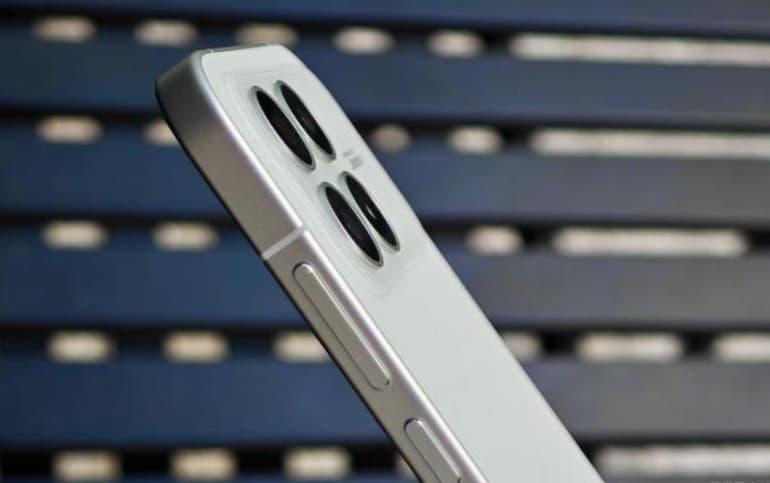
    Creative Shooting: If you need post-processing for cropping or printing large-sized photos, you can enable the 4160×3120 pixel (approximately 13 million pixels) mode. In this mode, the photos have rich details and can still retain details such as clothing textures and building brick joints when enlarged, making it suitable for shooting landscapes, buildings, and other subjects.

    Continuous shooting mode: When shooting dynamic subjects such as children and pets, it is recommended to set the resolution to the medium level (e.g. 3264×1836 pixels) and enable the “Continuous Shooting Mode”. This setting ensures a high shooting rate while reducing the processing time for each individual photo, and avoids the lag caused by excessively high resolution in continuous shooting.

    III. Video Recording: Balancing Picture Quality and Smoothness

    Redmi K90 supports multiple video recording resolutions such as 8K at 30 FPS, 4K at 60 FPS, and 1080P at 240 FPS. Users need to choose the appropriate resolution based on the usage scenario.
    High-definition recording: When creating travel vlogs or family gatherings, the 4K 30FPS mode can capture rich details and the file size is moderate (approximately 180MB per minute), making it convenient for post-production editing and sharing.

    Share. Facebook Twitter Pinterest LinkedIn Tumblr Email

    Related Posts

    Back Market Refurbished Tech: What to Know Before Buying

    Orlistat for Weight Management: How It Works and What to Know

    Android Tablet Buying Guide: How to Choose the Right Tablet in 2026?

    Leave A Reply Cancel Reply

    You must be logged in to post a comment.

    voopoopintch
    oxva vprime 2
    nomadz
    • Popular
    • 3D Printer REVIEW
    • XIAOMI
    October 1, 2026

    VOOPOO ARGUS Z3 Review – Flip the Pod, Change the Vape! Keep It Simple!

    September 27, 2026

    Vaporesso ARMOUR OCTA Review – Built Like a Tank, Vapes Like a Beast

    September 27, 2026

    VOOPOO ARGUS Multi-Ohm Cartridge Review – One Magic Pod, Three Completely Different Vapes

    September 18, 2026

    OXVA VPRIME 2 vs VPRIME: What’s New in the Latest Version

    December 26, 2025

    ACMER ASCARVA 4S: Precision CNC Power for Makers, DIYers & Small Workshops

    June 23, 2024

    ACMER P2 20W Laser Engraver Fixed Focus Engraving: Hands on Review

    May 30, 2024

    xTool F1 Ultra Review: World’s First 20W Fiber & 20W Diode Laser Engraver

    May 30, 2024

    Anycubic Kobra 3 Combo Review: The Multicolor Masterpiece?

    September 30, 2026

    Xiaomi Door and Window Sensor 3 Launches With Tunnel Magnetoresistance Sensor and 3-Year Battery

    September 30, 2026

    Redmi Headphones Neo Review: 42dB ANC, 40mm Drivers and 72-Hour Battery

    September 23, 2026

    Xiaomi Pad 9 Pro Launches With 12.5-Inch 3.2K 144Hz Display and 11,000mAh Battery

    September 23, 2026

    Xiaomi 18 Pro Max Launches With Snapdragon 8 Elite Extreme Gen 6 and 8500mAh Battery

    fc 26 coins
    New Arrivals
    • Vaporesso Armour GS2 Pod System Kit 80W Vaporesso Armour GS2 Pod System Kit 80W
    • iJOY XP100K Zero Nicotine Refillable Disposable Vape Kit iJOY XP100K Zero Nicotine Refillable Disposable Vape Kit
    • JNR PowerMate Pro JNR PowerMate Pro
    • MAXRAY RUSH 80K Disposable Vape MAXRAY RUSH 80K Disposable Vape
    • MERRYMI Blade 30000 Disposable Vape MERRYMI Blade 30000 Disposable Vape
    • Dip Devices Dipper Portable Vaporizer Dip Devices Dipper Portable Vaporizer
    • Exxus Vape Mini Plus Vaporizer Exxus Vape Mini Plus Vaporizer
    • JNR Lion King Shisha JNR Lion King Shisha
    • Fumot Eco 4-in-1 80K Disposable Vape Fumot Eco 4-in-1 80K Disposable Vape
    About
  • Igeekphone.com provides the first global tech news and reviews about smartphone, vapes, e-cigar, smart home, 3D printers, e-bike,tablets, RC drones, VR headset, and other accessories. It's the best platform to improve your brand and product.
  • Contact us: info@igeekphone.com
  • Check Our Privacy Policy Here.
  • Note: *Right now we have US editor and EU editors for review, especially for Amazon US and EU.
  • *Shop and Compare Price Here*
  • Facebook
  • Youtube
  • OUR BEST VAPE PARTNERS
  • VAPE ONLINE STORE
  • VAPORESSO
  • VOOPOO
  • OXVA
  • NEXA
  • MASKKING
  • SP2S
  • IPLAY
  • TODOO
  • OTHER BEST PARTNERS
  • SVBONY
  • Chuwi
  • Blackview
  • Fossibot
  • Unihertz
  • Flsun
  • Anycubic
  • Xtool
  • Oukitel
  • Mukkpet Ebike
  • Ugreen
  • Copyright © 2026 igeekphone

    Type above and press Enter to search. Press Esc to cancel.