







Facebook Twitter Instagram
    Trending
    • Hyper Bar LX 65K Review: Features, Battery, Flavor Options and 65,000-Puff Capacity
    • Huawei Mate 90 Pro Max May Feature a 200MP Zoom Camera and New External Lens System
    • Xiaomi Adds 8 More Devices to the HyperOS 4 Beta Testing Program
    • UK Vaping Products Duty Begins October 1 After IVG Parent Company Gets HMRC Approval
    • Maskking Super GTS+ Vape Review: Exploring Its Two-Tank Setup and 10K-Puff Capacity
    • JNR Bykux 59K Vape Review: 59K-Puff Capacity, Dual Mesh Coils and Adjustable Airflow
    • Rock Me Sheesha Max 200K Review: 200K Puffs, 1000mAh Battery and Mesh Coil
    • Fifty Bar Air 70K Review: 70,000 Puffs, ECO/BOOST Modes and 18mL E-Liquid
    Facebook YouTube
    IGeeKphone China Phone, Tablet PC, VR, RC Drone News, Reviews
    • HOME
    • BREAKING NEWS
      • AI NEWS
    • Amazon
    • PHONE
      • Top Phones For Your First Choice
      • Phone Comparison
      • Xiaomi
      • Blackview
      • Doogee
      • Black Shark
      • Geekbuying
      • Banggood
      • TEMU
      • TikTok
      • Aliexpress
      • Walmart
      • MercadoLibre
      • Lazada
    • TOP VAPE Awards for 2026
    • VAPES
      • E-CIGAR Upcoming
      • Vape News
      • Vape Deals
      • Vape Comparison
      • Vape Guide
      • VAPE LAWS
      • Giveaway
    • BEST VAPE
      • Best Vape Stores
      • Best Starter Vape Kits
      • Best Vapes for Beginners
      • Best Disposable Vapes
      • Best Pod Systems
      • Best Pod Mod Vapes
      • Best Mods
      • Best Nicotine Pouches
      • Best Clearomizers/Tanks
      • Best E-Liquid
      • Best EGO/Pens
      • Best Vapes for Nic Salt E-Juice
      • Best Vapes to Quit Smoking
      • RDA vs. RDTA vs. RTA
    • Best Vape Brand 2026
      • VAPORESSO
      • VOOPOO
      • OXVA
      • NEXA BAR
      • MASKKING VAPE
      • SP2S
      • IPLAY
      • TODOO
      • MRFOG
      • LOSTVAPE
      • VEIIK
    • REVIEW
      • E-cigar Review
      • Phones
      • Tablet PC
      • TV Box
      • RC Drone
      • Wearables
      • Camera
      • Accessories
      • VR Headset
    • MORE
      • TABLET
        • Chuwi
        • INNOCN
        • Teclast
        • Top Tablet for Your First Choice
        • Tablet/Laptop Comparison
      • RC DRONE
      • CAMERA
      • WEARABLES
        • OneOdio
        • BlitzWolf
        • Top Smartwatch for First Choice
      • 3D PRINTER
        • 3D Printer Review
        • Anycubic
        • FLSUN
        • Xtool
        • LONGER
        • Top 3D printer to Choose First
      • POWER STATION
        • Oukitel
        • FOSSIBOT
      • GAMING
        • Top Gaming Products
      • E-BIKE
        • Samebike
        • Happyrun
        • ENGWE
      • SMART HOME
      • TV BOX
      • ACCESSORIES
      • VR HEADSET
      • CLOTHES
      • AUTO CAR
    • DEAL
    • Shop
    IGeeKphone China Phone, Tablet PC, VR, RC Drone News, Reviews
    You are at:Home»Guide»What should I do if the camera on OnePlus Ace 6 fails to turn off the black screen?
    Guide

    What should I do if the camera on OnePlus Ace 6 fails to turn off the black screen?

    Brady CottonBy Brady CottonJune 23, 2026
    Facebook Twitter Pinterest LinkedIn Tumblr Email

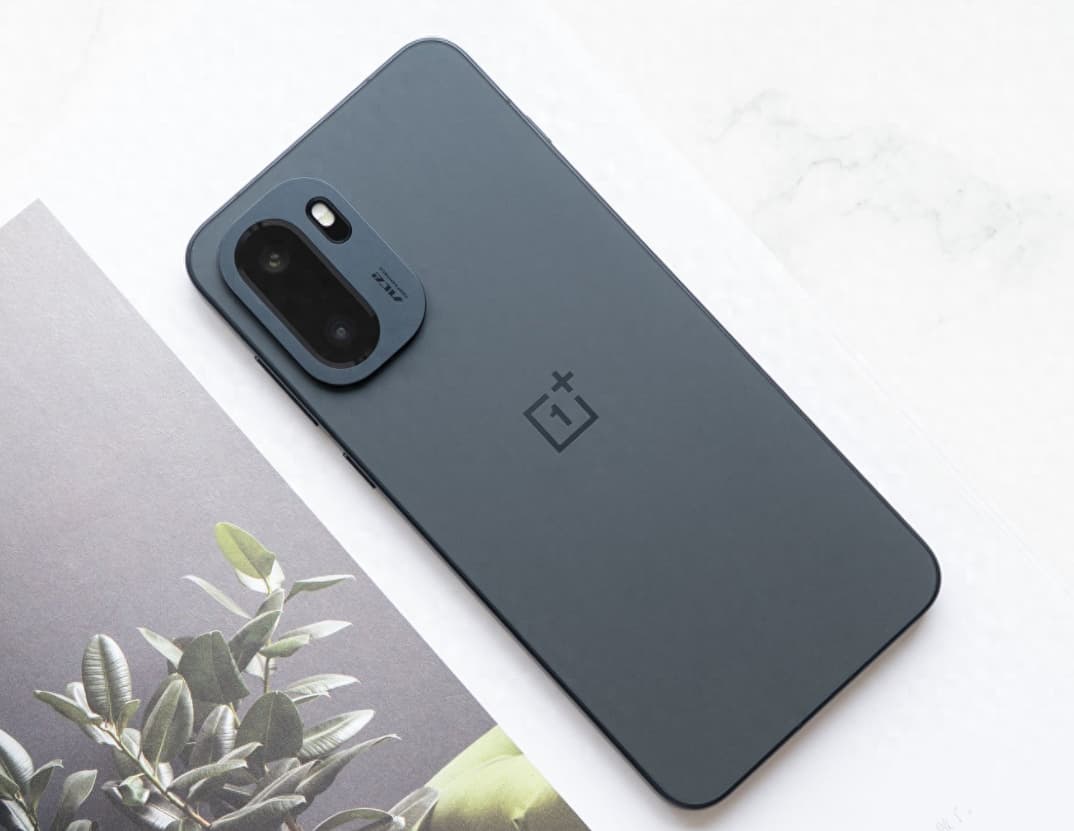
    The camera function of smart phones has become an important tool for recording life. However, some users may encounter problems such as the camera not starting or a black screen when using OnePlus Ace 6. Such malfunctions are usually caused by software conflicts, system abnormalities or hardware obstruction. By systematically troubleshooting, the problem can be quickly identified and resolved. The following provides six solutions from three dimensions: software optimization, hardware inspection, and system maintenance.

    I. Force a restart to release resources

    Press and hold the power button for 10 seconds until the phone vibrates, then release it. This forced restart can clear the temporary cache of the system and release the occupied camera resources. This operation is applicable to black screen issues caused by conflicts between background programs or system lag. For example, when applications such as WeChat video calls or scanning tools are not completely exited, they may occupy the camera permissions. After restarting, the system will reallocate the resources.

    II. Checking Permissions and Configuration Files

    Go to “Settings > Privacy > Camera” and make sure that the system camera and third-party photo application permissions are enabled. If the permissions are mistakenly turned off, the application will not be able to access the camera hardware. At the same time, long press the camera icon and select “App Info > Storage Usage > Clear Data”. This operation will reset the camera configuration files but will not delete the photos that have been taken. If the camera goes black due to a damaged configuration file, this method can quickly fix the issue.

    III. Upgrade the system and fix the drivers

    Go to “Settings > System Update” and check and install the latest system version. System updates often include camera driver optimizations and compatibility improvements. For example, in version 16.0.0.211 of OnePlus 15, the camera startup smoothness was optimized, resolving some black screen issues. If users do not update the system in time, they may encounter functional abnormalities due to outdated driver versions.

    IV. Check for hardware obstructions and damage

    Check whether the camera area is blocked by metal protective cases, magnetic lens films or fingerprints. Some third-party accessories may interfere with the camera sensor. Remove them and restart the device to test. If only the front or rear camera is abnormal, it may be related to poor contact or hardware damage of the module wiring. Tap the camera area on the back of the phone. If the image briefly flashes, contact the after-sales service for testing and checking the wiring.

    V. Factory Reset Ultimate Repair

    If the above methods do not work, you can try backing up the data and then restoring to factory settings (path: “Settings > Other Settings > Restore Phone > Completely Clear All Data”). This operation will delete all user data. You need to back up important files through cloud services or a computer in advance. Restoring to factory settings can solve stubborn problems caused by damaged system files or deep software conflicts.

    VI. Professional Detection of Hardware Failures

    If the problem persists, it is recommended that you bring the purchase receipt to the official OPPO service center for professional engineers to test the motherboard or camera module for faults. For example, if there are hardware issues such as broken camera cables or damaged sensors, they need to be detected using professional equipment. Users must not attempt to repair the device themselves.
    Daily Usage Suggestions:

    Regularly clean up the storage space and keep at least 10GB of available space to prevent insufficient system cache.

    2. Avoid running multiple camera applications simultaneously to reduce the risk of permission conflicts;

    3. Use official or security-certified third-party camera applications and avoid installing software from unknown sources.

    Through systematic troubleshooting and targeted handling, the camera black screen issue of OnePlus Ace 6 can usually be resolved quickly. If the problem is caused by a hardware failure and cannot be fixed, the official after-sales service providing replacement of original factory parts can effectively ensure the long-term usage experience of the device.

    Share. Facebook Twitter Pinterest LinkedIn Tumblr Email

    Related Posts

    Silvio Fortunato & Paulo Barroso: Beurax, Sonic AI Gold, TAG Markets & The Due Diligence Test

    How to Disable Location Access for Apps on iPhone

    What a Roofing Contractor Finds That Drone Footage and Home Inspection Apps Consistently Miss

    Leave A Reply Cancel Reply

    You must be logged in to post a comment.

    voopoopintch
    oxva nexlim 2
    shopify
    • Popular
    • 3D Printer REVIEW
    • XIAOMI
    September 18, 2026

    OXVA VPRIME 2 vs VPRIME: What’s New in the Latest Version

    July 13, 2026

    OXVA Nexlim 2 Mini Pod Vape Hands on Review

    July 13, 2026

    OXVA Nexlim 2 Pod Vape Hands on Review

    June 21, 2026

    iPlay LUMO 8K Review – A Compact Prefilled Pod Kit with Big Flavor and Everyday Convenience

    December 26, 2025

    ACMER ASCARVA 4S: Precision CNC Power for Makers, DIYers & Small Workshops

    June 23, 2024

    ACMER P2 20W Laser Engraver Fixed Focus Engraving: Hands on Review

    May 30, 2024

    xTool F1 Ultra Review: World’s First 20W Fiber & 20W Diode Laser Engraver

    May 30, 2024

    Anycubic Kobra 3 Combo Review: The Multicolor Masterpiece?

    September 19, 2026

    Xiaomi Adds 8 More Devices to the HyperOS 4 Beta Testing Program

    September 18, 2026

    Xiaomi Mijia Night Light 4 Launches at 69 Yuan With 24GHz Radar and 8-Month Battery Life

    September 18, 2026

    Xiaomi Youpin Launches High-Power Flashlight With 448-Meter Beam and Adjustable Focus

    September 17, 2026

    Xiaomi Mi Air Purifier 6C Launches at 999 Yuan With 99% Formaldehyde Removal Claim

    fc 26 coins
    New Arrivals
    • Rock Me Sheesha Max 200K Disposable Vape Rock Me Sheesha Max 200K Disposable Vape
    • Hyper Bar LX 65K Disposable Vape Hyper Bar LX 65K Disposable Vape
    • Fifty Bar Air 70K Disposable Vape Fifty Bar Air 70K Disposable Vape
    • iJOY XP200K Refillable Disposable Vape Kit iJOY XP200K Refillable Disposable Vape Kit
    • DOVPO Flipside Solo Squonk Box Mod DOVPO Flipside Solo Squonk Box Mod
    • Ploox 30K Disposable Vape Ploox 30K Disposable Vape
    • Mazaya E-Hookah 80K Disposable Vape Mazaya E-Hookah 80K Disposable Vape
    • Mazaya Cloud Aura 50K Disposable Vape Mazaya Cloud Aura 50K Disposable Vape
    • Uwell Caliburn Air R Pod System Kit Uwell Caliburn Air R Pod System Kit
    About
  • Igeekphone.com provides the first global tech news and reviews about smartphone, vapes, e-cigar, smart home, 3D printers, e-bike,tablets, RC drones, VR headset, and other accessories. It's the best platform to improve your brand and product.
  • Contact us: info@igeekphone.com
  • Check Our Privacy Policy Here.
  • Note: *Right now we have US editor and EU editors for review, especially for Amazon US and EU.
  • *Shop and Compare Price Here*
  • Facebook
  • Youtube
  • OUR BEST VAPE PARTNERS
  • VAPE ONLINE STORE
  • VAPORESSO
  • VOOPOO
  • OXVA
  • NEXA
  • MASKKING
  • SP2S
  • IPLAY
  • TODOO
  • OTHER BEST PARTNERS
  • SVBONY
  • Chuwi
  • Blackview
  • Fossibot
  • Unihertz
  • Flsun
  • Anycubic
  • Xtool
  • Oukitel
  • Mukkpet Ebike
  • Ugreen
  • Copyright © 2026 igeekphone

    Type above and press Enter to search. Press Esc to cancel.