







Facebook Twitter Instagram
    Trending
    • There are 54 electronic cigarette stores clustered in two streets of Manchester
    • How to take dynamic photos with iPhone 17 Pro Max?
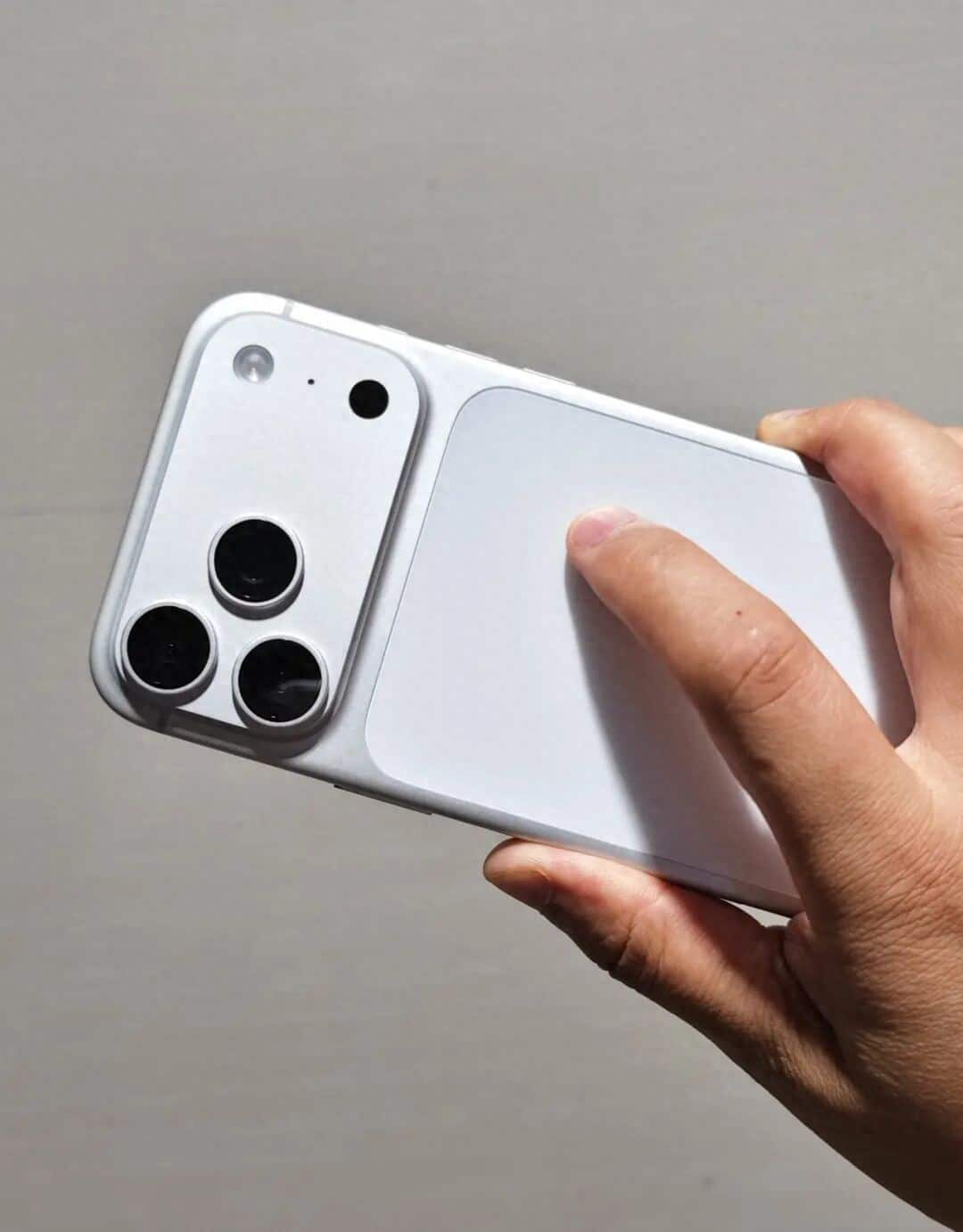
    • Xiaomi MIX 5-AI Rendering Video of the Appearance: Rear Round Design with Deco Support for External Lenses
    • The Shooting Samples of Honor Magic V6 have been Released
    • Xiaomi Tag Organ Tracking Device will be Released on February 28th: Compatible with Android and iOS Systems
    • Nothing Phone (4a) once again revolutionizes the Glyph notification light, Changing it to a Square light bar.
    • High-Resolution Images of Honor Magic V6 Real Device have been Released
    • Trump’s application for an ETF plan – Bitcoin price could surge by 100%, potentially becoming the best-yielding investment in 2026.
    Facebook YouTube
    Login Register
    IGeeKphone China Phone, Tablet PC, VR, RC Drone News, Reviews
    • HOME
      • NEWS
        • DeepSeek
        • ChatGPT
        • Minecraft
    • Amazon
    • NEW YEAR
    • PHONE
      • Top Phones For Your First Choice
      • Phone Comparison
      • Xiaomi
      • Blackview
      • Doogee
      • Black Shark
      • Geekbuying
      • Banggood
      • TEMU
      • TikTok
      • Aliexpress
      • Walmart
      • MercadoLibre
      • Lazada
    • TOP VAPE Awards for 2026
    • VAPES
      • E-CIGAR Upcoming
      • Vape News
      • Vape Deals
      • Vape Comparison
      • Vape Guide
      • Giveaway
    • BEST VAPE
      • Best Vape Stores
      • Best Starter Vape Kits
      • Best Vapes for Beginners
      • Best Disposable Vapes
      • Best Pod Systems
      • Best Pod Mod Vapes
      • Best Mods
      • Best Nicotine Pouches
      • Best Clearomizers/Tanks
      • Best E-Liquid
      • Best EGO/Pens
      • Best Vapes for Nic Salt E-Juice
      • Best Vapes to Quit Smoking
      • RDA vs. RDTA vs. RTA
    • Best Vape Brand 2026
      • VAPORESSO
      • VOOPOO
      • OXVA
      • NEXA BAR
      • ORIONBARTECH
      • MASKKING VAPE
      • MEMERS
      • SP2S
      • JNR
      • TODOO
      • MRFOG
      • VEIIK
    • REVIEW
      • E-cigar Review
      • Phones
      • Tablet PC
      • TV Box
      • RC Drone
      • Wearables
      • Camera
      • Accessories
      • VR Headset
    • MORE
      • TABLET
        • Chuwi
        • INNOCN
        • Teclast
        • Top Tablet for Your First Choice
        • Tablet/Laptop Comparison
      • RC DRONE
      • CAMERA
      • WEARABLES
        • OneOdio
        • BlitzWolf
        • Top Smartwatch for First Choice
      • 3D PRINTER
        • 3D Printer Review
        • Anycubic
        • FLSUN
        • Xtool
        • LONGER
        • Top 3D printer to Choose First
      • POWER STATION
        • Oukitel
        • FOSSIBOT
      • GAMING
        • Top Gaming Products
      • E-BIKE
        • Samebike
        • Happyrun
        • ENGWE
      • SMART HOME
      • TV BOX
      • ACCESSORIES
      • VR HEADSET
      • CLOTHES
      • AUTO CAR
    • DEAL
    • Shop
    IGeeKphone China Phone, Tablet PC, VR, RC Drone News, Reviews
    You are at:Home»Guide»How to take dynamic photos with iPhone 17 Pro Max?
    Guide

    How to take dynamic photos with iPhone 17 Pro Max?

    Brady CottonBy Brady CottonFebruary 23, 2026
    Facebook Twitter Pinterest LinkedIn Tumblr Email

    In the field of smartphone photography, the dynamic photo function has become a powerful tool for capturing vivid moments of life. The iPhone 17 Pro Max, with its powerful hardware performance and deeply optimized software algorithms, has elevated this function to a new level. Through the “Live Photo” mode, users can capture 3-second dynamic clips without the need for professional equipment, giving static images a new lease of life. This article will systematically explain the complete usage process of this function, covering preparation for shooting, operation techniques, post-editing, and cross-platform sharing.

    I. Core Settings Before Shooting

    To start dynamic shooting, the “Live Photo” mode must be activated first. After opening the camera application, find the circular icon labeled “LIVE” at the top toolbar and click on it. Once the icon turns yellow, it indicates that the function has been enabled. To improve operational efficiency, you can turn on the “Live Photo” switch in “Settings – Camera – Save Settings” to automatically activate it each time the camera is started. Before shooting, it is recommended to turn on the grid lines to assist in composition. This can be done by going to “Settings – Camera – Grid” and making the settings. This will help users precisely control the balance of the picture.

    II. Three Core Techniques of Dynamic Shooting

    Stability control: Although the iPhone 17 Pro Max is equipped with sensor-shift optical image stabilization technology, auxiliary equipment is still required in situations of rapid movement or low light. When shooting handheld, hold the device with both hands or use a magnetic tripod to fix it; when shooting moving scenes, you can pair it with the DJI RS 4 Mini stabilizer, whose intelligent follow function can automatically lock onto the subject and ensure smooth dynamic trajectories.

    2. Light Management: Adequate lighting is crucial for the clarity of dynamic photos. For outdoor shooting, choose periods with soft light to avoid subjects appearing too dark due to backlighting. For indoor shooting, you can use LED fill lights or reflectors to enhance ambient light. If shooting portraits dynamically, it is recommended to position the light source at a 45-degree angle to the side front to create a three-dimensional lighting effect.

    3. Action Design: The movement range of the subject being filmed should be moderate. Excessive movements may cause the picture to become blurry, while too small movements may fail to convey the sense of dynamics. For example, when filming pets playing, you can guide them to perform consecutive actions such as jumping and turning; when shooting water flow, choose a place with a rapid waterfall or stream, and use the “long exposure” effect to create a silk-like texture.

    III. Advanced Editing and Creative Realization

    The completed dynamic photos can be deeply edited using the photo album application:
    1. Cover frame selection: In the editing interface, drag the timeline and select the most expressive moment from the 3-second dynamic video as the static cover image to solve the problem of the first frame being unsatisfactory when sharing. For example, when shooting a child blowing out a candle, the flickering of the candle flame at the moment of extinguishing can be chosen as the cover image.

    2. Enhanced Dynamic Effects: Click on the “Effects” option to choose “Loop Playback” to make the jumping action repeat indefinitely, or use “Reverse Playback” to create a novel sense of time reversal. When shooting city street scenes, the “Long Exposure” mode can convert the movement of pedestrians into light trails, creating a visual impact similar to time-lapse photography.

    3. Multi-frame Composite Creation: Utilize the “Continuity” tool to stitch together multiple dynamic photos to create a short film. For instance, when capturing the process of a sunrise, take a live photo every 10 minutes. In the post-production stage, extract the key frames and combine them to create a time-lapse animation, presenting a stunning effect of the passage of time.

    IV. Cross-platform Sharing and Format Conversion

    The sharing of dynamic photos should be done according to the platform’s characteristics and in an appropriate format:
    Native ecosystem sharing: Through iMessage or AirDrop, the dynamic effects can be fully preserved. The recipient can simply play the dynamic video by long-pressing the screen.

    2. Social media adaptation: When sharing on platforms such as Instagram and TikTok, the system will automatically convert the dynamic photos into MP4 format short videos. If you want to retain the looping playback feature, you can “save as video” in the album in advance to generate a 4K resolution dynamic clip.

    3. GIF format conversion: Download applications such as “GIF Brewery” and “Lively” from the App Store. Export real-time photos as GIF files with custom dimensions and frame rates. For example, after converting the pet’s movements into a GIF, you can add text stickers or background music to create an emoticon package that can be used in WeChat group chats to enhance the interactive fun.

    From the moment the shutter is pressed until it is finally shared and disseminated, the dynamic shooting feature of iPhone 17 Pro Max enables every user to become a creator of visual narratives. Whether it’s capturing the surprise expression on a child’s face as they blow out the candles, or capturing the dynamic trajectory of the traffic flow in the city at night, this feature can meet diverse creative needs with professional-level performance.

    Share. Facebook Twitter Pinterest LinkedIn Tumblr Email

    Related Posts

    EA FC 26: 4 Best Goalkeepers to Build Your Ultimate Squad

    How Digital Asset Management Software Can Transform Your Workflow

    How to Turn an Iphone into a New Phone

    Leave A Reply Cancel Reply

    You must be logged in to post a comment.

    voopoo Cyph NAVI kit
    oxva xlim 3 ultra
    sp2s sen x disposable vape
    jnr 100k
    • Popular
    • 3D Printer REVIEW
    • XIAOMI
    February 8, 2026

    VOOPOO VMATE i2 vs i3: Hands-On Comparison Review

    February 2, 2026

    Voopoo Drag X3 vs Drag X2: Hands-On Comparison Review

    January 21, 2026

    VOOPOO ARGUS P3 VS ARGUS P2: Which Square Pod Suits You?

    January 21, 2026

    VOOPOO Drag X3 vs VOOPOO Drag X2: Hands-On Comparison

    December 26, 2025

    ACMER ASCARVA 4S: Precision CNC Power for Makers, DIYers & Small Workshops

    June 23, 2024

    ACMER P2 20W Laser Engraver Fixed Focus Engraving: Hands on Review

    May 30, 2024

    xTool F1 Ultra Review: World’s First 20W Fiber & 20W Diode Laser Engraver

    May 30, 2024

    Anycubic Kobra 3 Combo Review: The Multicolor Masterpiece?

    February 23, 2026

    Xiaomi MIX 5-AI Rendering Video of the Appearance: Rear Round Design with Deco Support for External Lenses

    February 23, 2026

    Xiaomi Tag Organ Tracking Device will be Released on February 28th: Compatible with Android and iOS Systems

    February 21, 2026

    The global launch event for Xiaomi 17 series is scheduled for February 28th in Barcelona

    February 21, 2026

    The Largest Battery Phone in Xiaomi History! Xiaomi 17 Max is Equipped with an 8000mAh Battery

    fc 26 coins
    New Arrivals
    • RAZ RX50K Batch Edition Disposable Vape RAZ RX50K Batch Edition Disposable Vape
    • Olit Hookalit Mega 200K Disposable Olit Hookalit Mega 200K Disposable
    • VOOPOO Drag 6 Vape Mod Kit VOOPOO Drag 6 Vape Mod Kit
    • Geek Bar CLR 50K Disposable Vape Geek Bar CLR 50K Disposable Vape
    • Redmi Turbo 5 Max Redmi Turbo 5 Max
    • OnePlus Turbo 7 OnePlus Turbo 7
    • Doogee S300 Ultra Doogee S300 Ultra
    • iQOO 15R iQOO 15R
    • VOOPOO NAVI X Cyph 80K Disposable Vape Kit VOOPOO NAVI X Cyph 80K Disposable Vape Kit
    About
  • Igeekphone.com provides the first global tech news and reviews about smartphone, vapes, e-cigar, smart home, 3D printers, e-bike,tablets, RC drones, VR headset, and other accessories. It's the best platform to improve your brand and product.
  • Contact us: info@igeekphone.com
  • Check Our Privacy Policy Here.
  • Note: *Right now we have US editor and EU editors for review, especially for Amazon US and EU.
  • *Shop and Compare Price Here*
  • Facebook
  • Youtube
  • OUR BEST VAPE PARTNERS
  • VAPE ONLINE STORE
  • HAYATI PRO MAX PLUS
  • VAPORESSO
  • VOOPOO
  • OXVA
  • NEXA
  • MASKKING
  • LOSTVAPE ORIONBAR
  • MEMERS
  • TODOO
  • SP2S
  • JNR
  • VEIIK
  • OTHER BEST PARTNERS
  • SVBONY
  • Chuwi
  • Blackview
  • Fossibot
  • Unihertz
  • Flsun
  • Anycubic
  • Xtool
  • Oukitel
  • Mukkpet Ebike
  • Ugreen
  • Copyright © 2026 igeekphone

    Type above and press Enter to search. Press Esc to cancel.