











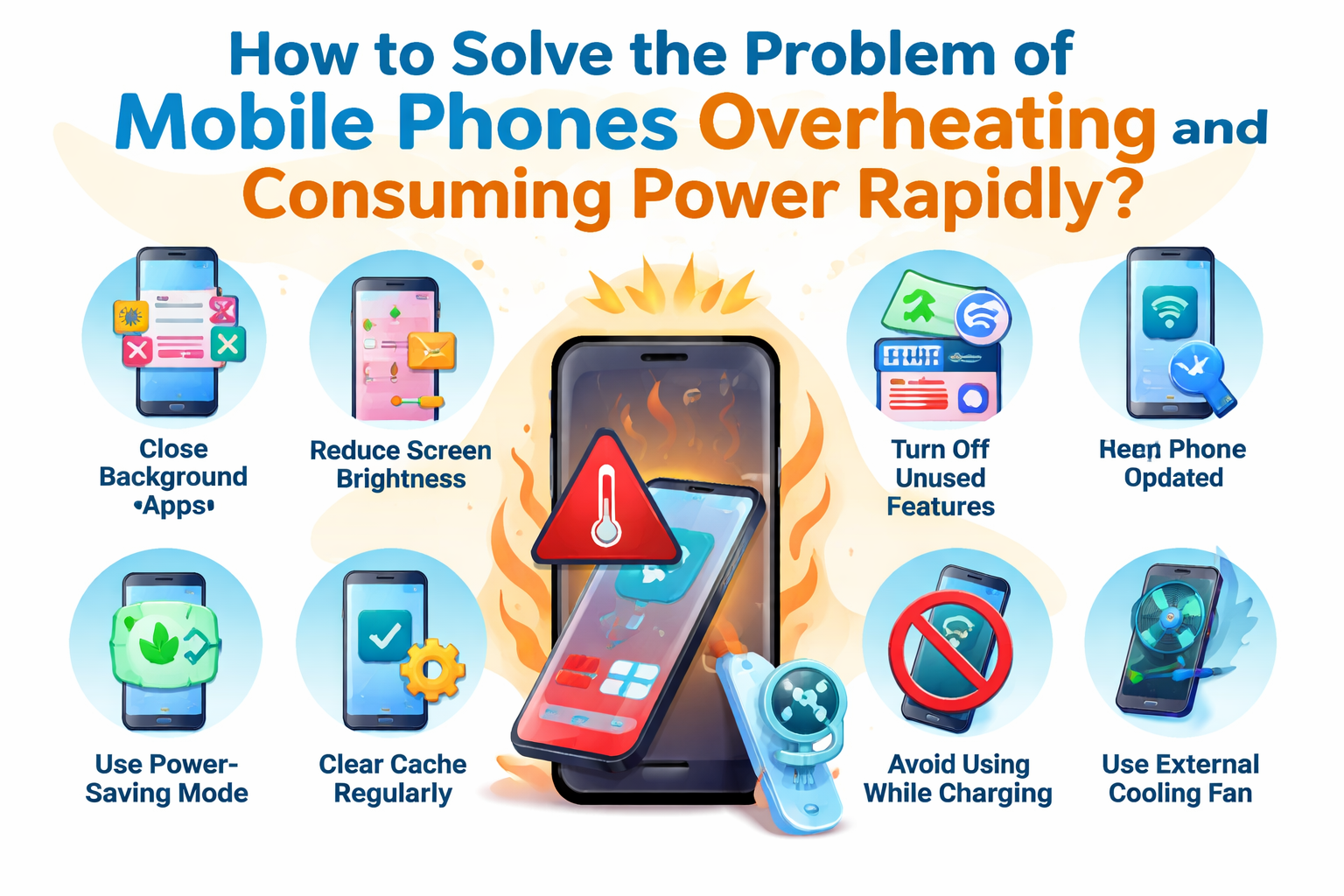
Mobile phones have become an integral part of our daily lives, but many users face the frustrating issue of overheating and rapid power consumption. These problems not only affect the phone’s performance but also shorten the device’s lifespan. Fortunately, these challenges can be addressed with a combination of preventive measures and smart usage habits. In this SEO-optimized article, we’ll explore why mobile phones overheat, why they consume power rapidly, and most importantly, how we can solve these issues.
Understanding the Causes of Overheating and Rapid Power Consumption
1. Excessive Background Processes and Apps
One of the primary reasons for rapid power consumption is the excessive number of background apps running on your phone. Even apps you’re not actively using can continue consuming power and generate heat.
2. Heavy Usage
Extended use of demanding apps, such as games, streaming platforms, or AR applications, can cause your phone to heat up quickly. These apps consume a significant amount of processing power, leading to overheating and battery drain.
3. Poorly Optimized Apps
Some apps may not be well-optimized, using more resources than necessary and causing unnecessary power consumption. These apps can run inefficiently in the background, resulting in both overheating and a rapid drain of battery life.

4. High Screen Brightness
Keeping your phone’s screen brightness on high for extended periods of time is another factor that can lead to power consumption and overheating. The screen is one of the most power-hungry components in a smartphone.
5. Hardware and Software Issues
Over time, outdated software or hardware issues like faulty batteries, inefficient processors, or damaged cooling systems can contribute to the overheating and rapid power consumption of your device.
Effective Solutions for Overheating and Power Consumption Issues
1. Close Unnecessary Background Apps
A common habit among smartphone users is to leave apps open in the background. However, these apps continue to use system resources, leading to excessive power drain and causing the device to heat up. To avoid this, close unused apps regularly or use the built-in task manager on your phone to stop them completely. On Android and iOS, both operating systems offer settings to monitor and close background apps.
Tip: Set up notifications to remind you to close apps or use a task manager app to automate this process.
2. Reduce Screen Brightness or Use Adaptive Brightness
The screen is a significant contributor to battery consumption and heat generation. By lowering your screen brightness or enabling adaptive brightness, your phone will adjust the screen brightness based on ambient light, conserving power and reducing the strain on the battery.
Tip: Use the “Night Mode” or Blue Light Filter feature, which not only reduces power consumption but also helps reduce eye strain.
3. Turn Off Unused Features
Your phone comes with various features that are constantly running in the background, such as Bluetooth, Wi-Fi, GPS, and NFC. These features, when left on unnecessarily, can drain your battery and increase heat production. Make sure to turn off features you aren’t using, especially when you don’t need them.
Tip: Use the Airplane Mode when you’re not using your phone for calls, texting, or internet browsing to save battery and reduce overheating.
4. Use Power-Saving Modes
Modern smartphones come with power-saving modes that help reduce background processes, dim the screen, and restrict background data to save battery life. Enabling these modes when your battery is low can prevent overheating and extend your phone’s usage time.
Tip: Make use of Battery Saver Mode (Android) or Low Power Mode (iPhone) to reduce power consumption when the battery is running low.
5. Keep Your Phone Updated
Both hardware and software optimizations can significantly impact your phone’s performance and efficiency. Ensure that you keep your phone’s operating system and apps up to date, as developers often release updates that address overheating issues, improve battery efficiency, and fix bugs that cause excessive resource consumption.
Tip: Set your phone to automatically update apps and check for system updates regularly to ensure your device is running optimally.
6. Clear Cache and Data Regularly
Over time, accumulated cached data can cause apps to perform inefficiently, increasing both power consumption and heating. Clearing the cache and unnecessary data on your device can free up resources and improve the overall performance of your phone.
Tip: Go to your phone’s Settings and clear the cache and data for apps that you don’t use frequently. You can also use a third-party cleaner app to remove unnecessary files.
7. Avoid Using Your Phone While Charging
Using your phone for gaming, streaming, or multitasking while charging generates significant heat. This can make your phone even hotter and lead to increased power consumption. Try to avoid using power-hungry apps during charging to prevent overheating and unnecessary battery drain.
Tip: Charge your phone overnight while leaving it idle to allow it to reach full power without stressing the device.
8. Use External Cooling Solutions
If your phone tends to overheat often, using external cooling solutions, such as cooling fans or phone cases with built-in cooling features, can help lower the temperature. These solutions can be especially useful if you’re using your phone for gaming or extended video watching.
Tip: Look for gaming phone cases that come with built-in fans or cooling pads if you regularly experience overheating during intensive use.
9. Manage Your Battery Health
The health of your battery can also impact how your phone consumes power. Over time, battery performance degrades, leading to faster power drain and the potential for overheating. Regularly check the health of your phone’s battery in the settings and consider replacing it if it shows signs of wear.
Tip: Avoid charging your phone to 100% or letting it drop to 0%. Charging between 20%-80% can help prolong battery life and reduce strain on the system.
When to Seek Professional Help
If you’ve tried all the above steps and your phone continues to overheat or drain power rapidly, it may be a sign of a deeper issue, such as a malfunctioning battery, faulty charging port, or overheating processor. In this case, it’s best to contact your phone’s manufacturer or visit a professional repair service for a thorough diagnosis and potential repair or battery replacement.
Conclusion: How to Keep Your Mobile Phone Cool and Efficient
Mobile phones are powerful devices that can perform a wide range of tasks, but overheating and rapid power consumption are common problems faced by many users. By following the simple steps outlined in this article, you can significantly reduce these issues and keep your phone running smoothly. From closing unnecessary background apps to updating your phone regularly and using power-saving features, there are plenty of ways to optimize your phone’s performance.
For optimal results, make sure to adopt good battery management practices, keep your phone cool, and utilize the latest software updates. By making these adjustments, you can enhance your phone’s battery life and prevent it from overheating, ensuring a smoother, longer-lasting mobile experience.