







Facebook Twitter Instagram
    Trending
    • JNR Meteorite 100K Refillable Vape Kit Review: A Revolutionary Powerbank-Style Vaping System
    • PARFFLO Hookah Blast 40K Nixodine Disposable Vape Review: A Hookah-Inspired Alternative with Advanced Features
    • How to Unlock the ID Lock on an iPhone: A Complete Guide?
    • WASPE AIVIOU 150K: A 6-in-1 High-Puff Vape Built for Heavy Users and Wholesale Shelves
    • WASPE 100K Pro: The 2-in-1 Slide-Control Vape Made for Big-Puff Users
    • WASPE 100K 4-in-1: The Quad-Taste Disposable Built for Heavy Users and Busy Vape Shops
    • WASPE 40K Twins: Why Dual-Taste Disposables Are Still One of the Smartest Bulk Vape Picks
    • Redmi Game Tablet 5 Pro Goes Online: Equipped with Big Model of Douba
    Facebook YouTube
    IGeeKphone China Phone, Tablet PC, VR, RC Drone News, Reviews
    • HOME
      • NEWS
        • DeepSeek
        • ChatGPT
        • Minecraft
    • Amazon
    • PHONE
      • Top Phones For Your First Choice
      • Phone Comparison
      • Xiaomi
      • Blackview
      • Doogee
      • Black Shark
      • Geekbuying
      • Banggood
      • TEMU
      • TikTok
      • Aliexpress
      • Walmart
      • MercadoLibre
      • Lazada
    • TOP VAPE Awards for 2026
    • VAPES
      • E-CIGAR Upcoming
      • Vape News
      • Vape Deals
      • Vape Comparison
      • Vape Guide
      • Giveaway
    • BEST VAPE
      • Best Vape Stores
      • Best Starter Vape Kits
      • Best Vapes for Beginners
      • Best Disposable Vapes
      • Best Pod Systems
      • Best Pod Mod Vapes
      • Best Mods
      • Best Nicotine Pouches
      • Best Clearomizers/Tanks
      • Best E-Liquid
      • Best EGO/Pens
      • Best Vapes for Nic Salt E-Juice
      • Best Vapes to Quit Smoking
      • RDA vs. RDTA vs. RTA
    • Best Vape Brand 2026
      • VAPORESSO
      • VOOPOO
      • OXVA
      • NEXA BAR
      • MASKKING VAPE
      • SP2S
      • IPLAY
      • TODOO
      • MRFOG
      • LOSTVAPE
      • VEIIK
    • REVIEW
      • E-cigar Review
      • Phones
      • Tablet PC
      • TV Box
      • RC Drone
      • Wearables
      • Camera
      • Accessories
      • VR Headset
    • MORE
      • TABLET
        • Chuwi
        • INNOCN
        • Teclast
        • Top Tablet for Your First Choice
        • Tablet/Laptop Comparison
      • RC DRONE
      • CAMERA
      • WEARABLES
        • OneOdio
        • BlitzWolf
        • Top Smartwatch for First Choice
      • 3D PRINTER
        • 3D Printer Review
        • Anycubic
        • FLSUN
        • Xtool
        • LONGER
        • Top 3D printer to Choose First
      • POWER STATION
        • Oukitel
        • FOSSIBOT
      • GAMING
        • Top Gaming Products
      • E-BIKE
        • Samebike
        • Happyrun
        • ENGWE
      • SMART HOME
      • TV BOX
      • ACCESSORIES
      • VR HEADSET
      • CLOTHES
      • AUTO CAR
    • DEAL
    • VAPE LAWS
    • Shop
    IGeeKphone China Phone, Tablet PC, VR, RC Drone News, Reviews
    You are at:Home»Guide»How to Unlock the ID Lock on an iPhone: A Complete Guide?
    Guide

    How to Unlock the ID Lock on an iPhone: A Complete Guide?

    Brady CottonBy Brady CottonJune 4, 2026
    Facebook Twitter Pinterest LinkedIn Tumblr Email

    If you’ve encountered an “Activation Lock” or “iPhone Locked to Owner” message on your iPhone, you’re dealing with one of Apple’s most important security features. Designed to protect lost or stolen devices, Activation Lock prevents unauthorized users from accessing or reactivating an iPhone without the original Apple Account credentials.

    Fortunately, if you are the rightful owner of the device, there are several legitimate ways to remove the lock and regain access.

    What Is an iPhone ID Lock?

    Many people refer to Apple’s Activation Lock as an “ID lock” because it is linked to the owner’s Apple Account (formerly Apple ID). When the Find My feature is enabled, Activation Lock automatically turns on and ties the iPhone to that Apple Account. This security feature helps deter theft and protects personal information if the device is lost or stolen.

    When Activation Lock is active, anyone attempting to set up the device after a reset must enter the Apple Account credentials associated with the iPhone.

    Method 1: Sign In with the Original Apple Account

    The simplest way to remove Activation Lock is to enter the Apple Account email address and password that were originally used to activate the device. Apple identifies this as the primary method for unlocking an Activation-Locked iPhone.

    Steps

    1. Turn on the iPhone.
    2. Connect to Wi-Fi or a cellular network.
    3. When the Activation Lock screen appears, enter the original Apple Account credentials.
    4. Follow the on-screen instructions to complete setup.

    If the information is correct, the lock will be removed and you can continue using the device.

    Method 2: Reset a Forgotten Apple Account Password

    If the iPhone belongs to you but you’ve forgotten your password, Apple allows you to reset it through account recovery tools. After resetting the password, you can return to the Activation Lock screen and sign in with the updated credentials.
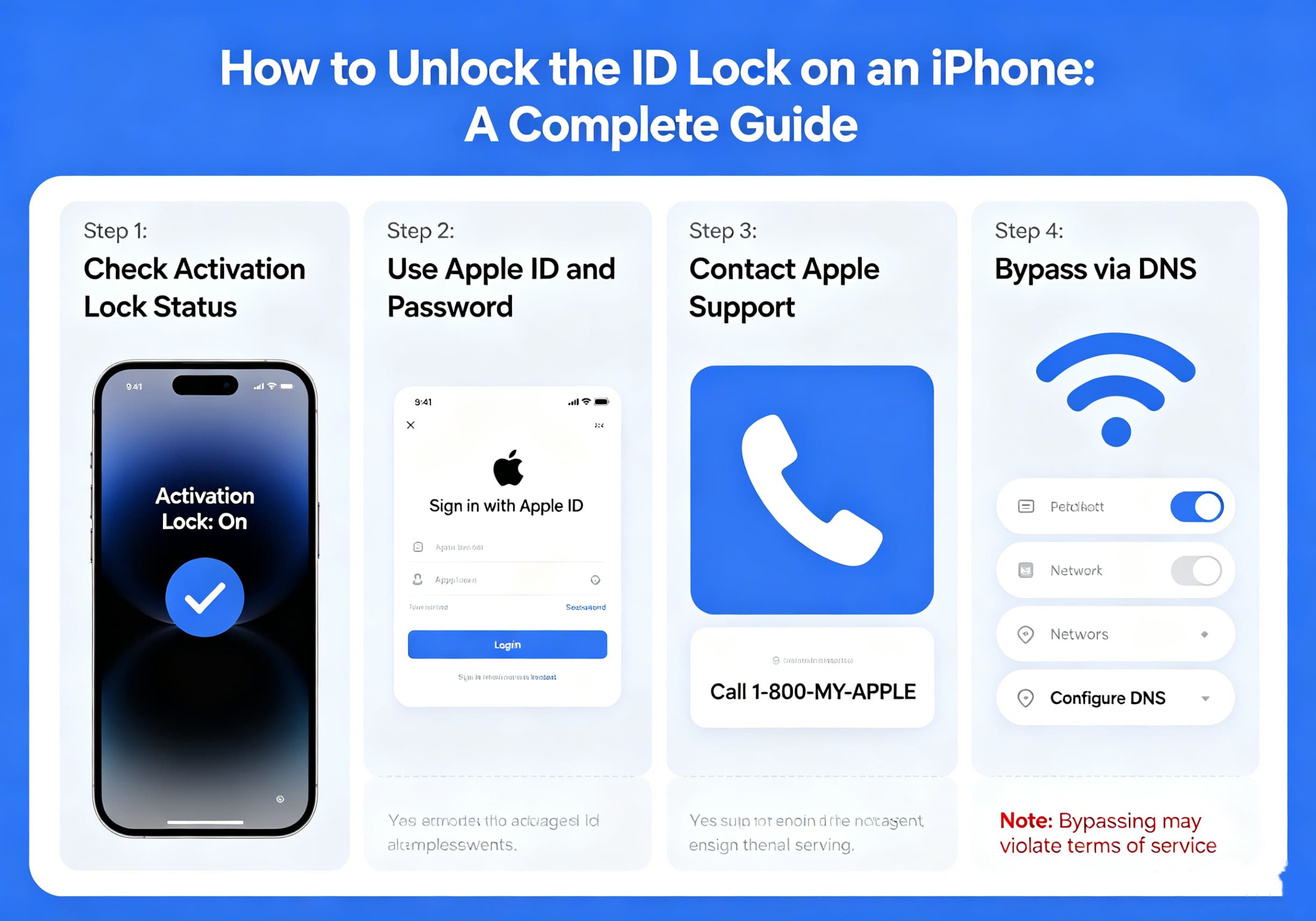
    Common recovery options include:

    • Trusted devices
    • Trusted phone numbers
    • Recovery email methods
    • Account recovery through Apple

    The process may take some time depending on your account security settings.

    Method 3: Remove Activation Lock Through iCloud

    If you still have access to the Apple Account but no longer have the iPhone in hand, you may be able to remove the device remotely through Apple’s Find My service. Apple provides this option for devices associated with your account.

    General Process

    1. Sign in to your Apple account’s Find My service.
    2. Locate the device.
    3. Select the iPhone.
    4. Remove the device from your account after erasing it.
    5. The next user can then activate the phone normally.

    This method is commonly used when selling, giving away, or recycling an iPhone.

    Method 4: Contact Apple Support

    If you are the legal owner of the iPhone but cannot access the original Apple Account, Apple may be able to assist. In certain situations, Apple can review proof of ownership documentation and determine whether Activation Lock can be removed.

    Documents You May Need

    • Original purchase receipt
    • Invoice showing the device serial number
    • Carrier purchase documentation
    • Other proof of ownership requested by Apple

    Apple evaluates requests individually and does not guarantee approval.

    What If You Bought a Used iPhone?

    Used iPhone buyers frequently encounter Activation Lock if the previous owner forgot to remove the device from their account before selling it.

    If this happens:

    1. Contact the seller.
    2. Ask them to remove the device from their Apple Account.
    3. Have them erase and remove the iPhone from Find My.
    4. Restart the device and attempt activation again.

    Without the cooperation of the original owner or valid proof of ownership, Activation Lock generally cannot be removed.

    Avoid Activation Lock Removal Scams

    Many websites and software tools claim they can “bypass” or “hack” Activation Lock. Users should be extremely cautious when encountering these services.

    Potential risks include:

    • Financial scams
    • Malware infections
    • Stolen personal information
    • Non-functioning devices
    • Loss of future software updates

    Apple’s Activation Lock is designed specifically to prevent unauthorized access, and legitimate removal methods involve either the original account credentials or Apple’s ownership verification process.

    How to Prevent Future Lockouts

    To avoid Activation Lock issues in the future:

    • Keep your Apple Account information updated.
    • Maintain access to your trusted phone number.
    • Store purchase receipts in a safe location.
    • Remove devices from your account before selling them.
    • Verify that Find My has been disabled before transferring ownership.

    These simple steps can save significant time and frustration later.

    Final Thoughts

    Activation Lock is one of Apple’s most effective anti-theft technologies, helping protect millions of iPhone users worldwide. While it can be frustrating when credentials are forgotten or when purchasing a second-hand device, there are legitimate ways to regain access if you are the rightful owner.

    The safest and most reliable solutions involve signing in with the original Apple Account, resetting your password, removing the device through Find My, or working directly with Apple Support using valid proof of ownership. By following official procedures, you can unlock your iPhone securely while maintaining the protection that Activation Lock was designed to provide.

    Share. Facebook Twitter Pinterest LinkedIn Tumblr Email

    Related Posts

    How can iPhone 17 Pro Max Take Good Photos?

    The projected future price of Ethereum

    The Tale of the Canceled Check: What It Means for You

    Leave A Reply Cancel Reply

    You must be logged in to post a comment.

    voopoo G4 Mini
    oxva xlim 3 ultra
    sp2s sen x disposable vape
    • Popular
    • 3D Printer REVIEW
    • XIAOMI
    May 17, 2026

    iPlay Nova 45K Review – High Puff Performance with a Futuristic Twist

    May 17, 2026

    Vaporesso XROS 6 & XROS 6 Mini Review – The Evolution of Portable Vaping

    May 7, 2026

    OXVA Xlim Go Lite Review: Compact, Powerful, and Beginner-Friendly

    April 18, 2026

    VOOPOO DRAG 6 Hands on Review: Vape Beast with Smart Power & Premium Control

    December 26, 2025

    ACMER ASCARVA 4S: Precision CNC Power for Makers, DIYers & Small Workshops

    June 23, 2024

    ACMER P2 20W Laser Engraver Fixed Focus Engraving: Hands on Review

    May 30, 2024

    xTool F1 Ultra Review: World’s First 20W Fiber & 20W Diode Laser Engraver

    May 30, 2024

    Anycubic Kobra 3 Combo Review: The Multicolor Masterpiece?

    June 4, 2026

    The Imaging Specifications of Xiaomi 18 Pro Max have been Revealed

    June 2, 2026

    Xiaomi 17T Pro Smartphone has officially Announced Support for Cross-Platform Interoperability, and it is compatible with Apple’s AirDrop Feature

    May 29, 2026

    Xiaomi 17T/Pro overseas launch: 7000mAh battery “the largest for international versions to date”, starting at 749 euros

    May 28, 2026

    Redmi K100 Specifications Leaked: The most powerful Redmi king has arrived – two swords, large and small, strike simultaneously

    fc 26 coins
    New Arrivals
    • PARFFLO Hookah Blast 40K Nixodine Disposable Vape PARFFLO Hookah Blast 40K Nixodine Disposable Vape
    • OnePlus 16T OnePlus 16T
    • Xiaomi Poco M9 Xiaomi Poco M9
    • Motorola Moto X80 Air Motorola Moto X80 Air
    • Eleaf iStick X40 Vape Mod Kit with GTL X Tank Eleaf iStick X40 Vape Mod Kit with GTL X Tank
    • Olivebar Ice Control 50K Disposable Vape Olivebar Ice Control 50K Disposable Vape
    • Vivo X400 Ultra Vivo X400 Ultra
    • Motorola Moto Watch Motorola Moto Watch
    • Pyne Pod Click 80K Disposable Vape Kit Pyne Pod Click 80K Disposable Vape Kit
    About
  • Igeekphone.com provides the first global tech news and reviews about smartphone, vapes, e-cigar, smart home, 3D printers, e-bike,tablets, RC drones, VR headset, and other accessories. It's the best platform to improve your brand and product.
  • Contact us: info@igeekphone.com
  • Check Our Privacy Policy Here.
  • Note: *Right now we have US editor and EU editors for review, especially for Amazon US and EU.
  • *Shop and Compare Price Here*
  • Facebook
  • Youtube
  • OUR BEST VAPE PARTNERS
  • VAPE ONLINE STORE
  • HAYATI PRO MAX PLUS
  • VAPORESSO
  • VOOPOO
  • OXVA
  • NEXA
  • MASKKING
  • SP2S
  • IPLAY
  • TODOO
  • OTHER BEST PARTNERS
  • SVBONY
  • Chuwi
  • Blackview
  • Fossibot
  • Unihertz
  • Flsun
  • Anycubic
  • Xtool
  • Oukitel
  • Mukkpet Ebike
  • Ugreen
  • Copyright © 2026 igeekphone

    Type above and press Enter to search. Press Esc to cancel.