










Many users of Redmi Note 13 series notice battery drain issues where the system itself (MIUI/HyperOS system processes) consumes unusually high power. This can reduce screen-on time and make the phone feel less efficient even when apps are not heavily used.
In most cases, this is caused by background system activity, misconfigured settings, or software optimization issues rather than hardware defects.
Below is a complete guide to help you identify and fix the problem.
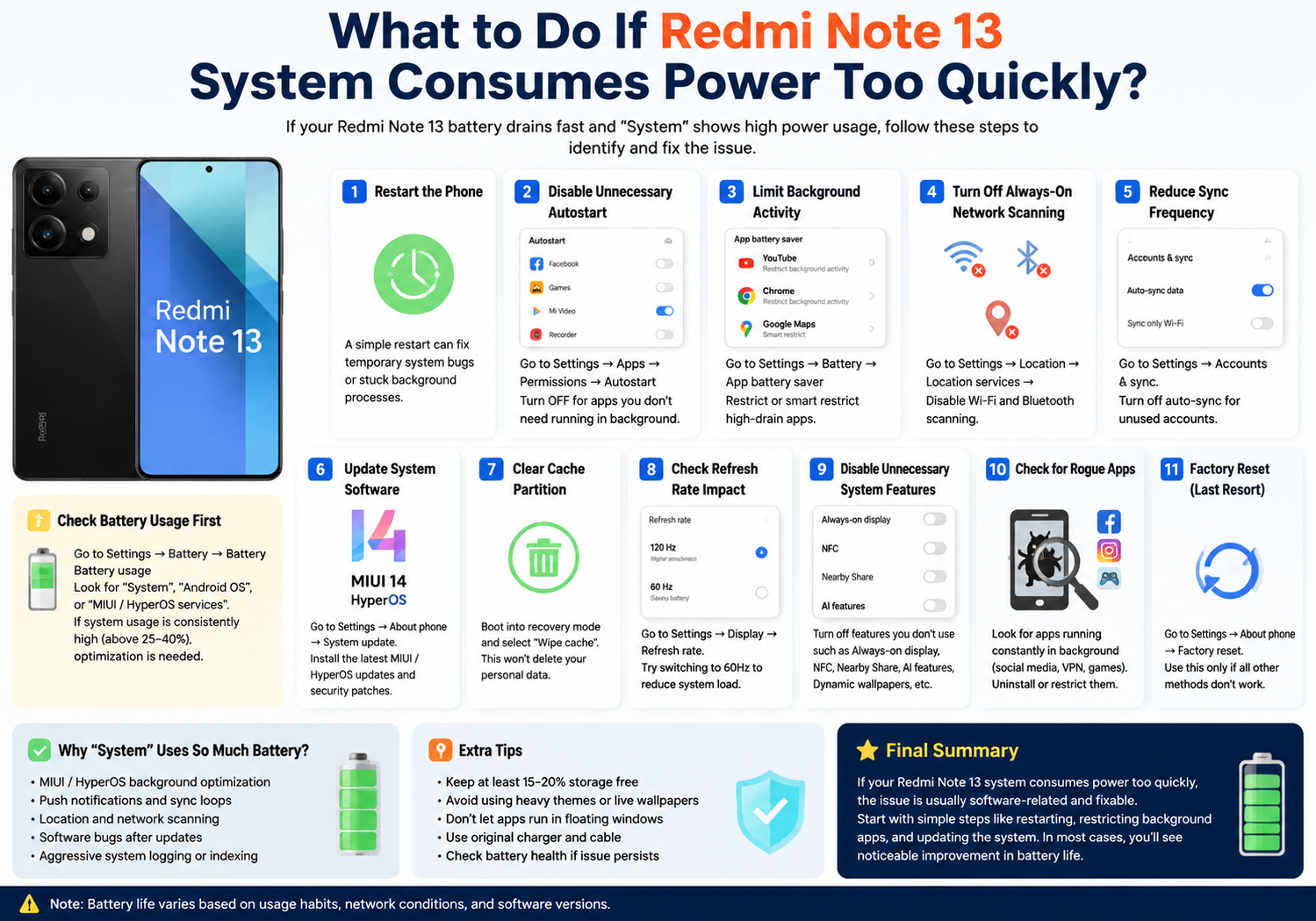
1. Check Battery Usage First
Before making changes, confirm what is draining your battery:
Go to:
Settings → Battery → Battery usage
Look for:
- “System”
- “Android OS”
- “MIUI / HyperOS services”
If system usage is consistently high (above 25–40%), optimization is needed.
2. Restart the Phone (Quick Fix)
A simple restart can immediately reduce system drain caused by:
- Stuck background processes
- Temporary system bugs
- Sync loops
Hold power button → Restart → check battery again after a few hours
3. Disable Unnecessary Background Autostart
Many system apps run in the background unnecessarily.
Steps:
Settings → Apps → Permissions → Autostart
Turn OFF for:
- Unused Xiaomi apps
- Third-party apps not needed for notifications
This reduces system wake-ups.
4. Limit Background Activity
Go to:
Settings → Battery → App battery saver
For high-drain apps:
- Set to “Restrict background activity”
- Or “Smart restrict”
This prevents system services from constantly waking apps.
5. Turn Off Always-On Network Scanning
System drain often comes from constant scanning.
Disable:
- Wi-Fi scanning
- Bluetooth scanning
Path:
Settings → Location → Location services → Disable scanning
6. Reduce Sync Frequency
Cloud and account sync can heavily affect system power usage.
Check:
Settings → Accounts & sync
You can:
- Turn off auto-sync for unused accounts
- Reduce sync frequency for Xiaomi Cloud, Gmail, etc.
7. Update System Software
Battery drain is often fixed in updates.
Go to:
Settings → About phone → System update
Install:
- MIUI updates
- HyperOS updates
- Security patches
Many “system drain” bugs are patched in updates.
8. Clear Cache Partition (Advanced Fix)
System cache corruption can increase battery usage.
Steps:
- Power off phone
- Enter recovery mode
- Select “Wipe cache”
⚠️ This does NOT delete personal data.
9. Check for High Refresh Rate Impact
Redmi Note 13 supports high refresh rates, which increase system workload.
Try:
- Switch from 120Hz → 60Hz
Path:
Settings → Display → Refresh rate
If battery improves significantly, system load is partly display-related.
10. Disable Unnecessary System Features
Turn off features you don’t use:
- Always-on display
- Nearby device scanning
- NFC (if unused)
- AI assistant features
- Dynamic wallpapers
These contribute to background system activity.
11. Check for Rogue Apps Triggering System Drain
Sometimes system battery usage is actually caused by apps.
Look for:
- Social media apps running constantly
- VPN apps
- Poorly optimized games
Uninstall or restrict suspicious apps.
12. Factory Reset (Last Resort)
If nothing works, a reset may be needed:
Settings → About phone → Factory reset
Use this only if:
- System drain persists after updates
- Phone behaves abnormally
- Battery drops even in idle mode
Why “System” Uses So Much Battery on Redmi Note 13
Common causes include:
- MIUI/HyperOS background optimization
- Push notifications and sync loops
- Location and network scanning
- Software bugs after updates
- Aggressive system logging or indexing
Final Summary
If your Redmi Note 13 system consumes power too quickly, the issue is usually software-related and fixable. Start with simple steps like restarting, restricting background apps, and updating the system. If needed, move to deeper fixes like cache wiping or factory reset.
In most cases, users see noticeable improvement after adjusting background activity and updating the system.