









The Yahboom Rider-Pi AI Visual Robot is more than a remote-controlled car. Designed for robotics enthusiasts, students and developers, this compact machine combines a two-wheel-legged mechanical structure with computer vision, Python programming and optional conversational AI features. It can move around a workspace, recognize visual information and respond to voice-based commands when the relevant software and services are configured.
What makes the Rider-Pi particularly interesting is the way it brings several robotics concepts together in one platform. Instead of focusing only on speed or driving range, it gives users an opportunity to explore balance control, object recognition, face tracking and human-robot interaction.
If you are looking for an educational robot that can serve as both a programmable project and an interactive desktop companion, the Yahboom Rider-Pi deserves a closer look.
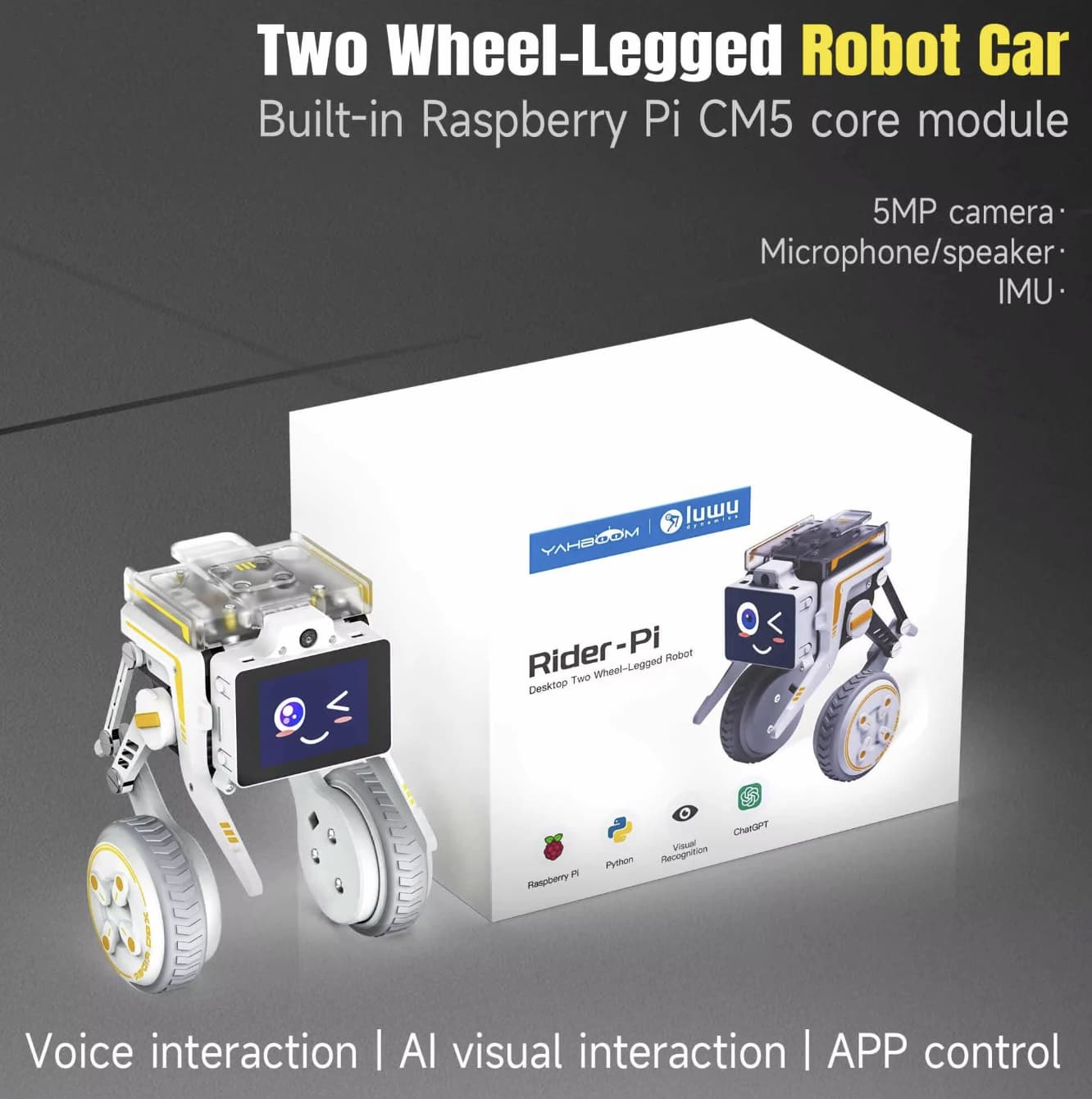
Yahboom Rider-Pi: Key Features at a Glance
- Hybrid movement design: A two-wheel-legged structure combines wheeled mobility with the ability to adjust its body position when encountering small changes in terrain.
- AI visual recognition: Supports applications such as face detection, object detection, color tracking and gesture recognition.
- Python programming: Provides a development platform for learning robot control and computer vision.
- 2-inch IPS display: Shows visual information and dynamic facial expressions.
- Optional ChatGPT interaction: Can support voice-based questions and answers, voice control and image-analysis functions after the necessary configuration.
- Wireless control: Bluetooth and Wi-Fi app control options make it possible to operate the robot without relying exclusively on a wired connection.
These features make the Rider-Pi more suitable for experimentation and interactive learning than a basic toy RC car.
A Two-Wheel-Legged Design That Goes Beyond Ordinary RC Cars
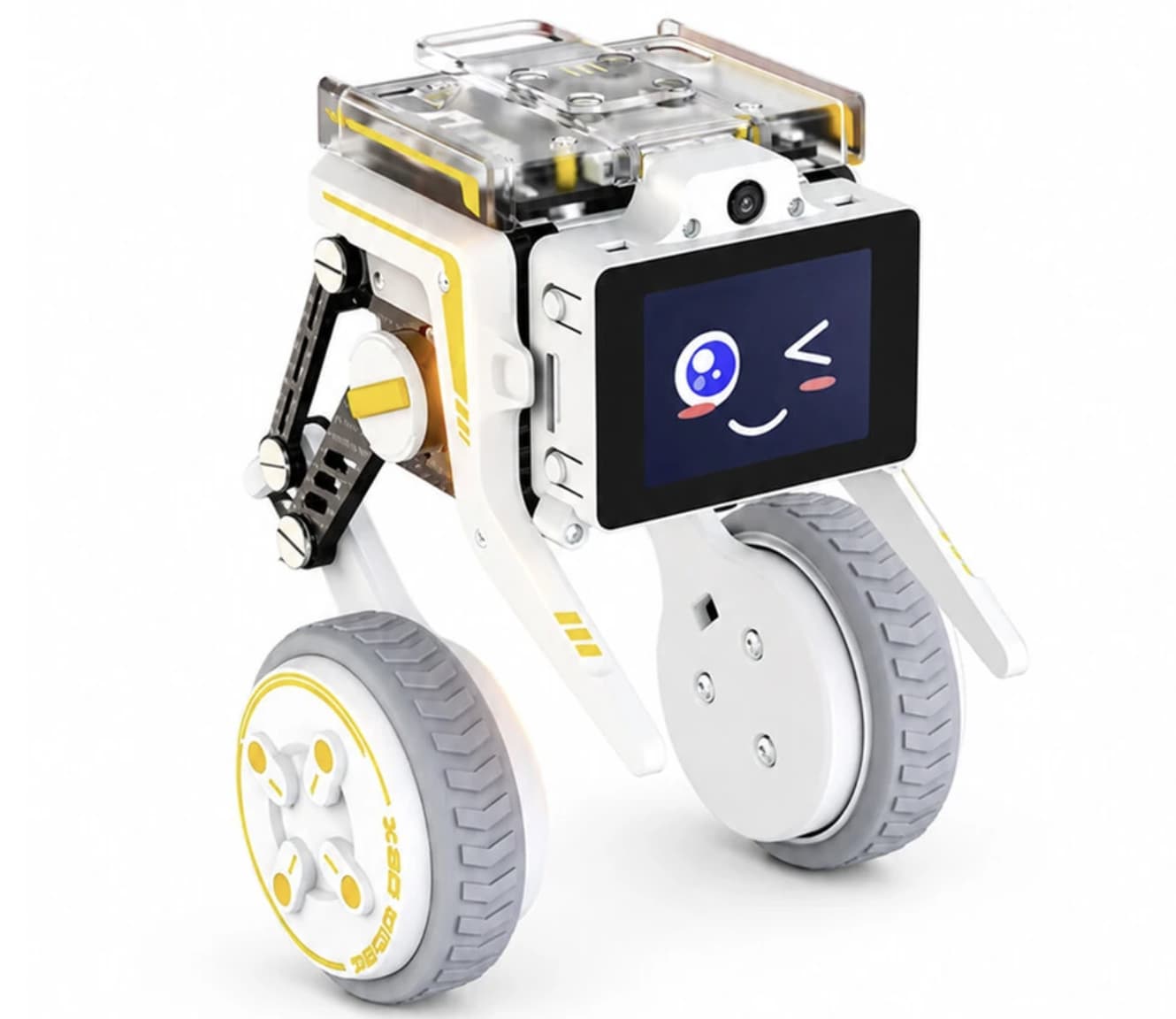
The Rider-Pi’s mechanical design is one of its most distinctive features. Traditional RC cars depend on wheels and a fixed chassis, while walking robots generally use several articulated legs. The Rider-Pi takes a different approach by combining two wheels with a linkage-based leg structure.
This arrangement gives the robot a compact footprint while allowing its joints to adjust its posture. An integrated inertial measurement unit (IMU) provides information about the robot’s movement and orientation, helping its control system make balance adjustments.
For users interested in robotics, this design offers a practical way to investigate how sensors, motors and control algorithms work together. You can explore how changes in body position affect stability and how movement commands translate into physical actions.
However, the legged mechanism should not be mistaken for unrestricted all-terrain capability. Performance depends on the surface, obstacle size, control settings and the robot’s configuration. It is best viewed as a small experimental platform rather than a replacement for a full-size off-road robot.
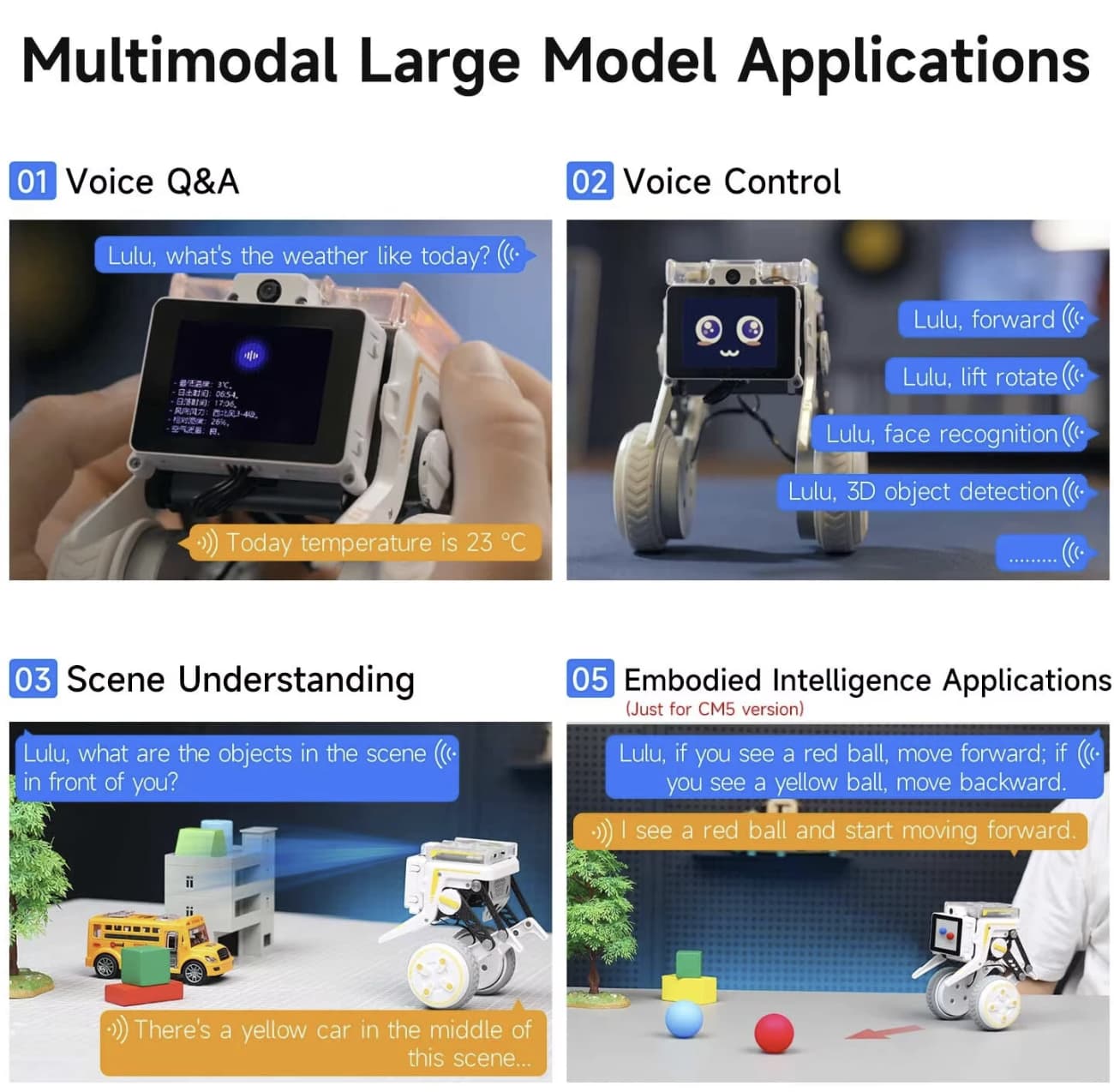
AI Vision: Face Recognition, Object Detection and Gesture Control
The Rider-Pi is not limited to receiving movement commands. Its camera and supported software allow it to respond to visual information, opening up more interactive projects.
Depending on the selected program, users can experiment with features such as:
- Face detection and tracking: Identify faces and follow their position within the camera’s field of view.
- Color tracking: Detect a selected color and use it as a reference for movement or following behavior.
- Object detection: Explore computer-vision applications that identify objects in a camera image.
- Gesture recognition: Use recognized hand gestures as inputs for robot actions.
- QR-code motion control: Build experiments in which visual codes trigger predefined movements.
These functions provide a useful introduction to computer vision because they connect software outputs with physical movement. For example, a color-tracking project can demonstrate how a camera identifies a target and how a control program translates that information into steering decisions.
Actual results depend on lighting, camera positioning, software support and the accuracy of the recognition model. Some applications may also require setup or adjustments before they work as intended.
ChatGPT Voice Interaction: A More Conversational Robot
One of the Rider-Pi’s headline features is its support for ChatGPT-based interaction. With the appropriate software configuration and service access, the robot can be used for voice questions and answers, voice commands and certain image-related AI tasks.
This creates a different experience from controlling a conventional RC car with a joystick. Instead of issuing only directional inputs, a user can explore natural-language interaction and investigate how an AI model interprets requests.
Potential uses include experimenting with spoken commands, asking general questions or developing projects that combine camera input with AI-generated descriptions. These functions may appeal to developers who want to explore how language models can be connected to a physical robot.
There is an important distinction, however: ChatGPT support does not necessarily mean that every AI function works immediately out of the box. Service access, API configuration, network connectivity and software setup may be required, and some services can incur additional charges. Check the product’s current package details and documentation before assuming that AI usage is included in the purchase price.
The 2-Inch IPS Screen Adds Personality
The Rider-Pi includes a 2-inch IPS display on the front of the robot. Beyond showing information or visual output, the screen can display dynamic expressions, giving the device a more recognizable personality.
This small display is useful for more than decoration. In suitable applications, it can provide visual feedback while the robot is operating, helping users understand its state or make the interaction feel more engaging.
The screen also distinguishes the Rider-Pi from robotics kits that rely entirely on a separate computer or external monitor for feedback. It does not replace a full development interface, but it provides a convenient visual element on the robot itself.
For classrooms, demonstrations or a desk-based robotics project, this combination of movement and facial expressions can make technical concepts easier to present.
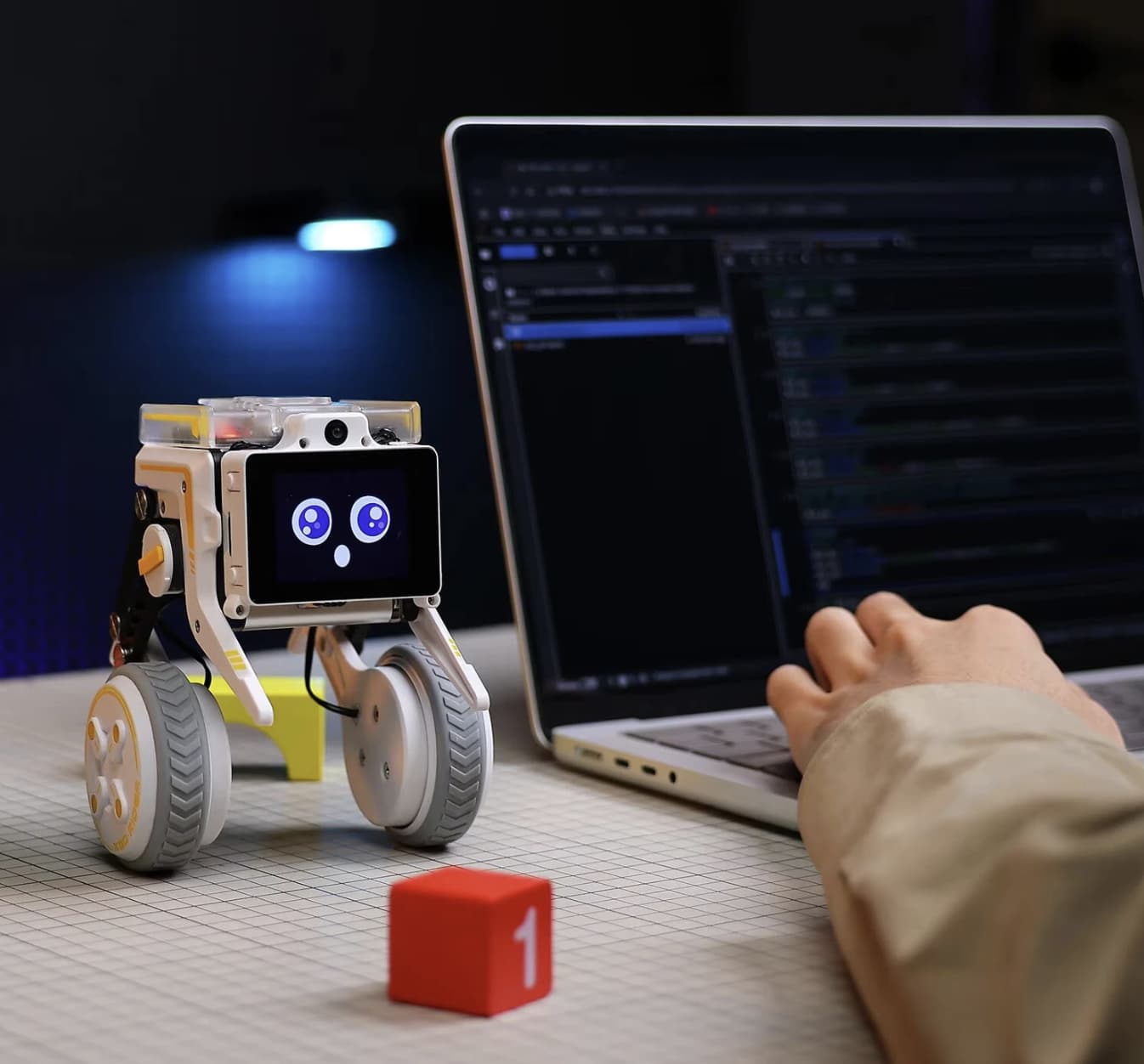
Python Programming and Hands-On Robotics Learning
The Rider-Pi’s Python support is one of its strongest reasons to appeal to makers and learners. Rather than treating the robot as a closed device with a limited set of preset actions, the platform provides opportunities to explore programming and modify how the robot behaves.
Projects can focus on movement control, sensor readings, visual recognition or interactions between different functions. Beginners can start with existing examples, while more experienced users can investigate how separate components fit together.
The learning value comes from connecting code to observable results. A change to a control parameter may affect the robot’s balance; a different vision setting may change which target it follows; and a new command routine can alter how it responds to an input.
Before purchasing, review the available tutorials, software compatibility and supported computing module. These details matter because the development experience can vary with the hardware version and software environment.
The official Yahboom Rider-Pi product page and the Rider-Pi programming resources are useful starting points for checking the available documentation and learning materials.
Wireless Control for Everyday Testing
The Rider-Pi supports Bluetooth and Wi-Fi app control, offering practical ways to test movement and experiment with the robot.
Wireless operation is useful when testing navigation routines, checking a new movement sequence or demonstrating the robot without keeping it connected to a computer at all times. The available control method and its functions depend on the compatible app and setup.
It is worth distinguishing remote control from autonomous behavior. Operating the robot through an app is not the same as having it independently navigate an environment. Autonomous actions typically depend on the relevant software, sensors and control logic being configured correctly.
For a first project, beginning with simple movement commands before moving to visual tracking or voice interaction is a sensible way to learn the platform.
Who Should Consider the Yahboom Rider-Pi?
The Rider-Pi is best suited to people who want to learn by building and testing, rather than those who simply want a ready-made toy.
Students and educators may find it useful for introducing programming, sensor feedback, mechanical movement and basic computer vision. It offers a physical way to demonstrate concepts that can otherwise remain abstract.
Robotics hobbyists can use it as a starting point for experimenting with balance control, gesture-based commands, target tracking and AI interaction.
Developers and makers may appreciate having movement, a camera, a display and programming support in one compact platform. It can serve as a testbed for small prototypes, although advanced projects may require additional configuration.
Buyers looking for a simple plug-and-play robot should check the setup requirements carefully. The Rider-Pi’s flexibility is part of its appeal, but it also means that some features may require programming, software installation or third-party service configuration.
What to Check Before Buying
Before ordering the Yahboom Rider-Pi, pay attention to several practical details:
- Computing module: Confirm whether the specific listing includes the CM4 or another supported version.
- Included accessories: Check which controller, battery, storage, cables and other components are supplied.
- AI service costs: Verify whether ChatGPT or other online AI functions require a separate API key, subscription or usage payment.
- Programming requirements: Review the tutorials and operating-system requirements to make sure they suit your experience level.
- Battery expectations: Confirm the specifications for the exact version and understand that actual runtime varies with movement, processing load and wireless use.
- Supported features: Not every example or AI function necessarily works without additional setup.
These checks are particularly important for programmable robotics products, where the contents of the package and the software environment can be as important as the hardware itself.
Final Verdict: Is the Yahboom Rider-Pi AI Robot Worth Considering?
The Yahboom Rider-Pi stands out because it combines several useful robotics concepts in one compact device. Its two-wheel-legged mechanism, IMU-based balance control, AI vision, Python programming and optional ChatGPT interaction give it more educational and experimental potential than a conventional remote-controlled car.
Its main strength is versatility. Users can begin with wireless driving, progress to visual recognition and then explore more advanced projects that connect voice interaction with physical movement. The 2-inch IPS display adds a visual feedback element that makes the robot more engaging during demonstrations and everyday experimentation.
The trade-off is that some of its most interesting features may require technical setup, compatible software and additional AI service access. Buyers who expect every function to operate immediately without configuration should review the documentation first.
For students, makers and developers who enjoy learning through hands-on projects, the Rider-Pi is an interesting AI robotics platform worth investigating. Check the current configuration, package contents and service requirements on the Banggood product page before deciding whether it fits your budget and project goals.