









Gaming laptops are built to handle demanding workloads, but their compact cooling systems can struggle during extended gaming sessions, video rendering, and other processor-intensive tasks. When internal temperatures rise, fans become louder and the system may reduce performance to control heat. A conventional laptop stand can improve the space underneath a notebook, but it may not provide enough directed airflow for particularly demanding machines.
The Flydigi BS3 Pro Laptop Cooling Base takes a different approach. Instead of relying on several small fans spread across a flat surface, it uses a pressure-air cooling structure with three-sided air intake and a high-speed 27-blade fan. Its advertised maximum speed reaches 4,000RPM, while additional features include multi-stage noise reduction, RGB lighting, app-based controls, a detachable air duct, and an adjustable stand.
Designed for laptops measuring approximately 15.6 to 21 inches, the BS3 Pro targets gamers and professionals who need more active cooling than a basic notebook stand can provide.
If you are choosing a gaming laptop with a cooling system designed for demanding workloads, check out our Chuwi GTBook X Gaming Laptop review.
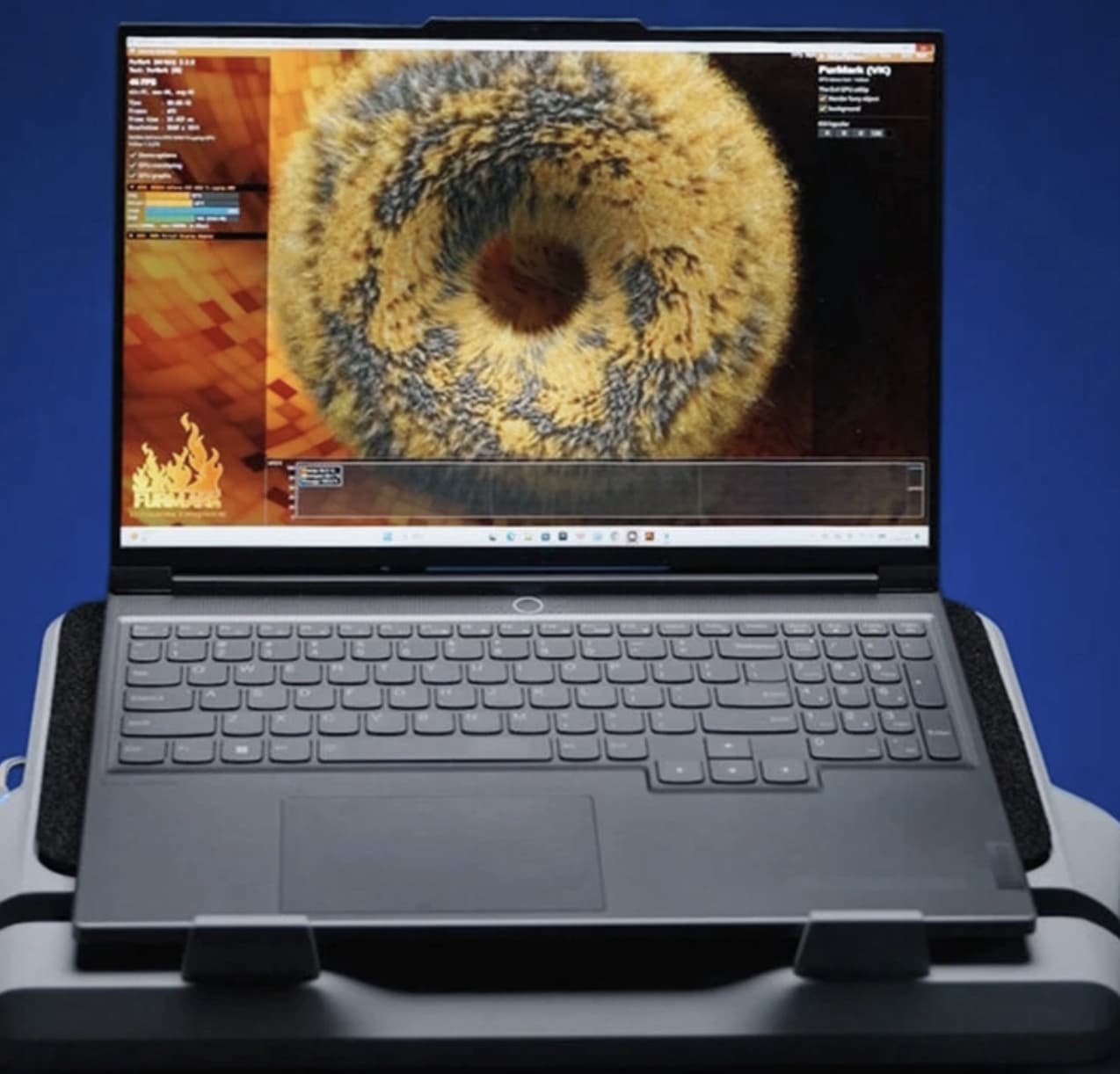
A Different Approach to Laptop Cooling: Pressure-Directed Airflow
The most interesting part of the Flydigi BS3 Pro is its pressure-air cooling architecture.
Traditional laptop cooling pads generally use exposed fans to push air toward the underside of a notebook. Their effectiveness can vary depending on where the laptop’s intake vents are positioned. If the cooling pad’s fans do not line up with those vents, some of the airflow may not reach the areas that need it most.
The BS3 Pro uses a more enclosed airflow structure intended to direct cooling air toward the laptop rather than simply circulating air underneath it.
Its three-sided intake arrangement is designed to draw air into the cooling system from multiple directions. Combined with a pressure-oriented air duct, this structure aims to create more concentrated airflow around the laptop’s underside.
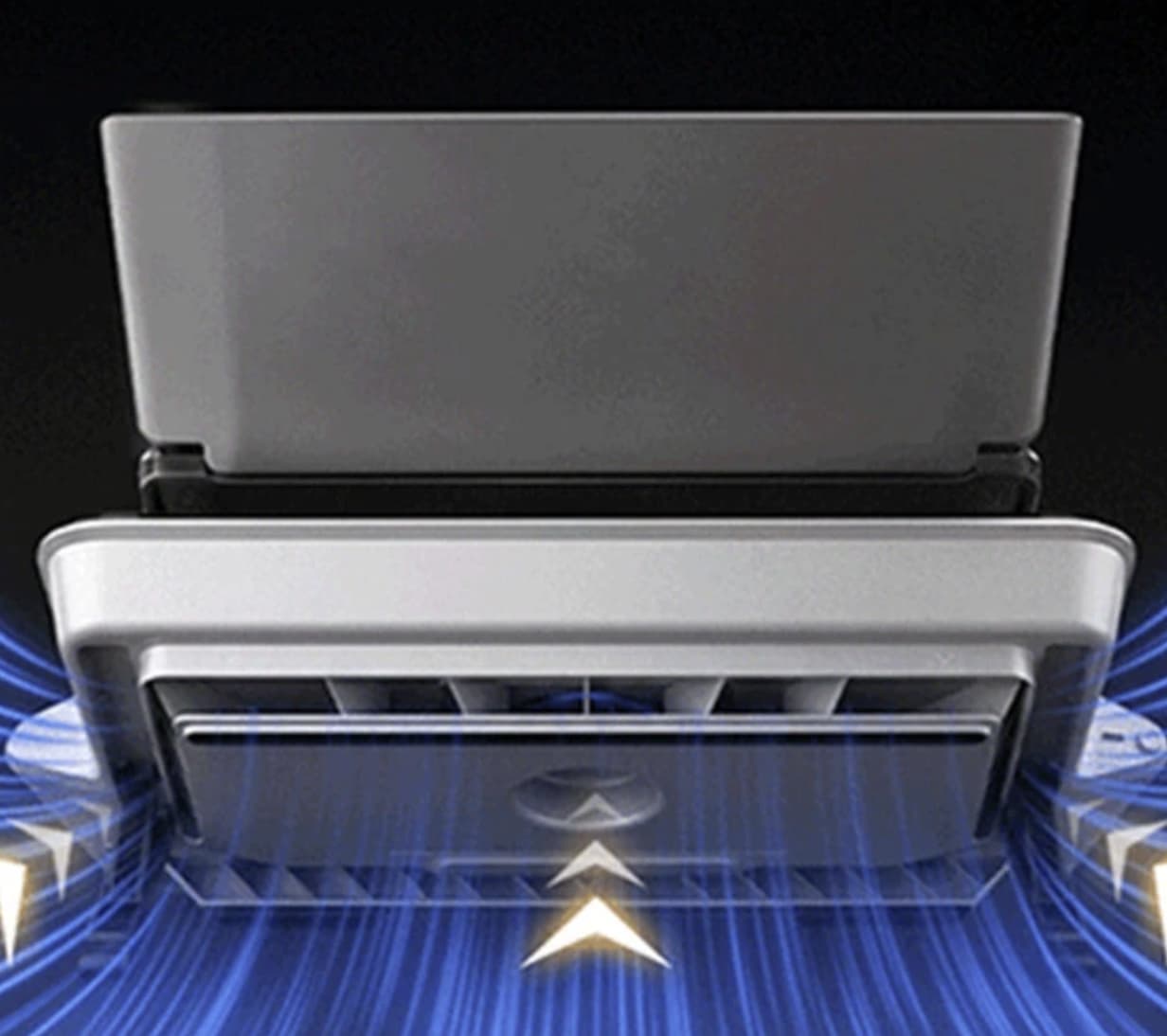
This approach is particularly interesting for gaming notebooks with bottom-mounted ventilation openings. However, compatibility still matters: laptops with unusual intake positions or largely sealed bottom panels may not benefit equally from the design.
27-Blade Fan Reaches Up to 4,000RPM
At the center of the cooling system is a high-density fan with 27 blades. The advertised maximum rotational speed is 4,000RPM, giving the BS3 Pro a substantial airflow range for different workloads.
The product documentation lists an operating range of approximately 1,300 to 4,000RPM, with intelligent variable-frequency control. This allows the cooling system to operate at different speeds instead of remaining at maximum power all the time.
For everyday browsing, office applications, and video playback, lower fan speeds may be sufficient. During demanding games or rendering workloads, higher speeds can provide stronger airflow when the laptop produces more heat.
The main benefit is the ability to adjust cooling intensity according to the situation. Users do not necessarily need to run the cooler at full speed throughout the day.
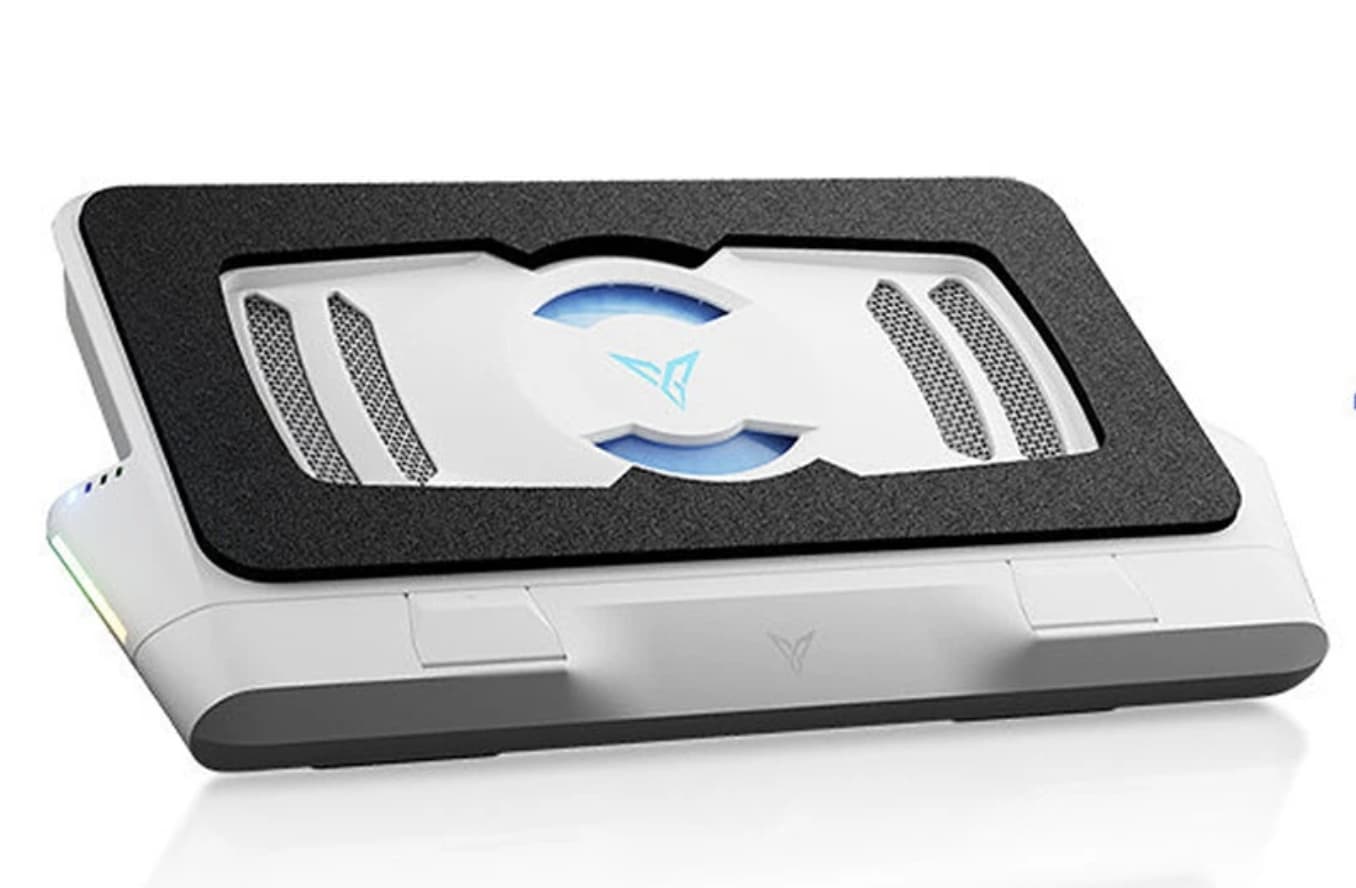
Can It Really Reduce Laptop Temperatures by 48°C?
Flydigi advertises a maximum temperature reduction of up to 48°C for the BS3 Pro. This is an attention-grabbing specification, but it needs to be understood in context.
A cooling pad does not directly refrigerate the laptop’s processor or graphics chip. Instead, it helps manage the temperature of the laptop’s cooling system by improving airflow around its intake area.
The actual temperature difference depends on several factors:
- The laptop’s CPU and GPU cooling architecture.
- The position and size of its bottom ventilation openings.
- The intensity and duration of the workload.
- The ambient room temperature.
- The selected fan speed and power supply.
- Whether the laptop’s internal fans and heatsinks are working properly.
A laptop that already has an efficient cooling system may experience a smaller improvement than one that struggles with restricted airflow.
For this reason, the 48°C figure should be treated as an advertised maximum rather than an expected everyday result. Buyers should look for independent temperature comparisons using the same laptop, workload, and testing conditions before drawing conclusions about actual performance.
Triple Noise Reduction for More Comfortable Gaming
High-speed cooling often comes with an obvious drawback: fan noise.
The Flydigi BS3 Pro addresses this with a multi-stage acoustic noise-reduction structure. Its design combines airflow management with noise-dampening components intended to reduce the sound produced during operation.
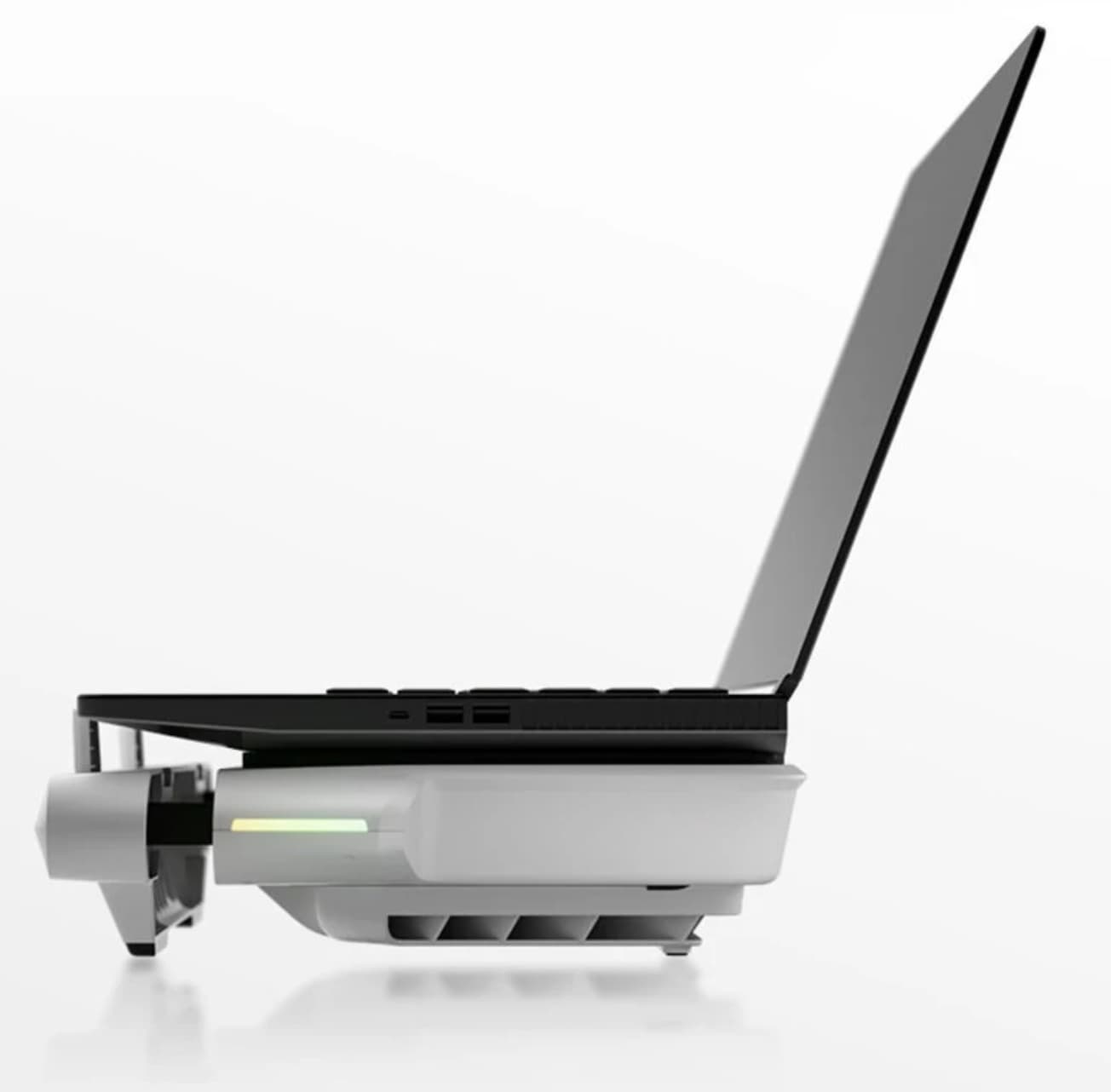
The product documentation lists an advertised noise range of approximately 30–54dB, depending on operating conditions and fan speed.
This means the cooler should not be considered completely silent. At higher speeds, airflow and fan noise will remain noticeable, particularly in a quiet room.
The more useful feature is the ability to balance cooling performance and noise. Lower settings may be preferable for everyday work, while higher settings can be reserved for situations where temperature control matters more than acoustic comfort.
Smart Fan Control and App-Based Customization
Another feature that separates the BS3 Pro from simpler cooling stands is its intelligent speed-control system.
The product advertises automatic variable-frequency adjustment, allowing the fan speed to respond to cooling requirements. It also supports app-based customization through Flydigi’s software ecosystem.
Depending on the supported software version and connected configuration, users can adjust cooling behavior and customize available lighting or fan settings.
This flexibility is useful for people who switch between different types of work. A quiet profile may be preferable when writing or browsing, while a stronger cooling profile may be more suitable during long gaming sessions.
Software compatibility and available controls should be checked against the manufacturer’s instructions, particularly if you plan to use the cooler with a particular operating system.
Adjustable Stand for Better Desk Ergonomics
Cooling is not the only reason to use a laptop stand. Screen position and keyboard angle can also affect comfort during extended computer use.
The BS3 Pro includes an adjustable support structure, allowing users to change the laptop’s position rather than leaving it completely flat on a desk.
This can help raise the display toward a more comfortable viewing height and create additional space around the laptop.
The product listing advertises four-level adjustment, while some external specifications describe a three-level support arrangement. Because these descriptions differ, buyers should check the exact adjustment positions shown for the selected version before ordering.
For users who type for long periods, an external keyboard and mouse can make a raised laptop setup more comfortable.
For users who need a simpler solution for improving laptop positioning and ventilation, our Kensington Easy Riser Laptop Cooling Stand review offers another approach to laptop cooling and desk ergonomics.
RGB Lighting Adds a Gaming-Desk Finish
The Flydigi BS3 Pro also includes RGB lighting, giving the cooling base a more gaming-oriented appearance.
Lighting is not essential to thermal performance, but it can help the cooler fit into a gaming desk setup alongside an RGB keyboard, mouse, and other accessories.
The advertised software control adds another layer of customization. Users who prefer a cleaner workstation can prioritize a more restrained lighting setup, while gamers may prefer to coordinate the cooler with the rest of their equipment.
The RGB feature is best viewed as an aesthetic extra rather than a reason to buy the device on its own.
Detachable Air Duct and Easier Maintenance
A cooling pad draws air from its surrounding environment, which means dust can gradually accumulate inside its airflow path.
The BS3 Pro includes a detachable air-duct component designed to make maintenance more convenient. Removing the relevant component can provide better access for cleaning accumulated dust and debris.
This is a practical detail because restricted airflow can undermine cooling performance over time.
Users should follow the manufacturer’s cleaning instructions and avoid using liquids or excessive force around the fan and electrical components. Regular maintenance is especially important if the cooler operates in a dusty room or is used frequently.
Laptop Compatibility: Designed for Larger Notebooks
The BS3 Pro is advertised for laptops in the 15.6-to-21-inch size range. This makes it particularly relevant to larger gaming notebooks and workstation-style laptops.
However, screen size alone does not guarantee a perfect fit. Laptop thickness, bottom-panel shape, ventilation locations, and the position of rubber feet can all affect how well the notebook sits on the cooling base.
Before ordering, compare the dimensions and bottom ventilation layout of your laptop with the cooler’s design.
The unit is also relatively substantial. Its instruction manual lists a weight of approximately 2.05kg, so it is better suited to a permanent desk setup than frequent travel.
Flydigi BS3 Pro Specifications
| Feature | Details |
|---|---|
| Brand | Flydigi |
| Model | BS3 Pro |
| Product type | Pressure-air laptop cooling base |
| Cooling architecture | Three-sided air intake |
| Fan design | 27-blade fan |
| Fan speed | Approximately 1,300–4,000RPM |
| Maximum advertised temperature reduction | Up to 48°C |
| Noise level | Approximately 30–54dB |
| Laptop compatibility | Advertised for 15.6–21-inch laptops |
| Adjustment | Multi-level adjustable stand |
| Lighting | RGB |
| Controls | Intelligent speed adjustment and app-based customization |
| Maintenance | Detachable air-duct component |
| Weight | Approximately 2.05kg |
| Power input | 5V/2A, 9V/2A, or 9V/3A listed in the manual |
Specifications are based on available product information and the instruction manual. Actual cooling performance, noise, software functions, and adjustment options may vary by setup and version.
Power Requirements: An Important Detail Before Buying
One detail worth checking before purchasing the Flydigi BS3 Pro is its power requirement.
The instruction manual lists several supported power-input configurations, including 5V/2A, 9V/2A, and 9V/3A. Higher cooling levels may require a more powerful compatible charger.
Some product information indicates that the highest performance settings require a 27W or higher power supply. Connecting the cooler to a laptop’s standard USB port may therefore limit the available fan performance.
If you intend to use the BS3 Pro at its highest speed, check the included power accessories and the manufacturer’s recommended power configuration. Using an insufficient power source may prevent the device from reaching its advertised maximum operating level.
Who Should Consider the Flydigi BS3 Pro?
The BS3 Pro is aimed at users who need more than a simple laptop riser.
It may be particularly suitable for:
- Gaming laptop owners: People who regularly play demanding games and want additional airflow around their notebooks.
- Video editors and creators: Users who run sustained CPU- and GPU-intensive applications.
- Large laptop users: Owners of compatible 15.6-inch and larger notebooks.
- Desk-based professionals: People who want both active cooling and an adjustable laptop stand.
- Gaming setup enthusiasts: Buyers who appreciate RGB lighting and software customization.
It may be less suitable for people who prioritize portability, own a compact laptop, or only need a basic stand for occasional browsing.
Final Verdict: Is the Flydigi BS3 Pro Worth Considering?
Flydigi BS3 Pro Laptop Cooling Base stands out because it combines pressure-directed airflow with a high-speed 27-blade fan, three-sided air intake, and a multi-stage noise-reduction structure.
Its 4,000RPM maximum fan speed gives it a more performance-oriented specification than many conventional cooling stands. The adjustable support, RGB lighting, detachable air duct, and app-based customization also make it a more feature-rich desk accessory.
Its main appeal is active cooling for larger gaming laptops and other notebooks that generate substantial heat during demanding workloads. However, the advertised 48°C temperature reduction should not be interpreted as a guaranteed result, and users should confirm laptop compatibility and power requirements before buying.
Overall, the Flydigi BS3 Pro is an interesting option for anyone looking to improve laptop airflow while upgrading their desk setup. Its real-world value will depend on how well its pressure-air design matches the laptop being used.