











Traveling abroad becomes much easier when language is no longer a constant obstacle. Ordering food, asking for directions, understanding signs, and communicating with local people are ordinary activities that can become surprisingly difficult when two people do not share a common language.
Smartphone translation apps have already made these situations easier, but they are not always convenient. Users may need to unlock their phones, switch between applications, adjust microphones, or hold the screen in front of another person.
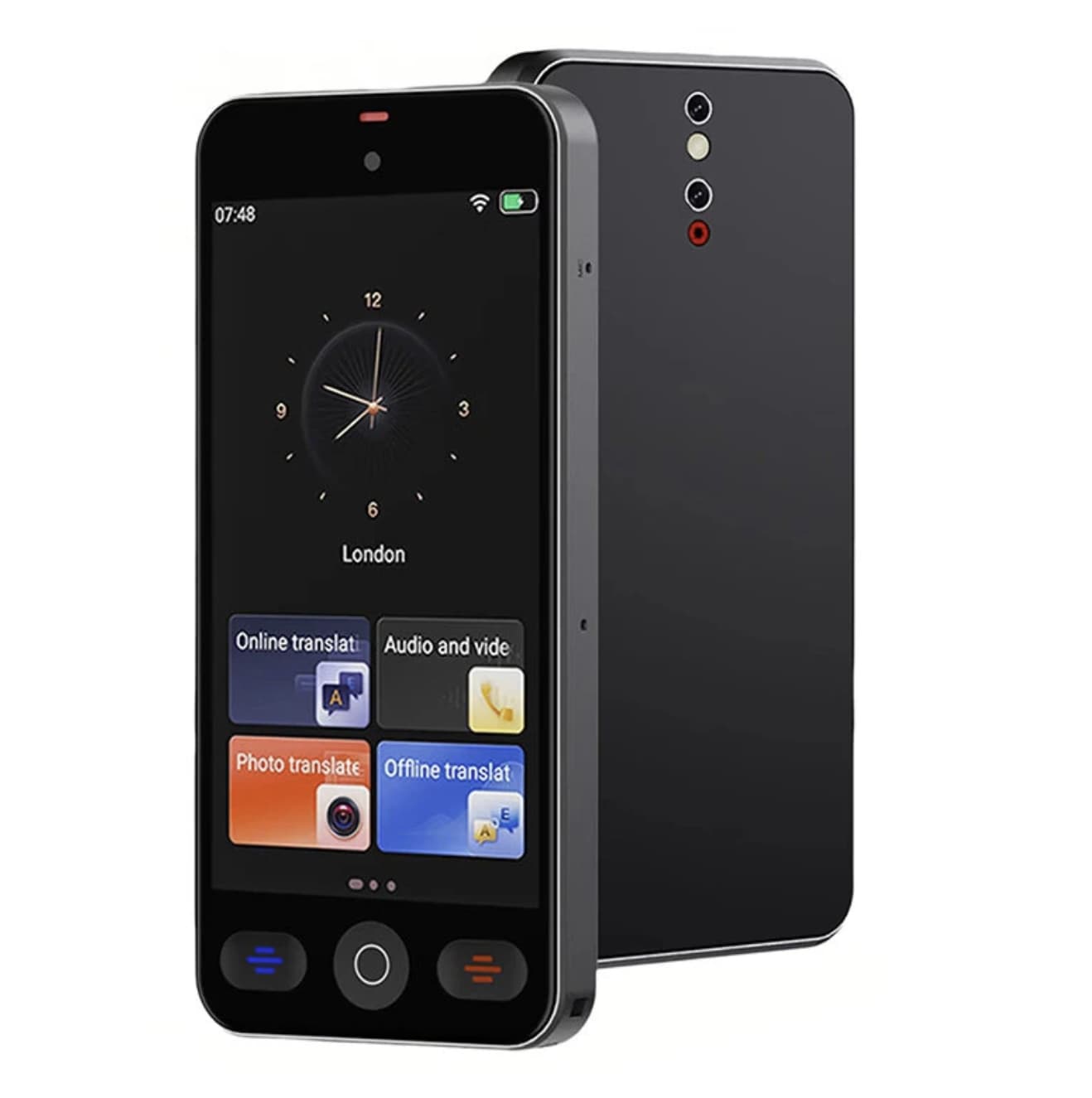
The Boeleo S10Pro Smart Translator takes a different approach by putting multiple AI-powered translation functions into a dedicated handheld device. It features a 4-inch HD touchscreen, a 5MP camera, a 2000mAh battery, ChatGPT integration, and support for 148 online and 19 offline translation languages.
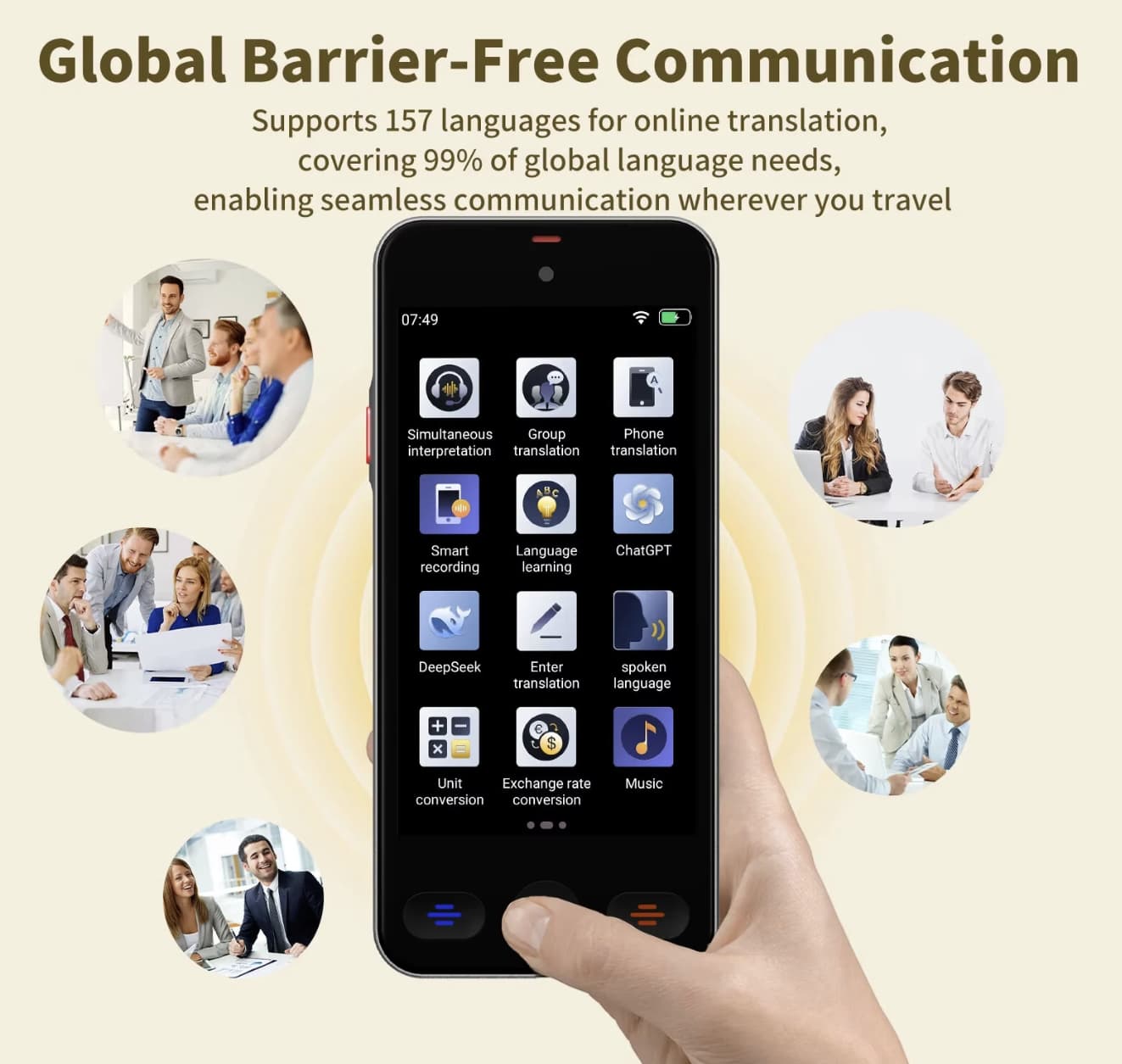
What makes this device particularly interesting is that it goes beyond basic voice translation. It also supports photo translation, simultaneous interpretation, real-time subtitles, group translation, intelligent recording, and language-learning functions.
Rather than treating the S10Pro as just another electronic dictionary, it makes more sense to look at it as a portable communication assistant designed for travel, international conversations, and language practice.
Buyers comparing dedicated translation devices with wearable alternatives can also read our MINISOMS MS105 AI Translation Earbuds review, which explores how AI translation works through everyday wireless earbuds.
1. A Dedicated Translation Device Instead of Another Smartphone App
The first advantage of the Boeleo S10Pro is its dedicated hardware design.
It uses a 4-inch touchscreen with a listed resolution of 640 × 1136 pixels. This provides a relatively spacious interface for selecting languages, viewing translated sentences, and navigating different translation modes.
A dedicated translator can be useful when communicating with someone face-to-face because both participants can focus on the same device rather than passing a smartphone back and forth.
The S10Pro also has physical voice-control buttons for two-way translation. According to its operating instructions, users select their source and target languages, hold the corresponding voice button while speaking, and release it to process the translation.
This approach makes the interaction relatively straightforward:
-
Select the two languages.
-
Press and hold the appropriate voice button.
-
Speak naturally and clearly.
-
Release the button to process the speech.
-
Read or listen to the translated result.
For tourists, international shoppers, and people attending overseas business meetings, a dedicated interface can make repeated translation tasks easier to manage.
2. 148 Online Languages and 19 Offline Languages: Understanding the Difference
One of the headline specifications is support for 148 online languages and 19 offline language packages.
These numbers sound impressive, but understanding the difference between online and offline translation is essential before buying.
Online translation
The S10Pro supports up to 148 online translation languages, including nine dialects according to its documentation.
Online translation is intended for situations where the device can access the internet through Wi-Fi or a compatible mobile data connection.
This mode offers the broadest language coverage and is the better choice when translating less commonly used languages or dialects.
Offline translation
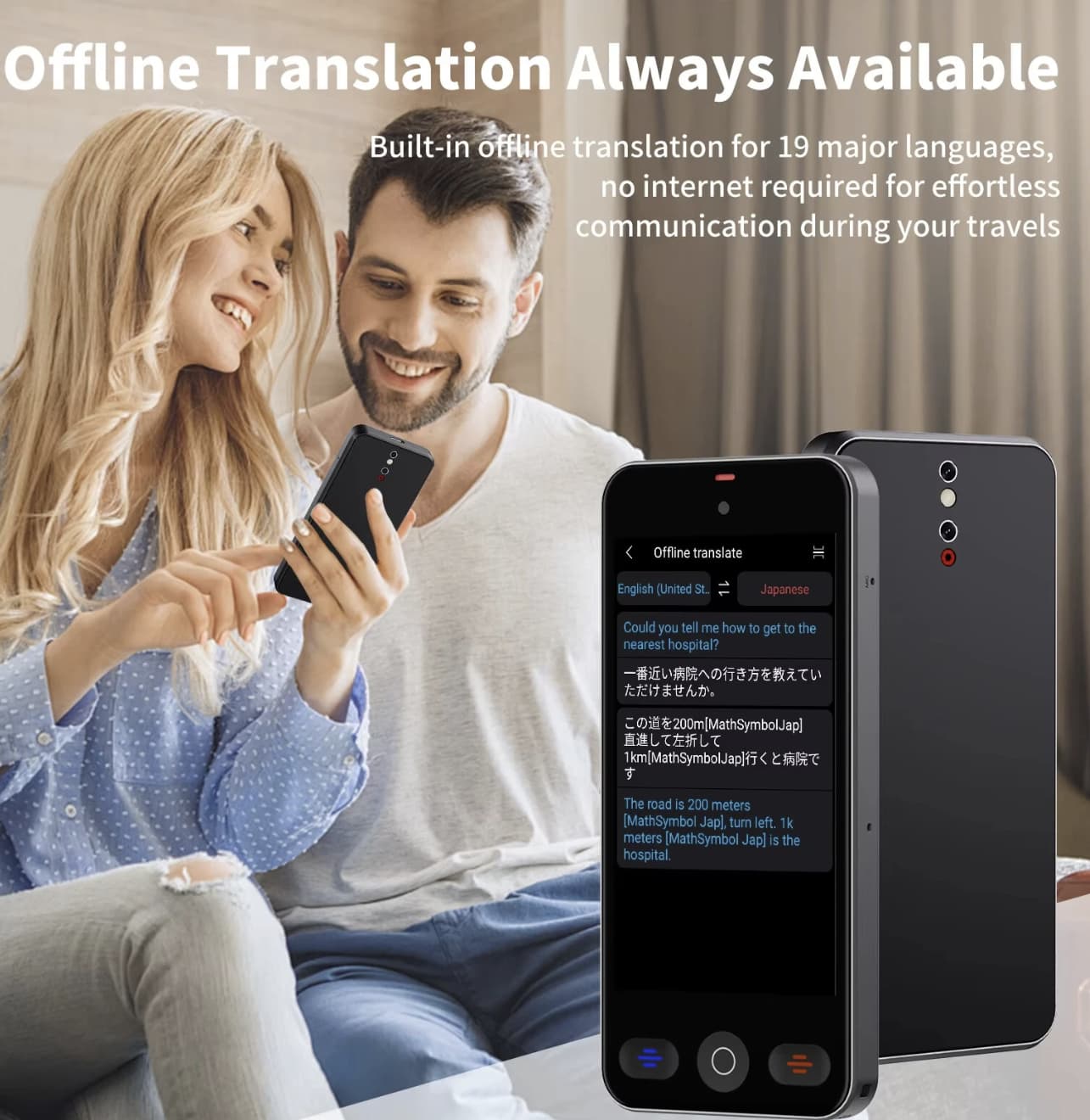
The device also includes 19 offline translation packages.
This feature is particularly valuable when traveling through areas with unreliable connectivity, using the device in locations without Wi-Fi, or trying to reduce dependence on mobile data.
However, offline support is more limited than online support. Users should check whether their particular language pair is included in the available offline packages before traveling.
This distinction is important because a translator advertising 148 languages does not necessarily support all 148 languages without an internet connection.
For international travelers, the combination of extensive online coverage and a smaller offline language library offers a practical balance.
For another approach to multilingual communication, our Boeleo S20 Pro Audio Translator review looks at a dedicated handheld translator with real-time AI translation and video-call features.
3. Photo Translation: Turning Street Signs and Restaurant Menus into Readable Text
Voice translation is useful when talking to people, but travel involves another challenge: written language.
Restaurant menus, street signs, train station instructions, product labels, and public notices can all create difficulties when visiting a country with an unfamiliar writing system.
The Boeleo S10Pro addresses this with a built-in 5MP camera and photo translation.
Users can point the camera toward printed text, capture an image, and allow the device to recognize and translate the content.
The documentation lists support for:
-
74 languages for online photo translation.
-
40 languages for offline photo translation.
This makes the camera one of the device’s more practical features.
For example, imagine visiting a restaurant in Japan. Instead of typing unfamiliar Japanese characters into a translation application, you can photograph the menu and view the translated text.
The same principle applies to travel documents, shopping labels, signs, and other printed materials.
There are some practical limitations. OCR performance can be affected by lighting, font size, image clarity, unusual typography, and the quality of the original text.
The 5MP camera should therefore be considered a convenient translation tool rather than a guarantee of perfect recognition.
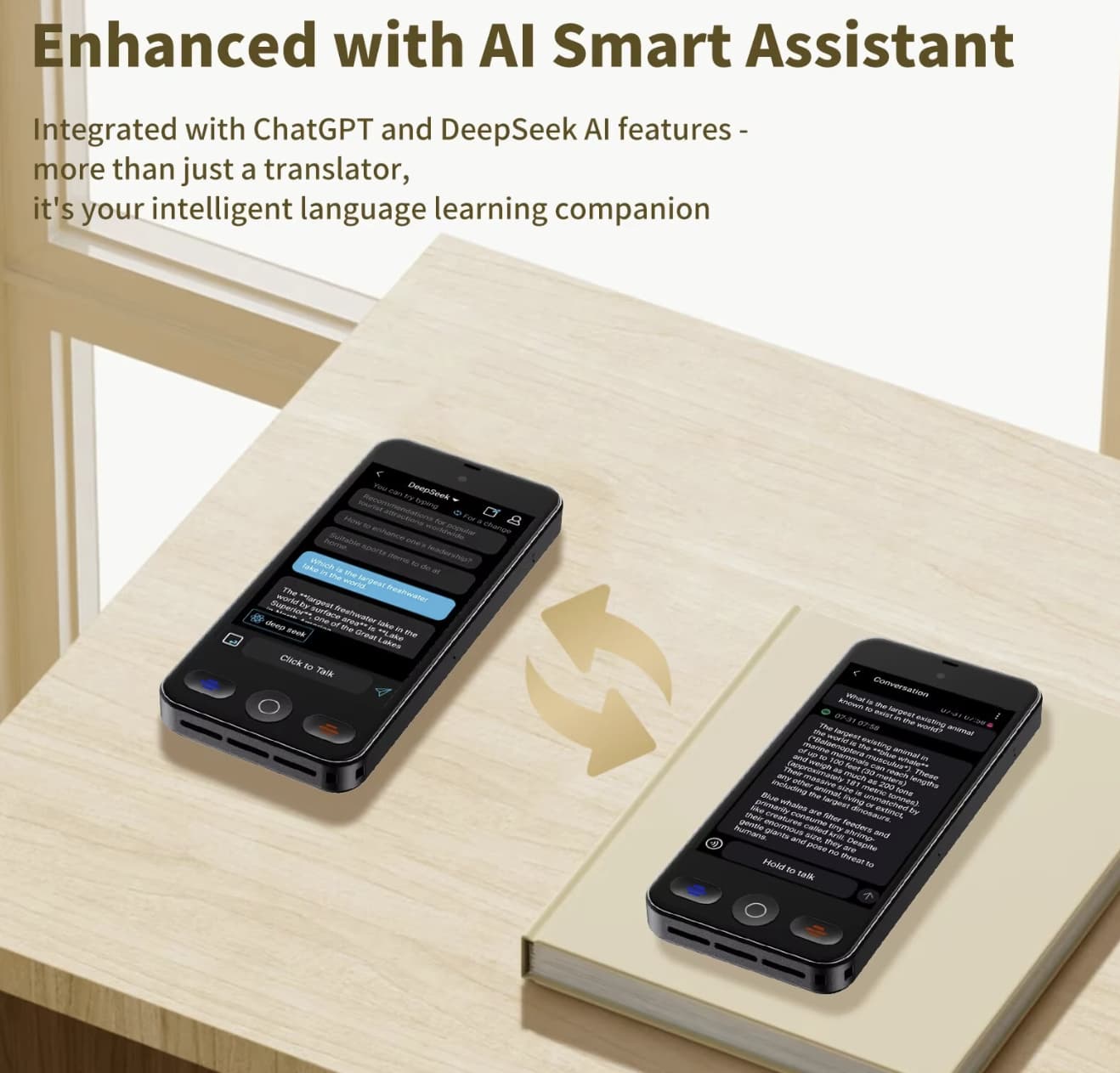
4. ChatGPT Integration: What Does AI Add to a Translator?
ChatGPT integration is one of the features that separates the S10Pro from traditional electronic dictionaries.
A conventional translator primarily converts one language into another. An AI assistant can potentially provide more context, answer follow-up questions, and help users understand information rather than simply translating individual sentences.
For example, a traveler might use a translation function to understand a restaurant menu, then ask the AI assistant about unfamiliar dishes or ingredients.
Language learners could also use AI interaction to explore vocabulary, ask grammar questions, and practice conversational expressions.
This opens up several potential applications:
-
Understanding unfamiliar expressions.
-
Asking questions about translated content.
-
Exploring vocabulary and sentence meanings.
-
Getting explanations of everyday topics.
-
Practicing conversational language.
However, ChatGPT integration should not automatically be interpreted as unlimited access to every ChatGPT feature or subscription benefit.
The actual experience may depend on the device’s software, network connection, service availability, and account or access requirements.
It is also worth remembering that AI-generated answers can occasionally be incorrect. Important information involving legal documents, medical instructions, or business contracts should be checked with a qualified human translator.
5. Simultaneous Interpretation: Designed for Conversations, Not Just Individual Sentences
One particularly interesting function is simultaneous interpretation.
Traditional translation devices often work through a simple exchange: one person speaks, the device translates, and the other person responds. This is useful, but it can interrupt the natural flow of a conversation.
The S10Pro offers a simultaneous interpretation mode designed to make longer conversations easier to follow.
According to its product documentation, the feature supports 148 online languages and allows translated content to be shared through QR-code synchronization with other devices.
This could be useful in several situations:
Business discussions: Participants who speak different languages can follow translated content during meetings.
International travel: Travelers can communicate with local people without manually switching between separate translation screens for every sentence.
Small group conversations: Multiple participants can access translated information through supported sharing functions.
The device also advertises real-time subtitle translation for video calls.
This is especially interesting for remote communication, where participants may need both spoken translation and readable subtitles.
However, actual interpretation quality depends on microphone input, internet stability, speech clarity, and the selected language pair. The feature should be viewed as a communication aid rather than a replacement for professional interpreters in high-stakes meetings.
6. Group Translation: A More Interesting Feature for International Teams
Group translation takes the S10Pro beyond individual conversations.
The documentation describes a group translation function supporting up to 117 participants across 148 online languages.
The intended idea is simple: multiple people can participate in a shared multilingual conversation, with translated content distributed to group members.
This could be useful for:
-
International business meetings.
-
Overseas study groups.
-
Multilingual travel groups.
-
Small international events.
-
Cross-border communication.
For example, a group containing English-, Japanese-, and Spanish-speaking participants could use a shared translation environment to make discussions easier to follow.
The ability to connect multiple participants is more ambitious than the usual two-person translation experience.
There is an important qualification, though: the advertised 117-participant capacity is a software feature claim, not evidence that every participant can communicate simultaneously without delays. Actual performance will depend on network conditions, device compatibility, and the group’s setup.
7. Intelligent Recording and Real-Time Transcription
Another useful feature is intelligent recording.
The S10Pro combines audio recording, speech transcription, and translation functions in one workflow.
According to the product documentation, smart recording supports 13 source languages and up to 115 translated languages.
This is particularly relevant for people who need to review conversations rather than simply understand them in real time.
Potential applications include:
-
Recording important discussions.
-
Reviewing translated conversations.
-
Capturing spoken information during travel.
-
Supporting language-learning exercises.
-
Keeping a record of multilingual discussions.
For language learners, transcription can be especially helpful because it provides a way to compare spoken sentences with their written forms.
For business users, translated recordings may make it easier to review discussions after meetings.
However, recording conversations raises privacy considerations. Users should obtain appropriate permission before recording other people, particularly in workplaces or locations with strict recording regulations.
8. A 2000mAh Battery and Portable Hardware
A translation device needs to be portable enough for daily travel while providing enough battery capacity for repeated conversations.
The S10Pro includes a 2000mAh battery.
Its listed physical specifications are:
| Hardware | Specification |
|---|---|
| Screen | 4-inch HD touchscreen |
| Resolution | 640 × 1136 pixels |
| Main camera | 5MP autofocus |
| Battery | 2000mAh |
| Body dimensions | 129 × 58.7 × 12mm |
| Weight | Approximately 123.8g |
| Memory | 16GB listed |
| Processor | Quad-core platform with integrated GPU |
At approximately 123.8g, the device is reasonably compact for a dedicated handheld translator with a touchscreen and camera.
It can fit into a small bag or travel pouch without requiring the same amount of space as a tablet.
The 2000mAh battery is another practical specification, although the manufacturer does not provide a sufficiently clear verified runtime figure in the available listing information.
Continuous voice translation, video calls, camera use, and mobile data connectivity can all consume power.
For extended international trips, carrying a power bank is still a sensible precaution.
9. Can the Boeleo S10Pro Work Without a SIM Card?
This is an important buying question.
The S10Pro documentation describes internet access through Wi-Fi or an optional nano-SIM card.
That means users have more than one way to access online translation.
Wi-Fi connection: Suitable for hotels, airports, cafés, and other locations with available wireless internet.
Mobile data: A compatible SIM card can provide internet access when Wi-Fi is unavailable.
Offline translation: The 19 built-in offline language packages provide a fallback for supported language pairs without an internet connection.
The distinction matters because the S10Pro is not a completely independent online translator simply because it has ChatGPT and AI functions.
Online services require connectivity. Before traveling, users should configure the device, download or verify available offline language packages, and confirm mobile network compatibility if they plan to use a SIM card.
10. Is the S10Pro Useful for Learning a New Language?
Although the S10Pro is primarily marketed as a translation device, its language-learning functions deserve attention.
The device supports language-learning features across its advertised online language library.
For beginners, a dedicated translator can provide immediate assistance when encountering unfamiliar words or sentences.
Instead of constantly switching between a dictionary and a translation application, users can access translation and learning functions through the same interface.
A practical learning routine might look like this:
-
Listen to a sentence in the language you are studying.
-
View its translated meaning.
-
Compare the original and translated text.
-
Repeat the sentence aloud.
-
Use AI assistance to explore unfamiliar expressions.
This can make the S10Pro a supplementary learning tool for travelers, students, and people practicing conversational language.
However, it should not replace structured language lessons. Grammar progression, listening comprehension, writing, and spontaneous speaking still require consistent practice.
The strongest use case is learning through real-world communication rather than relying entirely on automated translation.
11. Boeleo S10Pro vs. a Smartphone Translation App
One question worth asking is whether a dedicated translator is necessary when modern smartphones already support translation applications.
The answer depends on how frequently translation is needed.
| Comparison | Boeleo S10Pro | Smartphone app |
|---|---|---|
| Dedicated translation interface | Yes | Usually no |
| Physical voice buttons | Yes | Depends on phone |
| Photo translation | Yes | Available on many phones |
| Offline translation | 19 packages advertised | Depends on app |
| ChatGPT integration | Advertised | Available through compatible apps |
| Group translation | Dedicated function | Depends on service |
| Battery | Separate 2000mAh battery | Uses phone battery |
| Portability | Separate device to carry | No additional device |
The biggest advantage of the S10Pro is convenience through dedicated hardware.
The biggest disadvantage is that users must carry and charge another device.
For occasional tourists, a smartphone application may be sufficient. For frequent international travelers, multilingual business users, or people who regularly communicate across language barriers, a dedicated translator may be more convenient.
12. Who Should Consider Buying the Boeleo S10Pro?
The S10Pro makes the most sense for users who regularly encounter language barriers and want several communication tools in one device.
Final Verdict: More Than a Pocket Translator?
Boeleo S10Pro is an interesting example of how dedicated translation hardware is evolving beyond simple voice conversion.
Its biggest strength is the combination of different communication methods. Voice translation handles conversations, the 5MP camera helps interpret printed information, and simultaneous interpretation extends its usefulness to longer discussions.
ChatGPT integration adds another layer by potentially helping users understand information and explore unfamiliar language expressions.
The 2000mAh battery, 4-inch touchscreen, and relatively lightweight body also make it suitable for carrying during travel.
There are limitations to consider. Online translation depends on internet access, offline language coverage is restricted to 19 packages, and the battery capacity may require careful management during intensive use. The AI features should also be evaluated according to their actual software and connectivity requirements.
My assessment: The Boeleo S10Pro is most appealing to frequent travelers, multilingual business users, and language learners who want a dedicated communication device rather than relying entirely on smartphone applications.
Its real value is not simply the advertised number of supported languages. It is the combination of voice, image, group, recording, and AI-assisted translation in one portable device.