











A mechanical keyboard is one of the most frequently used parts of a desktop setup, yet choosing the right one involves more than deciding between colorful RGB lighting and different switch types. Layout, typing acoustics, connectivity, and long-term customization can have a much greater impact on everyday use.
The DAREU FLEX75 gaming console approaches this balance with a compact 75% layout containing 79 keys, a rotary control knob, gasket-mounted construction, and three connection options. It also includes hot-swappable switches, RGB illumination, and a 4000mAh rechargeable battery.
On paper, this combination makes it interesting for users who want a mechanical keyboard that can move between gaming, office work, and multi-device setups without taking up the space of a full-size keyboard.
But its real appeal goes beyond the feature list. The FLEX75 is built around the idea that a compact keyboard should still provide enough functionality for serious everyday use.
1. Why the 75% Layout Could Be a Better Desktop Choice
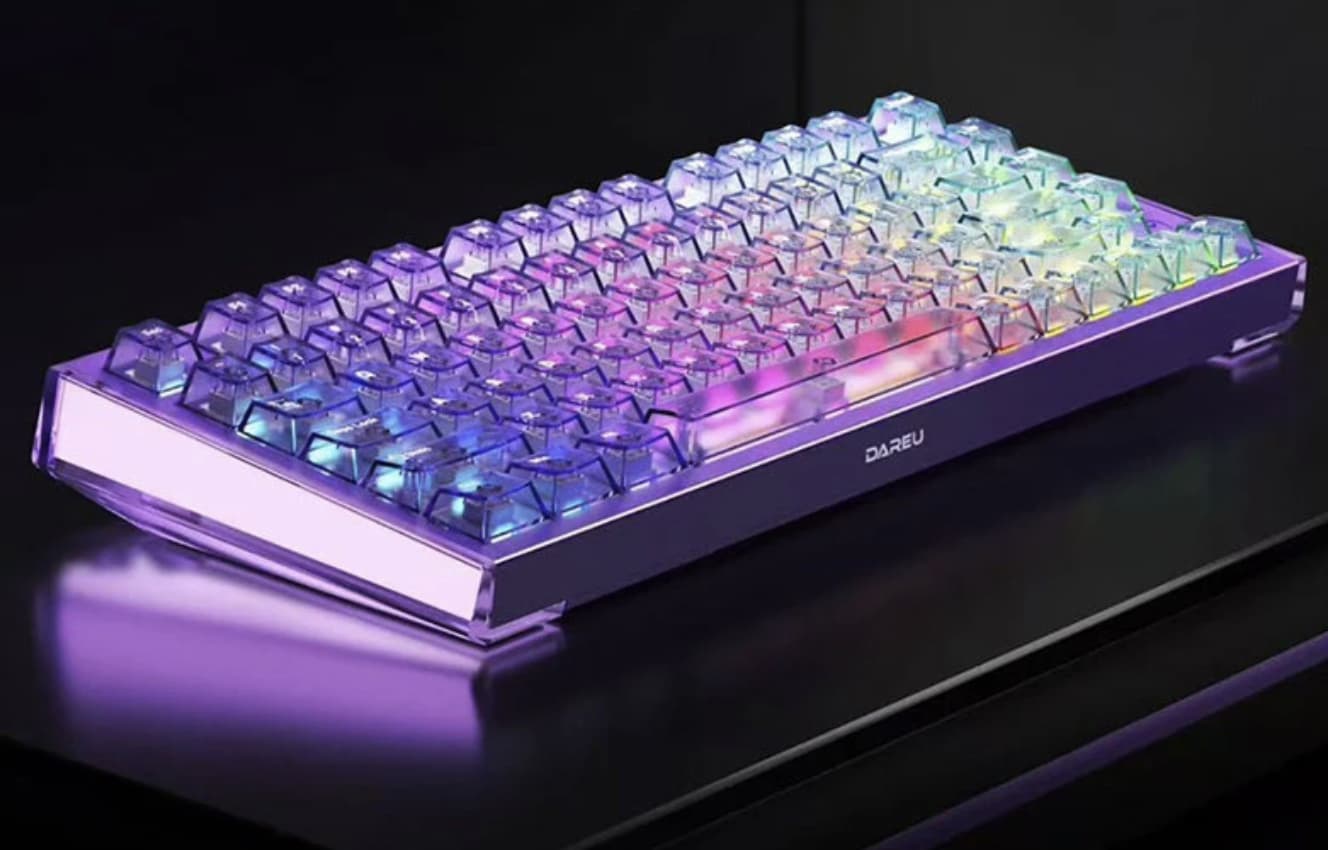
The first thing to understand about the DAREU FLEX75 is its layout.
It uses a 75% arrangement with 79 keys, retaining many of the functions people regularly use while reducing the keyboard’s overall footprint.
Unlike a traditional full-size keyboard, it removes the dedicated numeric keypad. However, it retains the function-key row, arrow keys, and a compact navigation-key arrangement.
This creates an interesting middle ground between a conventional office keyboard and a minimalist 60% gaming keyboard.
For gamers, the reduced width provides more room for mouse movement, especially when playing FPS titles with low sensitivity.
For office users, keeping the function row and arrow keys means there is less need to rely on complicated key combinations.
The layout can also make a dual-monitor workstation feel less crowded.
The FLEX75 measures approximately 325 × 141 × 41mm, making it a relatively compact option for desks where keyboard and mouse space compete for attention.
The main trade-off: Anyone who frequently enters numerical data may miss the dedicated number pad. A separate external numpad can solve this problem, but it adds another accessory to the desk.
2. Five-Layer Gasket Mount: Why the Internal Structure Matters
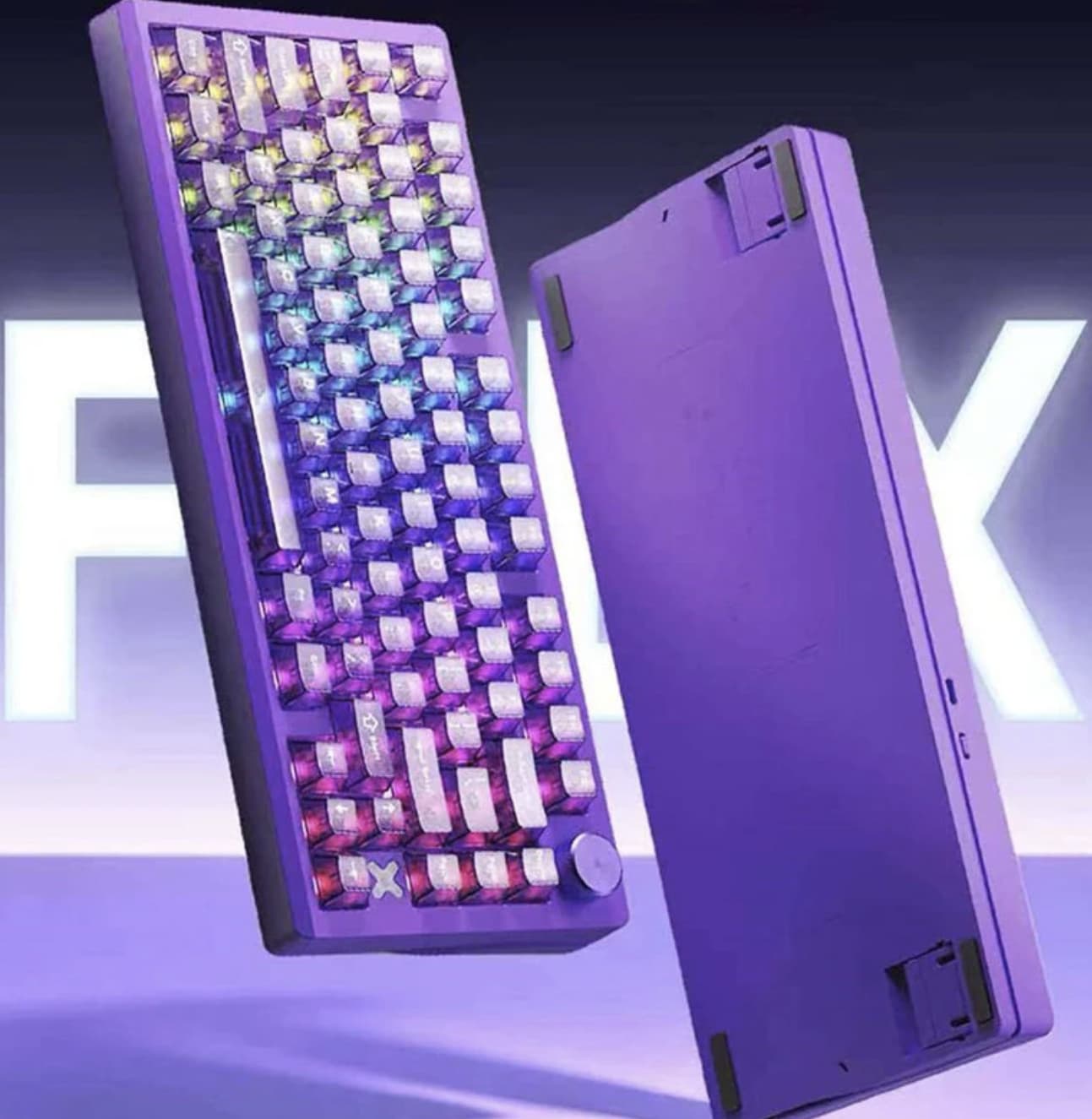
The gasket-mounted structure is arguably one of the most important features of the FLEX75.
In a conventional mechanical keyboard, the mounting structure determines how the plate and switches interact with the keyboard case. A gasket design introduces cushioning materials between structural components, allowing a degree of controlled movement during key presses.
DAREU combines this mounting approach with five layers of internal sound-dampening materials.
The advertised construction includes:
-
PO cotton.
-
IXPE switch underlay.
-
PET sound-dampening material.
-
Soundproof base cotton.
-
Silicone bottom padding.
Why does this matter?
Mechanical keyboards can produce several types of sound during typing. These include the initial switch activation, the keycap’s bottom-out impact, and vibrations transmitted through the keyboard housing.
Internal cushioning can help reduce unwanted resonance and modify the overall sound profile.
The gasket structure also aims to provide a slightly cushioned typing experience instead of the more rigid feeling associated with some traditional keyboard constructions.
However, it is important not to confuse sound dampening with silence. The FLEX75 remains a mechanical keyboard, and its actual acoustic character will depend on the installed switches, keycaps, typing force, and surrounding desk surface.
For people who want a more controlled typing sound without immediately purchasing additional foam modifications, the factory-installed internal layers are a useful starting point.
For another example of a compact mechanical keyboard with gasket mounting and hot-swappable switches, see our CIDOO QK61 Mechanical Keyboard Review, which explores a different approach to customizable typing and gaming.
3. Custom Pegasus Linear Switches and Hot-Swappable Flexibility
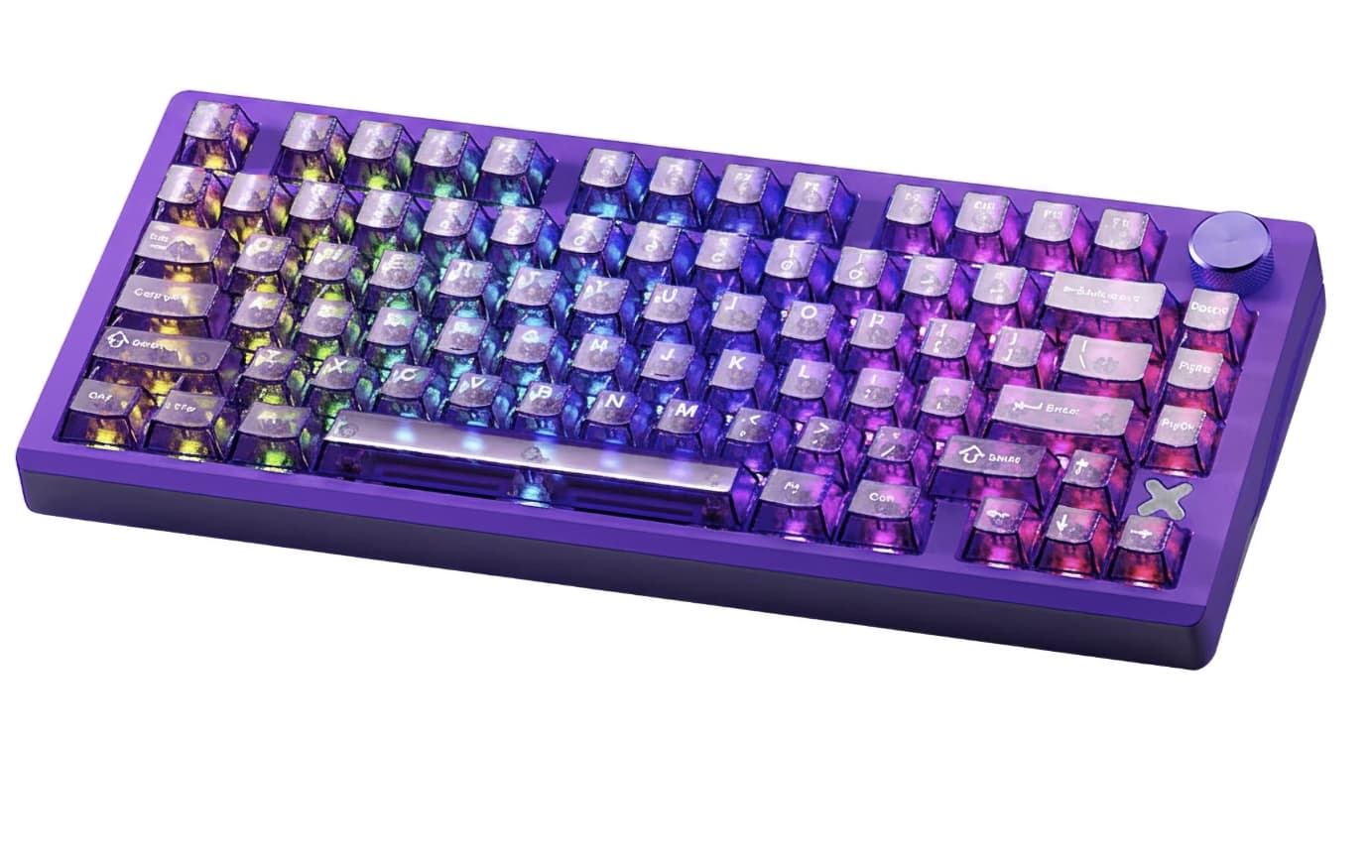
The DAREU FLEX75 comes with custom Pegasus linear switches, although the Banggood listing also identifies Chitu linear switches in its specifications. Buyers should confirm the exact switch version supplied with their selected configuration.
Linear switches are designed to move smoothly from the initial press to the bottom of the key travel without the pronounced tactile bump found in many tactile switches.
This makes them popular among gamers who prefer consistent keystrokes.
They can also work well for everyday typing, particularly for people who enjoy a smooth mechanical feel.
The more interesting feature is hot-swappable support.
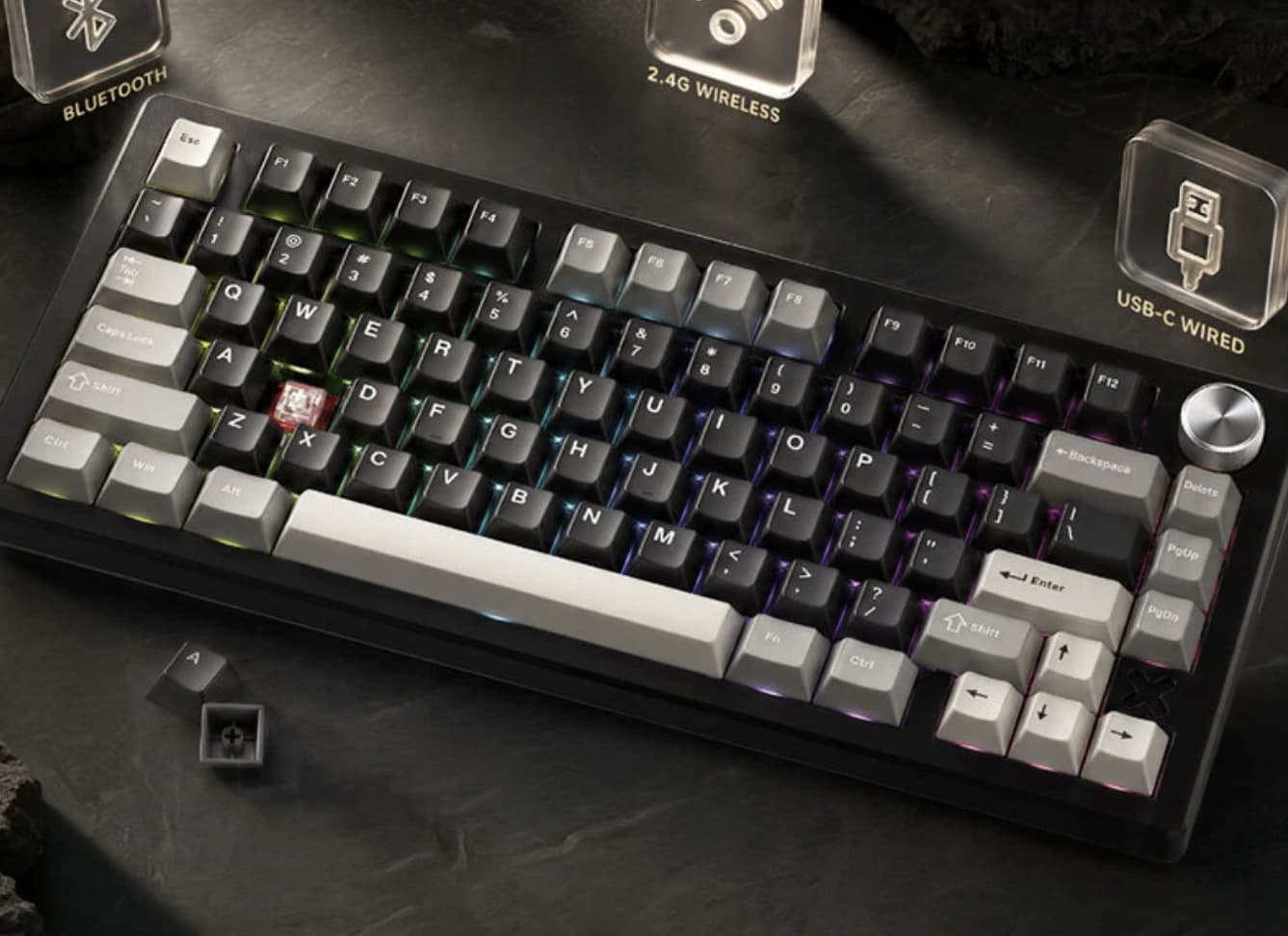
The FLEX75 supports compatible 3-pin and 5-pin mechanical switches, allowing users to replace individual switches without soldering.
This opens up several customization possibilities:
Changing the typing feel: Users can experiment with different linear, tactile, or other compatible switches.
Replacing faulty switches: If one key starts behaving inconsistently, replacing its switch may be easier than repairing the entire keyboard.
Building a personalized sound profile: Different switches can change the sound and feel of the keyboard.
Gradual customization: Users can start with the supplied switches and upgrade individual keys later.
This feature is especially useful for mechanical keyboard newcomers who want to explore switch customization without committing to an entirely different keyboard.
One important detail: hot-swappable compatibility does not mean every mechanical switch is guaranteed to work. Switch dimensions, pin configuration, and socket compatibility still matter.
Gamers interested in alternative high-speed keyboard technology can also read our EPOMAKER HE68 Review, which examines Hall Effect switches and high polling-rate performance.
4. Tri-Mode Connectivity: One Keyboard for Three Different Devices
A keyboard that stays permanently connected to one computer can be limiting for people who regularly switch between a desktop, laptop, tablet, and smartphone.
The FLEX75 addresses this with three connection methods:
| Connection | Best use |
|---|---|
| USB-C wired | Desktop gaming and charging |
| 2.4GHz wireless | Low-latency gaming without a cable |
| Bluetooth | Everyday typing and multi-device use |
The three modes serve different purposes rather than simply providing three ways to connect.
USB-C wired mode is the straightforward choice for desktop users who want a stable connection and do not need to worry about battery levels.
2.4GHz wireless mode is more interesting for gaming. It uses the supplied USB receiver and supports the advertised 1000Hz polling rate.
Bluetooth mode is useful when connecting to laptops, tablets, and other compatible devices without occupying a USB port.
The keyboard also advertises a wireless operating range of approximately 10 meters.
An important specification detail is that the 1000Hz polling rate is advertised for wired and 2.4GHz modes, not Bluetooth. This distinction matters for competitive gamers who prioritize consistent input reporting.
The ability to move between connection types makes the FLEX75 particularly attractive for users who share one keyboard between work and entertainment devices.
5. What Does 1000Hz Polling Rate Mean for Gaming?
The FLEX75 advertises a 1000Hz polling rate in wired and 2.4GHz wireless modes.
For anyone unfamiliar with the term, polling rate describes how frequently a connected device reports its input status to the computer.
At 1000Hz, the keyboard can report its state up to 1,000 times per second.
For competitive gaming, a higher polling rate can help reduce the interval between input reports.
This is particularly relevant in fast-paced games where players frequently execute rapid movement commands.
However, polling rate is only one part of the input experience. Switch behavior, firmware, game performance, USB connection quality, and system latency also influence responsiveness.
The FLEX75’s 1000Hz specification is therefore a useful gaming feature, but it should not be interpreted as proof that it will automatically make someone a better player.
6. Rotary Knob: A Small Control That Makes Daily Use Easier
The rotary knob on the FLEX75 is more than a decorative addition.
It provides a physical control point that can make common desktop adjustments more convenient.
Depending on the configured function, the knob can be used for volume adjustment and muting.
This is particularly useful in situations where reaching for software controls interrupts whatever the user is doing.
For example:
-
Lowering game volume during voice communication.
-
Adjusting music playback while working.
-
Muting audio quickly during a meeting.
-
Making small volume changes without leaving the keyboard.
The knob is CNC-machined, adding a more distinctive hardware detail to the upper-right area of the keyboard.
There is also a practical advantage: physical rotary controls are easier to operate by touch than small on-screen buttons.
For people who frequently switch between music, gaming, video calls, and office applications, this can become one of the keyboard’s most regularly used features.
7. RGB Lighting and Keycap Construction
RGB lighting has become almost standard on gaming keyboards, but the FLEX75 gives users several ways to customize its appearance.
The product listing advertises 16.8 million colors and 16 lighting effects.
This provides enough flexibility to create different lighting styles, from relatively subtle illumination to more colorful gaming setups.
Another detail worth mentioning is the keycap material.
DAREU’s official specifications identify PBT double-shot keycaps, while the product configurations may use different materials depending on the selected color. The purple version is listed with transparent PC keycaps.
PBT is commonly used in mechanical keyboards because of its resistance to everyday wear and its relatively stable surface texture.
Double-shot construction uses two molded plastic components to create the legends, rather than simply printing characters onto the surface.
This can help the legends remain visible with extended use.
The keyboard also supports software customization through DAREU’s ALL IN ONE application and web-based configuration tools.
Users can explore available RGB settings and programmable functions without being limited to the default lighting patterns.
For a desk setup where appearance matters alongside performance, the combination of RGB lighting, different color options, and a rotary knob gives the FLEX75 a recognizable design.
8. 4000mAh Battery: Wireless Convenience Without Constant Charging
A wireless mechanical keyboard needs enough battery capacity to support both its electronics and optional RGB illumination.
The FLEX75 includes a 4000mAh rechargeable battery.
DAREU’s official product specifications advertise the following usage estimates:
| Lighting condition | Advertised battery life |
|---|---|
| RGB backlight on | Up to 24 hours |
| RGB backlight off | Up to 120 hours |
These figures are useful when deciding how to configure the keyboard.
If RGB lighting is important to your desktop setup, expect to recharge more frequently. If wireless operation is the priority, disabling the backlight can significantly extend the advertised operating time.
Actual battery life will also depend on connection mode, usage intensity, lighting brightness, and other settings.
One advantage of the FLEX75 is that USB-C wired operation remains available when the battery needs charging.
This reduces the inconvenience of a wireless keyboard running out of power during work or gaming.
9. Software Customization: More Than Changing RGB Colors
The FLEX75 supports DAREU’s ALL IN ONE software and web configuration platform.
This is worth mentioning because a customizable mechanical keyboard should offer more than physical switch replacement.
Software support provides another layer of personalization.
Depending on the available configuration options, users can adjust lighting effects and customize supported keyboard functions.
For people who want a consistent setup between gaming and work, programmable controls can be useful for simplifying frequently repeated actions.
However, software compatibility and available functions can vary between operating systems and connection modes. Windows users should check the appropriate DAREU configuration software before assuming every setting is available on macOS or mobile devices.
10. Who Should Consider the DAREU FLEX75?
The FLEX75 is most interesting for people who want a mechanical keyboard that can adapt to different environments.
Final Verdict: A Flexible Mechanical Keyboard for Gaming and Productivity
DAREU FLEX75 is interesting because it does not focus exclusively on gaming or office typing. Instead, it combines features that make sense across both environments.
Its 75% layout saves desk space without removing the function row and arrow keys. The five-layer gasket construction offers a more considered approach to typing acoustics, while hot-swappable switches give users the freedom to customize the keyboard over time.
The tri-mode connection system is another major advantage. Wired and 2.4GHz modes support the advertised 1000Hz polling rate, while Bluetooth makes the keyboard more convenient for multi-device use.
The 4000mAh battery, rotary knob, and RGB customization complete the package.
Of course, it is not perfect for everyone. The missing numeric keypad may inconvenience office users, and the battery figures should be treated as manufacturer estimates rather than guaranteed results.
Overall, the DAREU FLEX75 is worth considering if you want a compact mechanical keyboard that combines gaming-oriented responsiveness, customizable hardware, and everyday wireless convenience without moving to a premium enthusiast keyboard category.