Facebook Twitter Instagram
    Trending
    • JNR Falcon-X⁺ 28K: The Christmas Countdown Deal: Precision, Power & Pure Convenience
    • How to Keep Your Rummy Skills Sharp
    • Uwell Caliburn G5 Lite SE Pod System Kit Review: Premium Simplicity Refined
    • Uwell Caliburn G5 Lite KOKO Pod System Kit Review: Compact Power, Uncompromised Flavor
    • Uwell Caliburn G5 Lite Pod System Kit Review: Refined Simplicity, Unmatched Flavor
    • Quantum AI App, Useful or Not?
    • How to Troubleshoot and Fix a Vape That Won’t Charge?
    • How to Troubleshoot iPhone Personal Hotspot Issues
    Facebook YouTube
    Login Register
    IGeeKphone China Phone, Tablet PC, VR, RC Drone News, Reviews
    • HOME
      • NEWS
        • DeepSeek
        • ChatGPT
        • Minecraft
    • Amazon
    • CHRISTMAS
    • PHONE
      • Top Phones For Your First Choice
      • Phone Comparison
      • Xiaomi
      • Blackview
      • Unihertz
      • Doogee
      • Black Shark
      • Geekbuying
      • Banggood
      • TEMU
      • TikTok
      • Aliexpress
      • Walmart
      • Newegg
      • MercadoLibre
      • Lazada
    • TOP VAPE Awards for 2025
    • VAPES
      • E-CIGAR Upcoming
      • Vape News
      • Vape Market Trend
      • Vape Deals
      • Expo News
      • Vape Comparison
      • Vape Guide
        • Guide For Beginners
        • Guide for Best Users
      • Giveaway
    • BEST VAPE
      • Best Vape Stores
      • Best Starter Vape Kits
      • Best Vapes for Beginners
      • Best Disposable Vapes
      • Best Pod Systems
      • Best Pod Mod Vapes
      • Best Mods
      • Best Nicotine Pouches
      • Best Clearomizers/Tanks
      • Best E-Liquid
      • Best EGO/Pens
      • Best Vapes for Nic Salt E-Juice
      • Best Vapes to Quit Smoking
      • RDA vs. RDTA vs. RTA
    • Best Vape Brand 2025
      • VAPORESSO
      • VOOPOO
      • OXVA
      • NEXA BAR
      • ORIONBARTECH
      • MASKKING VAPE
      • VEIIK
      • MEMERS
      • SP2S
      • JNR
      • TODOO
      • MRFOG
    • REVIEW
      • E-cigar Review
      • Phones
      • Tablet PC
      • TV Box
      • RC Drone
      • Wearables
      • Camera
      • Accessories
      • VR Headset
    • MORE
      • 3D PRINTER
        • 3D Printer Review
        • Anycubic
        • FLSUN
        • Xtool
        • LONGER
        • Top 3D printer to Choose First
      • TREND
      • CLOTHES
      • AUTO CAR
      • POWER STATION
        • Oukitel
        • FOSSIBOT
      • GAMING
        • Top Gaming Products
      • E-BIKE
        • Samebike
        • Happyrun
        • ENGWE
      • TABLET
        • Chuwi
        • INNOCN
        • Teclast
        • Top Tablet for Your First Choice
        • Tablet/Laptop Comparison
      • WEARABLES
        • OneOdio
        • BlitzWolf
        • Top Smartwatch for First Choice
      • SMART HOME
      • TV BOX
        • Chuwi mini pc
        • Beelink
        • GMKTEC
        • MOREFINE
      • RC DRONE
        • DJI
        • MJX
        • JJRC
        • Hubsan
        • Top RC Drone
      • CAMERA
        • Gopro
        • Insta360
        • Andoer
      • ACCESSORIES
      • VR HEADSET
      • ROM
        • SAMSUNG
        • XIAOMI
        • ASUS
        • MEIZU
        • LENOVO
        • HUAWEI
        • ONEPLUS
        • ZTE
        • UMIDIGI
        • DOOGEE
        • HOMTOM
        • ELEPHONE
        • ULEFONE
        • BLACKVIEW
        • VERNEE
        • LEAGOO
        • CHUWI
        • TECLAST
        • PIPO
        • TV BOX ROM
    • DEAL
    • Shop
    IGeeKphone China Phone, Tablet PC, VR, RC Drone News, Reviews
    You are at:Home»3D Printer Review»Anycubic Kobra 2 Max Hands on Review: Pushing the Limits of FDM Printing
    3D Printer Review

    Anycubic Kobra 2 Max Hands on Review: Pushing the Limits of FDM Printing

    Habib QaziBy Habib QaziNovember 17, 2023
    Facebook Twitter Pinterest LinkedIn Tumblr Email

    The Anycubic Kobra 2 Max streamlines the process of achieving larger prints at a faster pace. New optimizations have enhanced its appeal for large-format 3D printing for those who may have overlooked the original Kobra Max.

    However, is it worth investing in for your prints, considering its need for a larger footprint and higher cost?
    For enthusiasts of the original Anycubic Kobra Max, the Kobra 2 Max strives to enhance the printing experience with additional features that make larger-volume prints more accessible. Easy setup optimization, along with the LeviQ 2.0 automatic leveling and smart z-offset, removes many barriers to entry in the printing process.

    Suppose you’re looking for a straightforward way to engage in quick large-format printing. In that case, the Kobra 2 Max offers an improved experience, provided you are willing to adapt to a few limitations.

    Brand: Anycubic
    Build Volume: ~16.5 x 16.5 x 19.7 inches (420 x 420 x 500 mm)
    Connectivity: 3 x USB-A ports
    Heated Build Plate: Yes (≤194F/90°C)
    Feed Type: Double-gear direct extruder
    Dimensions: 29.1 x 28.9 x 25.1 inches (740 x 735 x 640 mm)
    Weight: ~46.3 lbs (21kg)

    Pros:

    • Built-in storage eliminates USB print interruptions
    • Faster print speeds
    • Large build volume
    • Anycubic LeviQ 2.0 49-point auto-leveling (Smart Z-Offset) facilitates easy initial setup
    • Responsive 4.3” LCD touchscreen
    • Multiple USB ports

    Cons:

    • Occasional small bugs and glitches
    • Filament detectors can be oversensitive
    • Requires a large, stable table space

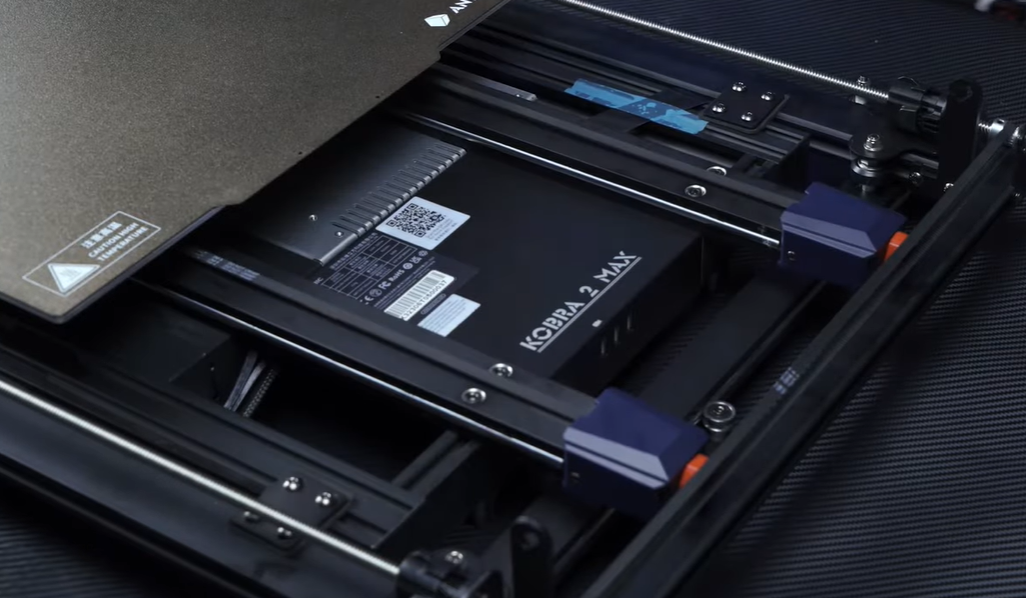
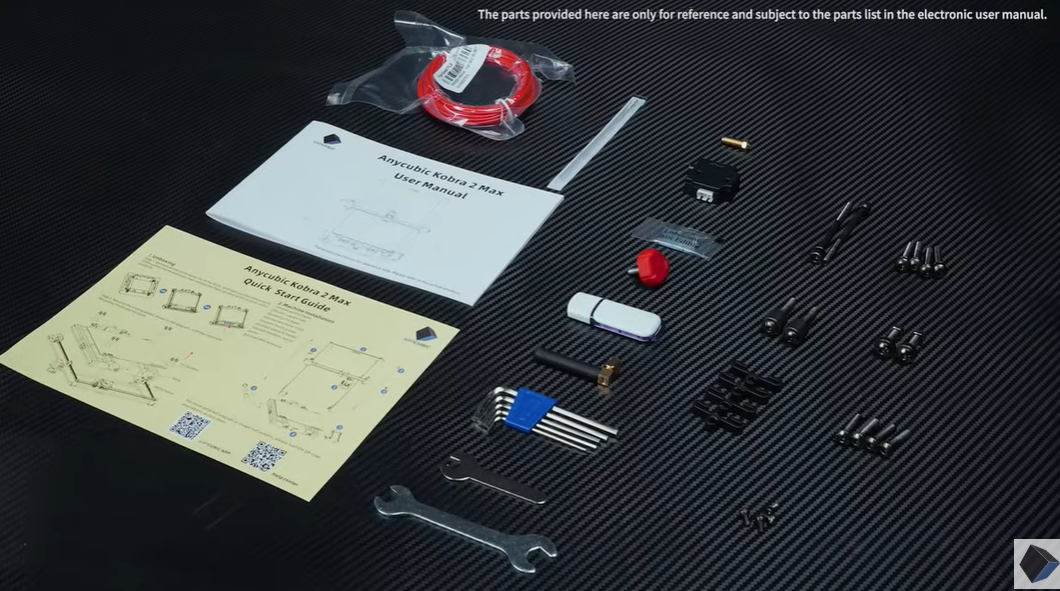
    Some Assembly Required
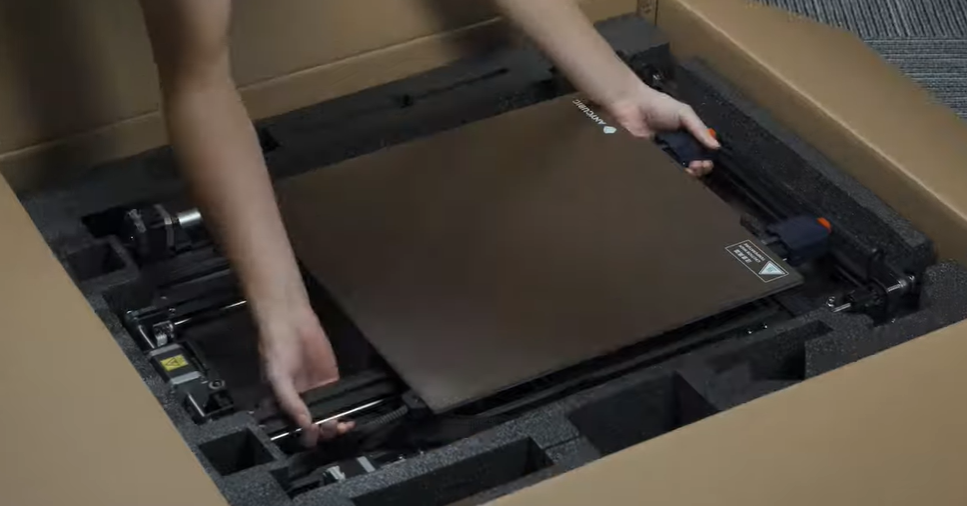
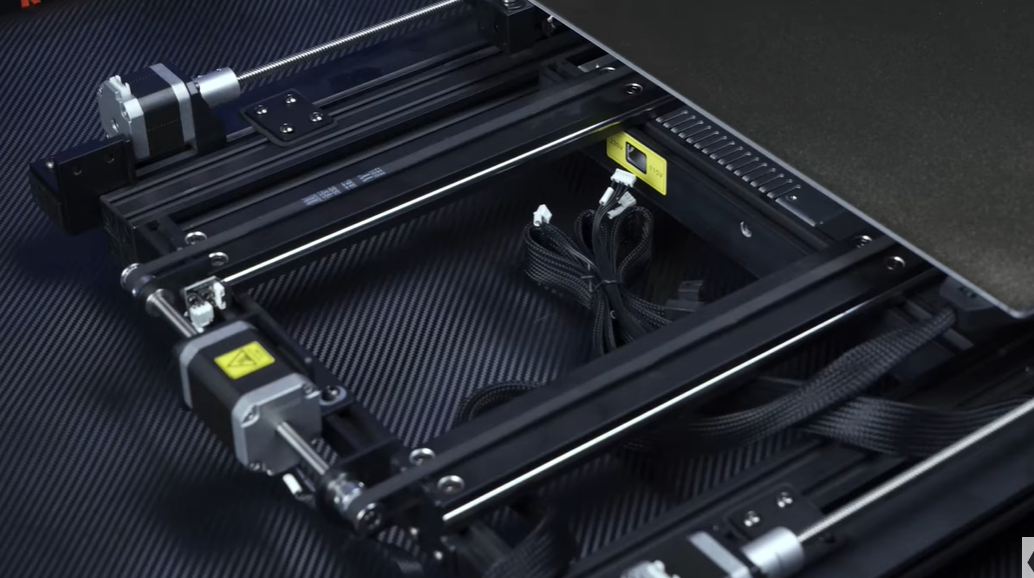
    For those aiming to print with the Anycubic Kobra 2 Max rapidly, the DIY factor is significantly reduced compared to the Anycubic Kobra Go, although it won’t arrive fully assembled.

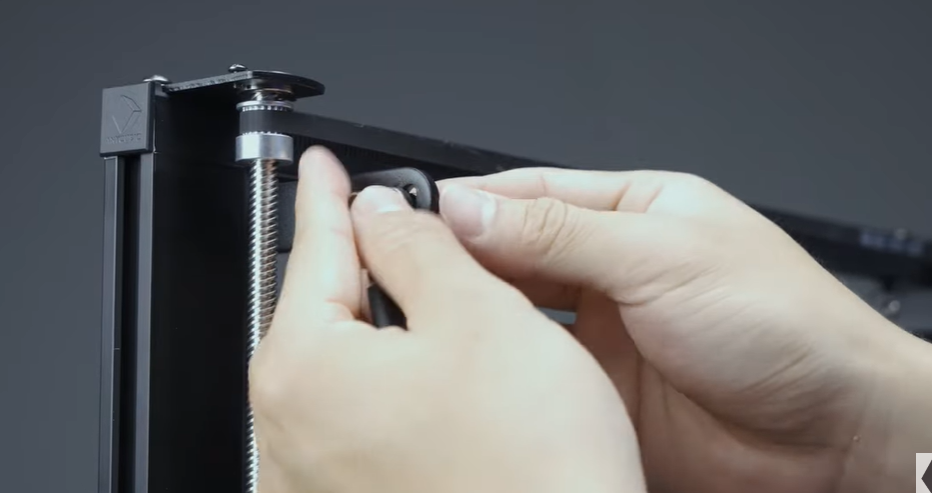
    While the integrated body structure may not aid in learning how a 3D printer works, it results in a less intimidating setup. Despite limited part assembly, it is advisable to have a partner assist in installing the gantry frame and support rods.

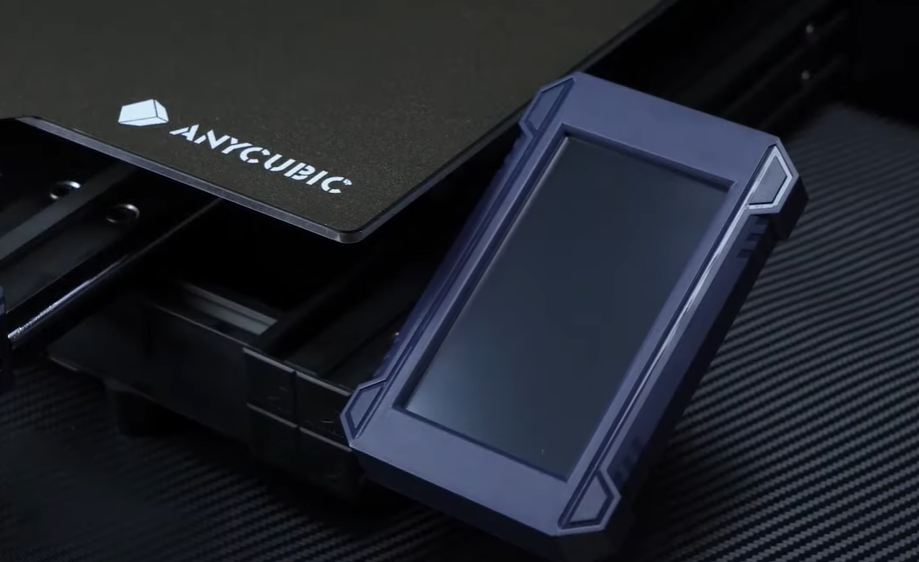
    Smaller attachments, such as the LCD screen and filament holder, become even easier upon completing the print head assembly. However, when addressing the filament run-out sensor, ensuring a secure fit is crucial to prevent potential snags in the filament loading process.

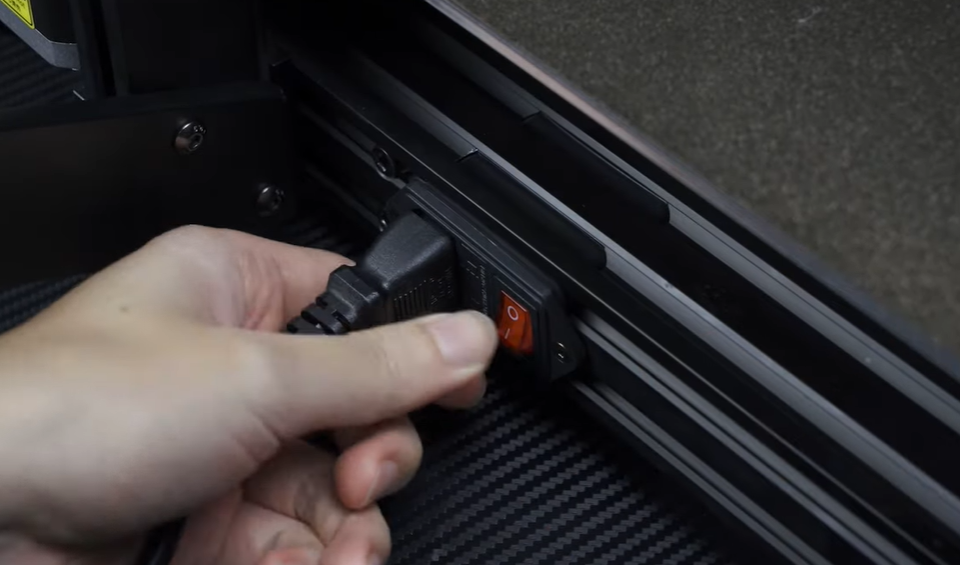
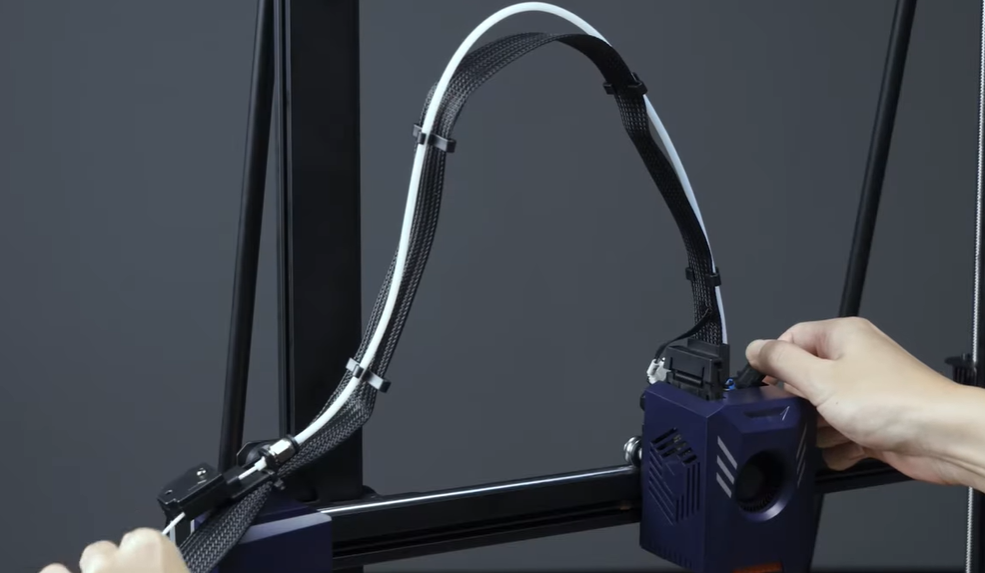
    In the wiring stage, a simple push-in process is typical. Although the print head connection may be somewhat unfamiliar for first-timers, visual references provided by Anycubic’s included images can guide the fitting process.

    After securing the cables and filament tube, it is essential to verify that everything sounds right and movements feel smooth when checking the print head and bed. Additionally, double-checking the belts’ tension can prevent issues like layer shifts and save you from potential headaches.

    Technical Specs
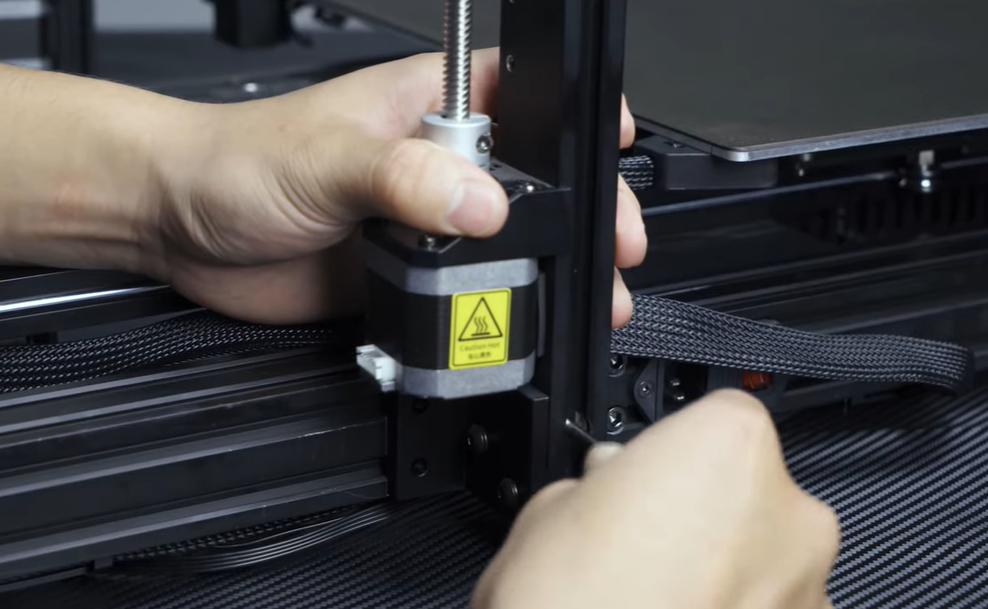
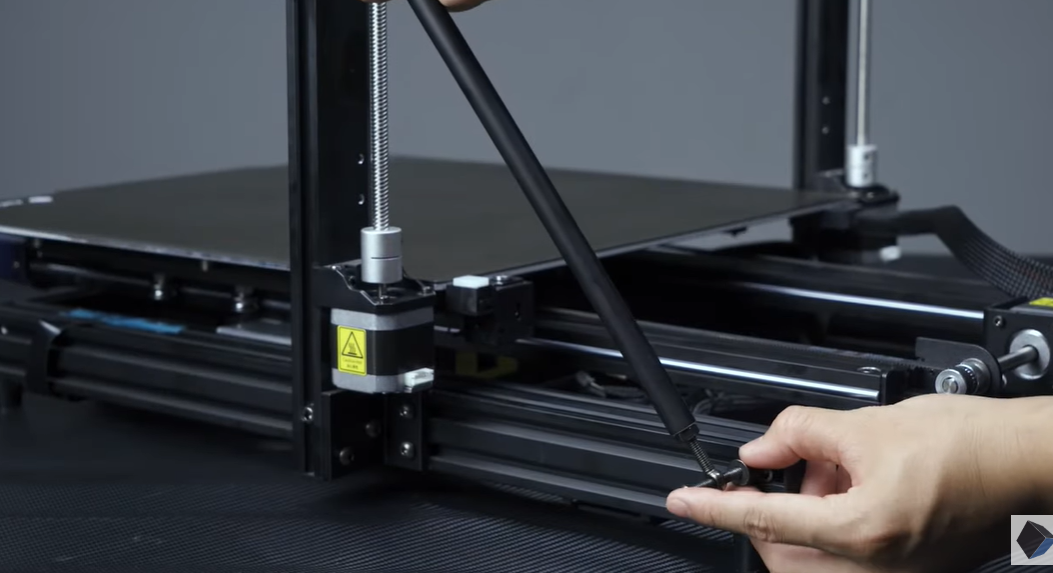
    James Hirtz from MakeUseOf conducted a size comparison between Anycubic Kobra 2 Max and Kobra Go. The Kobra 2 Max, boasting a build volume of 420 x 420 x 500mm (~16.5 x 16.5 x 19.7 inches), surpasses the original Kobra Max, which had dimensions of 400 x 400 x 450mm. Potential buyers need to note that to accommodate its 88-liter print volume, the Kobra 2 Max performs optimally on a spacious table capable of accommodating its 29.1 x 28.9 x 25.1 inches dimensions and weight of approximately 46 lbs (21kg).

    Apart from enhancements in print volume, the Kobra 2 Max exhibits significantly improved print speeds. It allows printing at a maximum speed of 500mm/s or the more conventional speed of 300mm/s, a notable upgrade from the original Kobra Max’s maximum of 180mm/s and standard speed of 80mm/s. This improvement is attributed to the on-board Cortex-A7 1.2GHz processor, which handles all necessary calculations.
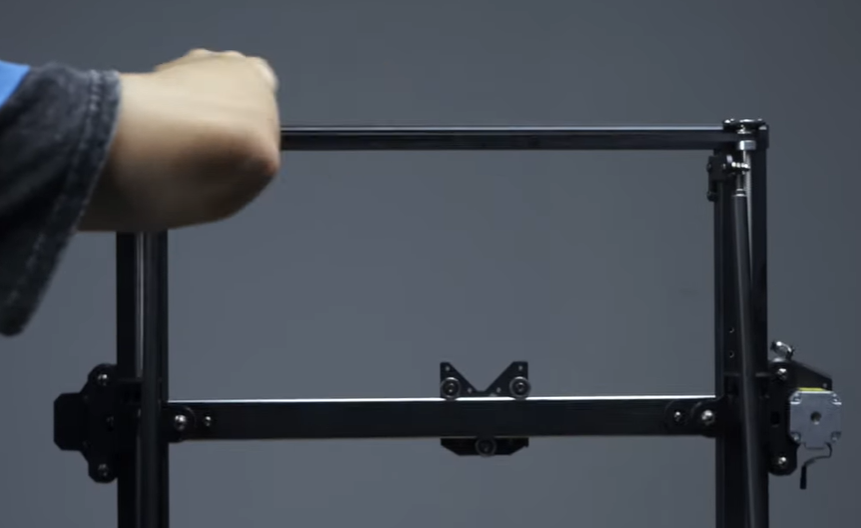
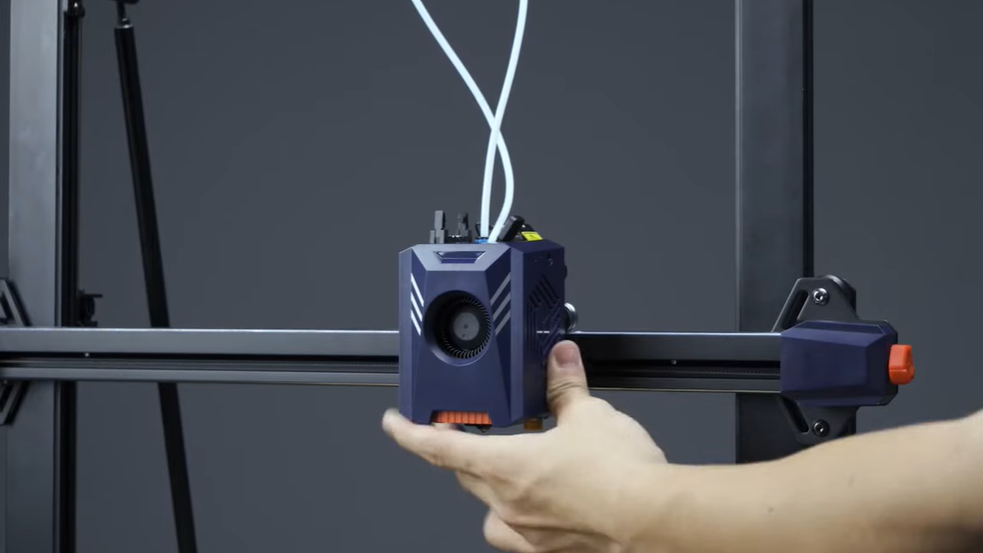
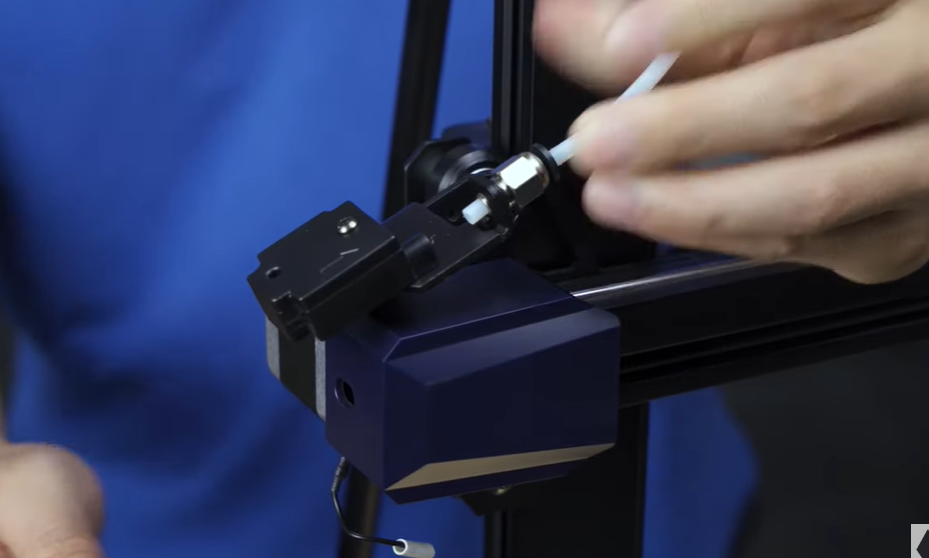
    Anycubic has not only focused on speed but also on building enhancements for smoother prints in the Kobra 2 Max. The printer features a dual motor, double Z-axis set-up, double metal spindles, and SG15 bearings to ensure more stable printing. Additionally, the inclusion of a direct extruder with double gears provides a potential upgrade option for users who prefer not to use a Bowden extruder.
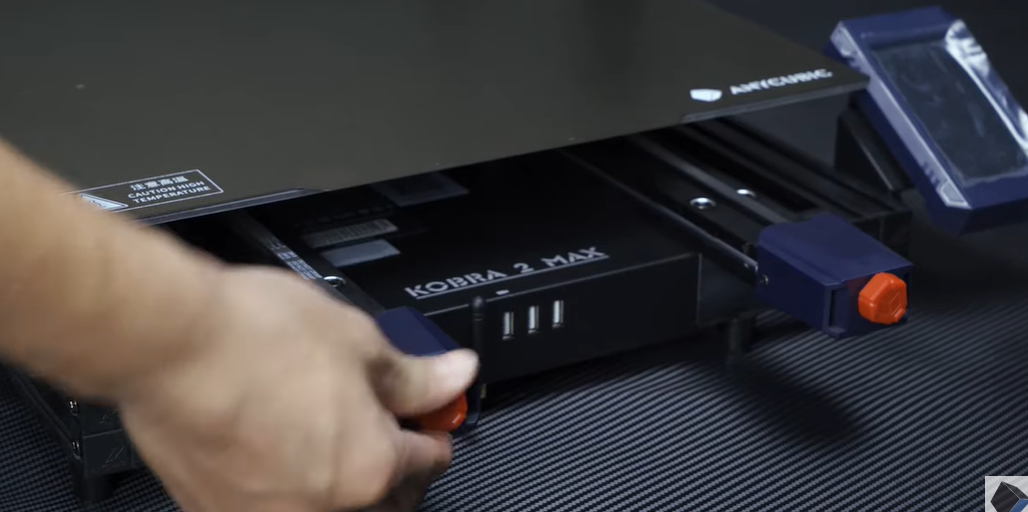
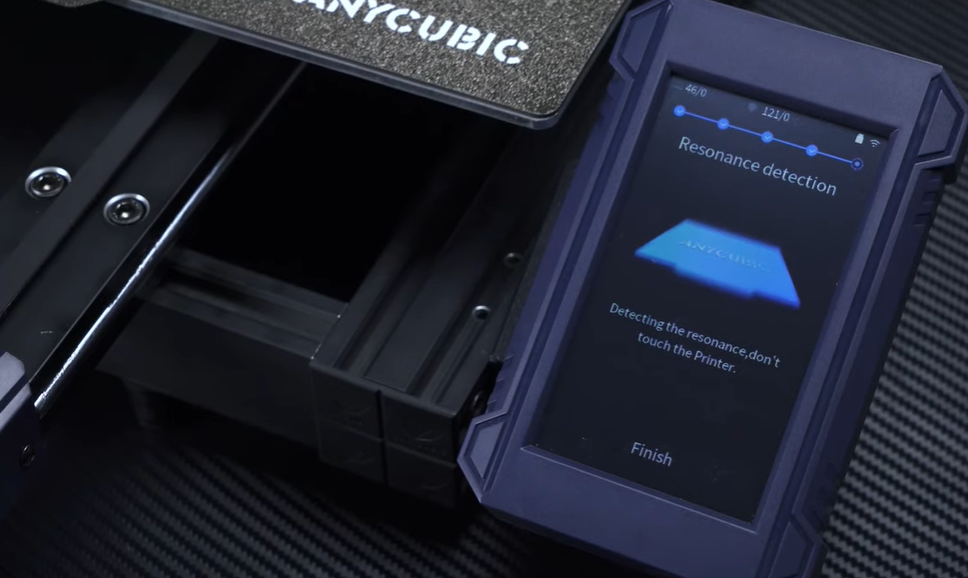
    Regarding materials, the Kobra 2 Max supports PLA, ABS, PETG, and TPU. The direct extruder proves particularly beneficial for more flexible materials. For a simplified setup, the Kobra 2 Max incorporates an enhanced LeviQ 2.0 automatic leveling system with a smart Z-offset. The improved 49-point auto-leveling system, combined with resonance detection through test vibrations, prepares the printer for extended printing sessions and guards against banding.
    Although not available during the test window, the Kobra 2 Max will also feature support for the Anycubic app. This functionality enables users to access online printing and slicing, remote management, video monitoring, and more.

    Touchscreen
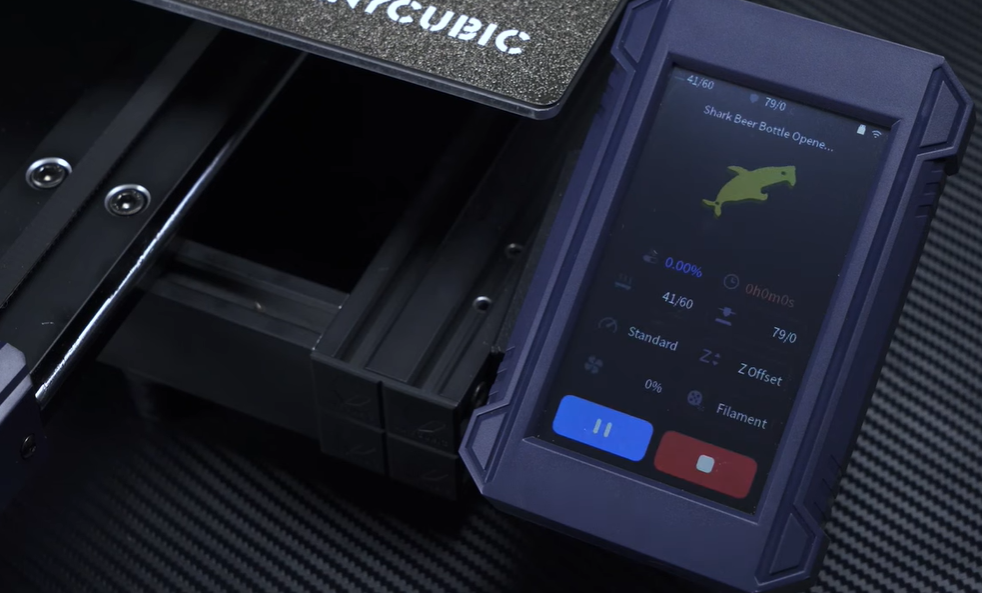
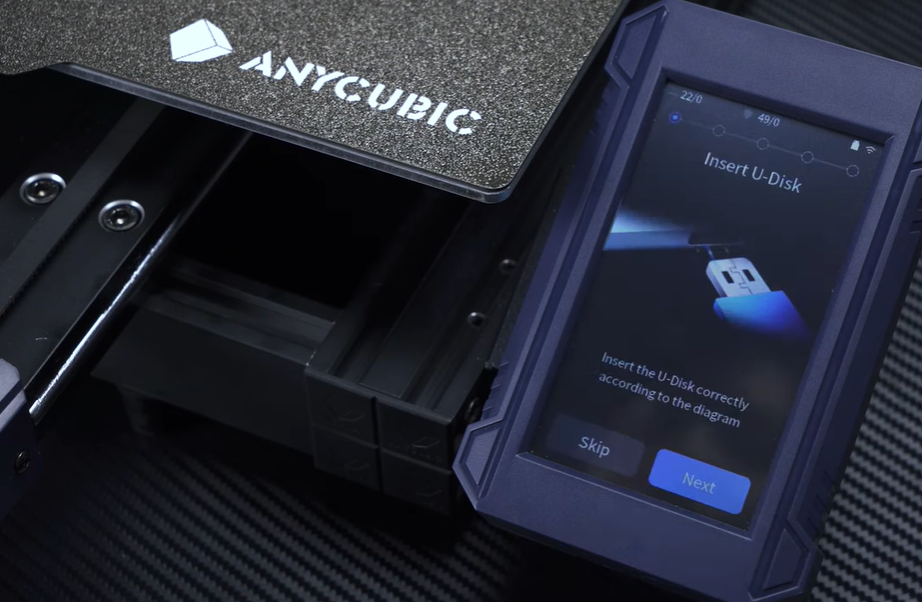
    The Kobra 2 Max features a full-color 4.3-inch touchscreen. When you’re ready to initiate your first print, the machine will guide you through a straightforward setup process. This process includes inserting the provided USB drive, detecting each axis, auto-leveling, loading filament, and detecting resonance. This fully-prompted measure aims to prepare you as much as possible for a successful first print and is extremely easy for a beginner.

    After completing the initial setup, you can commence printing from a small selection of test models stored locally on the Kobra 2 Max. While everything is heating up, you have ample time to navigate through all the settings and experience the touchscreen’s responsiveness. It’s advisable to perform a few test prints before delving into a slicer. This allows you to perceive the differences in results among stable, standard, and sport print speeds, and to check and fine-tune the Z-offset (the distance between the print head and the bed, determining the first layer “squish”).

    Overall, the touchscreen is highly responsive; the stop button reacts promptly in case of any issues.

    Once you’ve transferred the G-code to your USB stick, the Kobra 2 Max will transfer it to the printer’s local storage. While it’s important to monitor the storage space over time, deleting files as needed is a straightforward process. This is a minor yet helpful feature, particularly when repeating prints without relying on the original USB drive.

    Anycubic Slicer

    James Hirtz from MakeUseOf presents the Anycubic Slicer interface. During our test window, Ultimaker Cura was not ready as a slicing software option. Instead, we utilized Anycubic Slicer—a custom version of PrusaSlicer.

    Transferring projects between the two slicers would sometimes result in the exported code carrying over incorrect print settings. Therefore, we primarily conducted our testing in one of the slicers to identify any significant distinctions. As is customary with Anycubic’s software, their version seems a bit more basic and simplified, but the overall process and setting tweaks felt nearly identical.

    If you are dealing with models that do not require extensive customization or preparation in terms of support, you will find Anycubic Slicer to be sufficient. Regardless of the slicer you choose, it is advisable to seek Anycubic’s suggested parameter profiles and import them into the selected slicer. Subsequently, it becomes much easier to adjust and customize your settings based on your familiarity level.

    Printing

    The Kobra 2 Max allows for printing larger models, and when you’re ready to print your own models, you should consider certain factors. If you want to take advantage of the speed of the Kobra 2 Max, ensure that you place it on a very sturdy table that won’t wobble. The standard printing speed of the Kobra 2 Max can gradually move lighter tables; I achieved the best results using a longer, heavier lift desk. Keep in mind that if you move the printer around to find the optimal location, you should rerun the vibration compensation.

    To assess the printing capabilities of the Kobra 2 Max, I experimented with both Anycubic’s high-speed PLA filament and neat-winding PLA. Both filaments have similar specifications, with a slight difference in suggested print temperature and hotbed temperature ranges. While high-speed PLA offers a brighter surface and improved base print visibility on some models, the overall print quality did not significantly differ between the two filaments.

    For a solid experience with the Kobra 2 Max, fine-tune your settings and monitor the printing process. Occasionally, the filament run-out sensor may prove too sensitive and abruptly stop mid-print, even with plenty of filament still available. If this error occurs, it can waste a considerable amount of time, and it can be avoided by disabling filament detection from the touchscreen before starting a print, although this somewhat undermines the purpose of having the sensor.

    In my practical tests with different 1kg filament spools, I eventually disabled the sensor when starting on a new one. Otherwise, the run-out sensor proved more of a hindrance, especially during the final stages of a print. If you plan to use the last bits of filament or anticipate running out mid-print, the sensor can be a useful addition; you’ll need to determine the best use case for your specific situation.

    With the Kobra 2 Max’s larger print volume, there are numerous practical applications for an FDM printer as you aim to maximize space options. The included 0.4mm diameter nozzle allows for cleaner, more precise details as a standard choice. If you want to print even faster, albeit with some degradation in detail, you may consider investing in a larger nozzle size as a replaceable option.

    As the Kobra 2 Max already offers improved print speeds, this may be appealing to those less concerned with print quality perfection. Keep in mind that even moderately-sized prints can take over a day at the standard speed preset, so depending on what you’re printing and how much time you have to monitor the Kobra 2 Max, this detail should be considered with your schedule.

    Clean up

    Once you finish your print, you can easily remove it for clean-up. Instead of using another glass printing platform, the Kobra 2 Max utilizes a PEl magnetic spring steel bed, which greatly simplifies the actual print removal, especially if you need to precisely pull off a large object or remove thinner bits of filament.

    You will likely need to clean up your print, depending on your chosen nozzle and print settings. While the Kobra 2 Max provides a small tool set, it’s advisable to consider sanding options such as blocks or specialized model tools. Additionally, precision needle nose pliers or clippers can be useful for pulling off and removing supports if you’re willing to experiment more with the current slicing options.

    Anycubic Kobra 2 Max’s Spring Steel Printing Platform Bending: James Hirtz / MakeUseOf

    Should You Buy the Anycubic Kobra 2 Max?

    Consider your primary requirement, specifically the size of the print you’re after. The Kobra 2 Max is ideal for larger print sizes but can handle both small and large print tasks with the 0.4mm nozzle, as long as you can allocate the necessary space and provide a sturdy table surface.

    In summary, the Kobra 2 Max offers a variety of printing benefits and is expected to provide even more improvements as support for it expands. If you aim to push the limits of the FDM printing space and seek sizable prints or prototypes, it can deliver an excellent experience.

    If you’re in the market for a flagship 3D large-format printer without a ton of mess, you should consider the Kobra 2 Max.

    Read Also: Buy Artillery Sidewinder-X2 3D Printer at €168 in Flash Sale From TOMTOP

    image source

    Share. Facebook Twitter Pinterest LinkedIn Tumblr Email

    Related Posts

    Quantum AI App, Useful or Not?

    How to Troubleshoot iPhone Personal Hotspot Issues

    The Battery Capacity of Samsung Galaxy Buds4/Pro Headphones has been Exposed: 42mAh and 57mAh

    Leave A Reply Cancel Reply

    You must be logged in to post a comment.

    voopoo drag s3
    oxva xlim go 2
    sp2s sen x disposable vape
    jnr 100k
    • Popular
    • 3D Printer REVIEW
    • XIAOMI
    November 23, 2025

    VOOPOO DRAG X3 – Big Battery, Smart Tech, Pod-Mod Powerhouse (Review)

    November 23, 2025

    VOOPOO VINCI S: Pocket-Power Pod with a 2,000 mAh Heart — Big Battery, Simple Use (Review)

    November 19, 2025

    OXVA XLIM PRO 3 Pod Vape Quick Hands-on Review (Video Test Included)

    November 19, 2025

    OXVA XLIM 3 Ultra Pod Vape: Hands-on Review (Video Test Included)

    June 23, 2024

    ACMER P2 20W Laser Engraver Fixed Focus Engraving: Hands on Review

    May 30, 2024

    xTool F1 Ultra Review: World’s First 20W Fiber & 20W Diode Laser Engraver

    May 30, 2024

    Anycubic Kobra 3 Combo Review: The Multicolor Masterpiece?

    May 15, 2024

    SCULPFUN SF-A9 40W Laser Engraver Cutting Machine: Hands On Review

    December 2, 2025

    Xiaomi REDMI Turbo5 Pro phone will be launched before the Spring Festival, equipped with the only flagship chip in its class

    December 2, 2025

    Xiaomi has Released REDMI TV X55/65/75 2026: Mini LED starts at only 2,499 yuan

    November 28, 2025

    The Exclusive Camera Handle of Xiaomi 17 Ultra has passed the 3C certification and can be used as a power bank

    November 27, 2025

    Code name “Nezha” : Xiaomi 17 Ultra phone exposed, with a triple rear camera setup

    fc 26 coins
    New Arrivals
    • Uwell Caliburn G5 Lite SE Pod System Kit Uwell Caliburn G5 Lite SE Pod System Kit
    • Uwell Caliburn G5 Lite KOKO Pod System Kit Uwell Caliburn G5 Lite KOKO Pod System Kit
    • Uwell Caliburn G5 Lite Pod System Kit Uwell Caliburn G5 Lite Pod System Kit
    • Freeton Trimax 60k Disposable Vape Freeton Trimax 60k Disposable Vape
    • Smoant Pasito 3 Vape Smoant Pasito 3 Vape
    • Yocan Flat 2.0 series Yocan Flat 2.0 series
    • Snowplus Swift Pod Vape Snowplus Swift Pod Vape
    • Innokin EZ LEVA PCC Pod Kit Innokin EZ LEVA PCC Pod Kit
    • VANMO VM60000 DISPOSABLE VANMO VM60000 DISPOSABLE
    About
  • Igeekphone.com provides the first global tech news and reviews about smartphone, vapes, e-cigar, smart home, 3D printers, e-bike,tablets, RC drones, VR headset, and other accessories. It's the best platform to improve your brand and product.
  • Contact us: info@igeekphone.com
  • Check Our Privacy Policy Here.
  • Note: *Right now we have US editor and EU editors for review, especially for Amazon US and EU.
  • *Shop and Compare Price Here*
  • Facebook
  • Youtube
  • OUR BEST VAPE PARTNERS
  • VAPE ONLINE STORE
  • HAYATI PRO MAX PLUS
  • VAPORESSO
  • VOOPOO
  • OXVA
  • NEXA
  • MASKKING
  • LOSTVAPE ORIONBAR
  • VEIIK
  • MEMERS
  • TODOO
  • SP2S
  • JNR
  • OTHER BEST PARTNERS
  • SVBONY
  • Chuwi
  • Blackview
  • Fossibot
  • Unihertz
  • Flsun
  • Anycubic
  • Xtool
  • Oukitel
  • Mukkpet Ebike
  • Ugreen
  • Copyright © 2025 igeekphone

    Type above and press Enter to search. Press Esc to cancel.