









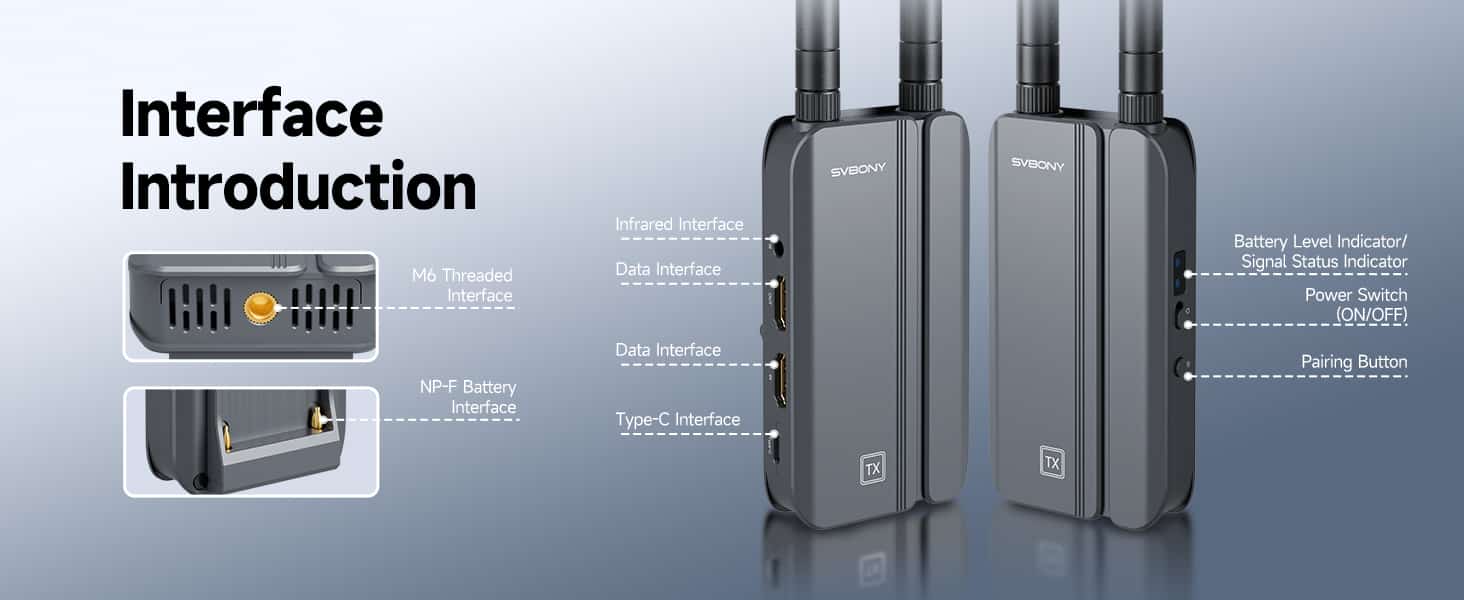
We’ve all been there: you unbox a new tech device, only to face a confusing array of ports, dongles, and cables. The promise of “wireless” often still comes with a web of connections. The SVBONY TansAir3 Wireless HDMI System flips that script. Its intelligently designed interfaces aren’t just holes in a box—they’re the well-marked gateways to a genuinely seamless wireless video transmission experience. This is a wireless HDMI extender built to connect effortlessly to the gear you already use.
More Than Just Wireless: The Importance of Physical Connections
True wireless HDMI freedom isn’t just about cutting the video cable; it’s about simplifying the entire setup. The TansAir3 understands that a great HDMI transmitter and receiver needs to interface flawlessly with a world of wired devices—from cameras and game consoles to set-top boxes and TVs. Its comprehensive suite of ports ensures that no matter your source or display, you’re only a single, simple connection away from a pristine 1080P/60fps wireless signal.
A Guided Tour of the TansAir3’s Ports
- HDMI IN & OUT: The Heart of the System
Transmitter (TX): Features an HDMI IN port to connect your video source (camera, laptop, gaming console).
Receiver (RX): Features dual HDMI OUT ports, allowing you to connect two displays simultaneously or easily switch between them. This is perfect for A/B testing or presenting on a main screen and a confidence monitor.
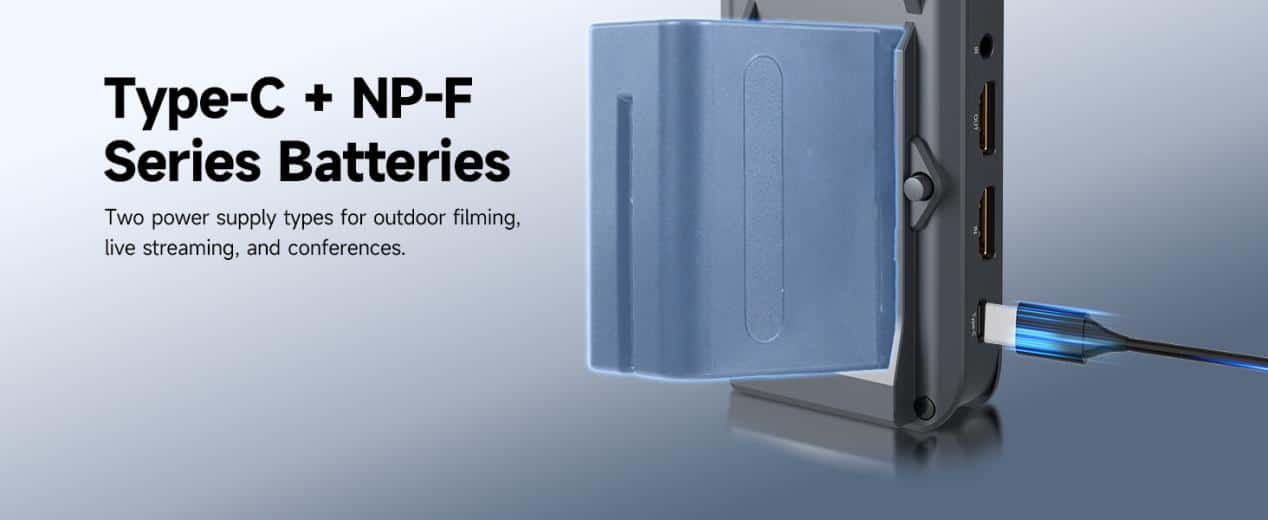
- Type-C Power Interface: Universal Modern Power
This isn’t just for charging. The Type-C port delivers robust power for continuous operation, making it ideal for conference room installations or long live streaming sessions. Use any modern phone charger, power bank, or laptop charger to keep the system running.
- NP-F Battery Interface: Pro-Grade Power Flexibility
This is where the TansAir3 shines for mobility. The NP-F battery interface accepts widely available, high-capacity professional batteries. Slide one in, and you’re free from outlets for hours—essential for outdoor filming or moving between meeting rooms.
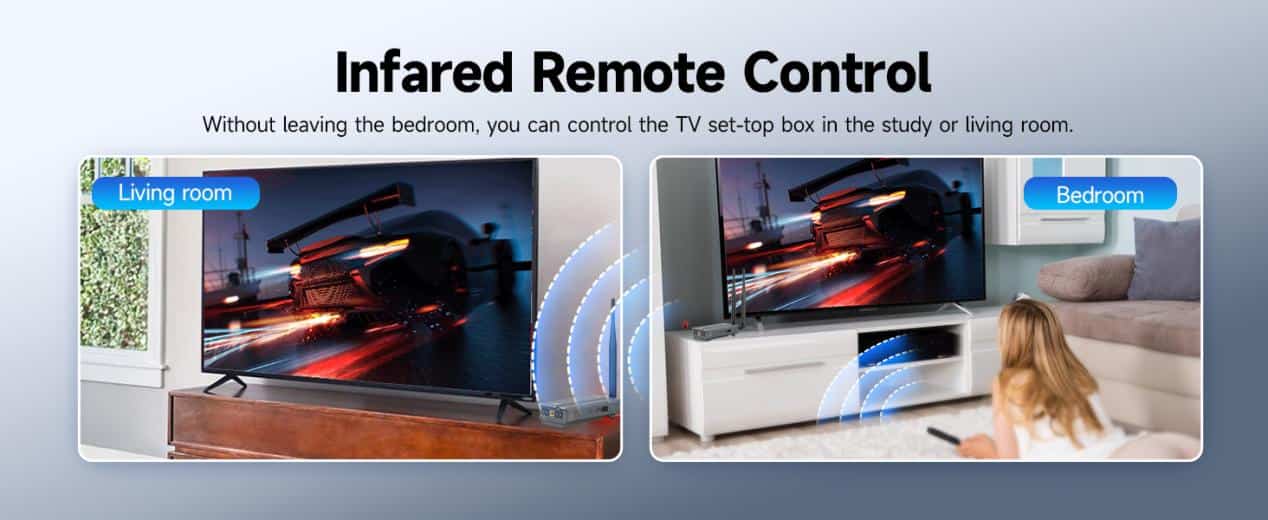
- IR Extender Ports: Control Rooms Away
A unique feature that sets this wireless HDMI system apart. Use the included IR cables to connect the transmitter and receiver to your source device (like a cable box). This allows you to control that device from another room with its original remote. Finally, true multi-room streaming without losing control.
- M6 Threaded Interface: Mount Anywhere
The built-in M6 thread lets you securely mount the TansAir3 on camera hot shoes, tripods, or other supports. This is a crucial detail for filmmakers and photographers who need a stable, rattle-free setup on the move.
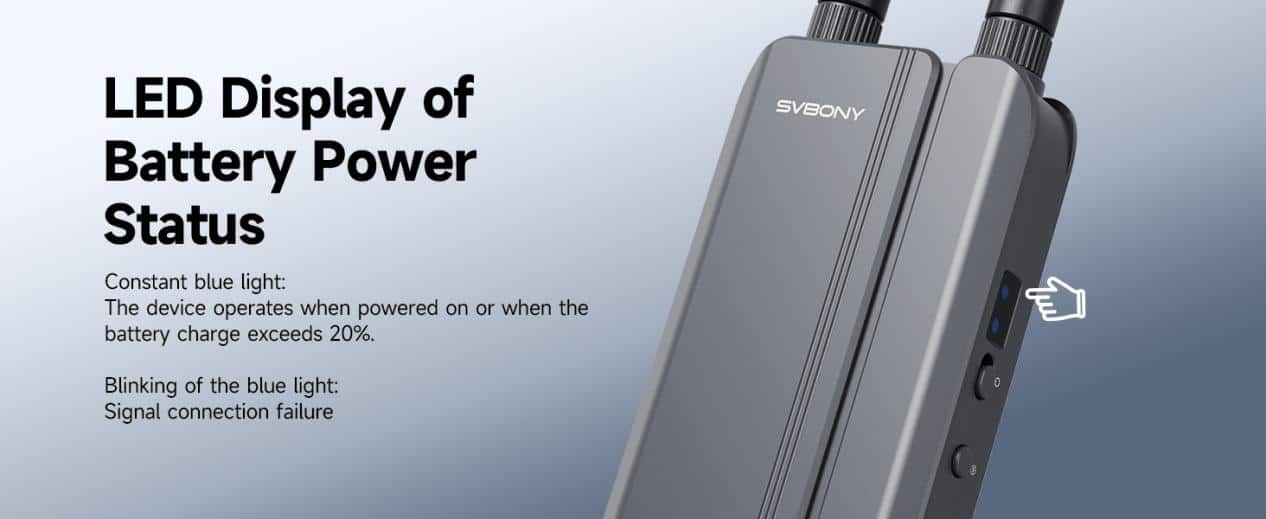
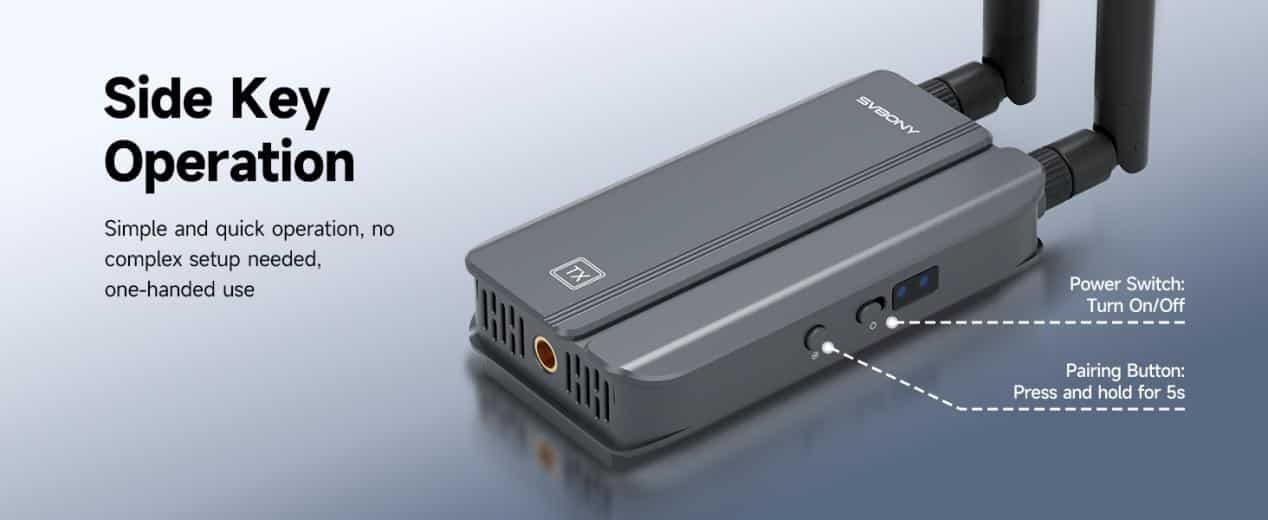
- Clear Status Indicators: At-a-Glance Info
An intuitive LED indicator clearly displays power and connection status. Solid blue? You’re good to go. Blinking? It’s time to check the connection. No more decoding complicated light patterns.
Why This Interface Design Matters: The “Plug and Play” Promise Delivered
Many devices claim to be plug and play HDMI solutions, but the TansAir3’s design actually makes it happen. Here’s how:
- No Driver Software Needed: Connect your HDMI cables and power source. The system pairs automatically.
- Intuitive Layout: Ports are logically separated and clearly labeled, eliminating confusion.
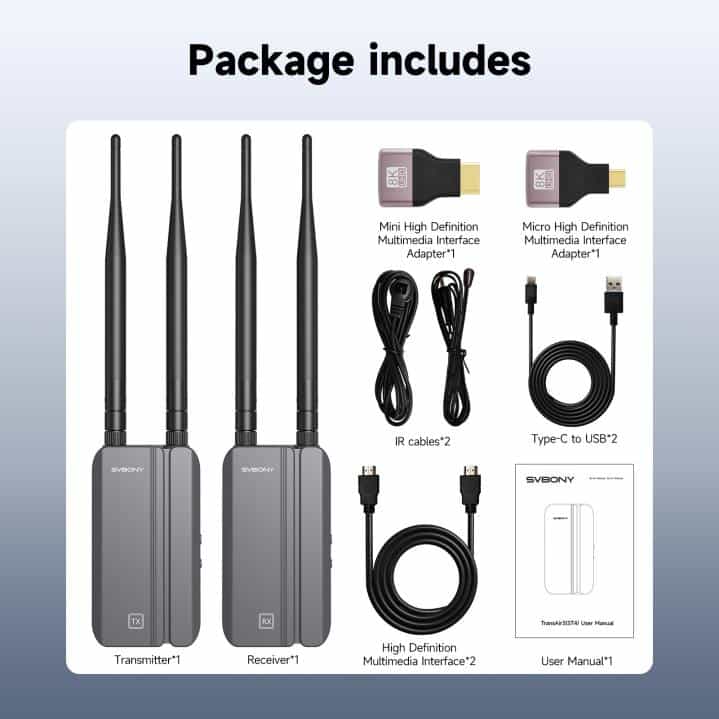
- Complete Kit: The box includes every necessary cable and adapter (Micro/Mini HDMI, IR cables, Type-C cables), so you have everything to start immediately.
Real-World Setup Scenarios
The Home Theater Enthusiast
Goal: Watch streaming services from a living room set-top box on a bedroom TV.
Connection:
- Connect set-top box to TX HDMI IN and IR port.
- Connect bedroom TV to RX HDMI OUT.
- Power both units with Type-C.
Result: Watch and control the living room box from the bedroom effortlessly.
The Content Creator
Goal: Stream video from a mirrorless camera to a laptop monitor outdoors.
Connection:
- Mount TX on camera via M6 thread. Connect camera to HDMI IN.
- Power TX with an NP-F battery.
- Connect RX to laptop capture card via HDMI OUT and power with a USB power bank.
Result: A portable, high-quality monitoring setup with low latency HDMI for perfect framing.
The Conference Room Manager
Goal: Let employees present wirelessly from their laptops to the main display.
Connection:
- Place TX connected to a dock with a permanent Type-C power connection.
- Connect RX to the main projector via HDMI OUT.
Result: A clutter-free conference room where anyone can share their screen instantly.
Beyond the Ports: How Interfaces Enable Key Features
The thoughtful interface design directly enables the TansAir3’s standout capabilities:
- Dual Power (Type-C & NP-F): The power ports enable the ultimate flexibility from all-day conferences to on-the-go filming.
- IR Control: The IR ports make multi-room streaming practical by solving the remote control problem.
- Dual HDMI Outputs: This allows for mirroring or extending to two displays from a single wireless HDMI receiver.
Experience Effortless Connection
The SVBONY TansAir3 proves that excellent wireless HDMI transmission isn’t just about what happens over the air—it’s about how easily and reliably it connects to your world. By combining the right ports with a true plug-and-play philosophy, it removes technical barriers and lets you focus on what matters: your content.