







Facebook Twitter Instagram
    Trending
    • SMOK Arco Nano Pod System Kit Review: Compact Power Meets Smart Pod Performance
    • Vape Master Settlement: A New Strike Against Vaping?
    • Fumo International has launched the LEVIA nicotine heated cigarette cartridge, emphasizing zero tobacco and bubble bead flavors.
    • Google Pixel 11 series phones’ Tensor G6 chip leak: 7-core CPU, using GPU from 5 years ago
    • Motorola Moto G87 Smartphone Rendering Image has been Revealed
    • Samsung Galaxy S26+ Review: Balanced Power in a Slim Flagship
    • Renderings of Motorola Razr 70+ Foldable Phone have been Released
    • Is the Honor X16 Plus Worth It? Full Real-World Review
    Facebook YouTube
    IGeeKphone China Phone, Tablet PC, VR, RC Drone News, Reviews
    • HOME
      • NEWS
        • DeepSeek
        • ChatGPT
        • Minecraft
    • Amazon
    • PHONE
      • Top Phones For Your First Choice
      • Phone Comparison
      • Xiaomi
      • Blackview
      • Doogee
      • Black Shark
      • Geekbuying
      • Banggood
      • TEMU
      • TikTok
      • Aliexpress
      • Walmart
      • MercadoLibre
      • Lazada
    • TOP VAPE Awards for 2026
    • VAPES
      • E-CIGAR Upcoming
      • Vape News
      • Vape Deals
      • Vape Comparison
      • Vape Guide
      • Giveaway
    • BEST VAPE
      • Best Vape Stores
      • Best Starter Vape Kits
      • Best Vapes for Beginners
      • Best Disposable Vapes
      • Best Pod Systems
      • Best Pod Mod Vapes
      • Best Mods
      • Best Nicotine Pouches
      • Best Clearomizers/Tanks
      • Best E-Liquid
      • Best EGO/Pens
      • Best Vapes for Nic Salt E-Juice
      • Best Vapes to Quit Smoking
      • RDA vs. RDTA vs. RTA
    • Best Vape Brand 2026
      • VAPORESSO
      • VOOPOO
      • OXVA
      • NEXA BAR
      • ORIONBARTECH
      • MASKKING VAPE
      • MEMERS
      • SP2S
      • TODOO
      • MRFOG
      • VEIIK
    • REVIEW
      • E-cigar Review
      • Phones
      • Tablet PC
      • TV Box
      • RC Drone
      • Wearables
      • Camera
      • Accessories
      • VR Headset
    • MORE
      • TABLET
        • Chuwi
        • INNOCN
        • Teclast
        • Top Tablet for Your First Choice
        • Tablet/Laptop Comparison
      • RC DRONE
      • CAMERA
      • WEARABLES
        • OneOdio
        • BlitzWolf
        • Top Smartwatch for First Choice
      • 3D PRINTER
        • 3D Printer Review
        • Anycubic
        • FLSUN
        • Xtool
        • LONGER
        • Top 3D printer to Choose First
      • POWER STATION
        • Oukitel
        • FOSSIBOT
      • GAMING
        • Top Gaming Products
      • E-BIKE
        • Samebike
        • Happyrun
        • ENGWE
      • SMART HOME
      • TV BOX
      • ACCESSORIES
      • VR HEADSET
      • CLOTHES
      • AUTO CAR
    • DEAL
    • VAPE LAWS
    • Shop
    IGeeKphone China Phone, Tablet PC, VR, RC Drone News, Reviews
    You are at:Home»Apple»How can iPhone 17 Pro Max Take Good Photos?
    Apple

    How can iPhone 17 Pro Max Take Good Photos?

    Brady CottonBy Brady CottonMarch 30, 2026
    Facebook Twitter Pinterest LinkedIn Tumblr Email

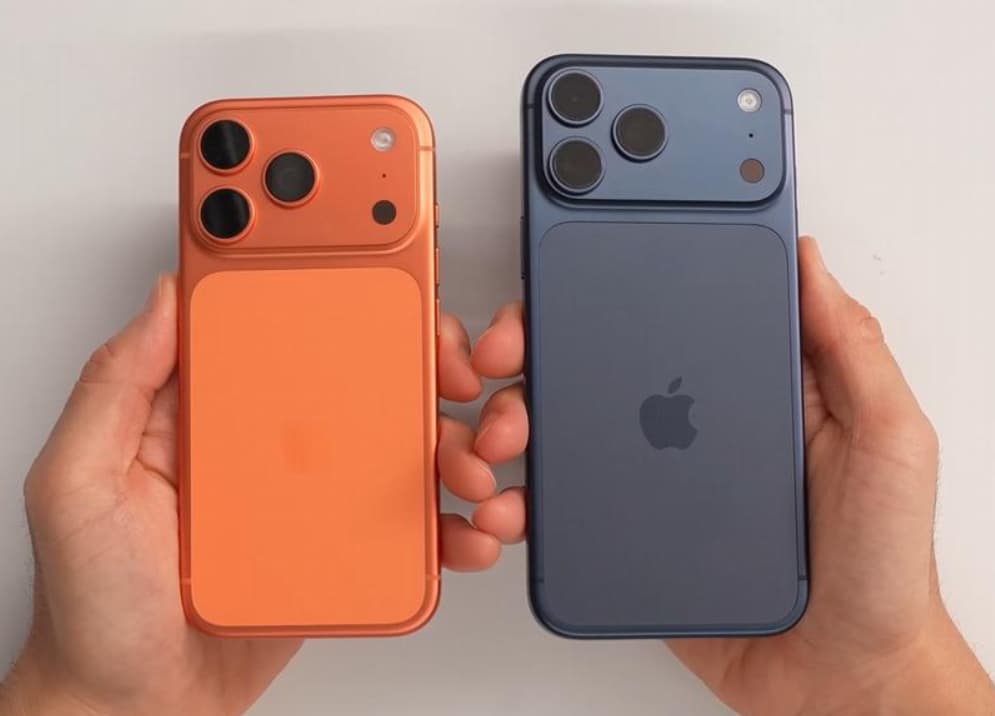
    iPhone 17 Pro Max, with its powerful imaging system and computational photography capabilities, has become a benchmark device in the field of mobile photography. To fully realize its potential, a systematic approach is required, covering four aspects: basic setup, scenario-based adjustment, composition skills, and advanced functions.

    I. Optimization of basic settings: Establishing the foundation for picture quality

    Go to “Settings – Camera – Format”, and select “Efficient (HEIF/HEVC)”. This can save 30% of storage space while retaining 24 million pixel details. If you need post-processing color correction, you can enable “Apple ProRAW” and set it to “JPEG XL Lossy Compression”. This ensures image quality while controlling the file size. It is recommended to lock the photo resolution to “24MP mode”. In this mode, the sensor uses full pixel output, and the noise in night scenes is reduced by 42% compared to the 48MP mode. Enable the combination function of “Grid Lines + Level Meter”. The nine-grid pattern assists in the composition of the rule of thirds. The level meter uses the gyroscope to real-time correct the tilt of the picture, ensuring the horizontal and vertical alignment of scenes such as buildings and landscapes.

    II. Scenario-based Calibration: Precisely Matching Shooting Requirements

    – Landscape Photography: The main camera with 1x (24mm) is suitable for capturing large scenes. It uses an F/1.78 large aperture to create a shallow depth of field. The 28mm focal length is achieved through sensor cropping, and its distortion control is better than that of external lenses, making it suitable for portrait photography. By enabling “Smart HDR 5”, the system automatically optimizes the details of highlights and shadows to avoid overexposure or underexposure.

    Portrait shooting: Enable the “Depth Control” slider in the “Portrait Mode” to adjust the intensity of background blurring in real time. Combine with the “Gloss” option in the “Photography Style” to give the skin tone of the subjects a natural luster. In backlit scenes, turn on “Portrait Blur Adjustment” and simulate the aperture value to f/2.8. Combine with the flash for supplementary lighting to enhance the three-dimensionality of the faces.

    Night scene shooting: The camera automatically switches to the night mode. If you need to extend the exposure time (up to 10 seconds), you can manually adjust the slider to the maximum value and use a tripod to secure the equipment to obtain purer details in the dark areas. In the night scene mode, the default EV value will be lowered to -0.7. Combined with the new multi-frame synthesis algorithm, this can further enhance the image quality.

    – Telephoto application: When using the 8x optical zoom lens to take pictures at a distance of 10 meters, its resolution exceeds that of most single-lens reflex cameras’ telephoto lenses, making it suitable for capturing architectural details. When shooting high dynamic scenes such as concerts, activate the “Telephoto Lens Priority” mode and combine it with the “Highlight Retention” algorithm to clearly capture the details of stage lights.

    III. Composition Techniques: Enhancing the Artistic Quality of the Picture

    Golden section point composition: Place the main subject, such as a person’s eyes or the top of a building, at the four intersection points of the nine-grid layout to enhance the layering effect of the photo.

    Low-angle shooting: Capture the scene close to the ground, using the sky as the background to avoid interference from other objects, and at the same time enhancing the depth perception of the picture.
    Frame-style composition: Look for natural frames, such as windows, doorways, or tree branches, and place the main subject within the frame to enhance the narrative quality of the picture.

    Guiding-line composition: By utilizing line elements such as roads and rivers, the composition guides the viewer’s gaze towards the main subject, enhancing the dynamic effect of the picture.

    Symmetrical composition: When shooting scenes such as buildings or water reflections, turn off the “Display outside composition” option to avoid UI elements from interfering and ensure the balance of the picture.

    IV. Advanced Features: Expanding Creative Boundaries

    – Video Recording: Select “4K 60fps” combined with “HDR mode”, with a dynamic range of 14 stops. The highlights are not overexposed and the dark areas retain details. Professional users can activate “ProRes Log encoding”, which enables 10-bit color depth color grading in Final Cut Pro, resulting in three times smoother color transitions compared to the ordinary mode.

    Space video shooting: When shooting space videos with Apple Vision Pro, enable the “Space Video” mode. During the shooting, keep the device level and maintain a distance of 0.5 to 1.5 meters from the subject to achieve the best 3D effect.

    Macro photography: When the distance between the lens and the subject is less than 10 centimeters, the system automatically activates the macro mode. At this time, it is recommended to turn off “Lens Correction” and retain the natural distortion to enhance the visual impact. When shooting water droplets or insects, an external circular lighting accessory can be used to improve the detail presentation.

    – Continuous Shooting and Shutter Control: Press and hold the shutter button to activate the continuous shooting mode, which can capture up to 20 photos per second. When the “Volume Up Button for Continuous Shooting” option is enabled, pressing the volume up button will start the high-speed continuous shooting, which is suitable for capturing moving scenes.

    Through systematic setup and scenario-based adjustment, the iPhone 17 Pro Max can cover all scenarios from daily recording to professional creation. After mastering these techniques, users can complete the entire creative process from composition to post-processing in the native camera without relying on third-party applications.

    Share. Facebook Twitter Pinterest LinkedIn Tumblr Email

    Related Posts

    How to Repair a Malfunctioning 2026 Desktop Computer System with a Damaged Hard Drive

    What Should I do if the Camera on iPhone 17 Goes Black and Won’t open?

    Are you purchasing views for your YouTube videos?

    Leave A Reply Cancel Reply

    You must be logged in to post a comment.

    voopoo drag 6
    oxva xlim 3 ultra
    sp2s sen x disposable vape
    • Popular
    • 3D Printer REVIEW
    • XIAOMI
    April 18, 2026

    VOOPOO DRAG 6 Hands on Review: Vape Beast with Smart Power & Premium Control

    April 8, 2026

    OXVA NeXLIM vs XLIM Pro 2 Pod Hands-On Review (2026)

    March 16, 2026

    OXVA Slimstick VS OXVA Slimstick X Vape Hands-on Review

    March 5, 2026

    OXVA XLIM PRO 3 vs XLIM GO 2: Hands-On Review

    December 26, 2025

    ACMER ASCARVA 4S: Precision CNC Power for Makers, DIYers & Small Workshops

    June 23, 2024

    ACMER P2 20W Laser Engraver Fixed Focus Engraving: Hands on Review

    May 30, 2024

    xTool F1 Ultra Review: World’s First 20W Fiber & 20W Diode Laser Engraver

    May 30, 2024

    Anycubic Kobra 3 Combo Review: The Multicolor Masterpiece?

    April 29, 2026

    Based on Android 17 Beta 2, the developer preview version of Xiaomi Hyper OS has been Released

    April 27, 2026

    It is Reported that a Certain Factory has Launched a 7-inch 2K Ultra-high Refresh Rate Straight Screen

    April 27, 2026

    Review: Is REDMI K90 MAX the Ultimate Gaming Phone in 2026?

    April 25, 2026

    Xiaomi’s large foldable MIX Fold 5 makes a triumphant return: Equipped with its self-developed SoC Xuanji O3

    fc 26 coins
    New Arrivals
    • SMOK Arco Nano Pod System Kit SMOK Arco Nano Pod System Kit
    • IPLAY SPARK 50k Disposable Pod IPLAY SPARK 50k Disposable Pod
    • vivo Y500s vivo Y500s
    • Xiaomi Poco C81 Pro Xiaomi Poco C81 Pro
    • Mia Legend Pro 50K Disposable Vape Mia Legend Pro 50K Disposable Vape
    • OXVA Unione Pod System Kit OXVA Unione Pod System Kit
    • Huawei Pura 90 Pro Max Huawei Pura 90 Pro Max
    • Huawei Pura X Max Smartphone Huawei Pura X Max Smartphone
    • Oneplus Pad 4 Oneplus Pad 4
    About
  • Igeekphone.com provides the first global tech news and reviews about smartphone, vapes, e-cigar, smart home, 3D printers, e-bike,tablets, RC drones, VR headset, and other accessories. It's the best platform to improve your brand and product.
  • Contact us: info@igeekphone.com
  • Check Our Privacy Policy Here.
  • Note: *Right now we have US editor and EU editors for review, especially for Amazon US and EU.
  • *Shop and Compare Price Here*
  • Facebook
  • Youtube
  • OUR BEST VAPE PARTNERS
  • VAPE ONLINE STORE
  • HAYATI PRO MAX PLUS
  • VAPORESSO
  • VOOPOO
  • OXVA
  • NEXA
  • MASKKING
  • TODOO
  • SP2S
  • VEIIK
  • OTHER BEST PARTNERS
  • SVBONY
  • Chuwi
  • Blackview
  • Fossibot
  • Unihertz
  • Flsun
  • Anycubic
  • Xtool
  • Oukitel
  • Mukkpet Ebike
  • Ugreen
  • Copyright © 2026 igeekphone

    Type above and press Enter to search. Press Esc to cancel.