









As a benchmark device for imaging in the foldable phone segment, Huawei Mate XTs combines innovative hardware design with intelligent algorithms to offer users a complete creative toolkit—from basic parameter control to advanced artistic expression. Below is a six-part guide explaining how to scientifically fine-tune the camera settings and fully unleash its imaging potential.
1. Pro Mode: Precise Control of Core Parameters
In Pro Mode, users can manually adjust ISO, shutter speed, and exposure compensation (EV).
-
In bright environments, it’s recommended to lower ISO to 50–100 to reduce noise, while increasing the shutter speed to 1/1000s or faster to prevent overexposure.
For example, when photographing buildings under midday sunlight, this combination helps preserve highlight details and prevents shadows from becoming too dark. -
For backlit scenes, slide the EV control to –0.7 to –1.0 to reduce overall exposure.
Choosing the right metering mode is also crucial:
-
Matrix metering is ideal for landscapes, as it analyzes overall light distribution to balance exposure.
-
Spot metering works best for close-up portraits—placing the metering point on the subject’s face prevents the background from overpowering the subject.
-
Center-weighted metering suits still life or flower photography, emphasizing brightness in the central area of the frame.
2. Foldable Form Factor: Unlock Dual-Screen Creative Shooting
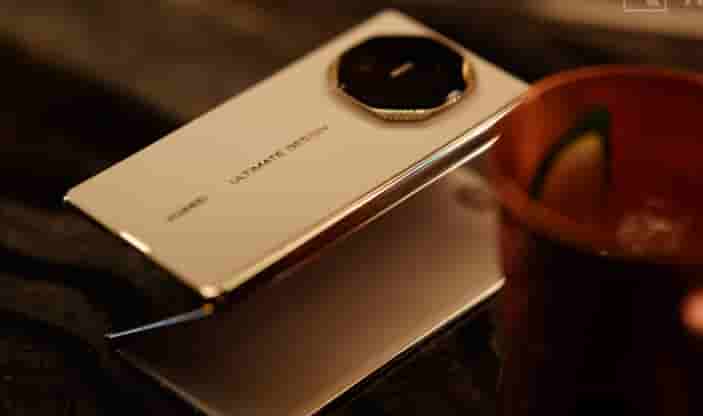
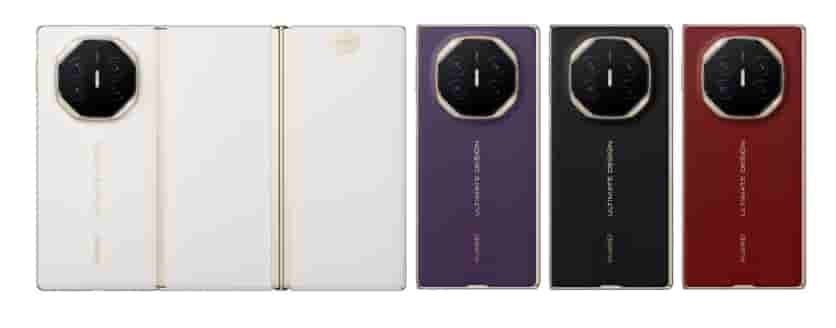
The tri-fold design of the Huawei Mate XTs enables three unique shooting functions:
-
Dual-screen preview: In folded mode, the outer screen shows a live preview to the subject, making it easier to adjust poses—especially useful for group photos.
-
Hover shooting: Folding the phone at a 90-degree angle allows it to rest on a table, with the upper screen for framing and the lower screen for parameter adjustments. This hands-free setup is ideal for time-lapse and long-exposure photography.
-
Split-screen editing: After shooting, unfold the screen to view the original image on one side and real-time filter previews on the other, allowing easy swipe comparisons and greatly improving post-processing efficiency.
3. AI Algorithms: Intelligent Scene Optimization
The Mate XTs’ AI Photography Master automatically recognizes scenes and switches to optimal settings.
-
In Portrait Mode, multiple levels of beautification and background blur are available. A recommended beauty level of 4–5 smooths skin naturally without over-processing.
-
In Night Mode, the main camera’s F1.4 large aperture captures light trails from traffic, while the 10-step variable aperture adjusts starburst sharpness. In very low light, enabling Night Mode uses multi-frame stacking to improve brightness and clarity.
-
For wildlife photography, Eco Photography Mode combined with AI tracking autofocus allows the camera to recognize and continuously follow the subject. Paired with the 5.5× optical periscope telephoto lens, users can capture animals from a distance without disturbing them.
4. Telephoto Lens: Breaking Spatial Limits
The Mate XTs features a 12MP periscope telephoto lens supporting 5.5× optical zoom and up to 50× digital zoom.
-
When zooming beyond 15×, a picture-in-picture preview appears in the top-right corner, showing the main camera’s view to help locate the subject despite the narrow field of view.
-
At 50× digital zoom, enable both OIS (optical image stabilization) and AI stabilization. For handheld shooting, keep the shutter speed at 1/250s or faster.
The system also provides scene-specific optimization:
-
For concerts, selecting the High Zoom scene automatically raises ISO to around 3200 and activates multi-frame noise reduction, allowing clear capture of performers’ facial details even from the back rows of a stadium.
5. Color Styles: Customize Your Visual Language
Within XMAGE Styles, users can fine-tune color temperature, saturation, and lighting via the Personal Color Card feature.
-
For city night scenes, set the color temperature to 3000K for a warm ambiance and reduce saturation by 10% to prevent overexposed lights.
-
For snow scenes, increase lighting contrast by 20% to enhance depth, and apply –1 EV exposure compensation to prevent snow highlights from losing texture.
-
For sunsets, enable HDR Enhancement and reduce its intensity to 50%, preserving shadow details while preventing highlight blowout for a balanced image.
6. Scene Presets: One-Tap Professional Results
The Huawei Mate XTs offers multiple presets tailored to different scenarios:
-
Ultra-clear Panorama mode for landscapes stitches images into panoramic photos up to 100 megapixels, ideal for city skylines or natural vistas.
-
Portrait Mode supports adjustable background blur and beautification, with options like Super Blur or Heart-shaped Bokeh for cinematic effects.
-
For macro photography, combining the telephoto lens with a macro adapter enables ultra-close focusing down to 2 cm, capturing fine details such as dewdrops on flowers or the compound eyes of insects.
By leveraging these techniques across shooting modes, AI features, and the Mate XTs’ unique foldable design, users can consistently produce stunning, professional-quality photos in virtually any scenario.